Development of Refine Studio AI SaaS

Zouhir Laoulaou


Refine Studio: From Idea to Paid AI SaaS in 3 Days
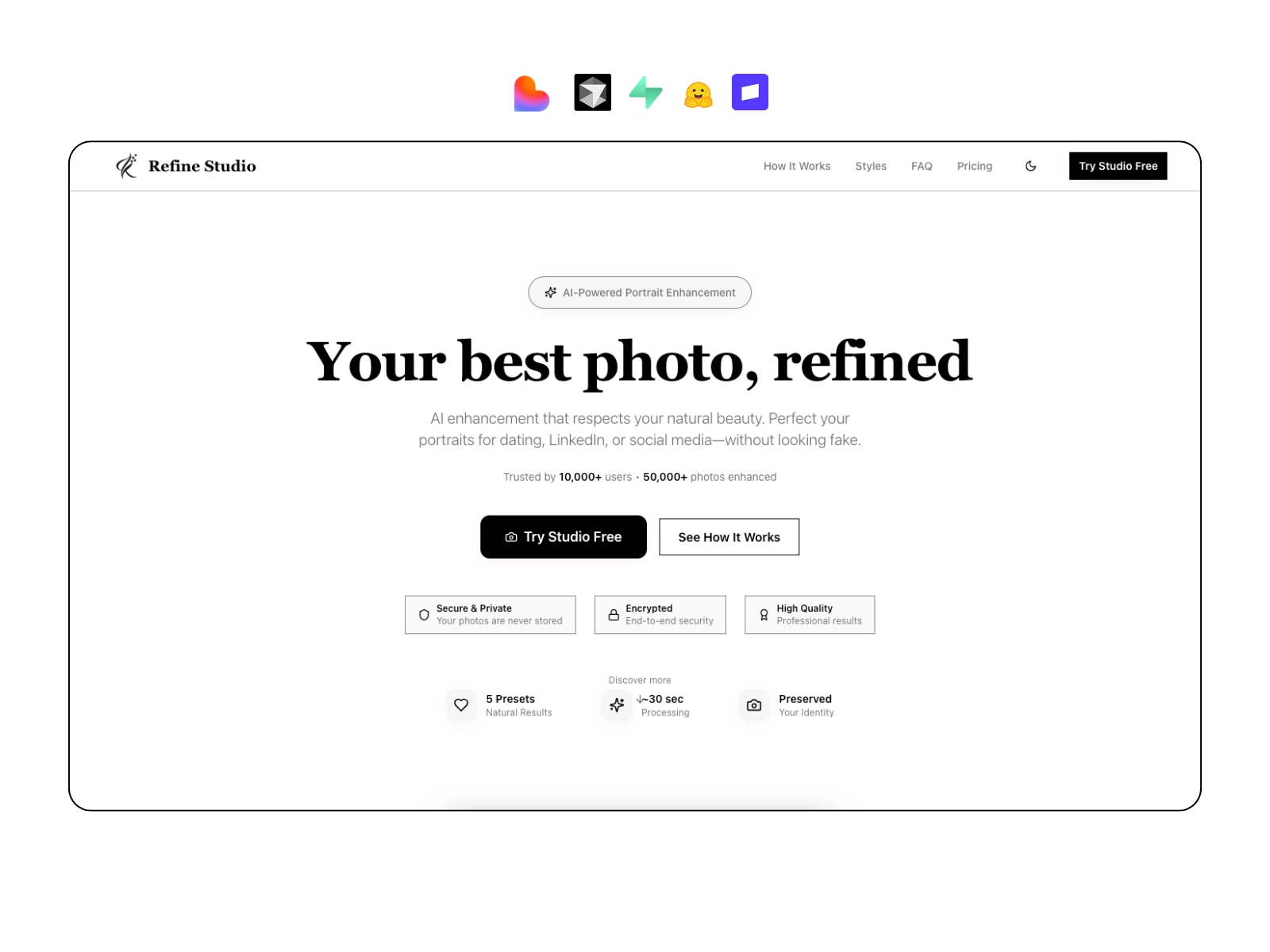
Refine Studio is an AI-powered portrait enhancement SaaS I built and shipped in 3 days to validate a real-world use case: turning AI image models into a clean, monetizable product that non-technical users can actually use.
This case study focuses less on “AI magic” and more on how I design, ship, and monetize full-stack products fast.
The Constraint
Timeline: 3 days
Team: Solo
Goal:
Build a production-ready MVP that includes:
Authentication
AI image processing
Usage limits
Paid subscriptions
A clean, intuitive UI
Not a demo. A real SaaS slice.
Quick demo for Photo to Anime style
Landing page demo
The Real Problem
Most AI image tools fail not because the models are bad, but because:
The UX is confusing
The results feel inconsistent or “overcooked”
There’s no clear business model
AI infra is exposed directly to the frontend (security + cost risk)
The challenge wasn’t “enhancing images.”
It was:
Turning raw AI capability into a usable, secure, paid product.
My Approach (Product Decisions Over Perfection)
1. Speed First, Not Reinventing UI
Used Lovable to accelerate MVP layout and flows
Refined and extended it manually with React + TypeScript
Built a small, reusable studio component system instead of a huge design system
Decision:
Don’t design from scratch. Design for iteration.
2. Frontend as the Product
The studio experience is the value:
Image upload
Preset-based enhancements
Before / after comparison
Enhancement history
Clear loading and feedback states
Everything is optimized for:
“Upload → click → result” in seconds
Zero technical knowledge required
3. AI Without Exposing AI
Instead of calling models directly from the client:
All AI requests go through Supabase Edge Functions
Functions handle:
Auth checks
Subscription validation
Model routing
Error handling
Response normalization
This keeps:
API keys secure
Costs controlled
Models swappable without frontend changes
4. Monetization from Day One
I integrated Stripe subscriptions early, not as an afterthought:
Free tier with limits
Pro tier with unlimited enhancements
Feature gating enforced server-side
Stripe Checkout + Billing Portal wired into UX
This turns the project from:
“Cool AI tool” → Actual SaaS
What I Personally Built (End-to-End)
Full React + TypeScript frontend
Supabase Auth (Google OAuth)
Supabase Edge Functions (AI orchestration + billing logic)
Hugging Face Spaces integration (Qwen 2.5 Image Edit + LoRA)
Stripe subscriptions and access control
Deployment, environment config, and production setup
No templates. No boilerplate SaaS starter.
Why This Matters for Clients
This project shows how I work when building for clients:
I optimize for time-to-value
I choose tools strategically, not dogmatically
I think about UX, infra, and monetization together
I ship products that can be:
Validated
Iterated
Monetized quickly
The same approach applies to:
Internal tools
AI features inside existing products
White-label SaaS modules
New startup ideas
Tech Stack (Chosen for Speed + Scalability)
Frontend: React, TypeScript, Vite, Tailwind, shadcn/ui
Backend: Supabase (Auth, DB, Storage, Edge Functions)
AI: Hugging Face Spaces (Qwen 2.5 Image Edit, LoRA)
Payments: Stripe Subscriptions
Infra: Serverless, low-ops, scalable
Final Takeaway
Refine Studio isn’t about portraits.
It’s a proof that I can:
Take an idea → design the product → wire the backend → integrate AI → add payments → ship. Fast.
That’s what I bring as a full-stack developer.
Like this project
Posted Jan 8, 2026
Created a working AI portrait enhancement SaaS in 3 days: turning AI image models into a clean, monetizable product that non-technical users can actually use.