UX Documentation and Content Strategy

Mac Mcdonough


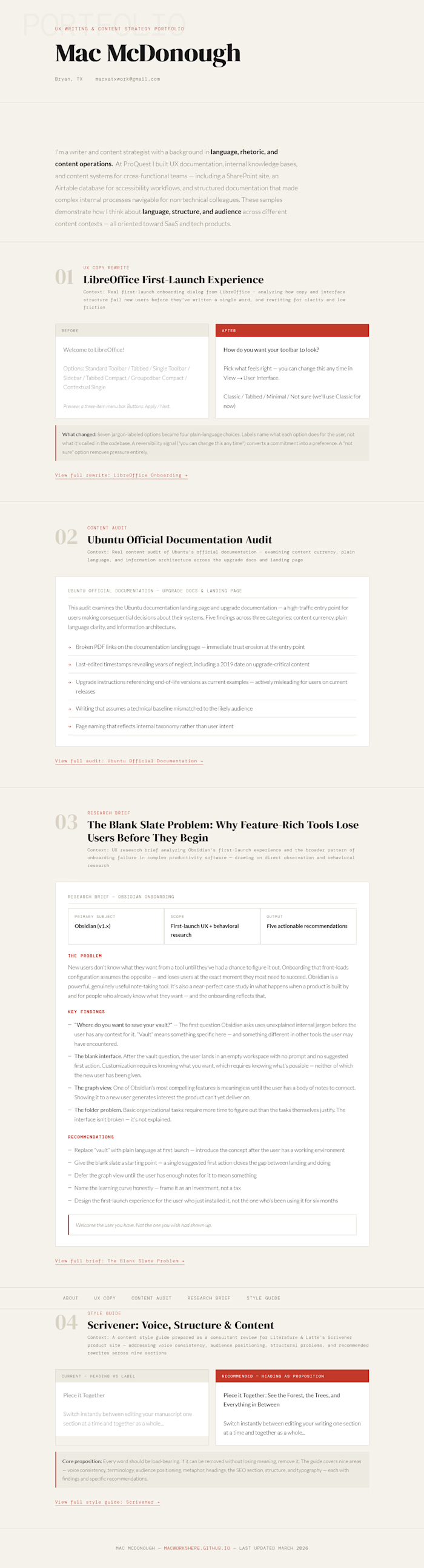
I'm a writer and content strategist with a background in language, rhetoric, and content operations. At ProQuest I built UX documentation, internal knowledge bases, and content systems for cross-functional teams — including a SharePoint site, an Airtable database for accessibility workflows, and structured documentation that made complex internal processes navigable for non-technical colleagues. These samples demonstrate how I think about language, structure, and audience across different content contexts — all oriented toward SaaS and tech products.
Welcome to LibreOffice!
Options: Standard Toolbar / Tabbed / Single Toolbar / Sidebar / Tabbed Compact / Groupedbar Compact / Contextual Single
Preview: a three-item menu bar. Buttons: Apply / Next.
How do you want your toolbar to look?
Pick what feels right — you can change this any time in View → User Interface.
Classic / Tabbed / Minimal / Not sure (we'll use Classic for now)
What changed: Seven jargon-labeled options became four plain-language choices. Labels name what each option does for the user, not what it's called in the codebase. A reversibility signal ("you can change this any time") converts a commitment into a preference. A "not sure" option removes pressure entirely.
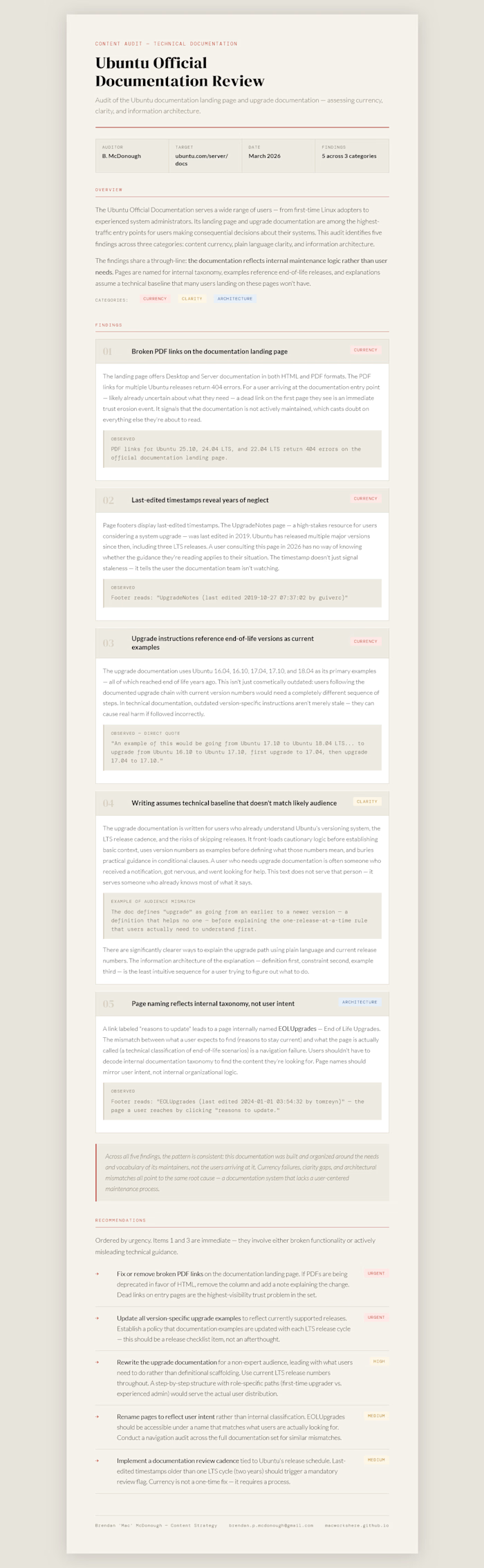
This audit examines the Ubuntu documentation landing page and upgrade documentation — a high-traffic entry point for users making consequential decisions about their systems. Five findings across three categories: content currency, plain language clarity, and information architecture.
Broken PDF links on the documentation landing page — immediate trust erosion at the entry point
Last-edited timestamps revealing years of neglect, including a 2019 date on upgrade-critical content
Upgrade instructions referencing end-of-life versions as current examples — actively misleading for users on current releases
Writing that assumes a technical baseline mismatched to the likely audience
Page naming that reflects internal taxonomy rather than user intent
New users don't know what they want from a tool until they've had a chance to figure it out. Onboarding that front-loads configuration assumes the opposite — and loses users at the exact moment they most need to succeed. Obsidian is a powerful, genuinely useful note-taking tool. It's also a near-perfect case study in what happens when a product is built by and for people who already know what they want — and the onboarding reflects that.
"Where do you want to save your vault?" — The first question Obsidian asks uses unexplained internal jargon before the user has any context for it. "Vault" means something specific here — and something different in other tools the user may have encountered.
The blank interface. After the vault question, the user lands in an empty workspace with no prompt and no suggested first action. Customization requires knowing what you want, which requires knowing what's possible — neither of which the new user has been given.
The graph view. One of Obsidian's most compelling features is meaningless until the user has a body of notes to connect. Showing it to a new user generates interest the product can't yet deliver on.
The folder problem. Basic organizational tasks require more time to figure out than the tasks themselves justify. The interface isn't broken — it's not explained.
Replace "vault" with plain language at first launch — introduce the concept after the user has a working environment
Give the blank slate a starting point — a single suggested first action closes the gap between landing and doing
Defer the graph view until the user has enough notes for it to mean something
Name the learning curve honestly — frame it as an investment, not a tax
Design the first-launch experience for the user who just installed it, not the one who's been using it for six months
Piece it Together: See the Forest, the Trees, and Everything in Between
Switch instantly between editing your writing one section at a time and together as a whole...
Core proposition: Every word should be load-bearing. If it can be removed without losing meaning, remove it. The guide covers nine areas — voice consistency, terminology, audience positioning, metaphor, headings, the SEO section, structure, and typography — each with findings and specific recommendations.
Like this project
Posted Mar 10, 2026
Created UX documentation and content information architecture for internal teams at PQ and Whole Foods Market Produce Department.