AI Chat to Notion Exporter - Chrome Extension

Galih Muhammad


AI Chat to Notion Exporter - Chrome Extension
If you love Notion and also love doing research and brainstorm with AI, then I have something for you!
I also love both of the things I mentioned above and until recently I always copy the conversations or replies from AI that I want to save and note down into a Notion page which I am working on.
Not anymore, though, since I have developed and released a free chrome extension that enables smooth and seamless AI chat export to Notion.
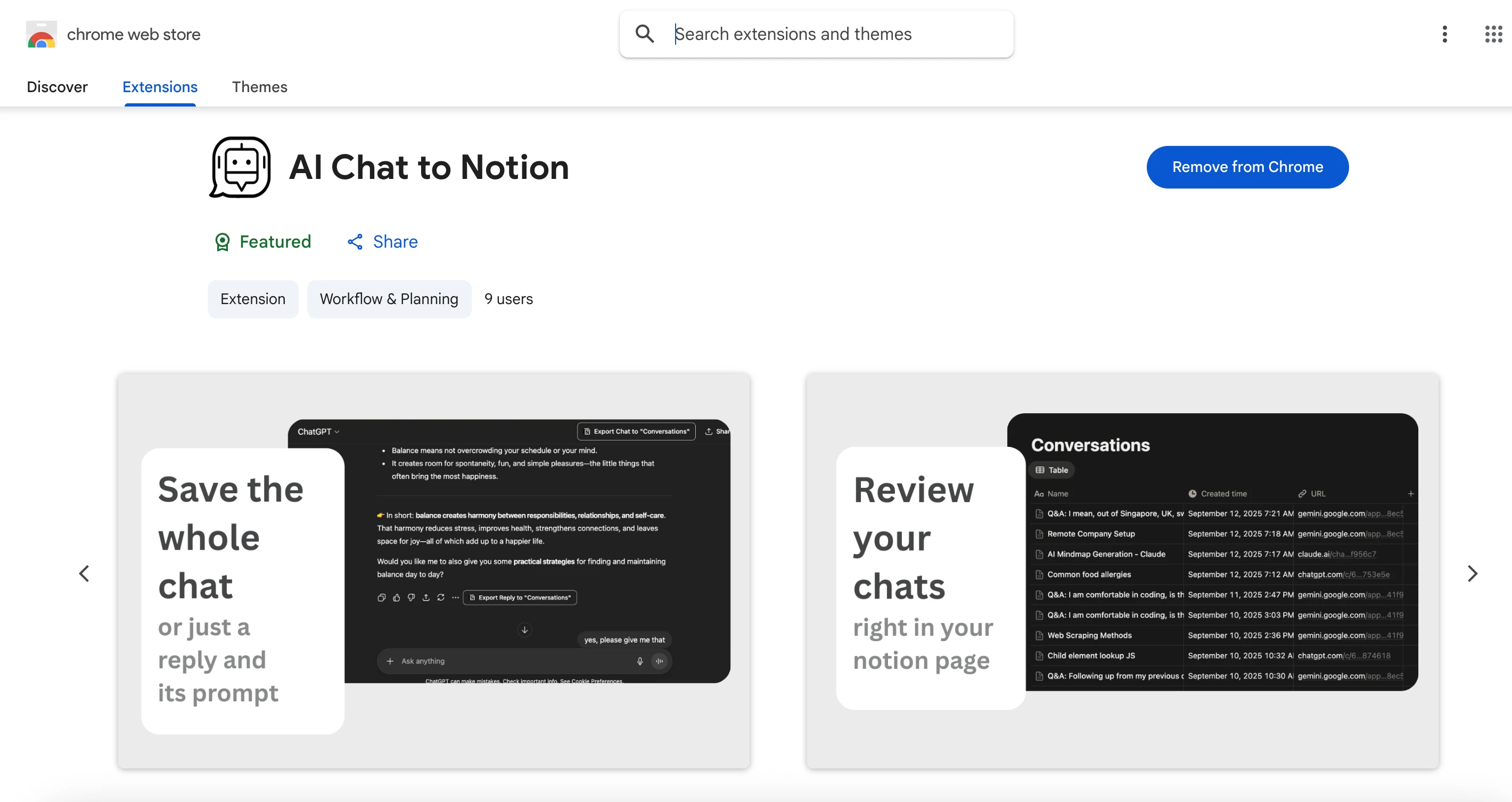
Chrome Web Store Listing Page
Challenges
Though the extension only does one thing, surprisingly handling exports from multiple AI Chat providers (Claude, ChatGPT, and Gemini) does provide challenges due to little details in which each of them implement their chat web interface.
On top of that, there are also challengs that Notion API provide in form of a limitation it imposes on the maximum number of blocks.
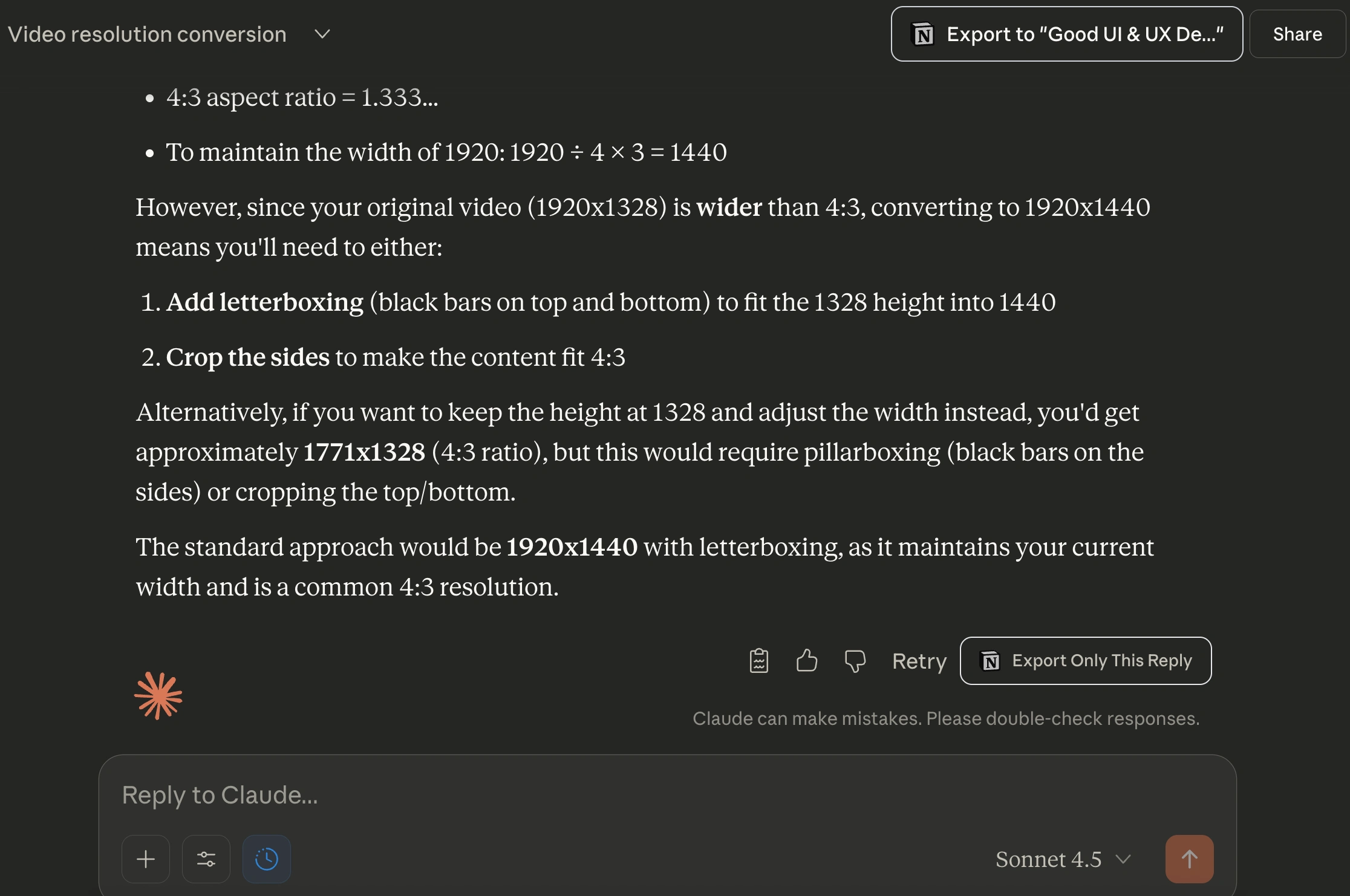
How the Export Buttons Look Like in Claude.ai
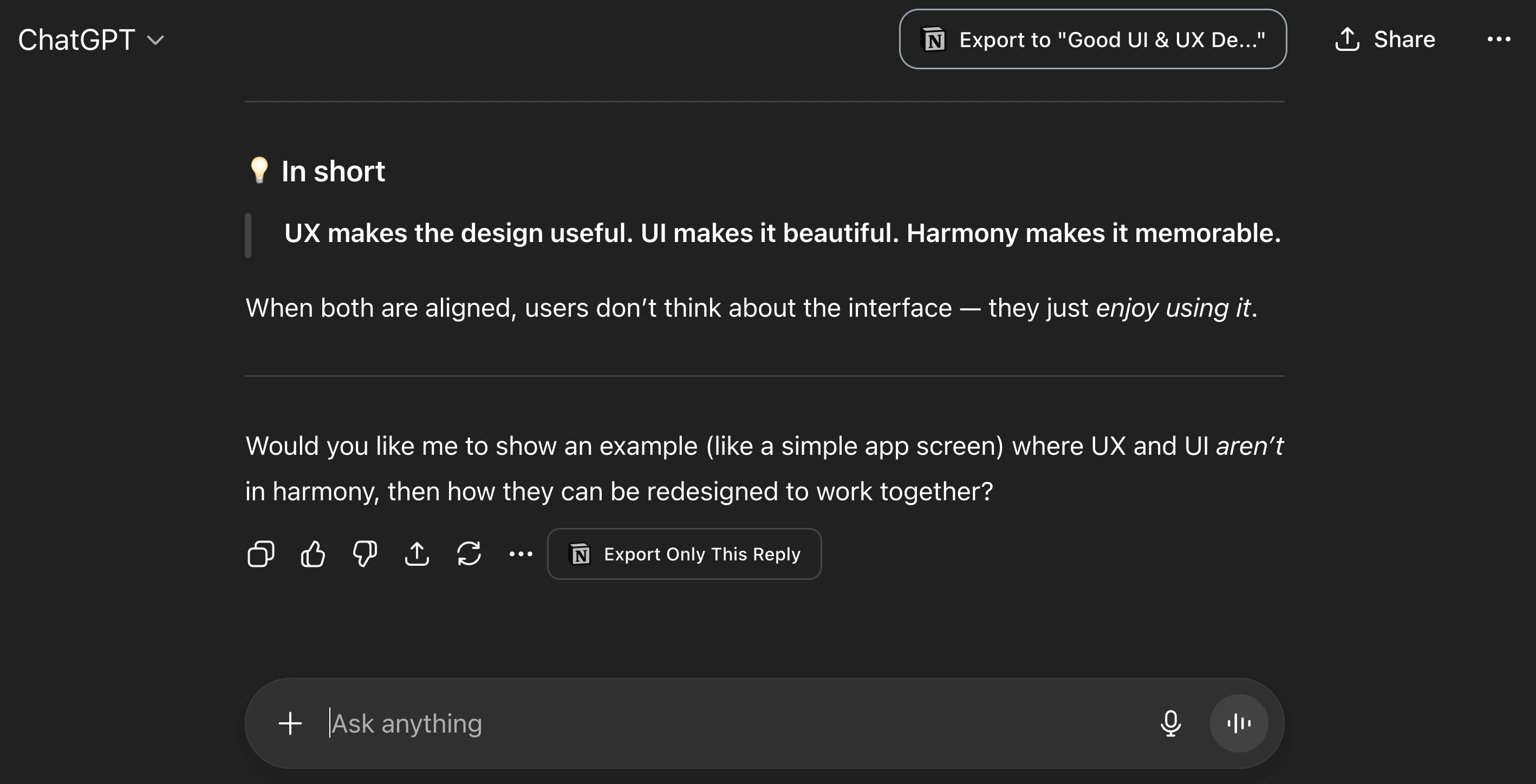
How the Export Buttons Look Like in ChatGPT
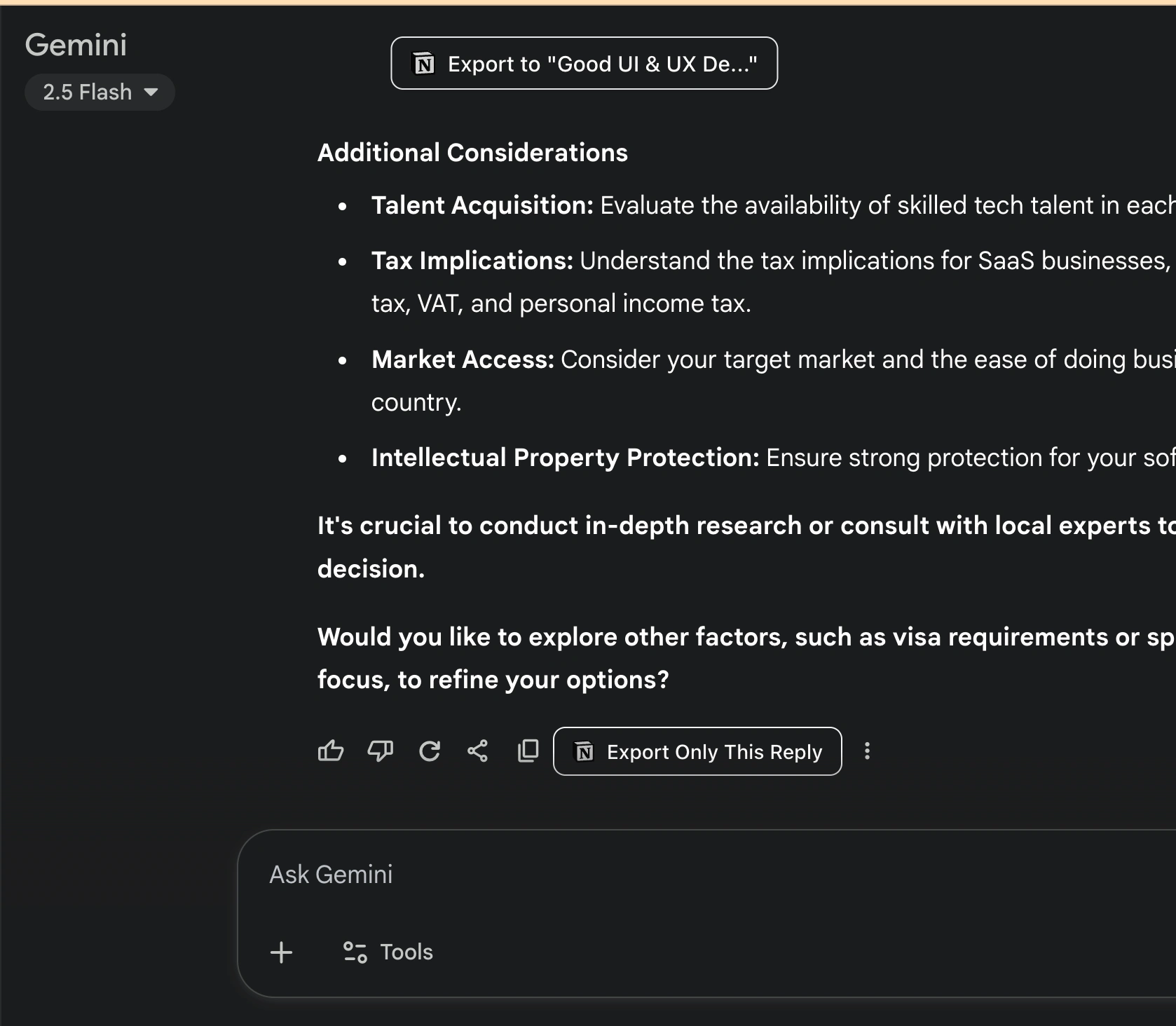
How the Export Buttons Look Like in Gemini
Strategic Approach
Privacy-first approach by not storing any PII from the user, not even email address. Exported conversations are stored in the user’s browser local storage.
Encrypted access token provided by Notion from the granted access by the user. This is always important, however in Notion’s case the importance of encrypting access token is heightened due to the fact the granted access token never expires.
To have two kinds of copy buttons, one for the whole chat and another to copy singular pair of a reply from the AI and the user prompt that preceeds it.
To translate replies from the AI into Notion blocks by relying on the html tags of each AI reply. For example, a
<li> on the user reply will be converted into a Notion block of bulleted_list_item type.For longer chats, due to Notion’s API limitation on maximum number of blocks when creating a new page, we have to turn a long chat into multiple chunks of 100 blocks. The first 100 blocks get added during page creation, the rest of the chunks to be added to the page later.
Interested to find out more about it? You can check it out here!
Like this project
Posted Oct 21, 2025
Developed a Chrome extension for exporting AI chat to Notion.
Likes
0
Views
11
Timeline
Sep 1, 2025 - Nov 1, 2025