Aero - Website UI Design

Ryan Almeida

Aero Website Design
Aero is a sleek and modern task management app built to help individuals and teams organize their work with speed, clarity, and focus. This project focuses solely on the website design for Aero, created to showcase the product, communicate its benefits, and drive user sign-ups. The entire website is designed in a refined dark mode aesthetic, blending minimalism with functionality to reflect Aero’s identity as a productivity tool for modern professionals.
Design Direction
The visual direction follows a clean dark interface with deep charcoal backgrounds, soft gradients, and subtle neon accent colors to highlight key components. The typography is bold and readable, using a mix of geometric sans-serif fonts for headings and clean body fonts for longer text. UI components like buttons, cards, input fields, and illustrations are designed with rounded edges, soft shadows, and high-contrast elements for accessibility.
Spacing, layout, and structure are kept airy and visually balanced despite the dark theme, ensuring clarity and reducing visual noise. Smooth micro-interactions such as hover states, button animations, and scroll-triggered transitions add depth without distraction.
Card Micro-animations
Homepage
Homepage
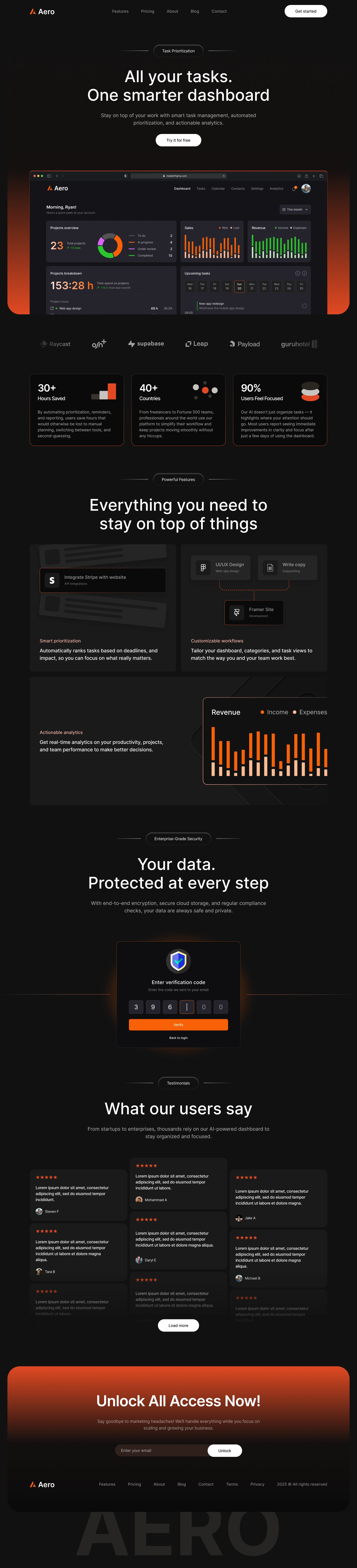
The homepage introduces Aero with a strong hero section featuring a short headline, supporting text, and a prominent call-to-action button like “Get Started” or “Try for Free.” A product mockup of the app in dark mode is showcased to visually communicate the interface.
Below the fold, the homepage includes brief sections highlighting key features—task organization, team collaboration, real-time syncing, and workflow automation. Social proof elements like user testimonials, company logos, and app ratings help build trust. A final call-to-action reinforces sign-up or product download.
Features Page
Features Page
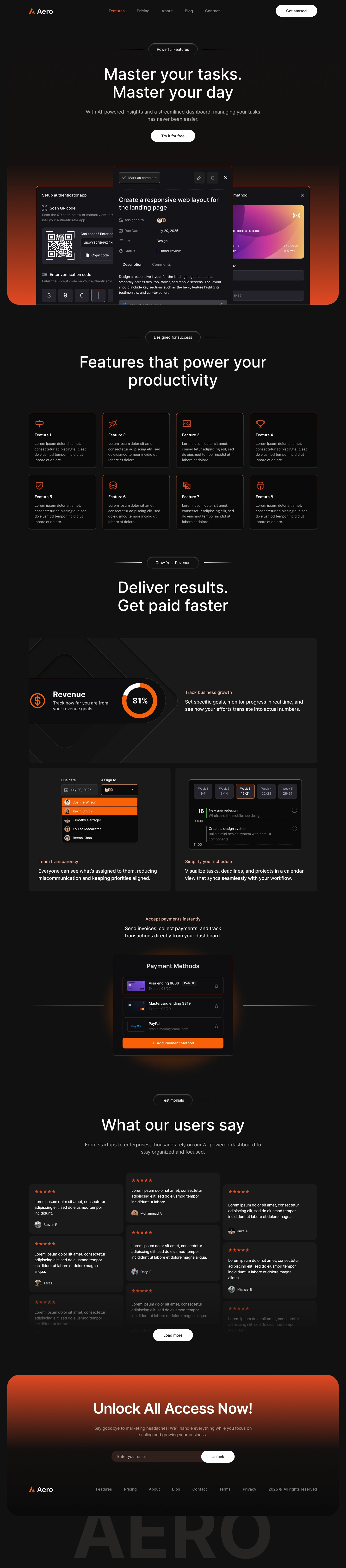
This page dives deeper into Aero’s core features. Each feature is presented using a combination of icons, screenshots, and concise descriptions. Sections include:
Smart Task Lists and Categorization
Team Collaboration and Shared Workspaces
Real-Time Notifications and Progress Tracking
Cross-Device Sync and Offline Access
The layout emphasizes clarity with alternating image/text blocks, interactive tabs or accordions, and subtle scroll animations to keep users engaged.
Pricing Page
Pricing Page
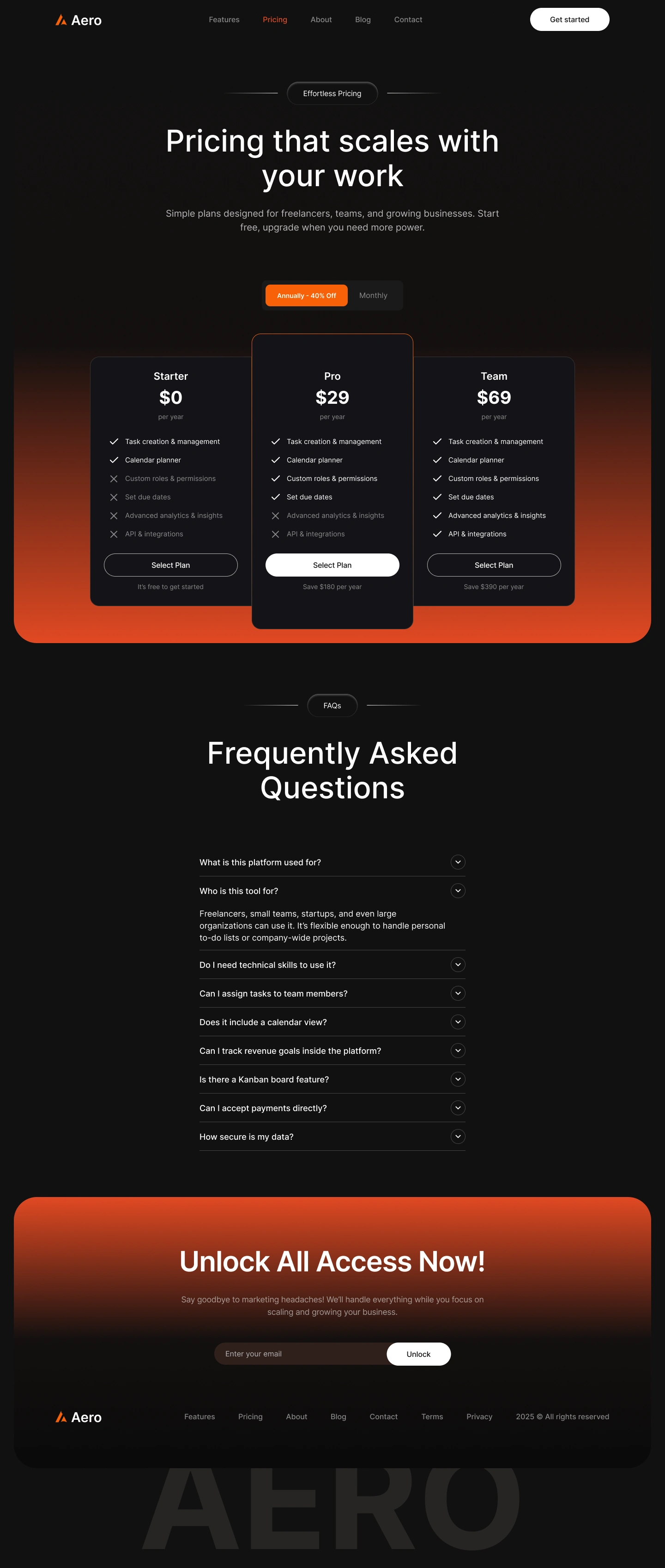
The pricing layout presents Aero’s subscription plans in a clean, easy-to-scan format. Dark cards with soft highlights display plan names, features, pricing, and call-to-action buttons. A toggle for monthly vs. yearly billing and a comparison table help users choose the right plan.
A FAQ section at the bottom addresses common questions about payments, trials, and cancellations, reducing friction in the decision-making process.
About Us
About Us Page
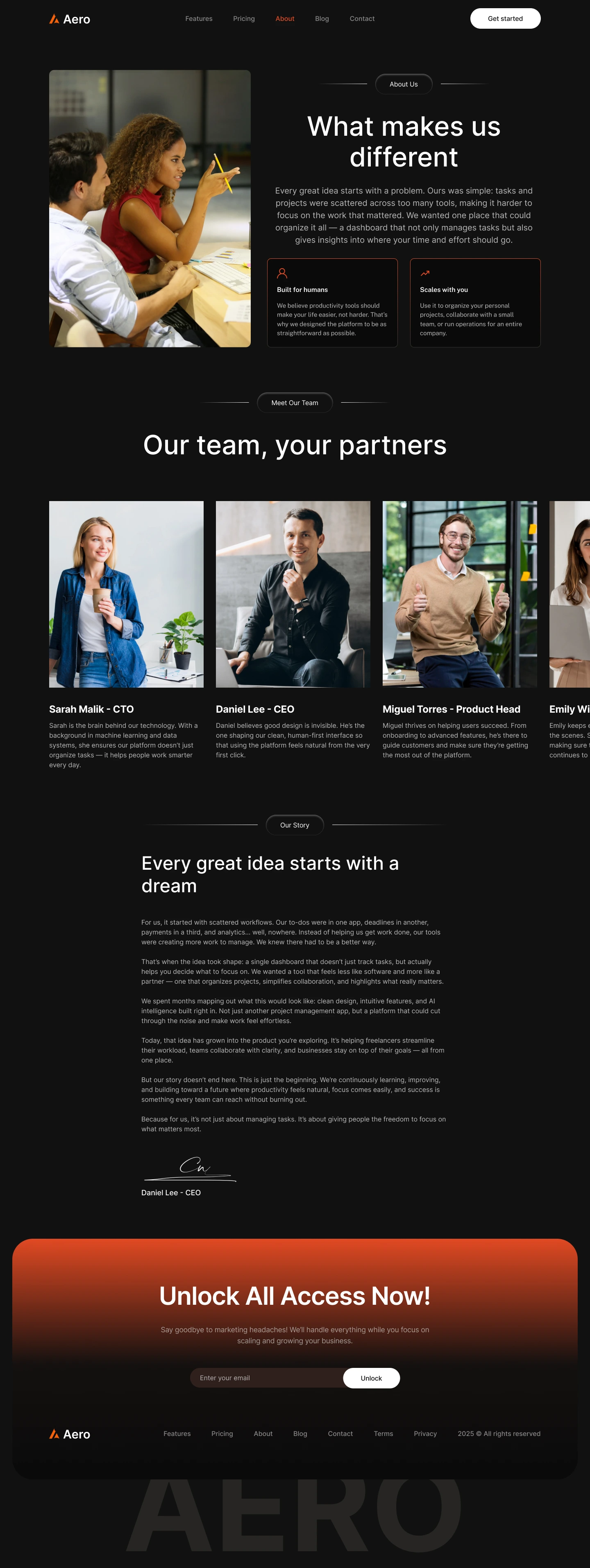
The About page tells Aero’s story—its mission to simplify productivity and help teams work smarter. It introduces the founders and team members with profile photos and brief bios. A dark-themed timeline illustrates Aero’s journey from concept to launch.
This page reinforces trust and authenticity, supported by team culture photos, and company values.
Contact Us
Contact Page
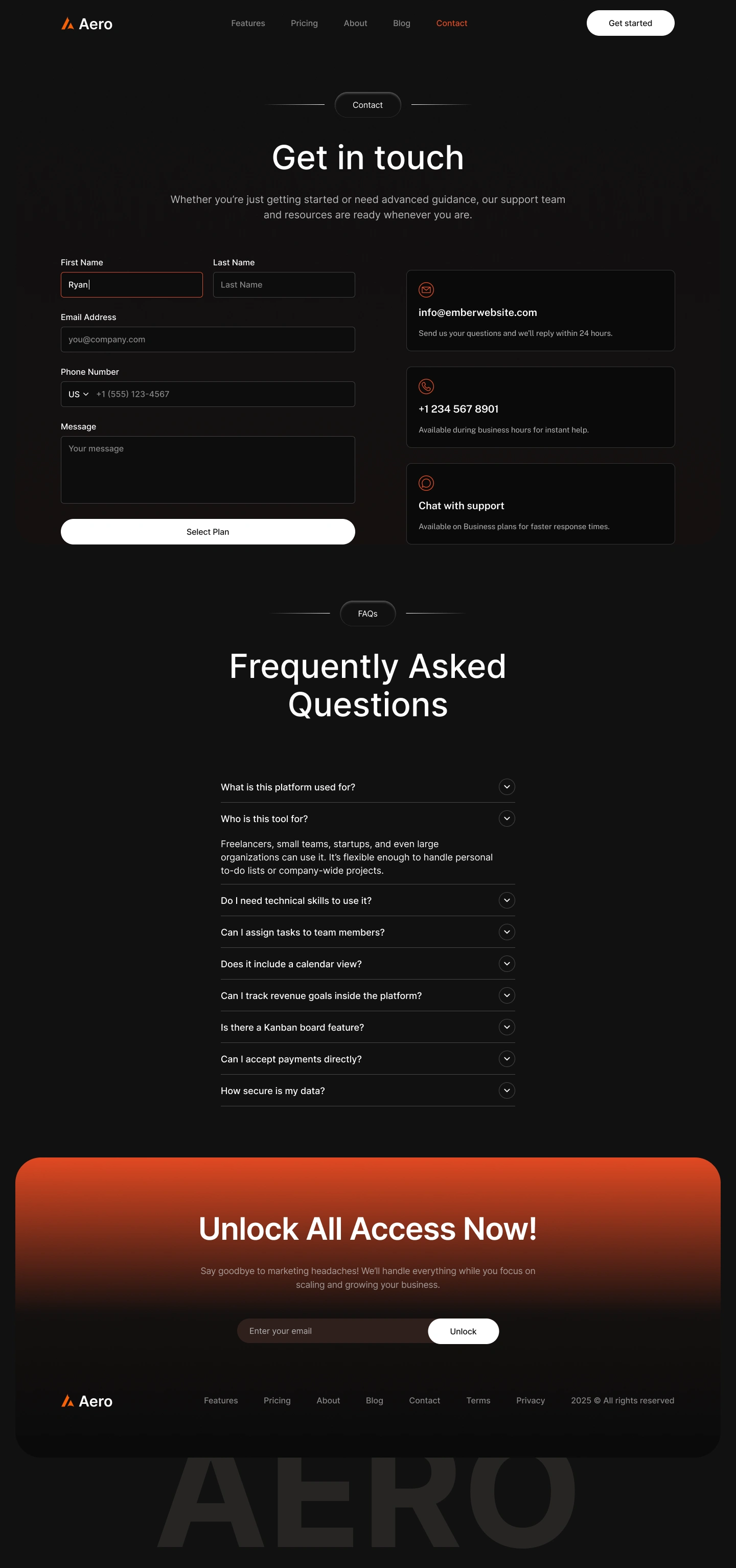
A simple and functional layout with a contact form that includes fields for name, email, subject, and message. Dark form fields with highlighted borders on focus ensure usability. Additional contact details like email address, office location, and phone number make it easy for users to contact the team.
Blog Page
Blog Page
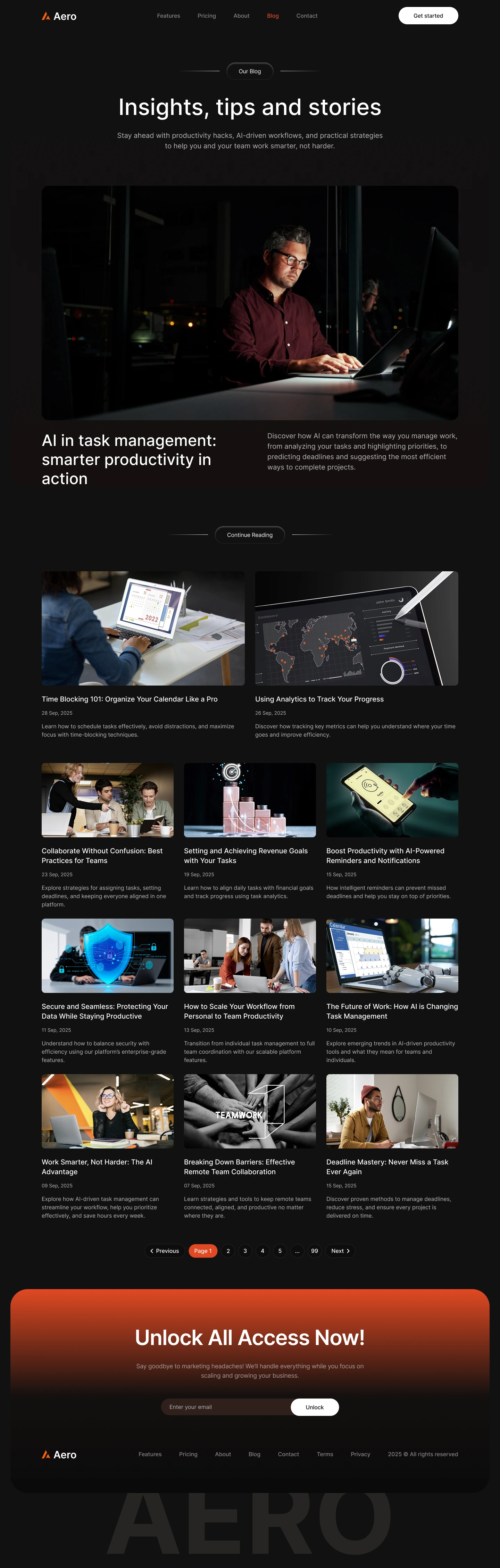
The blog page features a grid layout of articles with featured images, titles, short descriptions, and publication dates. Hover effects and category tags help with navigation. A sidebar may include a search bar, recent posts, and filter categories.
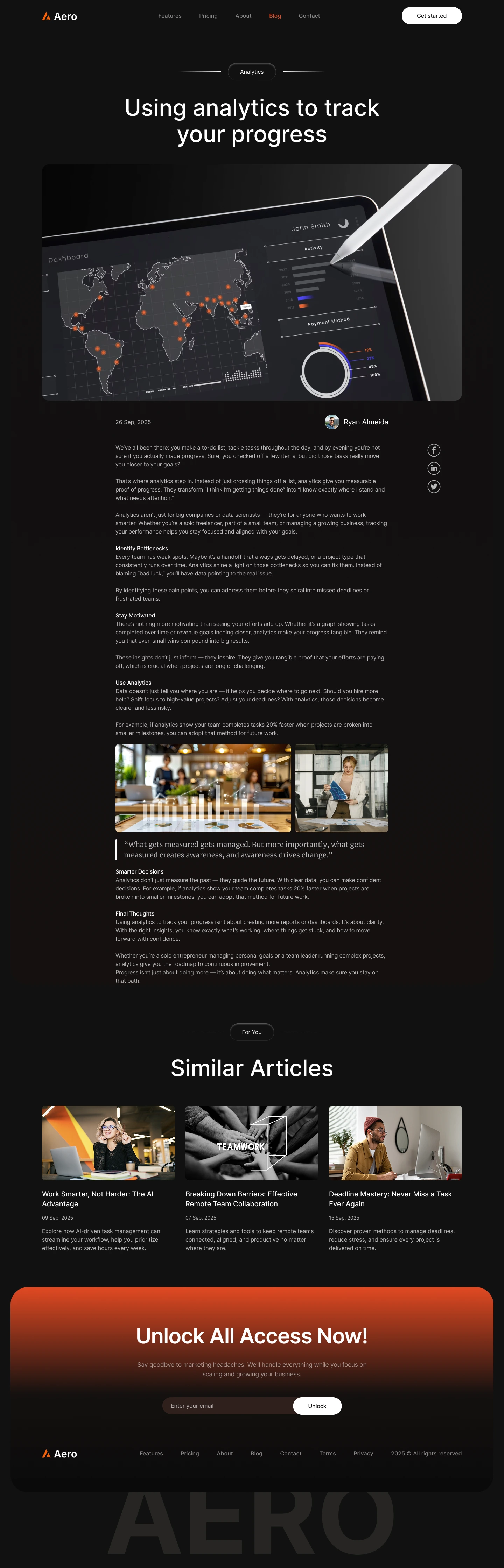
Blog Article
Blog Article Page
Each individual blog post has a clean layout with readable typography, social sharing buttons, author section, and a related posts section at the end.
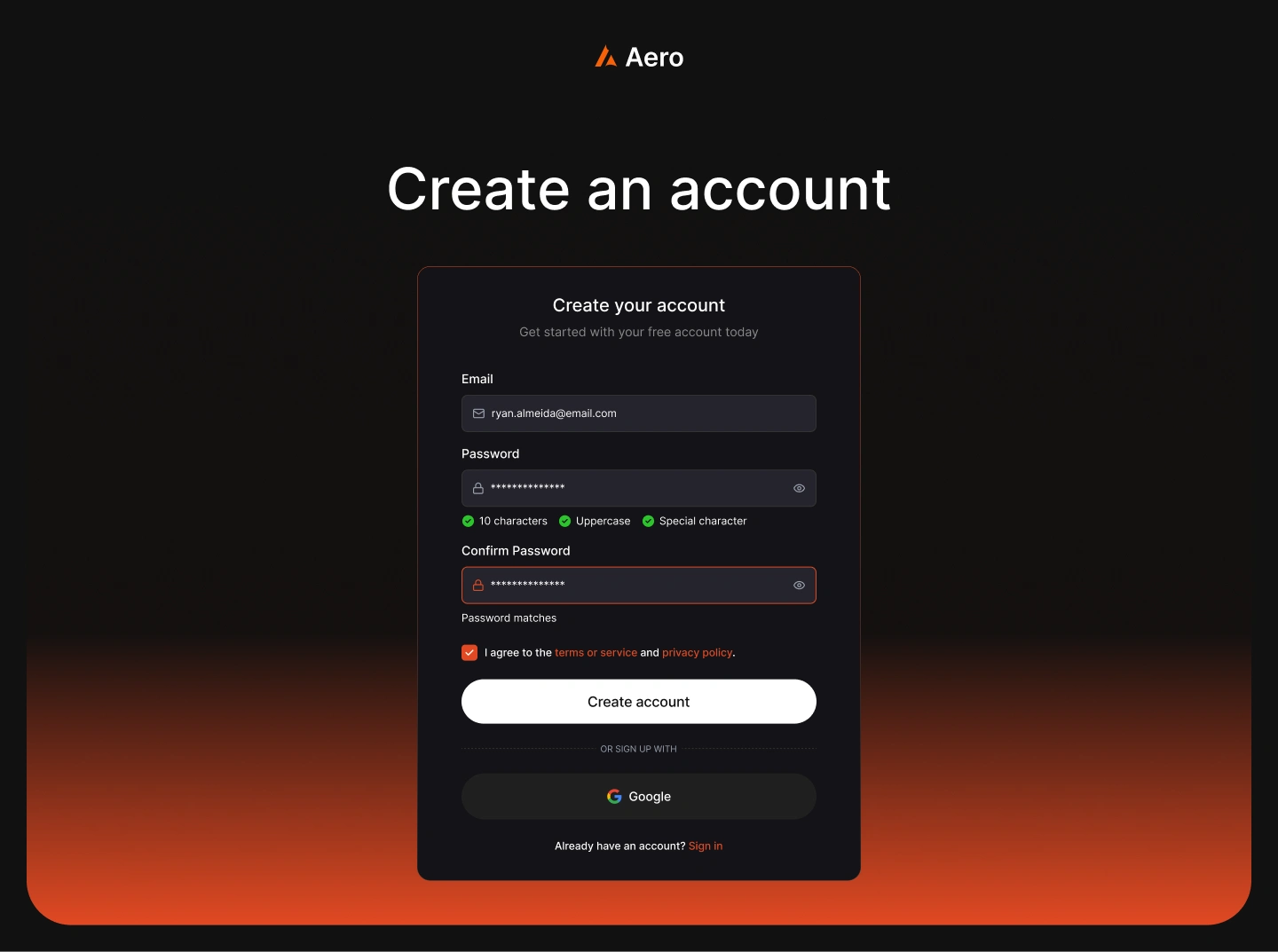
Sign up
Sign Up Page
The Sign Up page is designed to be distraction-free, focusing on form completion.
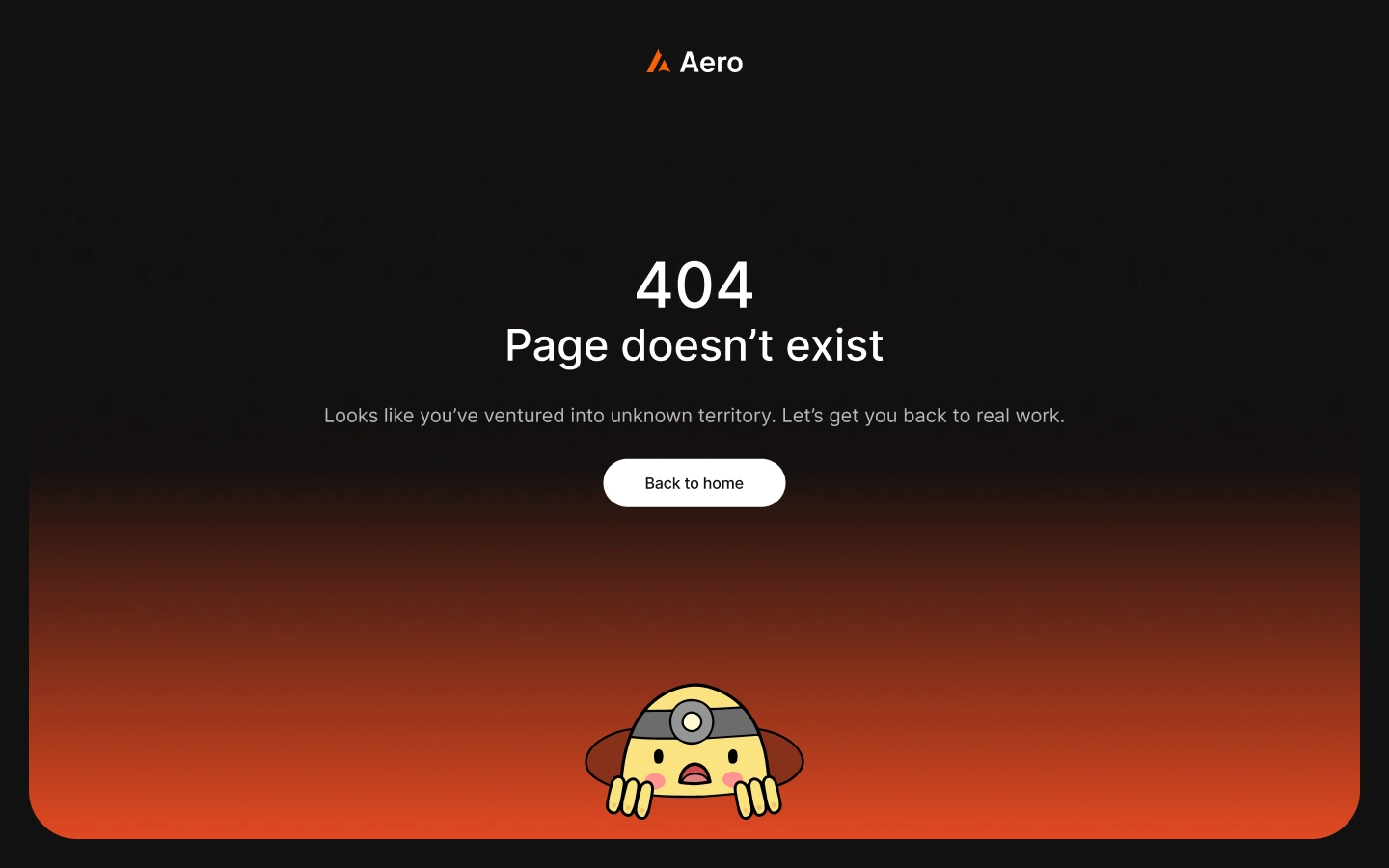
404
404 Error Page
A minimal and quirky 404 page.
Want me to design your next project? 👉 Let’s chat
Like this project
Posted Oct 25, 2025
Aero is a sleek and modern task management app built to help individuals and teams organize their work with speed, clarity, and focus.
Likes
1
Views
5
Timeline
Aug 6, 2025 - Aug 15, 2025