Top 5 Free AI Tools for Freelancers in 2025

Muhammad Hamdan


Top 5 Free AI Tools Freelancers Can Utilize in 2025 (That Increase Productivity)
4 min read
·
2 days ago
Meta Description:
Discover the best free AI tools freelancers can utilize in 2025 that automate your workflow, minimize time spent, and increase your earnings. These tools are groundbreaking.
As a freelancer in 2025, you’re not just competing against your peers in your field—you’re competing against burnout, distractions, and the clock. That’s where AI comes in. Employed wisely, the right AI tools can automate routine tasks, spark creativity, and give you a real edge when it comes to productivity.
But here lies the issue: the vast majority of tools promise everything but take up your time. That’s why I’ve reviewed them for you.
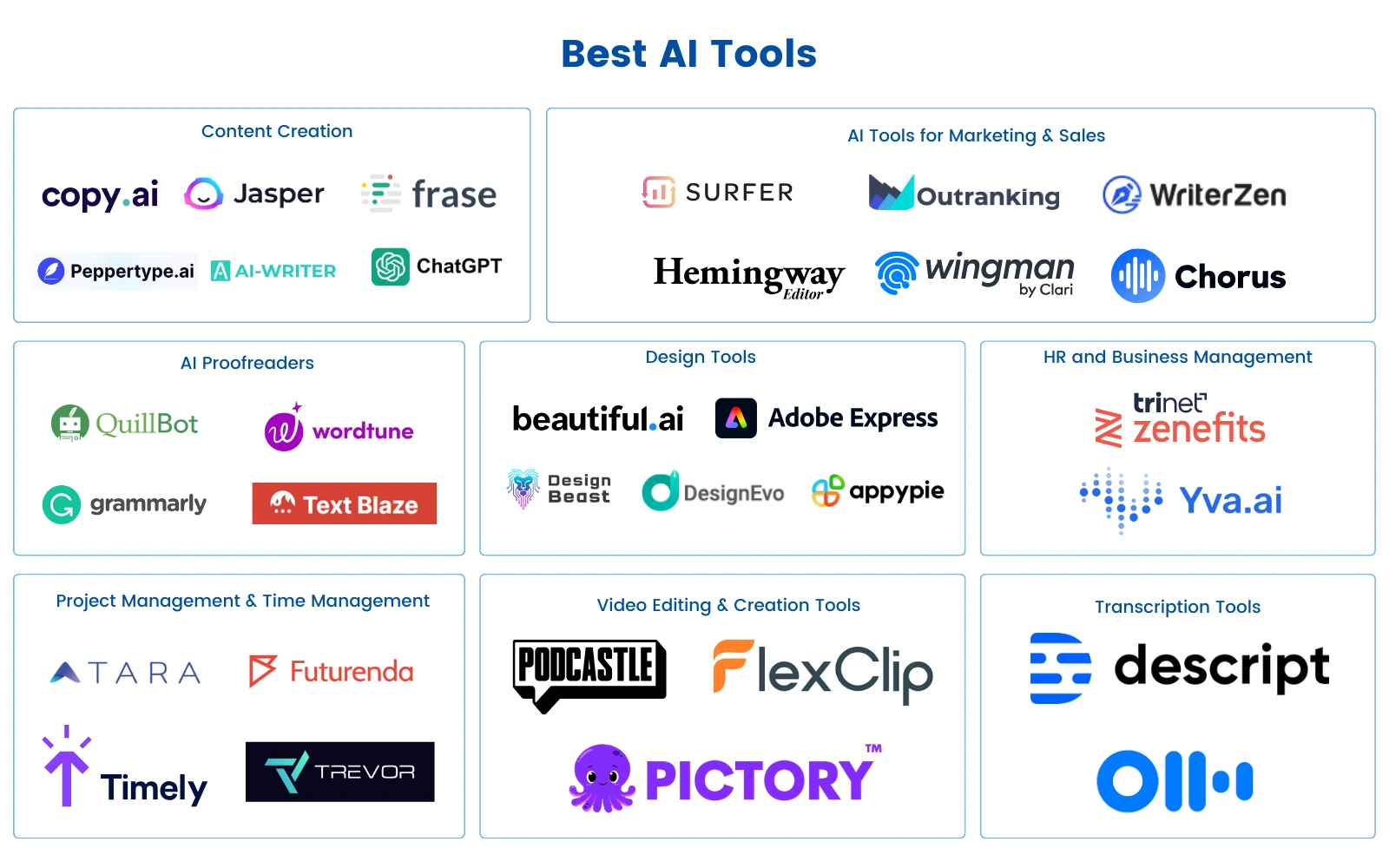
In this tutorial, I’ll show you five free AI tools that every freelancer must be utilizing in 2025. They’re not flash-in-the-pan or too technical. Just plain, simple, free tools that get the job done.
1. ChatGPT (Free Plan by OpenAI)
Best For: Writing aid, content creation, brainstorming, writing emails
ChatGPT is a tool that should be in the freelancer’s toolbox. Its free version alone grants you access to deep writing and problem-solving capabilities.
Use Cases:
● Writing emails, proposals, or pitches more quickly
● Coming up with blog post outlines and headlines
● Rearranging or rewriting awkward text
● Coming up with new business ideas or service offerings
Why It’s Great:
● Quick, natural-sounding answers
● Simple to use, even if you’re not tech-savvy
● Saves hours per week on writing tasks
Pro Tip: Save your most liked prompts on a Notion page or Google Doc. Reusing and modifying prompts makes ChatGPT much more productive.
2. Notion AI
Best For: Freelance work management, project management, note-taking, and summary
Notion AI adds even more magic to an already great productivity tool with automation. Freelancers working on multiple clients or projects will appreciate it most.
Using Cases:
● Auto-summarize meeting minutes
● Generating quick first drafts for blogs, bios, or descriptions
● AI-powered to-do lists
● Client onboarding templates
Why It’s Great:
● Easy integration with Notion pages
● Easy learning curve
● Streamlines task management and documentation
Free Plan Features: Includes typical AI writing and summarizing features (there are some limitations, but still of huge benefit).
3. Grammarly (Free Version)
Best for polishing content, catching errors, and making it clearer
As a freelancer, your work represents how professional you are. Grammarly’s free version is a powerful tool that keeps your content clean, clear, and error-free.
Use Cases:
● Editing blog posts and social media posts
● Proofreading customer emails or reports
● Learning about grammar and writing style tips along the way
Why It’s Great:
● Easy Chrome plug-in or web app
● Real-time suggestions while typing
● Enhances your writing without sounding artificial
Bonus Tip: Use Grammarly with ChatGPT: outline using GPT and proofread with Grammarly.
4. Tome
Best For: Creating presentations, project pitches, and visual storytelling
Tome is another lesser-known but potent AI tool that creates gorgeous, easy presentations with simple prompts. Freelancers pitching clients or facilitating workshops can save time.
Use Cases:
● Developing a freelance portfolio slides
● Presenting project ideas to clients
● Creating online course or workshop content
Why It’s Great:
● Stylish, modern templates
● Fast and easy-to-use interface
● Ideal for visual learners or communicators
Free Plan Features: Limited AI credits each month, but adequate for most freelancers’ needs.
5. Otter.ai (Free Tier)
Best For: Recording meetings, dictating ideas, turning speech into searchable notes
If you take client calls or brainstorm vocally, Otter is a godsend. It records and transcribes your conversations in real-time.
Use Cases:
● Record Zoom or Google Meet calls.
● Turn voice notes into actionable tasks.
● Listening to interviews or podcast recordings
Why It’s Awesome:
● Saves time in tedious note-taking
● Accurate transcriptions
● Searchable, structured archives of your interviews
Free Plan Features: 300 monthly transcription minutes, 30-minute limit per recording (well more than adequate for freelancers)
Summary: (My views)
The freelance world in 2025 is faster, more competitive, and more tech-reliant than ever. But that doesn’t mean it equates to working 18-hour days to remain competitive. Adding even two or three of these cost-free AI tools to your process means you’ll work more efficiently, reduce stress, and achieve better results.
Start with ChatGPT and Notion AI if you’re just starting with AI tools. Then proceed from there to Otter, Grammarly, and Tome as you progress.
Remember: tools are not a substitute for talent. They enhance it.
Frequently Asked Questions (FAQs)
1. Are these AI tools free?
Yes! All five of the listed tools offer free versions with useful features. While there are premium alternatives available, the free versions will work for most beginning freelancers.
2. Do I have to be technical to use these tools?
No way! These tools are designed to be straightforward to use. Most of them offer tutorials or simple interfaces that anyone can master within minutes.
3. Can I employ various AI tools at the same time?
Absolutely. Combining tools such as ChatGPT and Grammarly or Notion AI and Otter.ai can speed up your productivity.
4. Will AI replace freelance work?
No. AI is an assistive tool, not a replacement. It gets you to work smarter and quicker, but creativity, critical thinking, and human touch remain uniquely human properties.
5. What do I start with if I’m an AI newbie?
Start with writing using ChatGPT and organization using Notion AI. These two tools provide the fastest results with the least amount of learning curve.
My Advice:
Consistency is the key. Use AI tools just for your research and knowledge, not for copy-paste formulas. It will increase your success rate and make your path to growth steady and smooth.
Best of luck!!!
Written by: Muhammad Hamdan
Like this project
Posted Jul 14, 2025
Reviewed top free AI tools for freelancers to boost productivity in 2025.
Likes
0
Views
4
Timeline
Jul 10, 2025 - Jul 12, 2025