Radarchik - a tiny face that lives in the MacBook notch

Nikolai Kuzmenko


Radarchik is a native macOS app that turns the MacBook notch into a small face with glowing eyes. At a glance it answers four questions: are my side projects in profit this month, is anything eating my Mac, is anything touching my keys or calling out that I didn’t start — and if so, what is it?
Role: product, design and development · Timeline: October 2026 · Platform: macOS 15+, Swift 6 · Open source (MIT)
Every new MacBook has a black cutout at the top of the screen that does nothing. Meanwhile the things I check all day live in different places: a spreadsheet of server bills, Activity Monitor, the terminal — and, now that AI agents and npm scripts run commands on my machine, nowhere at all. I wanted one calm place that speaks up only when something matters.
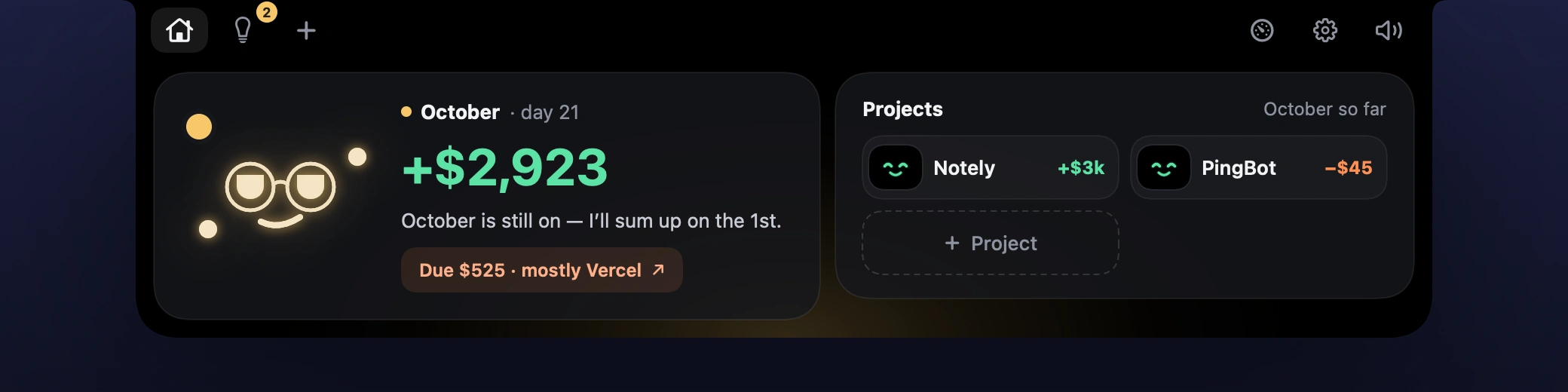
The notch grows into a panel the way the cutout would if it could stretch: one spring for width, height and corner radius. The panel is pure black, so it blends with the hardware; color appears only when it means something, and the face is the only bright spot.
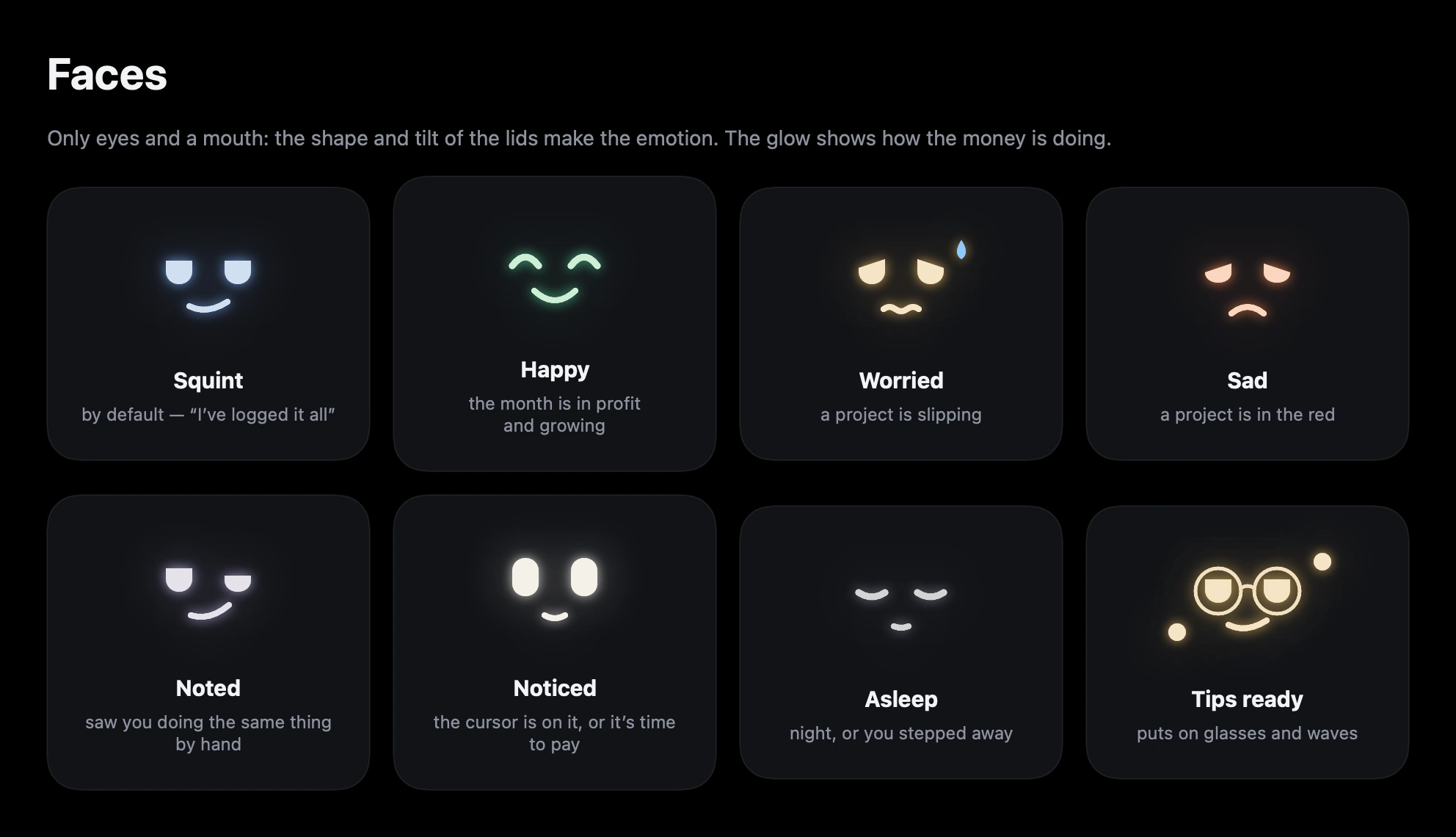
The face is a parametric model — eyelids, tilt, two arcs per eye and a mouth made of three curves — so every emotion morphs into any other. There is exactly one face per panel: it flies from the collapsed bar into the card that needs it.
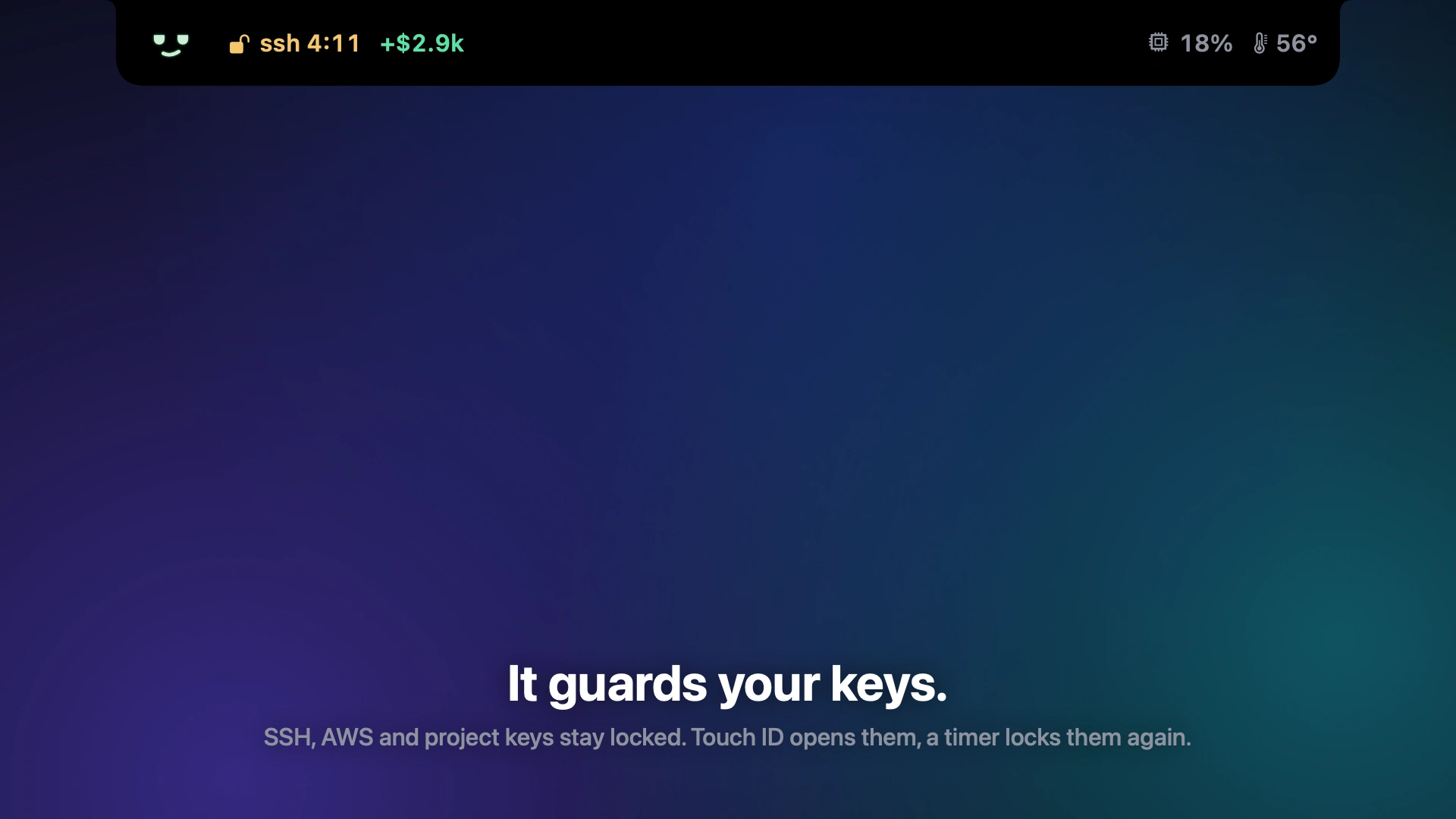
SSH, AWS and project keys stay locked by default. A small root helper opens them with Touch ID and locks them again on a timer; the countdown sits right in the notch. A terminal command that needs a key asks for Touch ID on the spot, and an SSH-agent relay sees who is using the key — scripts and AI agents like Claude Code need Touch ID too.
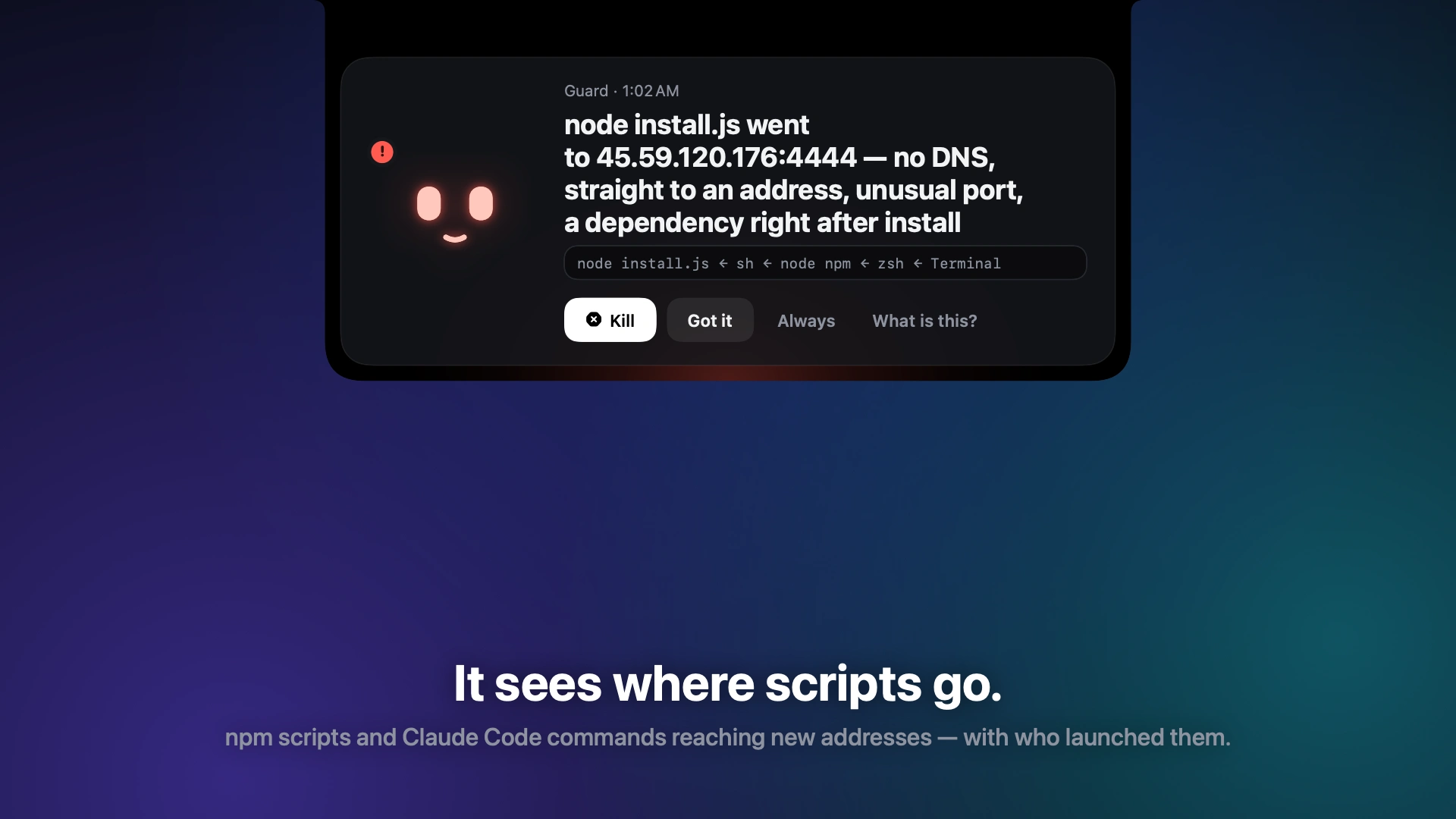
For things I didn’t start — scripts under npm, Claude Code tools — Radarchik notes every new address together with the chain of who launched it. A dependency calling a bare IP right after
npm install raises an alarm with a Kill button.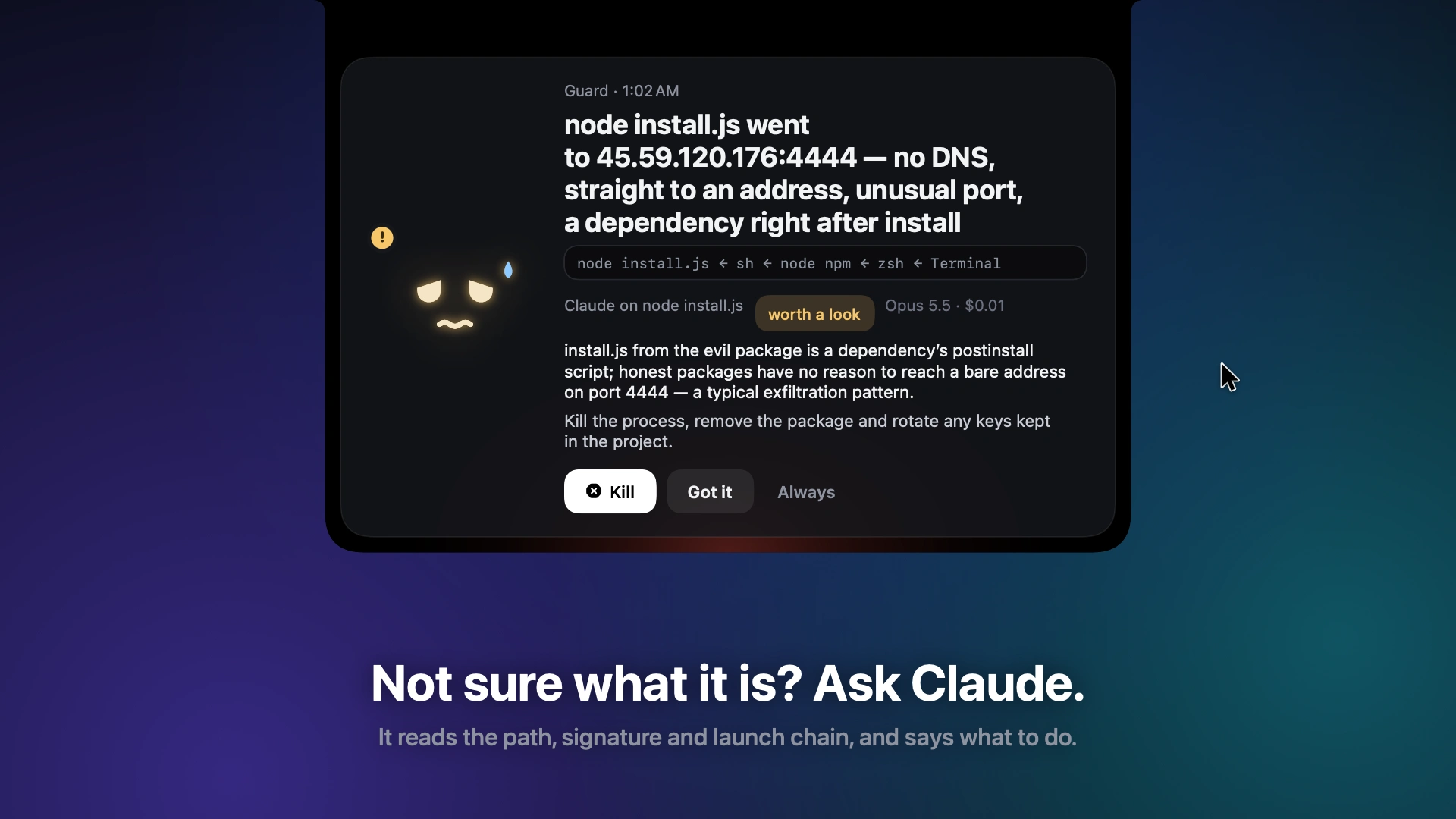
When it’s unclear what a process is, “What is this?” sends its path, signature and launch chain to Claude and shows the answer right in the alert: what it is, a verdict and what to do.
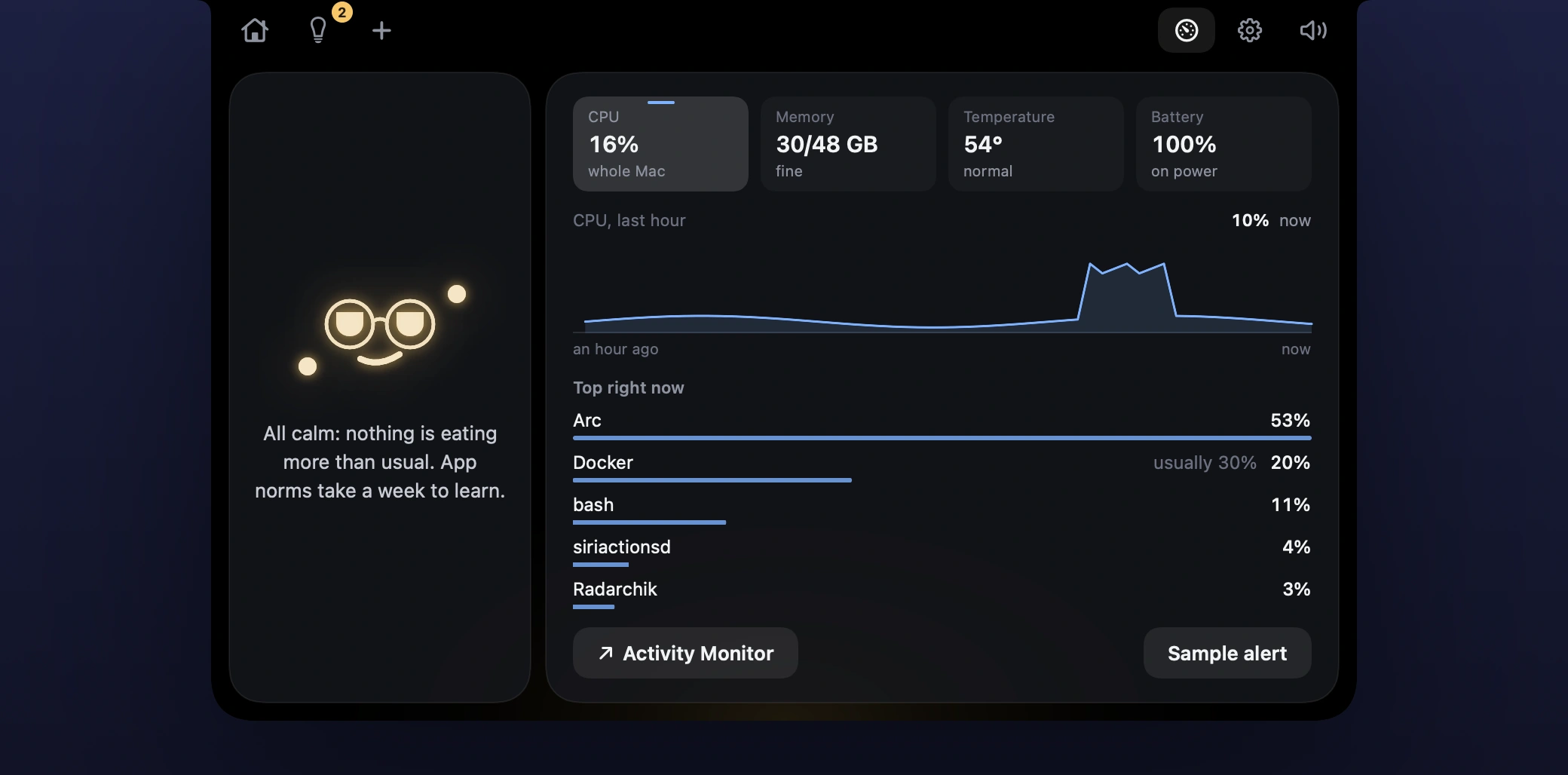
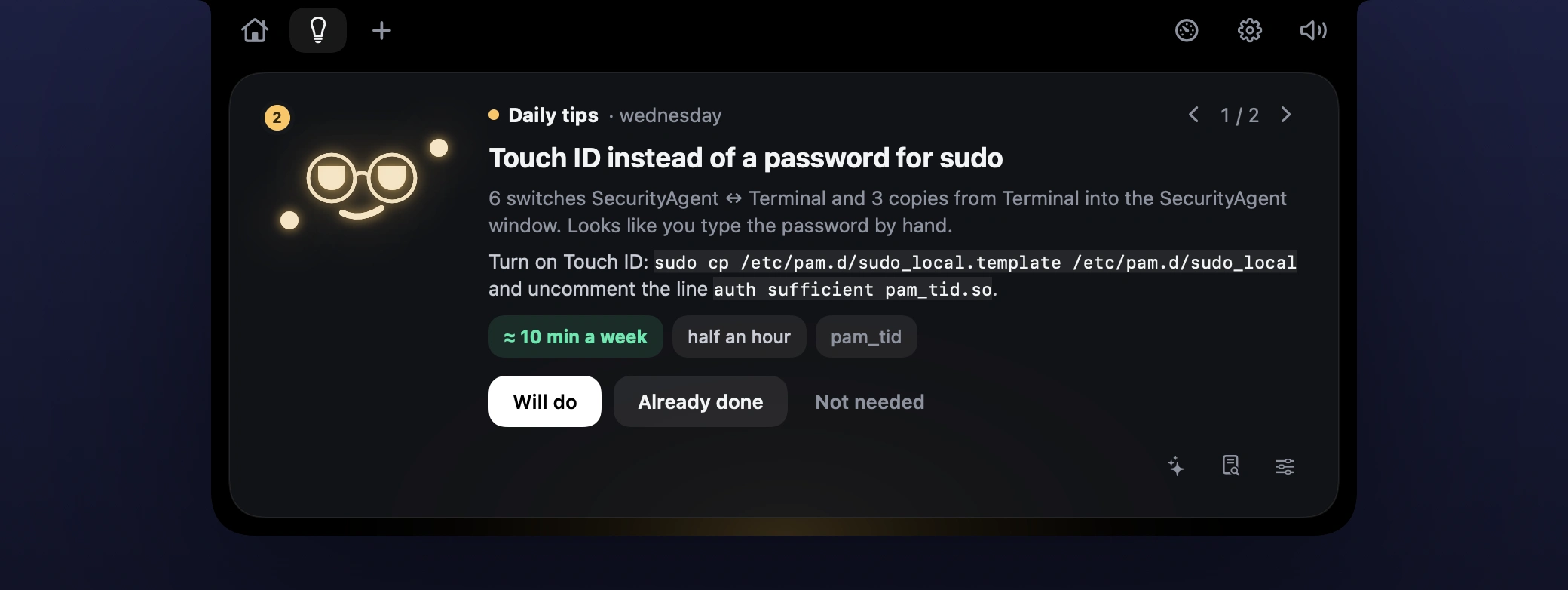
Money, the Mac and daily tips
The wings show this month’s net across my projects on the left and the Mac’s CPU and temperature on the right. Every app learns its own weekly norm, and an alert opens when one eats far more than usual. Once a day Claude reviews an aggregated summary of my day — never the raw log — and suggests what to automate.
7. How it’s built
Swift 6, SwiftUI and AppKit; a borderless panel above the menu bar, shaped around the notch.
Logic in a separate core module with 370 unit tests; everything stays local in one SQLite file.
Guard’s root helper runs under launchd, checks Touch ID through Authorization Services and talks only to an app with the right signature; the network watch uses pktap and reads the process chain at connect time.
Claude through the Messages API with structured outputs, with the user’s own key from the Keychain.
The app renders its own screenshots and the promo’s frames — real SwiftUI views encoded with AVFoundation; the voiceover was made with Higgsfield.
Built with Claude Code.
8. Outcome
Radarchik is open source and lives in my notch every day. Next: a notarized build in GitHub Releases, so it installs without Xcode.
Like this project
Posted Oct 23, 2026
Native macOS app: the MacBook notch becomes a tiny face that tracks project money and Mac resources, guards keys with Touch ID and watches the network.
Likes
0
Views
0
Timeline
Oct 18, 2026 - Ongoing