Video Editor & Screen Capture UI/UX Design

Eugene Dobrik

Video Editor & Screen Capture — UI/UX Design
A modern desktop app for recording, editing, and sharing screen captures.
The goal was to create a clean, modular interface that feels native to macOS, while providing powerful editing and annotation tools for creators.
⚙️ Design Objectives
Build a consistent editor interface for drawing, trimming, and exporting video.
Create a design system to support tool modularity and scalability.
Focus on intuitive user flows — minimal clicks, clear feedback, and strong visual hierarchy.
Provide seamless transition between capture → edit → share.
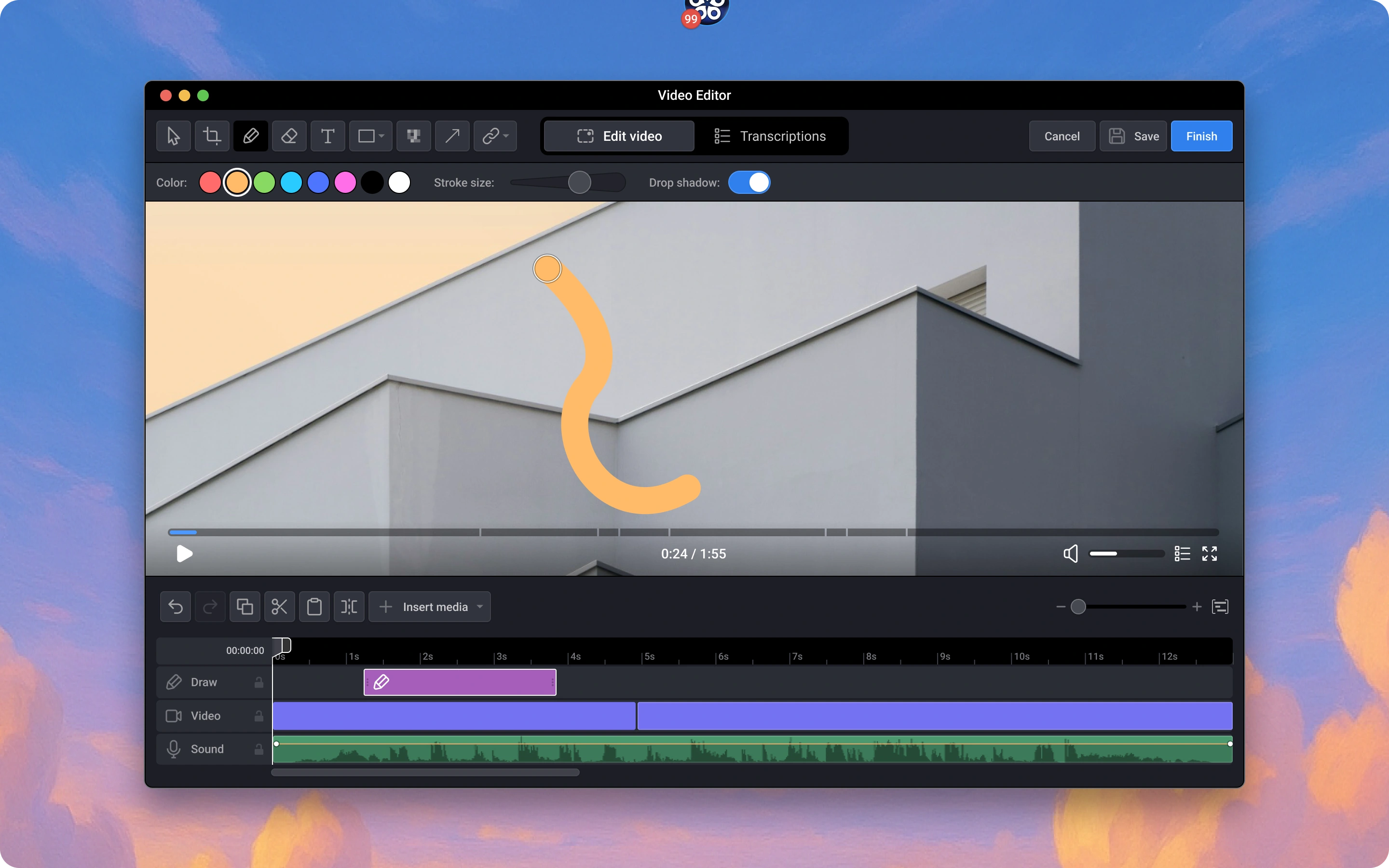
Simplified drawing interaction with adjustable stroke width, shadow toggle, and color presets.
Users can sketch annotations directly on video frames without switching context.
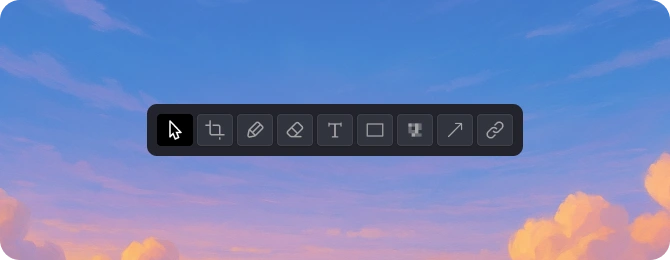
Redesigned toolbar with clear hierarchy and logical grouping of tools: drawing, shapes, text, pixelate, and color management.
The new structure improves discoverability and reduces cognitive load.
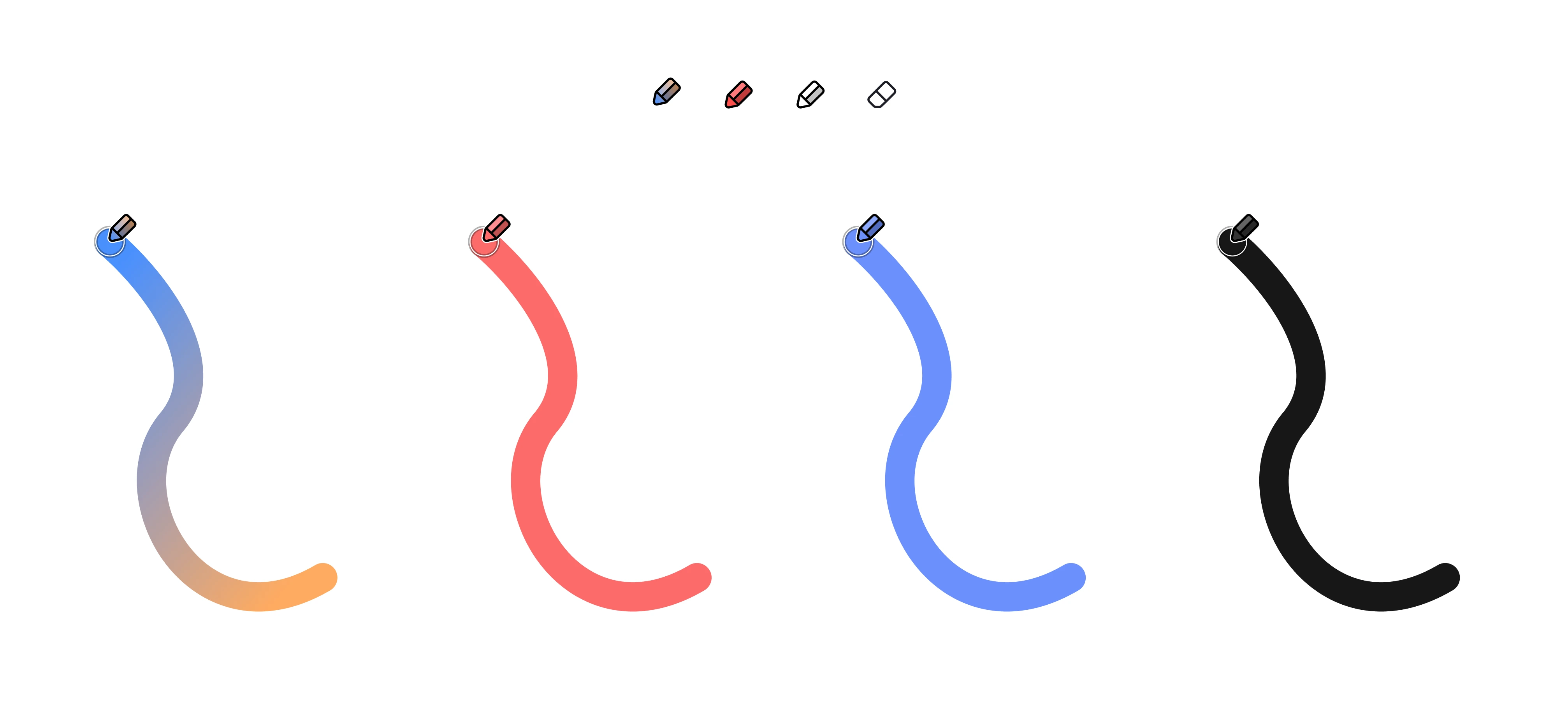
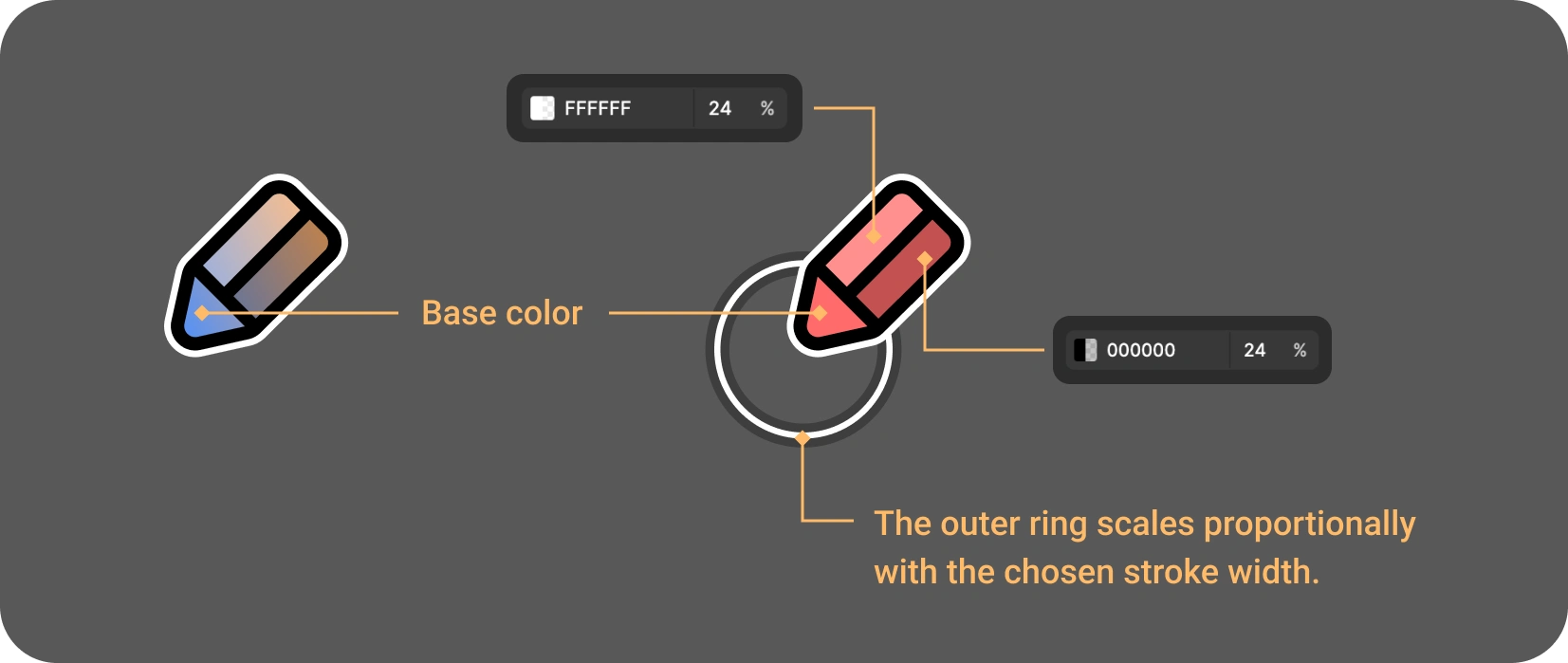
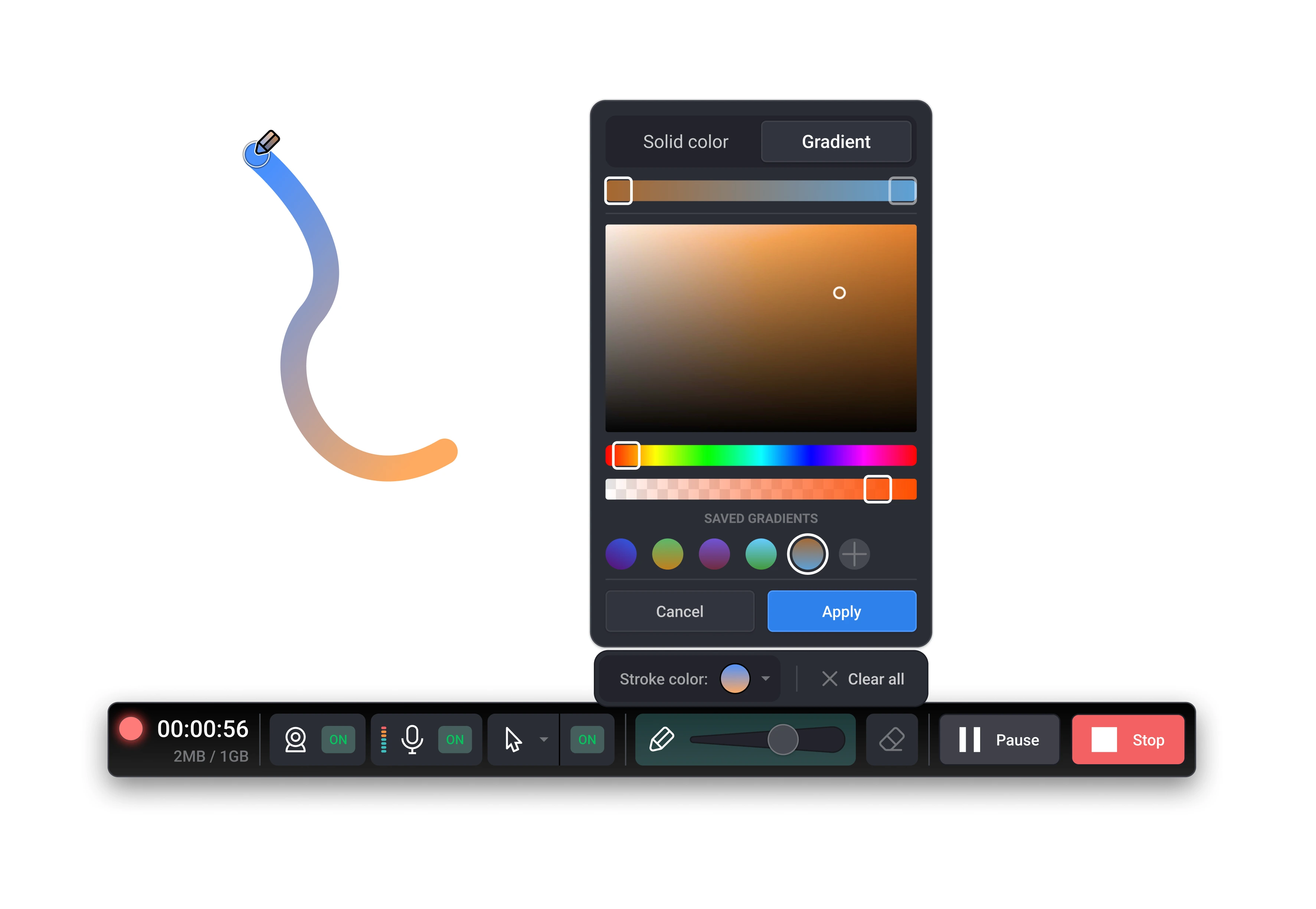
Compact color picker featuring solid and gradient modes, with saved color presets.
The gradient logic was designed for clarity and balance between flexibility and simplicity.
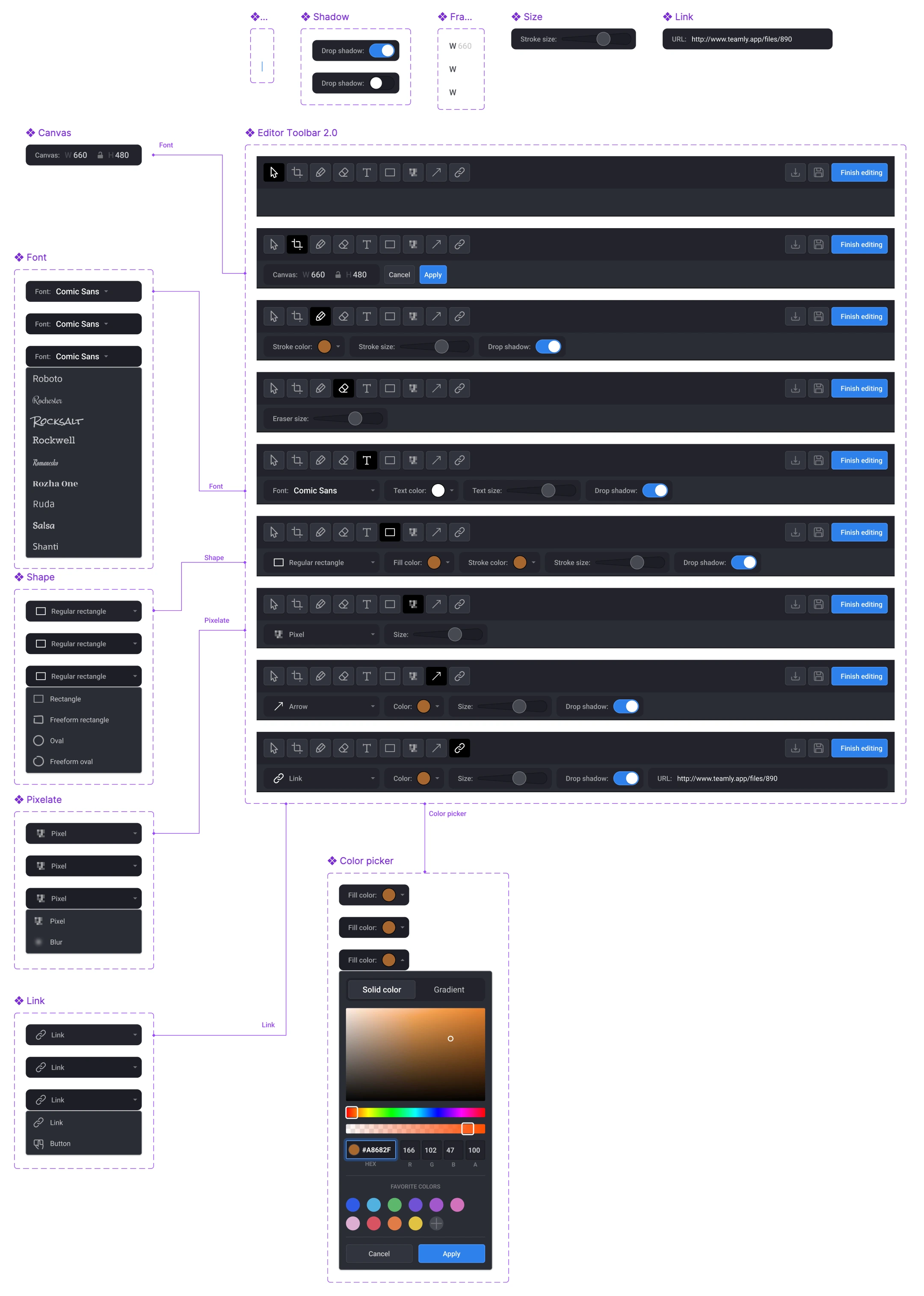
Each UI element — from buttons to sliders — was part of a scalable design system.
Components were organized with naming conventions, variants, and constraints for easy handoff.
Screen Capture Flow — From Selection to Share
The core user flow focuses on simplicity and speed — allowing users to capture, edit, and share a screenshot or screen recording in just a few steps.
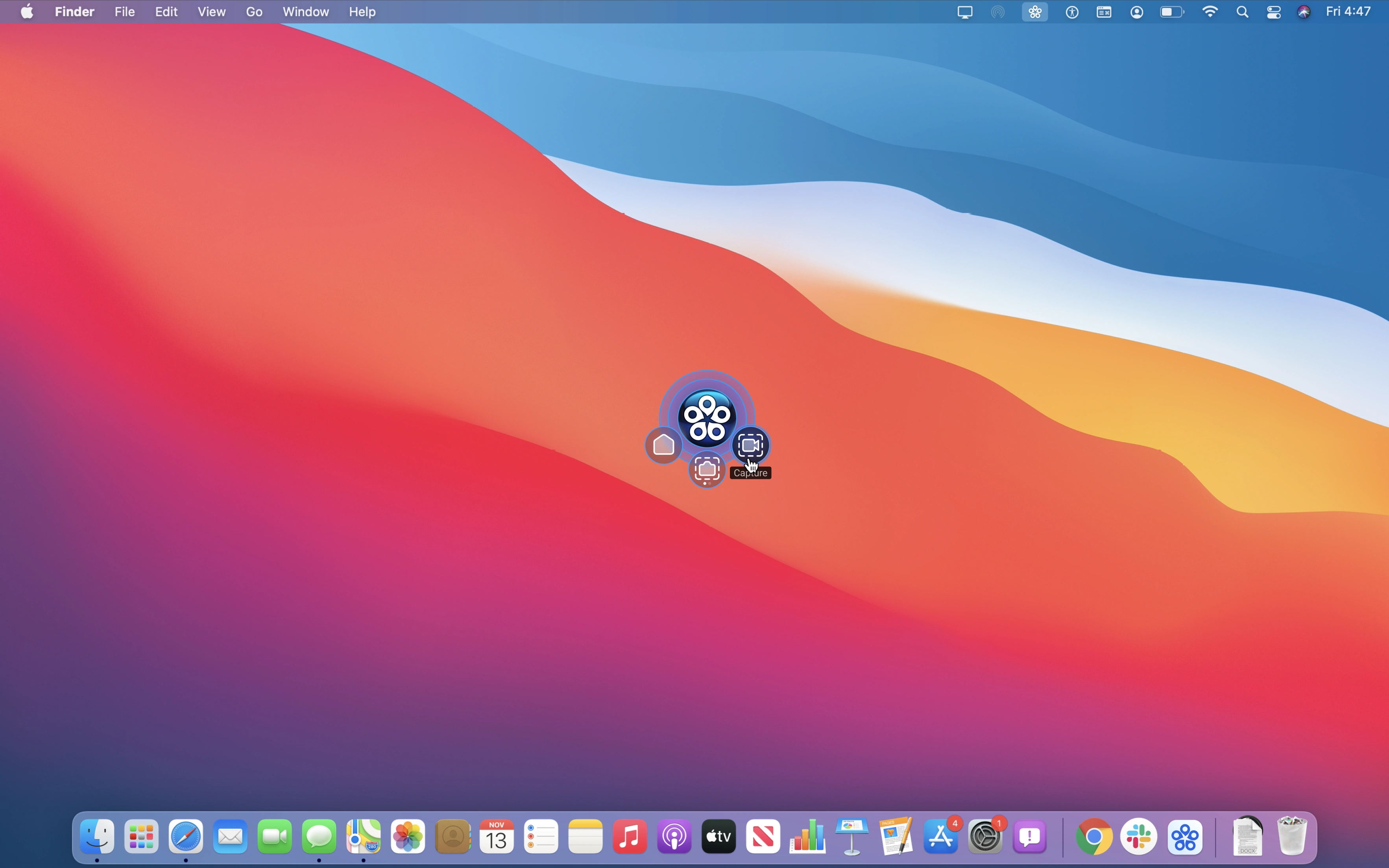
The process starts from a floating capture widget that stays above all windows. Users can instantly choose between Screenshot or Screen Recording mode.
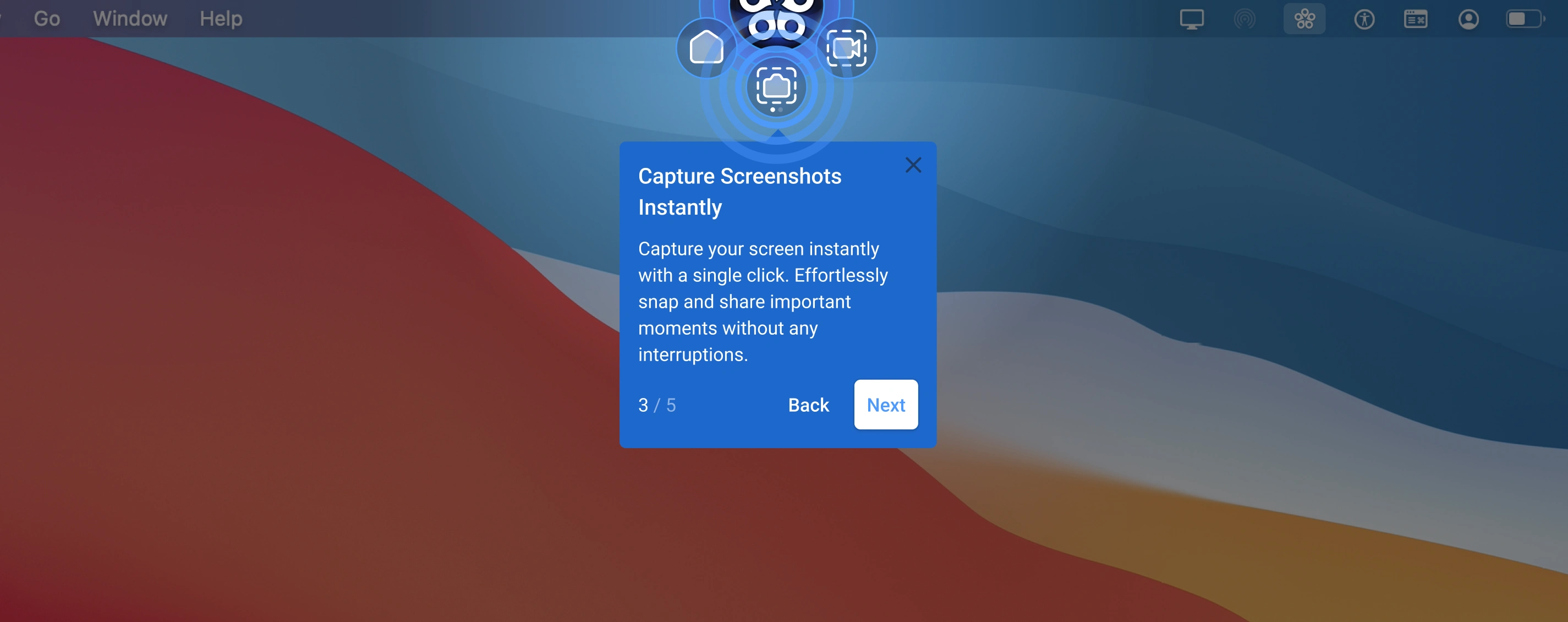
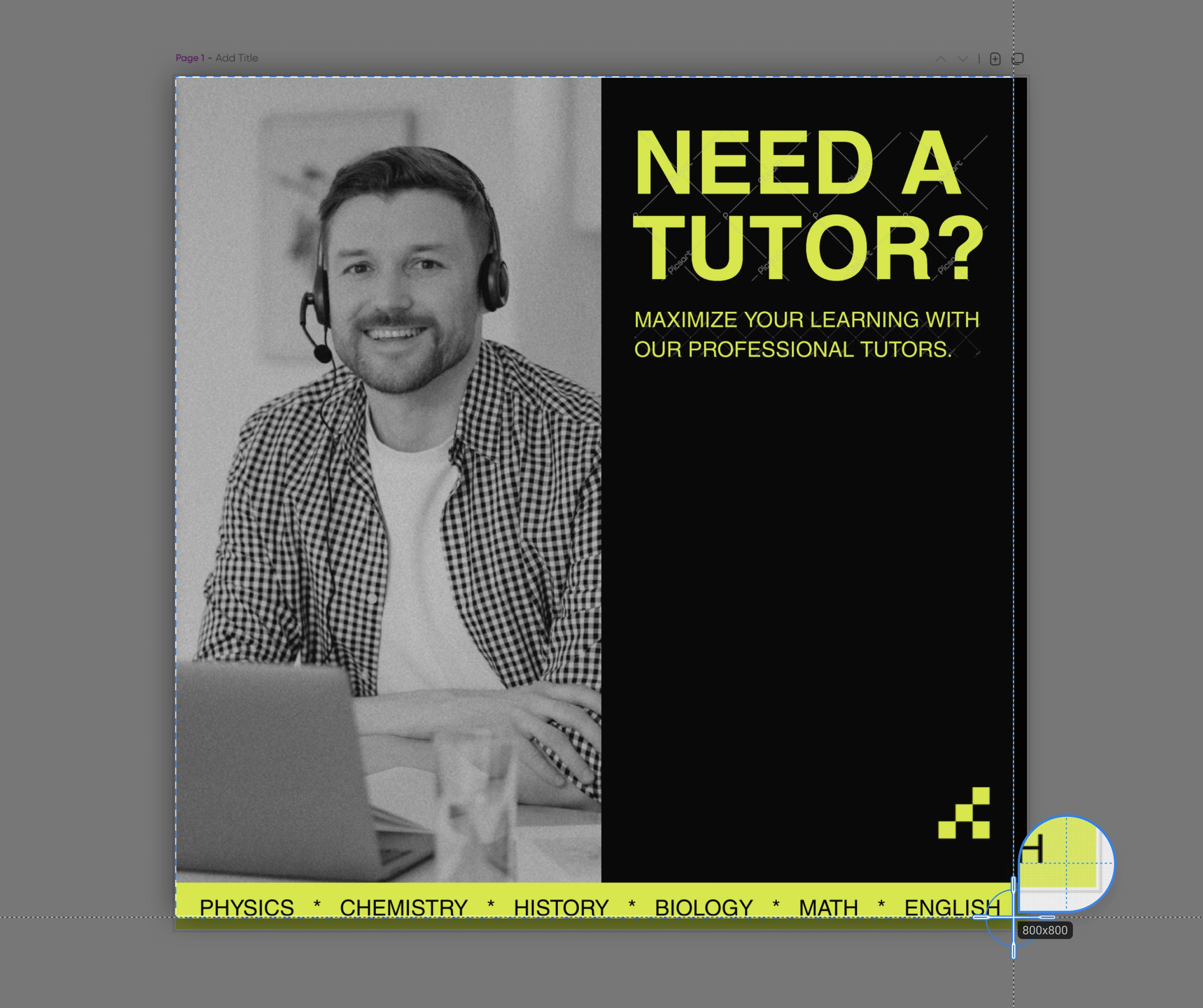
Once the capture mode is activated, the user drags to select a screen region. Smart edge detection highlights the active area, showing dimensions in real time.
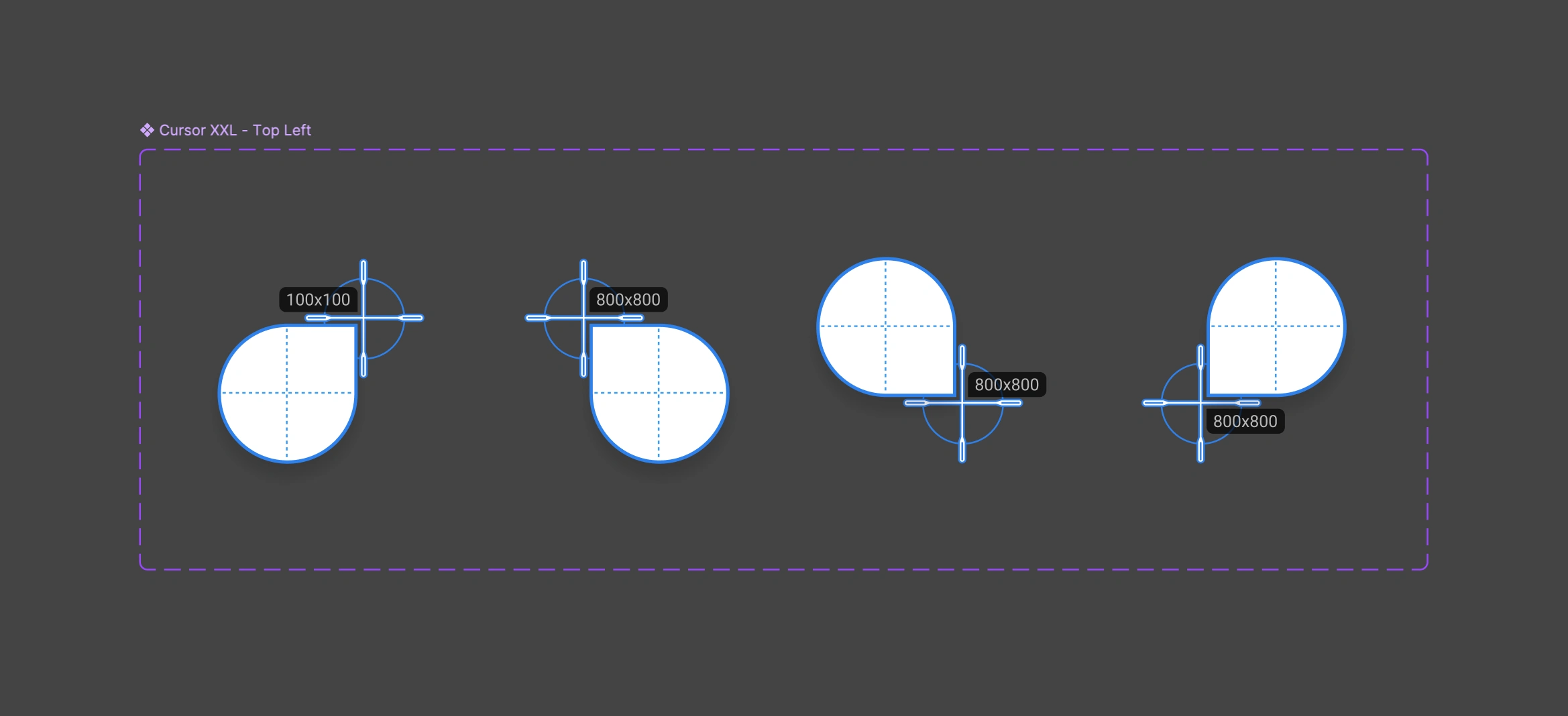
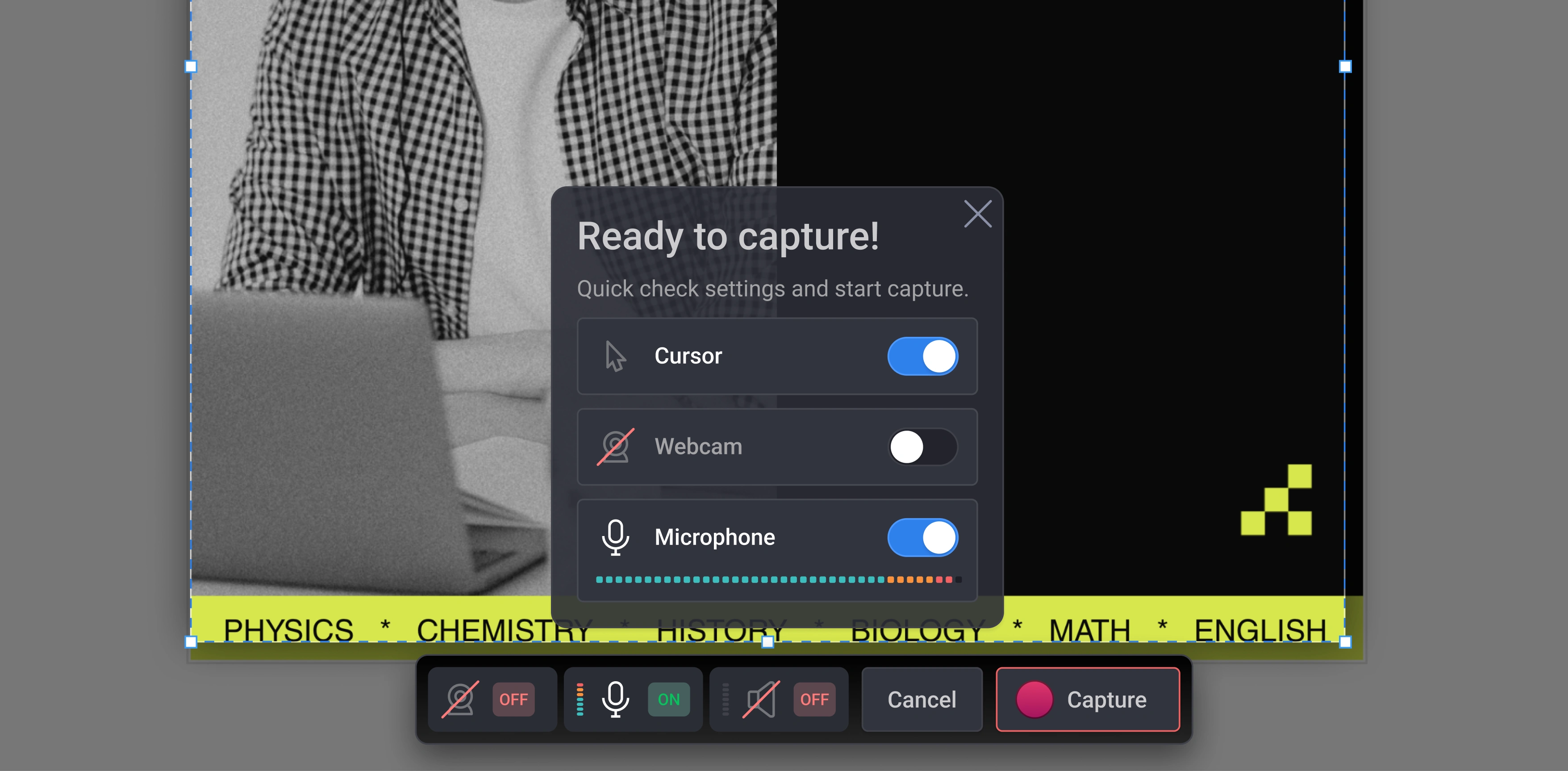
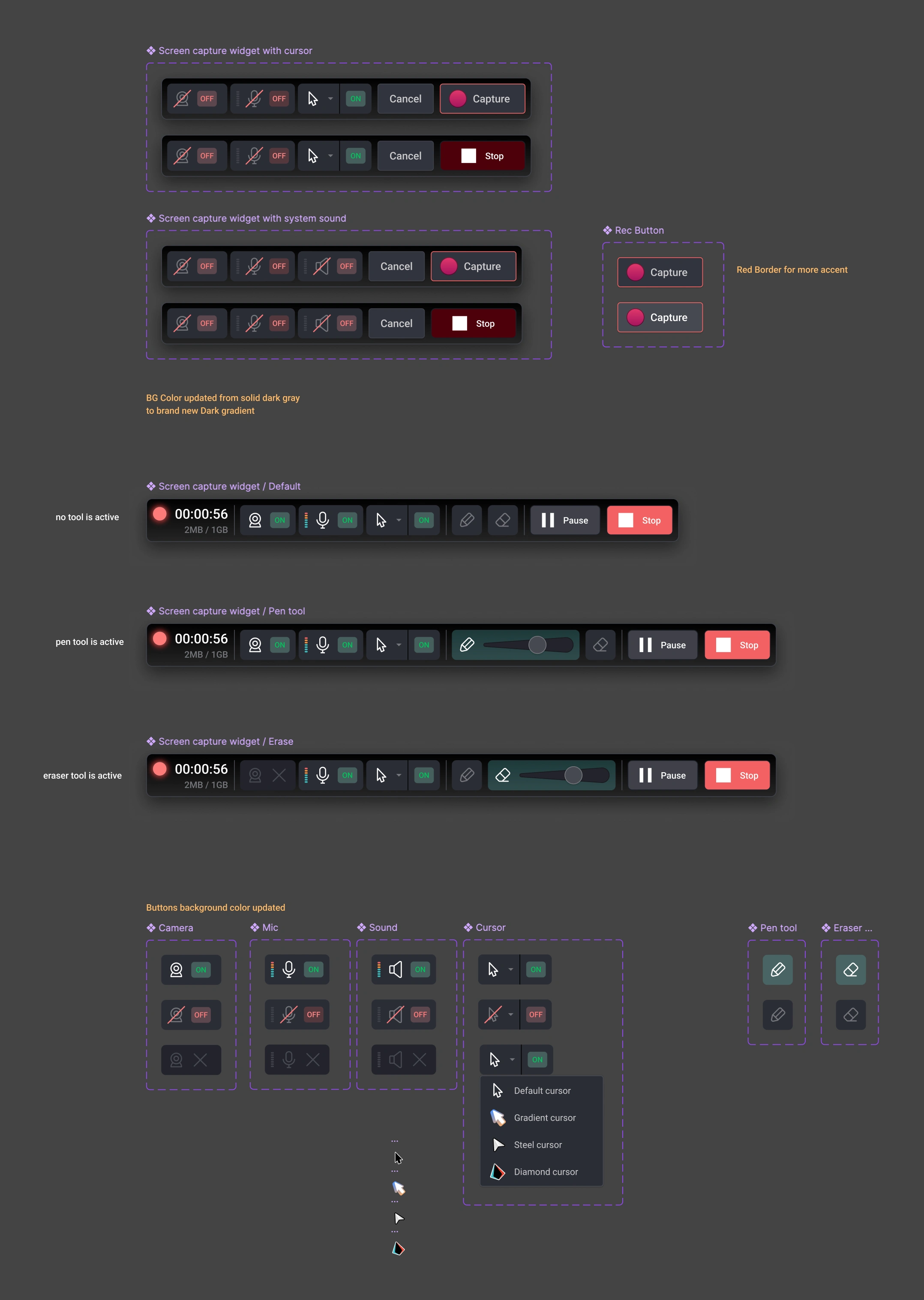
Before recording starts, users can quickly review key settings — cursor, webcam, and microphone toggles — directly from the “Ready to capture” dialog.
Each toggle provides immediate visual feedback, creating confidence before capture begins.
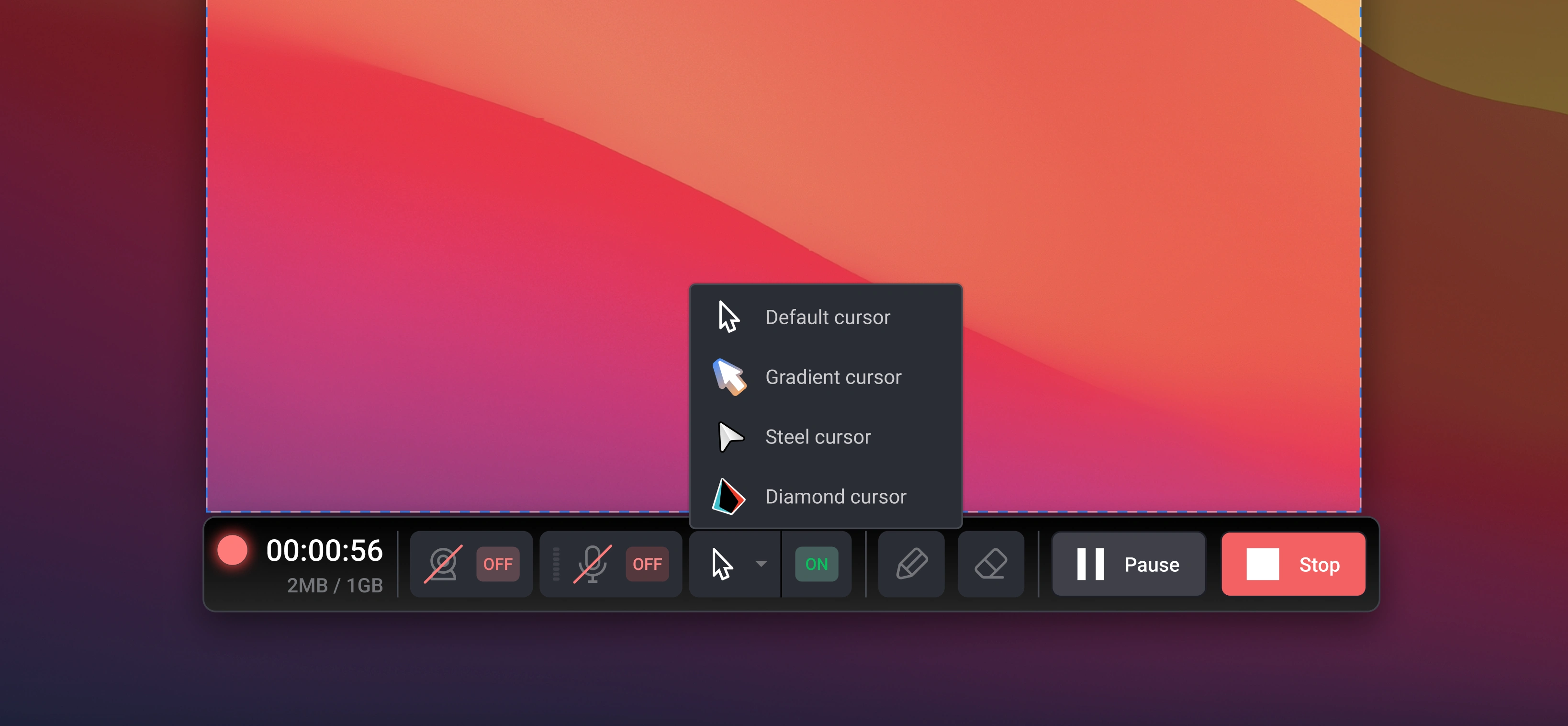
During recording, a compact bottom toolbar allows users to pause, stop, or annotate instantly. The toolbar was designed to stay visible yet non-intrusive, maintaining focus on the screen content.
After capture, the user transitions smoothly into the Editor interface — no exporting needed.
They can trim, draw, highlight, or apply gradients directly on frames using the same consistent toolbar system.
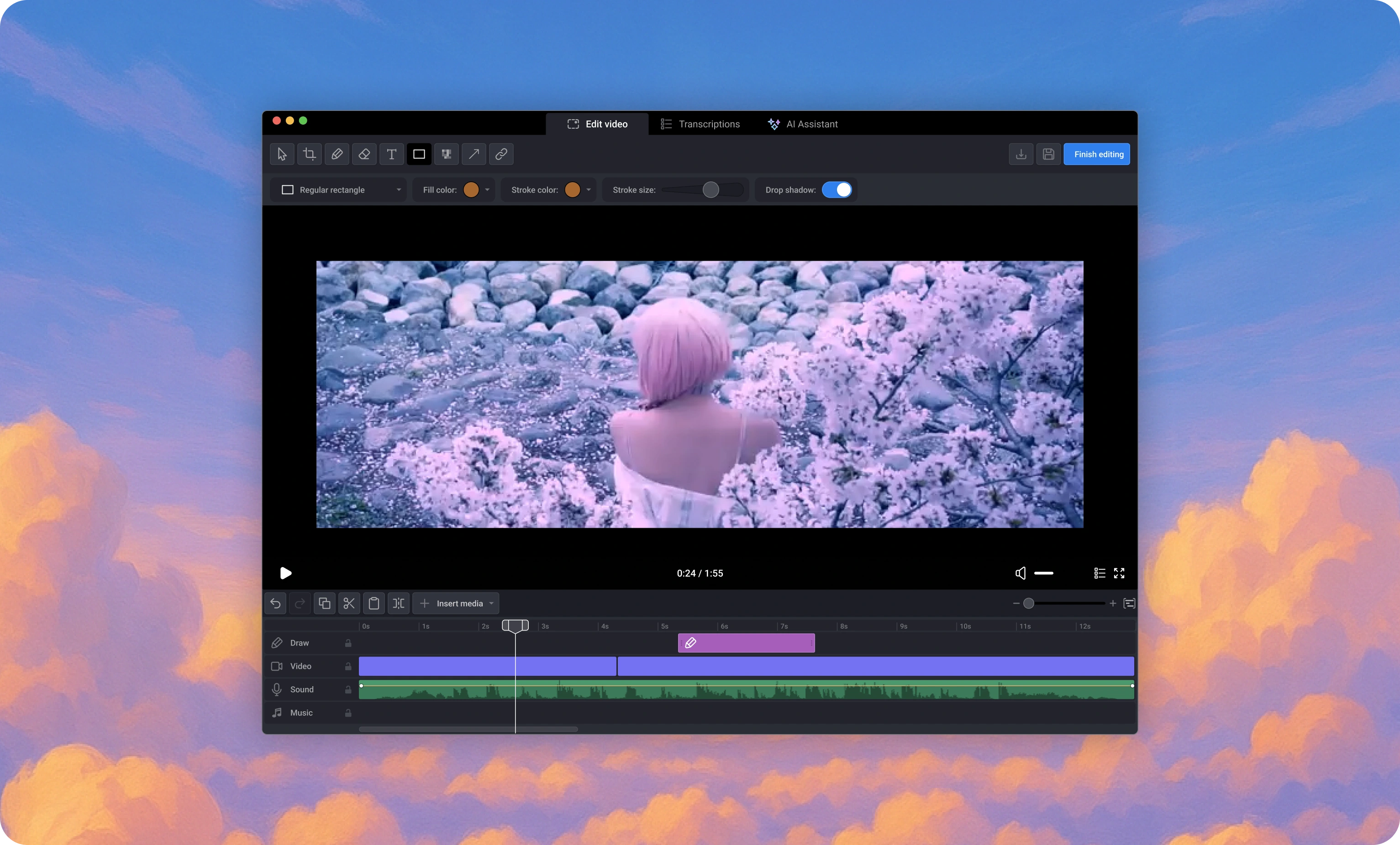
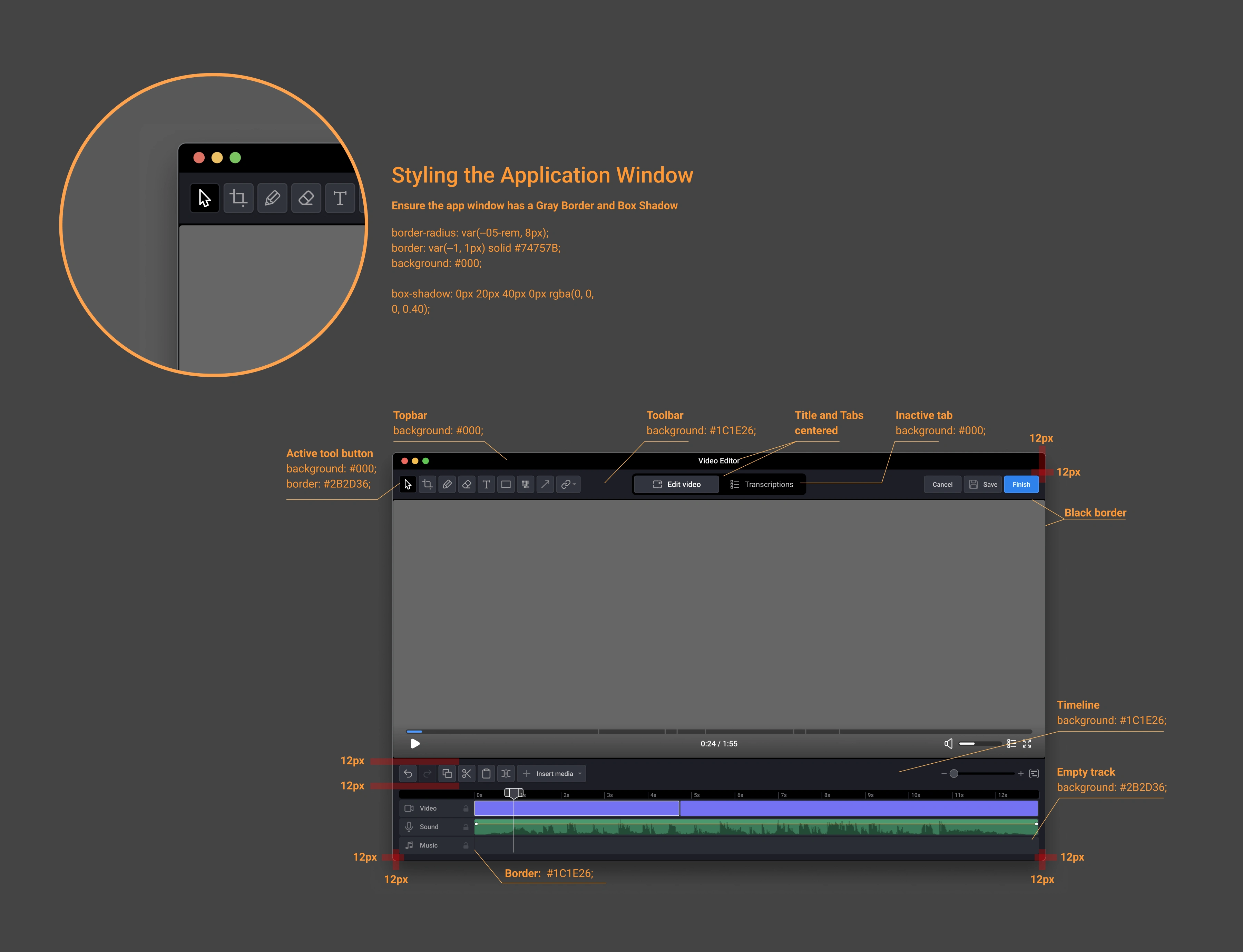
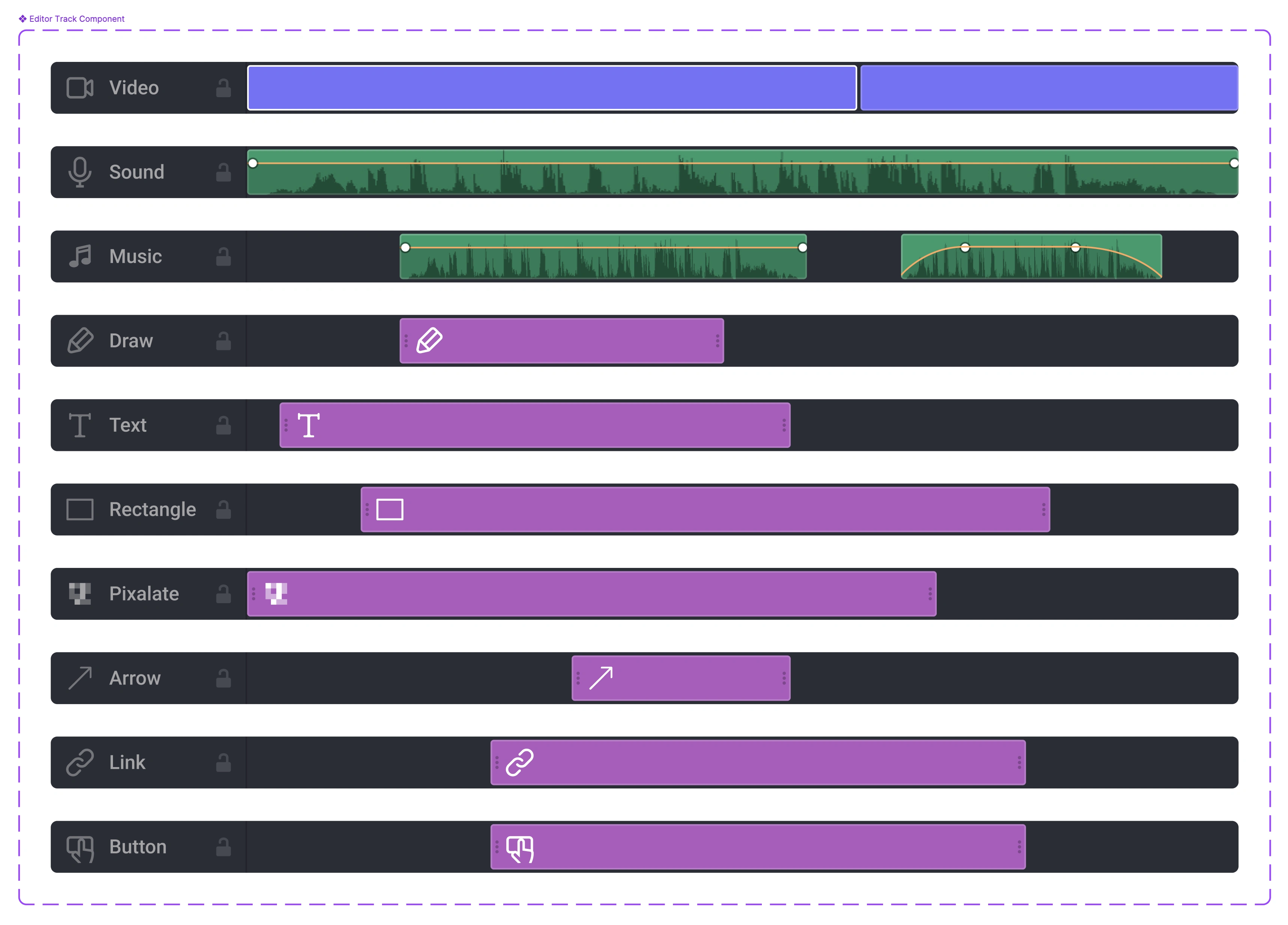
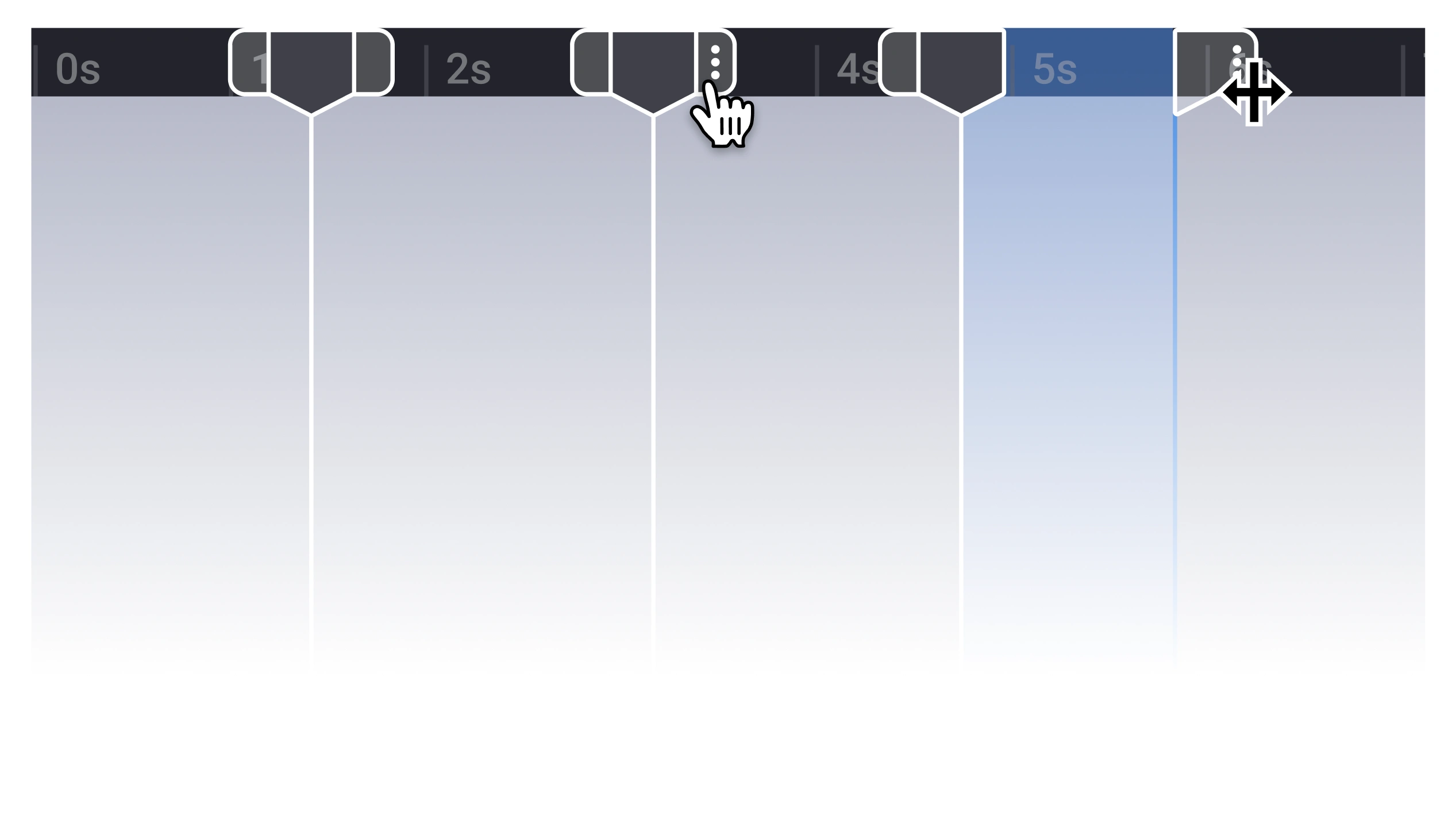
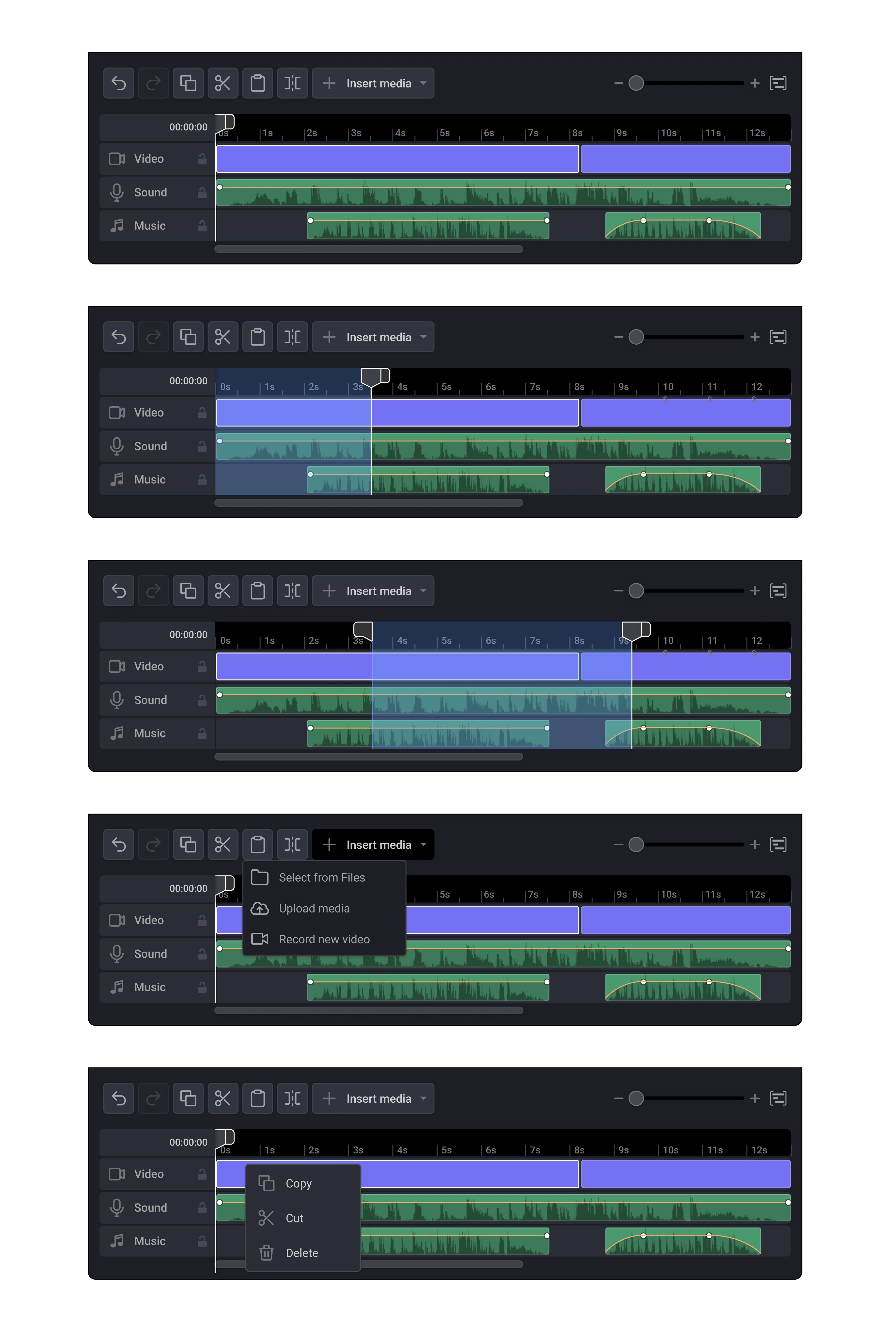
The timeline was designed to make video editing fast, intuitive, and visual —without overwhelming the user with pro-level complexity.
The editor timeline is built around three synchronized layers:
Draw — for annotations and brush strokes
Video — for core footage
Sound — for audio waveform and trimming
Each layer can be controlled independently, allowing users to adjust timing with pixel-perfect precision.
Color-coded sections make it easy to distinguish between actions at a glance.
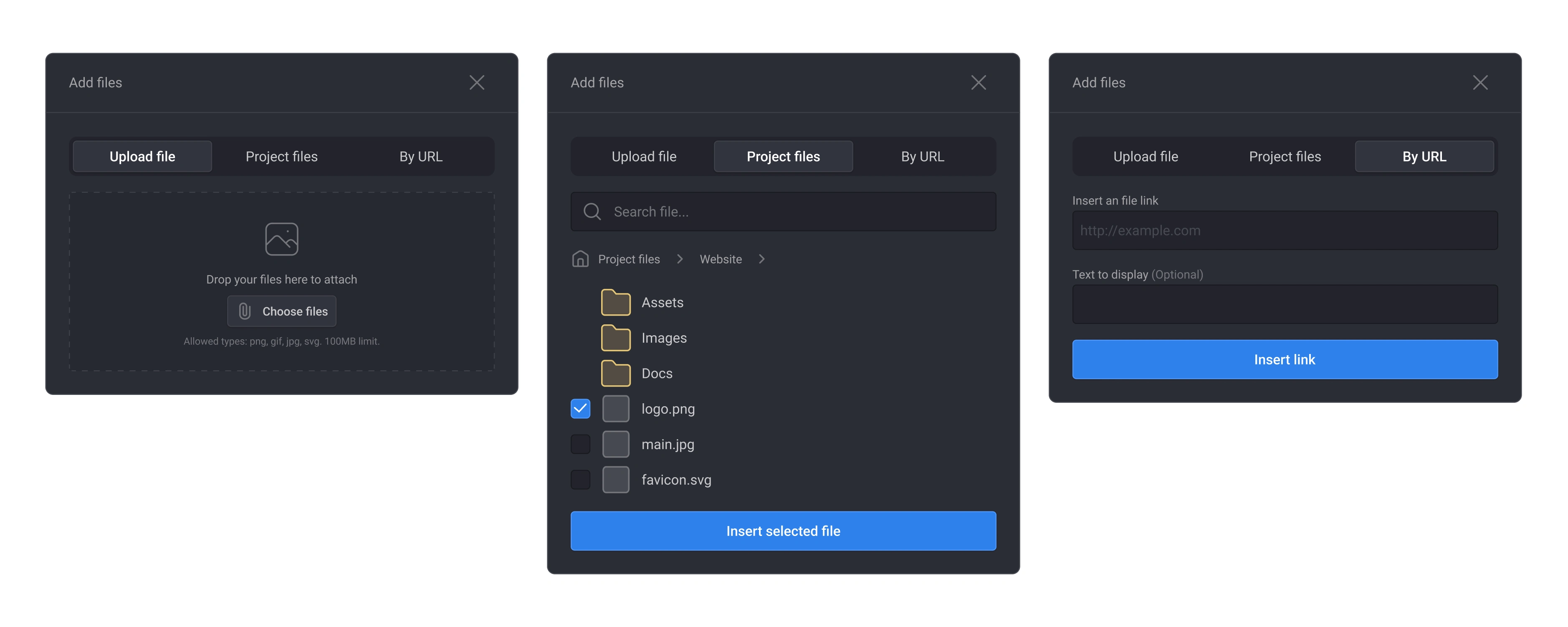
The Add Files modal was designed to make attaching files fast and flexible.
It provides three upload methods — local upload, project file browser, and URL insert —giving users full control while keeping the interface clean and consistent.
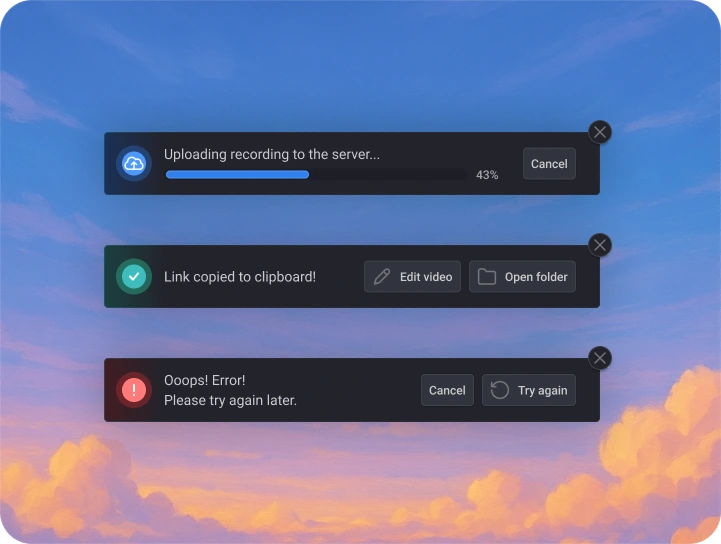
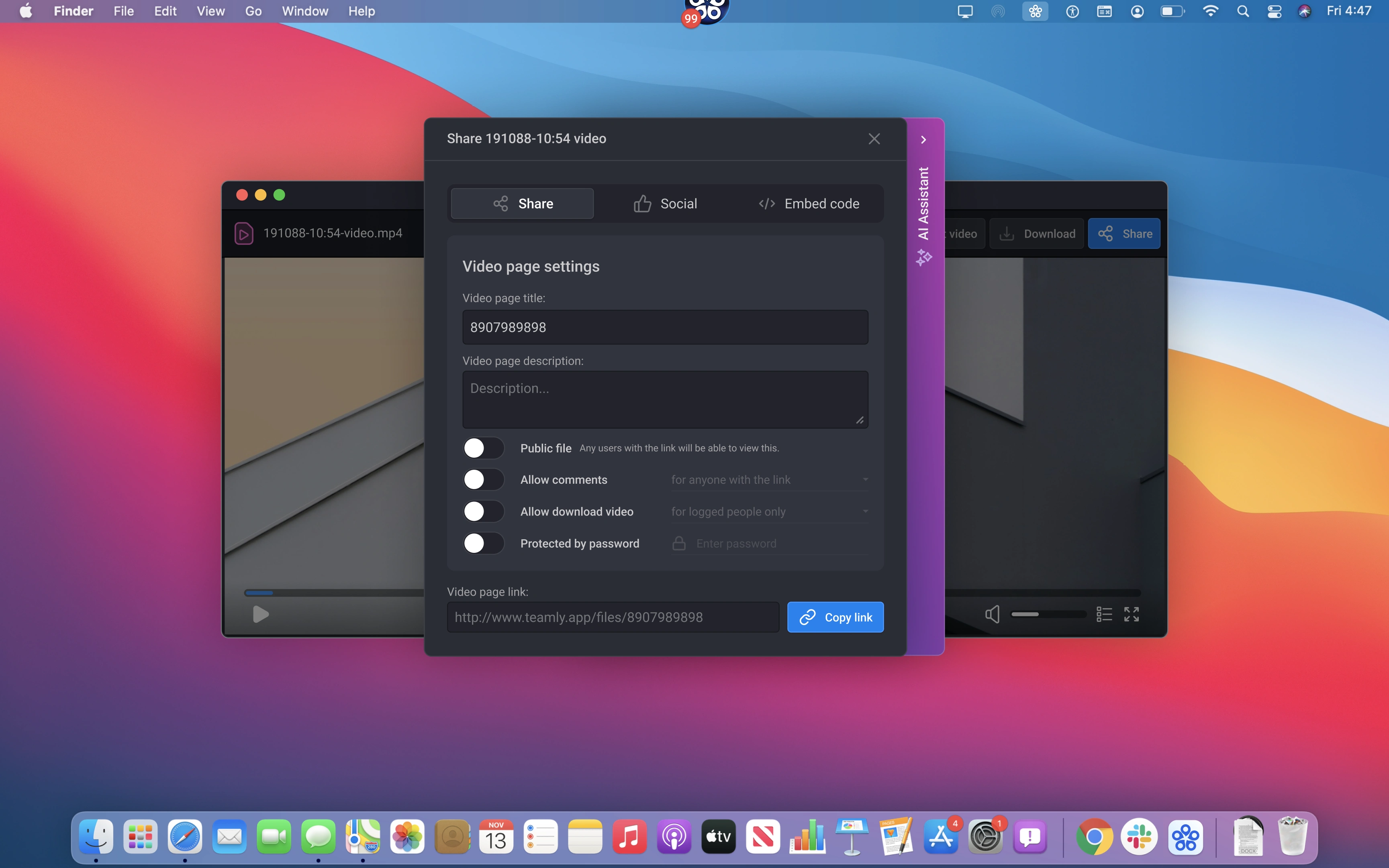
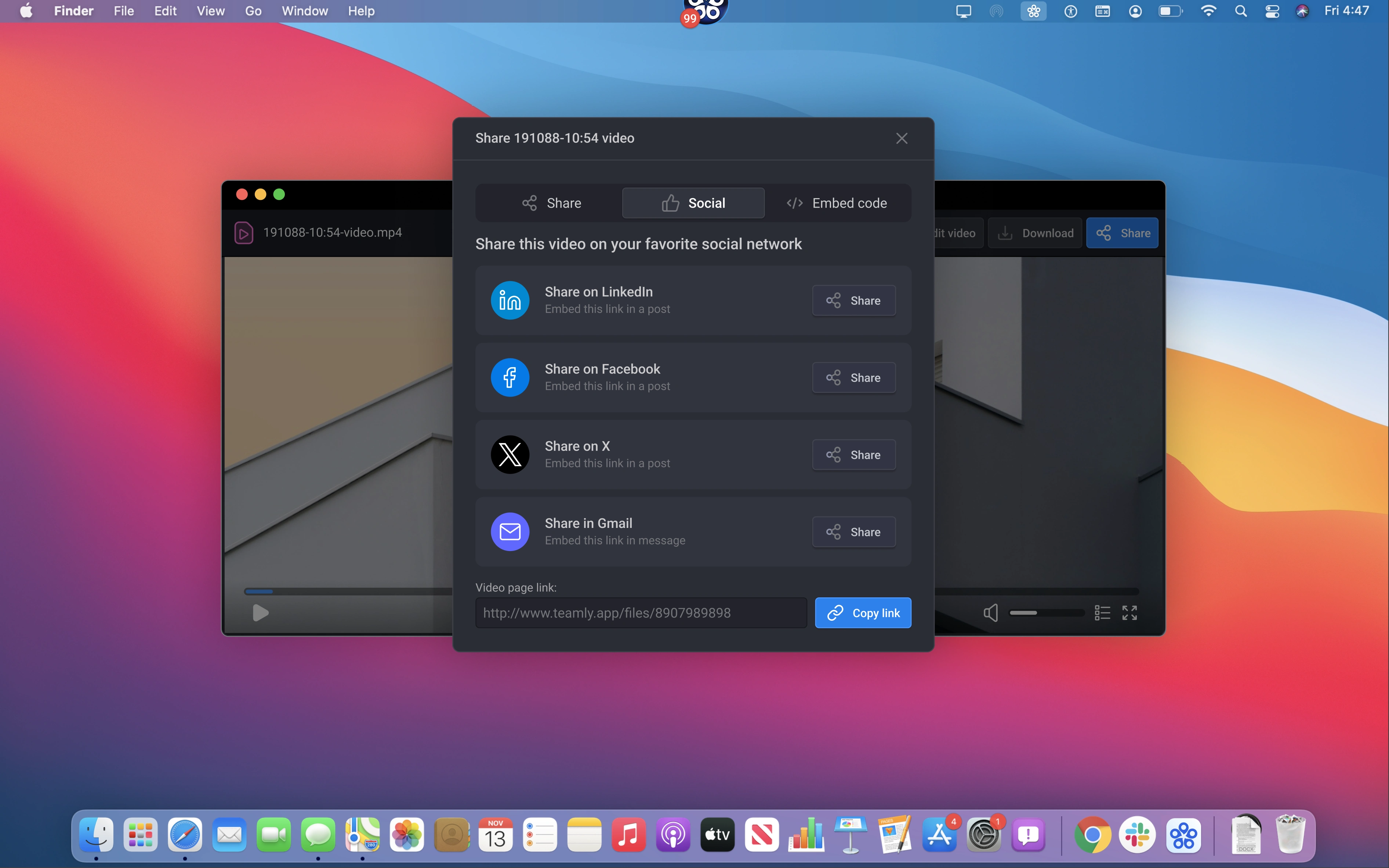
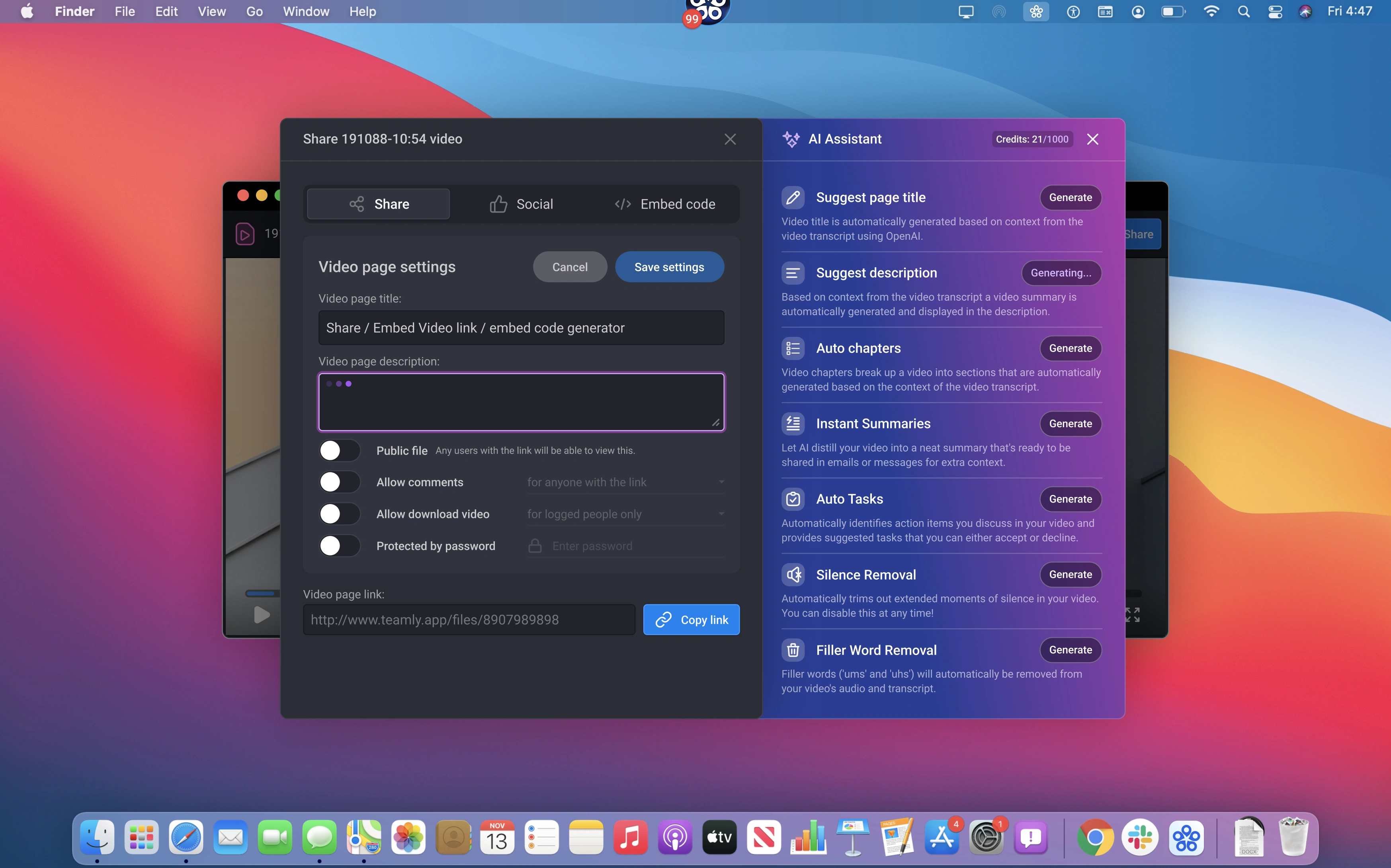
Once the editing is done, the Share modal appears with flexible options:
Copy public or password-protected link
Enable comments or downloads
Share directly to social or via embed code
Everything happens without leaving the app — making the capture-to-share flow feel instant and uninterrupted.
Thanks for watching!
Every screen shown here comes straight from the working Figma file — no edits, no staging, just real design work in its natural form.
Like this project
Posted Nov 1, 2025
Designed a modern desktop app for screen capture with a native macOS feel.
Likes
0
Views
12