Maze Unlocker: An Android Maze Game Built with Godot

Niko Minadze


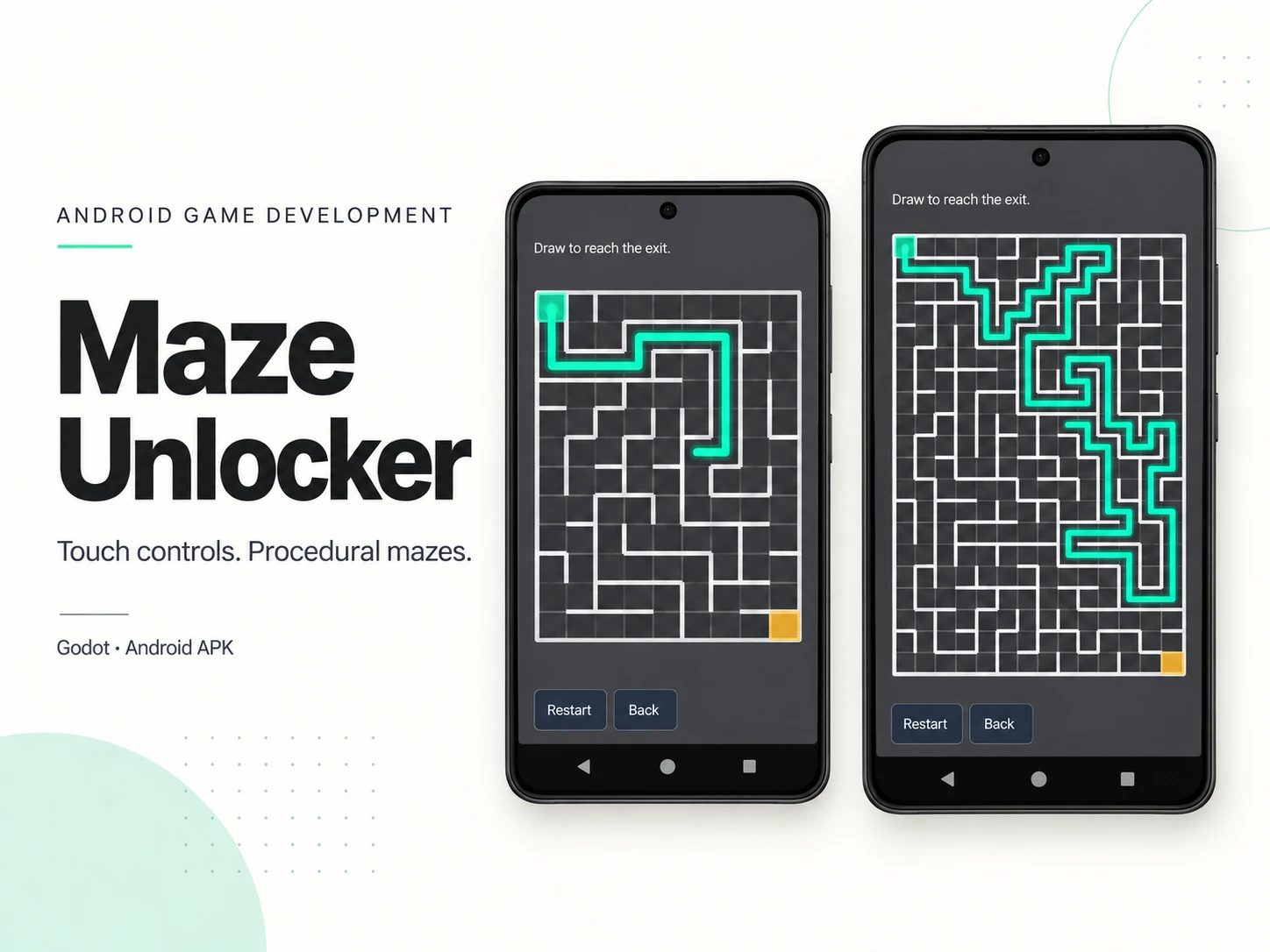
I built Maze Unlocker, an Android mobile game in Godot, packaged it as an APK and tested it on a real device. The player draws a path through a maze, reaches the exit and unlocks an image reward. The project brings together procedural generation, touch controls, progression, a rewards gallery and local saves.
The core interaction is simple. The implementation has to handle what happens when a player lifts their finger, returns to an existing path, changes direction or hits a wall. It also has to keep the maze usable as the grid grows.
Touch input that preserves the trail
The player can draw with a finger or a mouse. Releasing pauses the stroke. Tapping a cell on the existing trail resumes it, so a break in contact does not throw away the path already drawn.
I made the movement rules configurable. Backtracking can erase the trail's tail or be blocked. A wall crossing can stop the active stroke without erasing the existing trail. This separates an invalid move from a full restart and gives the game clear, adjustable behavior.
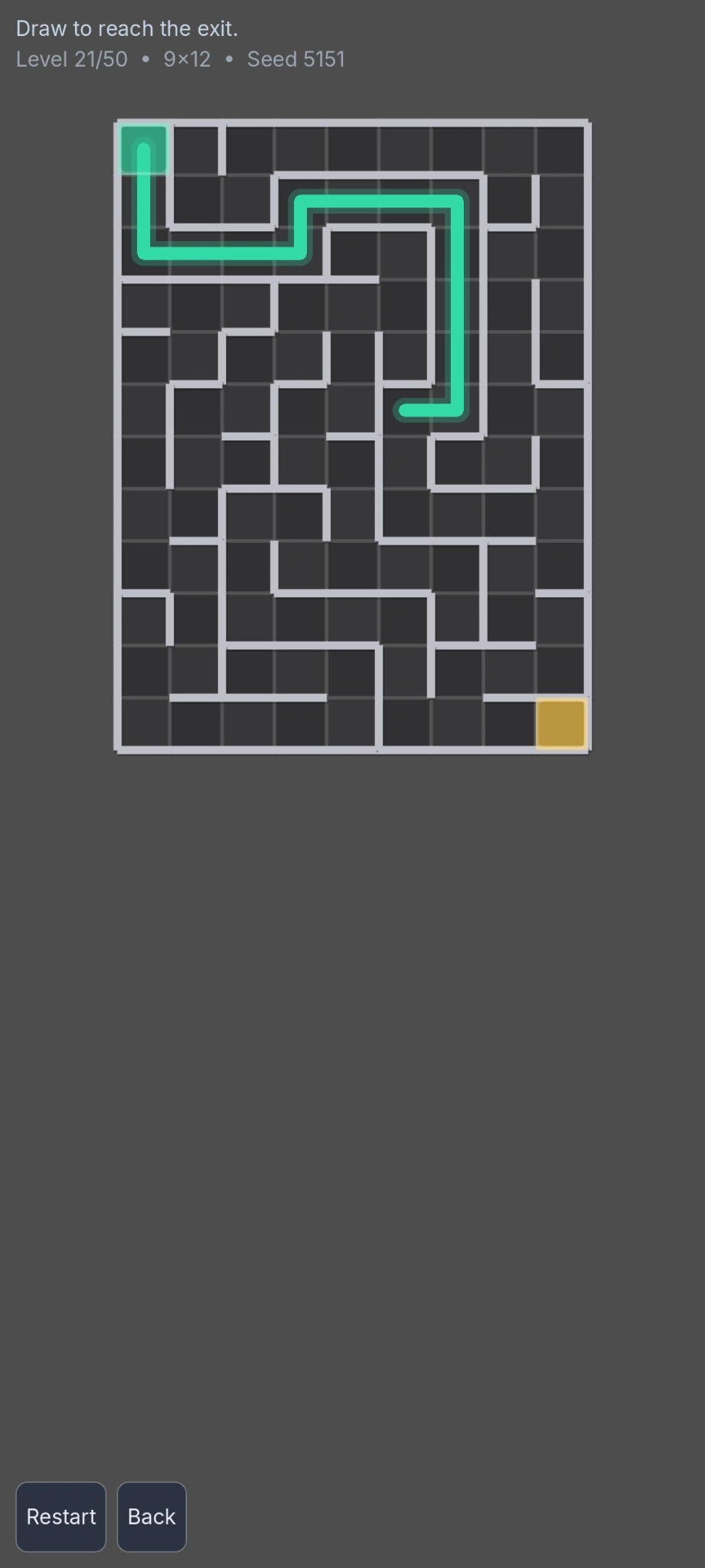
A partially drawn path in the 9 × 12 maze at level 21. The trail shows where the player has already moved.
One gameplay scene across changing maze sizes
The game uses seeded procedural generation and a 50-level progression. The grid grows from small introductory mazes to denser layouts: the captures show 3 × 3 at level 1, 9 × 12 at level 21 and 14 × 20 at level 41.
Cell sizing adapts to the available viewport, with bounds on cell size and room reserved for the bottom controls. The same gameplay scene supports these different grid sizes. On touch devices, the layout also takes display safe areas into account.
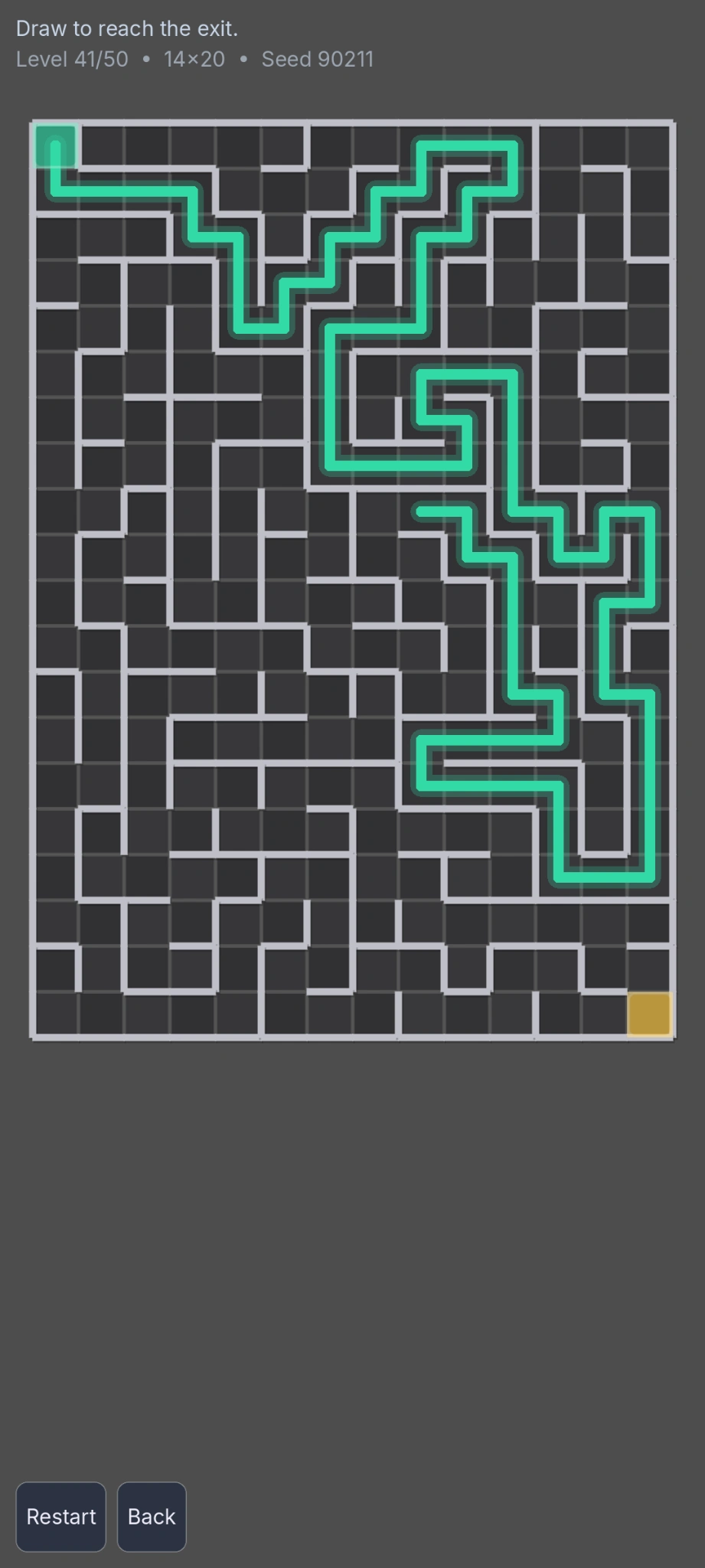
Level 41 uses a 14 × 20 grid. The drawing interaction stays consistent as the maze becomes denser.
Connecting gameplay to saved progression
Reaching the exit unlocks an image reward, and the gallery keeps unlocked rewards accessible. It supports dedicated thumbnails with a fallback to full-size images.
Progress is stored locally, alongside separate settings and age-notice state. The menu displays completion progress, while Settings provides sound control and a progress reset. These screens connect the individual puzzle to a game the player can leave and return to.
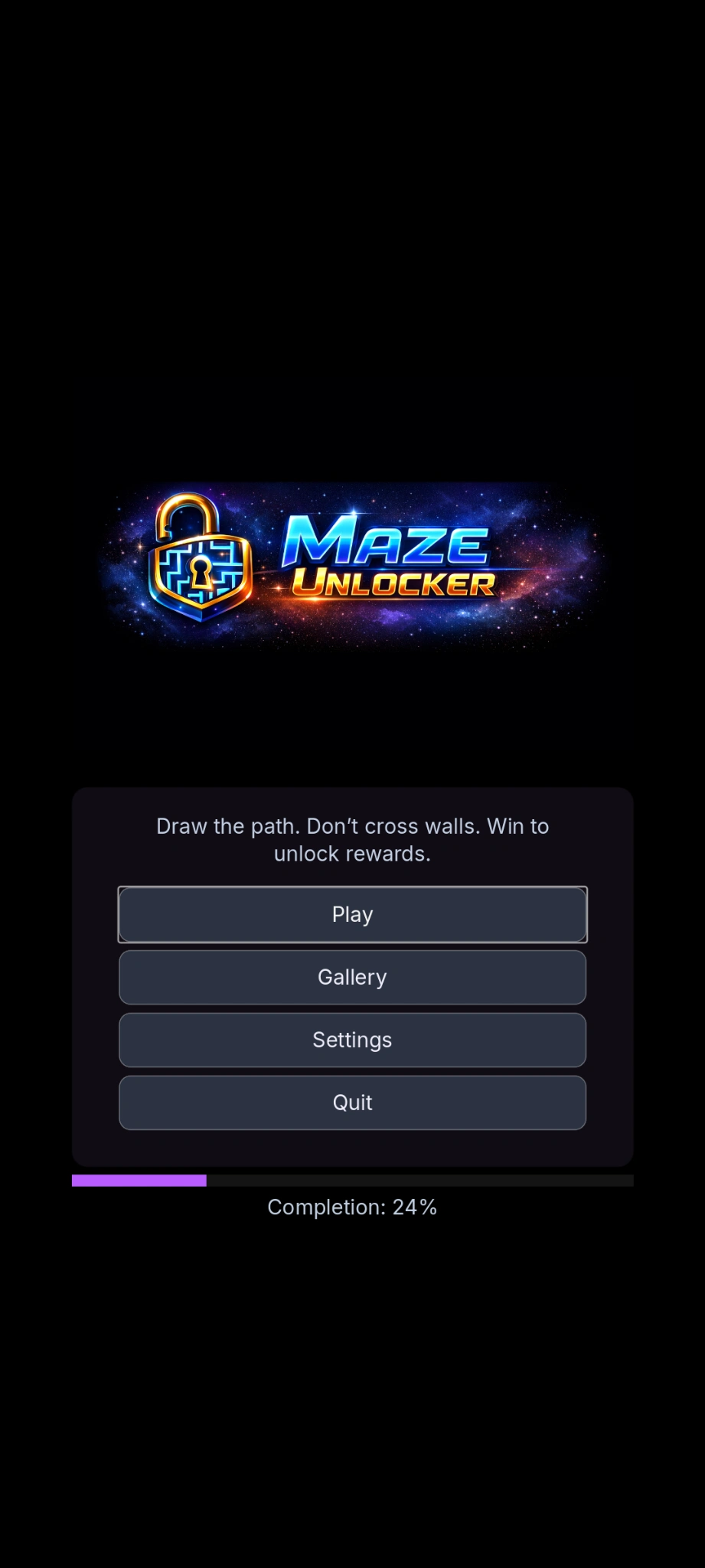
The main menu connects gameplay, the gallery and settings, with a completion indicator beneath the controls.
Separating the systems for tuning
I used dedicated GDScript components for maze generation, input and progression, audio, and saving. The maze generator stores wall information as bitmasks; the controller manages the trail and resume behavior.
Exported settings expose the rules that need tuning, including backtracking, wall crossings, progression sizes and cell sizing. Scenes handle the menu, game, gallery, age notice and settings.
An Android build tested on a real device
The game has an installable APK and runs on a physical Android device. The build brings the portrait interface and touch interaction into the environment they were designed for.
The gameplay screenshots are rendered from the real scenes using Godot's mobile renderer. The capture harness uses fixed seeds and scripted progress, and sends touch and drag events through the game's own input handler to create the paths shown.
The capture workflow covers standard and tall portrait layouts. These images use the 1080 × 2400 layout; the device mockups on the cover are presentation artwork.
The result is a playable Android game with a connected loop: generate a maze, draw and resume a path, complete the level, unlock a reward and retain progress for the next session.
Like this project
Posted Oct 9, 2026
Built an Android maze game with Godot: touch controls, procedural mazes, 50 levels, reward unlocking and local saves. APK tested on a real device.
Likes
1
Views
4