
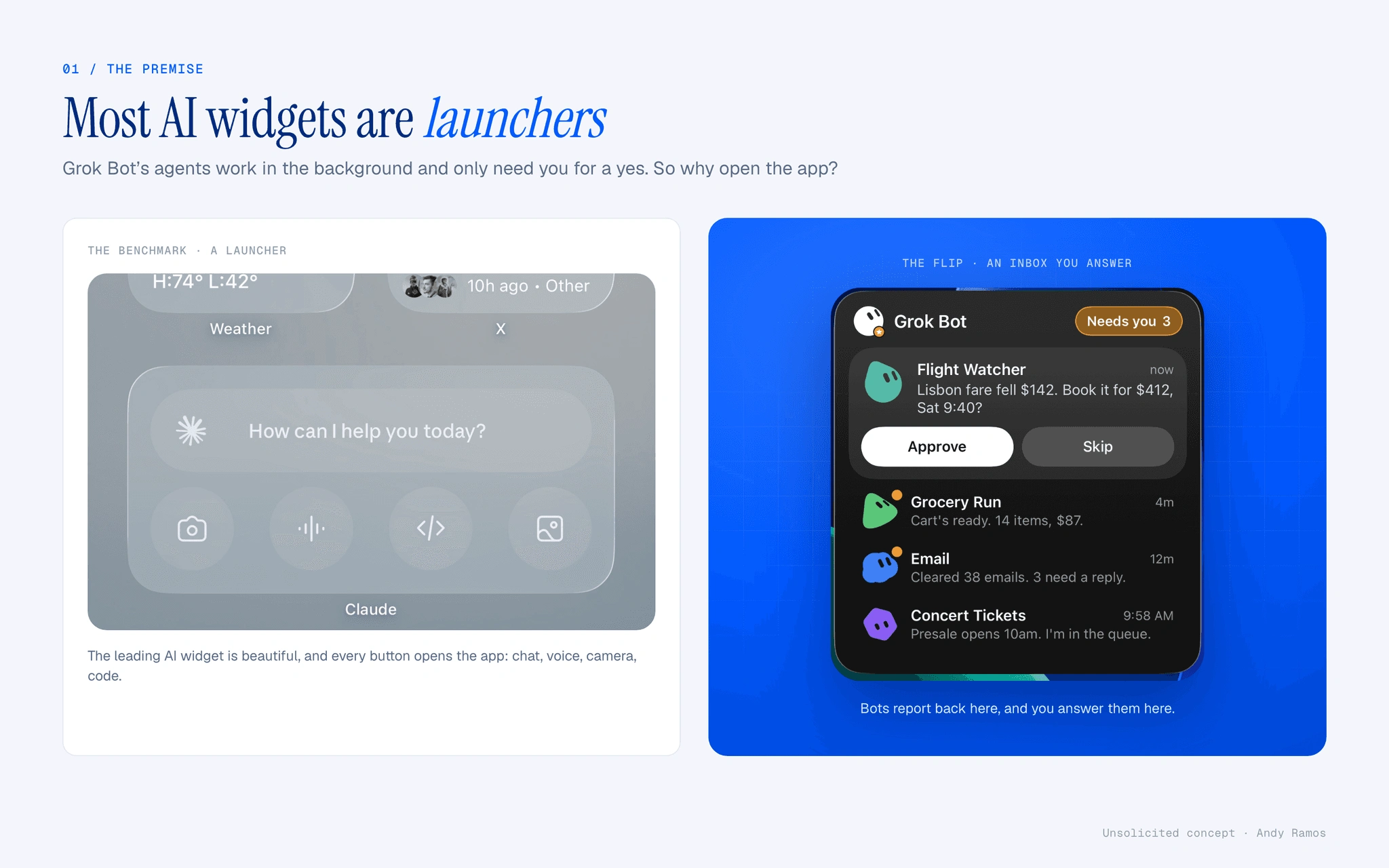
I couldn't believe they didn't design a widget for GrokBot! Every tap opens the app, even when an agent just needs a yes.
Role: Solo: concept, interaction, visual design, SwiftUI build · Year: 2026 · Platform: iOS 26 · SwiftUI, WidgetKit, Live Activity
Services: Product Design, iOS Prototyping
The short version
Problem: Grok Bot’s agents work in the background and only need you for a yes, but AI widgets today are launchers that open the app for everything.
What I did: Designed and built real iOS 26 widgets where bots report back and you answer in place: an inbox, a widget world per starred bot, and a Dynamic Island Live Activity.
Outcome: Approve, skip and reply without opening the app, in every size and in light, dark, clear and tinted.
Most AI widgets are launchers.
Grok Bot is an app of always-on AI agents that work in the background and come back only when they need a yes. The benchmark AI widget on iOS is a launcher: every button opens the app. For an agent product that’s backwards, so I flipped it. Unsolicited concept with scripted data. Not affiliated with or endorsed by xAI.
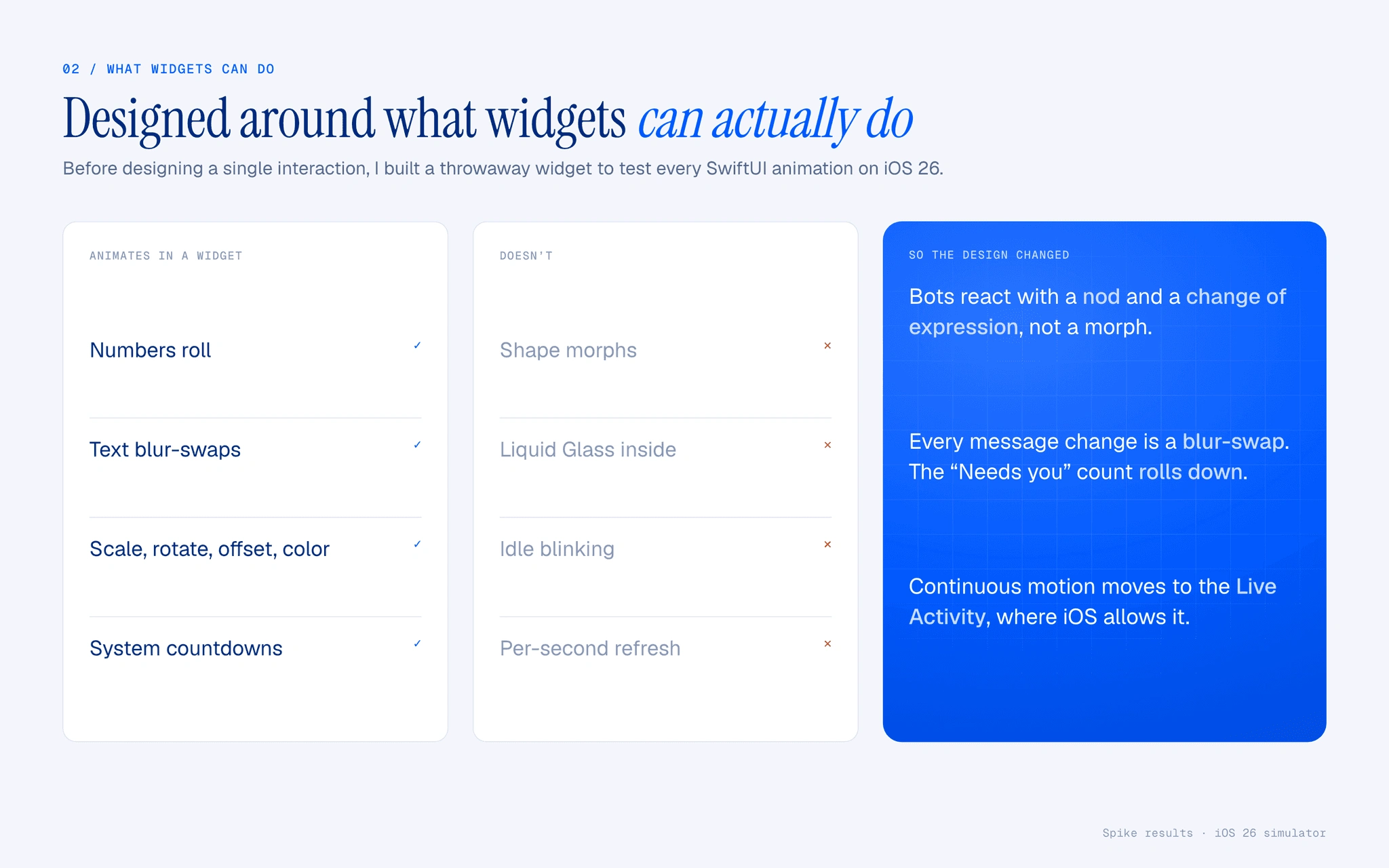
Designed around what widgets can actually do.
One rule: real WidgetKit, not a mockup. If iOS can’t do it, it’s not in the concept. A throwaway spike tested every SwiftUI animation on iOS 26. Shapes can’t morph and idle motion doesn’t run, so the bots nod and change expression, messages blur-swap, and counts roll.
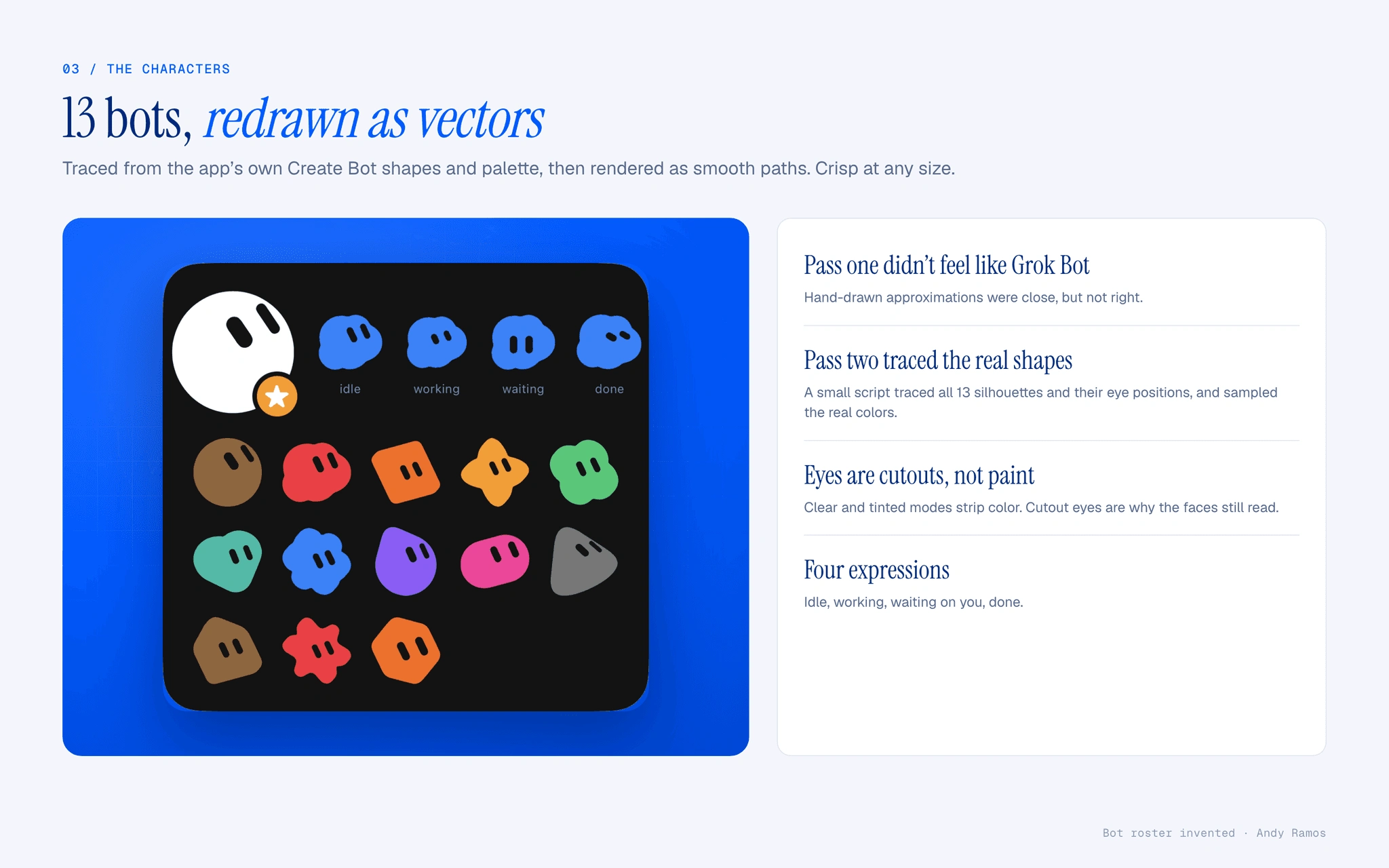
13 bots, redrawn as vectors.
My hand-drawn first pass didn’t feel like Grok Bot. So a small script traced all 13 silhouettes and eye positions from the app’s own Create Bot screen and sampled its palette. The eyes are real cutouts, which is why the faces survive when iOS strips color.
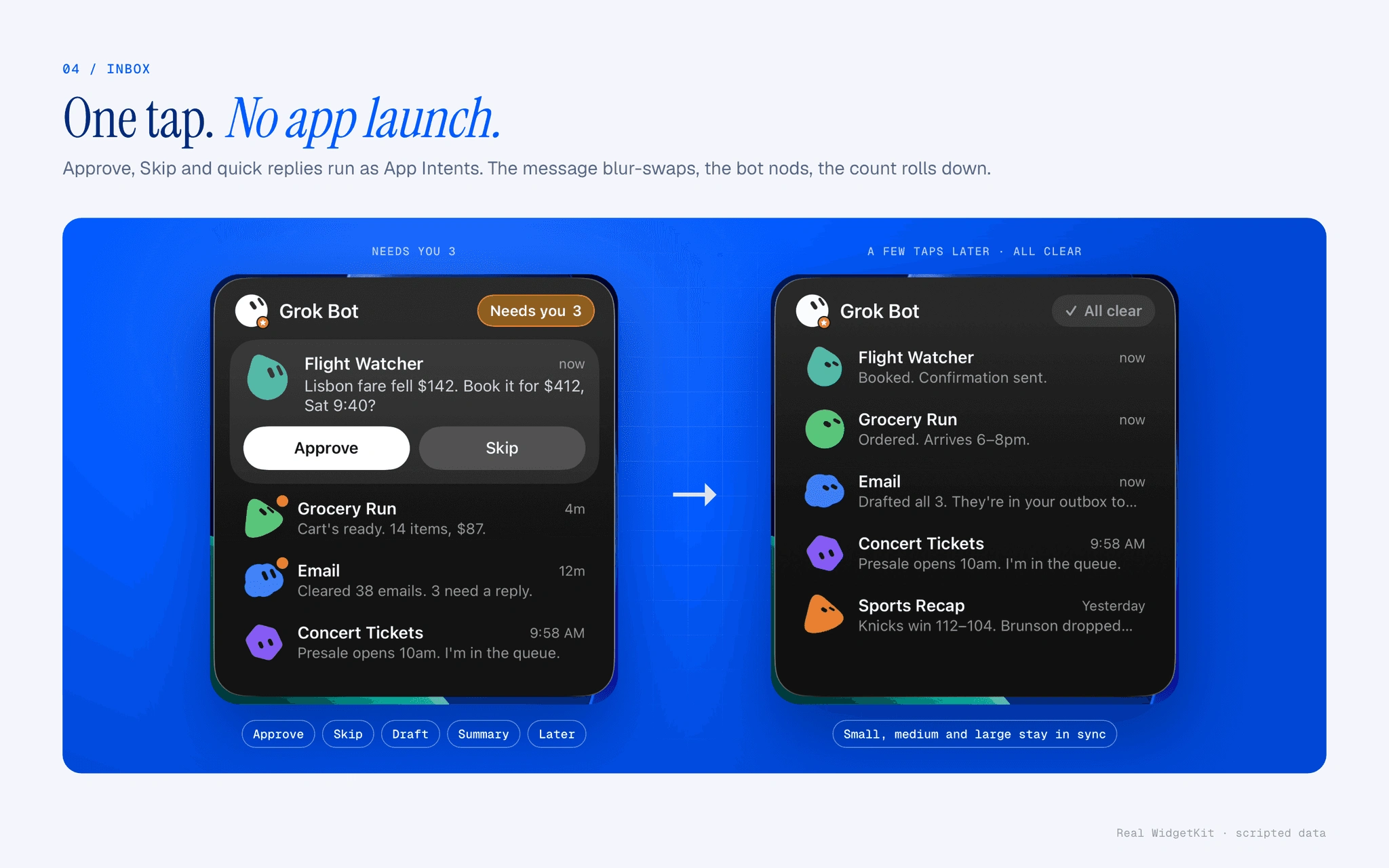
One tap. No app launch.
The inbox lists the bots that need you. Approve, Skip and quick replies run as App Intents, so the app never opens. On tap the message blur-swaps to the result, the bot nods, and “Needs you 3” rolls down to “All clear.”
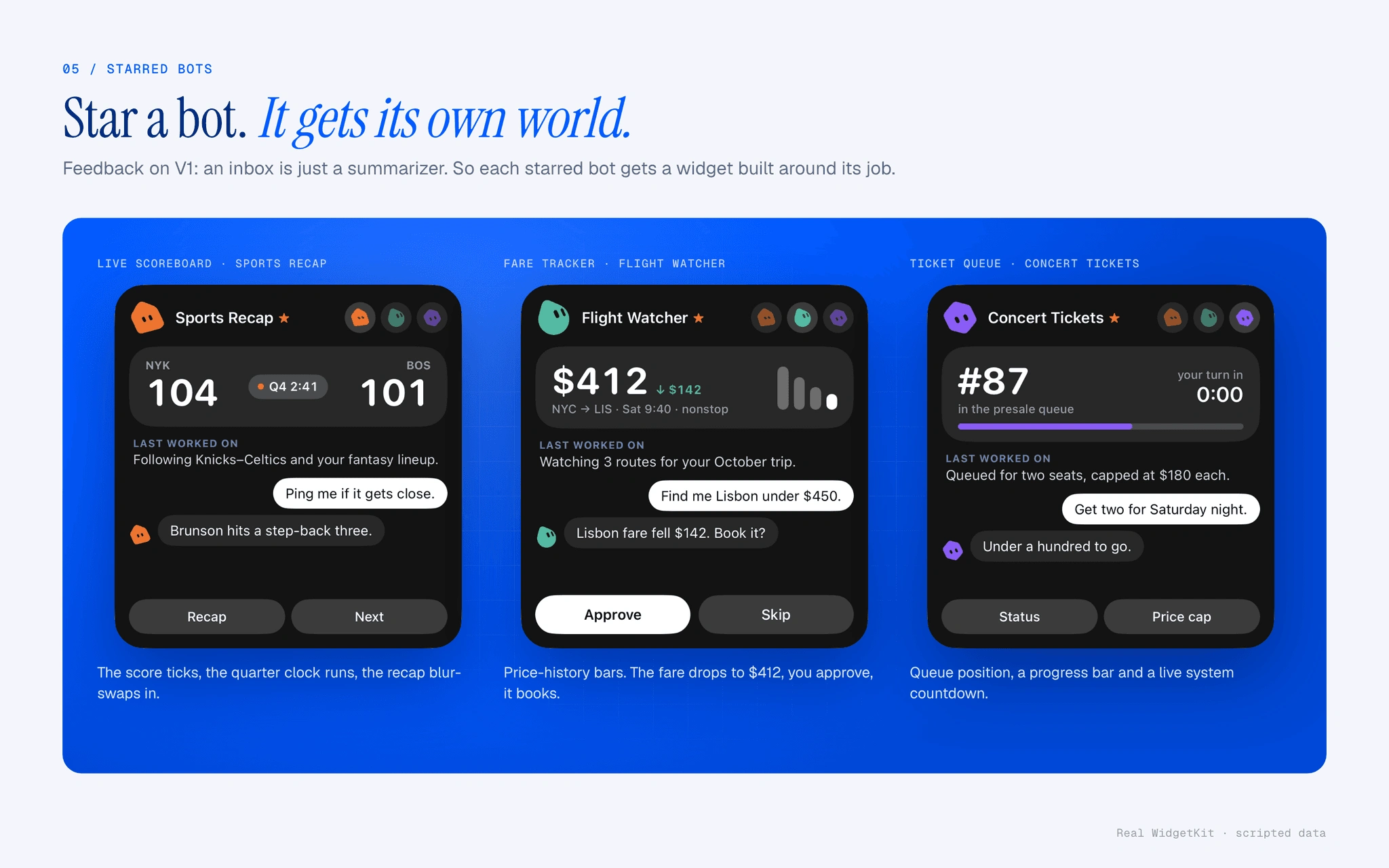
Star a bot. It gets its own world.
Feedback on the first version: an inbox is just a summarizer. So a starred bot gets a widget built around its job: a live scoreboard, a fare tracker with price history, a ticket queue with a live countdown. Each moves on its own with timeline entries and system countdowns.
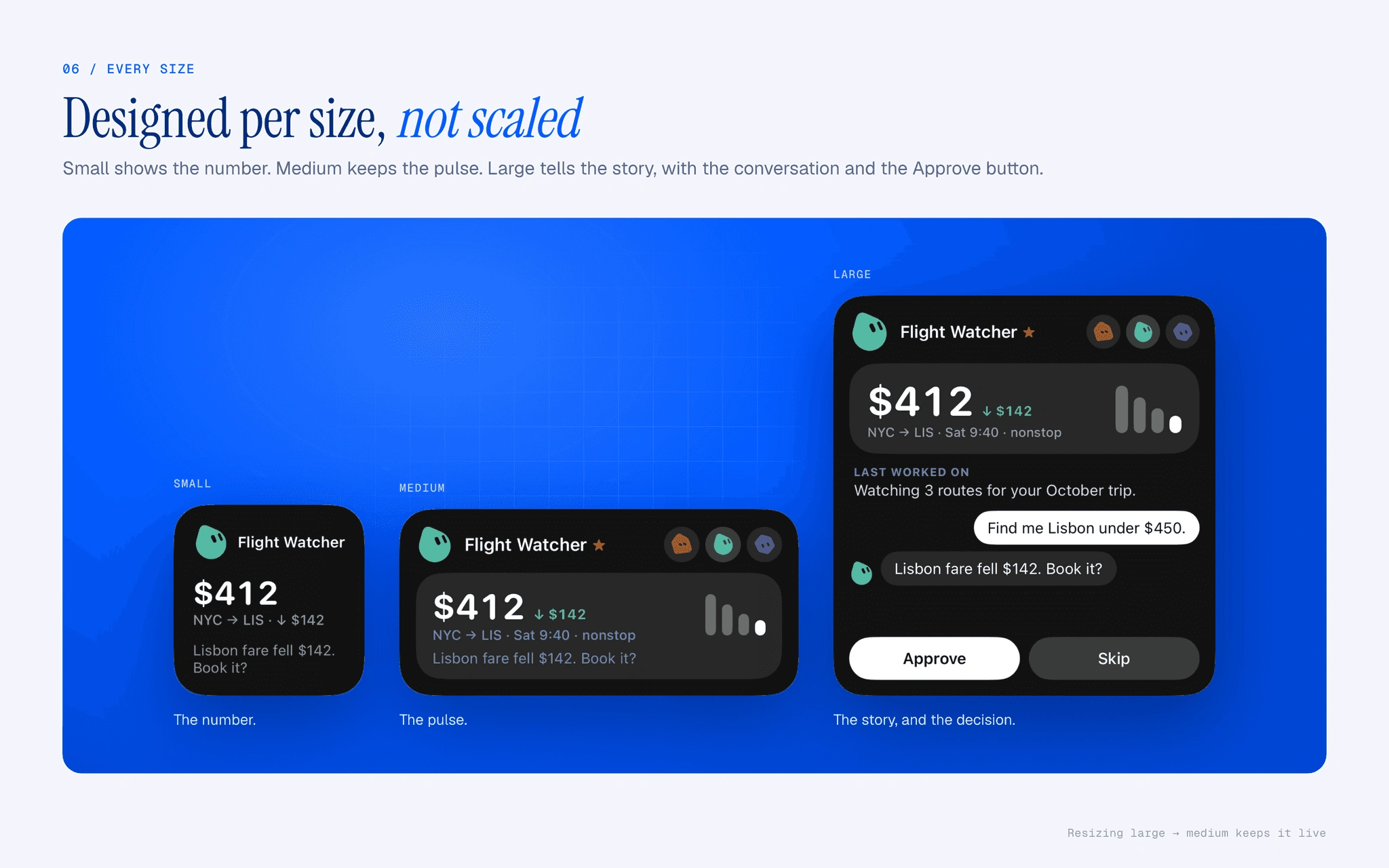
Designed per size, not scaled.
Small shows the number. Medium keeps the pulse. Large tells the story, with the latest exchange and the Approve button. Resizing from large to medium keeps it live.
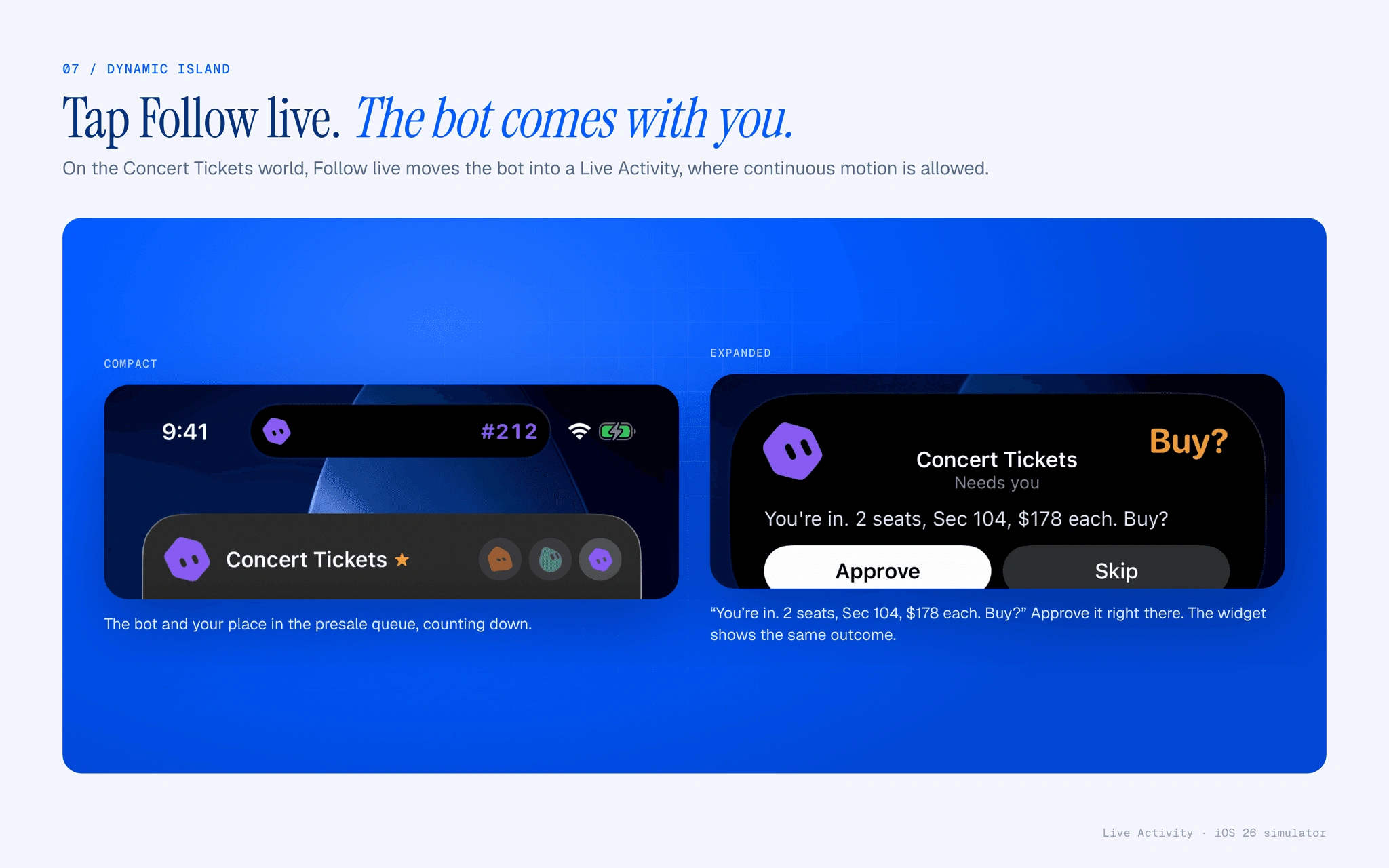
Tap Follow live. The bot comes with you.
On the Concert Tickets world, Follow live moves the bot into a Live Activity. The compact island counts down your place in the presale queue. When it gets you in, it expands and asks to buy, and you approve right there.
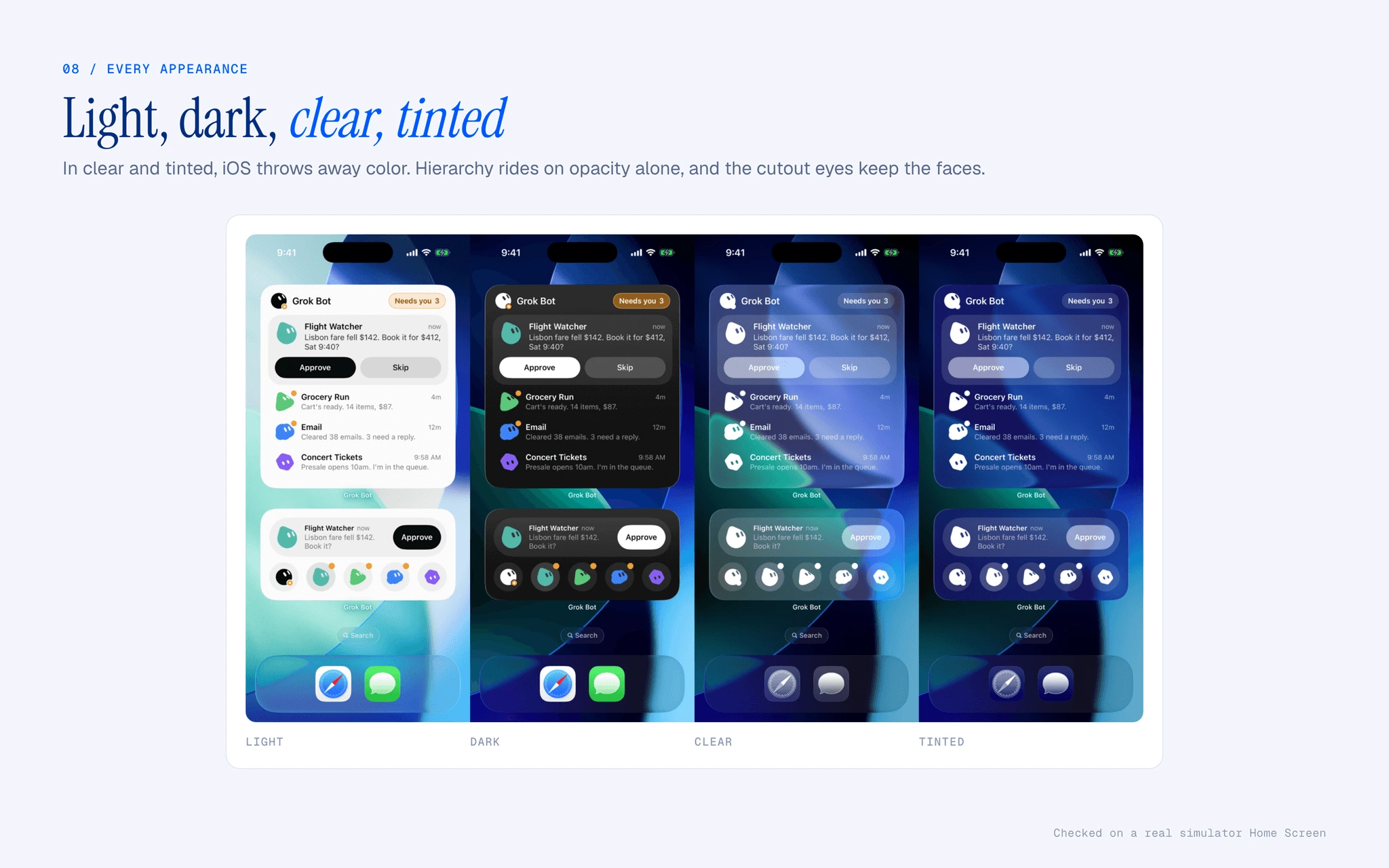
Light, dark, clear, tinted.
I checked all four iOS 26 Home Screen looks on a real simulator Home Screen. In clear and tinted, hierarchy rides on opacity alone, and the cutout eyes keep every bot recognizable.
Built on the real surface.
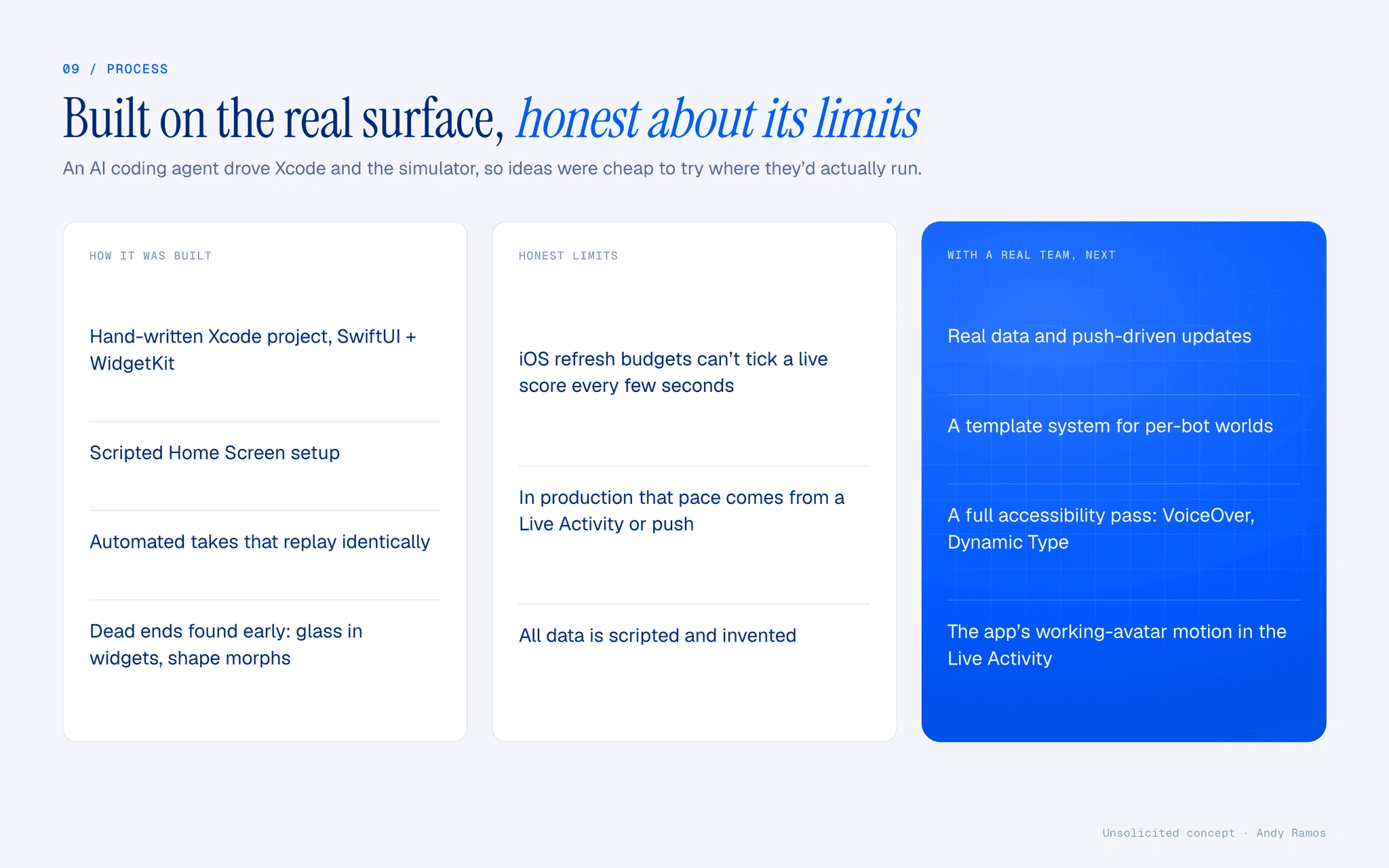
An AI coding agent drove Xcode and the simulator, from a hand-written project to scripted takes that replay identically, so ideas were cheap to try where they’d really run. The honest limit: iOS refresh budgets can’t tick a score every few seconds, so in production that pace comes from a Live Activity or push. Next, with a team: real data, a template for bot worlds, and a full accessibility pass.
Results
0 app launches to approve, skip or reply
13 bot characters rebuilt as vectors
4 iOS 26 appearances
3 + 1 widget sizes plus a Live Activity
0 likes · 0 views · Nov 20, 2026
Designed and built iOS widgets and a Live Activity for Grok Bot, letting users approve, skip, and reply to agents without opening the app.