Social Media Post

Sanya Oluwadare


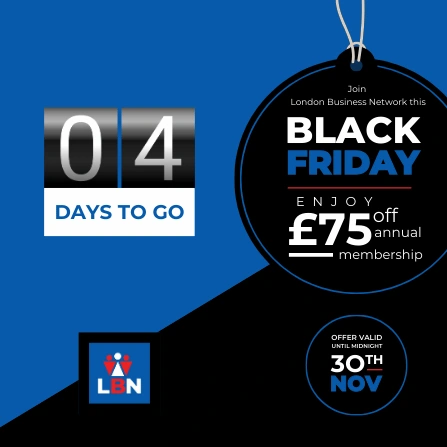
3O
NOV
NOV
TH
Offer valid
until midnight
£75
off
membership
annual
enjoy
BLACK
friday
friday
Join
London Business Network this
days to go
3O
NOV
NOV
TH
Offer valid
until midnight
£75
off
membership
annual
enjoy
BLACK
friday
friday
Join
London Business Network this
days to go
3O
NOV
NOV
TH
Offer valid
until midnight
£75
off
membership
annual
enjoy
BLACK
friday
friday
Join
London Business Network this
days to go
Go home
The main navigation contains buttons for document level options. To switch between buttons, use the left and right keys and to activate, press Enter. To skip to the canvas, press “Ctrl+F2”.
Canvas
The canvas is where your design is. To navigate into the page, press Enter. To navigate into groups or elements on the page, press Enter again. Press tab to move to the next page, group, or element. To operate the toolbar, use the “Ctrl+F1” key. If an element is selected, move it using the arrow keys; rotate using the “,” key and “.” key; and resize using the arrow keys with the “Ctrl” key. All of these keys can be modified with the “Shift” key to increase increment.
Like this project
Posted Mar 4, 2025
You will get Social media post design that drive results.