Workforce Management Interface Redesign Project

Akbar Rhadit


Project Overview
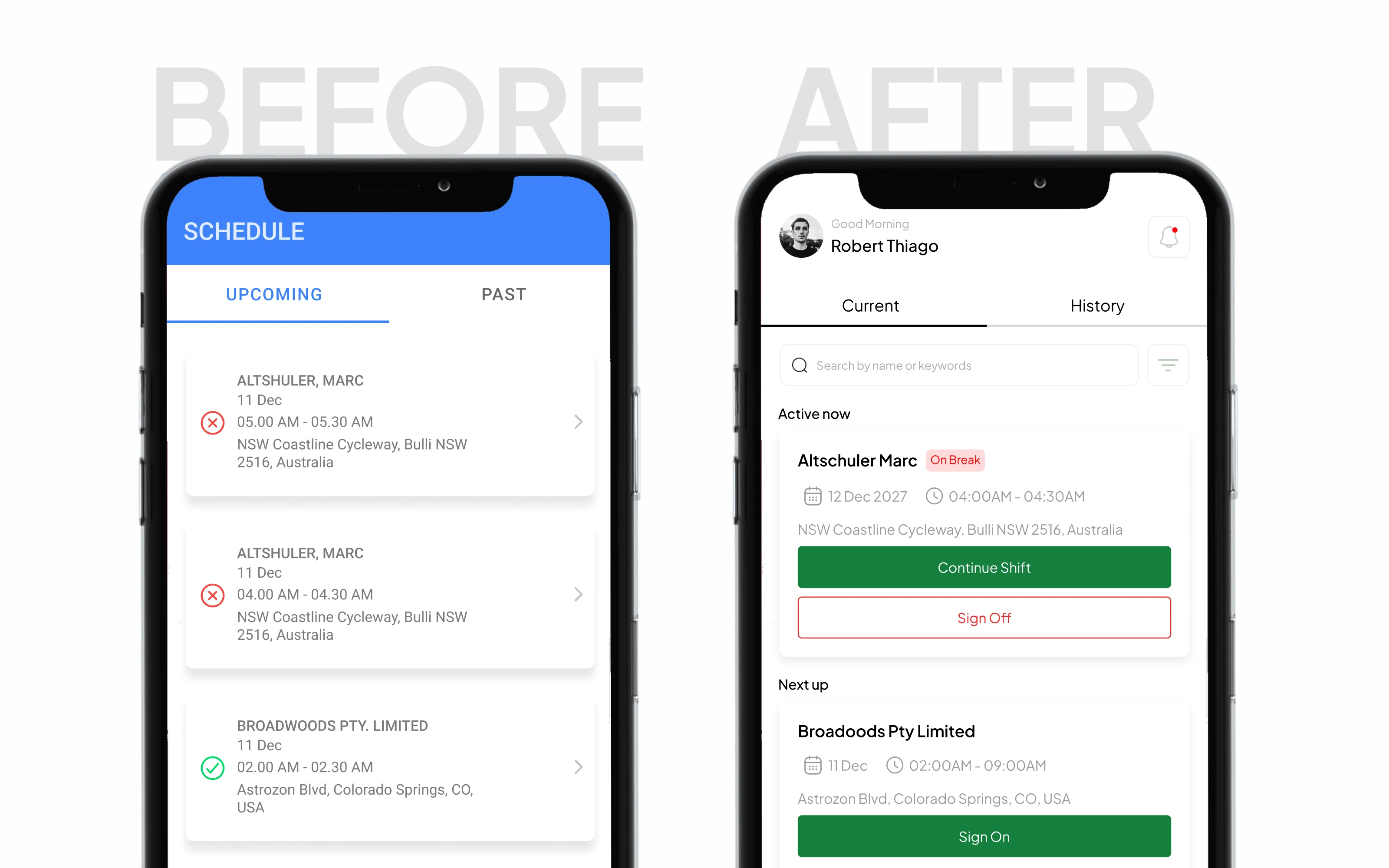
I redesigned a workforce management interface to simplify how employees navigate their schedules, manage assigned tasks, and complete shift-related actions.
The original interface included upcoming and past schedules, task statuses, and multiple actions such as signing on, signing off, starting breaks, and ending breaks. These interactions created an opportunity to simplify the user journey and make everyday workforce management tasks easier to understand.
My goal was to rethink the experience around a clearer information hierarchy, more intuitive actions, and a streamlined workflow—bringing the redesigned experience down to just six screens.
Services: UI/UX Design, UX Audit, Workflow Optimization, Information Architecture, Mobile App Design
Industry: Workforce Management / SaaS
Deliverable: Six redesigned screens
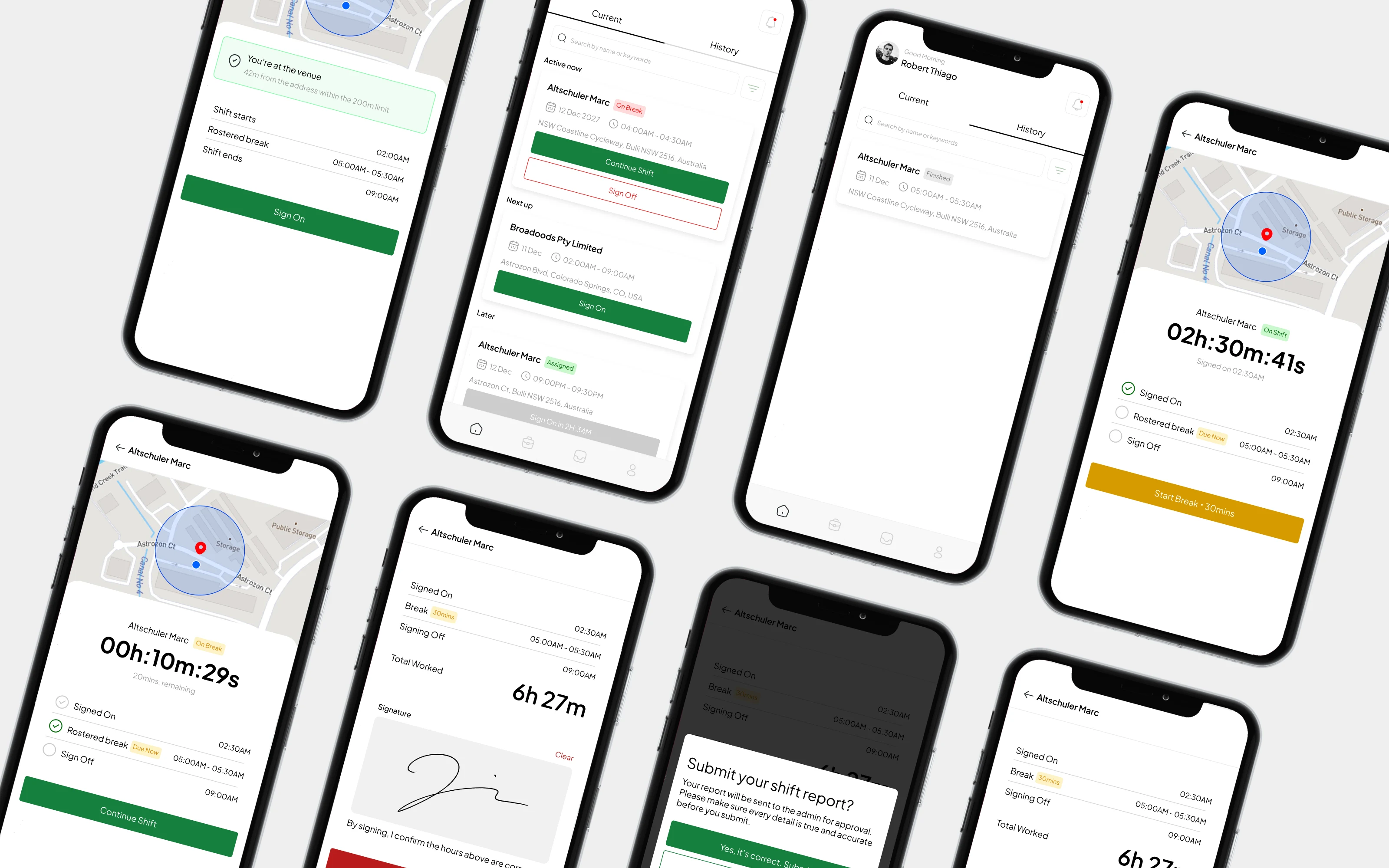
The redesigned workforce management experience brings essential scheduling, task management, and shift-related actions into a more focused six-screen interface.
The Challenge
Workforce management applications need to help employees complete routine tasks quickly and confidently. When schedules, task statuses, and shift actions are spread across multiple views or require repeated interactions, the experience can become unnecessarily complicated.
The original interface presented several task states, including Accepted, Pending, Declined, and Completed. It also included shift actions such as Sign On, Sign Off, Start Break, and End Break, with additional confirmation steps for certain interactions.
The challenge was to simplify these workflows without losing the information and controls employees need to manage their shifts.
Reviewing the existing interface revealed opportunities to improve the hierarchy of schedule information, task statuses, and shift-related actions.
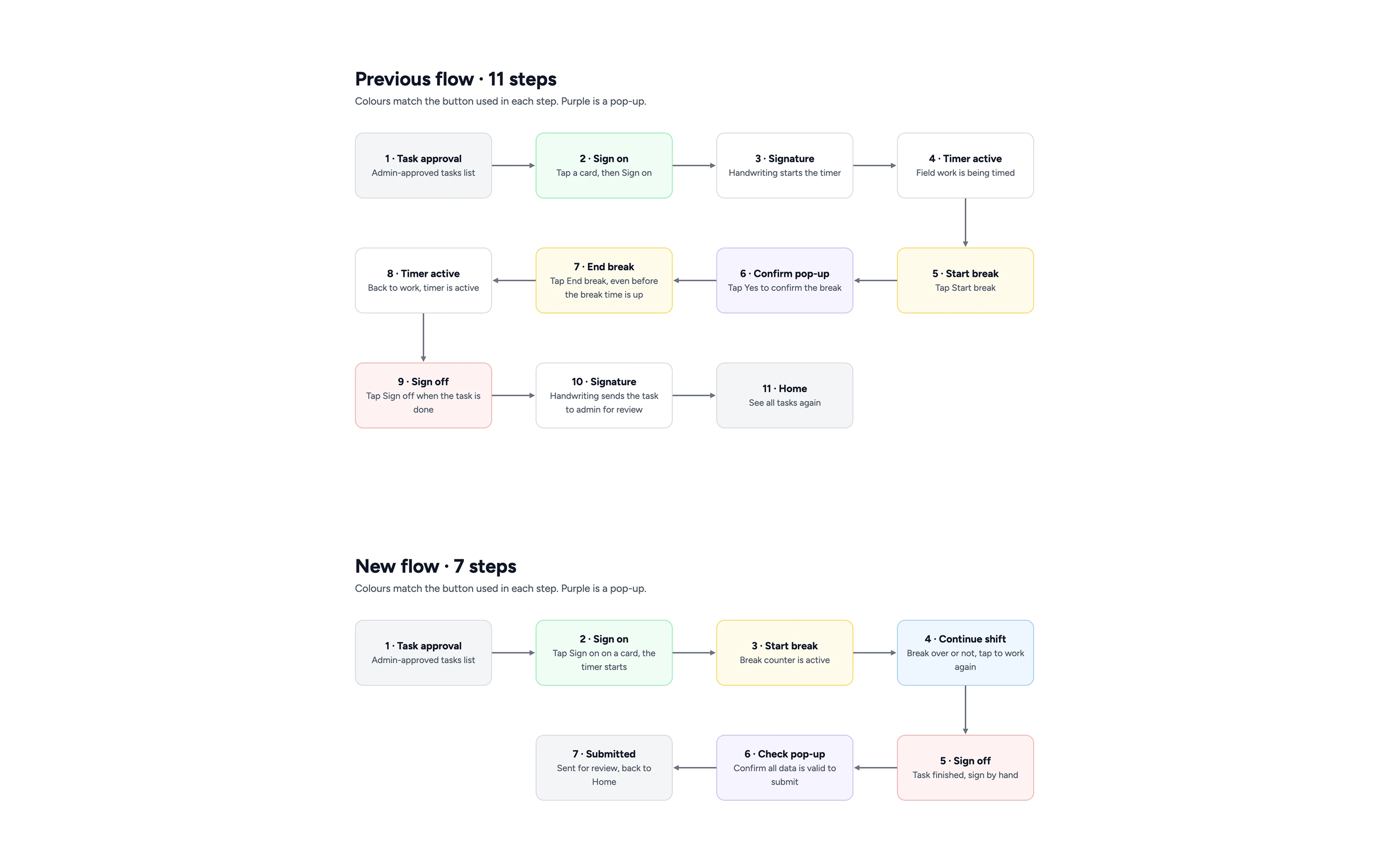
User flow for mobile app design
The UX Goal
The redesign focused on three priorities:
Reduce complexity: Simplify the steps required to navigate schedules and complete shift-related tasks.
Improve clarity: Make task statuses and available actions easier to understand at a glance.
Streamline interactions: Consolidate the experience into six carefully structured screens.
Rather than adding more features, the focus was on making the existing experience easier to use.
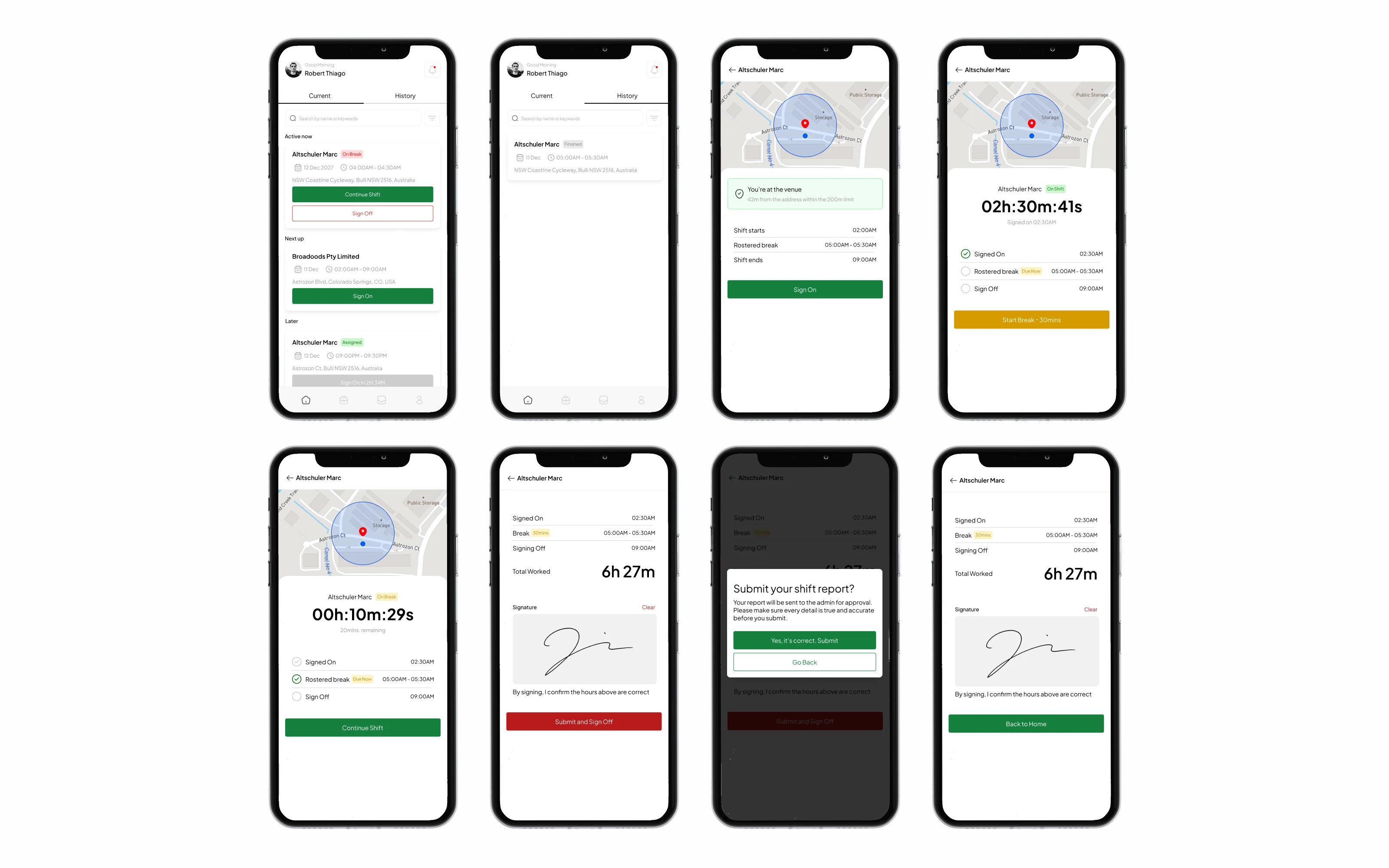
The workflow was reorganized around six redesigned screens, with each screen supporting a clear part of the scheduling and shift-management experience.
The Solution
The redesigned workforce management experience focuses on clarity, efficiency, and a more straightforward interaction flow.
A Clearer Schedule Overview
Help users understand their upcoming and past tasks without unnecessary visual complexity.
More Understandable Task Statuses
Make states such as Accepted, Pending, Declined, and Completed easier to distinguish.
Simplified Shift Actions
Present actions such as Sign On, Sign Off, Start Break, and End Break in a more intuitive context.
Fewer Screens, a More Focused Experience
Consolidate the essential workflow into six redesigned screens, keeping the interface focused on what users need to accomplish.
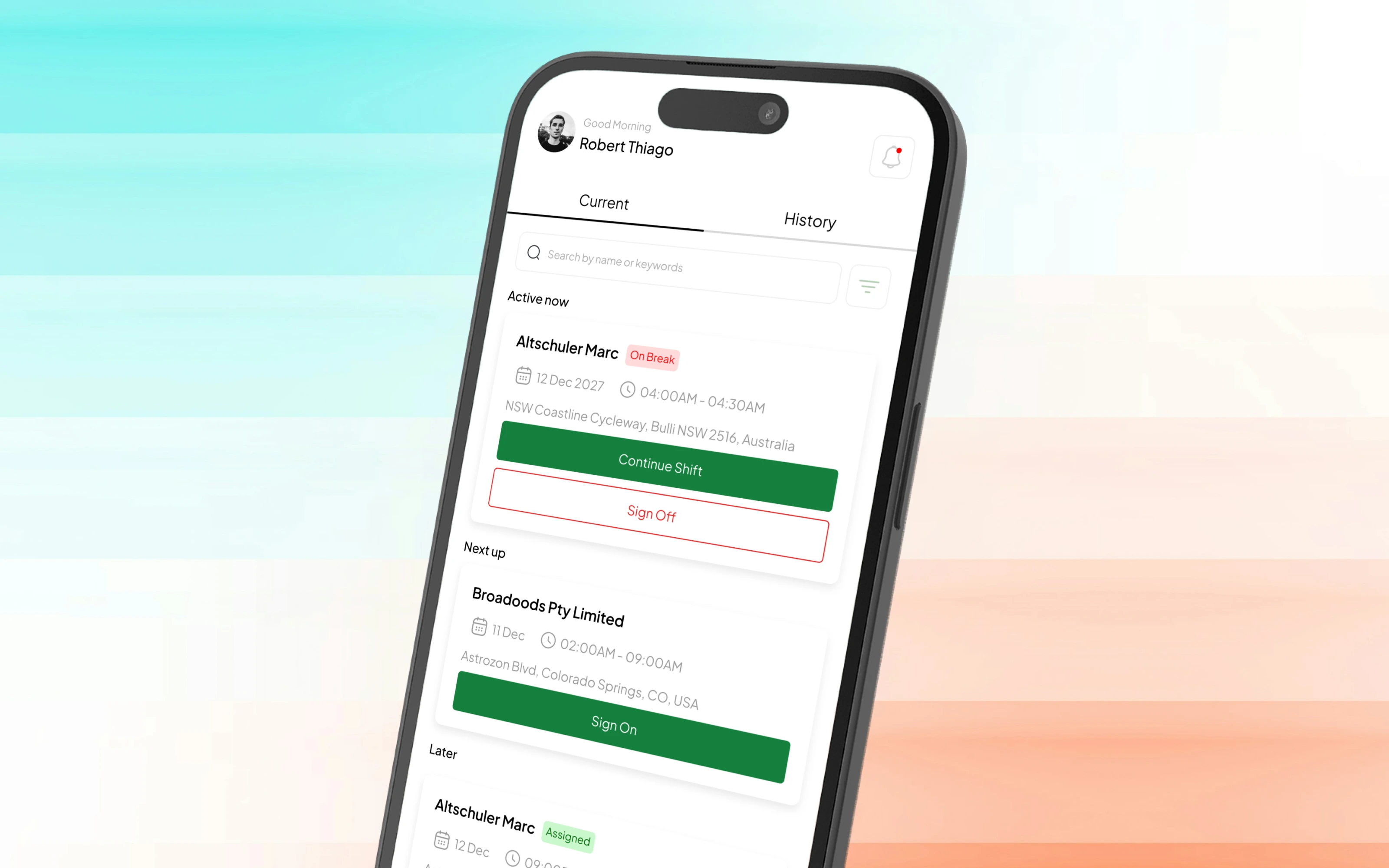
The redesigned schedule and task views prioritize essential information, making upcoming tasks and their current statuses easier to scan.
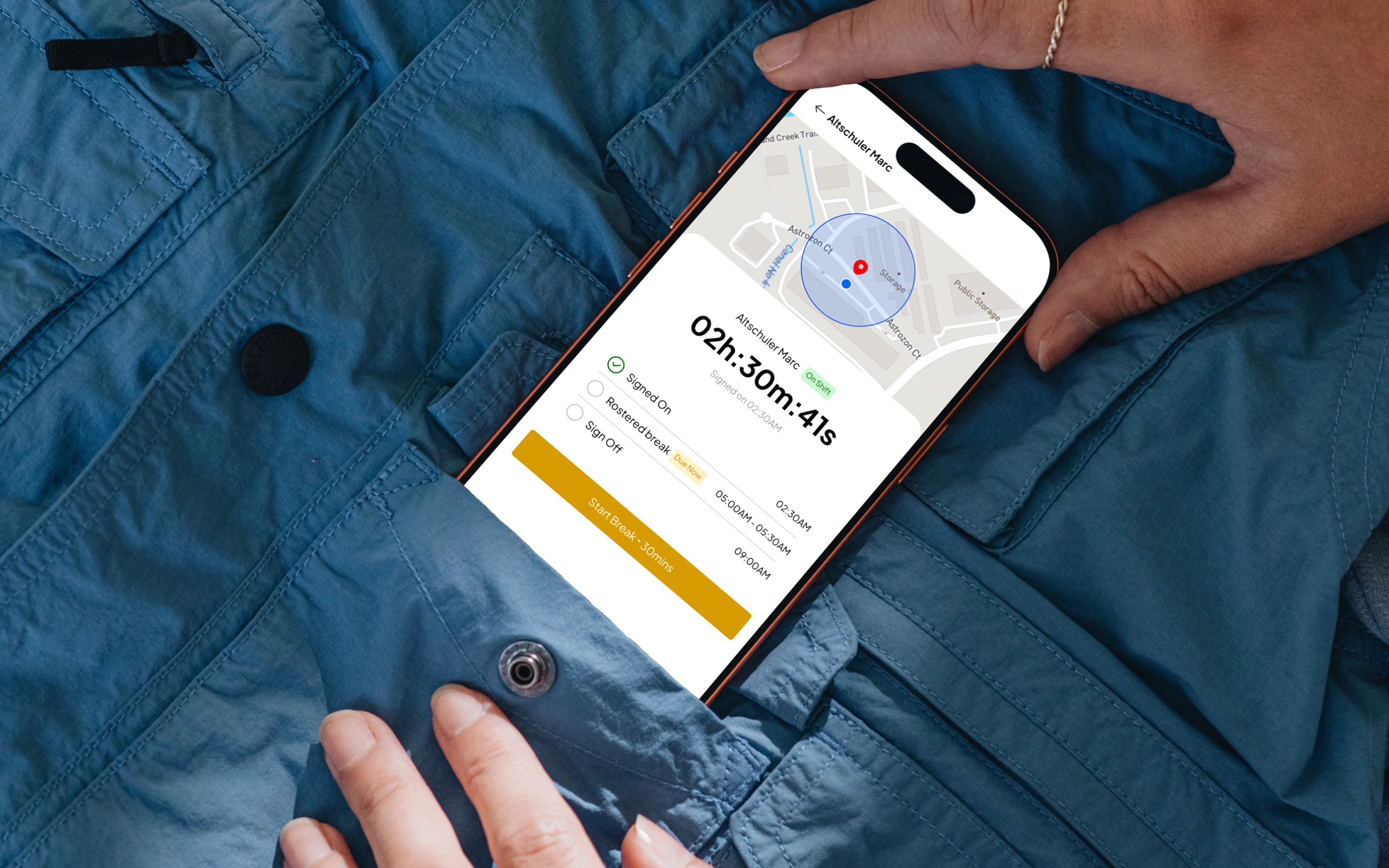
Shift-related interactions are organized around clearer action placement and more understandable states, helping users see what they can do next.
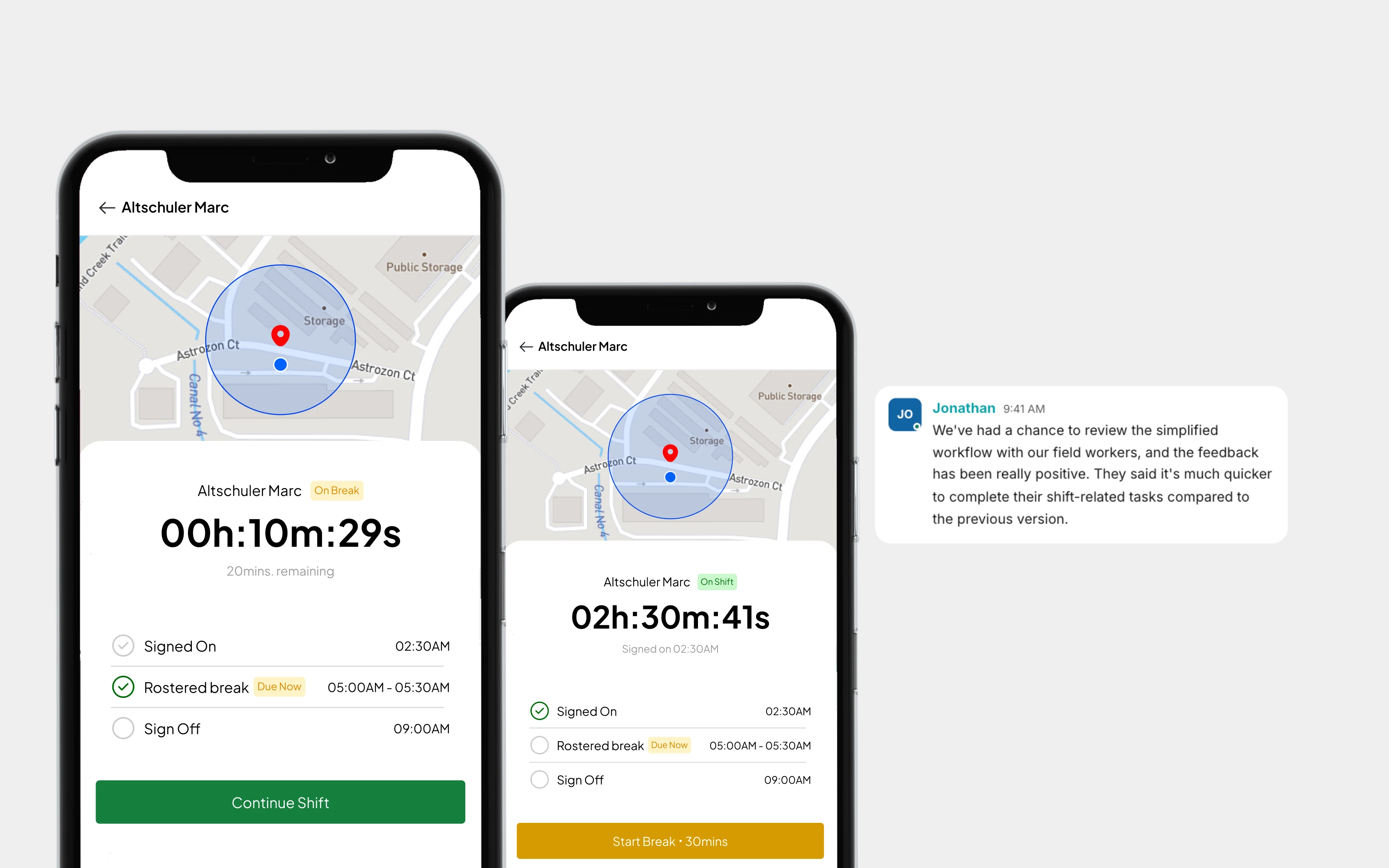
The final concept brings the essential workforce management experience into six redesigned screens, emphasizing a more focused interface and a clearer workflow.
The Outcome
The redesign delivered a six-screen UI/UX concept focused on simplifying the original workforce management experience.
The key design outcome was a more consolidated workflow, with an emphasis on clearer task information, more intuitive actions, and reduced interface complexity.
The six-screen redesign represents the proposed solution. Quantitative improvements in task completion time, usability, or user satisfaction would need to be validated through usability testing or product analytics.
The UX Results
Good UX is not always about adding more functionality. Sometimes, the biggest improvement comes from removing unnecessary complexity and helping users complete everyday tasks with greater clarity.
This project demonstrates my approach to SaaS UX design: understanding the existing workflow, identifying opportunities to simplify it, and translating those insights into a more focused user experience.
Have a Product or UX Challenge to Solve?
If you're planning a new product, improving an existing SaaS platform, or simplifying a complex user journey, I'd love to hear about your project.
Have a brief you'd like to discuss? Get in touch, and let's explore how thoughtful UX design can make your product easier to use.
Like this project
Posted Oct 21, 2026
Redesigned a workforce management interface to simplify shift scheduling, task management, and employee actions into six focused screens.
Likes
0
Views
1
Timeline
Apr 8, 2023 - Jun 1, 2023