Productivity App Design Project

Emily Kleiderer


The Process
In the design process, I followed a user-centered approach and applied a Design Thinking methodology.
The goal of this app is to help users stay focused on their most important task by keeping their tasks in front of them and setting time blocks.
Concept and Feature Goals:
“Today” View, Priority/ Important, Top 3 Tasks, Time blocks (dedicated task time), Pomodoro timer, Calendar Events and integrations, Context (work vs personal), Voice Assistant, Archive (Historical Timeline and Data Sources), Email Reports — Daily/Weekly, Time-boxing, Blocked / Waiting For, Music
Must-haves
Users need to be able to start a session
Users need to be able to add their calendar and other integrations
Users need to be able to see a report and track their progress
Users need to be able to be onboarded on how it works
Users need to be able to edit a profile
Pomodoro, Time-boxing/starting a session, Calendar Events and other integrations, Reports/Archives, Music, Today’s View, Subscription
Out of Scope
Top 3 Tasks
Task list
Context (work vs personal)
Blocked/Waiting For
Voice Assistant
Timescope & Deliverables
3 weeks to research, definition and ideation, low-& mid-fidelity prototype, high-fidelity mockup
Understand: Empathize & Define
To find out more about my potential users, I launched discovery test on Maze.design to make sure we had a clear picture of our customer (see the full report). The questions focused on time management, productivity, whether they would be open to use technology to stay productive.
When asking the survey questions I used both:
Closed Questions: These questions get the quantitative data from the users. It doesn’t tell us about the context, the motivation, the cause for the response. The data obtained can be easily visualized with the help of graphical representations.
Open Questions: Open Questions are the qualitative data about a user’s behavior, action. It tells us how the user thinks about a problem. These questions required a text box to explain the cause. The Qualitative responses tend to take a lot longer to analyze.
Key insights:
Many workers are motivated to be more productive
Some workers question if they will remember to use a productivity app
Workers would like time to work on personal projects
Some workers have anxiety about meeting deadlines
Competitive analysis:
After analyzing similar products on the market, I gathered following conclusions:
There’s only one app that is Pomodoro based (Focus App).
Interfaces are busy and out of date.
More apps are focused on a todo list with no real action.
Results
Explore: Ideate & Prototype
Based on these findings, I created a user flow and wireframe (see image above).
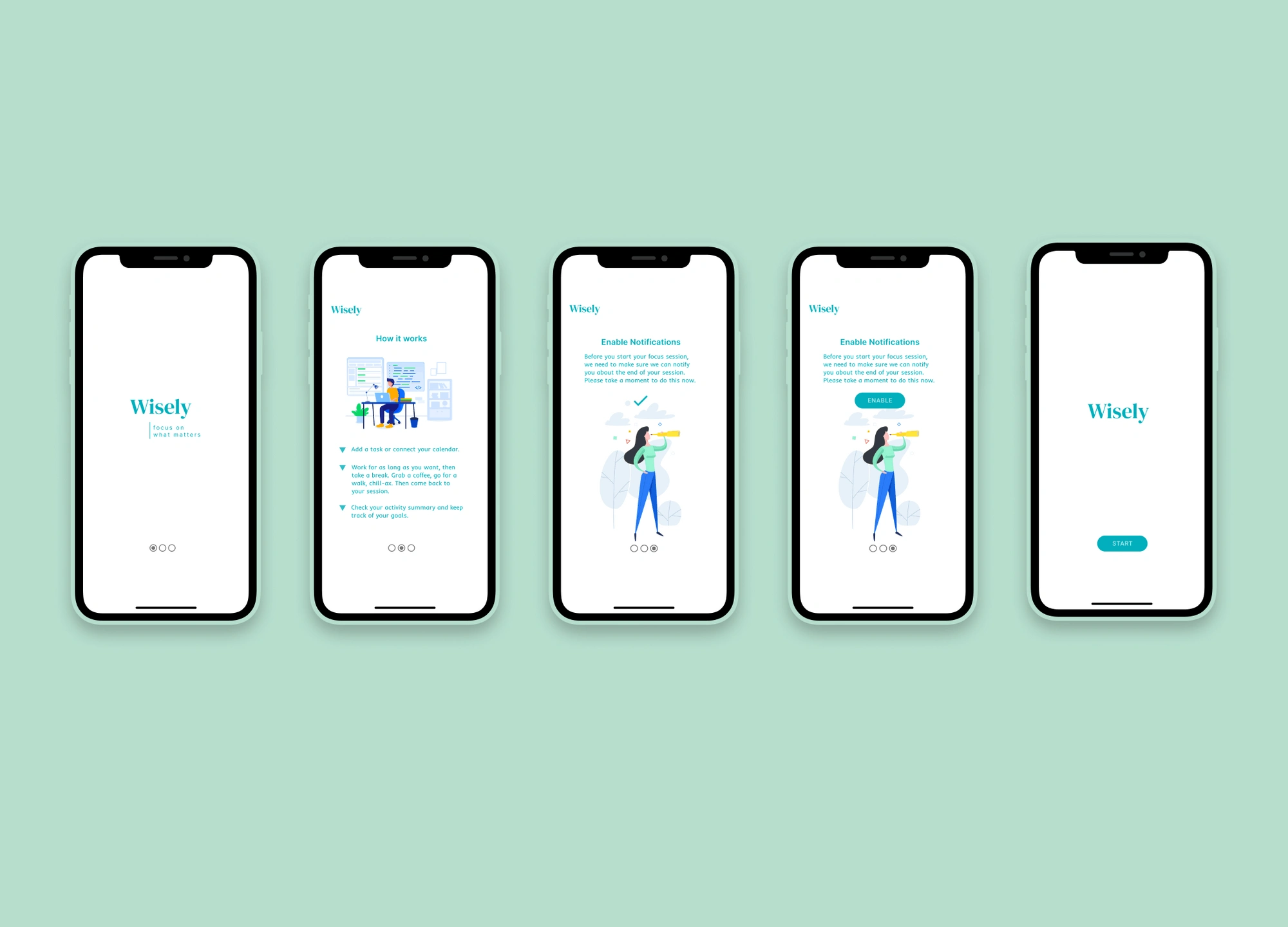
We were missing key features in our first discover session of the app. We wanted to establish user errors as well as a better onboarding process. We didn’t want to make a to-do app. We wanted to establish an app that created pomodoro type focusing.
View user flow redo, draw.io file: https://bit.ly/3hxqHcd
Materialize: Test & Implement
To test the Pomodoro timer, we created a simple web app using Material Design and tested it on users in an open office setting.
We noticed that people would forget they set timers and would leave the app open for long periods of time.
Introspection
This project was recreated in Material Design and made into a web app for users to test before we take it into the final design. The end result as of now has been a simplified design for users looking for a productivity app. We're still testing and ideating on the final solution.
Here is the Figma file: https://bit.ly/37wNdh0
Like this project
Posted Jul 12, 2025
Designed a productivity app using Design Thinking and Material Design.
Likes
0
Views
7