AI-Powered App Threadline for Higgsfield Supercomputer

Natalia Trusova


*video cover make in Figma make https://threadline.figma.site/
Threadline — An AI Launch Studio for Brands
Built solo, via vibe coding, on Higgsfield's App Builder — for the $100k Higgsfield App Contest
Live demo: threadline.higgsfield.app
#higgsfield #HiggsfieldApp #vibecoding #PromtEngineering
The Idea
Small clothing brands and print-on-demand sellers don't have a studio, a model, a video crew, or a copywriter. They have a product mockup and a deadline.
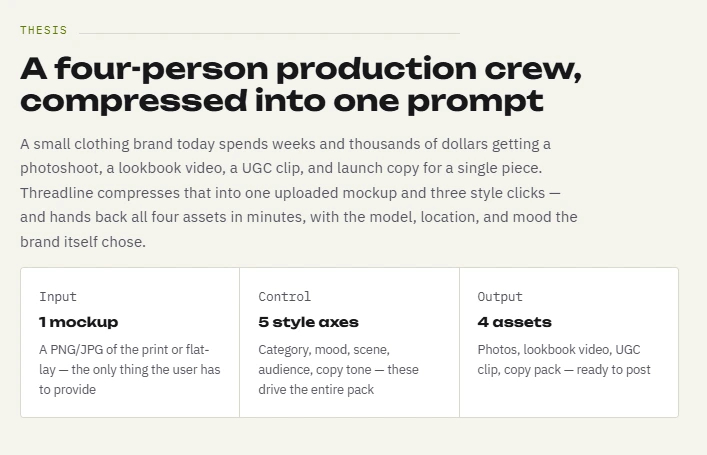
Threadline takes one uploaded product mockup and turns it into a full launch pack: styled product photos, a lookbook video, a UGC-style clip, and ready-to-post captions — in minutes, not weeks. No photoshoot, no talent booking, no editor.
Threadline App
Higgsfield defines not only the visual style of the interface, but also the interaction logic itself: a brief-first workflow, a step-by-step flow, model selection based on the task, and built-in creative workflows. So the goal was not to invent a brand-new interface, but to shape Threadline so it felt native to the Higgsfield ecosystem while still having its own distinct product character.
Thesis
Product flow
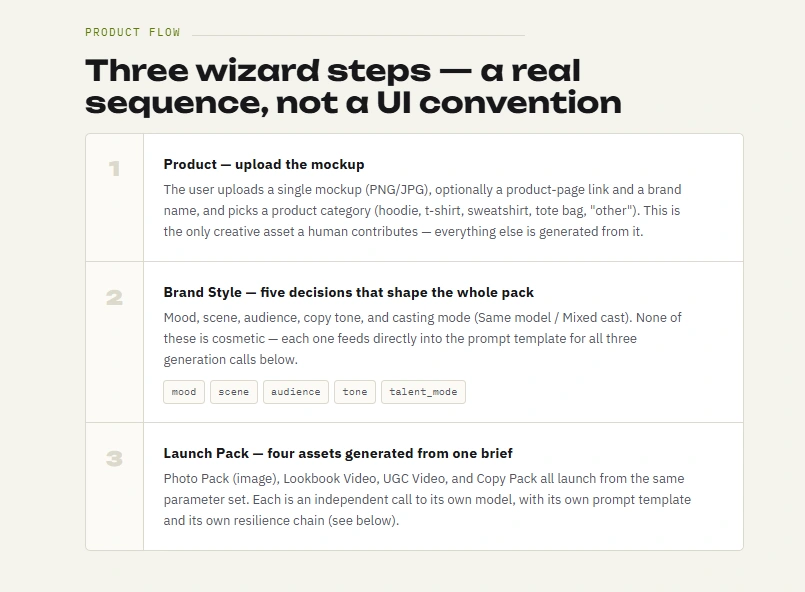
Product Flow
The app has three screens:
Upload your mockup — add one product mockup and basic product details.
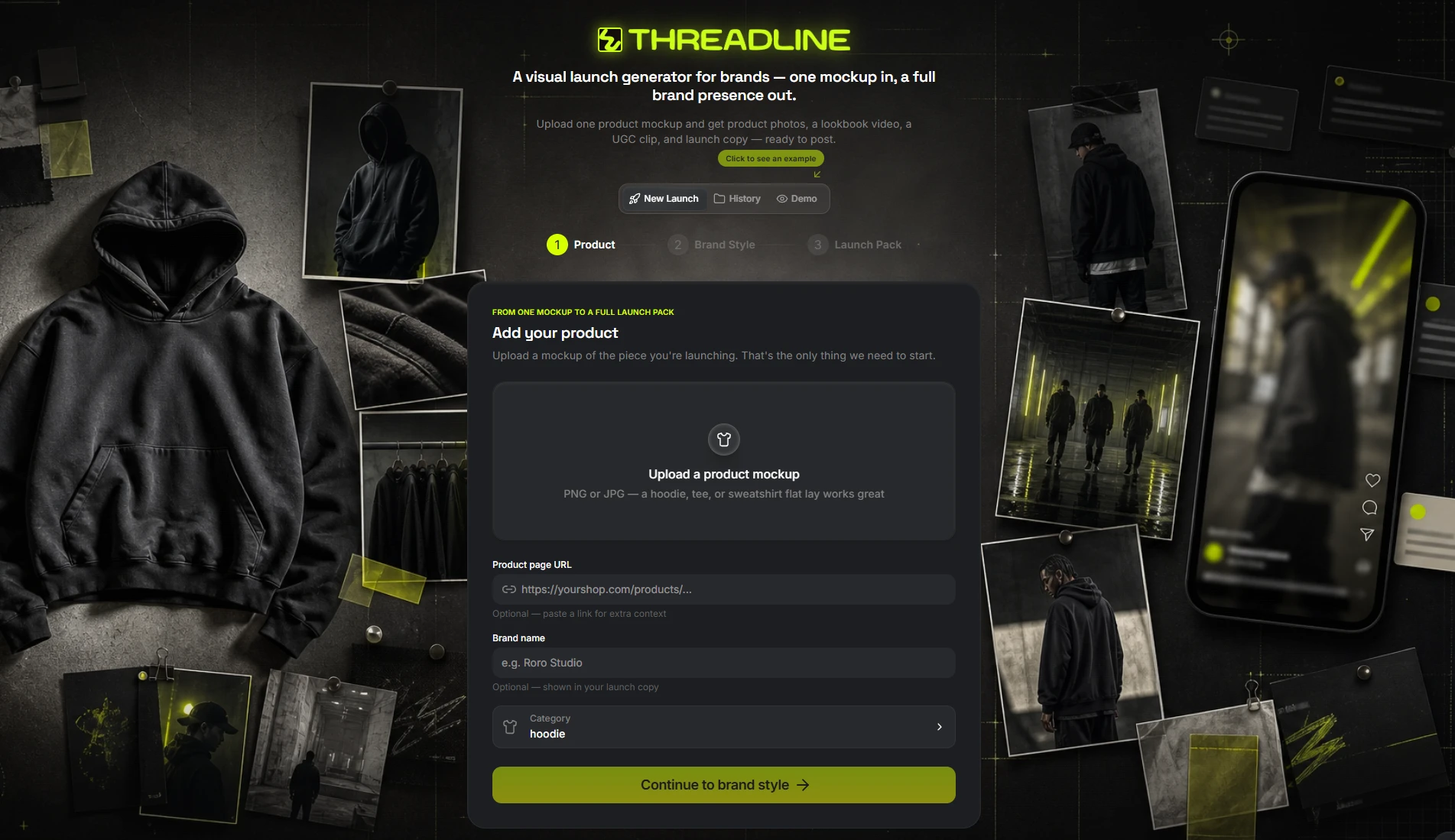
1 screen
Set the brand style — choose the mood, scene, audience, talent mode, copy tone, and the engines used for generation.
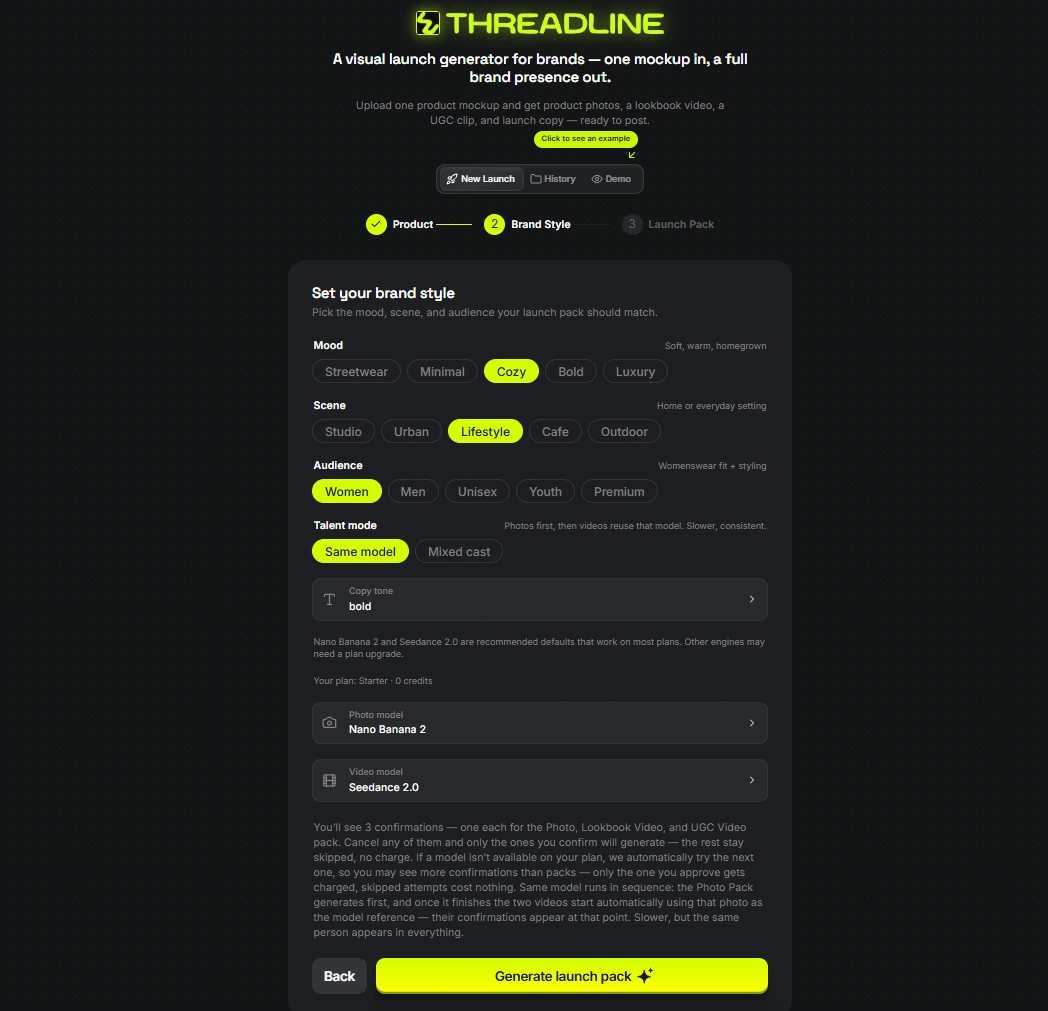
2 screen
Get the full launch pack — receive product photos, a lookbook video, a UGC clip, and launch copy ready to post.
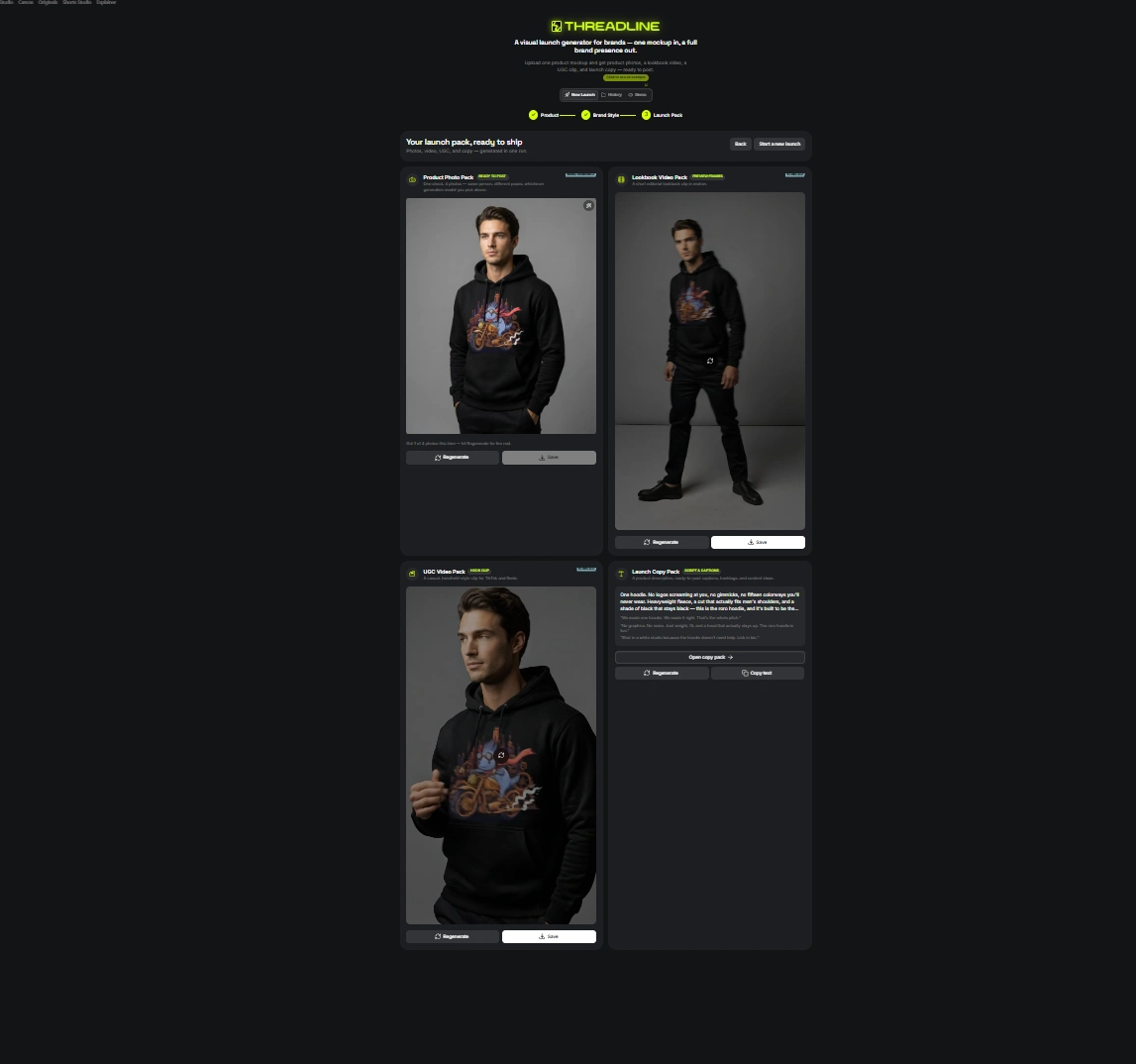
3 screen
What's implemented in the app
Upload your mockup
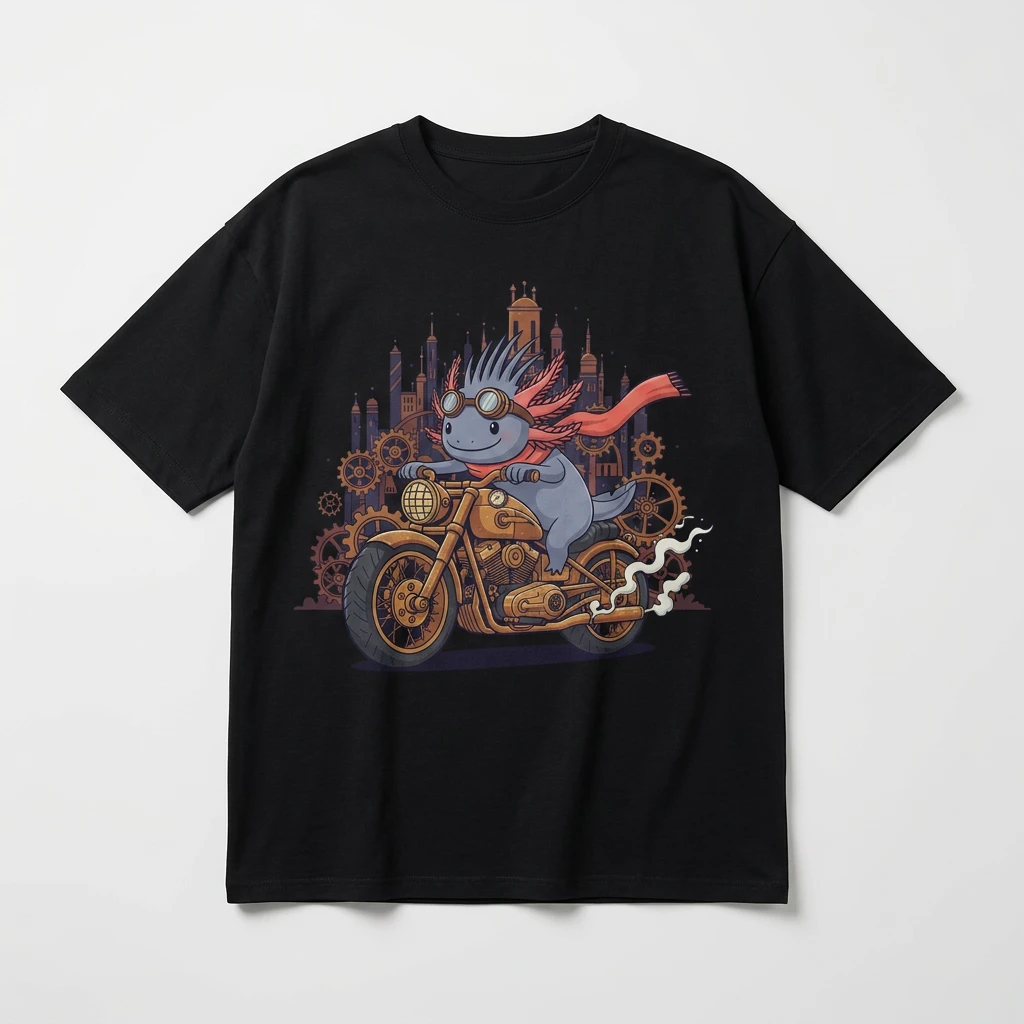
mockup
and get :
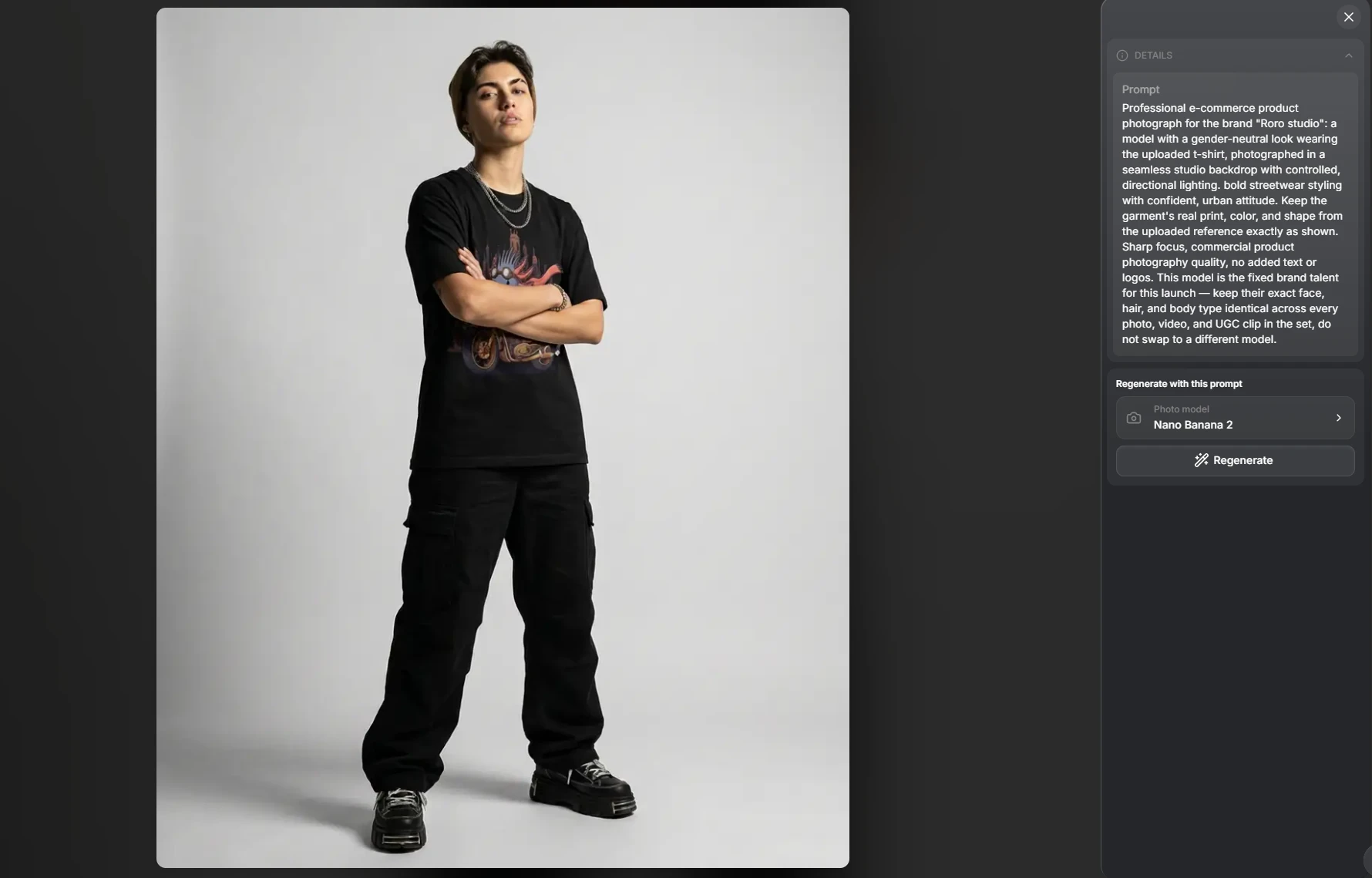
Product Photo Pack — 4 styled e-commerce shots per generation, one shoot's worth of poses, picking from Nano Banana 2 / GPT Image 2 / Soul 2.0 as the rendering engine.
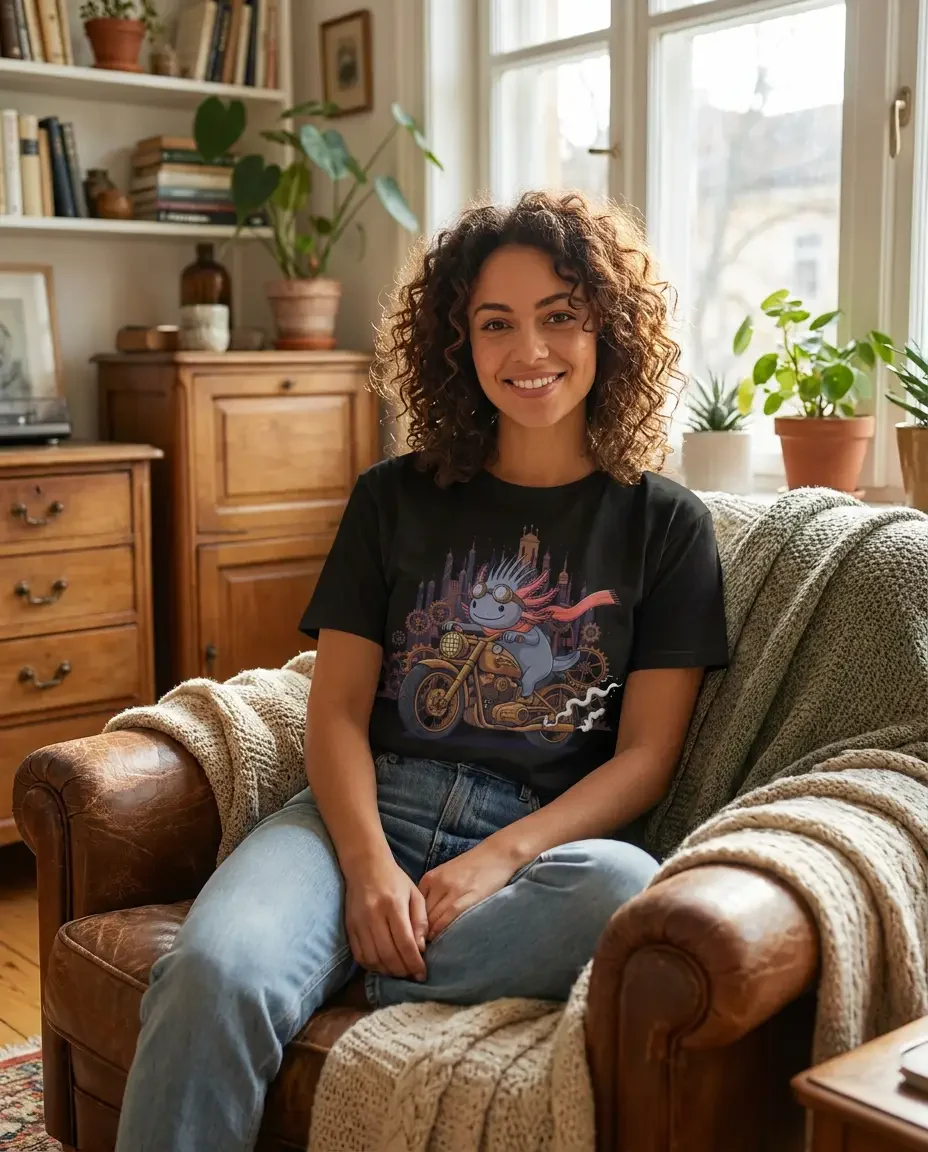
Lookbook Video Pack — cinematic, slow-motion runway-style clip, engine choice between Seedance 2.0 / Kling 3.0 / Veo 3.1 Lite.
UGC Video Pack — handheld, candid, phone-camera-style clip — deliberately scripted to open on the opposite kind of shot from the Lookbook (tight and already-rolling vs. wide and already-moving), so the two videos read as two different moments of the same shoot instead of one template wearing two moods.
**UGC Video**
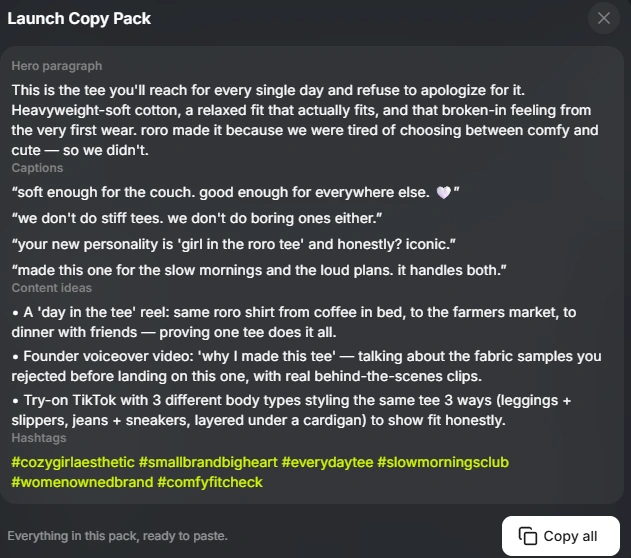
Launch Copy Pack — product description, ready-to-post captions, hashtags, and content ideas, generated through a real LLM call (the only place in the whole app where an LLM writes freely — every visual prompt is deterministic string composition, not LLM-authored).
Other app features
Fix this Photo — an inline editor on any generated photo: type what to change ("remove the necklace, make the background lighter"), pick a model, and it regenerates that specific shot using itself as the reference — without rebuilding the whole pack.
Regenerate from History — reopen any past generation, see its real stored prompt, pick a (possibly different) engine, and regenerate — chained from the original input image, not the prior output (more on why that distinction mattered below).
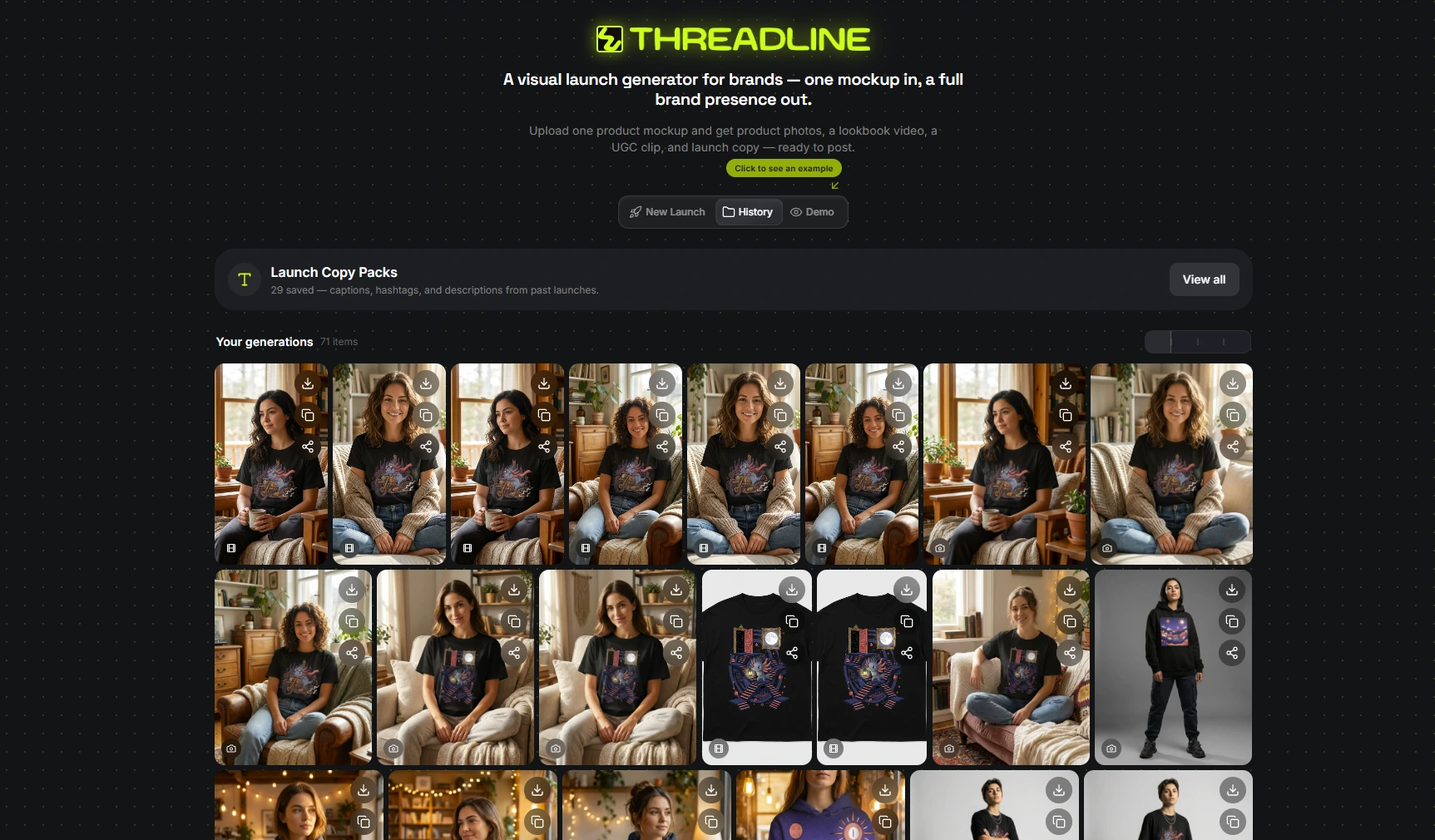
Persistent history — every photo and video ever generated is saved and browsable, chronologically merged (not "all photos, then all videos"), with type badges so photo vs. video is obvious at a glance.
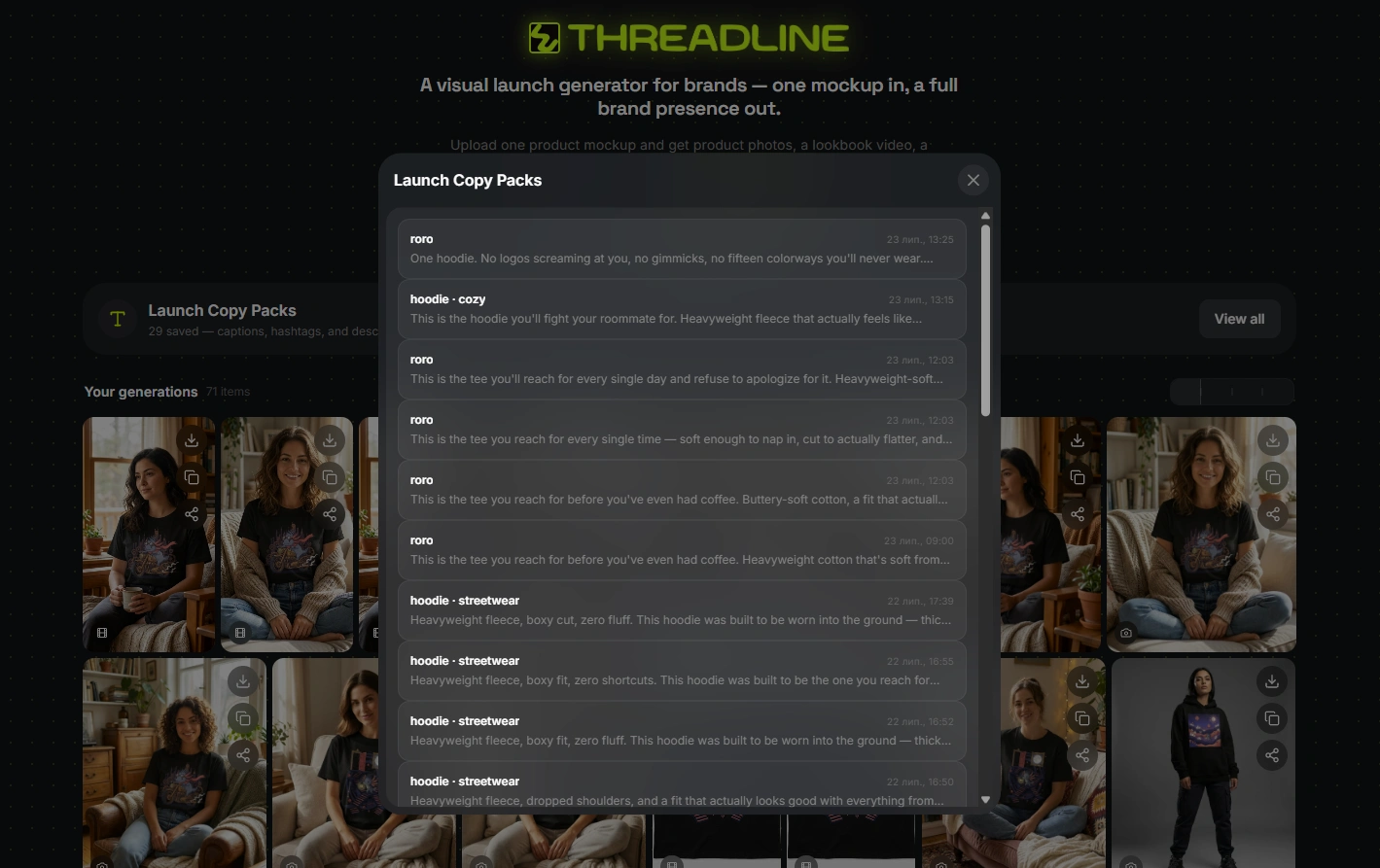
Saved Copy Packs — every generated copy pack is saved per-launch and browsable later from History — not just live in the moment you generated it.
Deep dive Engineering
1. Same Model vs. Mixed Cast
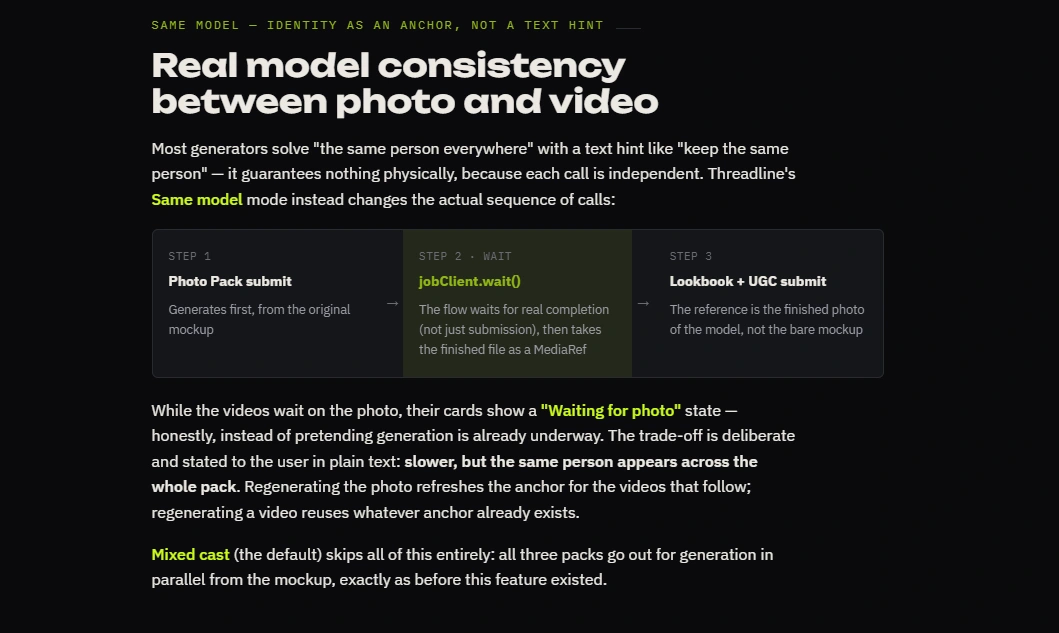
Threadline's Same Model mode instead changes the actual sequence of calls:
Photo Pack submits first, from the original mockup
The app WAITS for it to actually finish (not just submit — a real completed job with a real result URL)
That finished photo becomes the image reference for the Lookbook and UGC video jobs
Same Model
2. Deterministic composition
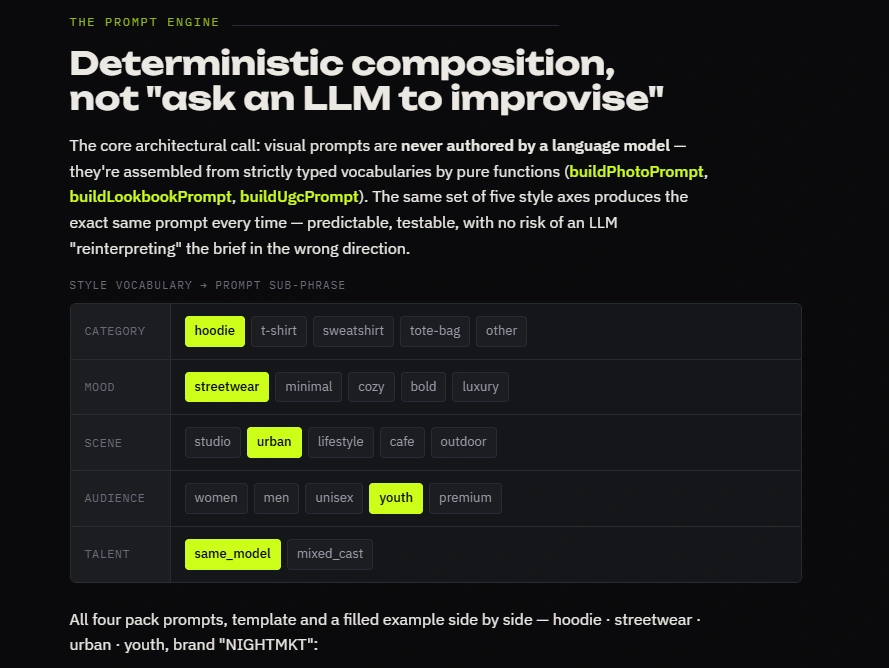
Deterministic prompts, not LLM prompts, for anything visual. Every photo/video prompt is built from a typed vocabulary (category × mood × scene × audience × talent mode) via pure string-composition functions — never an LLM improvising the brief.
Promt:
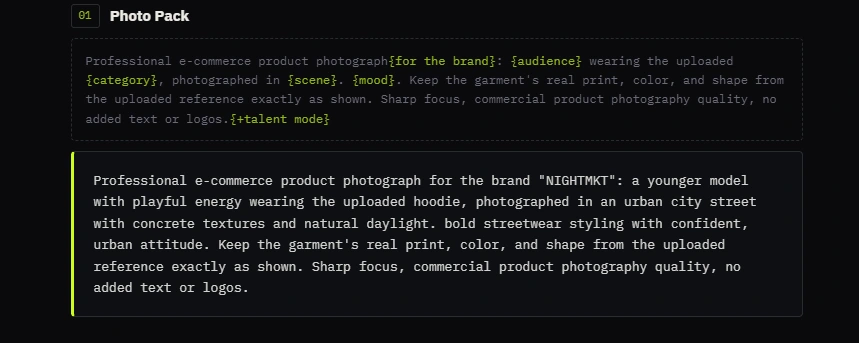
photo
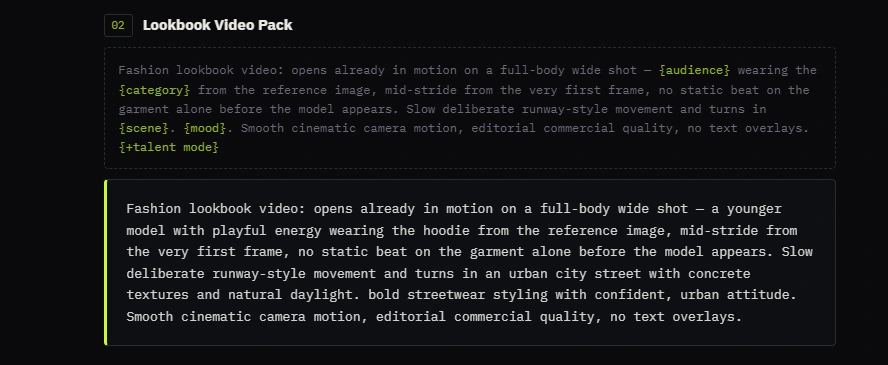
lookbook
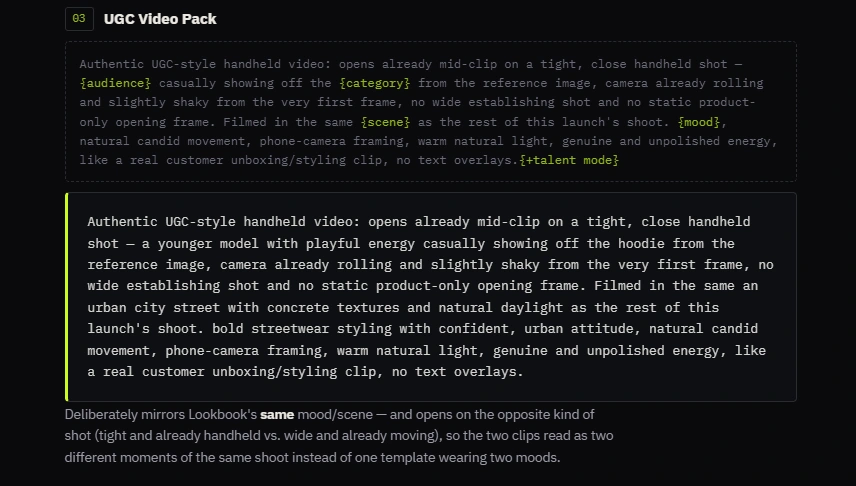
UGS
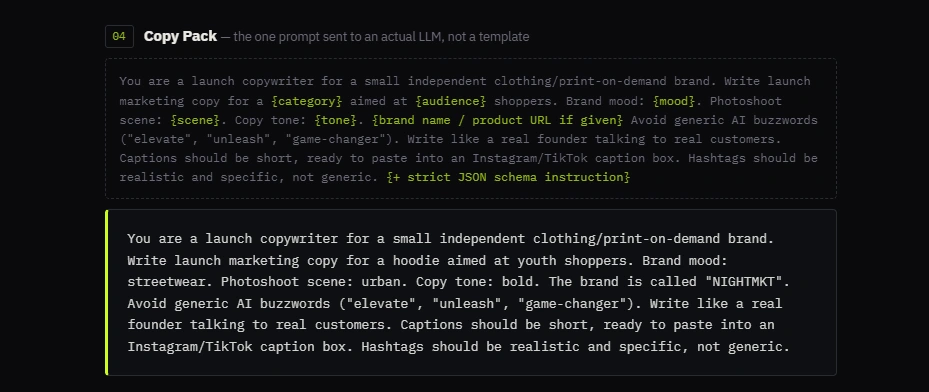
Copy Pack
3. The resilience layer
Silent model fallback — if a chosen engine isn't available on the user's plan, the app automatically retries the next one in the fallback order, with zero raw API errors ever surfacing to the user.
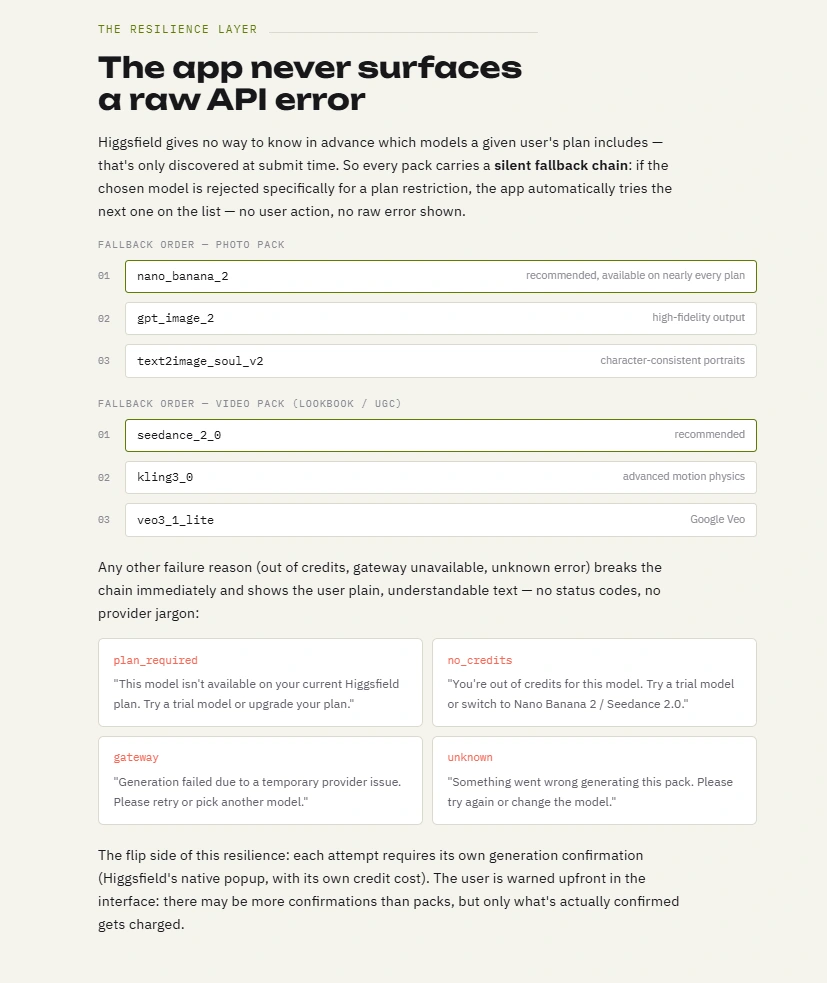
Resilience layer
4. Сopy pack
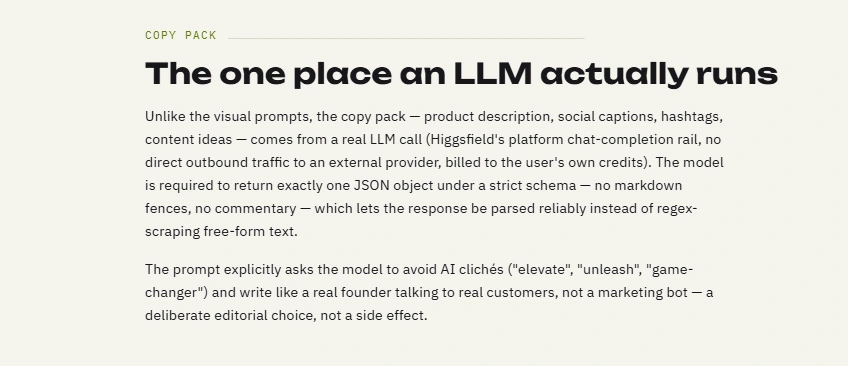
Copy pack
This section will be of interest to vibecoders and contains technical notes from Claude about the features of working within the Higgsfield’s design system.
How it's built
This app was built end-to-end through conversation with Claude Code — no hand-written scaffolding, iterating live against the deployed app rather than a local mockup
Working within Higgsfield's design system (Claude's notes)
Quanta is built for a fast, desktop-first workflow. Four sharp edges only showed up once we tested on a real phone:
Hover-only actions.
CardActions (like/download/share/"Fix this photo") ships as a shared, cross-template component — its own catalog entry literally calls it "the hover action rail." No hover state on touch means those actions, including "Fix this Photo," were silently unreachable on every phone, on every app built on this scaffold. Fix: made the rail always-visible instead of hover-gated.Card locks in
flex-direction: column. Deliberate — keeps it pixel-identical to the Modal surface for Header/Body/Footer composition. But a custom row layout inside a Card gets silently collapsed back to column by that base rule. Fix: one explicit flex-row override — the trick is knowing to check the base component's CSS, not just your own classes.Fixed
cols={5} grid, not the system's fault. VirtualGrid already documents minColWidth as the responsive option (ResizeObserver-driven). We reached for the faster, fixed prop under time pressure — wrong choice for a photo picker that needed to work at 375px. Fix: switched to minColWidth.No mobile breakpoint on a side-by-side modal. A generation-detail lightbox pinned its info panel at 366px with no smaller-screen fallback — clipped or forced horizontal scroll on phone. Fix: stack panel below media under
md, single scroll container instead of two competing ones.Takeaway: the platform's shared components carry desktop-first defaults worth checking before trusting them on mobile — and even when the responsive option already exists, it's easy to reach for the fixed one first.
Stack
TanStack Start (SSR) on a Cloudflare Worker.
@higgsfield/fnf SDK for generation jobs.Cloudflare D1 for launch persistence.
Quanta design system, Higgsfield’s internal component library.
Nano Banana Pro / GPT Image 2 / Soul 2.0 for photos.
Seedance 2.0 / Kling 3 / Veo for video.
Built entirely on Higgsfield’s App Builder for the $100,000 Higgsfield App Contest.
Like this project
Posted Jul 24, 2026
Threadline AI launch studio for streetwear brands — turn one product mockup into styled photos, lookbook & UGC videos, and ready-to-post captions in minutes.
Likes
13
Views
57
Timeline
Jul 20, 2026 - Jul 22, 2026
Clients
Higgsfield AI