Assentt Finance AI Agentic

Imad Dhin


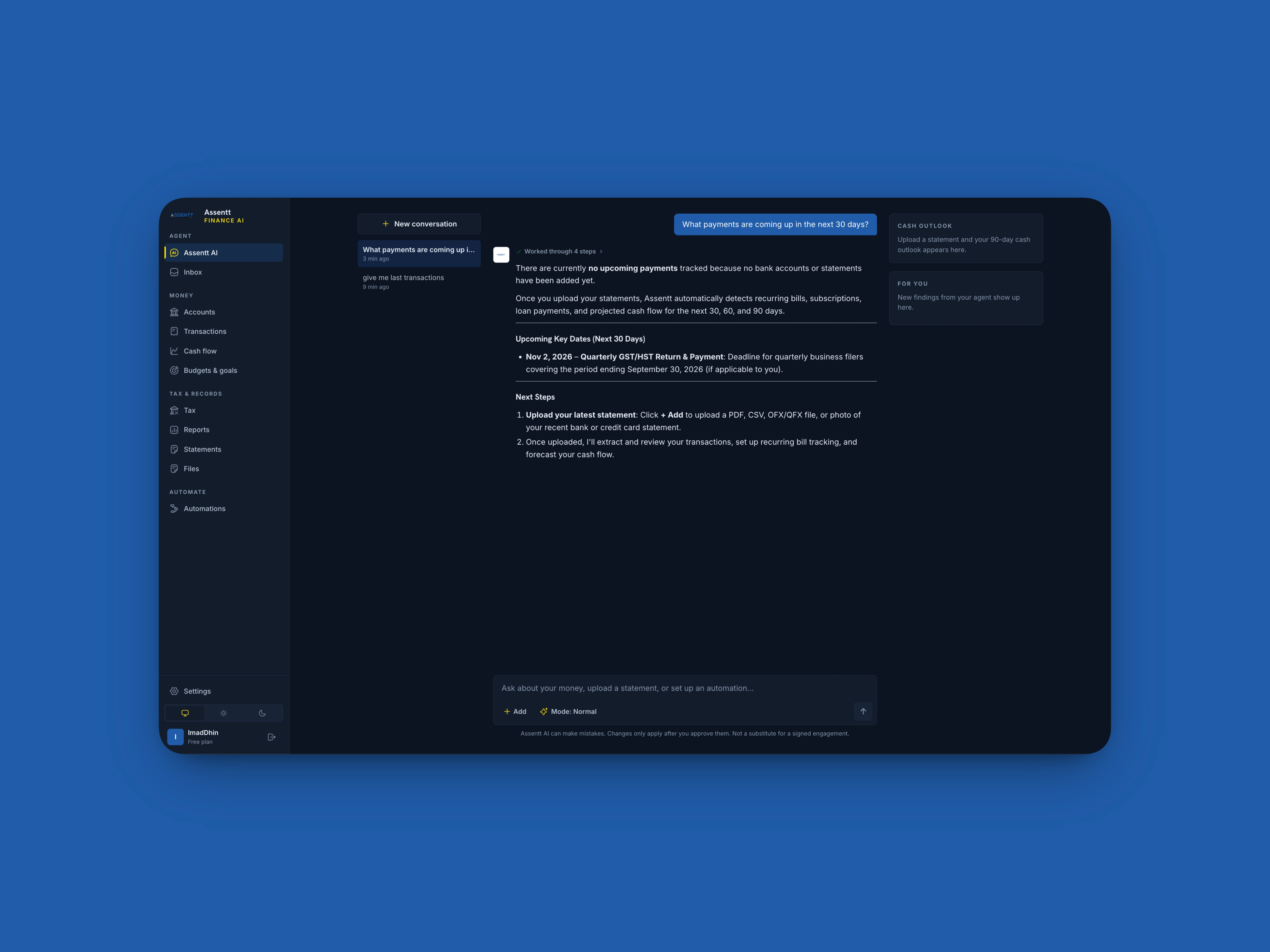
Assentt Finance AI Project Summary:
A case study in resolving five connected failures across app attestation, authentication, database rules, and native UI, without weakening a single security control.
Tech: SwiftUI and UIKit, Firebase App Check, Firebase Authentication, Cloud Functions 2nd gen, Cloud Firestore
THE SITUATION
The app pairs a native iOS client with an AI agent and a Firestore database that holds each user's insights, actions, budgets, recurring items, and connected accounts. Every layer is protected. That is the right design for financial data, but it also meant a single misconfiguration could surface as several unrelated-looking errors.
Users saw an agent that kept asking them to sign in again, screens that failed to load their own data, and a sign-in screen that flooded the console with layout warnings. The work was to find what these symptoms had in common, fix the cause instead of the symptoms, and keep every protection switched on.
WHERE A REQUEST CAN FAIL
Each request from the app passes through several checkpoints. Most of the symptoms traced back to one of them.
iOS app: builds the request and attaches credentials. Two issues started here: a debug token that never resolved, and the Apple sign-in button layout.
App Check attestation: proves the request comes from a genuine, unmodified copy of the app. This was the root of the largest cluster of problems. Without a valid token, every layer below rejected the request.
Firebase Authentication: identifies the signed-in user. It worked correctly throughout. Users were never actually signed out.
Cloud Functions and the Firestore gateway: enforce App Check before running any logic. This is where the "sign in again" prompt and the permission errors appeared.
Firestore security rules: decide which user may read or write which documents. They held a separate, subtler problem with collection queries.
WHAT WE FOUND AND FIXED
Issue 1: The AI agent told signed-in users to sign in again
What users saw: The agent replied "Please sign in again to continue" even though the session was valid.
Why it happened: The agent function requires App Check before it runs. When attestation is missing or fails, Cloud Functions answers with an UNAUTHENTICATED status. The app treated every UNAUTHENTICATED response as an expired login, so a problem one layer above Authentication was reported as an Authentication problem.
What we did: Restored valid attestation at the source (see Issue 3), so legitimate requests reach the agent again.
Issue 2: Firestore denied access to everything at once
What users saw: "Missing or insufficient permissions" on every user subcollection, including insights, actions, and device registrations.
Why it happened: App Check enforcement was active on Firestore at the project gateway. The gateway checks for a valid attestation token before it evaluates any document rules, so with no token it rejected every read and write stream immediately.
What we did: Registered a valid App Check token for the iOS app. Data access returned across all collections with the same owner-only rules.
Issue 3: Debug tokens were configured but never worked
What users saw: Development builds were rejected even though a debug token had already been set up.
Why it happened: Two platform behaviors combined. First, debug tokens are scoped to a single app, so a token registered for the web or Android app does not authorize the iOS app, which has its own App ID. Second, the Xcode run scheme passed the token through an environment placeholder. When that placeholder was not expanded, the literal placeholder text was sent instead of a UUID. The Firebase SDK saw a non-empty value, skipped generating its own token, and Google rejected the placeholder.
What we did: Registered the token against the iOS app's own App ID. Added startup code that removes unexpanded or empty placeholders so the SDK falls back to a valid debug token. Added a launch-time token exchange that prints a clear diagnostic link if registration is ever missing.
Issue 4: One collection stayed blocked after everything else worked
What users saw: Reading a single connector document worked, but a live listener on the whole connectors collection was denied.
Why it happened: Firestore rules are not filters. Before a query on a collection runs, the database must be able to authorize it from the path alone. The rules grouped subcollections under a wildcard name with a dynamic condition. A single-document fetch succeeds because every path segment is known, but a collection-level query could not be verified in advance and was rejected.
What we did: Removed the wildcard match. Every user subcollection, including connectors, actions, recurring, and budgets, now has its own explicit rule with a strict owner check. The rules were compiled, verified, and deployed to the app's dedicated named database.
Issue 5: Sign in with Apple flooded the console with layout warnings
What developers saw: AutoLayout constraint warnings every time the sign-in screen appeared on wider devices and simulators.
Why it happened: Apple's native sign-in button has an internal maximum width of 375 points. Stretching it to fill a wider container forced the layout solver to break the button's own constraints.
What we did: Capped the button at 375 points and centered it. It still sits comfortably inside wider layouts and now respects Apple's layout contract.
BEFORE AND AFTER
AI agent. Before: misleading sign-in prompt for valid sessions. After: requests pass attestation and the agent runs.
User data. Before: permission denied on all subcollections. After: reads, writes, and listeners succeed under owner-only rules.
Debug builds. Before: placeholder token rejected. After: clean fallback to a valid token, with a launch-time check.
Connectors. Before: collection listener denied. After: explicit rule per subcollection.
Sign-in screen. Before: constraint warnings on wide devices. After: centered button within Apple's width limit.
Security posture. Before: all protections on. After: all protections still on.
LESSONS THAT APPLY TO ANY FIREBASE APP
Attestation, authentication, and authorization are three different questions. A request can fail on any of them, so error handling in the app should tell them apart instead of folding them into one message.
Register credentials per app. Debug tokens and similar credentials belong to one app ID. Web, Android, and iOS each need their own.
Never trust an unexpanded build variable. Sanitize environment values at launch and verify the token exchange early, so a configuration mistake produces a clear diagnostic instead of a confusing runtime error.
Design Firestore paths so queries can be authorized in advance. Explicit collection rules cost a few more lines and remove a whole class of surprising denials.
Respect the contract of native components. System controls have built-in limits, and working within them keeps layouts stable across devices.
TECHNOLOGY AT A GLANCE
Apple iOS, SwiftUI, UIKit: client runtime, AutoLayout, and the Sign in with Apple button via AuthenticationServices.
Firebase App Check: confirms requests come from the genuine app, using DeviceCheck or App Attest in production and a debug provider in development.
Firebase Authentication: user sessions, ID tokens, and secure credential exchange.
Cloud Functions 2nd gen: serverless backend for the AI agent, with App Check attestation required on every call.
Cloud Firestore, named database: per-user data with collection-level and document-level security rules.
Like this project
Posted Oct 4, 2026
Assentt Finance coming to superset your financial resources to a whole new experience thought AI Agent.
Likes
0
Views
0
Timeline
Sep 15, 2026 - Oct 4, 2026
Clients
Assentt