DriveEasy Rentals Booking Design Project

Anastasia Gasidou

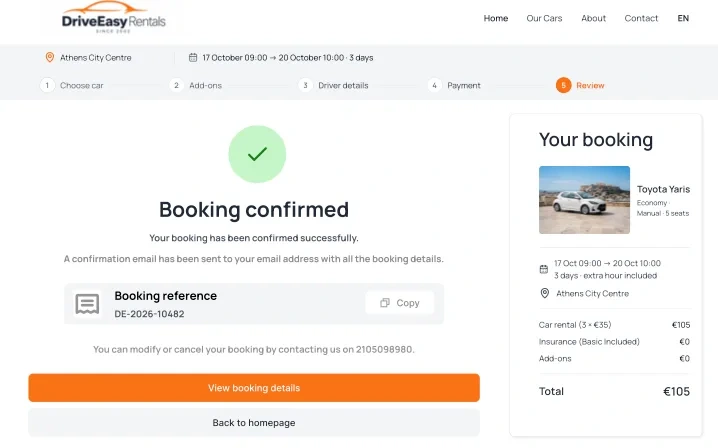
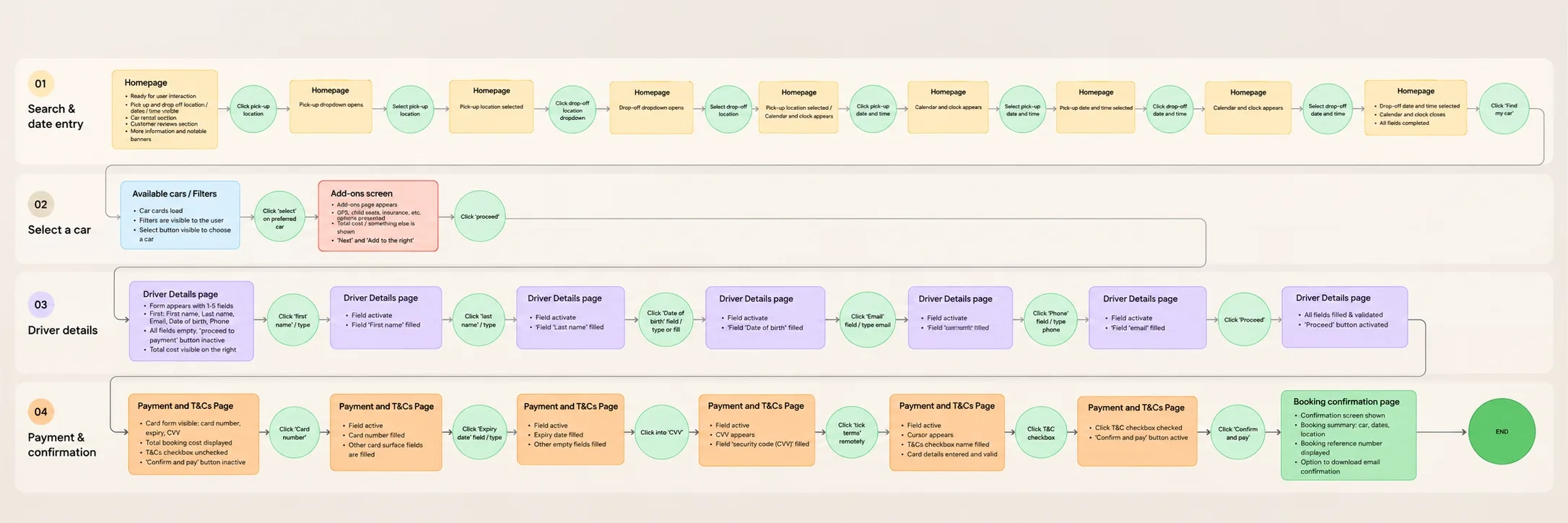
Designing a seamless car rental booking experience, from car selection to booking confirmation.
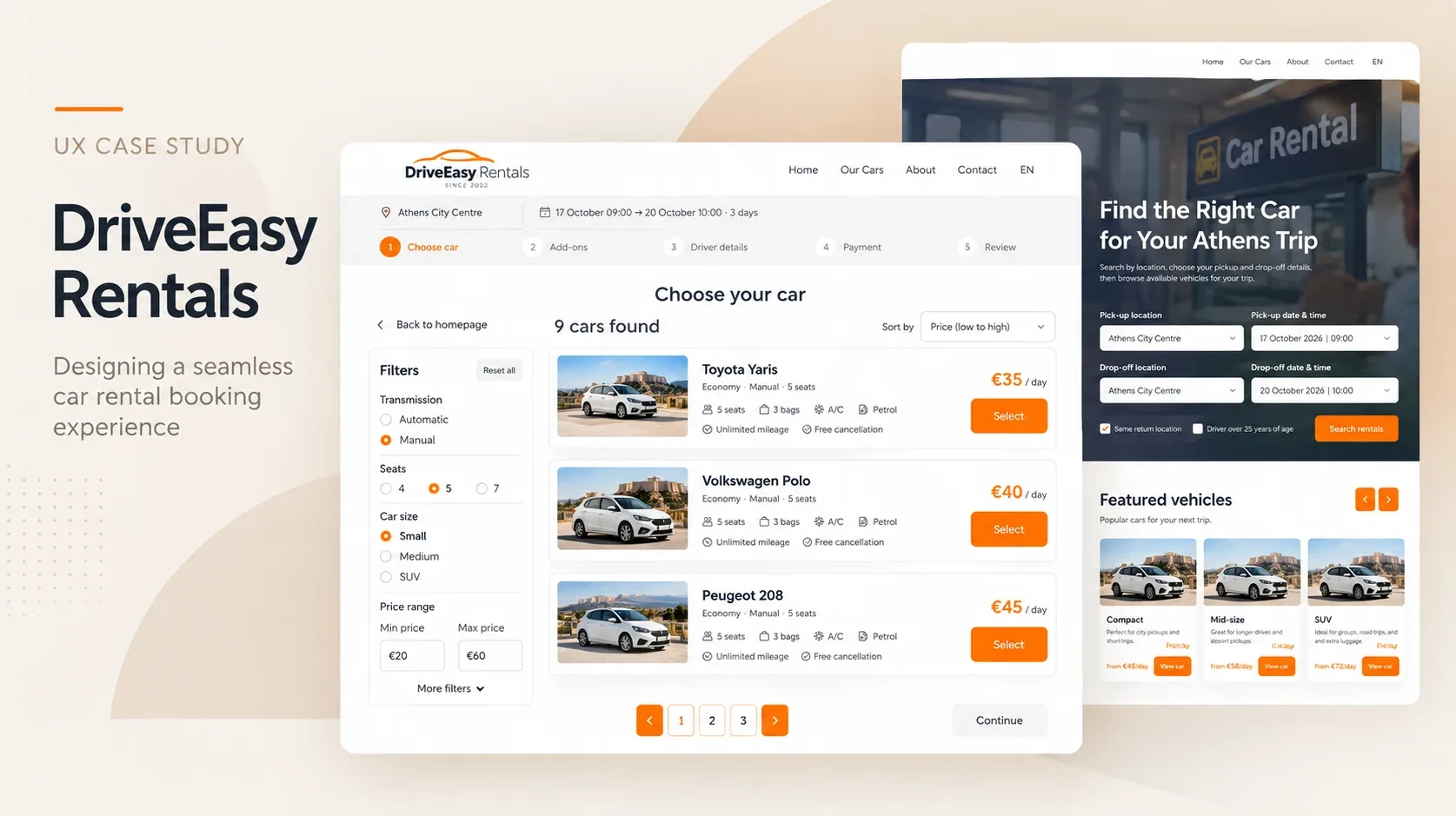
Project background
DriveEasy Rentals is a conceptual car rental booking experience developed as part of my UX Design Diploma. The project focuses on a small car rental company in Athens, Greece, and explores how customers can search for vehicles, compare rental options, and complete a reservation through a desktop website.
Project goal
The goal was to design an end-to-end booking experience that helps customers find a suitable vehicle, understand their options, and move through the reservation process with clarity and confidence.
My role and approach
I worked on the UX and UI design, from mapping the booking flow and developing wireframes to creating a high-fidelity interface and interactive Figma prototype. I also analysed research findings, conducted usability testing, and used participant feedback to identify opportunities for improvement.
Competitive benchmarking
I used informal research and website comparisons to explore how car-rental booking experiences present vehicle information, support comparison, and guide customers through the reservation process.
Usability tests
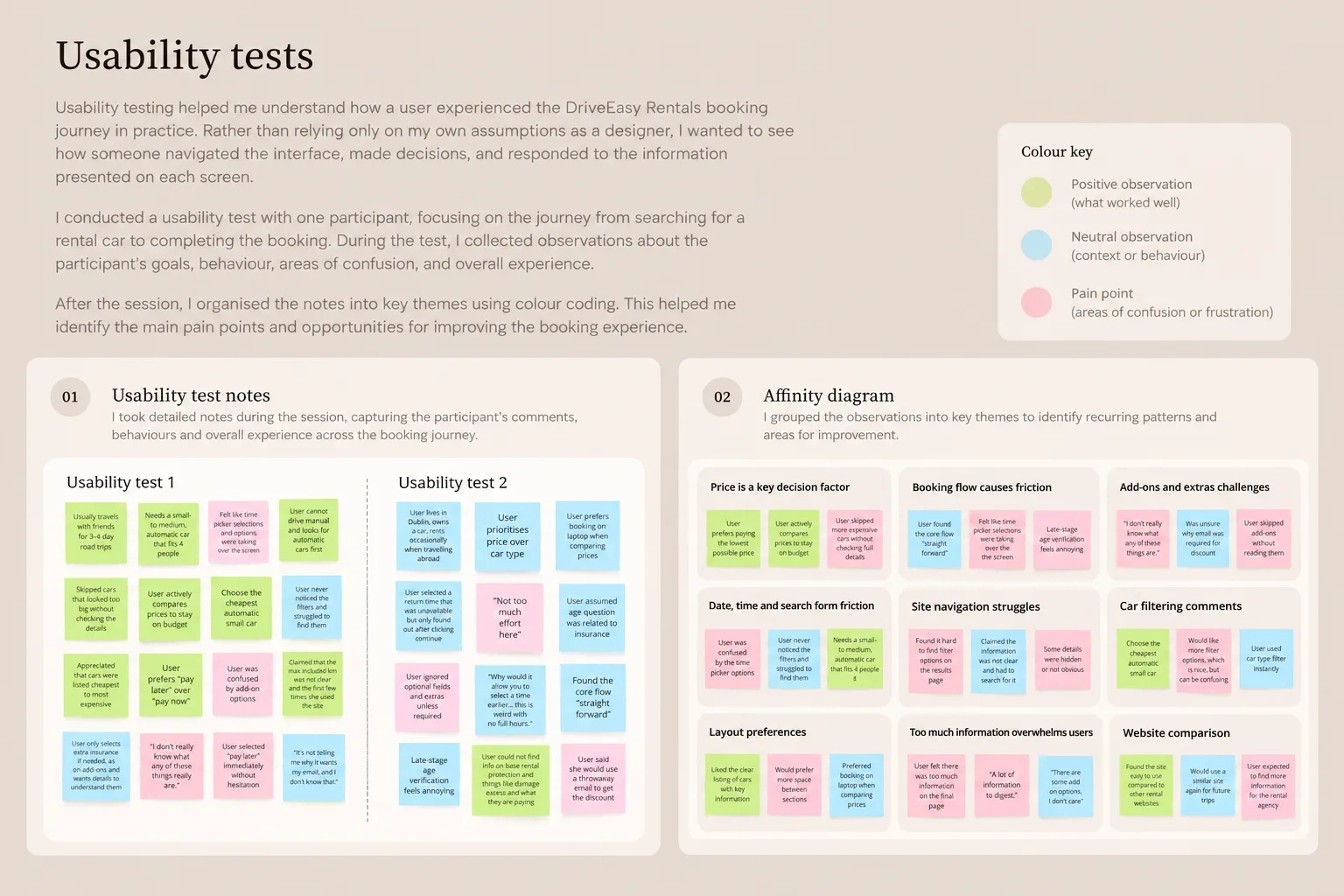
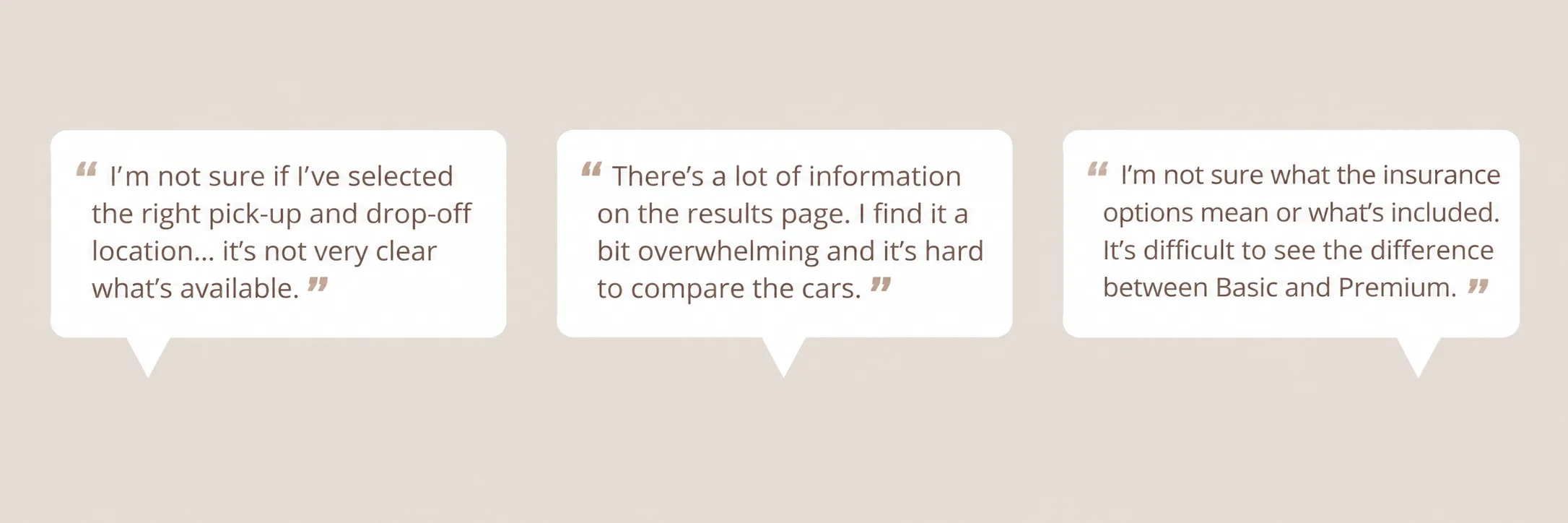
I also conducted a usability test to explore how a user navigated the booking journey. Feedback covered search and date selection, vehicle comparison, filters, add-ons, driver details, payment, and confirmation.
Affinity diagram
I organised observations into an affinity diagram to identify recurring themes across the booking experience. These included price, booking friction, add-ons, date and time selection, navigation, layout preferences, information overload, car filtering, and website comparison.
From wireframes to medium-fidelity design
From wireframes to medium-fidelity design
From wireframes to medium-fidelity design
From wireframes to medium-fidelity design
From wireframes to medium-fidelity design
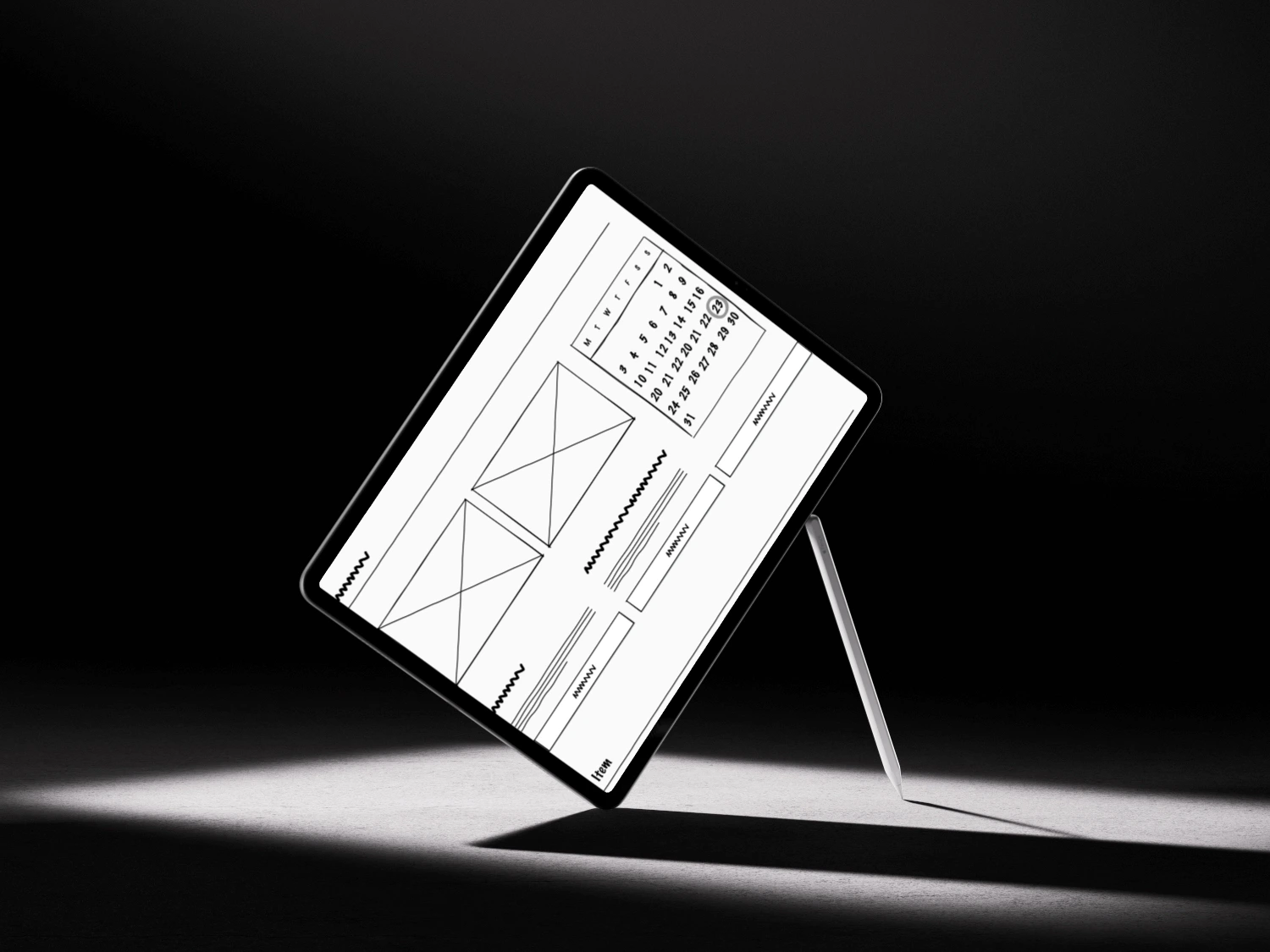
Start with the sketches...
Now that I had a map of how a user could flow through my flight booking app, I could begin designing the screens.
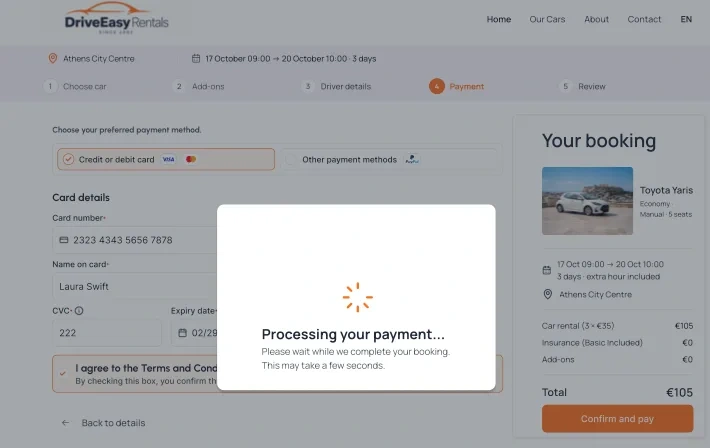
I developed wireframes and a medium-fidelity prototype to define the structure of the experience before focusing on the final visual design. The prototype covered location selection, date and time selection, vehicle results, filters, optional extras, driver details, payment, and confirmation.
This stage helped me work through the order of information, the placement of primary actions, and how users would progress through the booking process.
A key part of the process was staying flexible as the design developed. The sketches were starting points rather than fixed specifications: I revisited screen layouts and interactions as the booking flow became clearer. For example, the date-and-time selection experience and the add-ons screen evolved between early concepts and later prototype stages. I adapted the design when an interaction or layout needed to work better within the wider journey, rather than simply reproducing the first sketch.
I began with hand-drawn sketches to explore the structure of each step before committing to detailed UI. These early concepts covered the homepage search form and location dropdown, vehicle results and filters, optional extras, driver information, payment, and the payment-processing state.
Medium-fidelity prototype
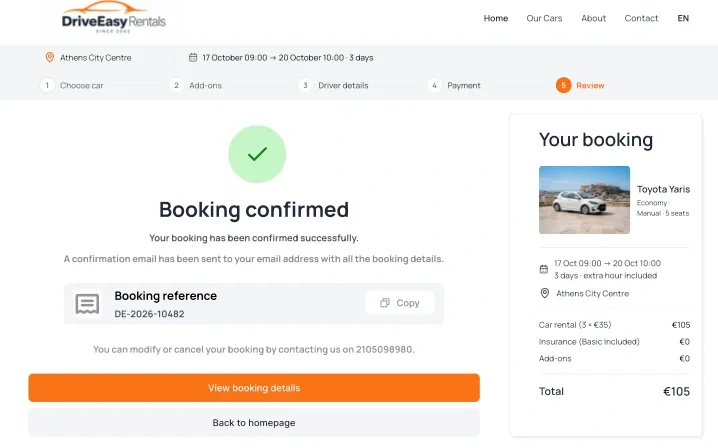
The sketches were then translated into a medium-fidelity Figma prototype. This helped me define the structure and sequence of the booking journey before concentrating on final visual styling. I connected the main steps—from searching and choosing a car to add-ons, driver details, payment, and review—and considered how the booking summary and primary actions would work across screens.
The medium-fidelity prototype was also an opportunity to iterate. Some elements, including the date-and-time picker and the add-ons screen, changed as I refined the flow. I treated the prototype as a working design that could evolve, not a specification that had to remain identical to the original sketches.
01. Designing the booking entry point
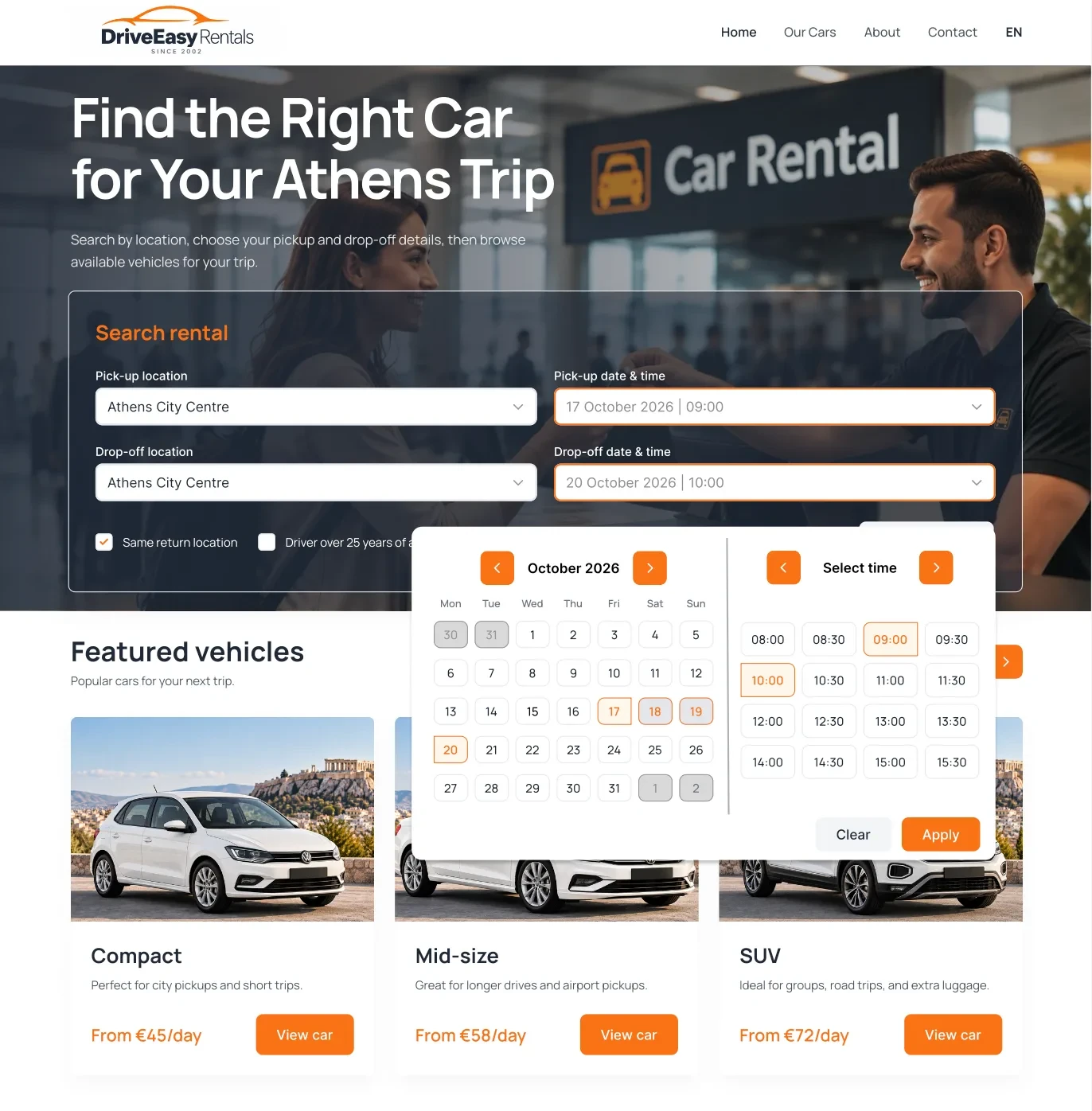
I started by designing the homepage, where users enter the details of their rental before exploring available vehicles. The main search form brings together pickup and drop-off locations, dates, and times, allowing users to establish their requirements at the beginning of the journey.
As I developed the design, I revisited the date and time selection experience. My initial sketches helped me explore how the calendar and time options could be presented, but I remained flexible as the prototype evolved. I adjusted the interaction and layout to better fit the overall booking flow rather than treating the first concept as a fixed solution.
The aim was to make the first step clear and give users a straightforward way to begin their search.
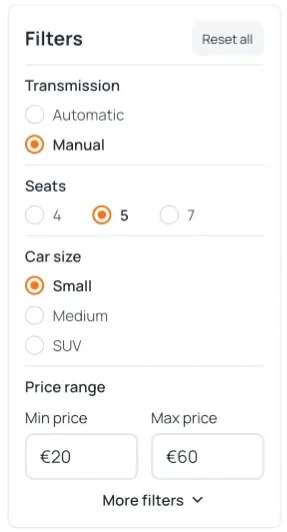
Image alt tag
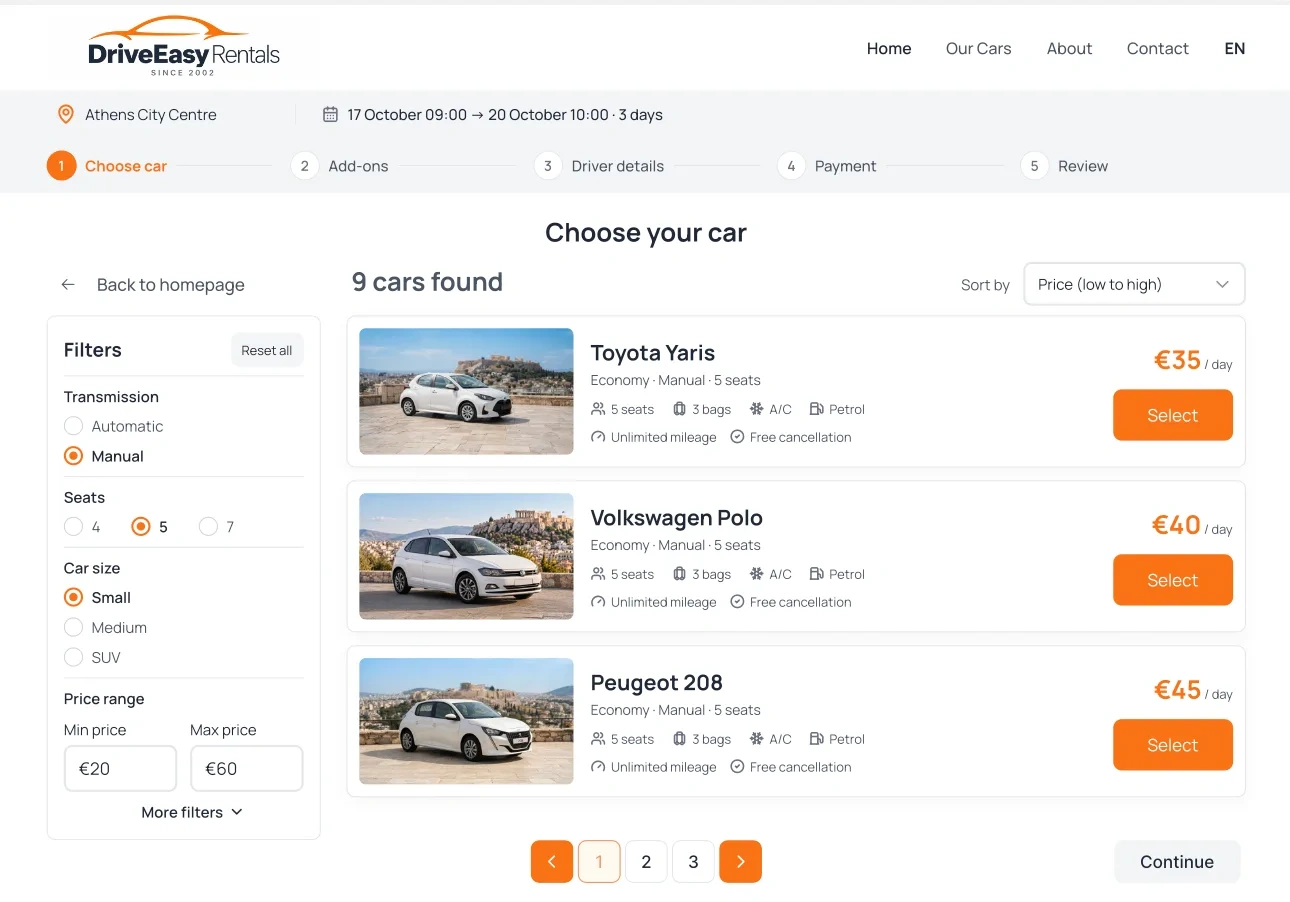
Image alt tag
02. Helping users find the right car
The results page was designed to help users evaluate their options without having to open every vehicle individually. Each car is presented with key information, including its model, transmission, seating capacity, luggage capacity, and rental price.
I also included filters and sorting options to help users narrow down the available vehicles. The filter panel supports choices such as transmission, seating capacity, and price range, while sorting helps users organise the results according to price.
03. Adapting the add-ons experience
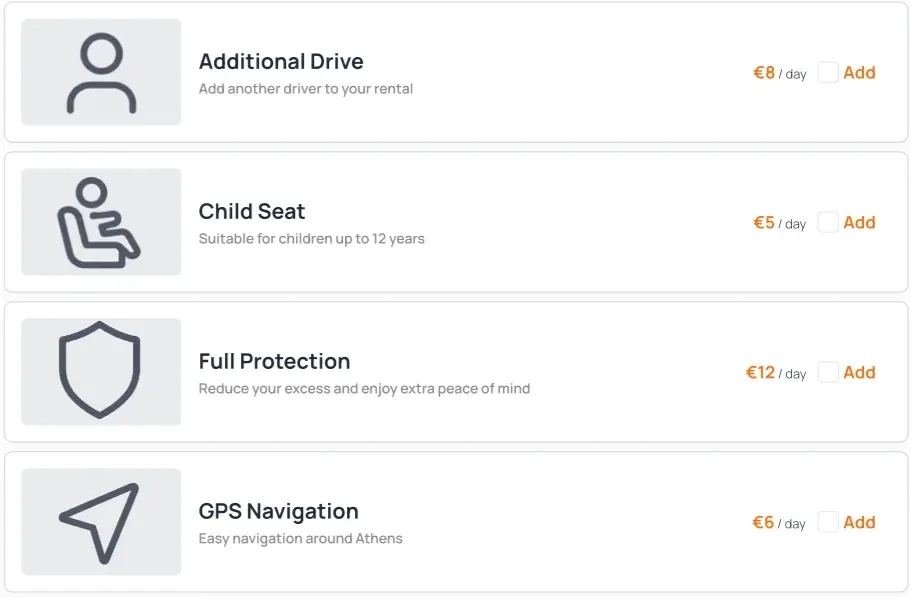
The add-ons stage introduces optional services that users can consider before continuing with their reservation. My design includes choices such as GPS navigation, a child seat, and different protection options, alongside a summary of the selected rental.
The add-ons screen changed as I developed the prototype. Rather than copying the initial sketch directly into the final interface, I revisited the presentation of the options and their place within the booking journey.
This process reinforced the importance of flexibility in UX design. Early concepts provide a starting point, but the design needs to evolve as the flow develops and the relationship between individual screens becomes clearer.
04. Keeping the booking flow connected
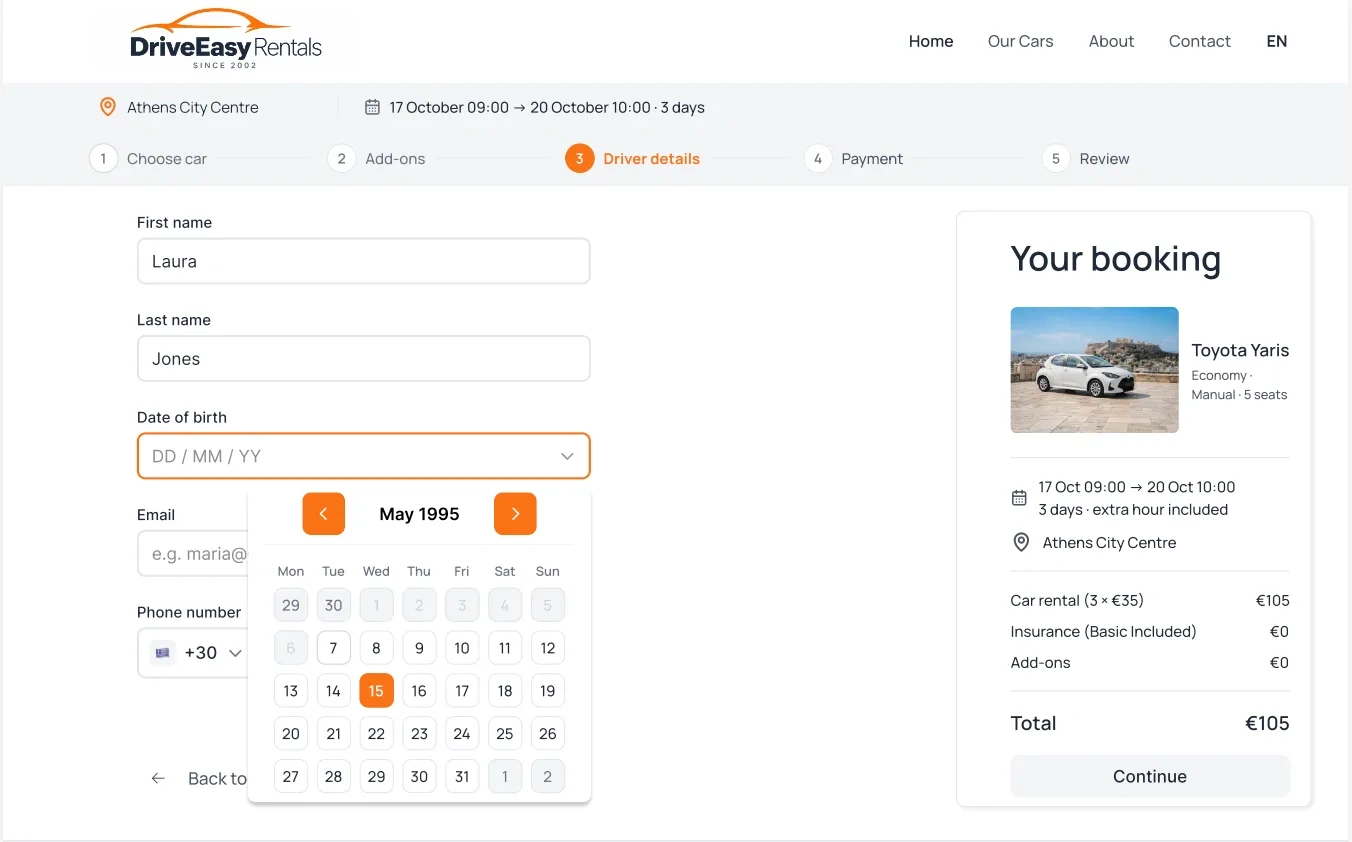
After selecting a vehicle and reviewing the available extras, users need to provide their personal details to continue with the booking.
I designed a dedicated form for the required information, including first name, last name, date of birth, email address, and phone number. The booking summary remains visible alongside the form, keeping the selected vehicle and rental cost in context.
The intention was to make the information-entry stage feel like a continuation of the same booking journey, rather than a separate process disconnected from the user's earlier decisions.
Like this project
Posted Oct 19, 2026
Designed UX/UI for DriveEasy Rentals' website.
Likes
6
Views
13