
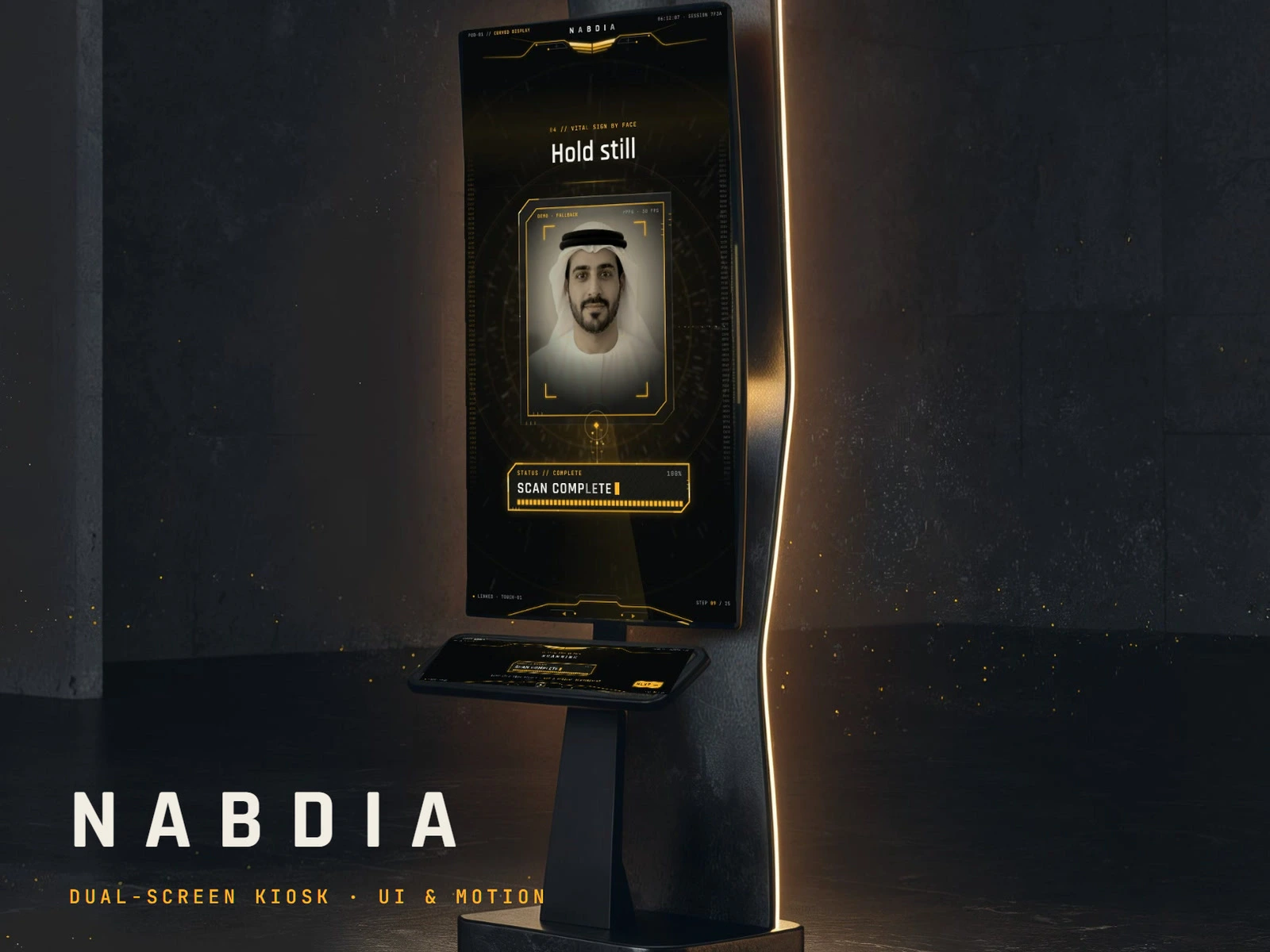
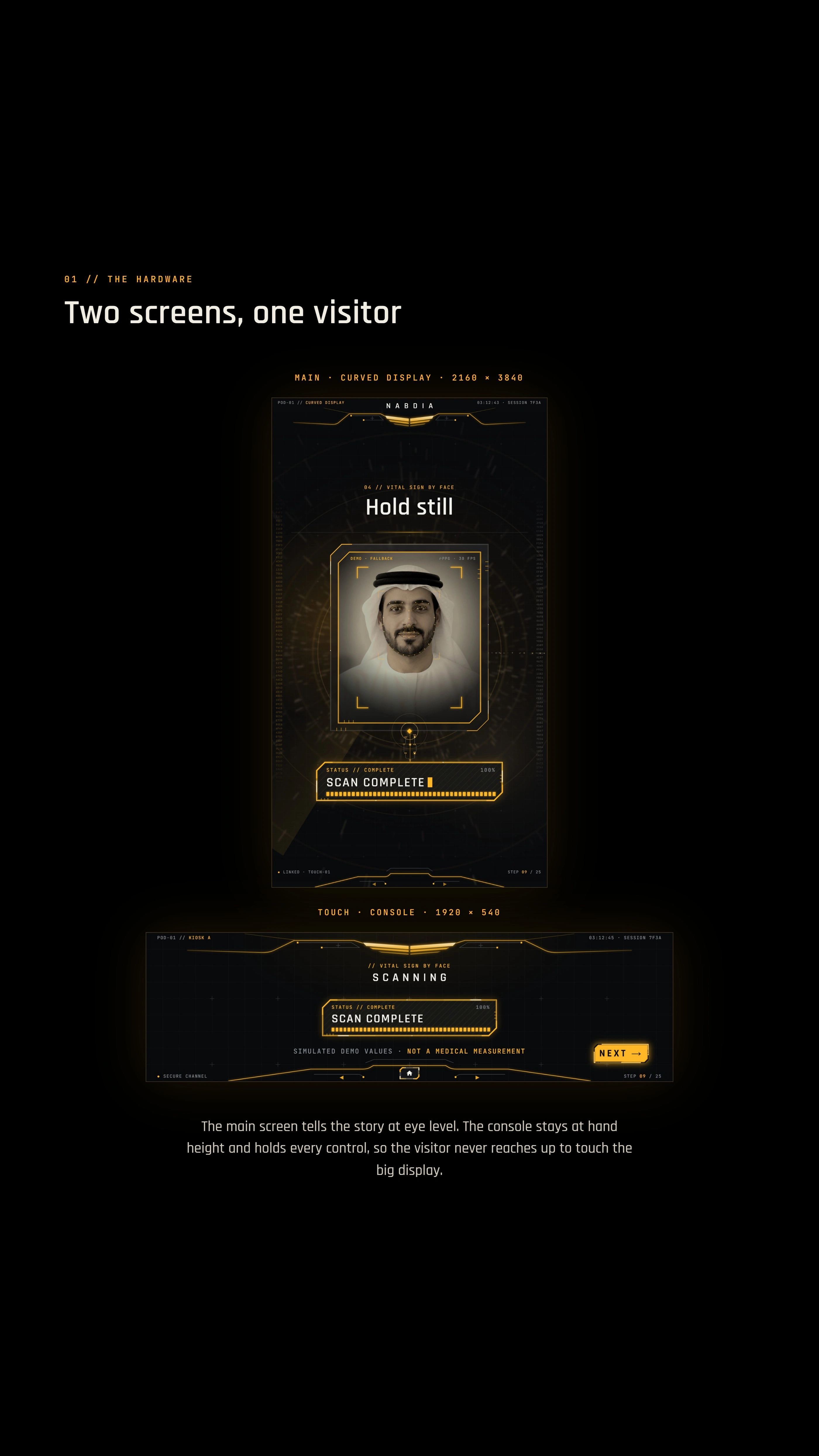
Try the live demo: https://ganeshdg.com/work/health-scan-kiosk Overview NABDIA is a dual-screen health kiosk for events and clinics. A visitor logs in, takes a 15-second face scan for vital signs, books a doctor and gets their results, all at one stand. The flow covers 25 screens and three ways to log in. NABDIA is a fictional brand, and the health readings, login and booking are simulated. This is an interface demo, not a clinical product. Challenge A standing visitor has to be guided across two screens of very different shapes. The tall curved display carries the instructions, progress, feedback and results. The small console below holds every choice and the navigation, within reach.
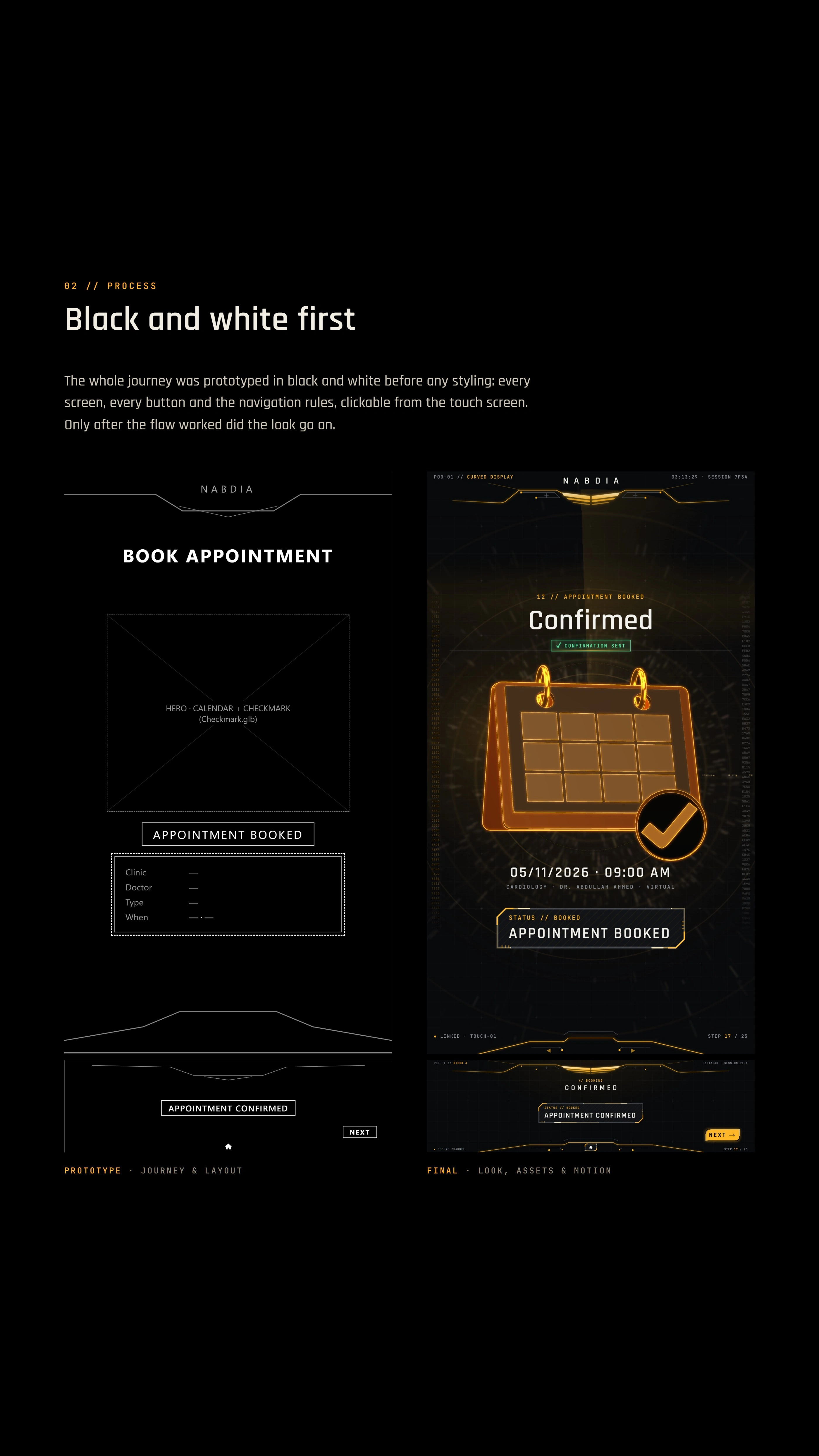
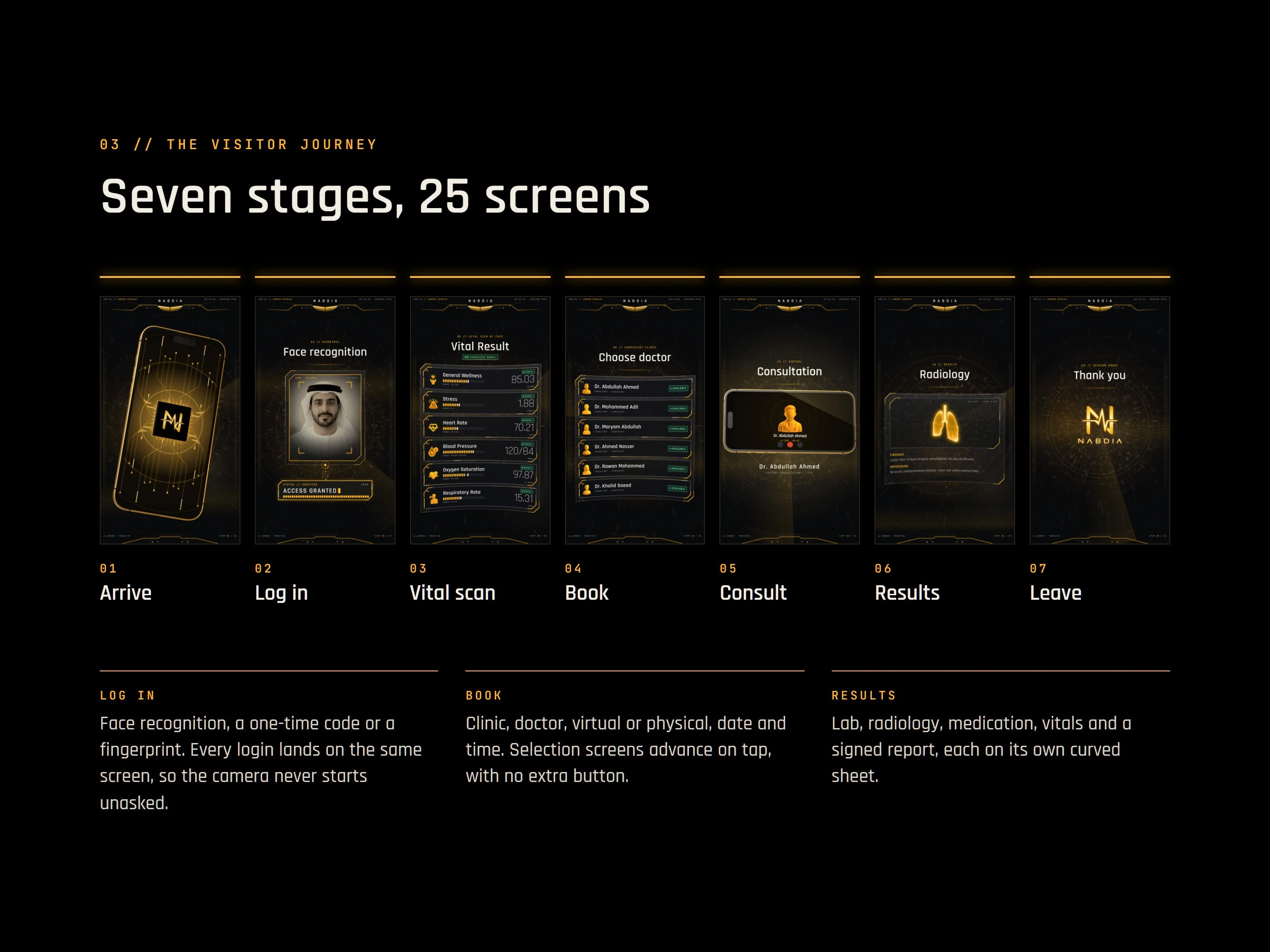
I prototyped the whole journey in black and white before any styling: every screen, every button and the navigation rules, clickable from the touch screen. The look went on only after the flow worked. The journey runs in seven stages across both displays, from arriving to leaving, and the three login paths meet at the start of the scan.
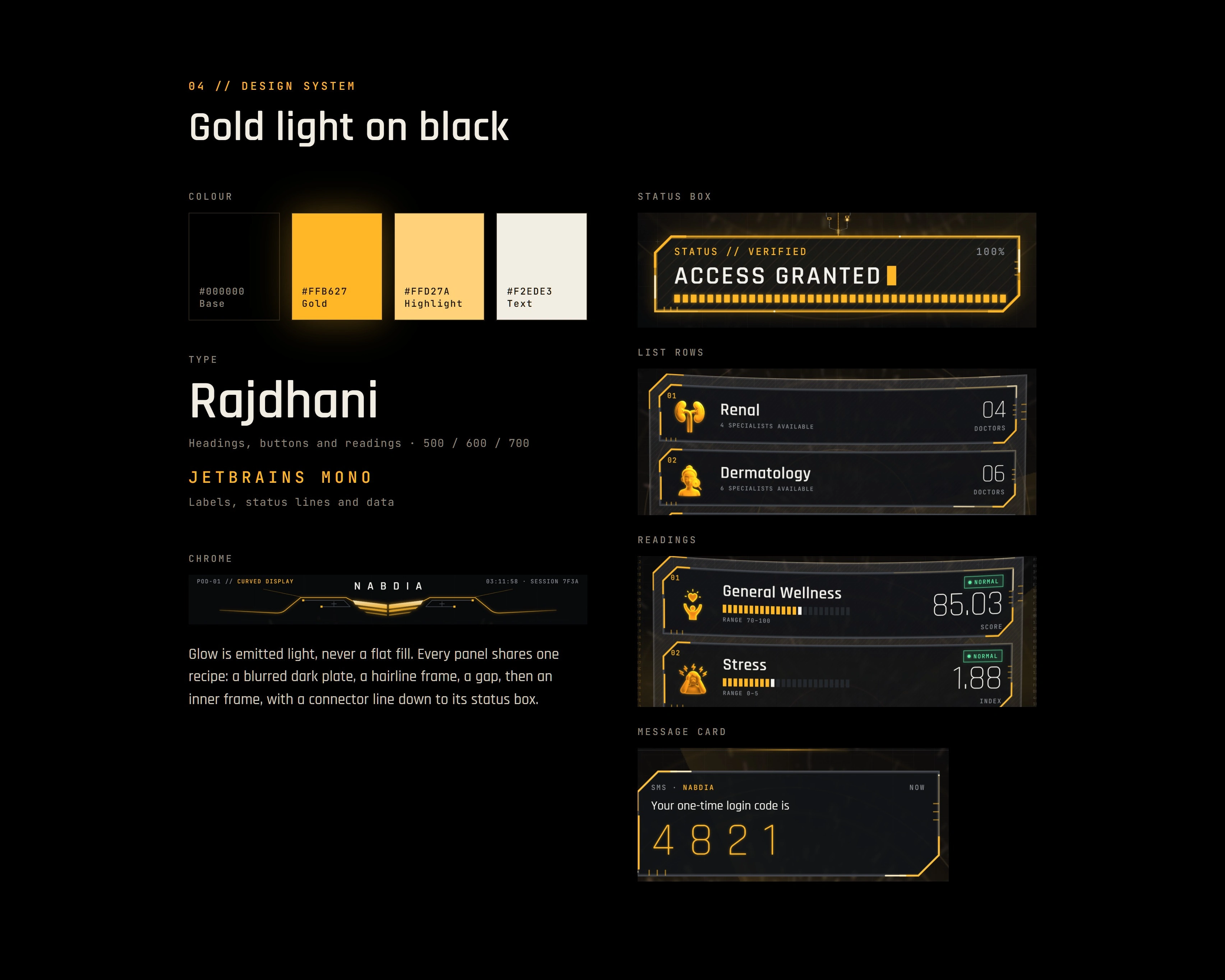
The visual system is gold light on black. Every panel follows one recipe: a blurred dark plate, a hairline frame, a gap, then an inner frame, with a connector line down to its status box. Rajdhani sets the headings, buttons and readings. JetBrains Mono sets the labels, status lines and data.
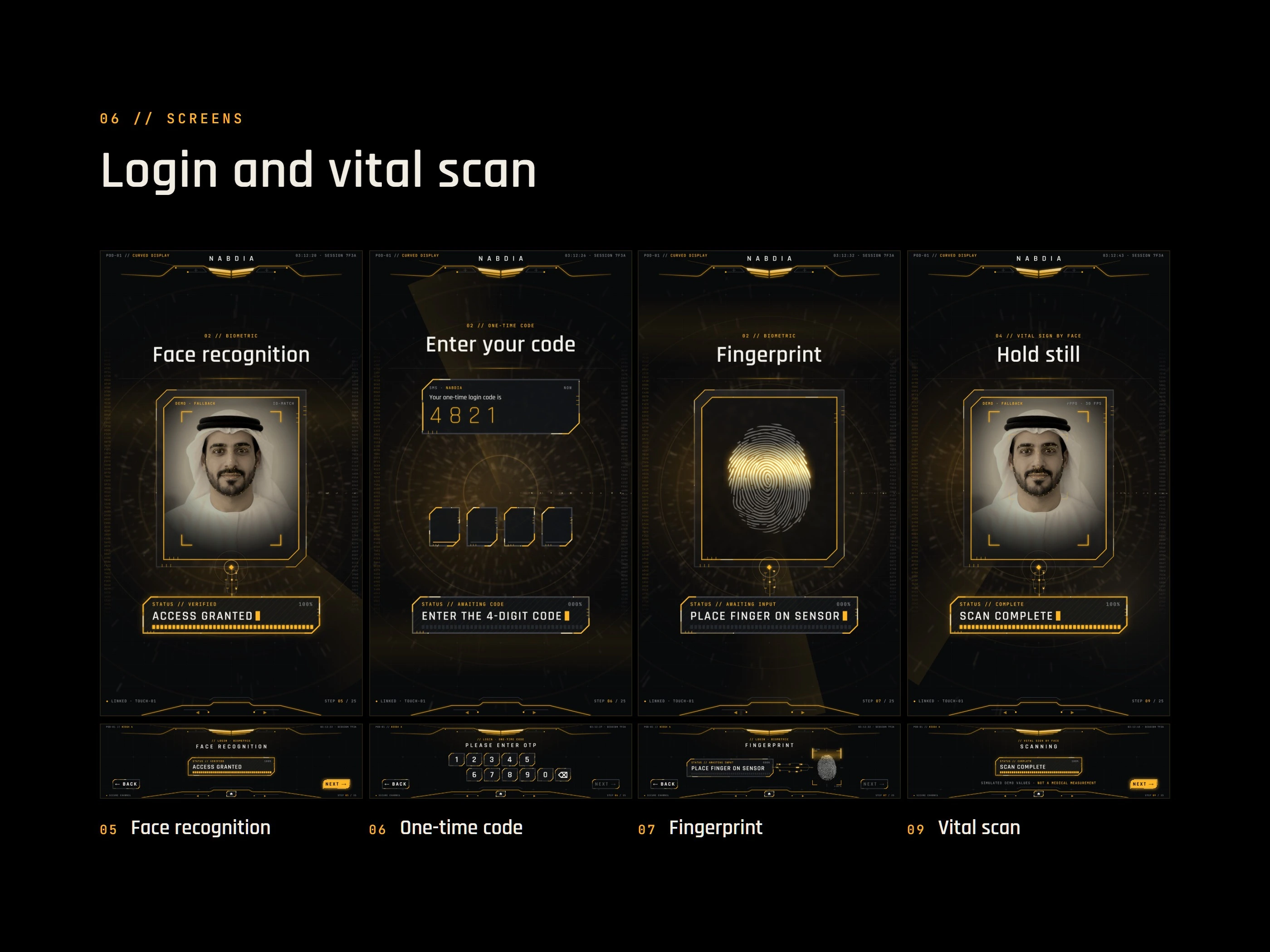
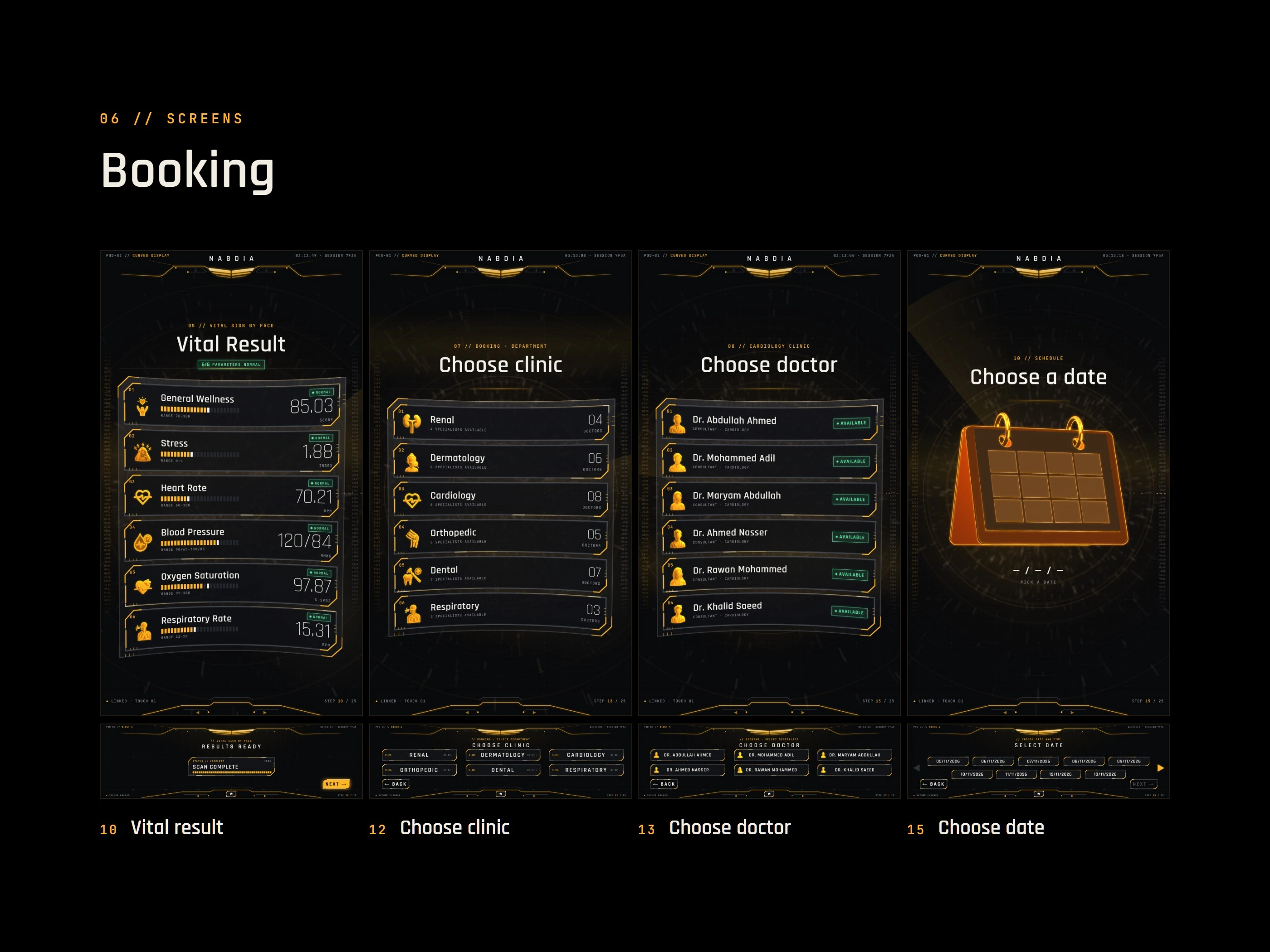
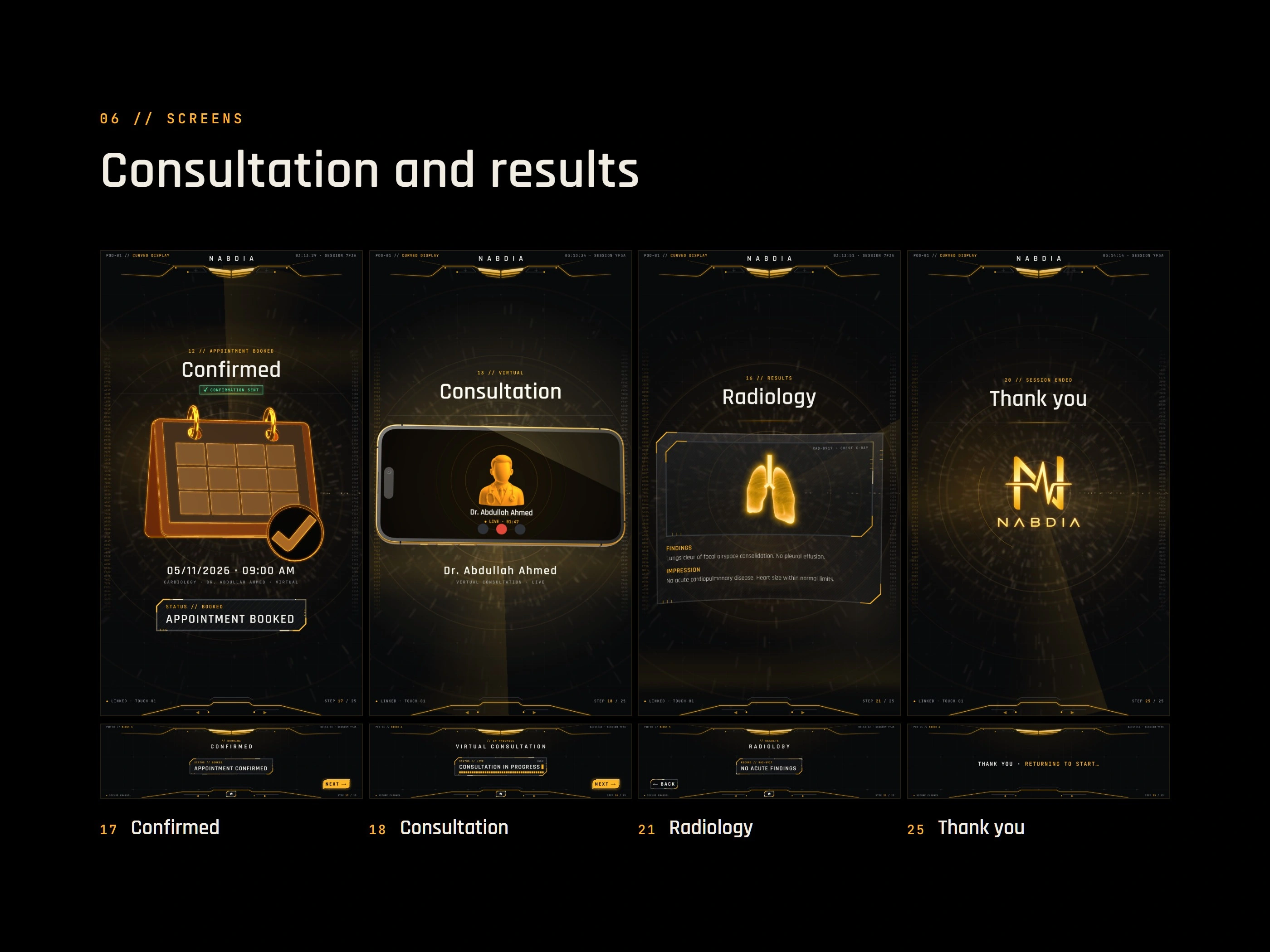
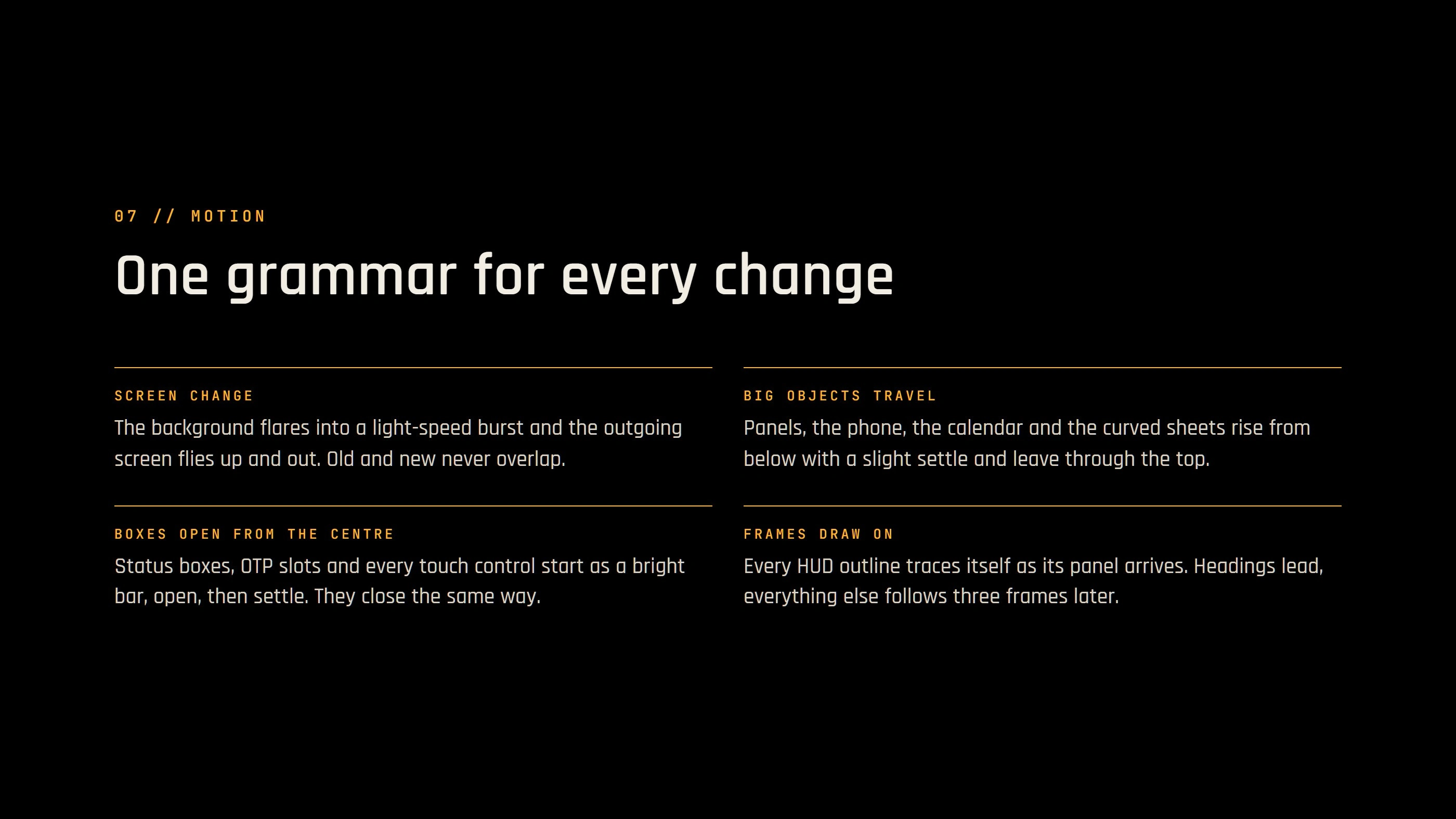
All the screen changes share one motion language, animated in After Effects. The background flares into a light-speed burst, the outgoing screen flies up and out, boxes pop open from their centre and the text rises in place. The phone and calendar are live three.js objects. The organ and pill holograms are pre-rendered loops with baked transparency, prepared in Blender.
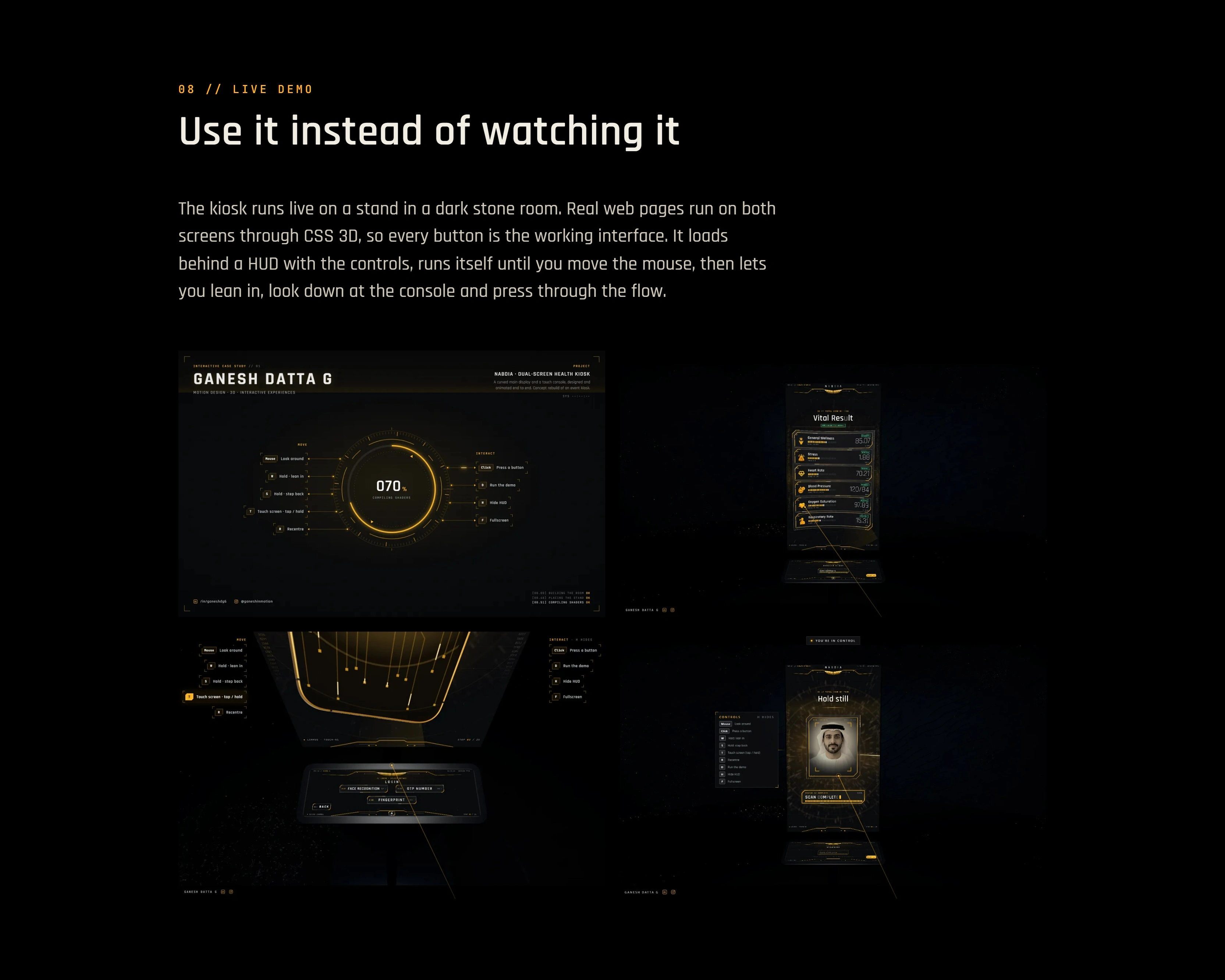
The live demo puts the kiosk on a three.js stand in a dark stone room. Both screens are real web pages placed in 3D with CSS, so every button you press is the working interface. The demo runs by itself until you move the mouse. Then you can lean in, look down at the console and press through the visit.
My contribution - Black-and-white prototype of the full journey - Visual system, icons and all 25 screens - Motion for every screen change, in After Effects - 3D assets and hologram loops, prepared in Blender - The live build in three.js, HTML and CSS. Deliverable The kiosk interface for both displays, a browser demo and a 1:39 walkthrough film. Anyone can try the kiosk before a single stand is built. Try the live demo: https://ganeshdg.com/work/health-scan-kiosk It works best on a computer with a mouse and keyboard. More of my work is at ganeshdg.com. Planning a kiosk or a multi-screen stand? Send me the screen sizes and where it will run, and I'll reply with questions and a rough plan.
0 likes · 1 view · Nov 11, 2026
Interface, motion and a live three.js demo for a health kiosk with a 2160x3840 curved display above a 1920x540 touch console.


