📖 Product UX/UI Design for a Reading Journal App

Lika Chernysheva


Hey everyone! 👋
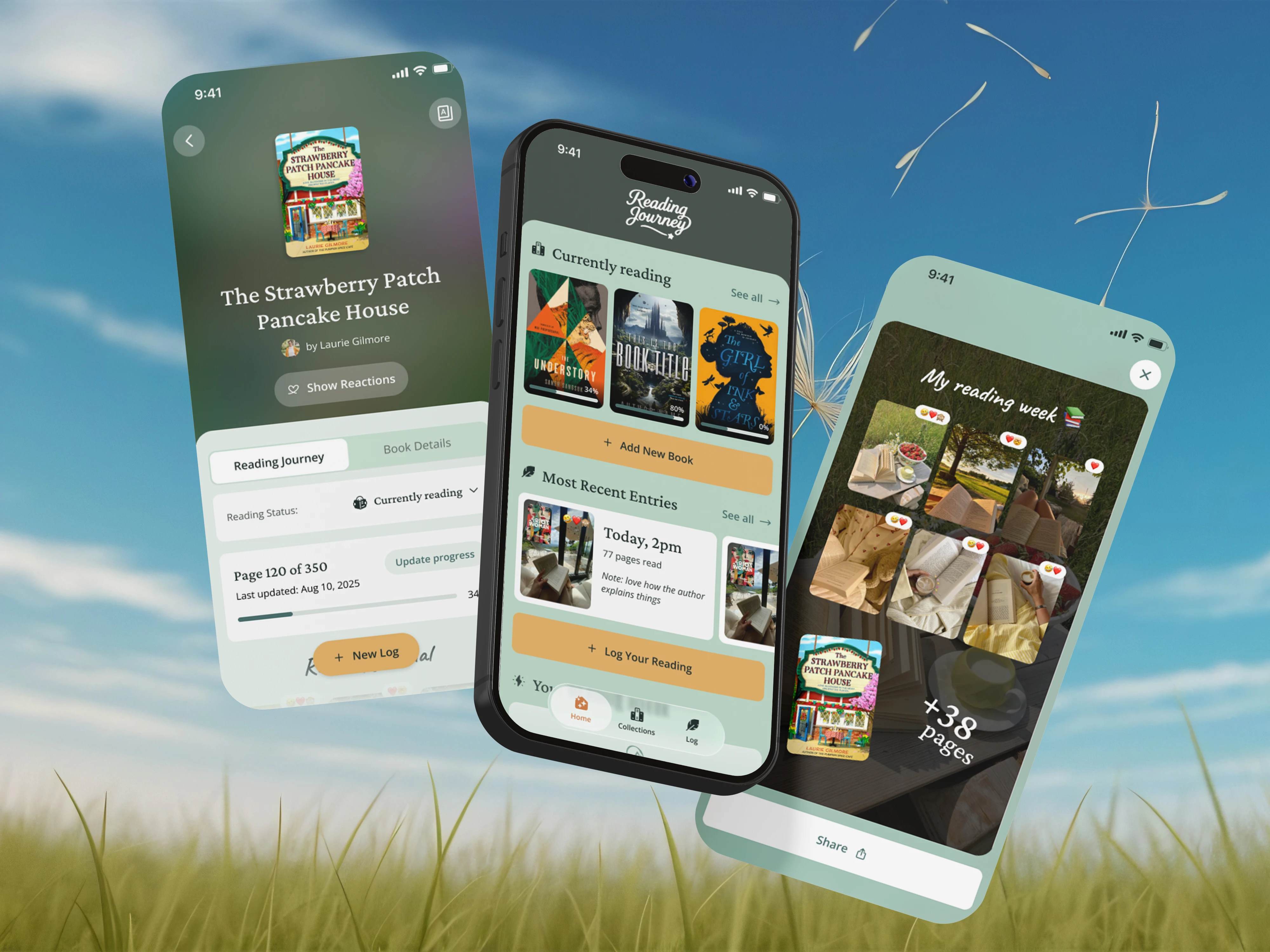
I’d like to share one of the most interesting mobile products I’ve worked on recently — Reading Journey.
Reading Journey is an app designed to help readers track books, capture memorable moments, and build a more meaningful reading habit. What started as an early concept gradually evolved into a feature-rich product that combines book tracking, journaling, personal reflections, goals, statistics, and social sharing.
Scroll down to explore the product, the UX challenges we tackled, and the solutions I helped design along the way.
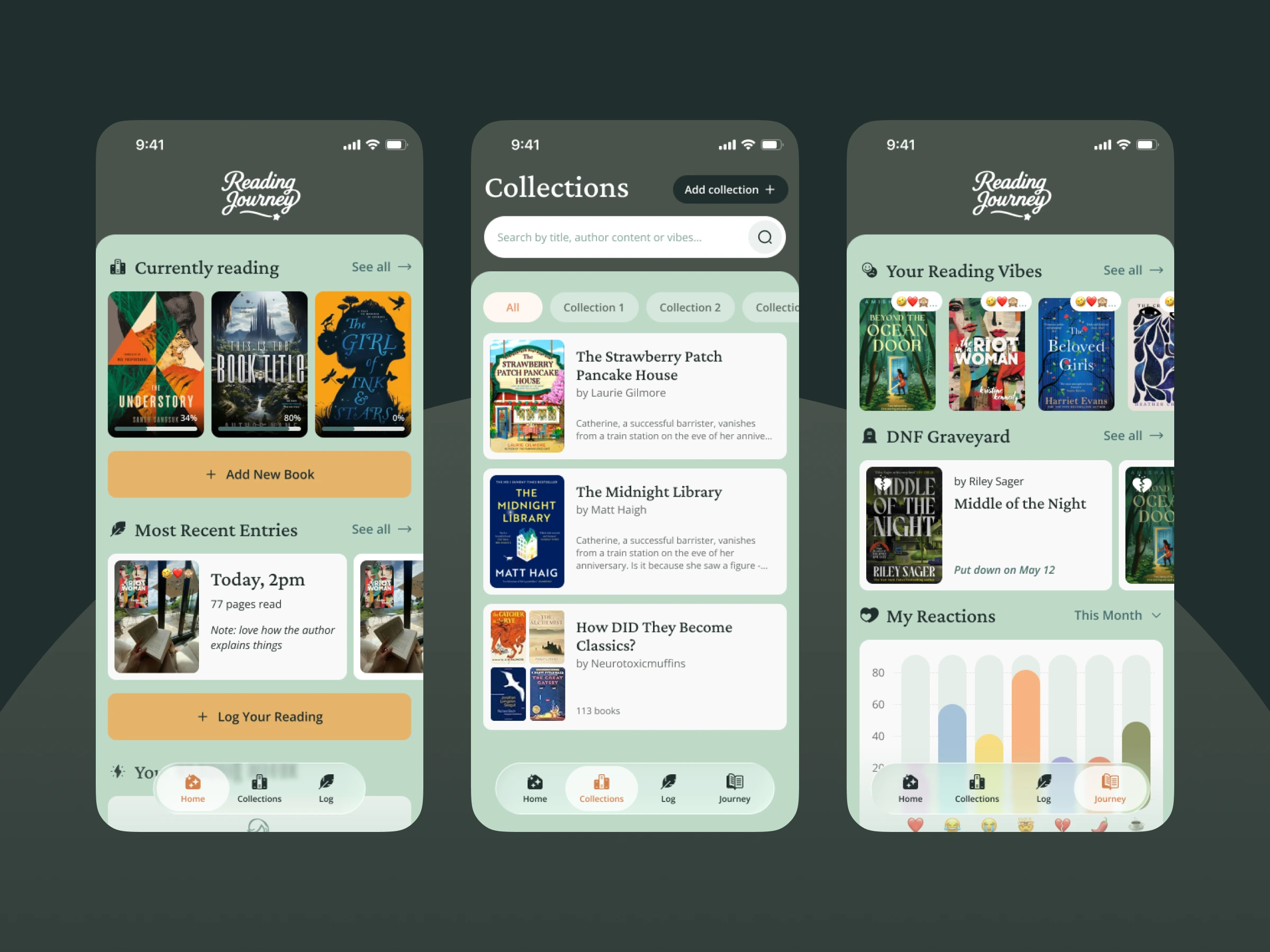
Home page, personal library page, and statistics page
Project Overview
Reading Journey is a mobile app for readers who want to remember more than just the books they’ve finished.
As the UX/UI Designer, I worked closely with the founder throughout the product’s development, helping shape the overall user experience, define new features, improve existing flows, and transform ideas into intuitive mobile interactions.
My work covered multiple areas of the product, including book management, reading logs, collections, onboarding, progress tracking, emotional reactions, reading insights, and sharing experiences with others.
UX Challenges & Solutions
Designing Reading Journey required balancing simplicity with an expanding set of features. As the product evolved, new functionality needed to fit naturally into the experience without making the app feel overwhelming.
Organizing a growing product: Structured collections, reading logs, goals, statistics, and sharing features into a navigation system that remained easy to understand as the product expanded.
Reducing friction: Designed streamlined flows for adding books, updating reading progress, and creating reading logs to encourage consistent engagement.
Making reading more personal: Introduced ways for users to capture emotions, memories, notes, locations, and moments connected to their reading experience rather than focusing solely on page counts. These decisions helped create a product that feels approachable for casual readers while offering enough depth for dedicated book lovers.
These decisions helped create a product that feels approachable for casual readers while offering enough depth for dedicated book lovers.
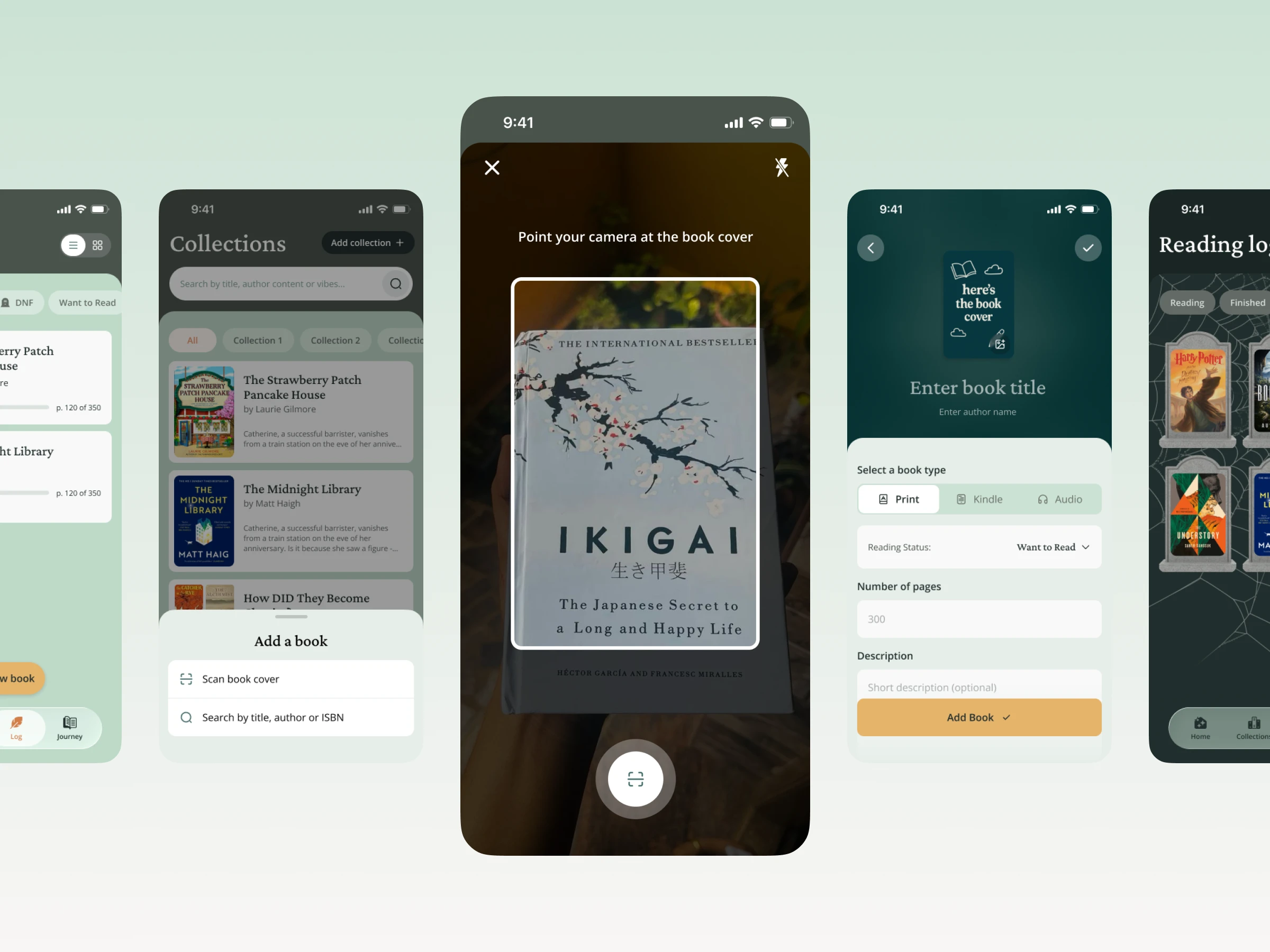
The search process using book scanning and how to add your own book if it is not in the database.
Skills & Responsibilities
UX/UI Design: Created user flows, wireframes, prototypes, and high-fidelity mobile interfaces across multiple product areas.
Product Design: Collaborated directly with the founder to shape features, refine ideas, and support product decisions throughout development.
Information Architecture: Organized a growing ecosystem of features while maintaining a clear and intuitive experience.
UX Writing: Crafted interface copy, onboarding content, and interaction messaging to support usability and engagement.
Product Iteration: Continuously refined designs based on feedback, evolving requirements, and new product opportunities.
Throughout the project, I focused on creating an experience that felt calm, personal, and enjoyable to use while supporting long-term engagement.
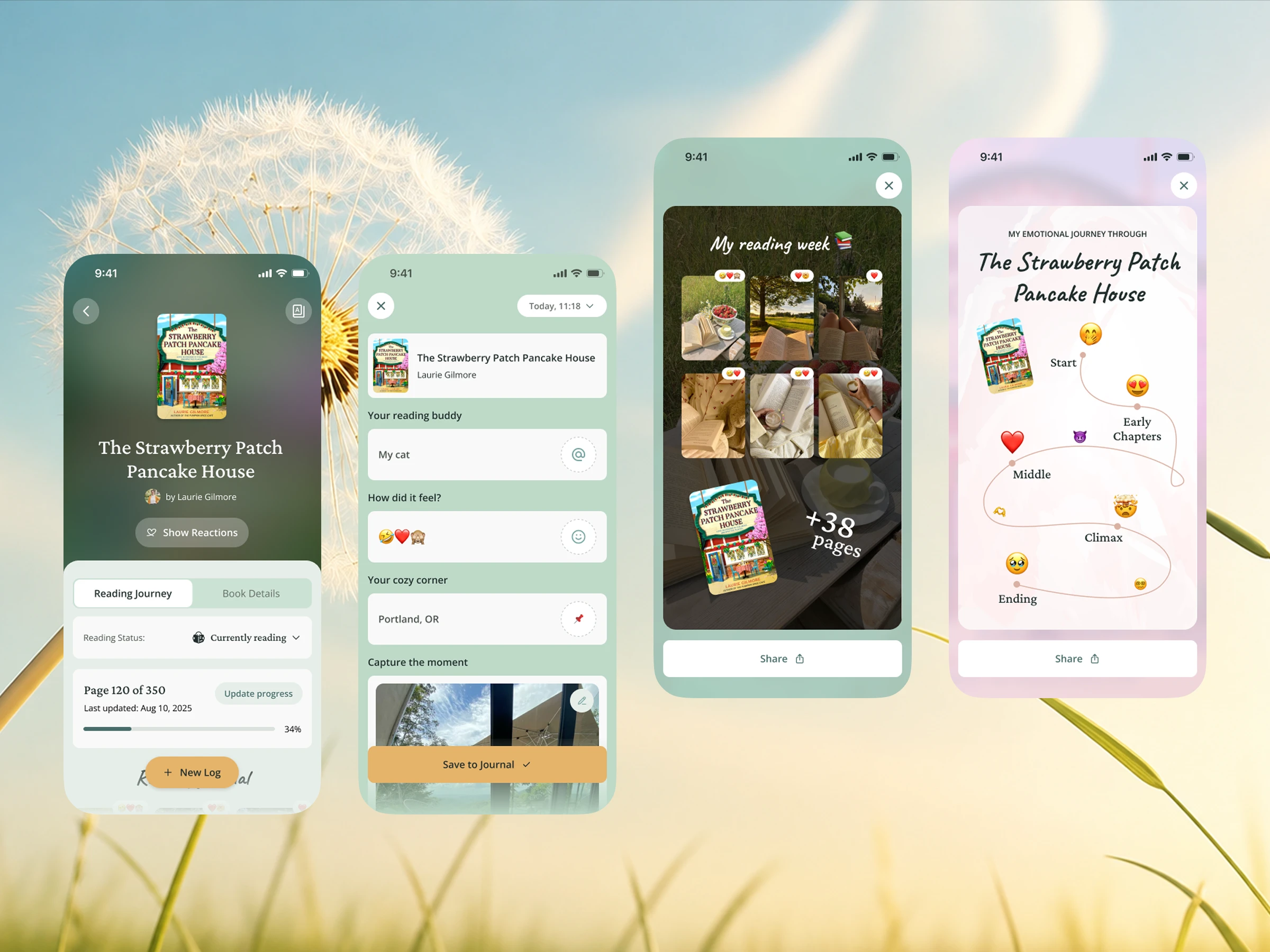
Adding a journal entry while reading a book and an example of sharing your progress on social media.
Key Features
One of the most unique aspects of Reading Journey is the way it combines practical reading tools with personal storytelling.
Users can build their own library, organize books into collections, track progress, set reading goals, capture reading moments through logs and photos, record emotional reactions, and generate shareable summaries of their reading journey.
Beyond functionality, the product encourages readers to reflect on their experiences and create a personal archive of memories connected to the books they read.
Final Thoughts
Reading Journey was a particularly rewarding project because it blended traditional product design challenges with opportunities to explore more emotional and habit-forming experiences.
Working on the product from its early stages allowed me to contribute not only individual screens and flows, but also the overall direction of the user experience as the platform continued to grow.
Like this project
Posted Jun 25, 2026
Designed a reading journal app from concept to launch, creating intuitive UX flows, mobile UI, and features that encourage long-term engagement.
Likes
0
Views
12
Timeline
Oct 25, 2025 - Mar 25, 2026