B2B SaaS Writing — Two AI-Assisted Demonstrations

Sam Hood

B2B SaaS Writing — Two Demonstration Articles
Prepared with AI assistance. Independent demonstration drafts, not commissioned client work or evidence of client results. All product scenarios and numerical examples are illustrative. No customer interviews or proprietary data are claimed.
SAMPLE 1: HOW TO CHOOSE AN ESTIMATE FOLLOW-UP CRM WITHOUT ADDING MORE ADMIN
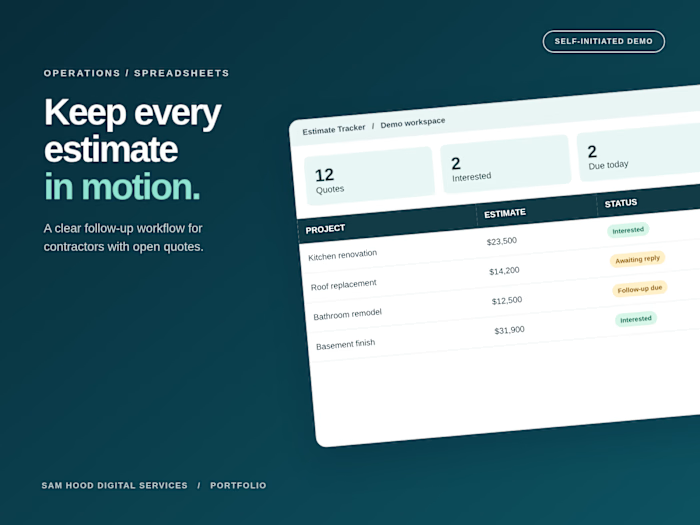
An estimate does not become easier to manage just because it has moved from a spreadsheet into a CRM. If the new system leaves your team guessing who should follow up, which version was sent, or whether a customer already replied, you have changed the software without fixing the process.
For a small service business, the buying question is practical: can this tool make the next action clear without creating another daily cleanup job? Start there before comparing dashboards, automations or the number of features on a pricing page.
Map the handoff before you compare tools
Write down what happens between sending an estimate and receiving a decision. A simple version might include estimate sent, follow-up scheduled, customer replied, revision requested and decision recorded. Give each stage a clear meaning. A customer who asks a question has responded; they should not remain in a queue for a generic reminder.
Next, assign responsibility. One person should own each open estimate, even when several people can help. Record the next action and its due date alongside the owner. These fields are less impressive than a forecasting dashboard, but they answer the questions that otherwise generate internal messages and duplicate work.
Bring this workflow into every product demonstration. Ask the vendor to show it using a realistic example rather than a polished account with perfect records. You are evaluating how the system handles your ordinary Tuesday, including mistakes and interruptions.
Test the smallest complete workflow
Create a trial scenario with five fictional estimates. Include one customer who replies immediately, one who wants a revision, one who declines, one who stays silent and one whose email address is wrong. Use fictional contact information in any demonstration account.
For each record, check whether you can see the estimate amount, date sent, current status, responsible person and next action in one place. Then process the five outcomes. Count the manual changes required and note where information must be entered twice.
The goal is not to eliminate every click. Some manual review is useful. The goal is to avoid unnecessary work while keeping an accurate record of what the customer actually said. A reminder that saves time but sends after a customer declines creates a different problem.
Check reply handling before automation
Ask what stops an automated sequence. Does a reply pause future messages? Does the system distinguish an email reply from a delivery failure? What happens when someone calls instead of emailing? If the answer depends on a manual status change, make that responsibility explicit in your workflow.
Review the message itself, too. A follow-up should identify the relevant estimate and make responding easy. It should not imply a discount, reserved appointment or expiring price unless those statements are accurate and approved. Start with one helpful reminder and review the response pattern before adding more messages.
Automation rules also need an owner. Decide who checks failed deliveries, overdue tasks and records that have no next action. Without that maintenance routine, even a well-configured system can gradually become another unreliable list.
Compare the full cost of using it
Subscription price is only part of the decision. Depending on the product and plan, you may need to account for additional users, integrations, message charges, setup, training and ongoing administration. Confirm current terms directly with each vendor rather than assuming a feature shown in a demonstration belongs to the plan you are considering.
Use a small comparison table with the requirements that matter to your team. Mark each one as confirmed, unavailable or still unanswered. Separate essential capabilities from conveniences. If reliable reply tracking is essential, a beautiful dashboard cannot compensate for its absence.
You can also estimate the internal time cost. Suppose, purely as an illustration, your team spends four hours a month maintaining the current process and a proposed system would require two. The difference is two hours, not proof of additional sales. Keep time savings separate from revenue assumptions so the business case stays honest.
Make migration part of the trial
Before importing customer records, test the import format with fictional data. Check how the system handles duplicate contacts, missing fields and inconsistent dates. Then export the trial records and inspect whether the information you need comes back in a usable form.
Real customer information should move only after access, authorization and handling requirements are settled. Give team members the permissions they need for their work and establish a process for removing access when responsibilities change. A purchasing decision should include how you leave the tool as well as how you start using it.
Decide against a written acceptance checklist
Choose a short pilot period and define success before it begins. Useful criteria include whether every open estimate has an owner, whether replies stop reminders, whether overdue actions are visible and whether the team can maintain the process consistently. Review a small sample of records together rather than relying only on a dashboard total.
If the pilot fails, identify whether the cause is missing functionality, unclear responsibilities or an unrealistic process. Buying a different tool will not resolve every workflow problem. If the pilot succeeds, document the steps before expanding usage.
The right CRM is the one your team can use to make the next customer action clear and accurate. Start with that complete workflow, verify the essentials in a trial, and expand only when the process earns its place.
Editorial handoff: Audience: small service-business owner. Intent: evaluating estimate follow-up software. Suggested internal destinations, to map to real approved URLs: estimate pipeline setup guide; follow-up message examples; CRM migration checklist. No invented hyperlinks or unsupported performance statistics.
SAMPLE 2: A PRACTICAL SAAS ONBOARDING CHECKLIST FOR A SMALL OPERATIONS TEAM
An onboarding checklist should help a new customer accomplish something useful. Too often, it becomes a tour of every feature the product team wants to explain. The customer finishes several screens but still cannot answer a basic question: how does this fit into my team's work?
For a small operations team, start with one repeatable outcome. In a fictional task-management product, that might mean creating a shared project, assigning a task and confirming that the responsible colleague can find it. The checklist should guide that outcome rather than reward activity for its own sake.
Define the first useful result
Describe the result in language a customer would use. “Finish account setup” describes a vendor process. “Assign your first shared task” describes an action the customer can recognize. Neither wording proves business value on its own, but the second gives the checklist a more concrete destination.
Write down the steps needed to reach that destination. Separate prerequisites from optional enhancements. If uploading a company logo has no bearing on assigning a task, it probably should not block that first workflow. Customers can personalize the workspace later, when they understand why they want to keep using it.
Do not assume every user has the same role. An administrator may need to create a workspace, while an invited teammate only needs to accept an invitation and complete a task. A checklist that sends both people through the same setup can create unnecessary work and confusion.
Ask for information when it becomes useful
Every setup question should have a purpose the customer can understand. If you ask for team size, explain how the answer changes the experience. If it does not change anything useful, consider removing it from the first session.
Distinguish required fields from optional ones. Give an example when the expected answer is unclear, and avoid making customers invent a naming system before they have seen the product. A suggested project name is easier to evaluate than an empty field with no context.
Some information should wait. Billing details, integrations and production data may be necessary later, but collecting them before a customer can explore a safe demonstration can increase the work required to begin. Where appropriate, provide a fictional example workspace so users can learn the flow before importing real information.
Make every checklist item actionable
A useful item states what to do and takes the user to the place where they can do it. “Learn collaboration” is difficult to complete with confidence. “Invite a teammate to this project” describes an observable action and suggests a natural destination.
Keep the supporting explanation short. Tell users why the step matters and what will happen next. If inviting someone sends an email immediately, say so before the invitation is submitted. Clear consequences help customers make deliberate choices and avoid accidentally contacting colleagues during exploration.
Allow users to return to unfinished work. A small operations team may get interrupted by customer requests or meetings. Saving progress and keeping the checklist easy to find makes the workflow more forgiving without requiring more instructional content.
Plan for the steps that fail
The ideal path is only part of onboarding. Invitations can go to the wrong address. An integration can fail. A user may lack the permissions needed for a step. Write helpful recovery guidance for these situations rather than repeating that something went wrong.
For an invitation problem, show which address was used and offer an appropriate correction or resend action. For a permissions problem, explain which role can perform the action and how to contact the relevant administrator. Avoid sending users back to the start when only one step needs attention.
Review these paths with the same care as the welcome screen. A customer who encounters an error is still evaluating whether the product is dependable. Good recovery instructions cannot guarantee retention, but they can make the immediate problem easier to resolve.
Measure completion without confusing it with success
Define events that correspond to real actions. Viewing a checklist item, clicking its button and successfully completing the task are different events. If the measurement counts all three as completion, the resulting report will be difficult to interpret.
For an illustrative pilot, imagine 40 new workspaces begin onboarding and 24 successfully assign a shared task. That is a 60 percent completion rate for the defined action. It does not establish that 60 percent received lasting value, became paying customers or improved productivity. Those outcomes require separate definitions and follow-up.
Review the incomplete sessions as well. Look for recurring points of confusion and pair the event data with direct customer feedback where authorized. A short conversation may reveal that users understood the interface but had no colleague available to invite during the trial.
Improve one obstacle at a time
Choose a specific issue, such as users abandoning an unclear project-creation step. Make one focused change, document what changed and compare equivalent groups where possible. Record differences in customer type or traffic source that could affect the result.
Avoid declaring a winner from a handful of sessions. Small samples can help identify usability problems, but they do not justify precise claims about long-term outcomes. Treat early findings as evidence for the next decision and keep the limitations visible.
A strong onboarding checklist creates a clear path to a useful first workflow, explains consequences and helps users recover when something fails. Build around that experience, measure the actual actions involved and keep improving the steps customers struggle to complete.
Editorial handoff: Audience: early-stage B2B SaaS founder or customer-success lead. Intent: designing onboarding. Suggested internal destinations, to map to real approved URLs: activation-event definition guide; role-based workspace setup; onboarding measurement template. All numbers are explicit hypothetical examples.
Like this project
Posted Oct 29, 2026
Two AI-assisted concept articles: estimate follow-up CRM evaluation and SaaS onboarding. Illustrative examples; no commissioned work or client results claimed.
Likes
0
Views
0