ROVEYA App Design and UX

Denisa Georgiana Voicu


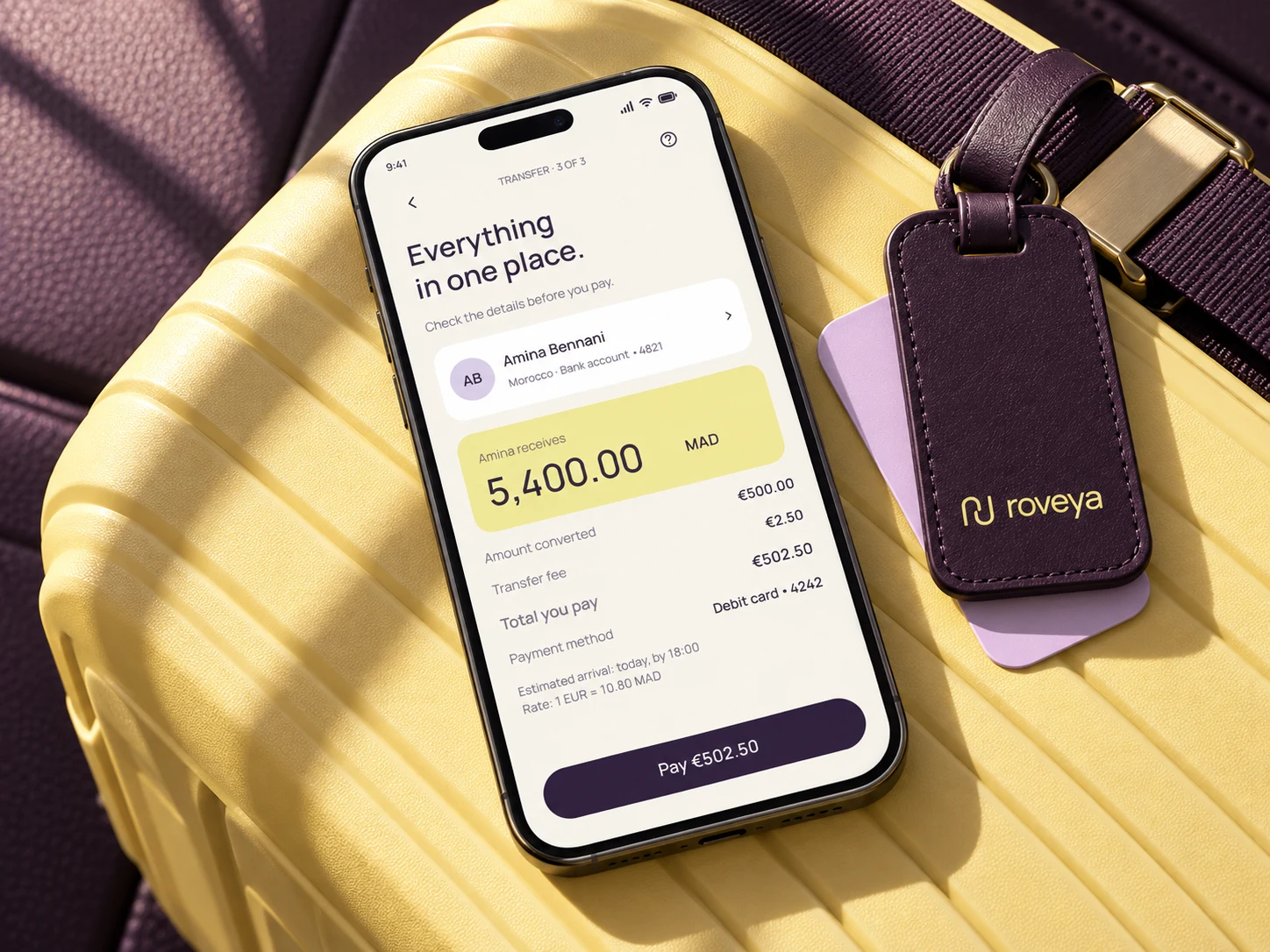
ROVEYA | Brand Identity, UX & Mobile App Design
My end-to-end approach to building a coherent app experience in Figma.
ROVEYA brings together brand identity, user experience and interface design for a cross-border payments app. It illustrates how I approach digital products: connecting the purpose of the app with the decisions, screens and interactions that make it usable.
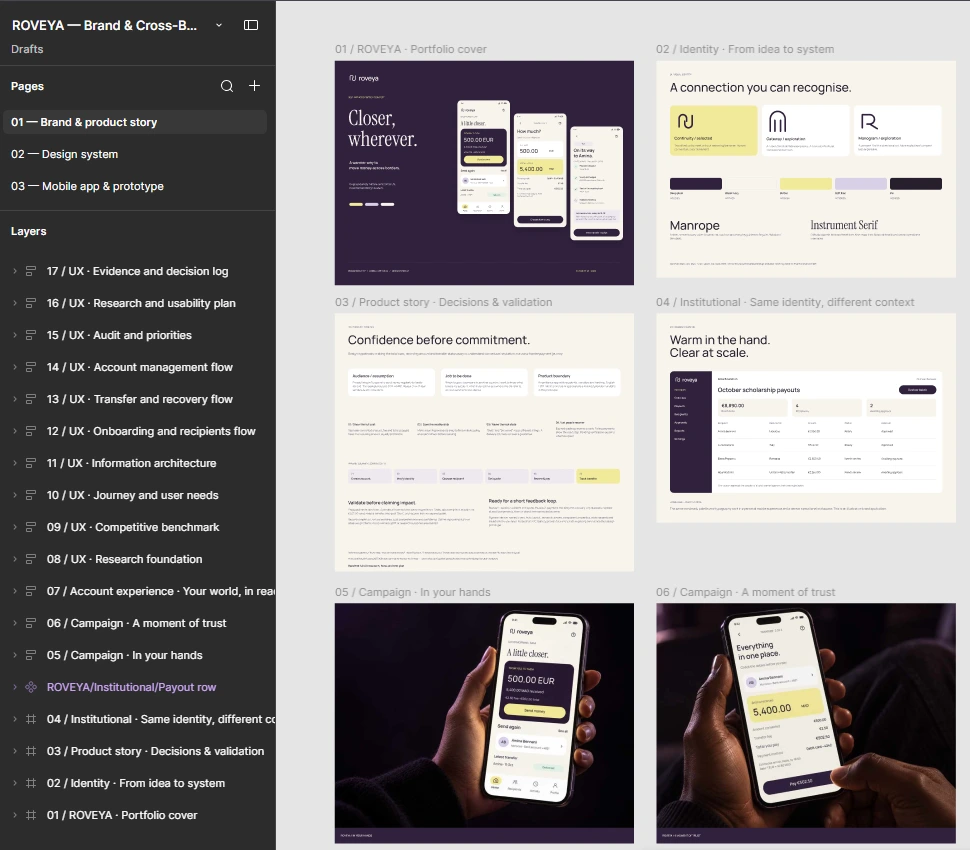
Figma file structure - mobile payments app
The goal was to make sending money abroad feel clear and considered, with a visual identity that could work across both a personal mobile experience and an institutional financial setting.
1. Define the product and the decisions it needs to support
I begin by clarifying who the experience is for, what they need to accomplish and what might prevent them from moving forward. For a remittance app, the key questions are practical: How much will leave my account? What will the recipient receive? When should it arrive? What happens if something goes wrong?
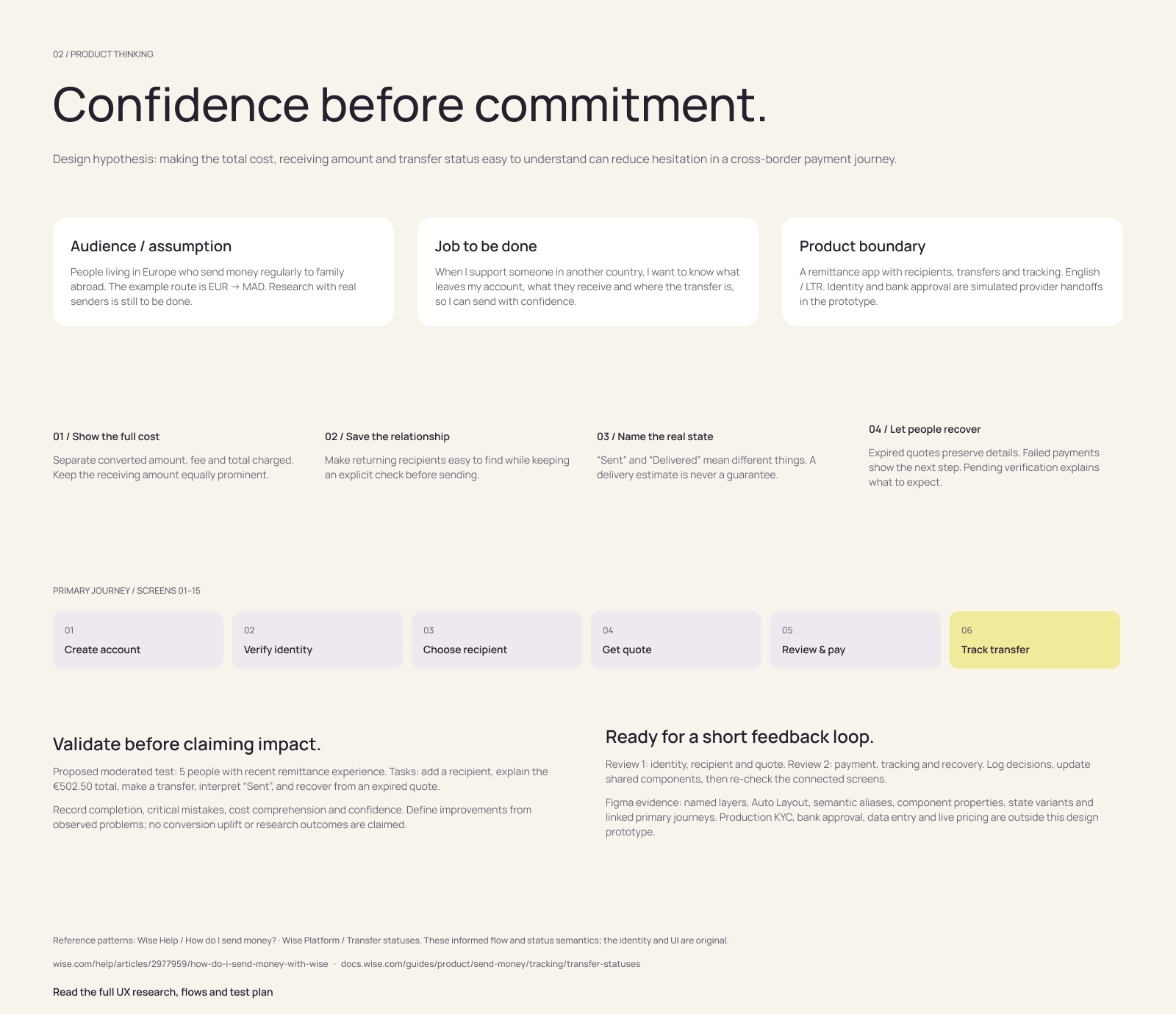
App Design - Product story · Decisions & validation
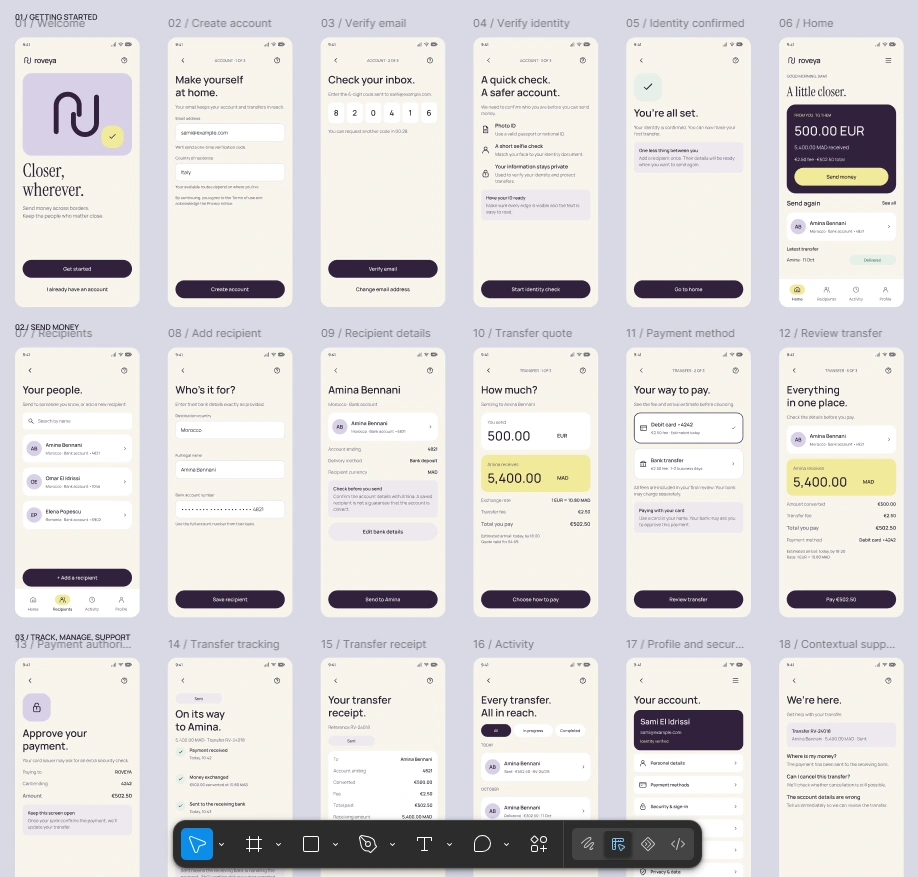
These questions shape the scope: onboarding, identity verification, recipients, transfer setup, payment, tracking and account management. I also distinguish between fiirst-time and returning senders, because their information needs and starting points differ.
2. Use research to question the design
My process moves between research and design as the product develops. For ROVEYA, I reviewed official documentation from Wise, Remitly and WorldRemit, looking at pricing visibility, recipient setup, verification, tracking and recovery.
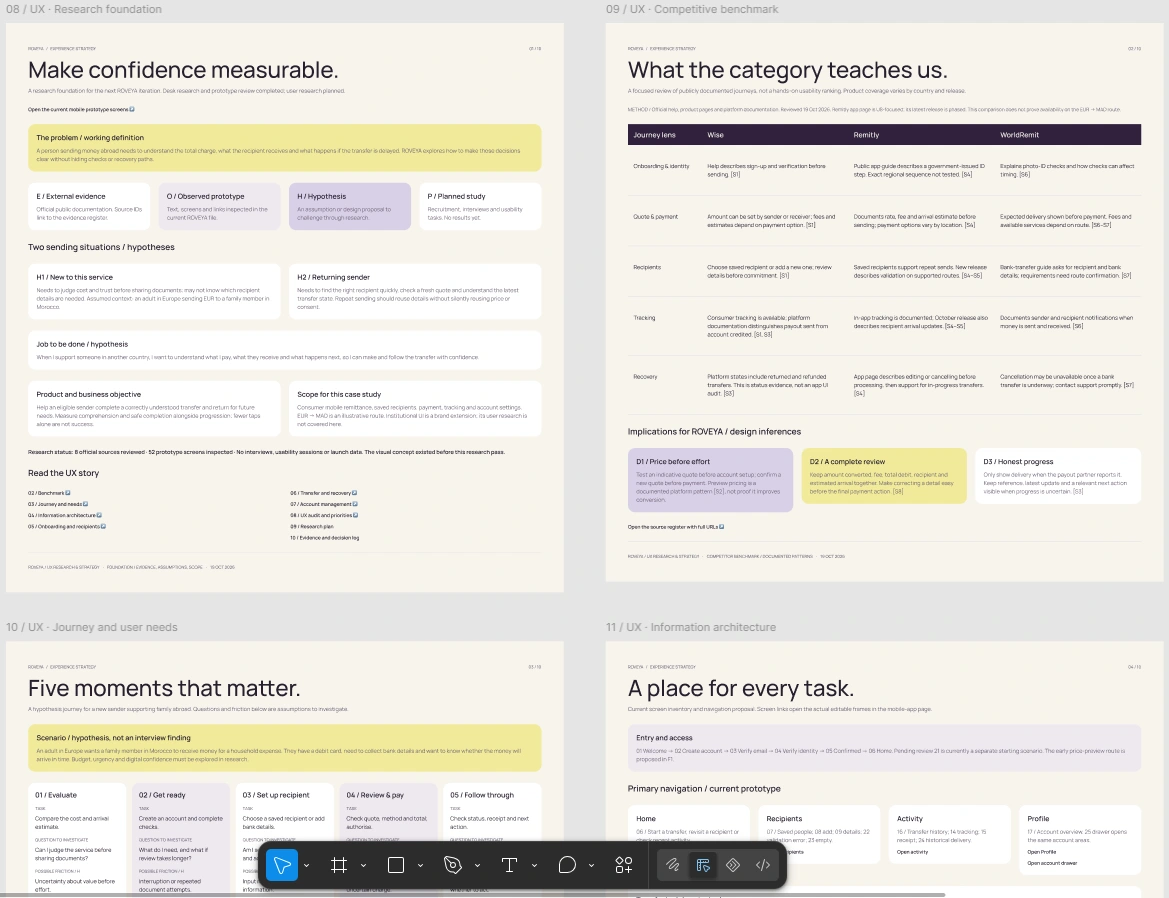
UX Research foundation - App Design in Figma
The UX review also examined the existing prototype. It surfaced questions about when pricing becomes visible, how users return from support and whether payment recovery offers a complete next step. I documented these as observations and proposals, keeping them separate from assumptions about user behaviour.
App screens Figma
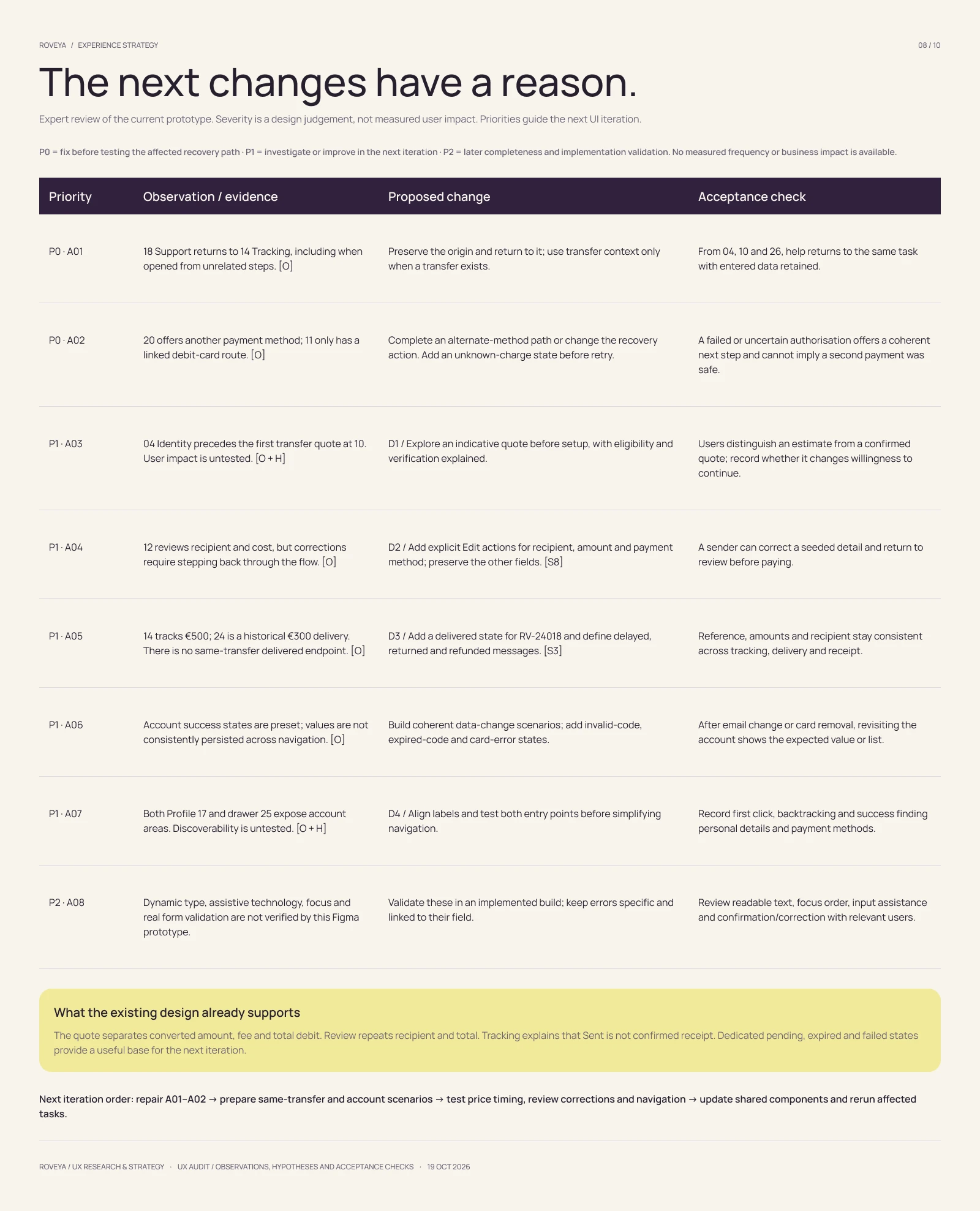
UX · Audit and priorities
3. Build an identity with a purpose
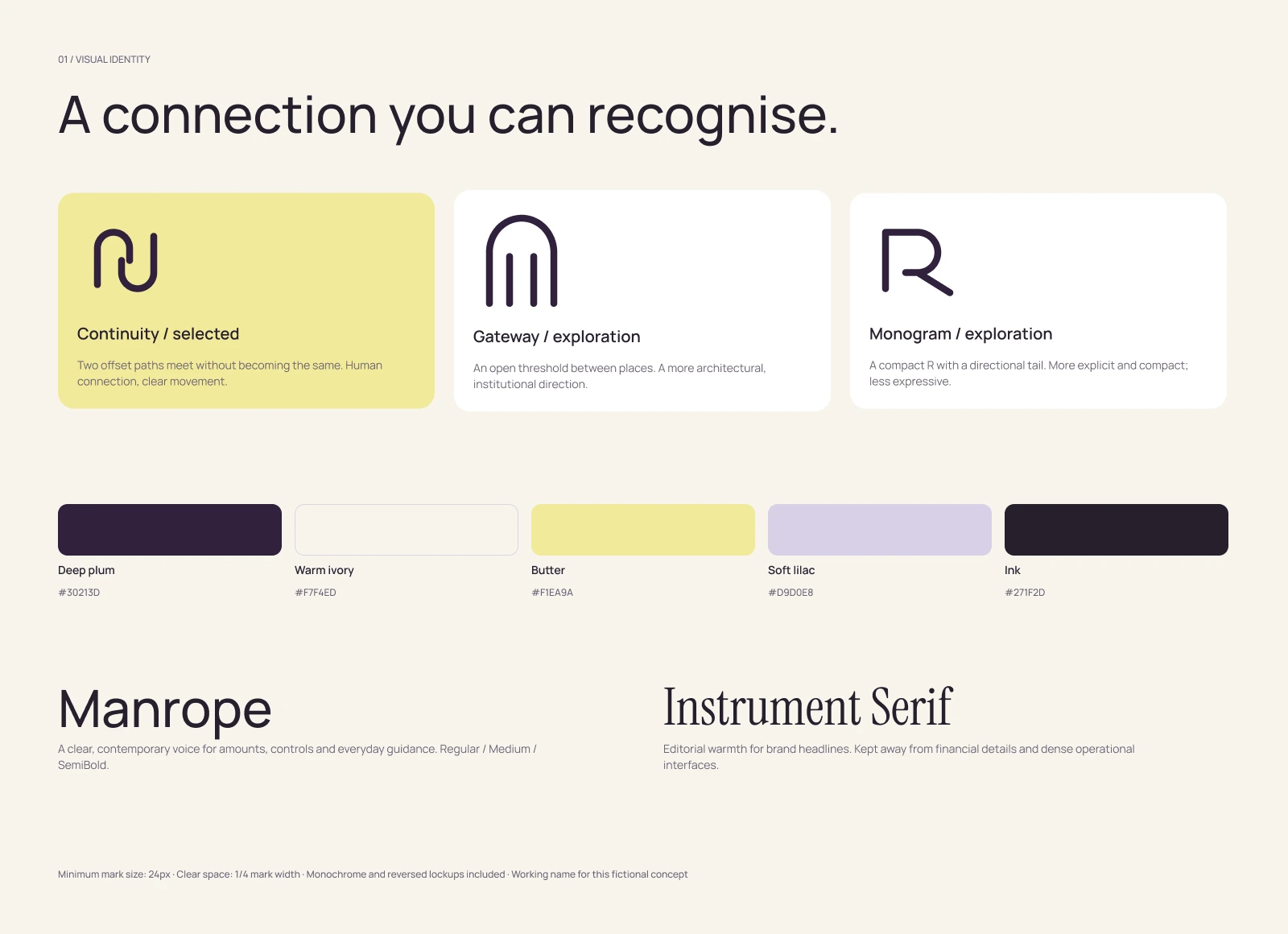
I explored several logo directions before developing a mark built from two offset, connected paths. The idea reflects movement and connection, supported by the line “Closer, wherever.”
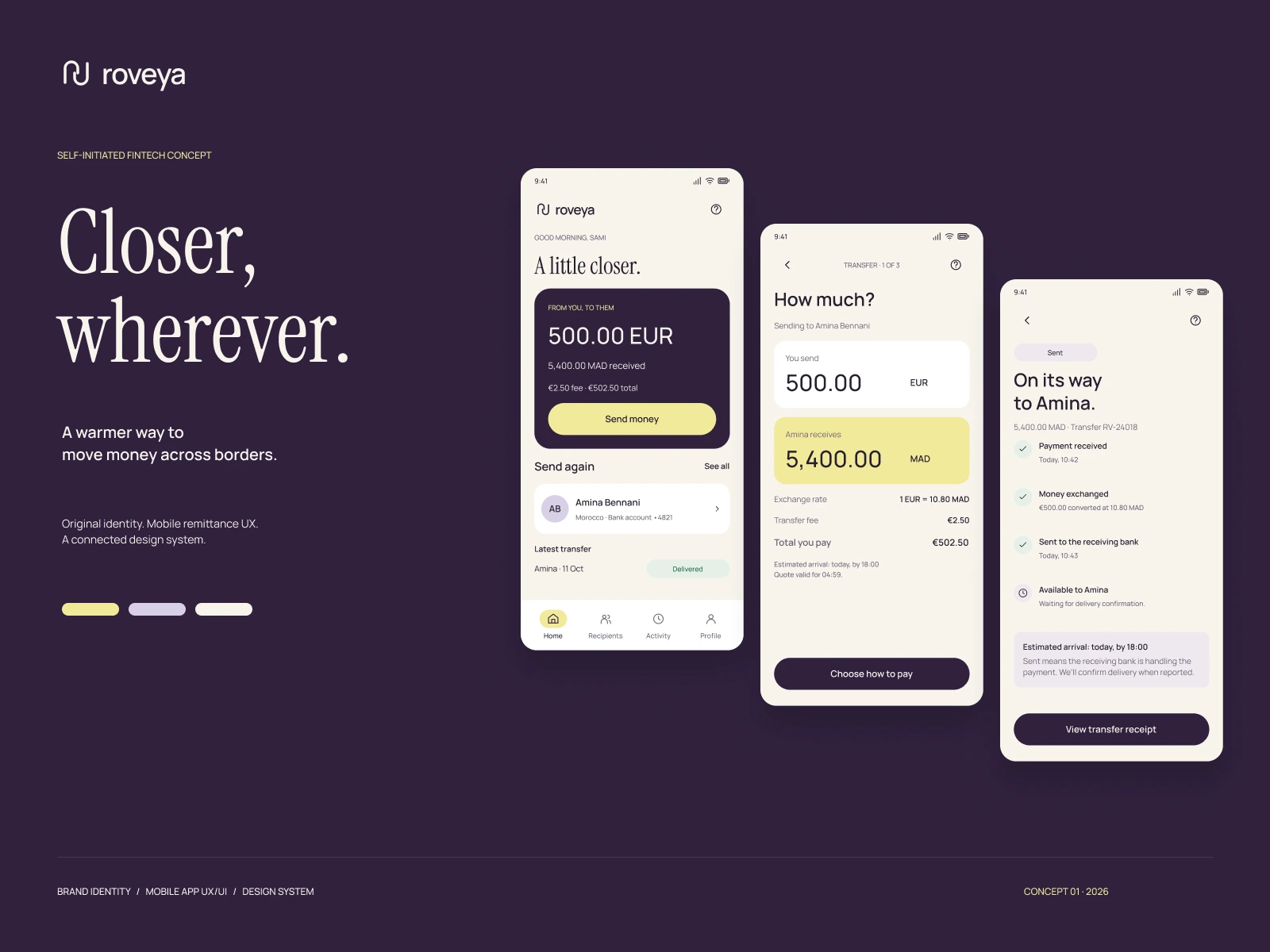
Brand Identity mobile app
Visual Identity - App Branding
Deep plum gives the identity a distinctive foundation, while warm ivory, butter yellow and soft lilac introduce warmth. Manrope supports interface clarity; Instrument Serif adds an editorial voice to brand communication. The same visual language extends into an institutional payout dashboard, where hierarchy and information density have different demands.
4. Map the experience before refining each screen
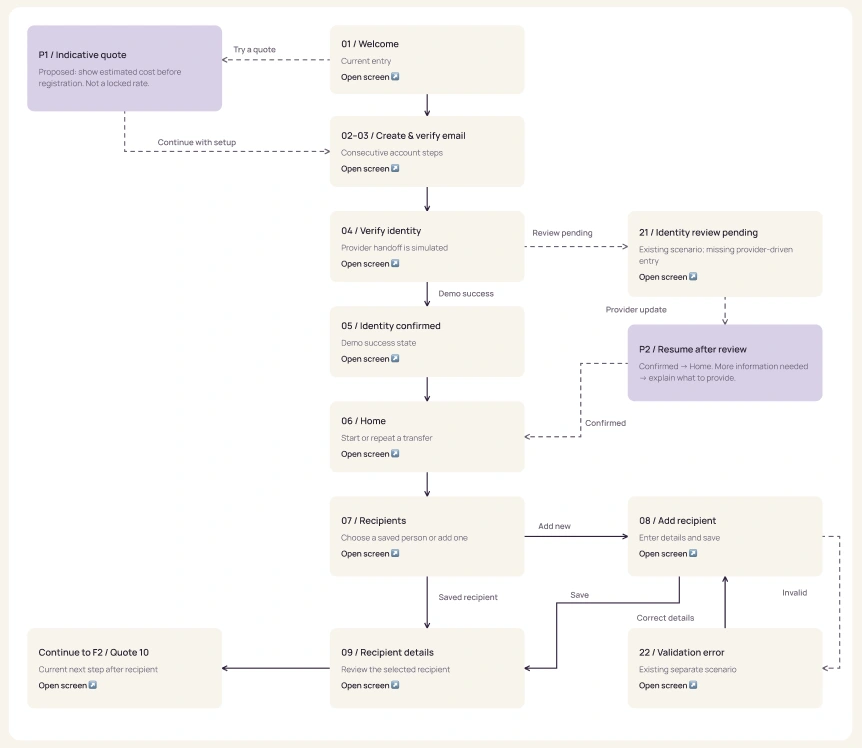
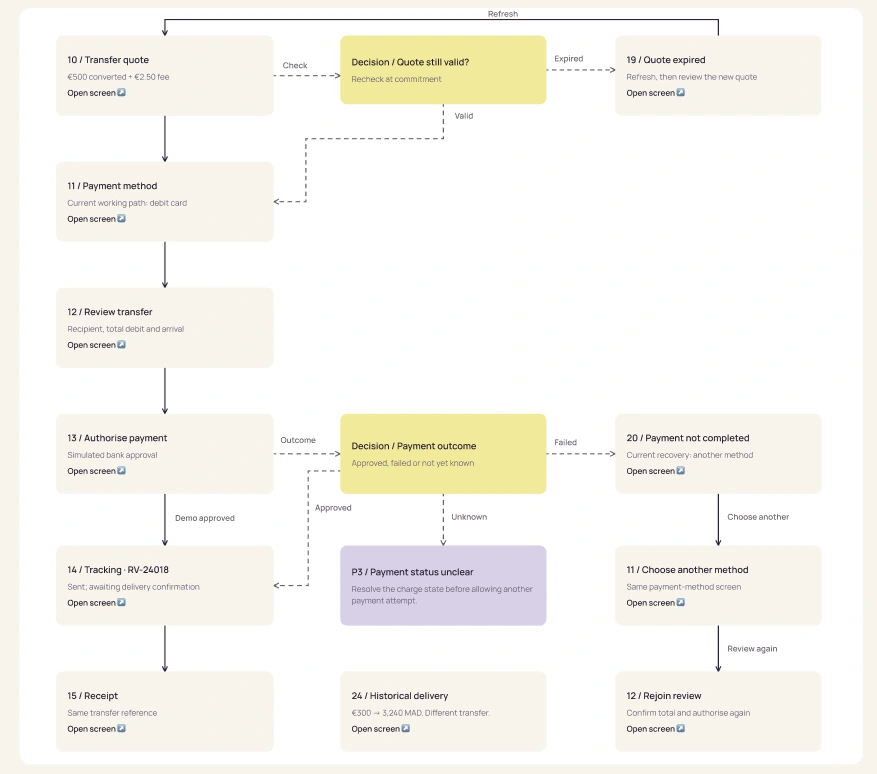
I translate product requirements into an information architecture, journey map and branching user flows. These maps cover the main tasks alongside interruptions: pending identity review, invalid recipient details, expired quotes and unsuccessful payments.
UX · Onboarding and recipients flow
UX · Transfer and recovery flow
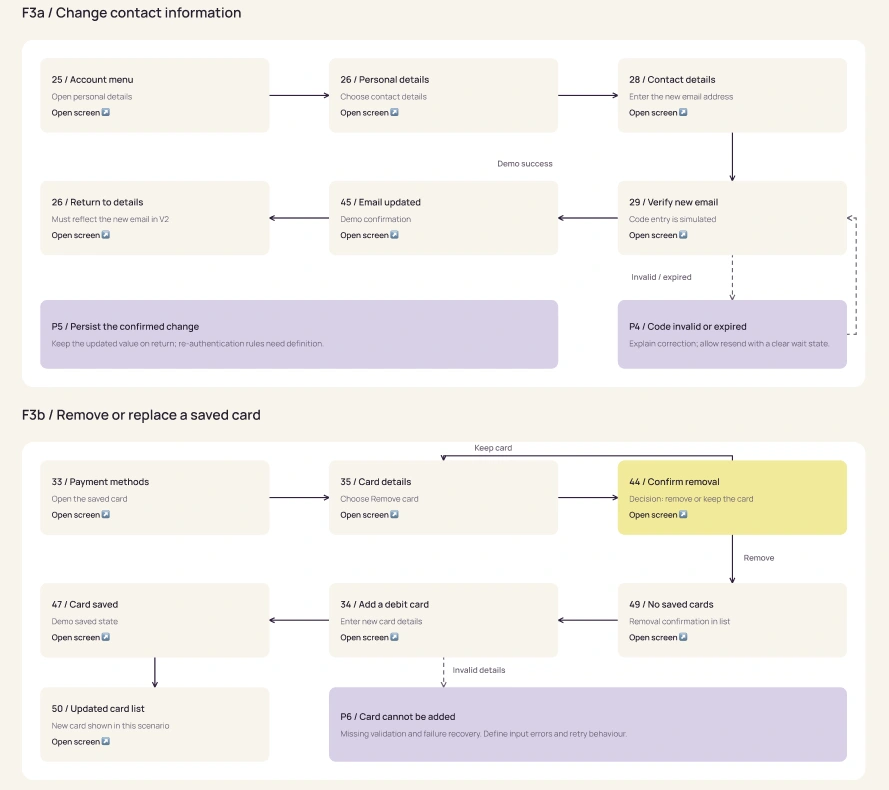
Account management receives the same attention. Personal details, email verification, security, saved cards, preferences and support all need understandable entry points and return paths. Linking the flow diagrams to actual Figma screens makes the reasoning easy to inspect.
UX · Account management flow
5. Design around the information that matters
The mobile experience spans 52 screens, with a consistent approach to typography, spacing, financial information and calls to action.
On the quote and review screens, the converted amount, transfer fee and total charge appear separately. The receiving amount remains prominent. Tracking explains the difference between money being sent and delivery being confirmed. These choices give users the information they need to assess their next action.
App screens Figma
6. Turn the interface into a reusable system
I build the design system alongside the screens, using semantic colour variables, shared typography, reusable components, state variants and Auto Layout.
App design system Figma
Buttons, fields, recipient rows, payment options, status indicators and navigation follow common rules. This makes revisions easier to apply across the product and gives future screens a consistent foundation. Component structure and naming also make the file easier to review and discuss with developers.

Figma components - button / states
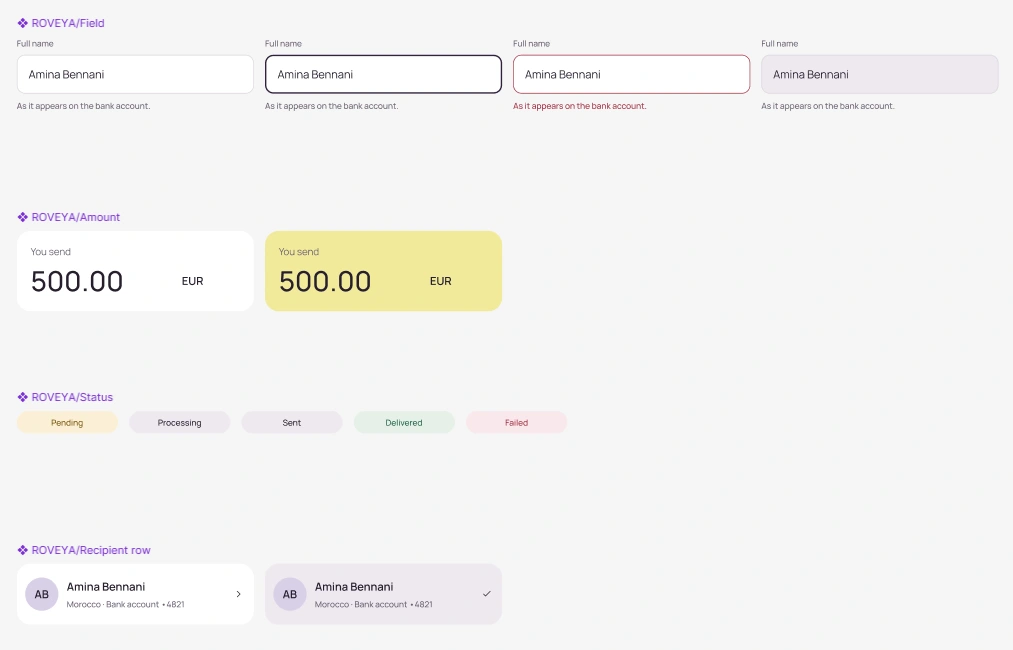
Figma components - Design system

Figma components - navigation bottom menu
7. Connect the prototype and review the whole journey
I use interactive prototypes to examine movement between screens, including confirmations, recovery routes and account settings. Identity checks and payment authorisation are represented as simulated provider handoffs.
Figma app prototype
Prototype flows
The review looks beyond individual screens.
Does support return to the right task?
Can a sender correct a detail before paying?
Do tracking, delivery and receipts refer to the same transaction?
Findings become prioritised changes with explicit acceptance criteria for the next iteration.
8. Prepare validation and present the work clearly
I developed a moderated research plan with six activities covering cost comprehension, verification, recipient errors, payment recovery, tracking and account management. Sessions with real users remain the next step; the plan defines what to observe and how findings should inform revisions.
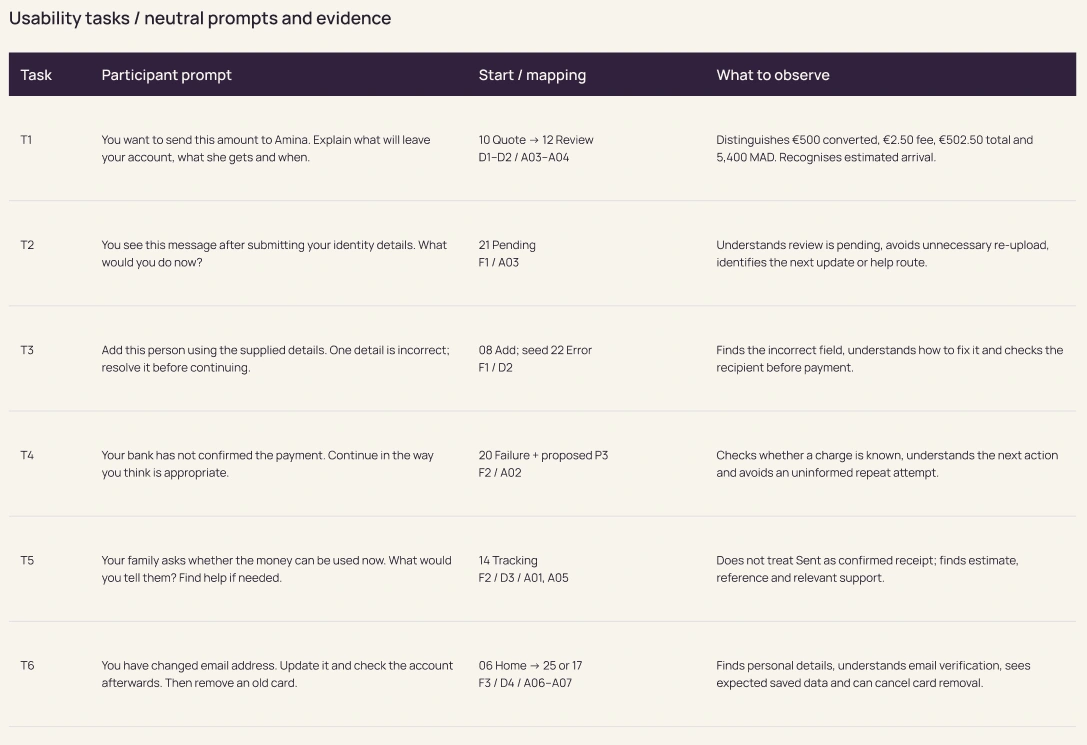
Planned usability study: six tasks and observation criteria to guide the next design iteration.
For the visual presentation, I paired the interface with dark, hand-held phone mockups, using light and material detail to carry the brand into a physical context.
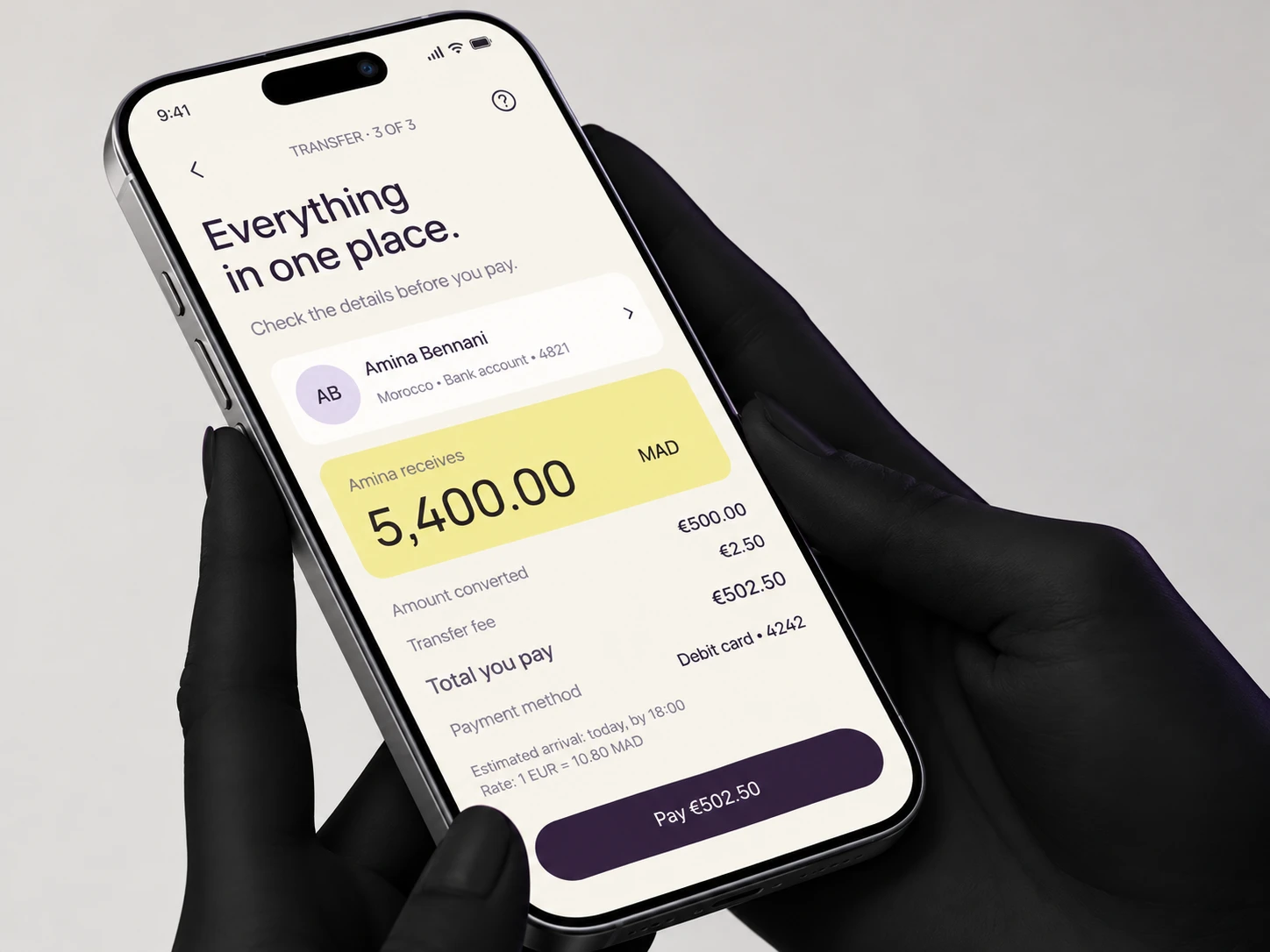
App mockup
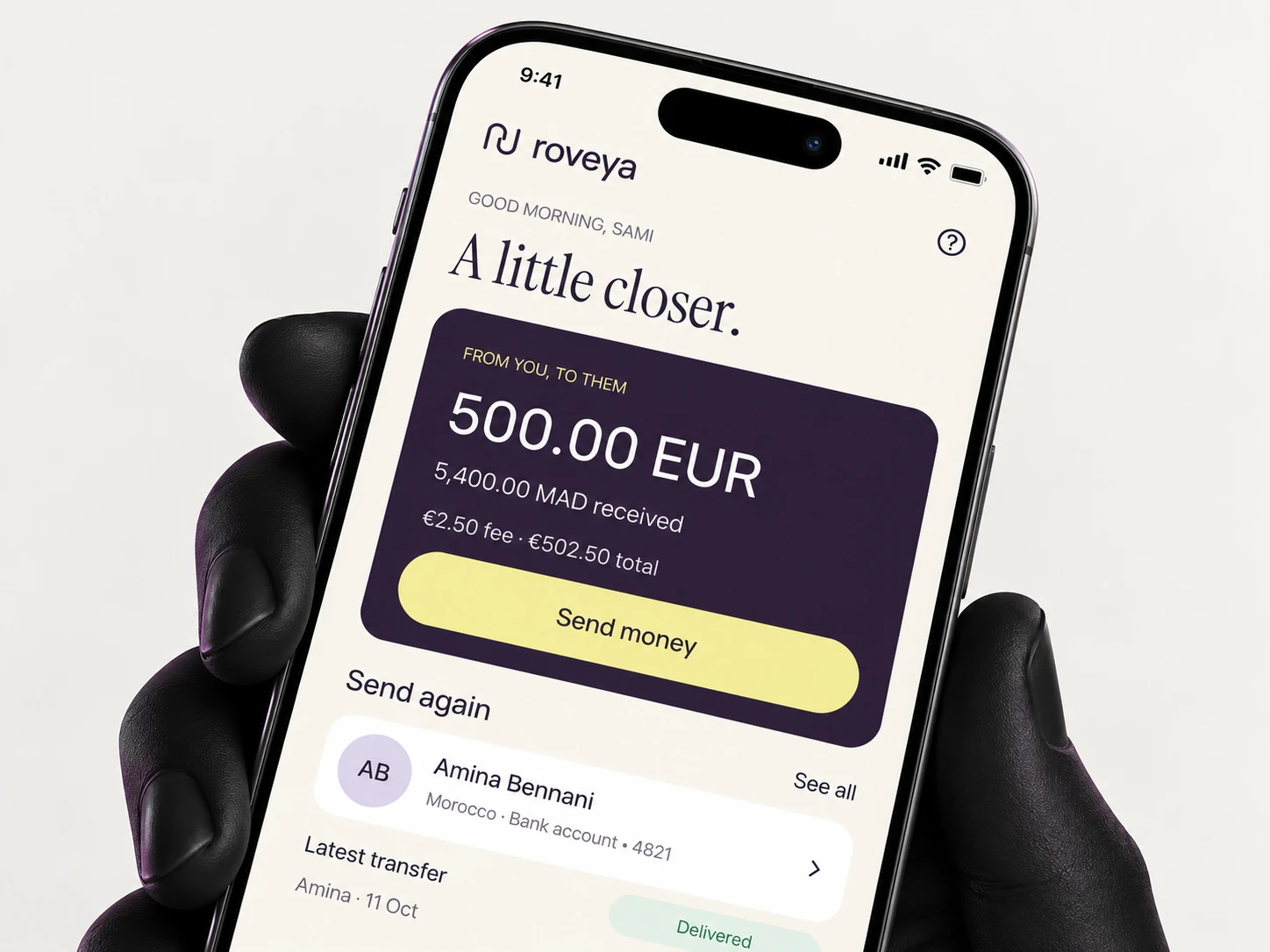
App mockup
The resulting Figma project connects the identity, design system, mobile screens, interactive journeys and UX documentation. It shows how I work from product intent through detailed design, while keeping decisions open to review and validation.
Like this project
Posted Oct 20, 2026
My end-to-end approach to fintech design. Brand identity, UX strategy, a scalable design system and an interactive mobile app prototype in Figma.
Likes
0
Views
3
Timeline
Oct 14, 2026 - Oct 19, 2026