Built with Webflow
Fulfill | Webflow Design & Development

Abigail Garcia


PORTFOLIO CASE STUDY
Live site: Fulfill.com
3PL Matchmaking Marketplace
Webflow Design & Development | CMS Architecture | Scalable Directory System
Client
Fulfill.com (3PL matchmaking marketplace)
Role
Full design & Webflow development, CMS architecture
Overview
Fulfill.com is a digital matchmaking marketplace that connects ecommerce brands with vetted third-party logistics (3PL) providers. Trusted by household names like Liquid Death, HelloFresh, NASA, Patagonia Provisions, RadioShack, The Home Depot, and Longchamp, the platform helps brands skip the time-consuming process of vetting dozens of incompatible fulfillment centres and instead get matched with providers that can actually meet their needs.
I designed and built the entire website in Webflow, handling both the visual design and the full CMS architecture. This is a production-grade SaaS marketing site with hundreds of dynamically generated pages, a searchable 3PL directory with individual provider profiles, in-depth case studies, a resource blog, a logistics glossary, and location- and specialty-based landing pages designed for SEO at scale.
The scope of this project goes well beyond a standard marketing site. The CMS architecture alone required careful planning to support hundreds of interconnected pages that all pull from shared collections, display dynamically filtered content, and remain maintainable for a non-technical team to update without developer involvement.
1. Site Structure & Page Design
A breakdown of every major page and section I designed and built.
Homepage
The homepage is a long-form, conversion-focused page that serves as both a lead generation tool and a showcase of the platform’s credibility. Key sections include:
Hero with inline lead capture form — a questionnaire-style form for brands to submit their fulfillment requirements directly from the homepage.
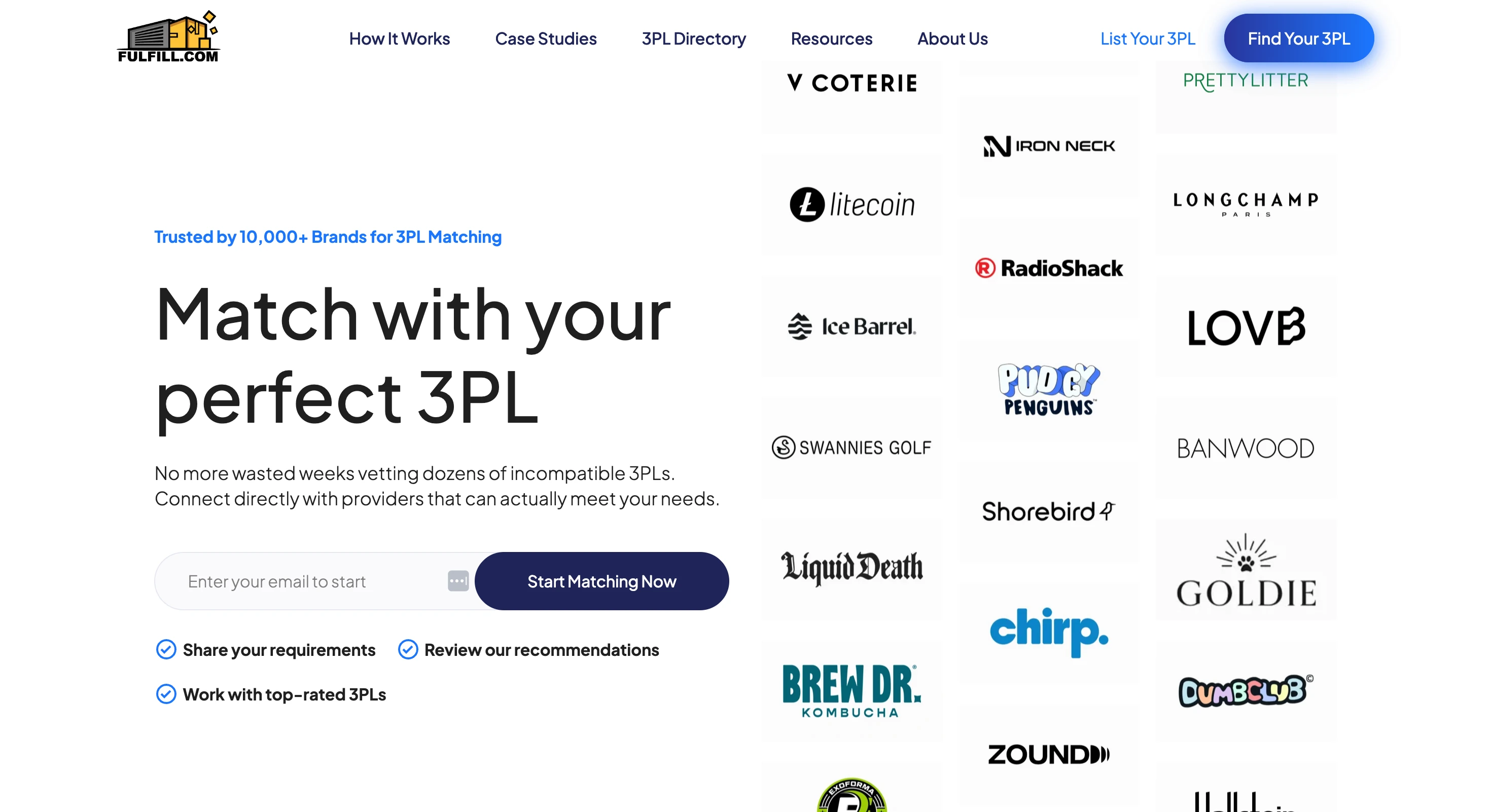
Animated brand logo marquees — two rows of scrolling logos showcasing 50+ trusted client brands, providing immediate social proof.
Explainer video section — an embedded video with custom play/pause controls and a background preview image, demonstrating how the matching process works.
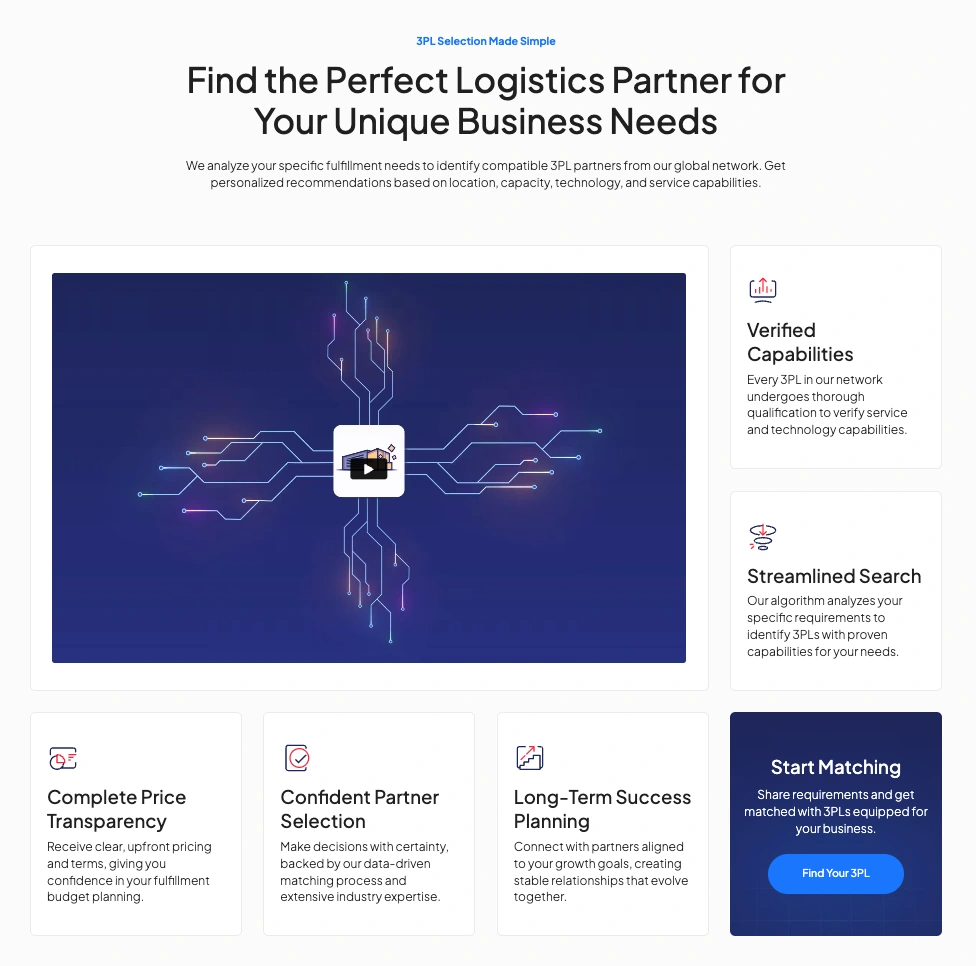
Value proposition cards — six feature cards (Verified Capabilities, Streamlined Search, Complete Price Transparency, Confident Partner Selection, Long-Term Success Planning, Start Matching) with icons and descriptions.
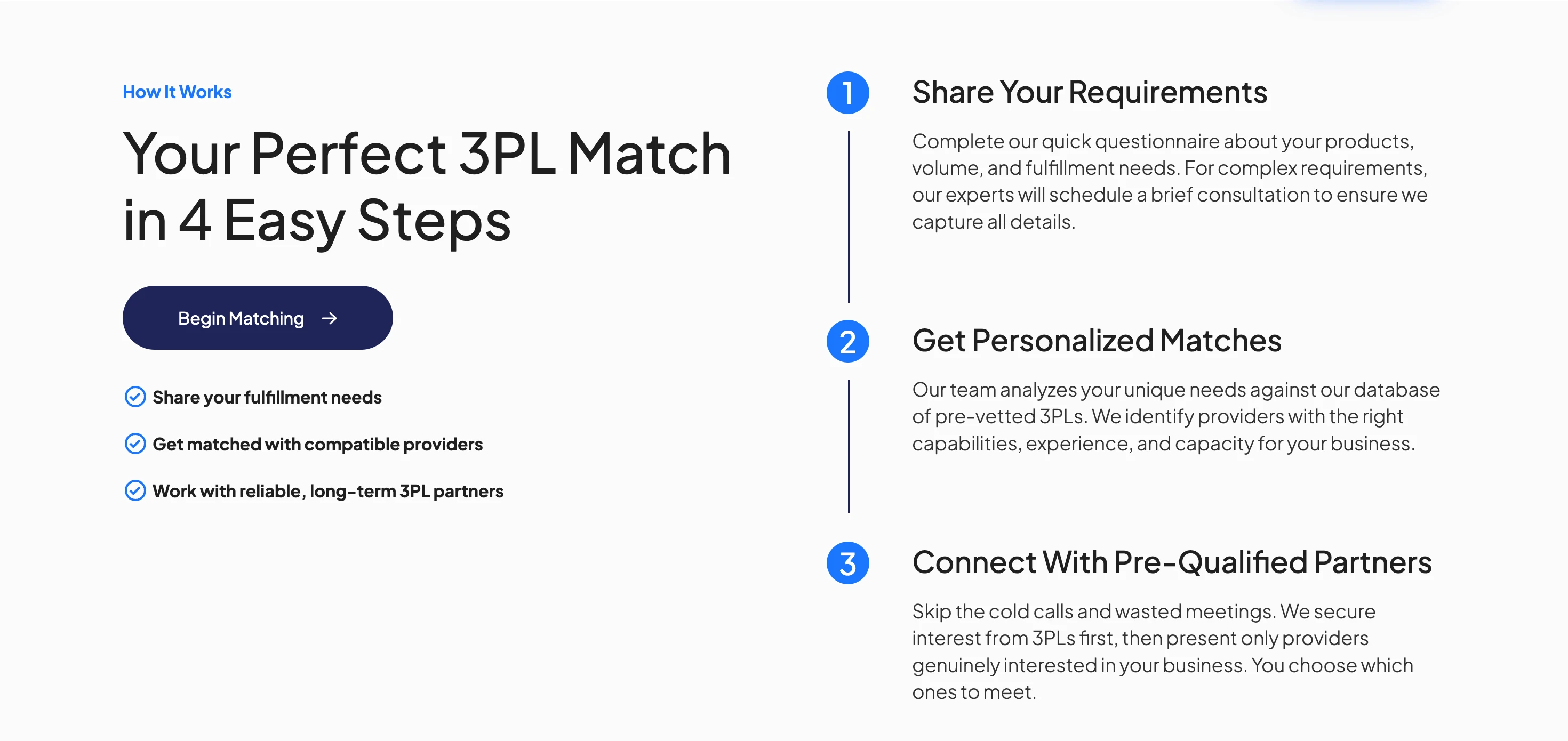
4-step “How It Works” process — a numbered visual flow (Share Requirements → Get Matched → Connect → Select Partner) that guides visitors through the service.
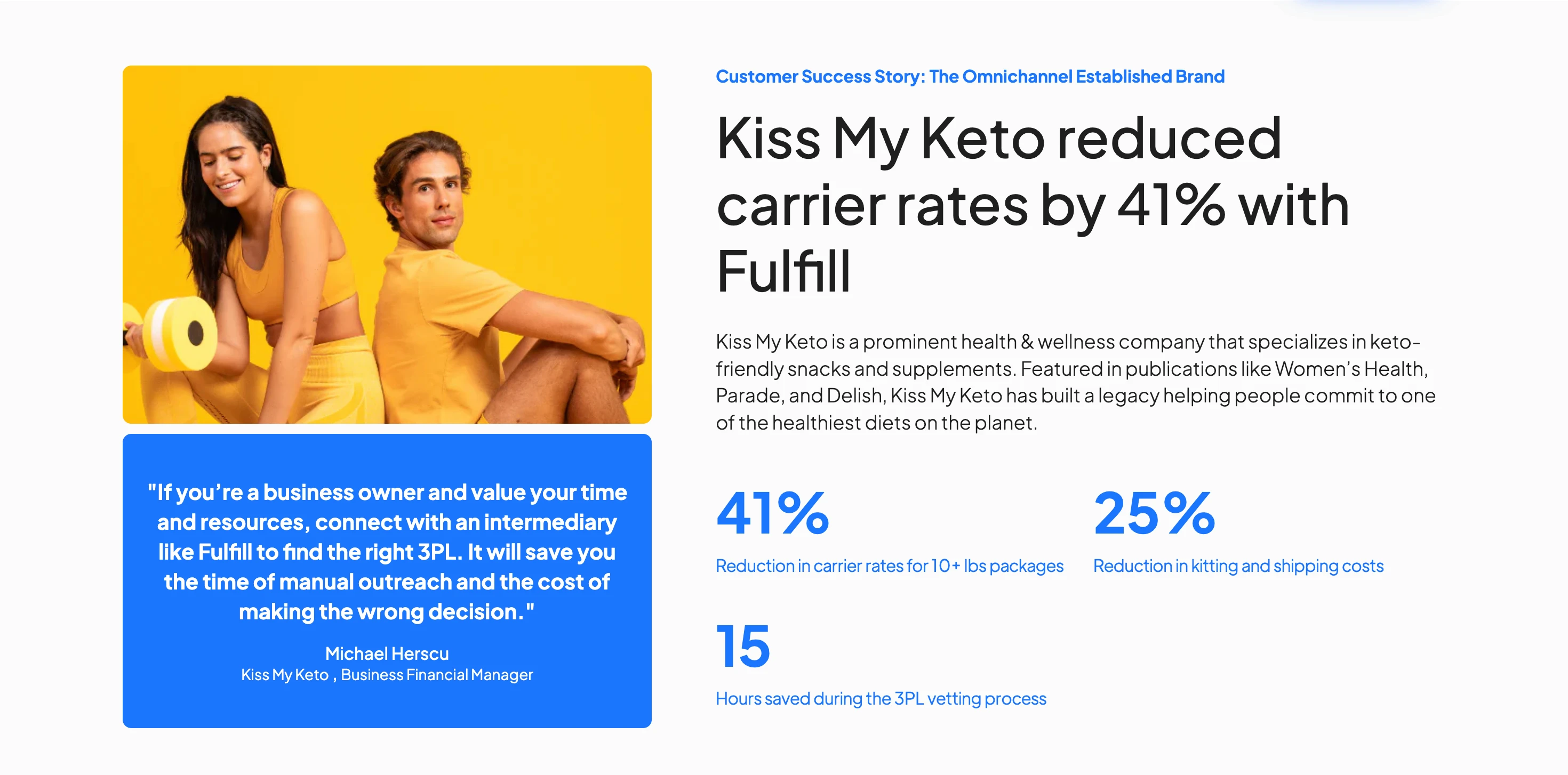
Customer success stories — four featured case studies displayed as testimonial cards with client photos, founder quotes, and real metrics (e.g., “41% reduction in carrier rates,” “15+ hours saved per week”).
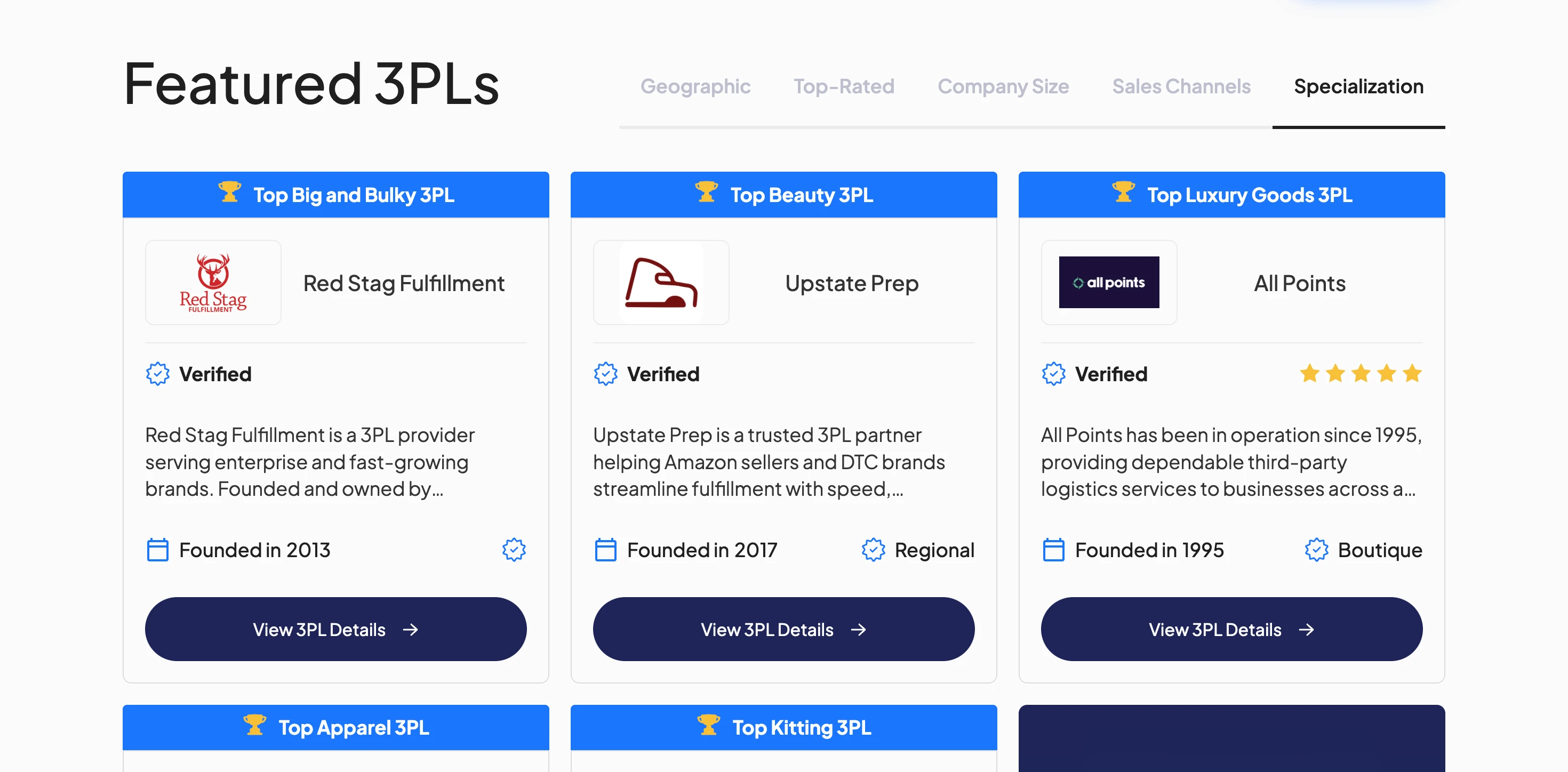
Featured 3PL carousel with tabbed filtering — a dynamic, CMS-powered section where visitors can browse 3PL providers by category: Geographic, Top-Rated, Company Size, Sales Channels, and Specialization. Each tab loads a different set of CMS items.
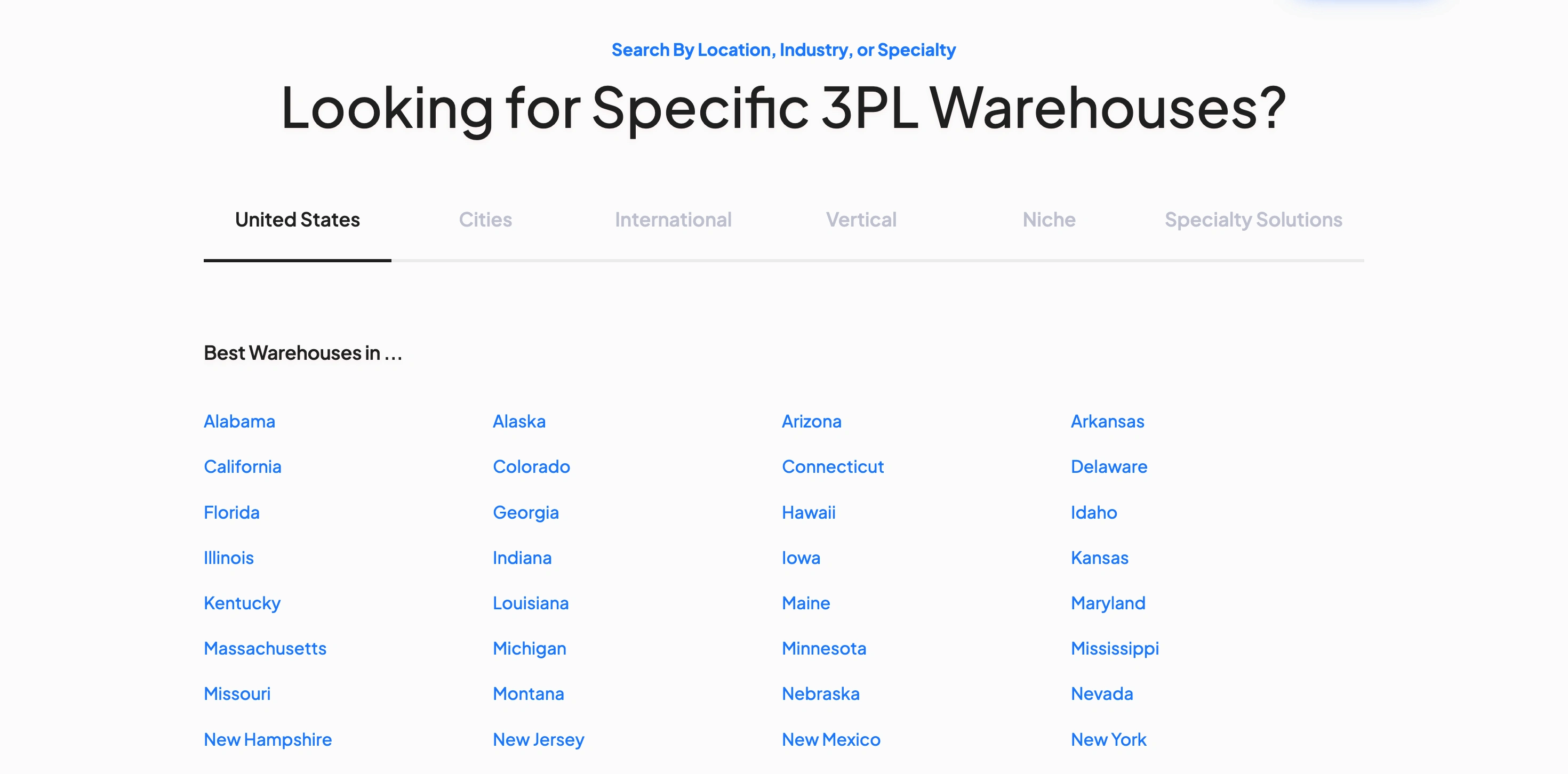
3PL directory search grid — a tabbed navigation system with five tabs (United States, Cities, International, Vertical, Niche, Specialty Solutions) that dynamically loads CMS-powered links to location and specialty landing pages.
Expert Guides section — a curated selection of blog posts displayed as article cards with cover images, read times, and category tags.
FAQ accordion — an expandable section answering common questions about the matchmaking service.
Comprehensive mega-footer — a multi-column footer organised by audience (For Brands, For 3PLs, Company), with links to case studies, industry specialties, featured locations, channel specialties, and resources.
3PL Directory (/3pl)
A searchable, filterable directory listing 800+ 3PL providers. Each listing shows the provider’s logo, company name, verification badge, star rating, review count, company description, founding year, and size tier (Boutique, Mid-Market, Regional, National, Enterprise, 4PL). The directory includes a lead capture form and a CTA to connect with featured providers.
3PL Profile Pages (/3pl/profile/[slug])
Individual CMS-generated pages for each 3PL provider. Based on my research of the live site, each profile page includes: company description, founding year, warehouse locations and square footage, team member bios, platform integrations (Shopify, WooCommerce, Amazon, etc.), shipping carrier partnerships, service capabilities, pricing transparency details, customer reviews and testimonials, a news/updates section, and FAQ. These pages serve as standalone landing pages for each provider in the network.
Case Study Pages (/results/[slug])
In-depth, CMS-driven customer success stories. Each case study follows a consistent structure: client introduction and background, the challenge they faced, how Fulfill matched them with the right 3PL, the results with specific metrics (cost savings, time savings, delivery improvements), and a client testimonial with photo. Current case studies include Turtlebox, Kiss My Keto, Project Ratchet, Elm Dirt, FurMe, and Shield.
Location Landing Pages
CMS-powered landing pages designed for SEO, covering every U.S. state (50 pages at /3pl/location/[state]), 100+ major U.S. cities (at /3pls/[city-state]), 19 international markets (at /3pl/location/[country]), and regional groupings (e.g., US Central, West Coast). Each page dynamically displays relevant 3PLs for that region, includes unique introductory content, and features a lead capture form.
Specialty & Vertical Landing Pages
Additional CMS-powered landing pages organised by industry vertical (Apparel, Beauty, Electronics, Food & Beverage, Home Goods, etc.), niche product categories (Baby Care, Cell Phone Accessories, Collectibles, Pet Supplies, Sports Equipment, etc.), and specialty solutions (Amazon Fulfillment, Cold Chain, Hazmat, Seller Fulfilled Prime, Shopify, Subscription Brands, TikTok Shop, etc.). Each page dynamically filters and displays the relevant 3PL providers.
Additional Pages
How It Works — a step-by-step visual explainer of the matchmaking process.
About Us — company story with a milestone timeline, team bios with headshots and backgrounds, and the company’s founding narrative.
Blog — a CMS-driven content hub with articles, industry guides, and resource pages with category filtering and read time estimates.
Logistics Glossary — a CMS-powered glossary of logistics terminology with individual term pages.
Client Portfolio — a showcase of brands that have used the platform.
3PL Network (for providers) — a page targeting 3PLs who want to join the network, with its own lead flow and testimonials from 3PL partners.
Resource guides — comprehensive long-form pages like “What is a 3PL,” “3PL Pricing Ultimate Guide,” “Ecommerce Fulfillment Guide,” “Top 100 3PL Companies,” and “Section 321 & Mexico Tariffs.”
Contact, Review, and M&A Services pages — additional utility pages with forms and content.
2. CMS Architecture
How I structured and organised the Webflow CMS to power hundreds of dynamic pages from shared, interconnected collections.
The CMS is the backbone of this entire site. Nearly every page beyond the homepage is dynamically generated from CMS collections, and even the homepage itself pulls heavily from multiple collections for the case studies, featured 3PLs, logo marquees, and directory links. The architecture needed to support hundreds of pages while remaining easy for a non-technical team to manage and update.
Core CMS Collections
3PL Providers
The largest collection. Fields include: company name, slug, logo, description, founding year, size tier (Boutique/Mid-Market/Regional/National/Enterprise/4PL), verification status, star rating, review data, warehouse locations, square footage, team members, platform integrations, carrier partnerships, capabilities, pricing info, customer reviews, news items, and FAQ entries. Powers the directory, profile pages, featured carousel, and all filtered views.
Case Studies
Client name, slug, company logo, client photo, founder name and title, testimonial quote, challenge description, solution narrative, and multiple metric fields (number + label pairs). Powers the case study pages and the homepage testimonial section.
Locations
Location name, slug, type (State/City/Country/Region), associated 3PL providers, introductory copy, and SEO metadata. Powers all 170+ location landing pages and the homepage directory tabs.
Specialties
Specialty name, slug, category type (Vertical/Niche/Specialty Solution/Channel), associated 3PL providers, description, and SEO content. Powers all specialty and vertical landing pages.
Blog Posts
Title, slug, author, publish date, category, cover image, read time, body content (rich text), and related posts. Powers the blog listing and individual article pages.
Glossary Terms
Term name, slug, definition, and related terms. Powers the logistics glossary.
Client Logos
Brand name, logo image, and optional URL. Powers the scrolling brand marquee on the homepage.
Team Members
Name, role, headshot, bio, and social links. Powers the About Us page.
CMS Design Decisions
Multi-reference relationships: The 3PL Providers collection connects to Locations and Specialties via multi-reference fields, allowing a single provider to appear on multiple location and specialty pages without duplicating content. This means adding a new provider to the Texas page is as simple as tagging them with the Texas location reference.
Consistent case study structure: Each case study uses a repeatable CMS template with dedicated fields for metrics (number + label), so every case study renders with the same visual structure regardless of content length. This ensures brand consistency across all customer stories.
SEO-first location pages: Each location and specialty page includes unique introductory text, FAQ content, and meta descriptions stored in the CMS. This prevents thin or duplicate content across the 200+ landing pages, supporting the site’s SEO strategy.
Tiered provider classification: The size tier system (Boutique, Mid-Market, Regional, National, Enterprise, 4PL) is stored as a CMS option field, allowing the featured 3PL carousel on the homepage to filter providers by company size through different tabs.
Scalable without developer involvement: The entire CMS was designed so that the Fulfill team can add new 3PL providers, publish new case studies, create new location pages, and post blog articles without touching the Webflow Designer. Content changes go live through the CMS Editor alone.
3. Key Challenges & Decisions
The most complex parts of the build and how I approached them.
Challenge: Scaling the 3PL Directory to 800+ Providers
The problem: The directory needed to display hundreds of 3PL providers, each with detailed profiles, while remaining fast, filterable, and visually consistent. Webflow’s CMS has a 10,000-item limit per collection but imposes practical constraints around collection list pagination, loading performance, and the complexity of filtered views.
The solution: I structured the 3PL Providers collection with carefully chosen field types to support multiple display contexts: the directory listing (which needs a compact card view), the profile page (which needs the full detail set), and the homepage carousel (which needs a curated subset). Each 3PL card on the directory renders from the same collection but displays different field subsets depending on the page context. The tabbed filtering on the homepage uses conditional visibility and CMS filtering to show providers by category without requiring separate collections.
Why this was hard: Webflow’s native CMS filtering has limitations. You can’t easily build a single collection list that switches between completely different filter criteria on tab click. The tabbed 3PL section on the homepage required creative structuring — using multiple collection lists with different filter settings, each bound to a tab panel, so that switching tabs reveals a completely different filtered set of providers. This approach multiplied the number of collection lists on the page but was necessary to achieve the behaviour.
Challenge: Case Study Template System
The problem: Each case study needed to tell a unique story (different brands, different challenges, different 3PL outcomes) while maintaining a consistent visual structure with metric highlight cards, testimonial formatting, and a narrative arc. The content varies significantly — Turtlebox is about geographic expansion, Kiss My Keto is about cost reduction, FurMe is about cross-border logistics — but they all need to look like they belong to the same brand.
The solution: I designed a CMS template with dedicated fields for each structural element: hero section with client logo and headline, metric cards (up to four, each with a number field and a label field), challenge and solution sections as rich text, testimonial quote with attribution fields, and a CTA section. This means every case study is built by filling in fields — not by designing a new page layout each time.
Why this was hard: The metric cards were the trickiest part. Each case study has a different number of metrics (some have three, some have four), and each metric has a different unit type (percentages, hours, dollar amounts, days). The CMS fields needed to be flexible enough to handle “41%” and “$4.00” and “15+” all in the same template position, while rendering them consistently in large, bold numbers alongside their descriptive labels.
Challenge: 200+ SEO Landing Pages from CMS
The problem: The site needed unique landing pages for every U.S. state (50), 100+ cities, 19 countries, industry verticals, niche categories, and specialty solutions — each displaying a dynamically filtered list of relevant 3PLs. These pages are critical for SEO (people search for “3PL companies in Texas” or “best Shopify 3PL”) but would be unmaintainable if built as static pages.
The solution: I created CMS collections for Locations and Specialties, each with CMS template pages that pull in the relevant 3PL providers through multi-reference fields. Each landing page has its own unique introductory copy, FAQ content, and SEO metadata stored directly in the CMS, preventing duplicate or thin content issues across the 200+ pages.
Why this was hard: The challenge was designing a single CMS template layout that works for wildly different page types: a state page might list 30 providers; a city page might list 5; a niche category might list 15. The template needed to handle variable content lengths, different numbers of providers, and different amounts of supporting text — all while looking intentional and well-designed. Conditional visibility rules and careful layout structuring made this work.
Challenge: Homepage Featured 3PL Carousel with Tabbed Filtering
The problem: The homepage needed to showcase featured 3PLs with the ability to filter by multiple categories (Geographic, Top-Rated, Company Size, Sales Channels, Specialization). Each tab needs to show a completely different set of providers — not just re-sort the same list.
The solution: I built this using Webflow’s native tabs component combined with separate CMS collection lists inside each tab panel, each with its own filter criteria. This approach ensures that clicking “Beauty” shows only beauty-specialised 3PLs, while clicking “Texas” shows only Texas-based providers, without any custom code.
Trade-off: Using multiple collection lists (one per tab) increases the number of CMS queries on the homepage, which can affect initial load time. This was an acceptable trade-off given that the visual and UX benefit of real tabbed filtering is significant for converting visitors who are browsing by specific criteria.
4. Design Approach
Visual design decisions and the reasoning behind them.
The design uses a clean, professional aesthetic that balances trust and approachability — appropriate for a B2B marketplace where both ecommerce brands and logistics providers need to feel confident in the platform. Key design elements include:
Dark navy and white colour palette with subtle blue gradients, conveying reliability and professionalism while staying modern.
Animated brand logo marquees (two rows, continuous scroll) that immediately establish credibility through recognisable brand partnerships.
Large bold metric numbers across case studies and the homepage stats section, providing scannable social proof.
Consistent card system used for 3PL listings, case studies, blog posts, and value propositions — creating visual cohesion across all page types.
Custom video section with play/pause controls and preview image, avoiding the default Webflow video embed look.
Verification badges and star ratings on 3PL cards, providing visual trust signals that reinforce the “vetted network” positioning.
Tabbed navigation patterns used consistently (homepage featured 3PLs, directory search) to organise large amounts of content without overwhelming the page.
Dual-audience design — the site serves both brands (seeking 3PLs) and 3PL providers (wanting to join the network), with separate navigation paths, CTAs, and page sections for each audience.
5. Scale of the Build
A summary of the total scope and volume of this Webflow project.
3PL provider profiles: 800+
U.S. state landing pages: 50
U.S. city landing pages: 100+
International market pages: 19
Specialty/vertical landing pages: 40+
Case studies: 6+
Blog posts & resource guides: Ongoing (CMS-managed)
Glossary terms: CMS-managed
CMS collections: 8+
Total dynamically generated pages: Hundreds
Every page beyond the core marketing pages is CMS-generated. The architecture was designed so that the Fulfill team can add new providers, publish new case studies, create new location pages, and post new content without any developer involvement. The site continues to grow through CMS updates alone.
Summary
The Fulfill.com build demonstrates the kind of Webflow project that goes far beyond a standard marketing site. The key accomplishments include:
Enterprise-scale CMS architecture with 8+ interconnected collections powering hundreds of dynamically generated pages, from 3PL profiles to location landing pages to case studies.
SEO-first directory system with 200+ unique landing pages targeting specific locations, verticals, and specialties — each with unique content stored in the CMS to avoid thin content penalties.
Dual-audience design serving both ecommerce brands and 3PL providers with separate user journeys, CTAs, and content paths within a single cohesive site.
Repeatable case study system with a CMS template that ensures visual consistency across all customer stories while allowing for unique content and metrics per client.
Creative problem-solving for Webflow’s native limitations, particularly around tabbed CMS filtering, variable-length template pages, and multi-context collection display.
Zero-developer maintenance — the entire site is manageable through Webflow’s CMS Editor, allowing the Fulfill team to scale content independently.
Built by Abby | Webflow Design, Development & CMS Architecture
Like this project
Posted Aug 28, 2024
I designed and built the entire website in Webflow, handling both the visual design and the CMS architecture. This is a production-grade SaaS marketing site.