Aiva Backend Development for AI Virtual Assistant

Md Aabid Hussain


Aiva Backend - README
📌 Overview
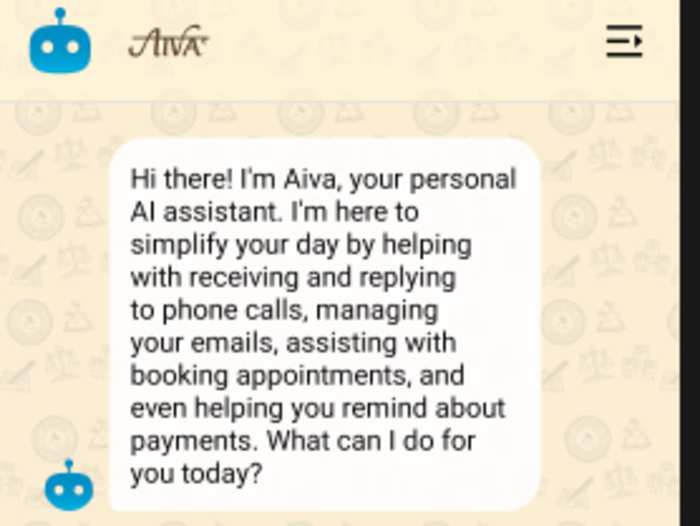
The Aiva Backend powers the AI virtual assistant functionality for the Aiva mobile app. It is built with Node.js and designed to interact with users intelligently through natural language, summarization, reminders, and email-based interactions.
This backend acts as an AI agent using the Gemini model, deployed on a DigitalOcean VPS, and provides secure API endpoints for chat interaction, content summarization, reminder scheduling, and smart email replies.
🧠 Core Capabilities
🤖 AI-Powered Chat Agent
Integrates with Gemini to engage in natural human conversations
Used by the mobile client (React Native app) to simulate intelligent dialogue
📩 Email Monitoring & Smart Reply
Monitors a designated email inbox
Uses Gemini AI to analyze incoming emails and automatically generate context-aware replies
📝 Summarization Services
Text Summarization: Compress long user input into concise summaries
File Summarization: Handles uploaded
.txt, .pdf, .jpeg, .png filesImage Summarization: Converts image content (OCR or direct description) into textual summaries
⏰ Smart Reminders
Schedule reminders via chat
Stores reminders in the database with cron-job-based execution (or background task processor)
⚙️ Tech Stack
Node.js + Express (REST API)
MongoDB (Mongoose for data modeling)
JWT for secure API auth
Firebase Admin SDK (for auth & push notifications)
Multer for file uploads
Gemini (LLM API) integration for AI tasks
📁 Folder Structure
🔐 Environment Variables (.env)
.env)🚀 Getting Started
1. Install dependencies
2. Run the server
3. Test API endpoints
Use tools like Postman or Insomnia to test endpoints like:
POST /api/chat/interactPOST /api/summarize/textPOST /api/summarize/filePOST /api/reminderGET /api/email/monitor🌐 Deployment
Hosted on a DigitalOcean droplet (Ubuntu server)
PM2 used for process management
Nginx used as a reverse proxy
🤝 Contributions
This is a closed-source project for now. For collaboration or inquiries, contact the author below.
👤 Author
Md Aabid Hussain GitHub: github.com/aabidhussain
Like this project
Posted Jul 16, 2025
Developed AI backend for Aiva app using Node.js and Gemini model.
Likes
0
Views
7
Timeline
Jun 4, 2025 - Jul 23, 2025
Clients
Aiva