dayboard: A Simple Task Manager for My Phone

Niko Minadze


I wanted something simpler on my phone
I wanted a task manager I could open on my phone and get on with my day.
Paying for an existing app would have been fine. ClickUp, Notion and similar tools just felt overly complicated for what I needed. I wanted somewhere to put today's work, decide what came first, and move things around when the day changed.
So I built dayboard, a private task manager that installs on my phone as a progressive web app.
The challenge
I wanted the app to handle the ordinary changes in a working day: unfinished tasks, new priorities and useful work that hadn't been on the list. Those things needed somewhere to go without making the daily queue difficult to read.
What I built
The starting point was Today, Tomorrow and Backlog. Add a task, give it a priority, and put it where it belongs. An optional client or project label gives it some context without making me set up a whole workspace first.
The queue is manually ranked. I can drag tasks into the order I want, including between lists, and use the handles on a touchscreen. The app keeps that order, so the first thing I see is the work I've decided matters most.
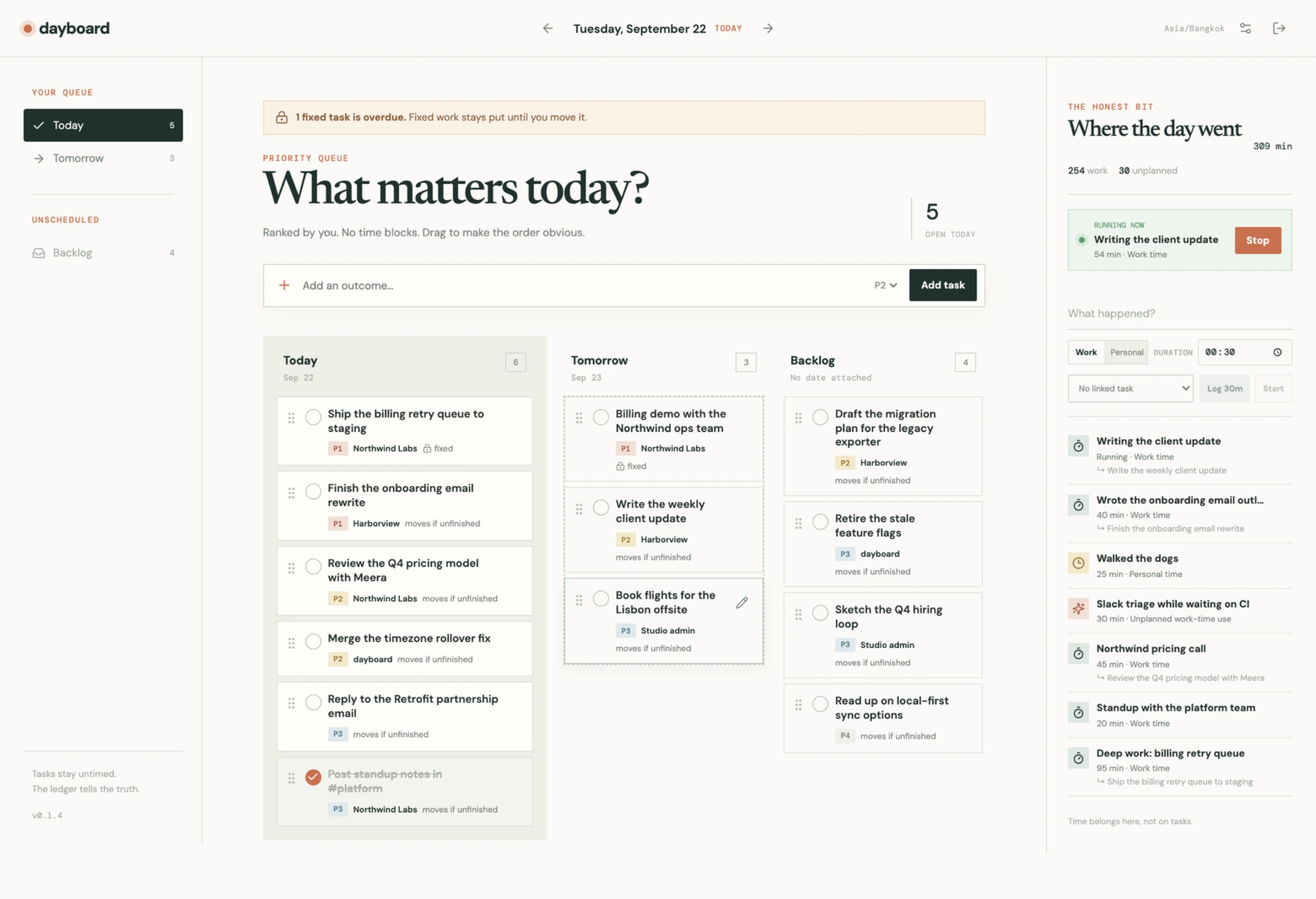
Today, Tomorrow and Backlog beside a separate record of what happened during the day.
How it works
The main decision was keeping tasks and time separate.
A task describes something I want to finish: write a client update, review a proposal, ship a fix. Adding one doesn't require a duration estimate or a reserved hour on a calendar.
Time goes into an activity log. I can enter what happened afterwards or use a start/stop timer. An activity can link to a task, but that link is optional. Work, personal time and unplanned things that happen during work each have a place.
That lets me record forty minutes spent drafting an email even if the email isn't finished. A call or a walk with the dogs can go into the log too, without creating a task just to account for it. I wanted a useful record of an ordinary day, including the parts I hadn't planned.

The task list holds the plan. The activity log leaves room for the day that actually happened.
Unfinished tasks needed a little thought. Some can wait until tomorrow. Others were planned for a particular date, and I want to know when that date has passed.
Each task can be movable or fixed. Unfinished movable work rolls forward when I next open the app on a new local day. Fixed tasks stay on their planned date and trigger an overdue warning. The original planned date is retained, so postponing something doesn't erase that history.
A real deadline is a separate field from the day I hoped to work on the task. I can change my plan without changing when the work is actually due.
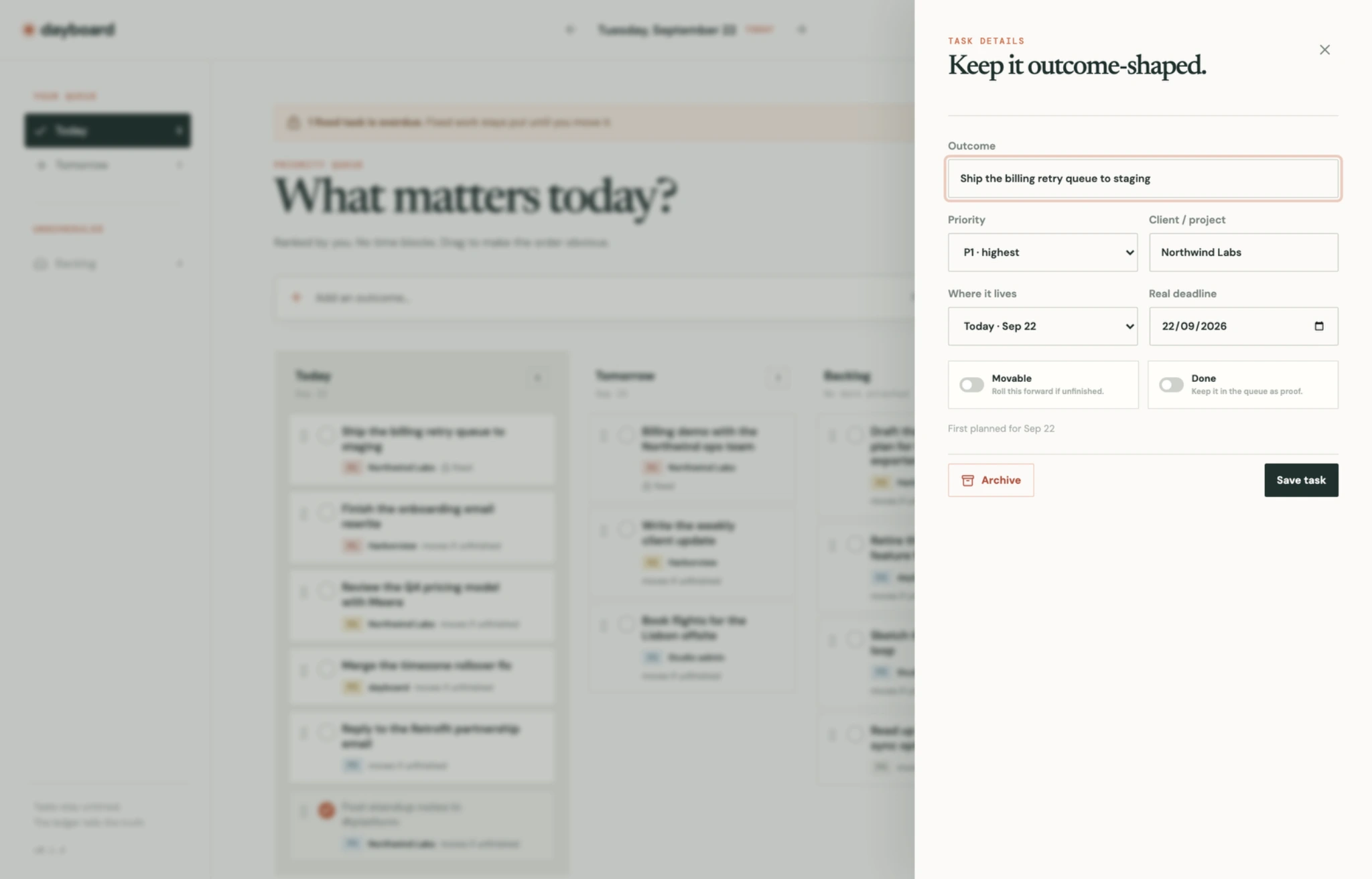
The planned day, actual deadline and rollover choice are separate decisions.
Result and scope
I built the interface with React, TypeScript and Vite, with a Fastify API and PostgreSQL behind it. Docker Compose runs the application. It has one account, its own sign-in and a configurable timezone that controls the day boundary.
The smaller details received attention too. Later releases corrected the order when dragging tasks down a list, prevented unwanted mobile zoom when focusing form controls, and made stopping an activity safe when a request is delayed or repeated.
dayboard gives me the format I was looking for: a queue I can rearrange on my phone, enough context to recognise each task, and somewhere to record what happened along the way.
More of my work: nikocodes.com.
Like this project
Posted Sep 22, 2026
A private task manager I built for my phone, with a ranked daily queue, sensible rollover rules and a separate record of where my time went.