HueFrame - turning photos into usable website themes

Niko Minadze


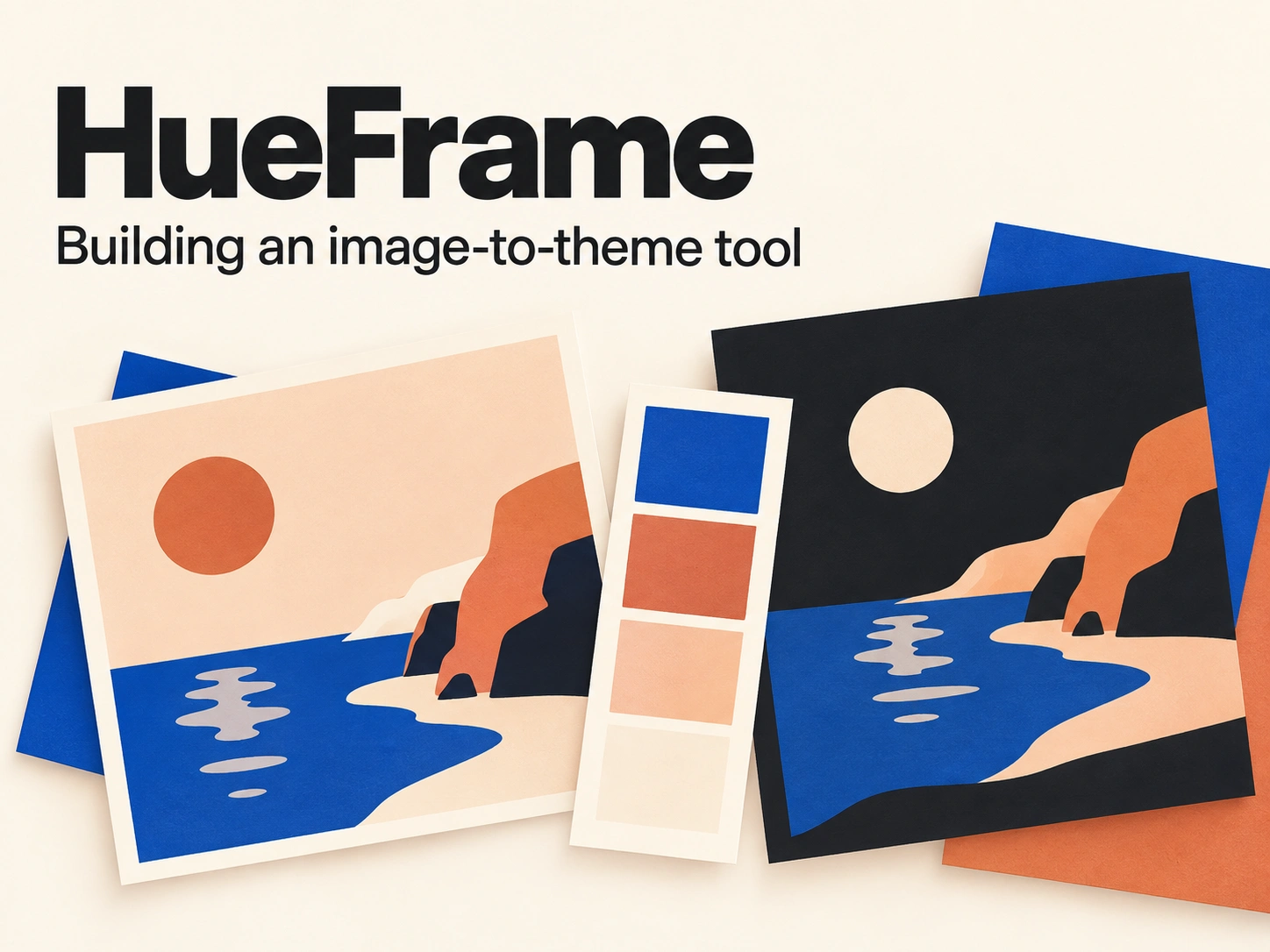
A palette still needs a job
I built HueFrame around a small frustration: a handful of attractive colors does not tell me how to use them on a website. A photo might give me a lovely green, a warm cream and a bright orange. It still leaves me deciding which belongs behind the text, which should fill a button and what happens when I switch to dark mode.
I wanted to make those decisions visible. HueFrame takes a photo, extracts its colors and turns them into a theme with specific roles: background, surface, text, primary and accent. I can see the result on a page, adjust it and take the colors into my own project as CSS variables or JSON design tokens.
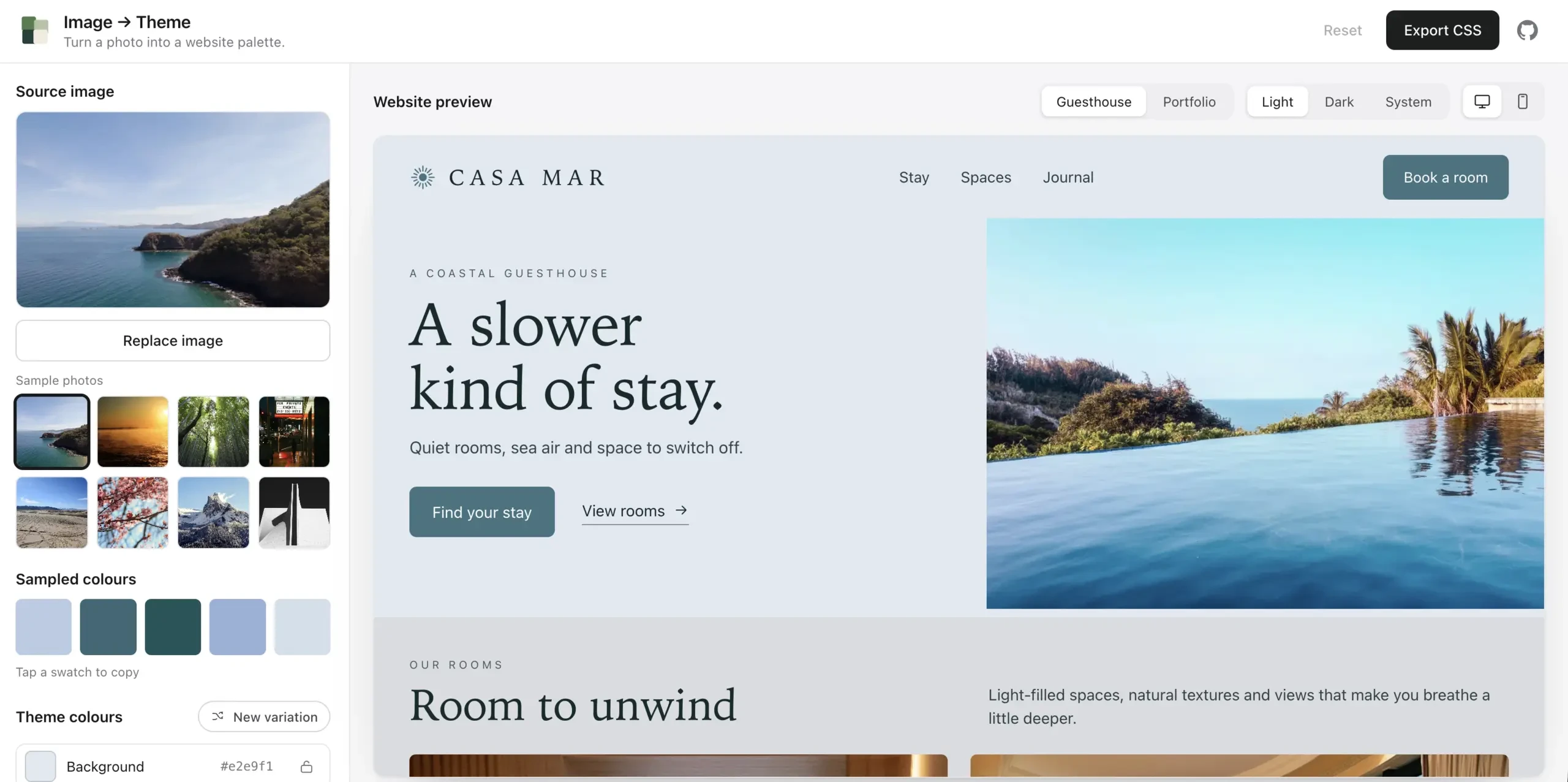
A photo becomes a working page theme, with the source palette and editable color roles alongside the preview.
Keeping the comparison useful
I made two example pages, a guesthouse and a portfolio. Their layout, copy and photography stay fixed while the theme changes. The uploaded image supplies the colors; it does not replace the page content. That makes the before-and-after easier to judge, whether the source is a landscape, a logo or something less predictable.
The editor stays neutral, too. I wanted the changing page to be the thing that catches the eye. Light, dark and system modes sit alongside desktop and mobile previews, so I can check the same choices in different contexts without leaving the tool. The mobile preview changes the page layout rather than simply shrinking a desktop screenshot.
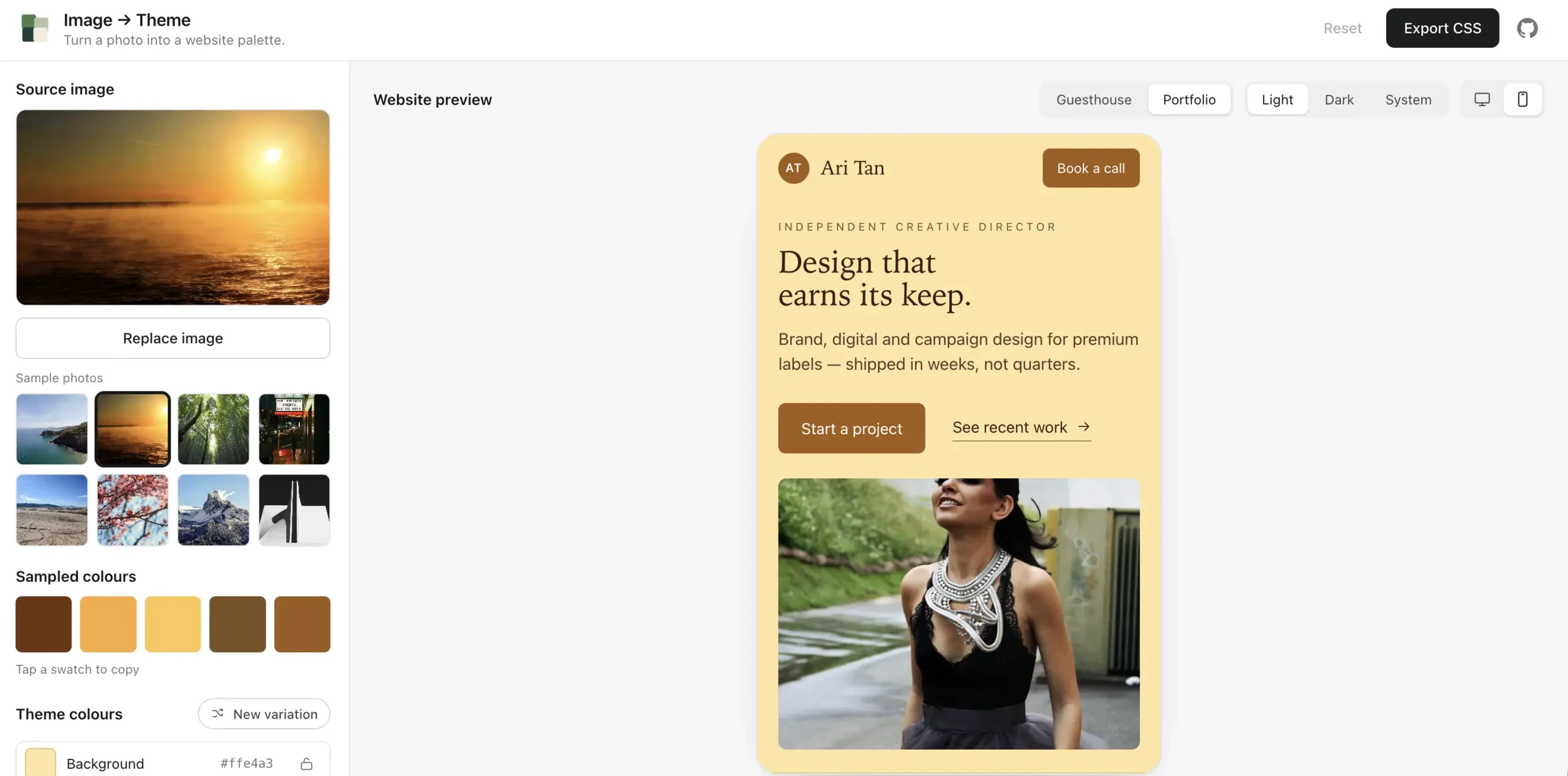
The portfolio keeps its content and layout while HueFrame applies another set of colors.
Giving people room to disagree
Extracting colors is only the starting point. The theme generation adjusts lightness and color intensity with contrast in mind, and calculates text colors for primary and accent buttons. I also included a contrast report so the result can be inspected instead of judged only by appearance.
I did not want generation to become a take-it-or-leave-it decision. Each role can be edited with a color control or a hex value. A lock keeps a chosen color in place while a new variation changes the other roles around it. An unlocked manual edit can be replaced by the next variation, so locking is an explicit way to say, “keep this part.”
Those controls matter when a project already has a primary color or when the first result is close but not quite right. The aim is a useful starting point with room for judgment. The contrast report checks color pairs; it does not establish that an entire website is accessible, and edited themes still need checking in their final context.
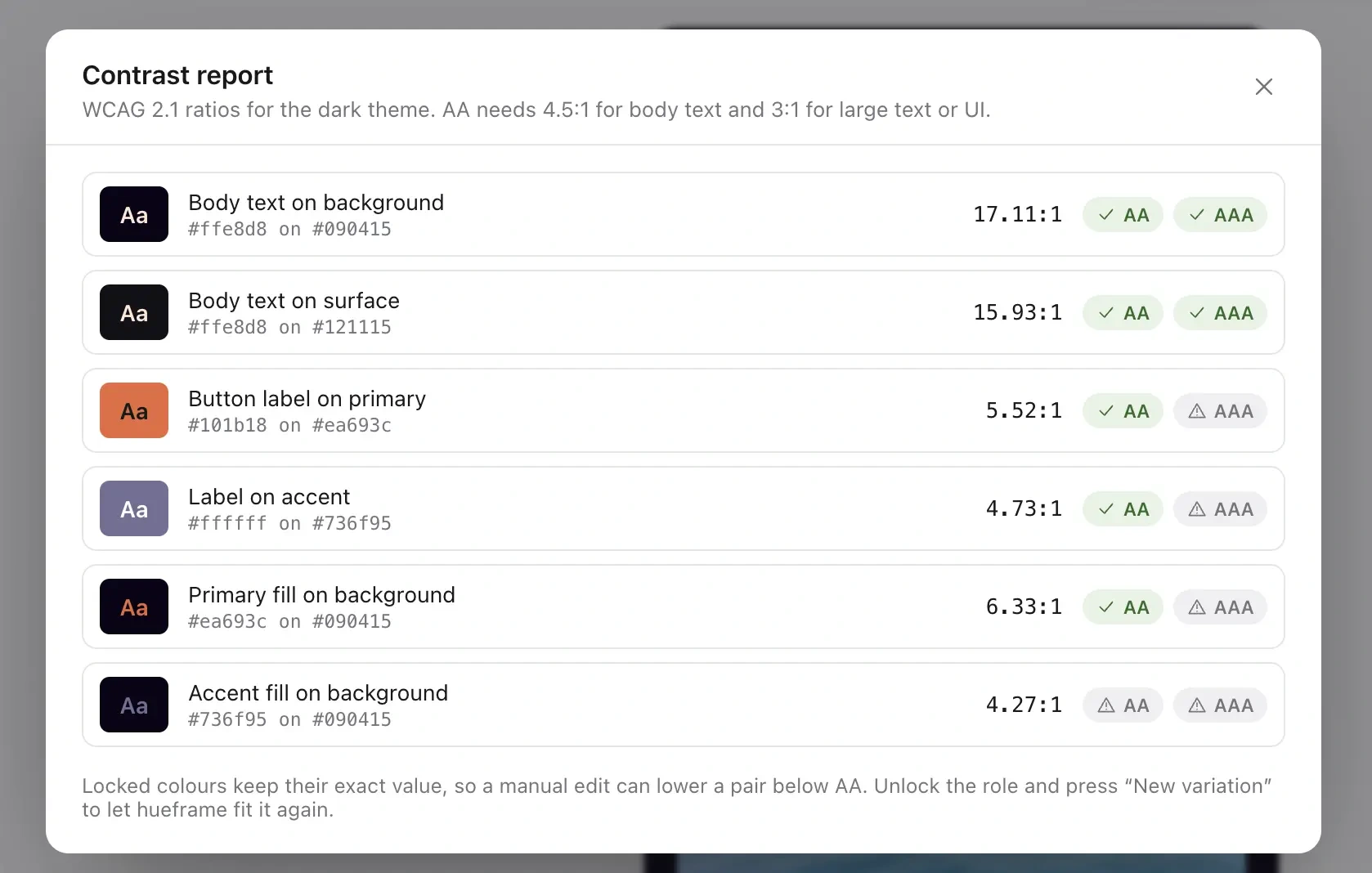
The contrast report makes the theme's color relationships available for review.
Making the interaction dependable
I built the playground with Next.js and TypeScript, and kept the theme logic in a separate package that works in browsers or Node.js without runtime dependencies. That separation lets someone use the generator in their own theme picker without adopting the demo application.
Image processing happens in the browser, so the uploaded photo stays local. I moved palette extraction into a Web Worker to keep the interface responsive while it samples an image. I also fixed the case where an earlier image request could finish late and replace a newer selection: superseded requests are cancelled and stale updates are discarded. Export is disabled while a new image is loading, so it stays tied to a completed result.
The finished tool connects the parts I wanted in one place: source image, editable roles, a believable preview and an export I can actually use. Light and dark themes leave together as CSS variables or JSON tokens. HueFrame is available as an open-source package and a live playground.
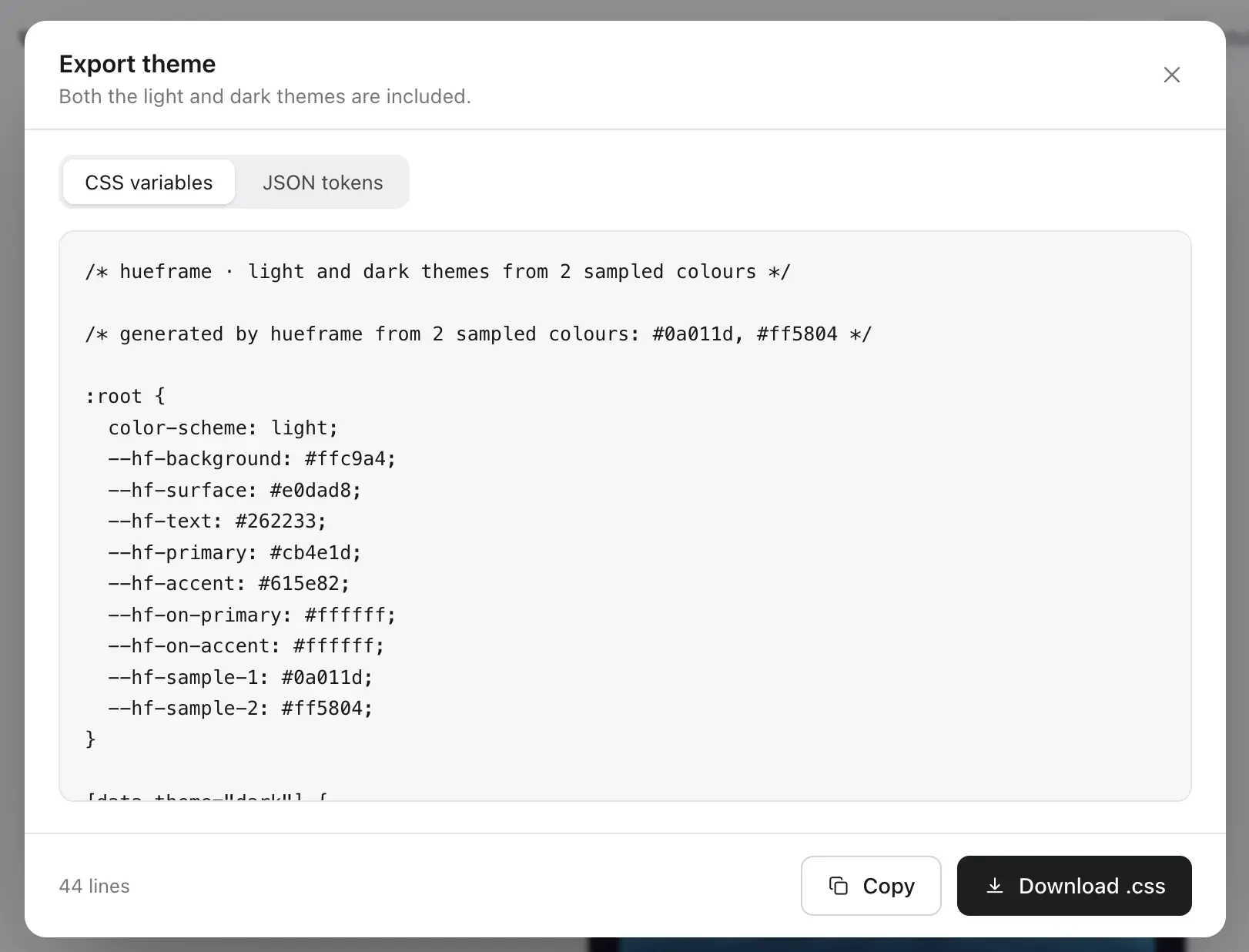
CSS export carries the chosen theme into a project after the preview and adjustments are complete.
Like this project
Posted Sep 20, 2026
I built a photo-to-theme tool that lets you edit real color roles, preview light and dark pages, and export CSS or JSON.