Take Two - Video Feedback That Stays with the Cut

Niko Minadze


“Looks good” is useful feedback. Knowing which version looked good is even more useful.
I designed and built Take Two, a video review app that keeps comments, requested changes and approval connected to the cut they concern. It is an independent project covering the interface, frontend development and the review logic underneath.
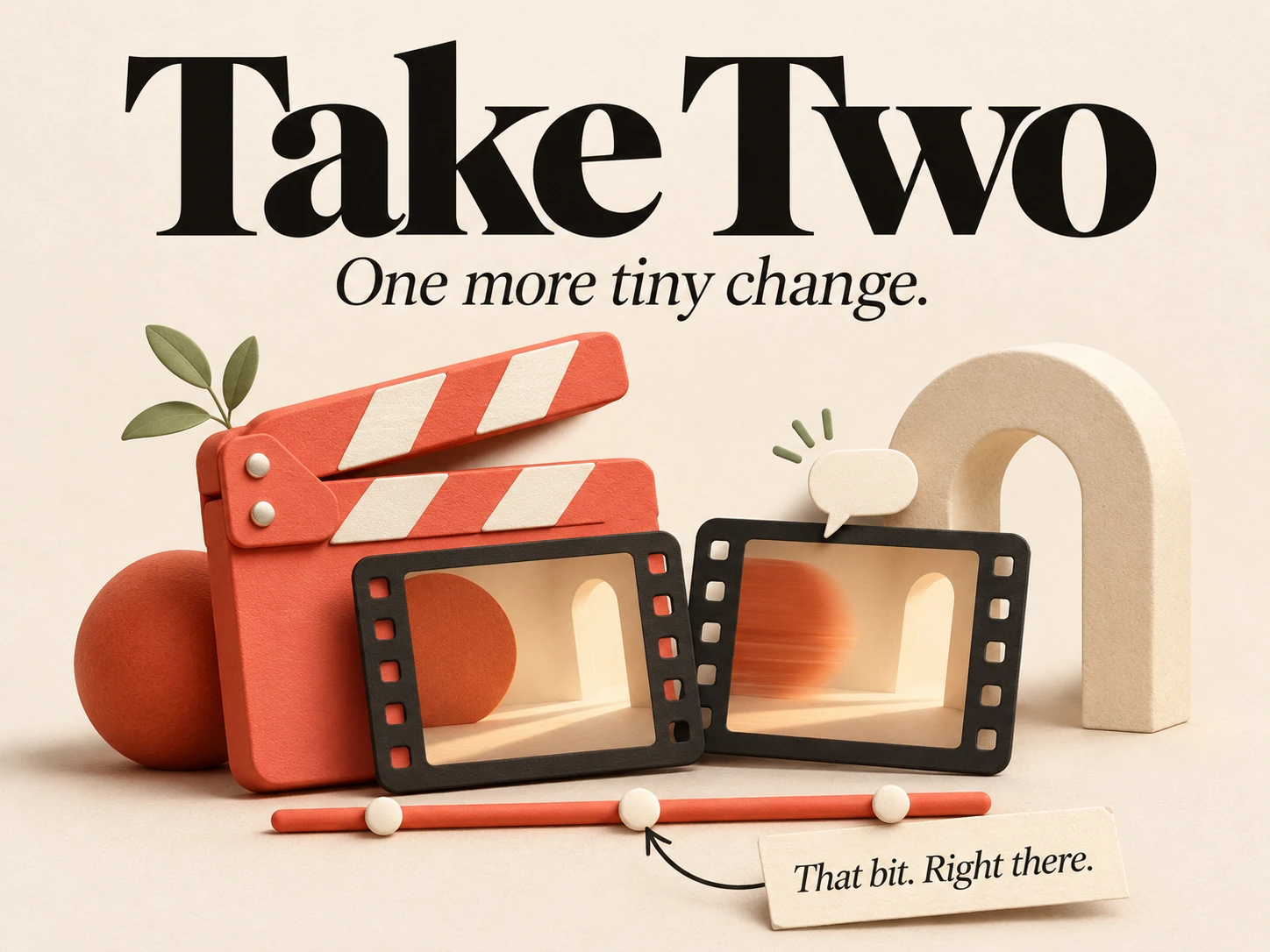
That bit. Right there.
A reviewer can comment on a moment, select a time range, or place a pin or rectangle over the video. Feedback has somewhere specific to point.
When a revised cut arrives, required changes retain their original context. The editor can show where the proposed fix appears in the new version, while the reviewer can still inspect the original issue.
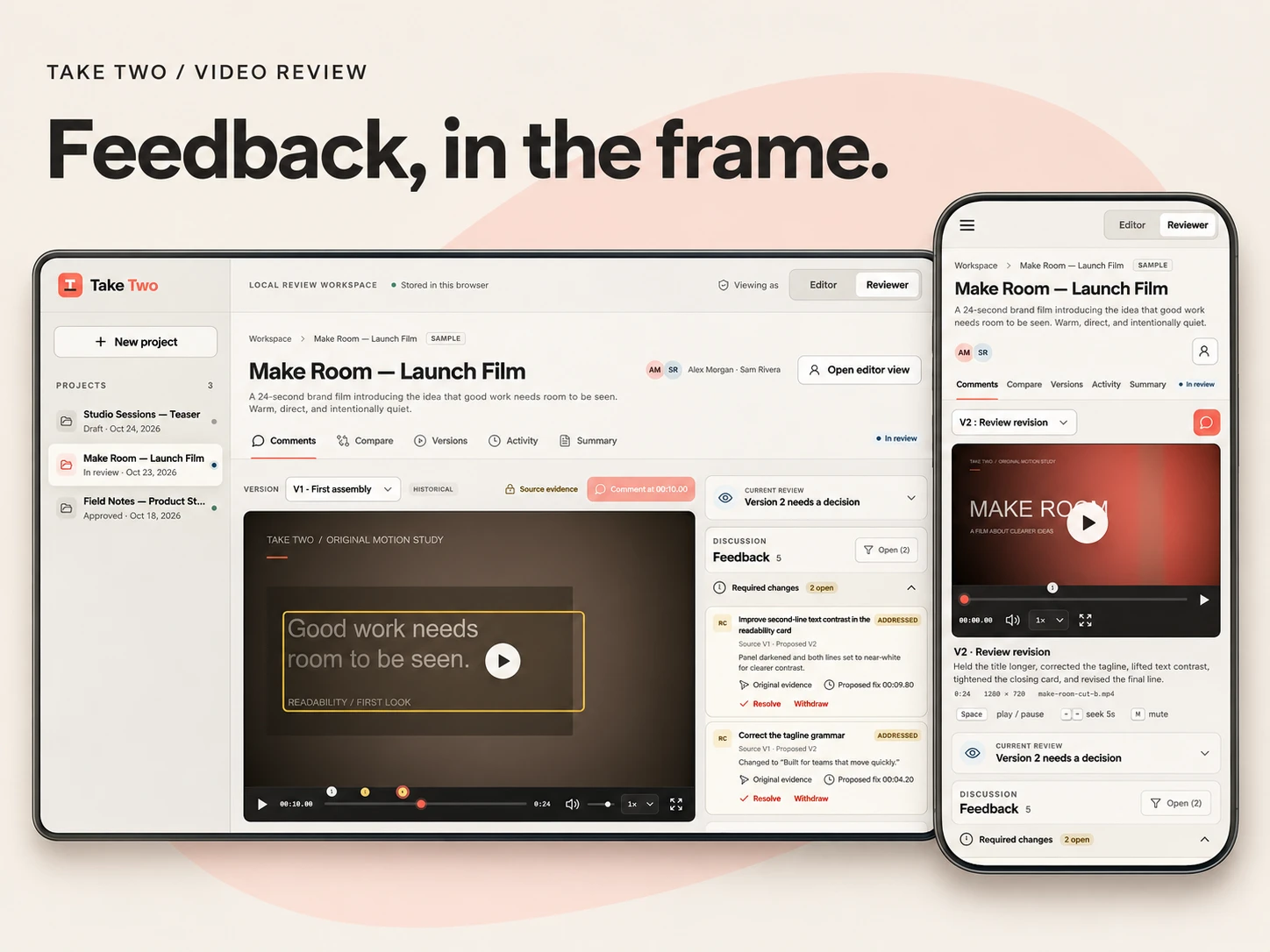
Take Two’s desktop and mobile review layouts, with video annotations and feedback beside the cut.
Two cuts, one clear view
The comparison screen puts both versions side by side, with independent or linked playback and a choice of audio source.
Linked playback follows elapsed time. If an editor adds a longer opening, the app does not assume that ten seconds means the same scene in both cuts. Original feedback and proposed fixes keep their own positions.
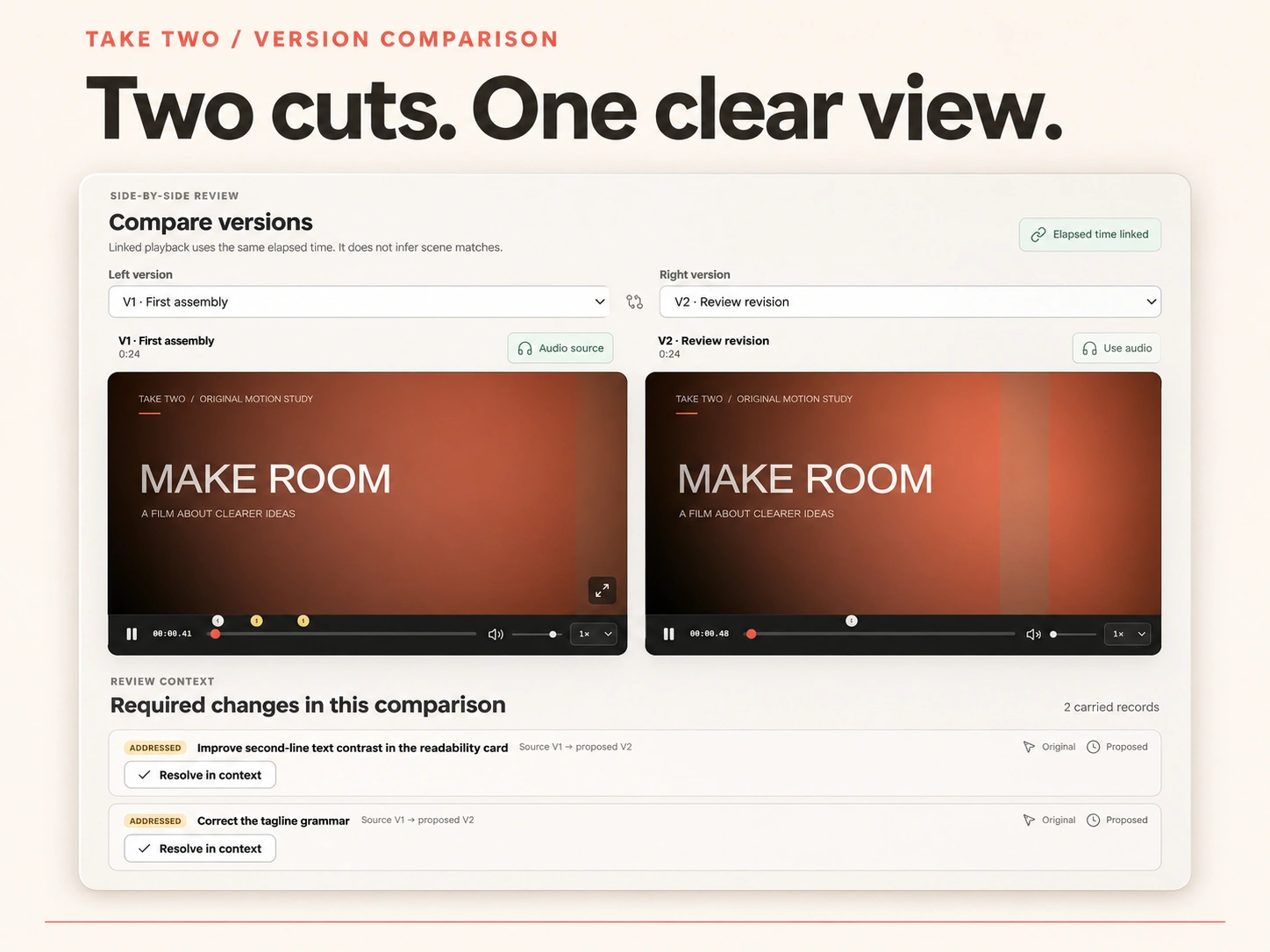
Two video versions displayed side by side, with their required changes underneath.
“Fixed” gets a second look
Editors mark changes as addressed. Reviewers check them and resolve them.
Open and addressed requirements block approval until they are resolved or withdrawn. Approval records identify the exact submitted version, and reopening a review preserves the earlier decision.
A little warmth around the workflow
Warm neutral surfaces, charcoal text and coral accents keep the interface focused on the film. On mobile, the player comes first, followed by the review controls and discussion.
The less visible work includes recoverable comment drafts, conflicting-edit handling and recovery paths for failed local saves. Printable reports and JSON exports preserve the review information; video files are excluded.
Try both sides
Take Two is built with React, TypeScript, Vite and IndexedDB. The public demo includes fictional projects and two original motion-graphic cuts.
One visitor switches between Editor and Reviewer to explore the full workflow. Projects and imported videos stay in the current browser profile; remote collaboration and accounts are outside this demo’s scope.
Like this project
Posted Nov 3, 2026
A video review demo with timestamped comments, visual annotations, side-by-side comparisons and approval tied to the exact cut.