End-to-End Meeting Lifecycle Automation -

Radinsa Samarasinghe


End-to-End Meeting Lifecycle Automation - Make.com, monday.com, Zoom, and Microsoft 365
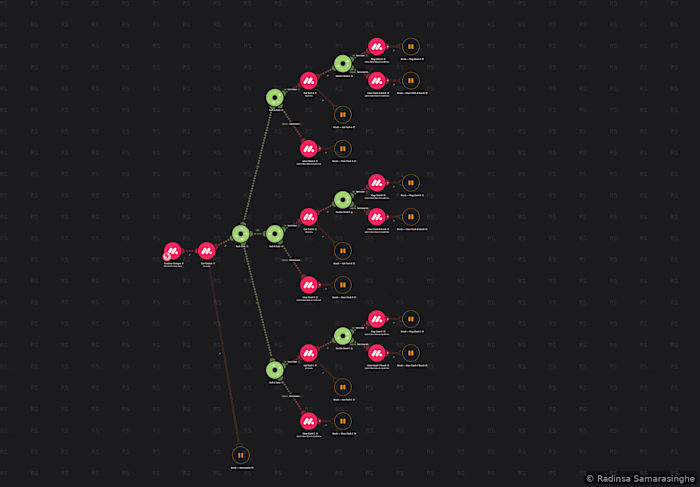
This project illustrates a highly sophisticated scenario I have developed: an integrated Make.com solution that effectively manages the complete lifecycle of a scheduled meeting, from initiation to cancellation, across multiple third-party platforms simultaneously.
Trigger Mechanism:
The scenario is designed to activate immediately via a webhook whenever a designated status column in a monday.com board is modified. By focusing on a specific column rather than monitoring the entire board for changes, it ensures a precise trigger and enhances execution efficiency.
Intelligent Zoom Account Selection:
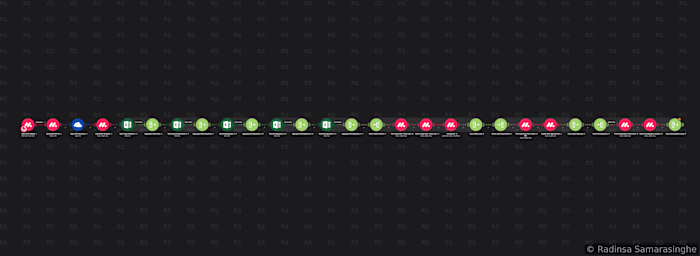
Before the creation of a meeting, the scenario conducts a thorough availability assessment across six different Zoom accounts in a sequential manner. Each account is queried using the Zoom API to determine if a meeting is already scheduled at the requested time. The results are then aggregated and evaluated, leading to the automatic selection of the first available account. If all six accounts are occupied during that period, a specific status is updated back to monday.com to inform the team, rather than allowing a potential oversight.
Once an available account is identified, the scenario seamlessly routes into one of six parallel paths, one for each Zoom account, utilizing that account’s native connection to create the meeting. Following creation, essential meeting details, including the join link and meeting ID, are promptly recorded back to the respective monday.com entry.
Management of Dual Calendar Invites:
A core architectural feature of this scenario is its ability to manage two completely separate Microsoft 365 calendar events for each session, one dedicated to the primary party and another to the partner organizations. This deliberate separation ensures that neither side can view the other’s attendee list prior to the meeting. Both events are created through the Microsoft 365 Calendar module, and their respective event IDs are documented in distinct columns within monday.com for future reference in subsequent automation tasks.
Microsoft Teams Path:
An additional top-level path has been established to address sessions that utilize Microsoft Teams instead of Zoom. This pathway creates a Teams Online Meeting through the Microsoft 365 Teams module, establishes the relevant calendar event, and records all pertinent details back into monday.com, thus maintaining parity with the Zoom path.
Flexible Partner Invite Management:
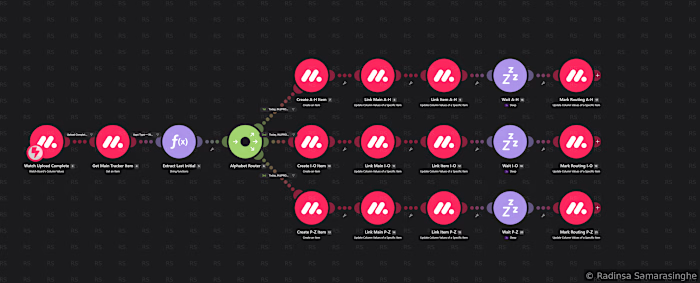
Three additional routing paths adeptly manage partner calendar invites, one for each time slot. Each path checks to see if there is an existing calendar event for that specific slot. If an event is not present, a new one is created. Conversely, if an event already exists, the scenario retrieves the current event, constructs an updated attendee object, and appends the new contact to the existing event. This ensures that partners can be added incrementally to a session over time, without disrupting the integrity of existing invitations. Each action is confirmed back to monday.com with a status update.
Session Updates:
In instances where an existing session requires rescheduling, the scenario routes to an update path. An internal router identifies whether the session relies on Zoom or Teams, subsequently updating both the meeting platform and the related calendar events (for both primary and partner) to reflect the new date and time. All attendees receive updated calendar notifications in due course.
Cancellation Process:
The cancellation path efficiently manages the deletion of the Zoom or Teams meeting through the appropriate API, followed by the removal of both associated calendar events from Microsoft 365. An internal router adeptly differentiates between Zoom and Teams, ensuring that the correct API calls are employed for each scenario. A status update is then recorded back to monday.com to confirm the completion of the cancellation process.
Technical Significance:
This scenario encompasses a comprehensive array of over 130 modules across eight top-level router paths and numerous nested routers, all initiated by a single column change. It adeptly orchestrates the collaboration of three external platforms (monday.com, Zoom, Microsoft 365) in real time, accommodates multi-account load distribution with thoughtful fallback mechanisms, and simultaneously maintains two parallel calendar event lifecycles. Each step diligently records its outcome back to monday.com, ensuring that the record accurately represents the current state of the meeting.
Demonstrated Skills: Proficiency in instant webhooks, multi-platform orchestration, Zoom OAuth and API integration, Microsoft 365 Calendar and Teams API expertise, multi-account availability checking with aggregation, nested routing, logical differentiation between creation and update processes, parallel event management, effective handling of error states, and real-time CRM write-back.
Like this project
Posted Sep 23, 2026
End-to-End Meeting Lifecycle Automation - Make.com (http://Make.com), monday.com (http://monday.com), Zoom, and Microsoft 365 This project illustrates a high...