WordPress Website Speed Optimization Project

Olubade Opeyemi



WordPress Website Speed Optimization
Project Type: Sample Project / Performance Optimization
Role: WordPress Website Designer & Performance Optimizer
Tools: WordPress, Google PageSpeed Insights, GTmetrix, and caching and image optimization tools
Project Overview
Website speed plays an important role in user experience, accessibility, and overall website performance. A slow-loading website can frustrate visitors, interrupt navigation, and make it harder for users to access important information.
This sample project explores how I would assess and optimize a WordPress website to improve loading performance, responsiveness, and the overall browsing experience across desktop and mobile devices.
The Challenge
The goal was to identify common issues that can affect WordPress website performance, including:
Large, unoptimized images that increase page loading time.
Missing or incorrectly configured caching.
Unnecessary CSS and JavaScript that can delay rendering.
Performance issues that affect mobile browsing.
Opportunities to improve Core Web Vitals and page responsiveness.
speed optimization developer, website developer ,wordpress developer ,pagespeed optimizer.
My Approach
1. Performance Audit
I would begin by testing the website using Google PageSpeed Insights and GTmetrix to establish a baseline and identify performance bottlenecks. The audit would help prioritize issues based on their potential impact.
2. Image Optimization
I would review images for unnecessarily large file sizes and dimensions, then apply appropriate compression and modern image formats where supported. The aim is to reduce page weight while preserving visual quality.
3. Caching Configuration
I would configure a suitable WordPress caching solution based on the hosting environment and existing setup. Where appropriate, this could include page caching, browser caching, and cache management.
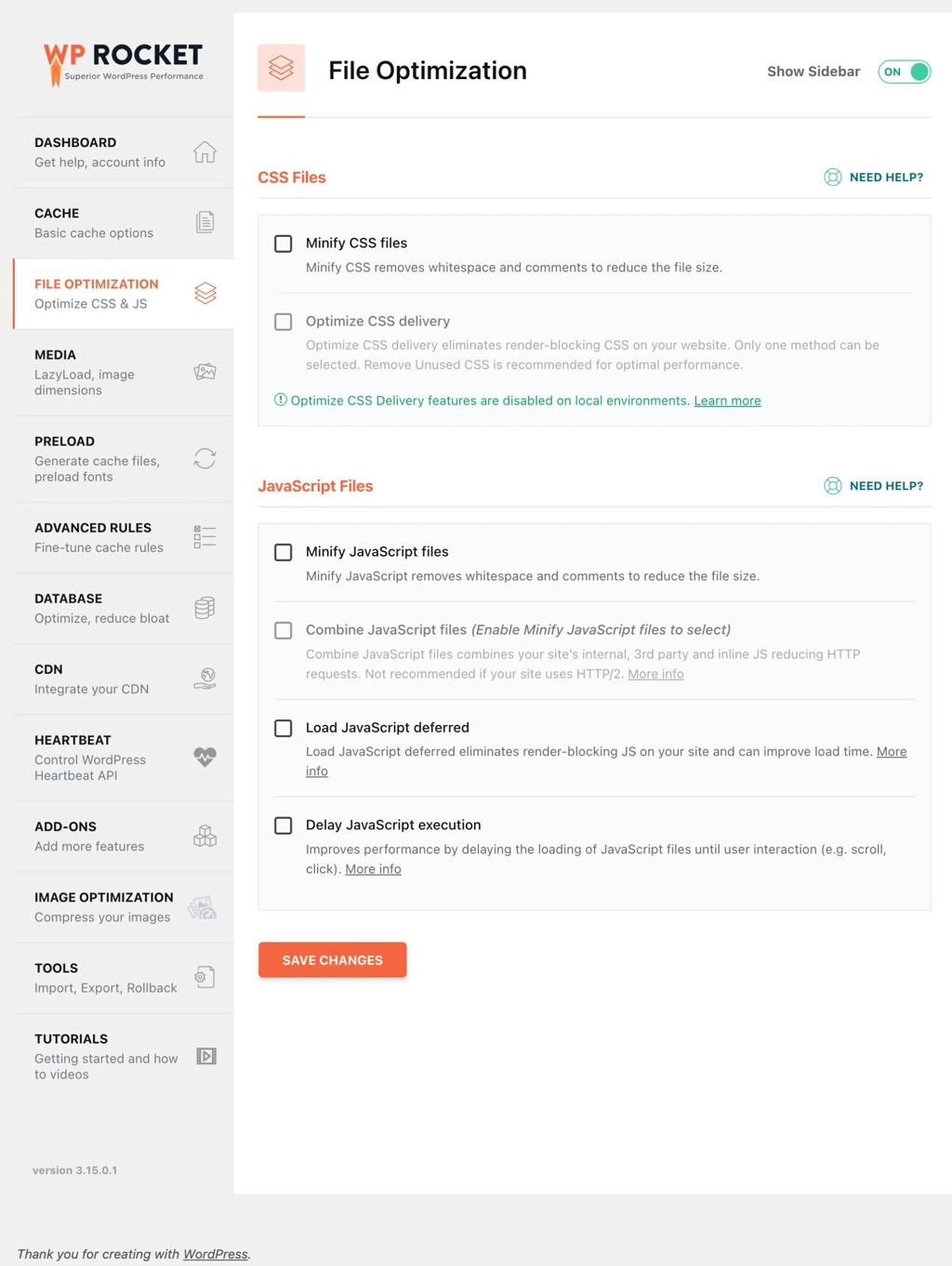
4. CSS and JavaScript Optimization
I would assess opportunities to reduce unnecessary CSS and JavaScript overhead, minify files where appropriate, and defer or delay non-critical scripts when safe. Changes would be tested to avoid breaking website layouts or functionality.
5. Mobile Performance Review
I would review the website on mobile devices and test key pages for loading behavior, layout stability, and responsiveness. I would also review relevant Core Web Vitals opportunities.
6. Testing and Quality Assurance
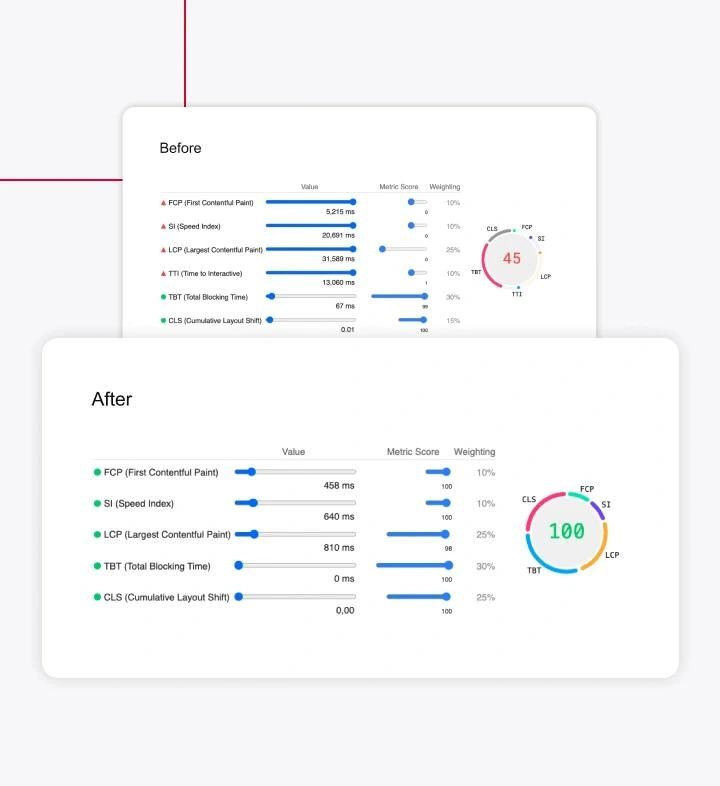
After implementing changes, I would run performance tests again, compare the results with the baseline, and check important website features to ensure the optimization work does not negatively affect the user experience.
Design and Technical Considerations
The objective is not simply to achieve a high performance score. It is to balance speed, visual quality, functionality, and usability. Optimization decisions should be based on test results, the website's hosting environment, and the needs of its visitors.
Expected Outcome
This sample project demonstrates a structured approach to WordPress performance optimization, from identifying bottlenecks to implementing targeted improvements and validating changes.
Actual improvements would be documented using before-and-after performance reports rather than assumed or estimated figures.
Key Skills Demonstrated
WordPress, Website Speed Optimization, Performance Auditing, Image Optimization, Caching Configuration, CSS and JavaScript Optimization, Mobile Responsiveness, and Core Web Vitals Assessment.
Conclusion
A well-optimized website should be visually consistent, responsive, and efficient to use. This project demonstrates my approach to identifying common WordPress performance issues and applying practical improvements to support a smoother browsing experience.
Like this project
Posted Oct 20, 2026
Optimized WordPress site for fast loading and improved mobile performance.