Looping Infographic GIF Creation

Sharon C

What it is
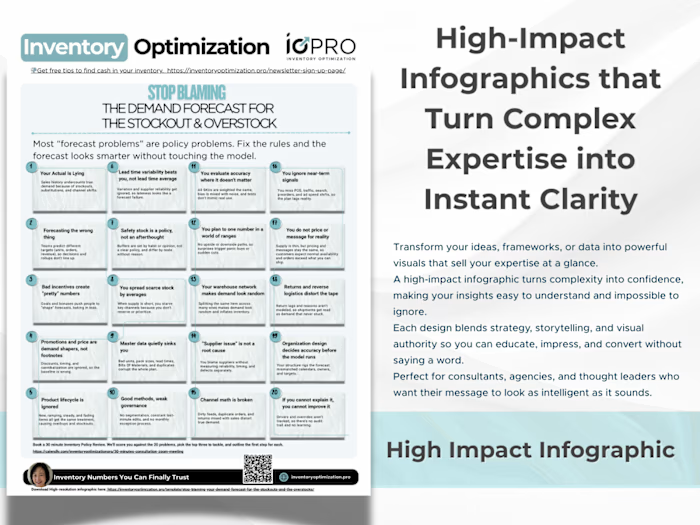
A short, looping infographic that spotlights one idea at a time. The motion is minimal and purposeful: a pulse, reveal, or highlight that guides the eye. Viewers can skim in under five seconds, catch the point, and pick up extra detail on the next loop. The GIF format stays light, loads fast, and works in web pages, email, and social without sound or a player.
How it can be used
Attention hook: A gentle flash or outline that pulls focus to the main claim or number.
Concept loop: Cycle through 3 to 5 pillars, steps, or myths so people grasp the structure fast.
Compare and choose: Toggle between “Before vs After” or “Option A vs B” with a simple fade.
Micro-tutorial: Reveal a rule of thumb, then a quick example, then the takeaway.
CTA-ready header: End each loop with a clear next step so the viewer knows what to do.
Why it works
Fast to skim. One cue per beat keeps reading order obvious and prevents overload.
Memorable. Repetition from the loop reinforces the message without extra words.
Mobile friendly. Small file, crisp type, strong contrast, and no audio required.
Flexible. Reuse the same asset on landing pages, LinkedIn, newsletters, and decks.
Shareable. Easy to drop into chats and emails, which means more eyeballs on your offer.
What you get
Brand-matched GIF with subtle looped motion
Web-optimized export plus a still PNG for slides and print
Accessible color and typography so it reads clearly on any screen
Good fits
Frameworks, checklists, “what to avoid,” quick stats, simple workflows, or any message that benefits from a 3 to 5-beat rhythm.
Outcome
People understand the point in a glance, remember it on the second loop, and know the next action to take.
Like this project
Posted Oct 6, 2025
Looping infographic that highlights one idea at a time, grabs attention in seconds, and guides viewers to the key takeaway and next step.
Likes
1
Views
8