Mobile Delivery App UI/UX Concept

Joshua Oke

The Overview
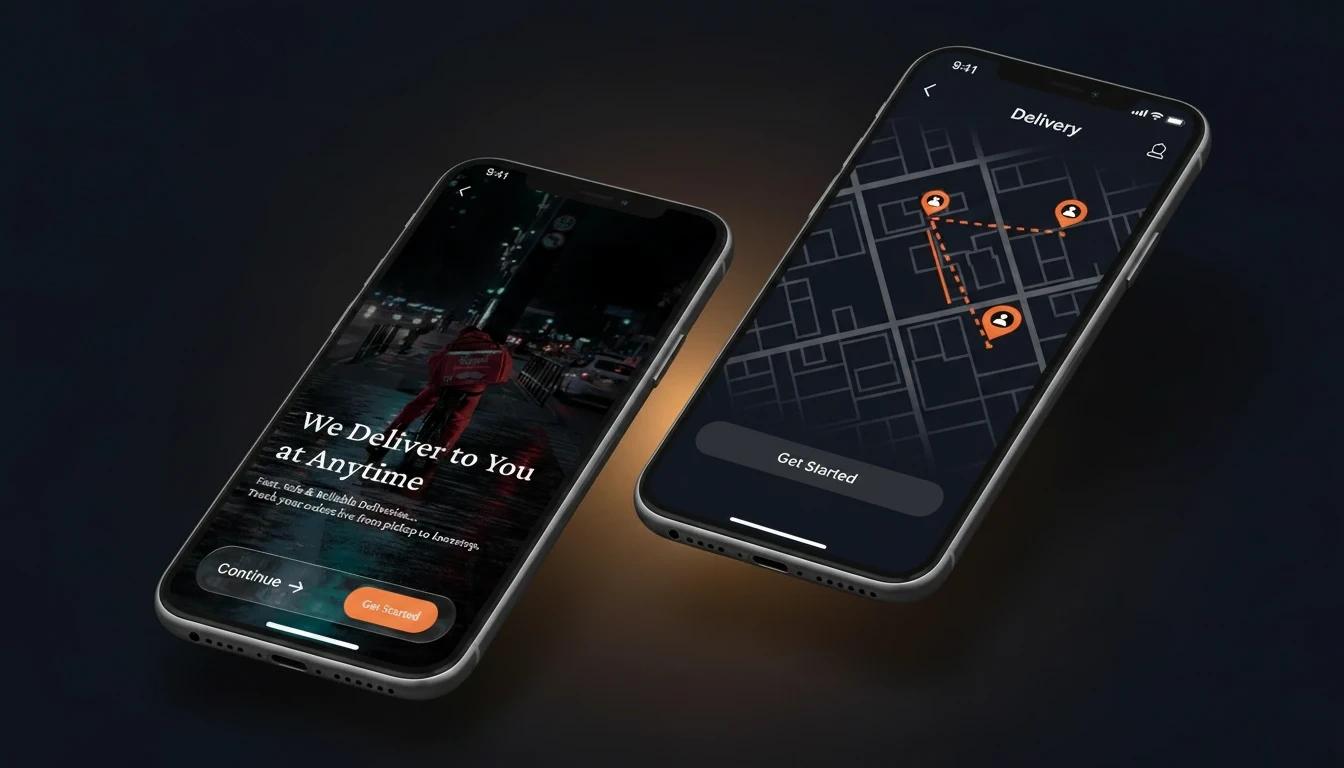
A mobile UI/UX concept for a delivery app — covering the full user journey from first launch through to order tracking. Designed entirely in Figma, the project includes 6 screens across onboarding, authentication, home, and order tracking, backed by a reusable component system built before any full screens were designed.
The visual language is intentionally dark-first with bold orange accents — creating an interface that feels premium, fast, and trustworthy from the moment the app opens.
Most delivery apps suffer from cluttered interfaces, confusing onboarding, and order tracking screens that leave users anxious rather than confident. This concept was built to explore how a delivery app could get each of those three moments right — onboarding that converts, a home screen that surfaces what matters, and a tracking experience that gives real clarity about where a delivery is.
The project also explored a component-first design approach — building all reusable UI elements before designing any full screens, to ensure visual consistency across the entire product.
The Process:
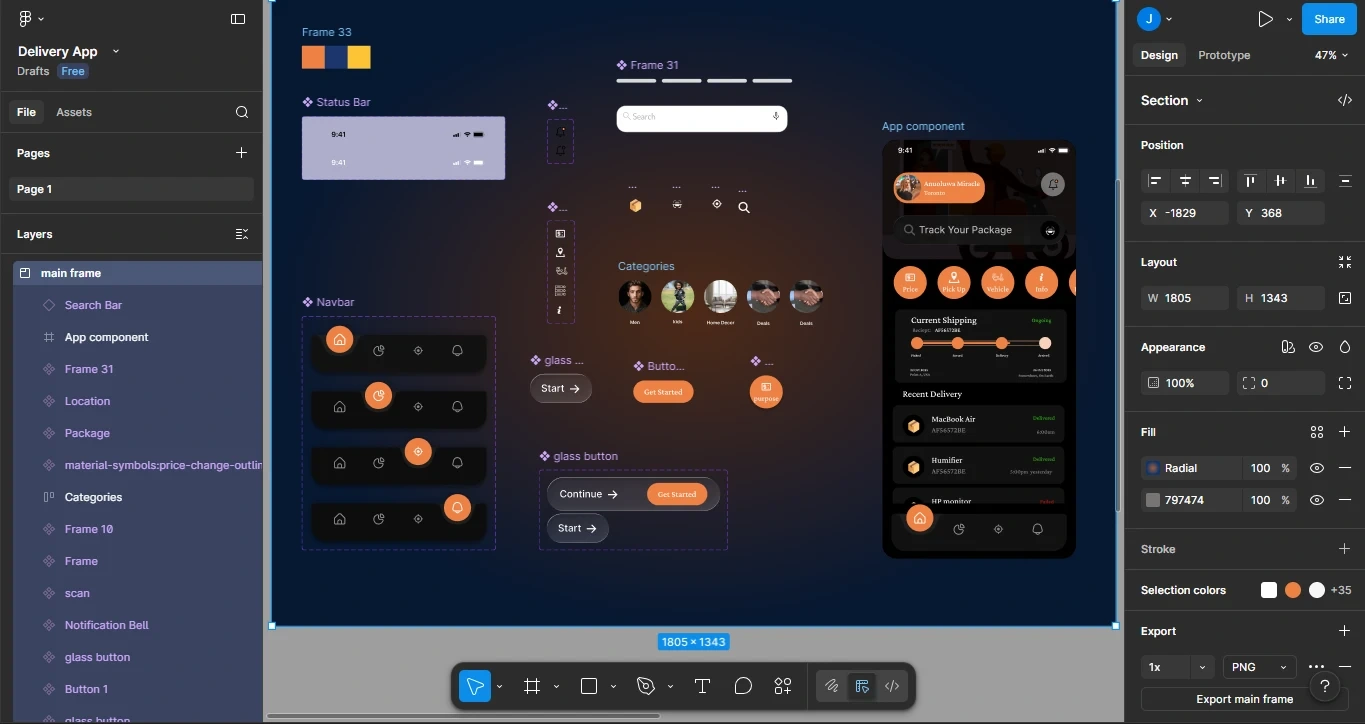
I started with the component system — establishing the navbar, status chips, glass-style cards, category tiles, and button states in Figma before touching any screen design. This meant every screen was built from a consistent foundation rather than designed in isolation and patched together later.
From there I designed the user journey in flow order: onboarding → login → home → order tracking. Each screen was designed with a specific user question in mind — "What is this app?", "How do I sign in?", "What can I do here?", "Where is my delivery?"
Component Section on Figma
Key screens & design decisions
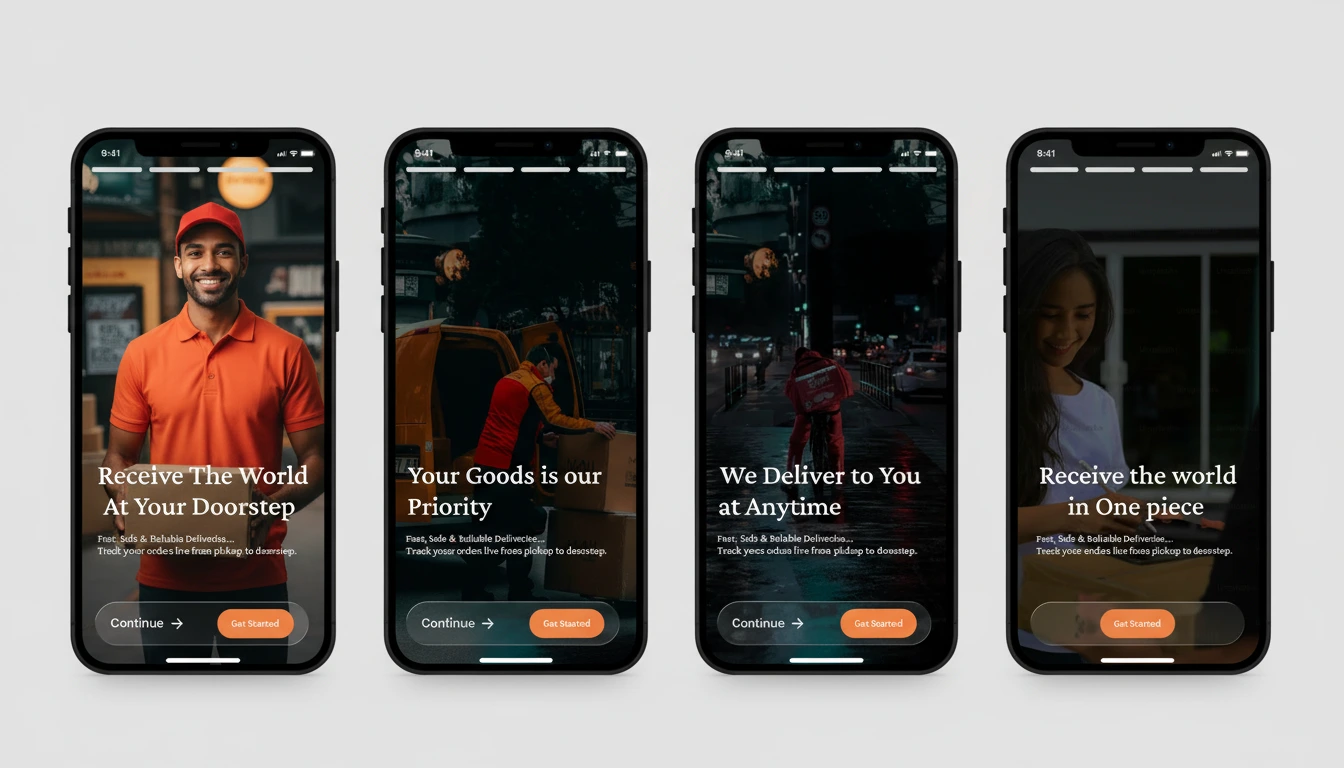
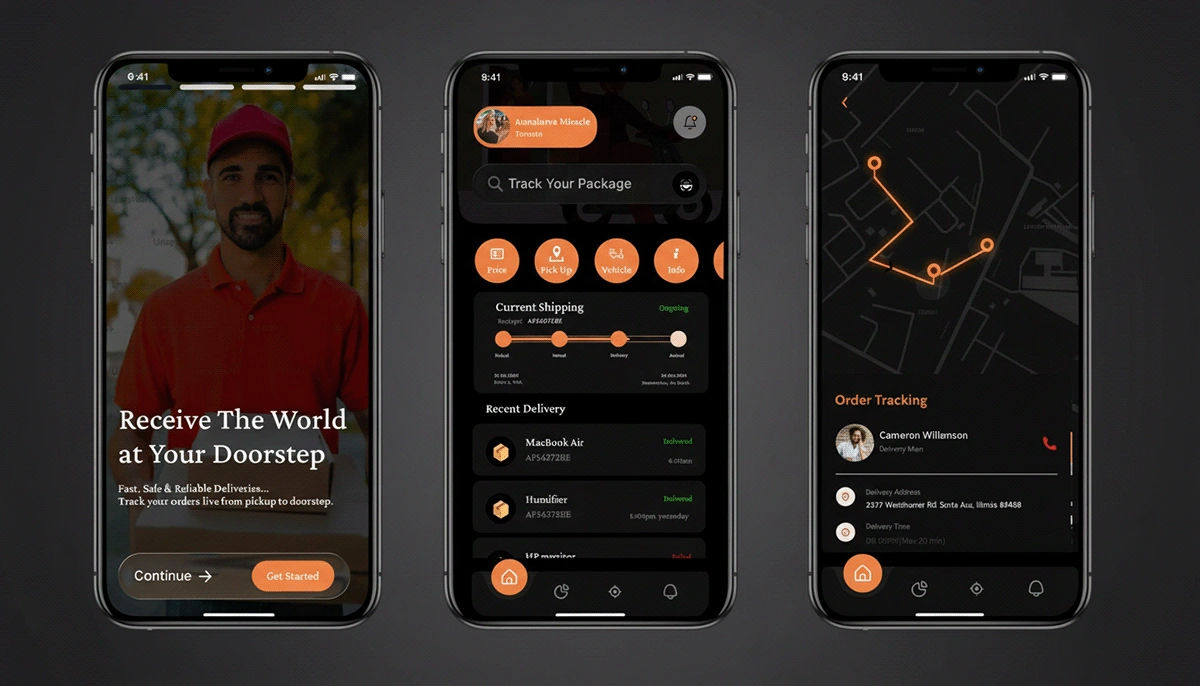
Onboarding (4 screens) — Full-bleed delivery photography on each screen with a single bold headline and one CTA. No walls of text. Each screen answers one question a new user has before they commit to signing up.
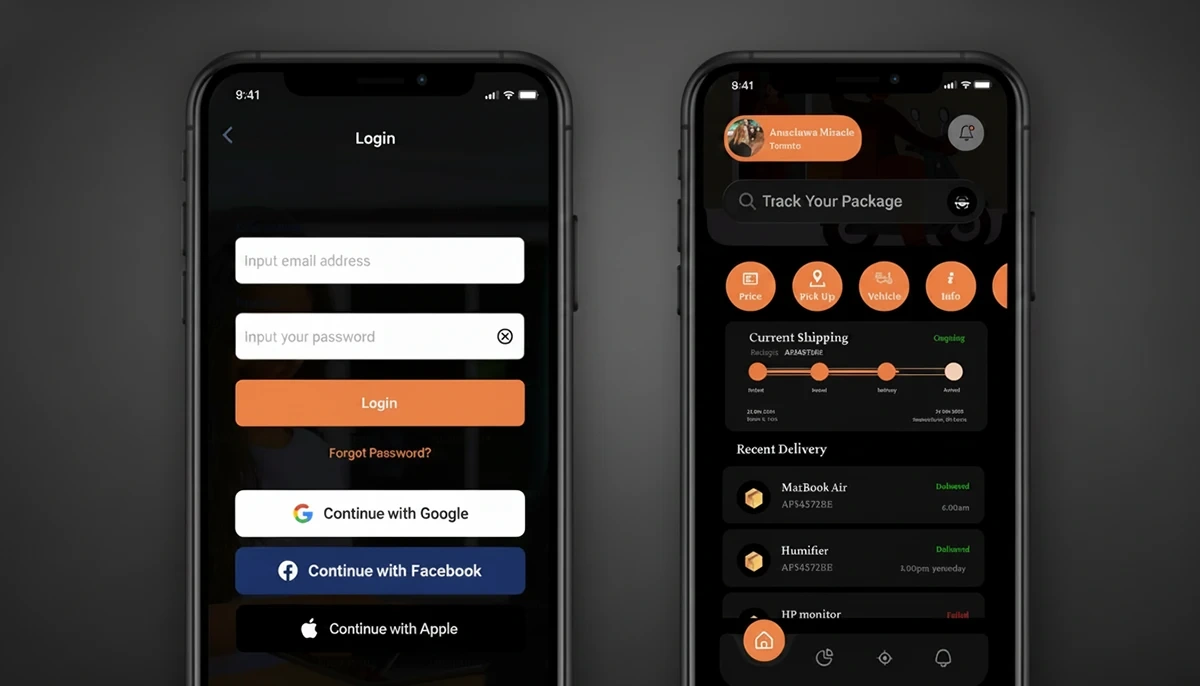
Login screen — Minimal and frictionless. Email and password fields with Google and Facebook sign-in alternatives reduce barrier to entry, especially for users who don't want to type on mobile.
Home screen — The "Track Your Package" hero section surfaces the most important action immediately. Orange category icons provide quick access to browse, while the content feed below shows nearby or recent options.
Order tracking screen — A live map takes up the majority of the screen with a clear route and delivery pin. A status card anchored at the bottom gives the user all the information they need without leaving the map context.
Component system — Navbar, status chips, glass cards, category tiles, and button states were all built as reusable Figma components with variants — making the system production-ready and consistent across every screen.
Outcome:
A complete, high-fidelity mobile UI/UX concept spanning 6 screens and a full component system — covering every stage of the delivery app user journey from first launch to live order tracking. The project demonstrates end-to-end product thinking: defining user problems, building a scalable design system, and delivering polished screens where visual quality and usability reinforce each other.
This case study reflects my ability to design mobile-first products in Figma, think in systems rather than isolated screens, and create interfaces that feel intuitive for real users — not just impressive in a portfolio.
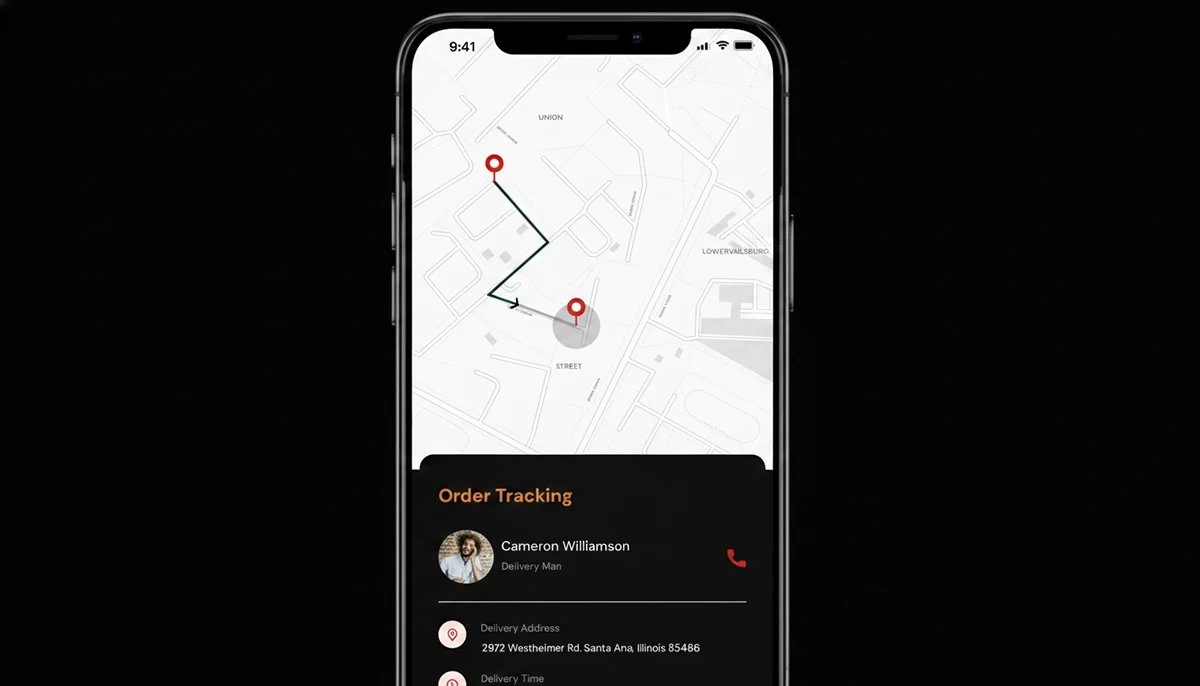
Map tracking screen

Like this project
Posted May 5, 2026
Designed a mobile UI/UX concept for a delivery app in Figma.
Likes
1
Views
10