Built with Jitter
QuillBot AI Chat Product Design

Swayam Goswami


QB AI Chat Cover
QuillBot AI Chat
Product Design Case Study
Designer (MVP): Swayam Goswami
Role: Lead Product Designer (Growth & Core UX)
Platform: Web
Tools: Figma (Design System, Variables, Tokens, Components)
Project Overview
The goal was to design an AI chat product that feels:
Immediately usable
Purpose-built for writing tasks
Consistent with QuillBot’s existing product suite
Problem
Most users don’t want “AI for everything.”
They want AI that helps them finish a specific task—writing an email, improving clarity, brainstorming ideas, or understanding a concept.
Key problems observed:
Users jump between chat tools, editors, and search engines.
Generic AI chats feel overwhelming and unfocused.
Writing-focused users need outcomes, not long conversations.

Problem Imagery
Solution
QuillBot AI Chat MVP is a free, web-based conversational writing assistant with capabilities including:
Brainstorming and idea generation.
Drafting and refining written content.
Context-aware information retrieval.
Available in light and dark modes
Light and Dark Modes
One interface. Multiple personas.
Students, writers, professionals—all using the same UI.
No persona-based screens.
No feature bloat.
The chat adapts through conversation, not configuration.
Result: Broader adoption with lower product complexity.
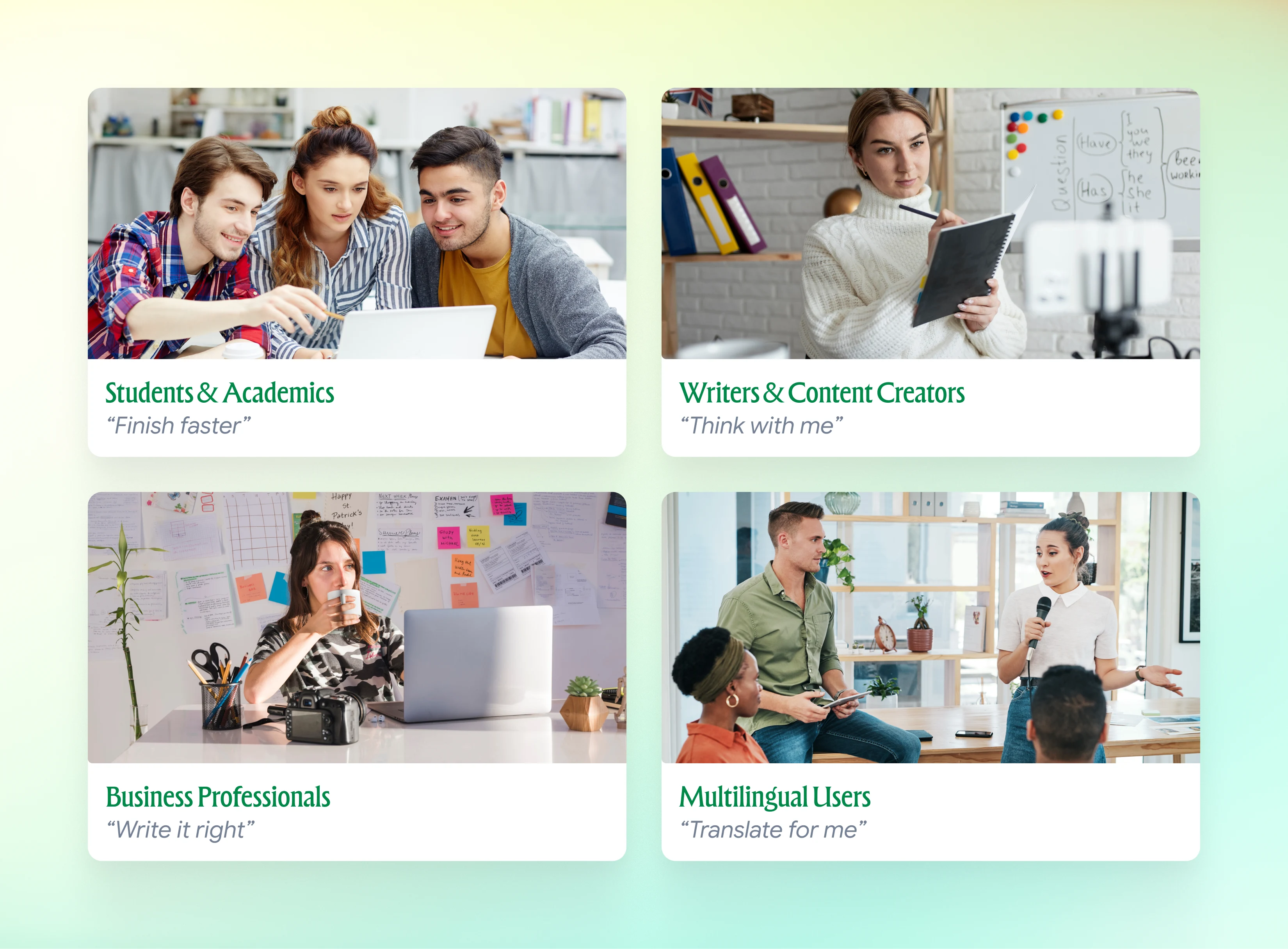
Target Users
Challenges & Constraints
Balancing Simplicity with Power
Advanced features were intentionally hidden to avoid overwhelming first-time users.
Managing Expectations
AI accuracy varies; UI had to encourage iteration rather than “one-shot perfection.”
Premium Access Friction
Free usage limits required the experience to deliver value quickly.
UX & Interaction Design
1. Conversational, Not Configurational
Instead of exposing complex settings or modes, the chat relies on natural language refinement:
Ask
Refine
Iterate
This mirrors how users already think while writing.
User Flow (Simplified)
Entry Point
Input
AI Processing
Output Review and Iteration
Output Utilization
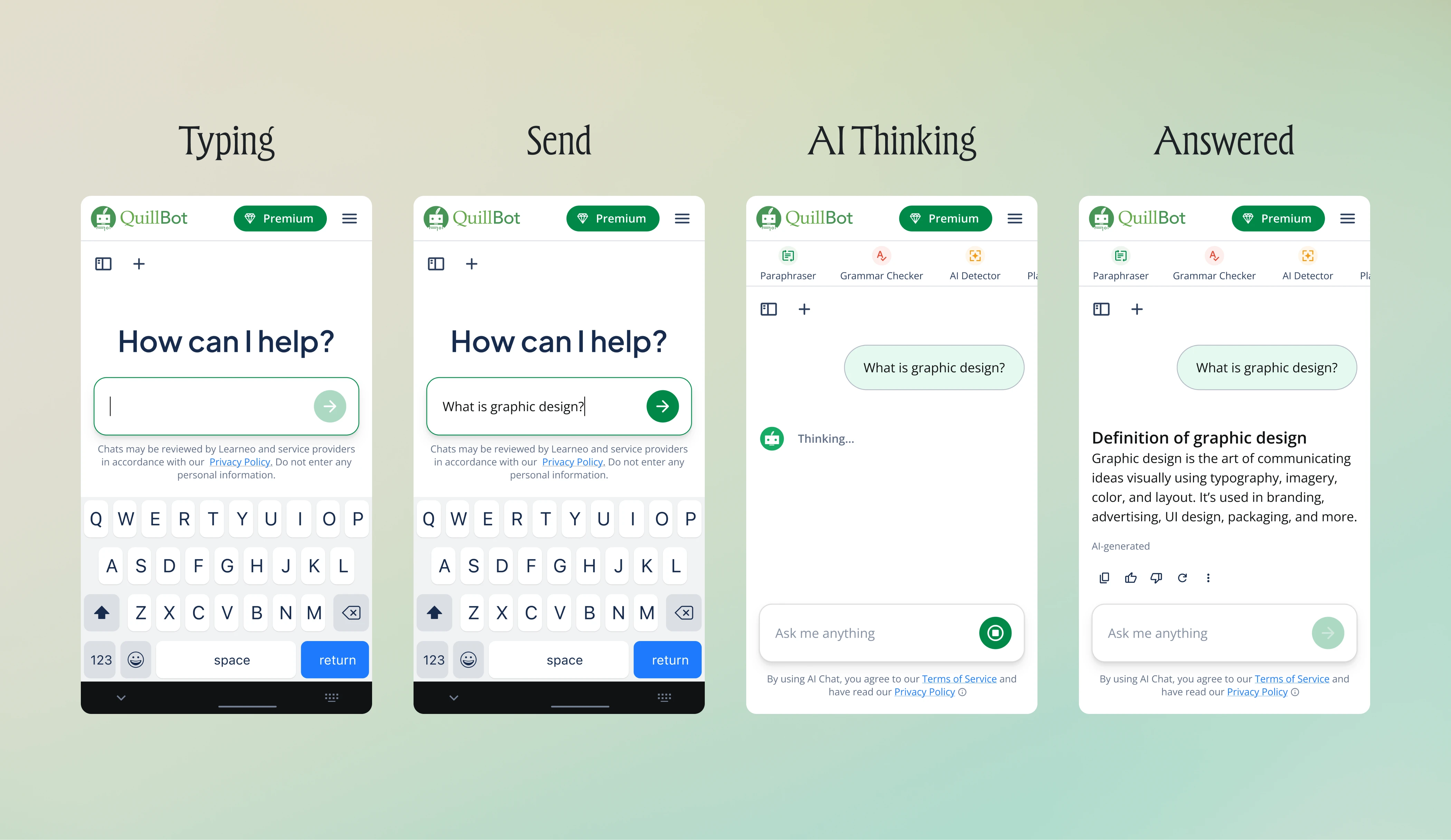
Conversational UI
2. Cognitive load was treated as a growth killer
AI fatigue is real.
So, the UI stayed:
• Clean
• Focused
• Distraction-free
No advanced controls. No “AI theater.”
Result: Higher completion rates and repeat usage.
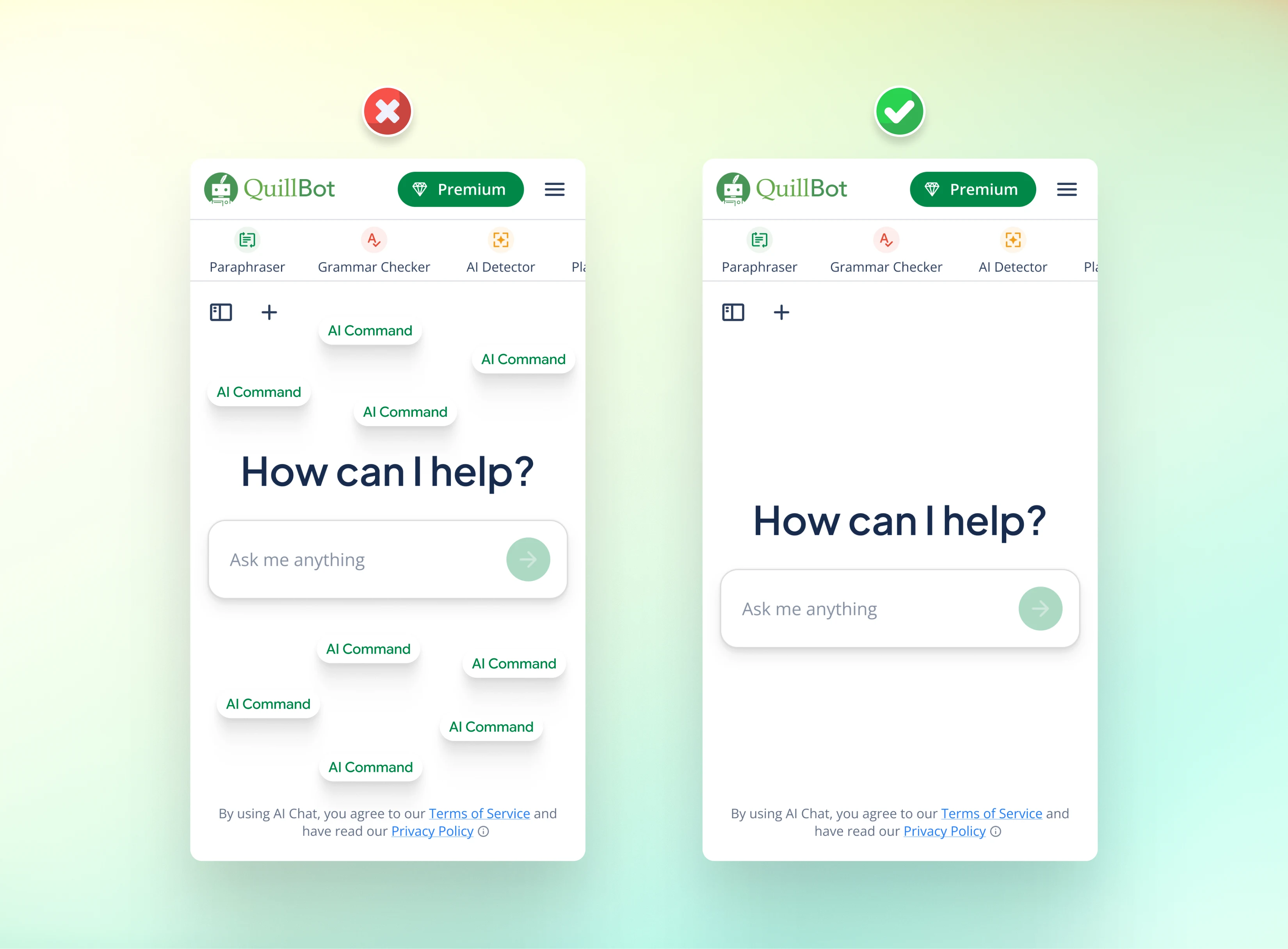
Clean UI
3. Integrated Tools
Instead of siloed modules (e.g., grammar checker separate from paraphraser), AI Chat aggregates writing support into a single thread, reducing cognitive context switching. All QuillBot products can be accessed and utilized in one command chat.
QB Command Chat
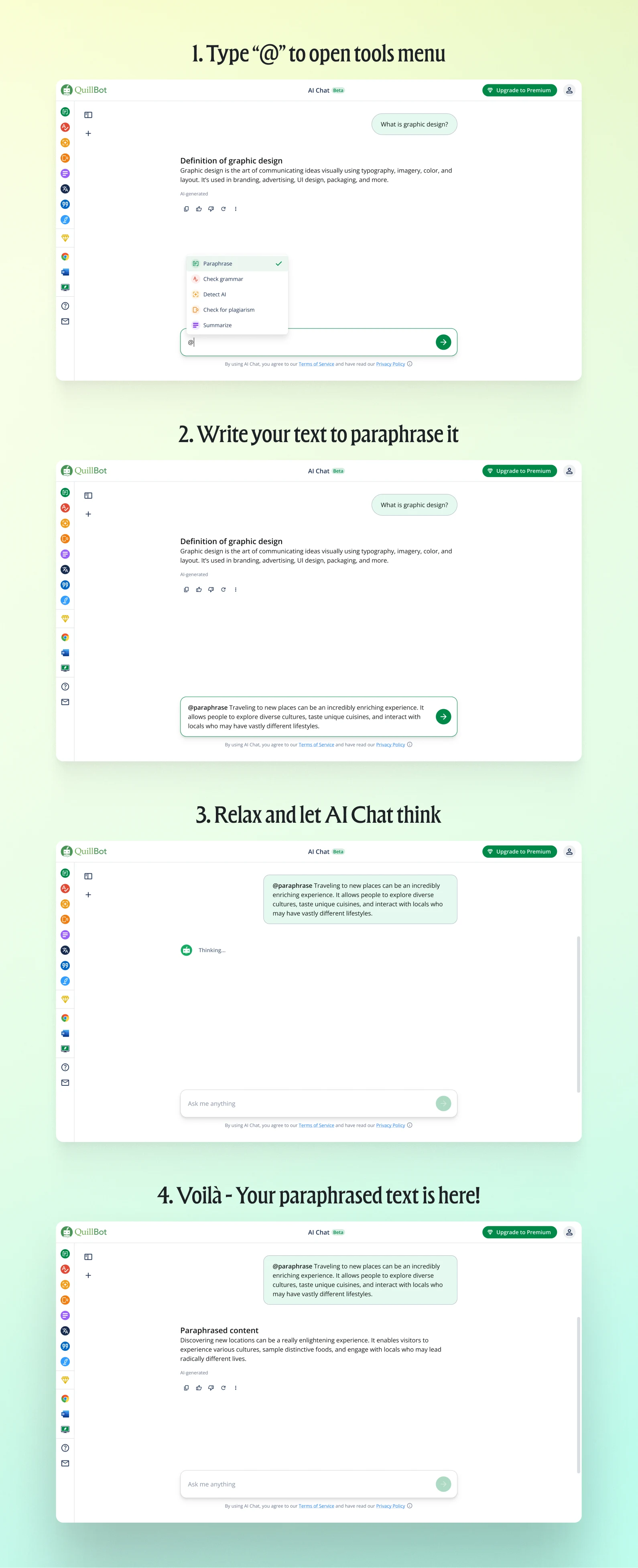
QB Command Chat
4. Monetization without breaking trust
No aggressive paywalls.
No dark patterns.
Plenty of free usage, so users can actually try it before committing
Value first. Upgrade second.
Result: Healthier long-term monetization.
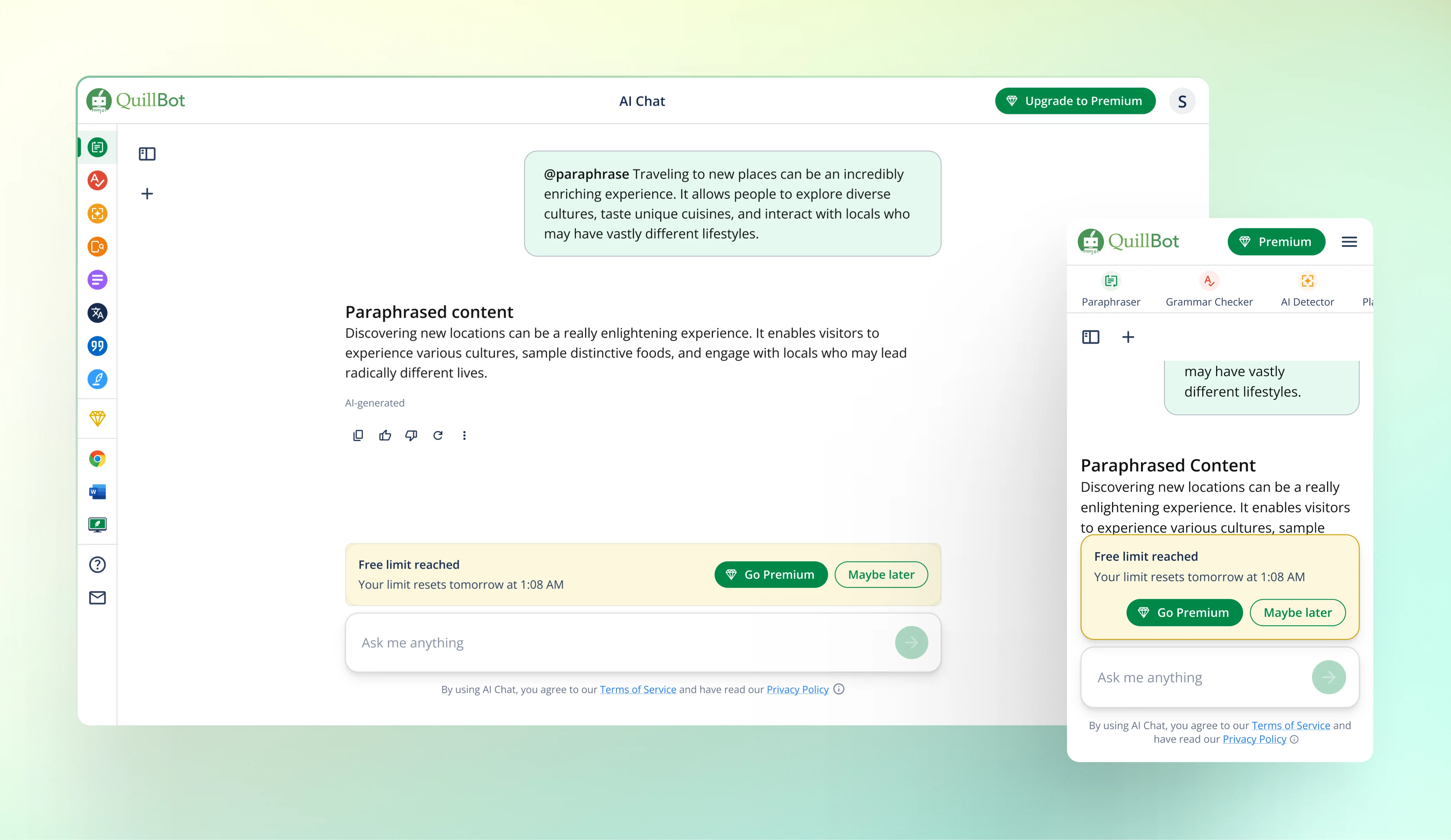
Free Limit Reached Notification
5. Integrated Into the QuillBot Ecosystem
AI Chat was designed to feel like a natural extension of QuillBot, not a separate product:
Visual consistency with existing tools
Familiar interaction patterns
Designed within QuillBot’s established design system
Design System Execution
The entire product was designed in Figma, strictly following QuillBot’s:
Design tokens
Variables
Components
Color and typography system
Why this mattered
Faster iteration
Consistency across products
Easier handoff to engineering
Scalable foundation for future AI features
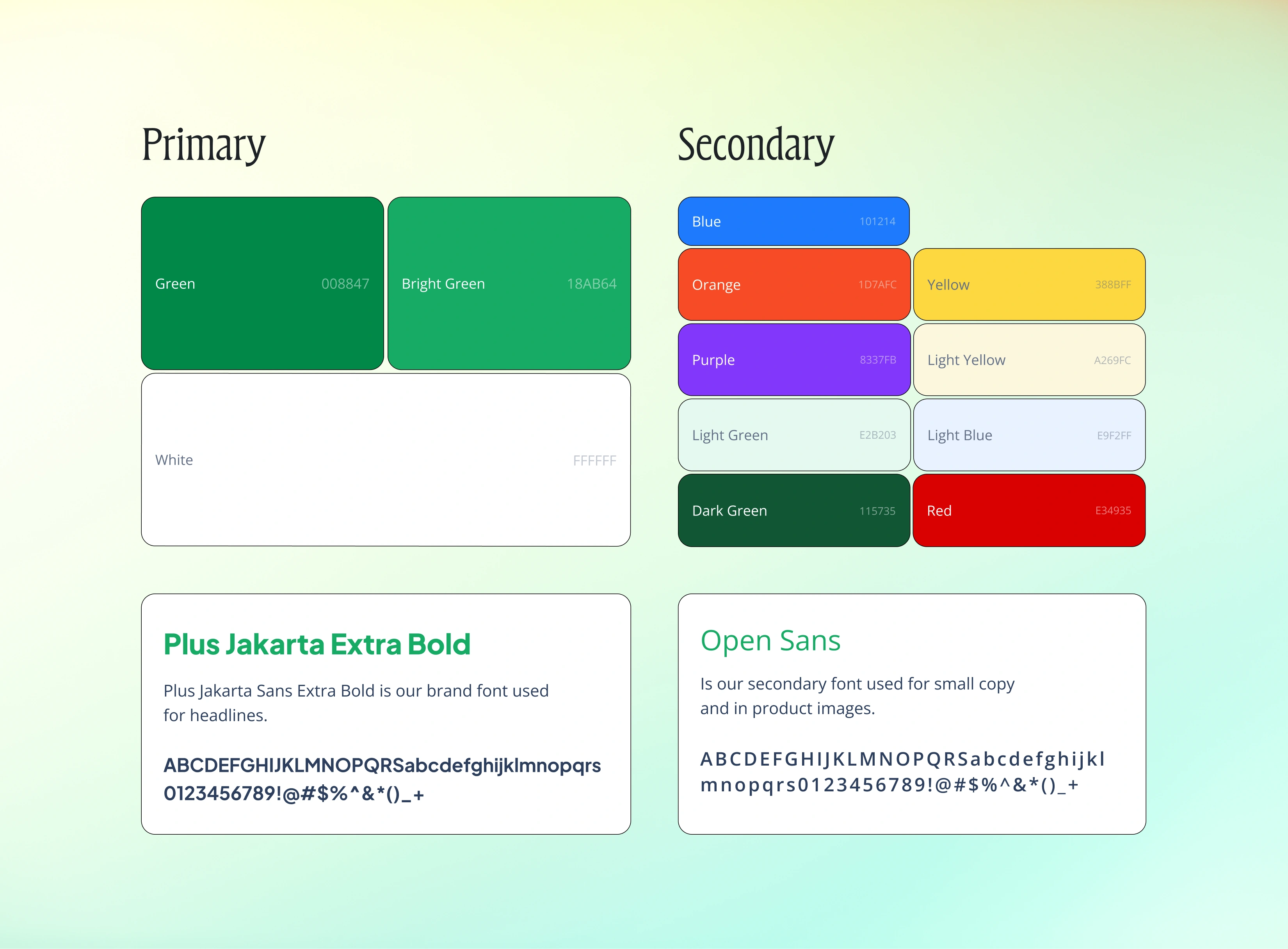
Color and typography system
Impact (Design Outcomes)
Created a focused AI chat experience tailored to writing tasks
Reduced user dependency on multiple external tools
Strengthened QuillBot’s positioning beyond paraphrasing
Provided a scalable foundation for future AI-first features
Product Design Features (Figma)
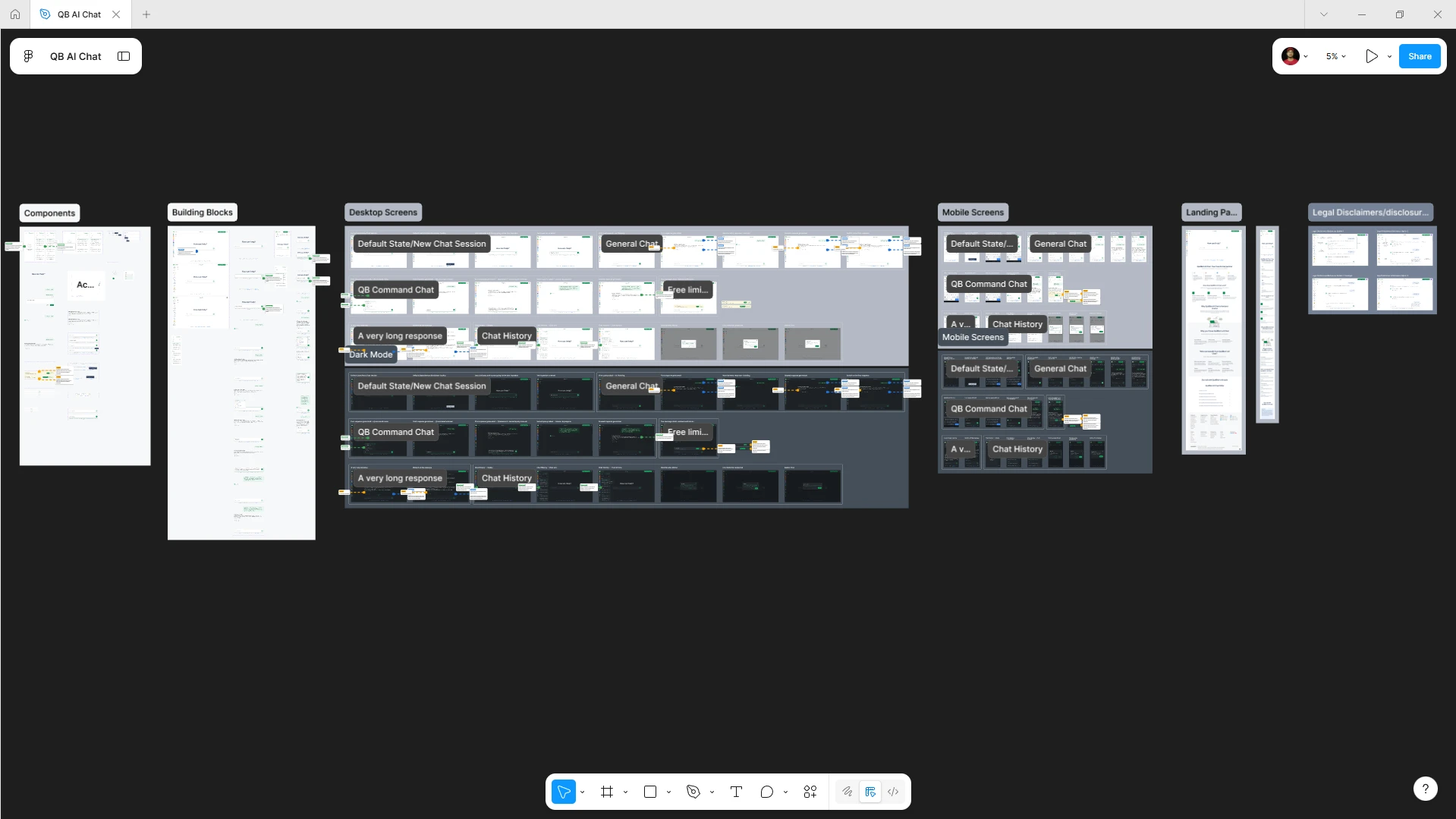
QuillBot's AI Chat MVP Design Figma System
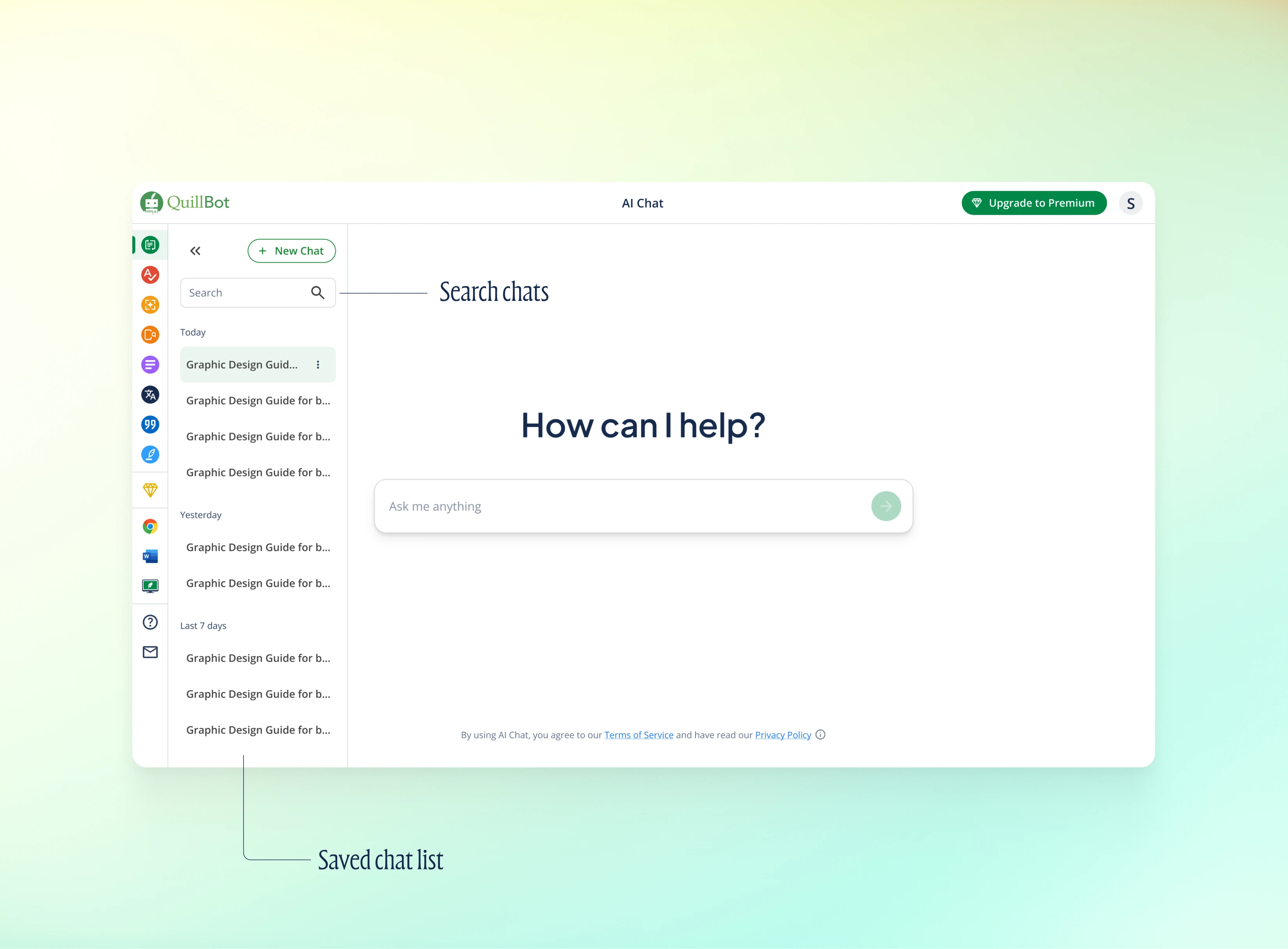
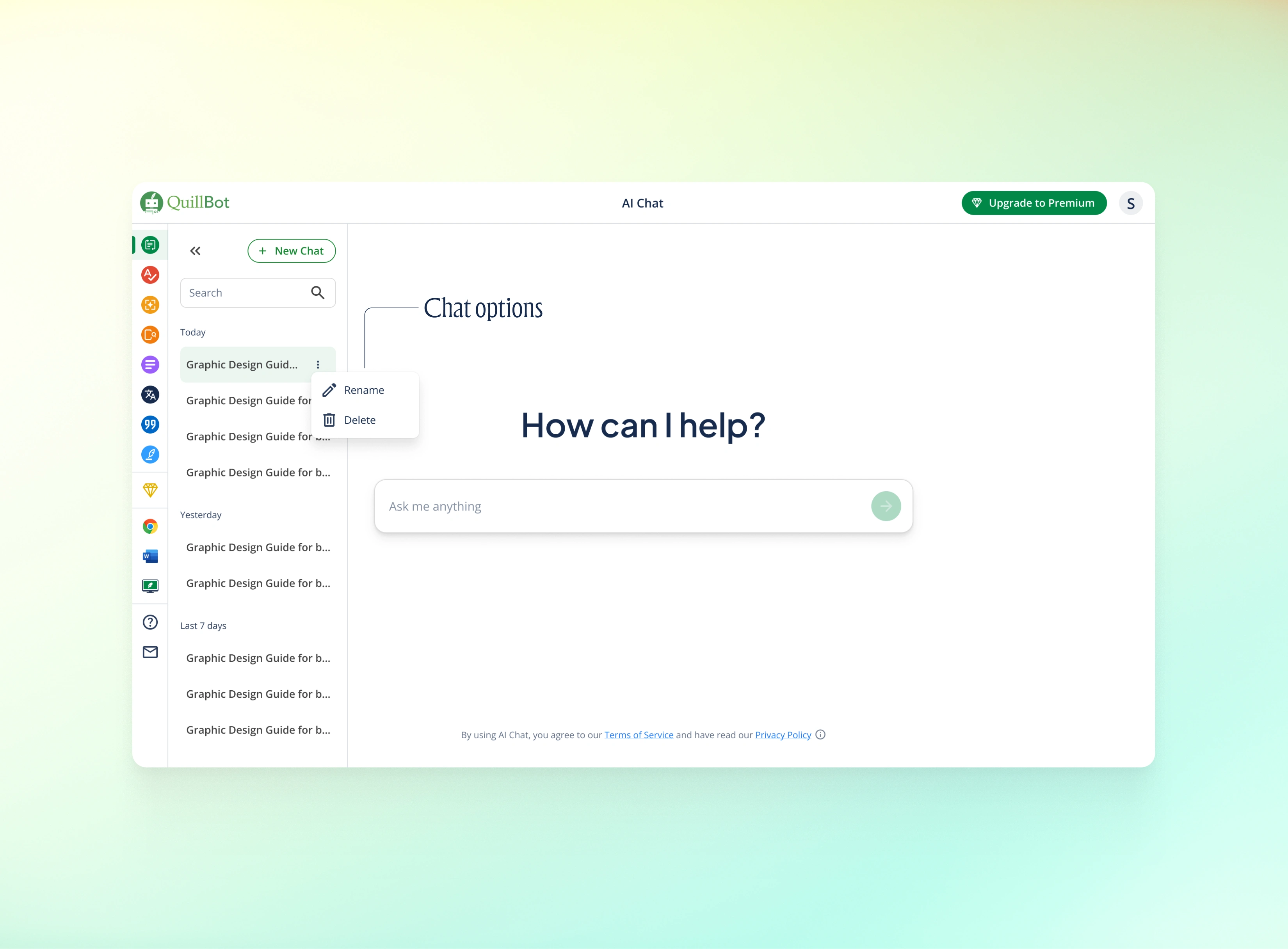
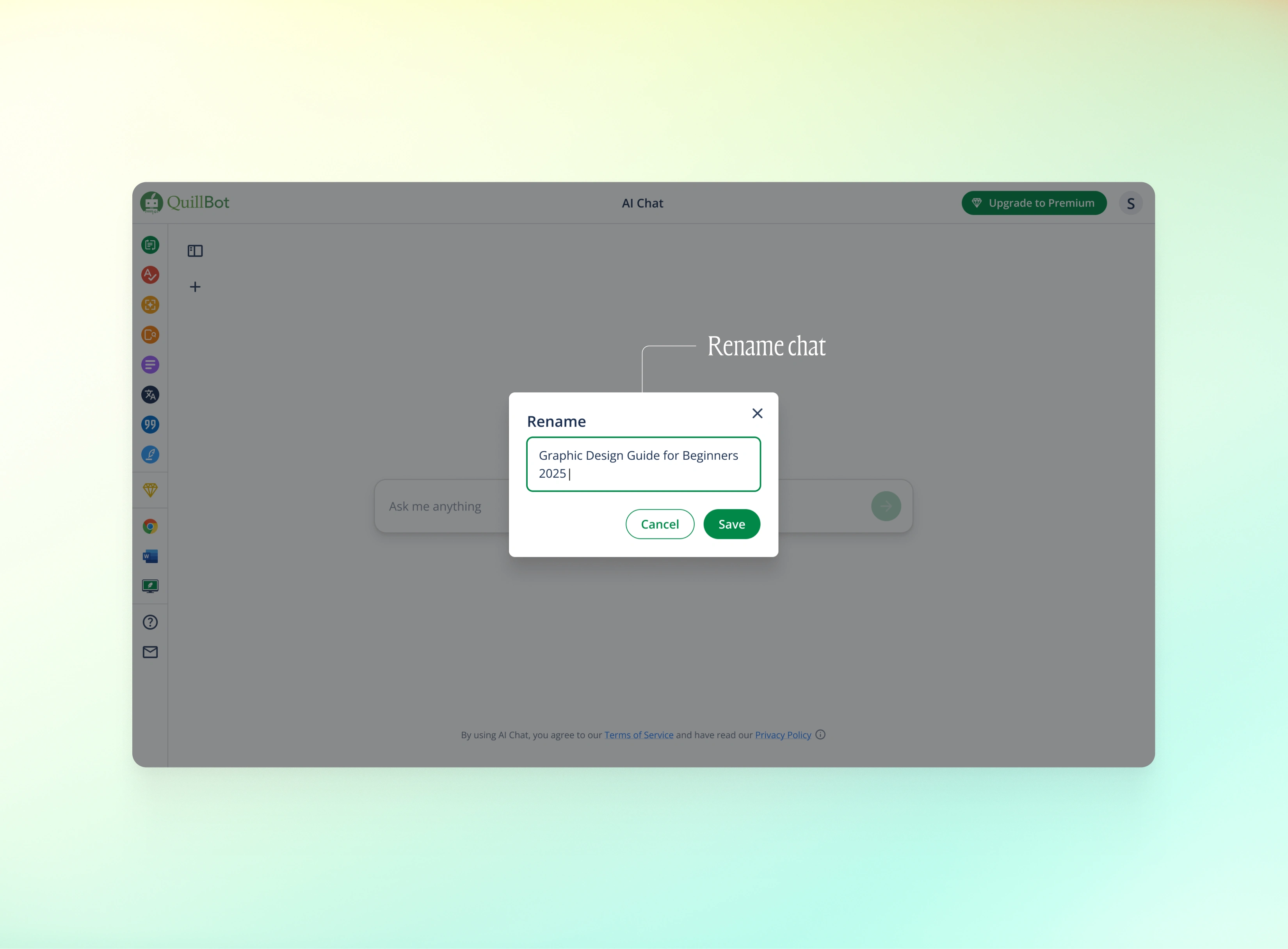
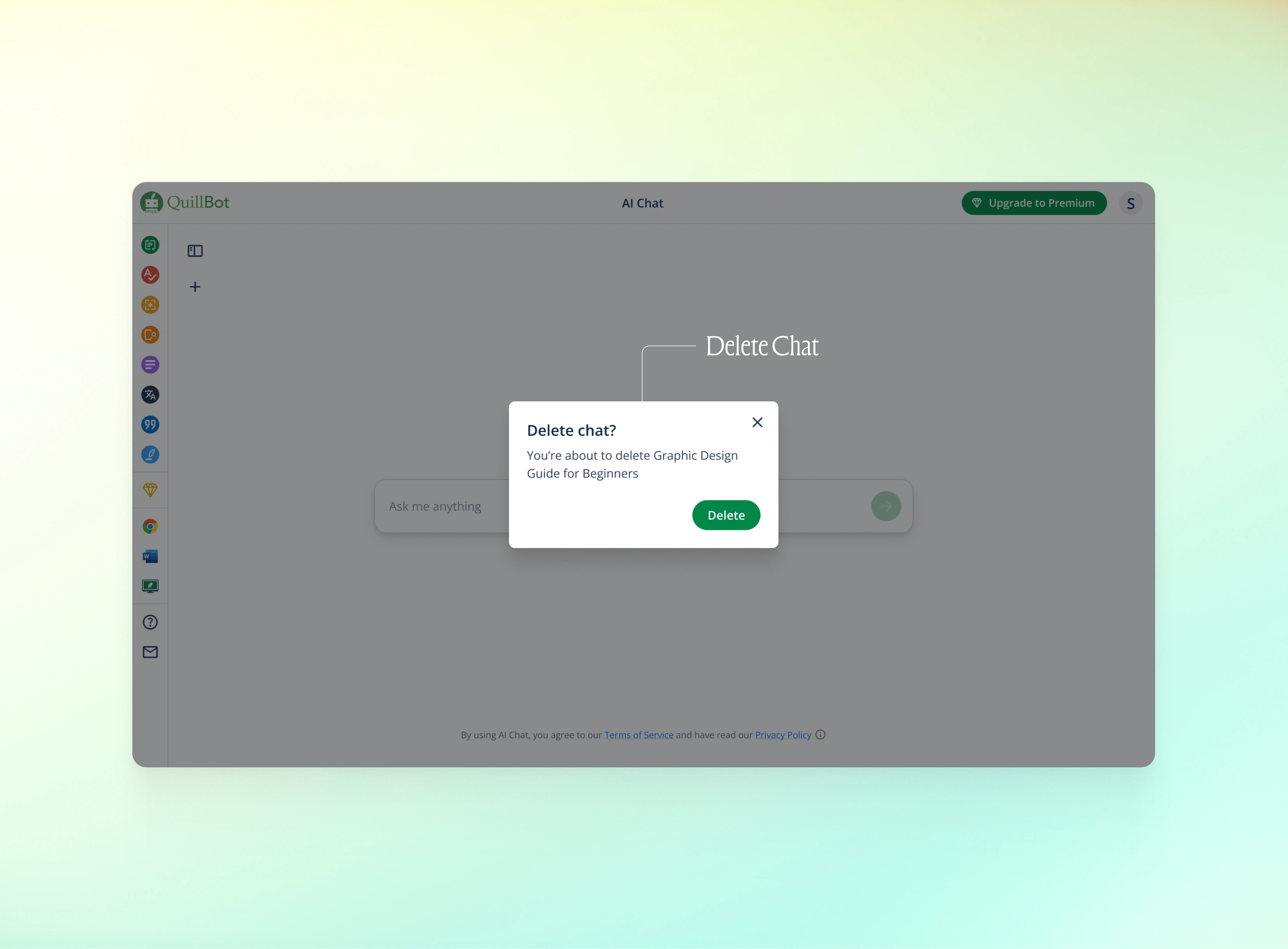
1. Saved Chat History
Edit & delete existing chats or Start a new chat.
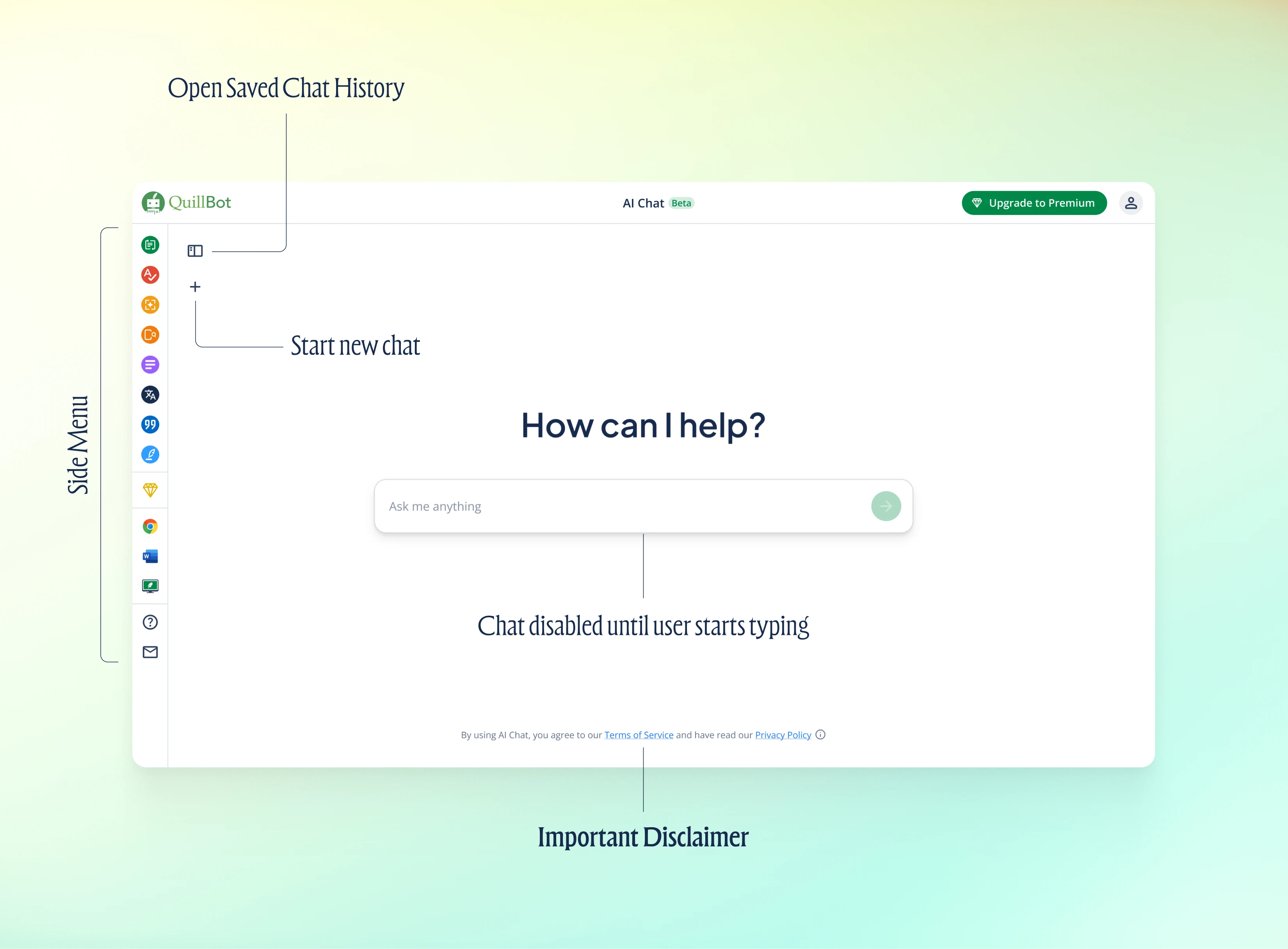
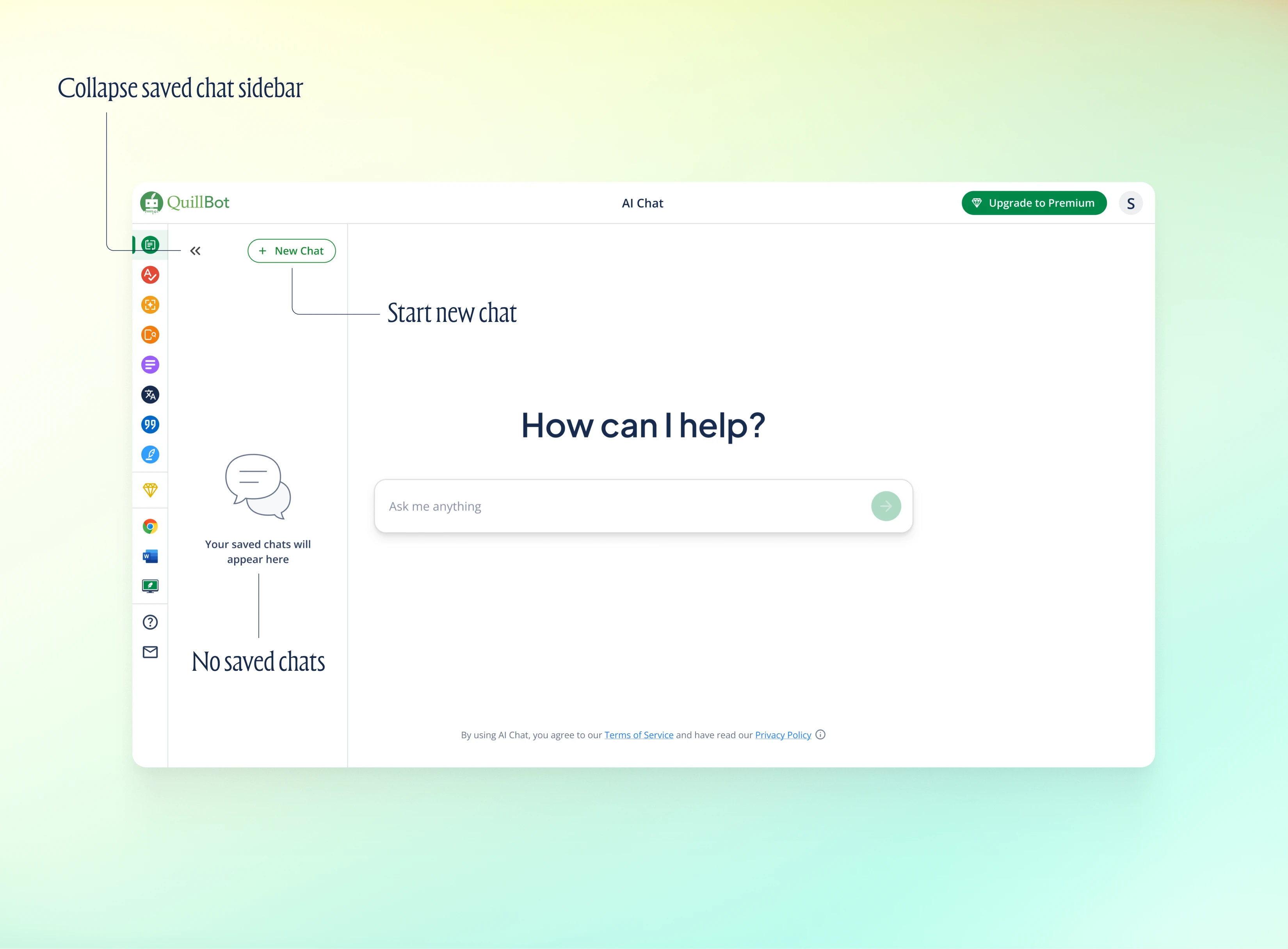
2. Annotations for Developers
Detailed annotations + fully ready Figma file for easy developer hand-off.
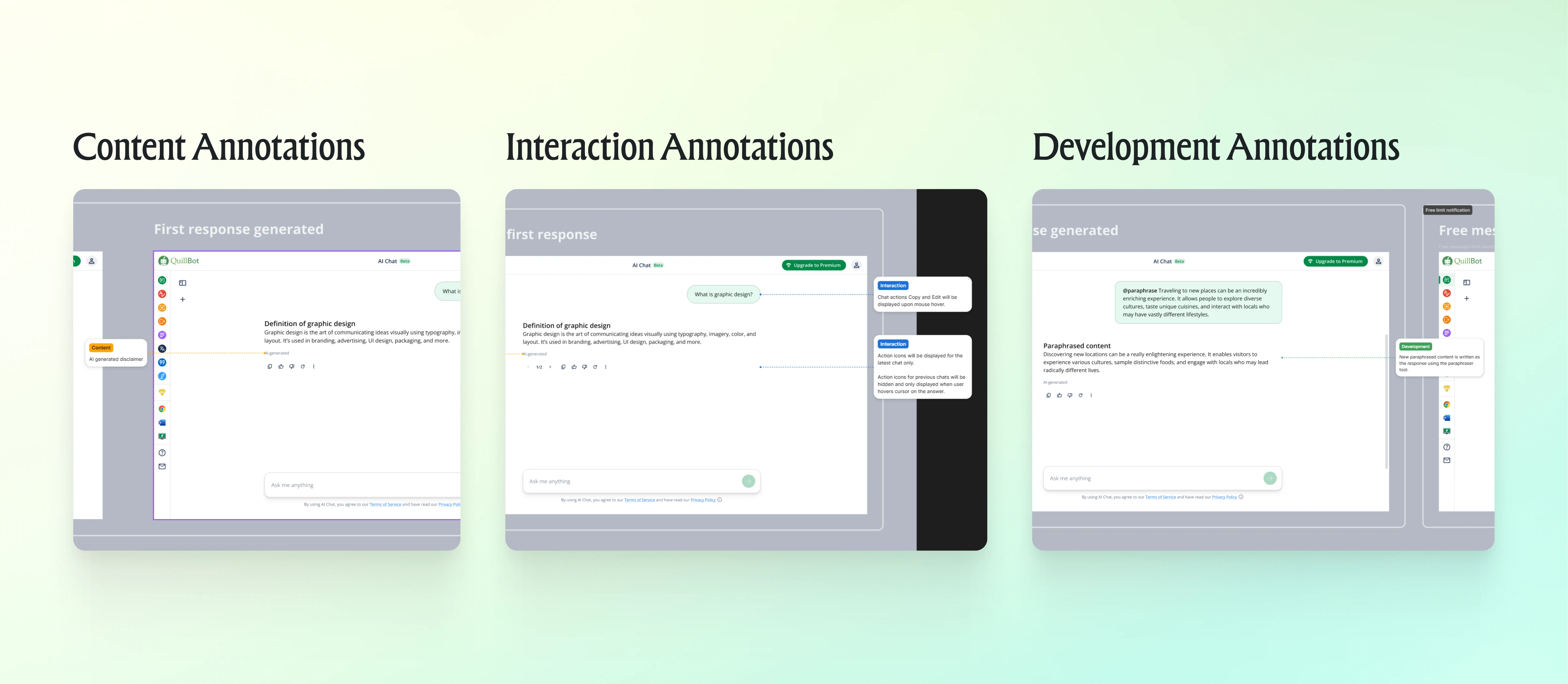
Annotations for Developers
Client Testimonial
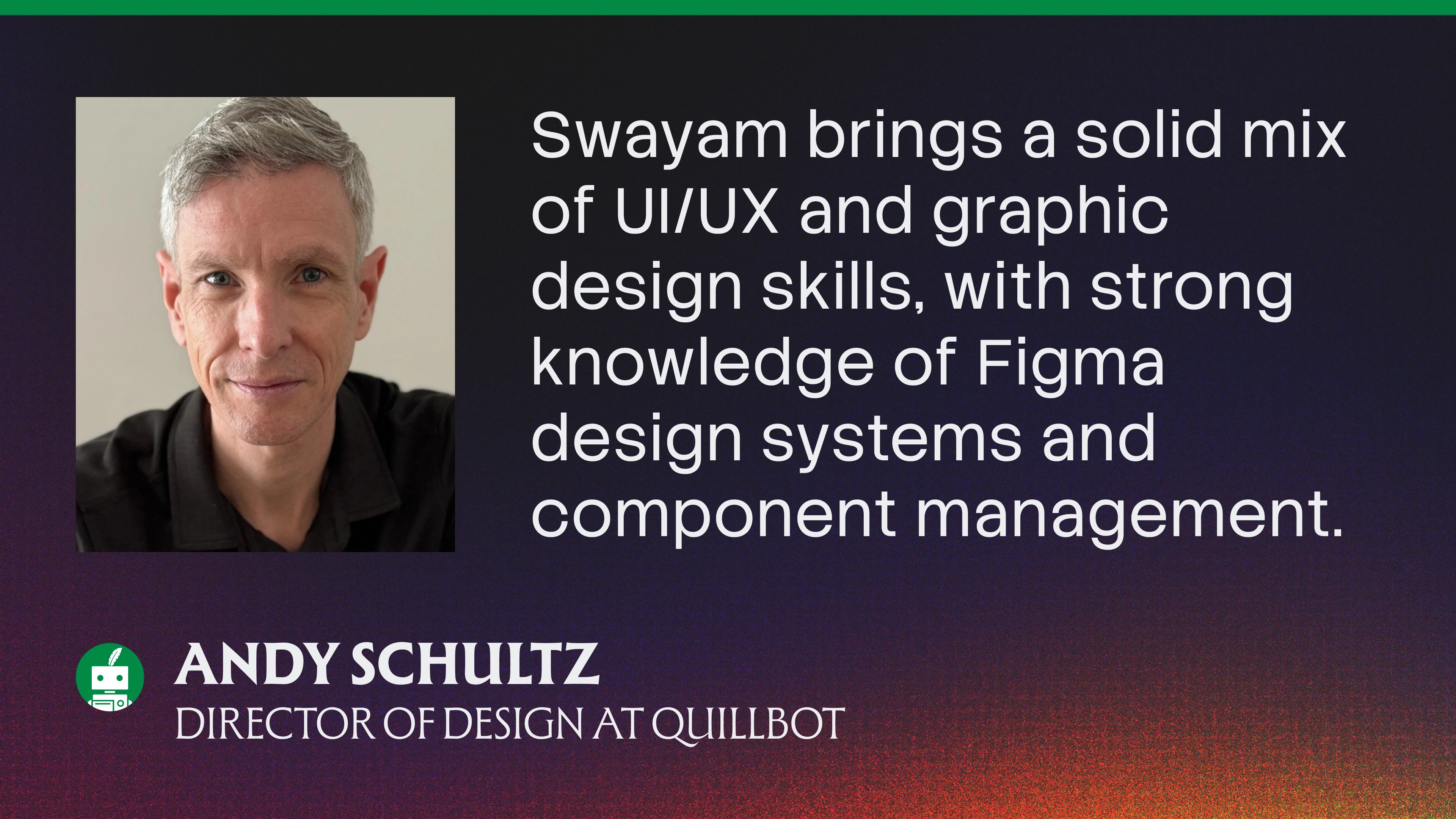
Andy's testimonial for Swayam
Explore the latest version with new features
Building a new product? DM to discuss!

Let's work together!
Like this project
Posted Jan 24, 2026
Designed QuillBot's new product MVP AI Chat for AI based writing-focused tasks, enhancing user experience and product adoption. All designed in Figma.
Likes
1
Views
78
Clients
QuillBot