StockPilot - Marketing Landing Page

Neha Arora


StockPilot Landing Page
Overview
The StockPilot Landing Page is a standalone marketing website built to promote the StockPilot inventory management application. It was created as a companion piece to the full-stack MVP, serving as the public-facing entry point for potential users and clients.
The goal was simple: build a fast, responsive, conversion-focused landing page that matches the visual identity of the application while remaining completely independent of it. No backend, no database, no build step. Just clean HTML, Tailwind CSS, and vanilla JavaScript.
The Problem
When the StockPilot application was first deployed, the only way to access it was through a direct URL. There was no marketing page, no explanation of what the product did, and no clear call to action for new visitors. Anyone who landed on the app had to figure out its purpose on their own.
Additionally, the app itself is a full-stack application with authentication and a database. It is not designed to be a marketing tool. Mixing marketing content into the app would have cluttered the user experience and complicated the codebase.
A separate landing page was needed.
The Approach
The landing page was built with three core principles in mind:
1. Visual Consistency
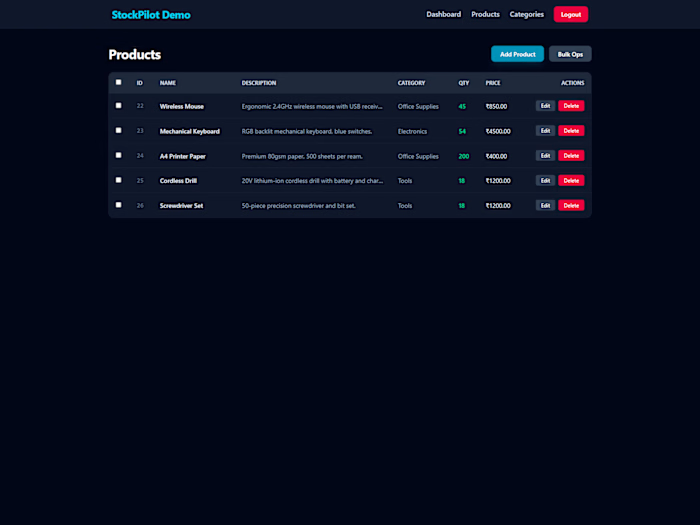
The landing page needed to feel like a natural extension of the StockPilot app. Every color, font, and component was matched to the existing design system. The dark slate background, the cyan accent color, the Inter font, and the card styling all mirror the application's dashboard.
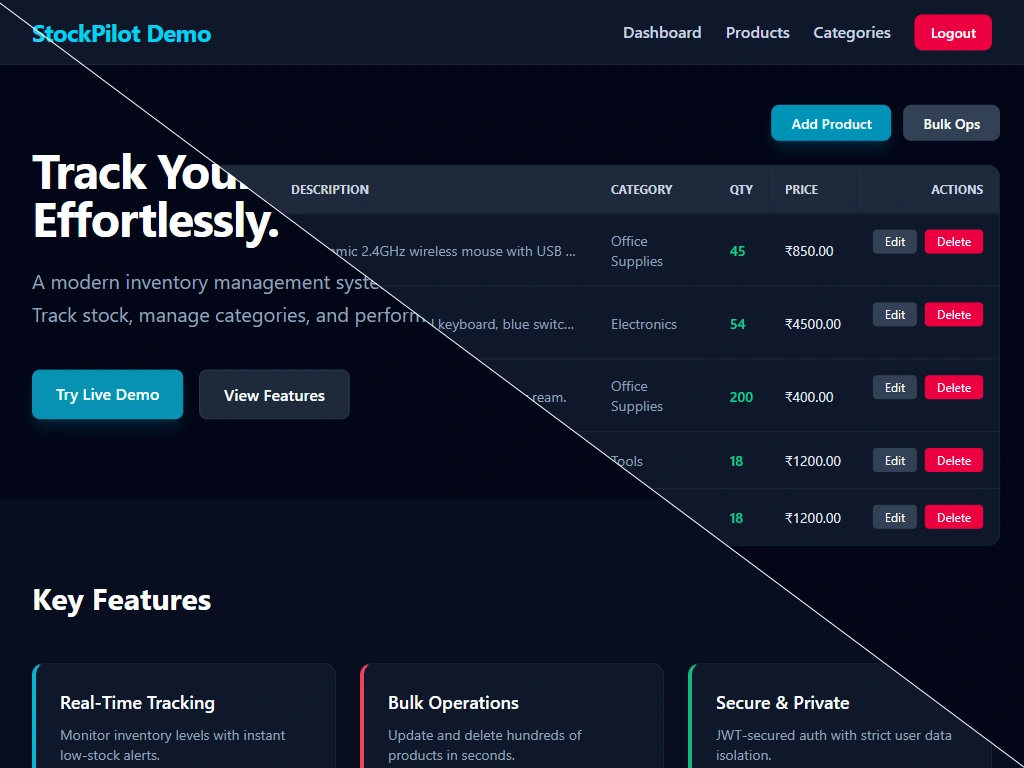
Landing Page vs App Design Consistency
2. Zero Dependencies
No React, no build tools, no npm packages. The entire site runs on a single HTML file with a Tailwind CDN script and a small block of vanilla JavaScript. This keeps the page lightweight, fast to load, and trivial to deploy on any static hosting platform.
3. Conversion Focus
Every section of the page is designed to move the visitor toward one action: clicking the "Launch App" button. The hero section establishes the value proposition, the features section explains what the product does, the demo section shows it in action, and the final call-to-action provides a clear next step.
Structure and Content
The page is divided into five sections.
Hero Section
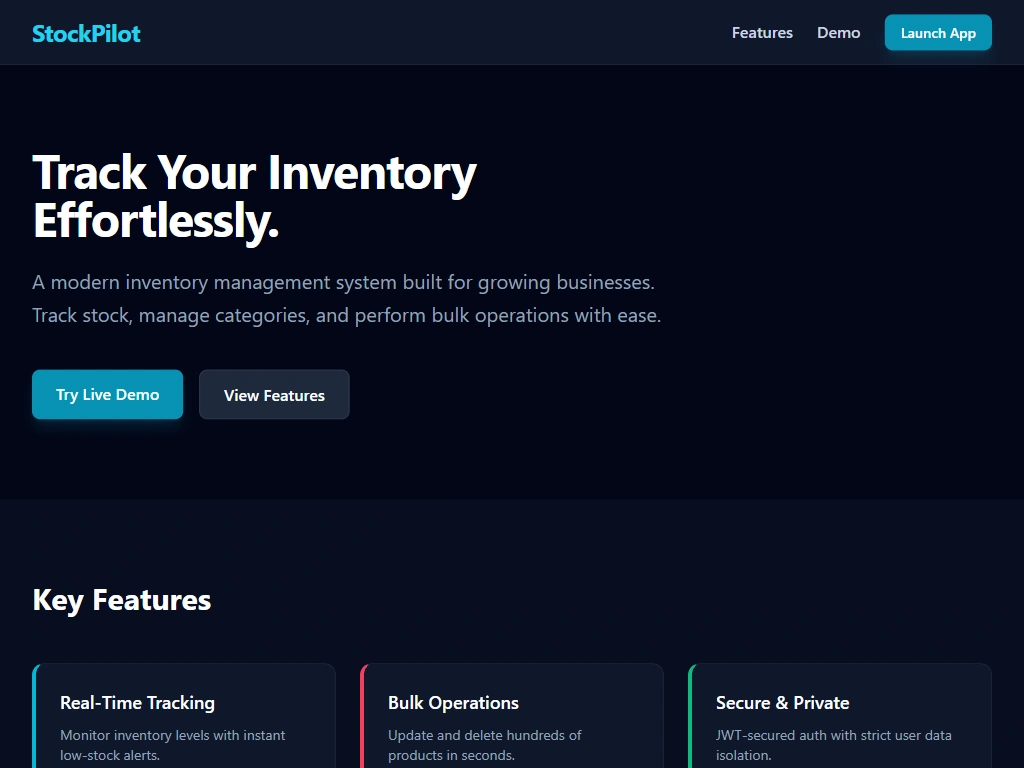
The hero introduces the product with a headline that communicates the core benefit: "Track Your Inventory Effortlessly." Below it, a short paragraph explains what StockPilot does and who it is for. Two buttons are provided: one to launch the live app and one to scroll down to the features.
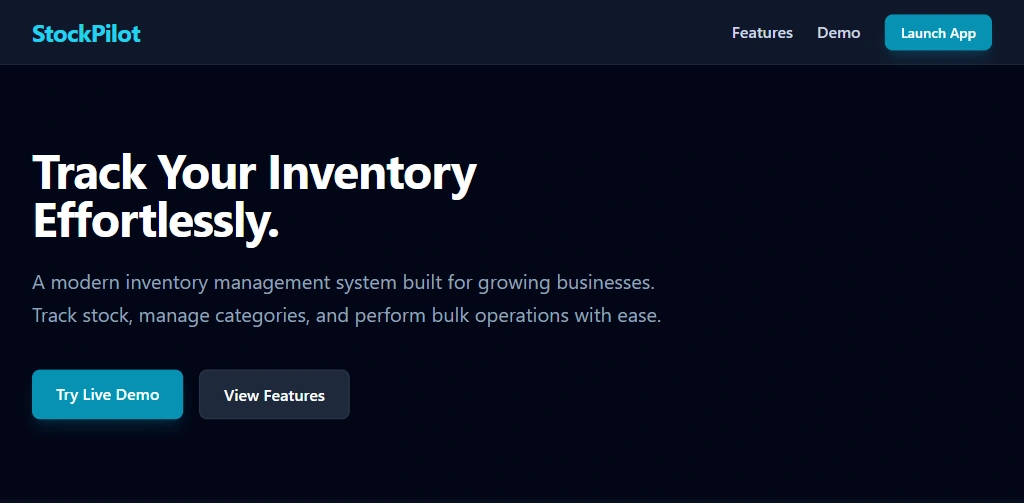
Hero Section
Features Section
Three feature cards highlight the most important capabilities of the app: real-time tracking, bulk operations, and secure user data isolation. Each card uses a colored left border to visually distinguish it, matching the card styling used in the app's dashboard.
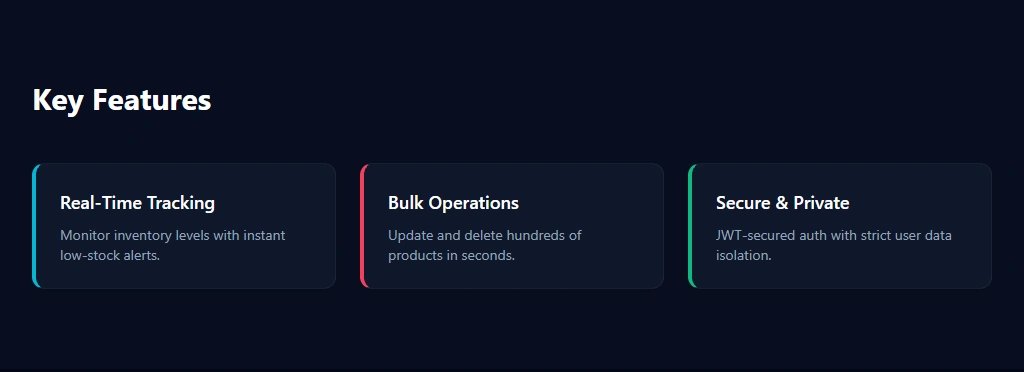
Features Section
Demo Section
This section displays a screenshot of the actual StockPilot application. On desktop, a horizontal scroll container allows viewers to see the full dashboard. On mobile, a separate portrait-oriented screenshot is displayed full-width for readability. The image is clickable, opening the full-size version in a new tab for detailed inspection.
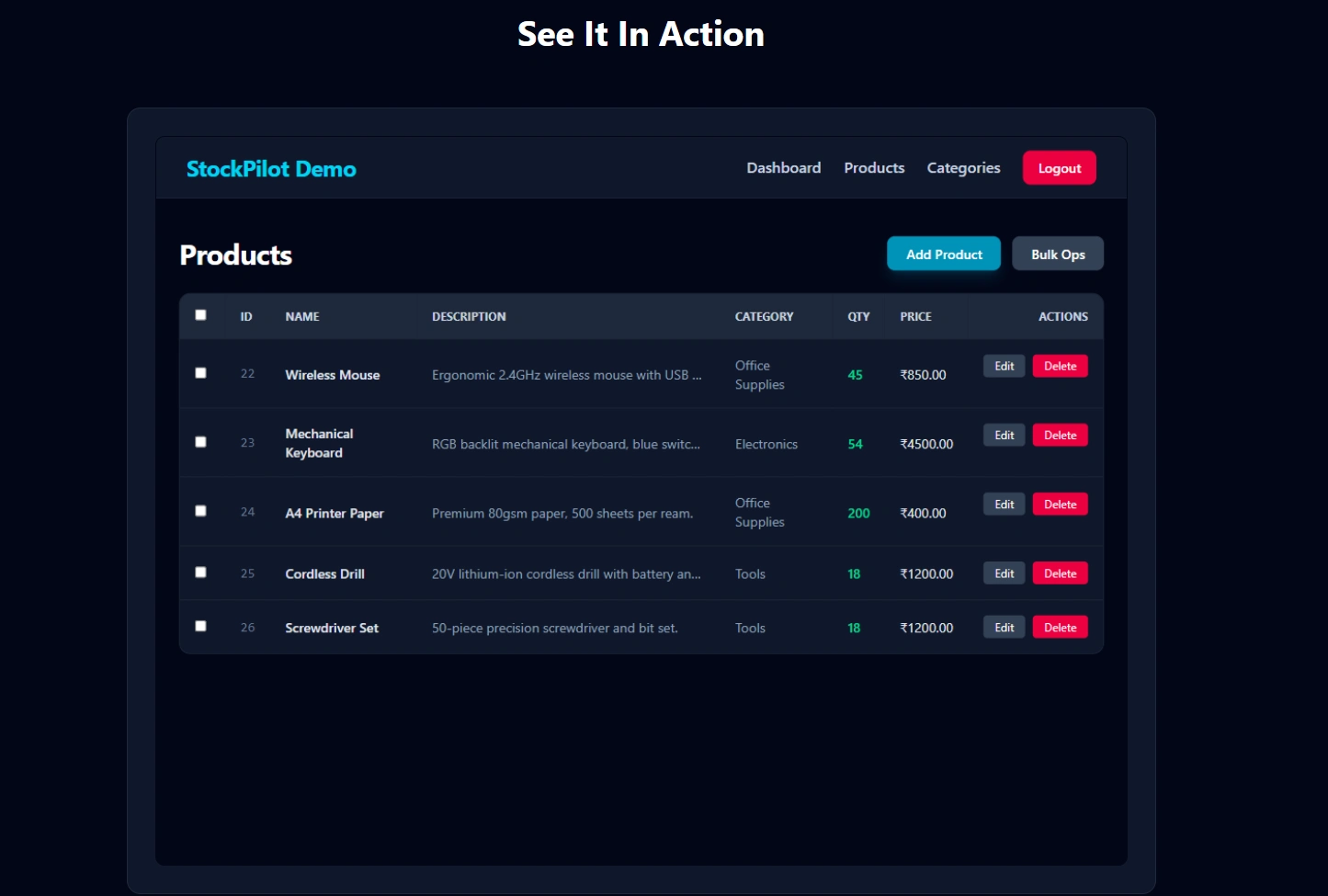
Desktop See It In Action
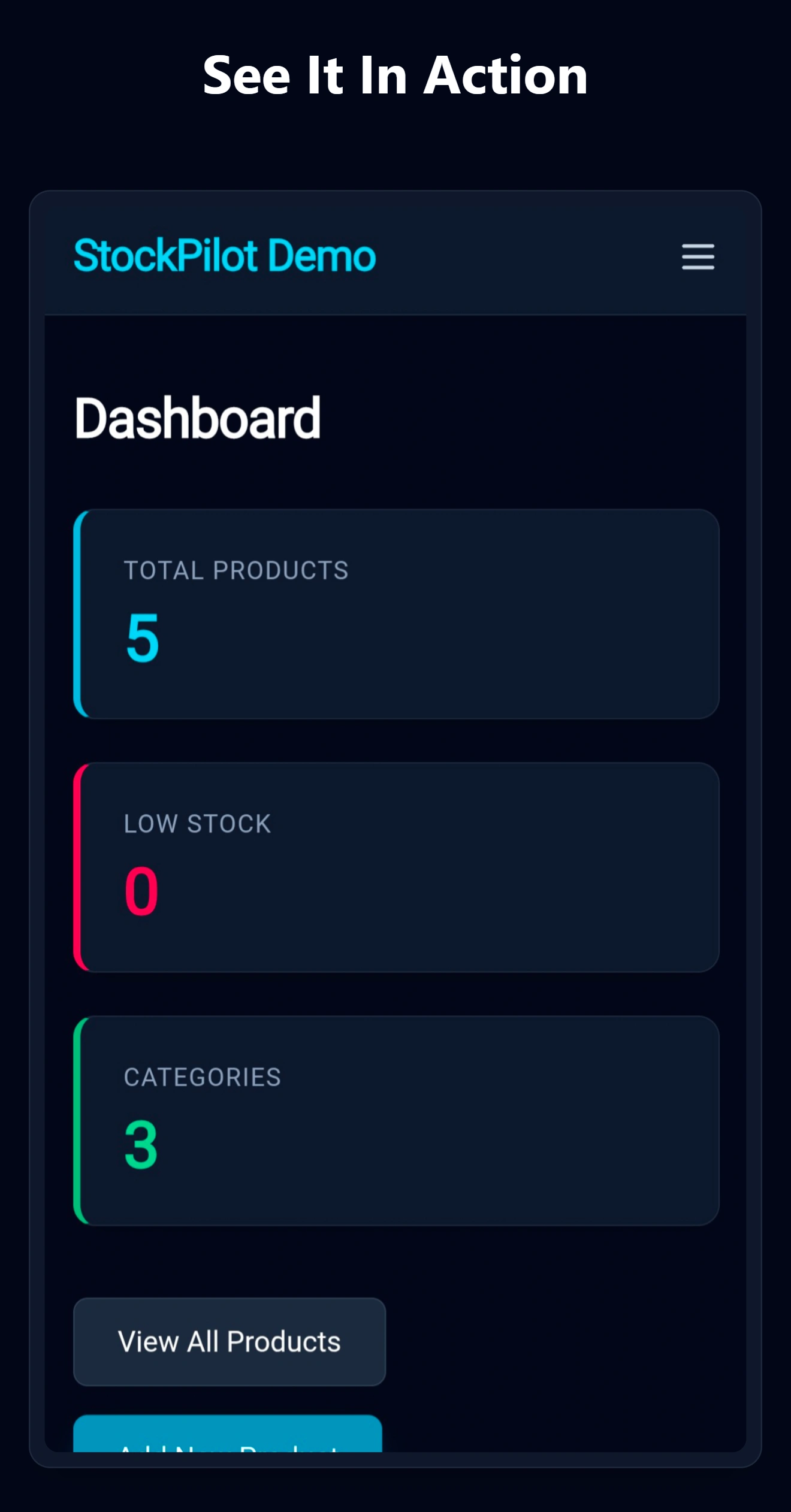
Mobile See It In Action
Call-to-Action Section
A final section with a centered headline and a prominent button to launch the app. This provides a second chance to convert visitors who may have scrolled to the bottom without clicking the hero button.
Footer
A minimal footer with copyright information and a link back to the developer's Contra profile.
Technical Implementation
The site uses Tailwind CSS via CDN with a custom configuration that extends the default color palette to include the specific slate and cyan shades used in the StockPilot app. This ensures visual consistency without requiring a build step.
Interactivity is handled with vanilla JavaScript. The mobile navigation menu uses a CSS grid transition to smoothly expand and collapse. The scroll reveal animations use the Intersection Observer API to add a visible class to elements as they enter the viewport, triggering a fade-up animation.
Mobile Menu Animation
The page is fully responsive. On mobile devices, the navigation collapses into a hamburger menu, the layout stacks vertically, and the demo section switches from a horizontal scroll container to a full-width portrait screenshot.
Design Decisions
Why no React?
The landing page is a static marketing site. There is no state to manage, no data to fetch, and no user interactions beyond navigation. Adding React would have increased the bundle size, required a build step, and added unnecessary complexity. Vanilla HTML, CSS, and JavaScript are sufficient and result in a faster, simpler page.
Why Tailwind CDN?
The Tailwind CDN allows the page to use utility classes without a build process. While this is not recommended for large production applications, it is ideal for a single-page marketing site where the total CSS is small and the performance impact is negligible.
Why two screenshots?
The desktop screenshot shows the full dashboard on a wide screen, which is how most users will first encounter the app. The mobile screenshot shows the same app optimized for a phone, which is how many users will actually use it day-to-day. Displaying both provides a complete picture of the product's responsiveness.
Outcome
The StockPilot Landing Page is deployed and publicly accessible. It serves as the primary marketing entry point for the application and is linked from the developer's Contra portfolio as a demonstration of frontend design and static site development capabilities.
The page loads quickly, works on all screen sizes, and maintains visual consistency with the application it promotes. It requires no maintenance and can be hosted indefinitely on any static hosting provider for free.
Like this project
Posted Oct 7, 2026
Conversion-focused dark-mode landing page for StockPilot: vanilla HTML, Tailwind and JS, scroll animations, and a responsive CTA-driven layout for sign-ups.
Likes
2
Views
11