AI-Powered Phone Receptionist for UK Clinic

Muhammad Shoukat


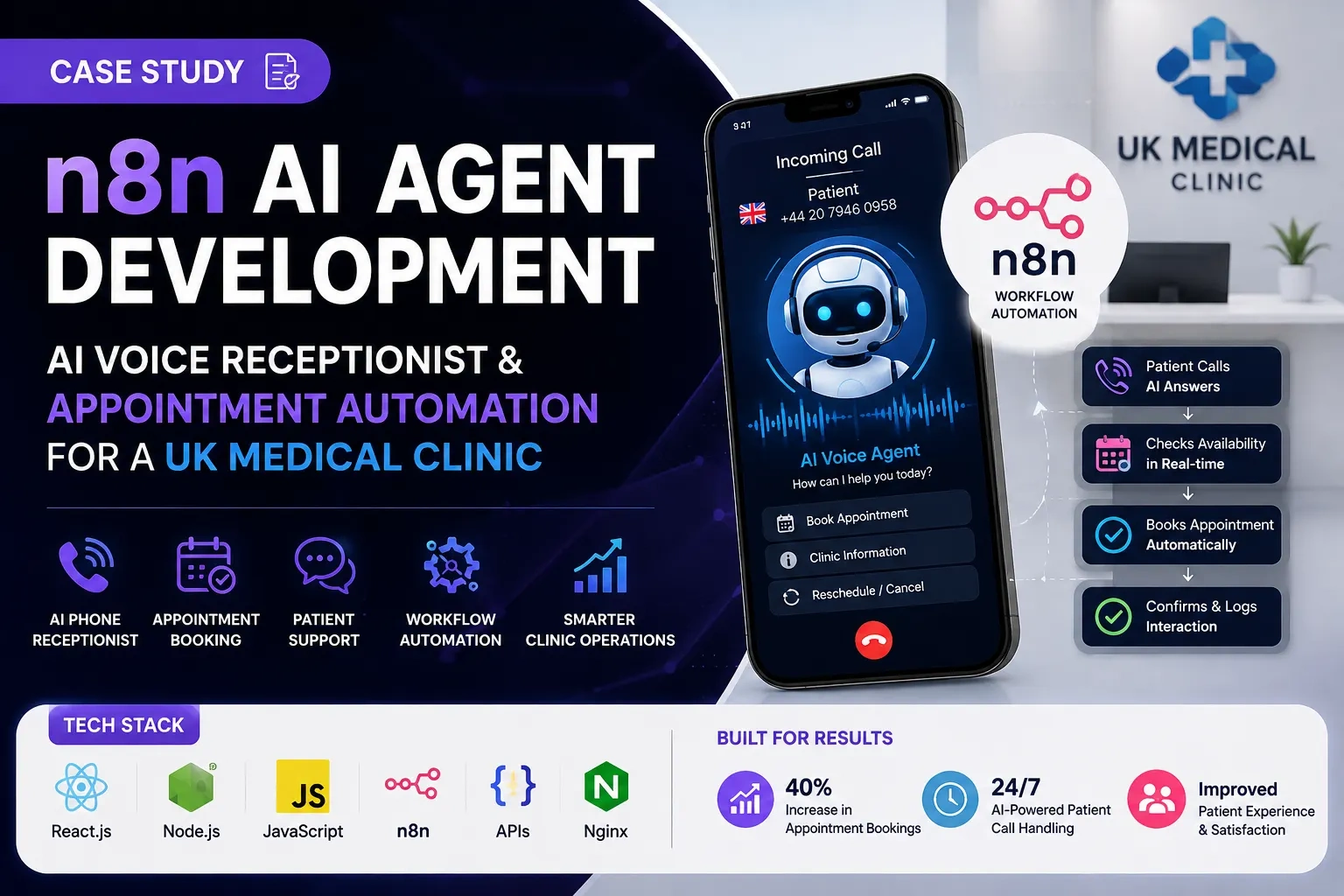
ClientUK Clinic AssistentIndustryAssistent and MedicalService focusN8DevSell servicesn8n Automation · AI Agent Development · AI Automation · API Development & IntegrationTech stackReact.js Node.js JavaScript CSS n8n n8n AI Agent REST APIs HTTP Request nodes Webhook nodes Switch nodes IF nodes Set/Edit Fields nodes Code nodes AI model integration Nginx Linux server environment
Project Overview
A UK-based medical clinic approached us to develop an intelligent AI-powered phone assistant capable of handling incoming patient calls, answering routine questions, collecting relevant information, and helping patients book appointments without requiring a receptionist to manually handle every call.
We designed and developed a complete AI-powered call automation system using n8n AI Agent Development as the core backend orchestration layer, supported by a modern React.js frontend, Node.js services, JavaScript, CSS, and Nginx infrastructure.
The objective was not simply to build a chatbot. The goal was to create an automated digital receptionist capable of participating in natural conversations, understanding patient requests, retrieving relevant information, performing workflow actions, and connecting appointment-related requests with the clinic's scheduling system.
The resulting architecture combined AI, workflow automation, API integrations, appointment management, frontend administration, and server infrastructure into a single operational system.
Client
UK Medical Clinic
Industry
Healthcare / Medical Services
Service
n8n AI Agent Development, AI Voice Agent Development, Workflow Automation & Custom Software Development
Primary Technology
n8n
Frontend Technology
React.js, JavaScript, CSS
Backend & Integration Layer
n8n, Node.js, JavaScript, REST APIs
Infrastructure
Nginx, Linux Server Environment
Project Type
AI Voice Receptionist & Patient Appointment Automation System
The Challenge
Medical clinics frequently receive a large number of phone calls from existing and potential patients.
Many of these calls involve repetitive requests such as:
Asking about clinic services
Asking about opening hours
Asking whether a particular service is available
Requesting an appointment
Asking about available appointment times
Providing basic patient information
Rescheduling an appointment
Cancelling an appointment
Asking general administrative questions
Requesting information before visiting the clinic
Traditionally, these calls require staff members to answer the phone, understand the patient's request, check internal systems, communicate available options, and manually perform follow-up actions.
This creates several operational problems.
Reception staff can become overloaded during busy periods, calls can be missed outside working hours, and employees spend significant time answering questions that follow predictable patterns.
The client therefore needed an automated solution that could provide a more scalable first point of contact while still maintaining a controlled workflow for appointment-related operations.
The Solution
We developed an AI-powered voice receptionist using n8n AI Agent Development as the central workflow automation and orchestration layer.
The system was designed around a simple concept:
Incoming patient call → AI conversation → Intent detection → Information retrieval → Workflow decision → Appointment/action → Response to patient → Logging
Instead of creating a conventional static chatbot, we designed the system as an AI agent capable of interacting with multiple backend workflows.
The AI agent could receive a patient's request, determine what the patient was trying to accomplish, gather the information required to complete the task, execute the appropriate workflow, and return a natural-language response.
The frontend provided the clinic with an operational interface, while n8n handled the majority of the backend automation and integration logic.
System Architecture
The architecture was divided into several major layers:
1. Patient Communication Layer
The patient communicates with the clinic through a phone call.
The voice communication layer connects the incoming call to the AI processing workflow.
2. AI Conversation Layer
The AI agent processes the conversation, understands the patient's intent, and determines what action is required.
3. n8n Workflow Automation Layer
n8n acts as the central orchestration engine.
It connects the AI agent with APIs, business logic, appointment systems, data processing, and notification workflows.
4. Business Logic Layer
Conditional workflows determine whether the request is:
A general question
An appointment request
An appointment rescheduling request
A cancellation
A request requiring additional information
A request that should be transferred or escalated
5. Appointment Integration Layer
The appropriate workflow communicates with the clinic's appointment/scheduling system through API requests.
6. Frontend Administration Layer
A React.js-based interface provides the clinic with a controlled interface for managing and monitoring the AI agent and operational information.
7. Infrastructure Layer
Nginx handles reverse proxy and web-server responsibilities, while the backend services and n8n workflows operate within the server environment.
Why We Used n8n
The most important architectural decision was using n8n for AI agent workflow orchestration.
n8n was particularly suitable because the project required many connected operations rather than a single AI response.
An AI phone receptionist needs to perform actions.
For example:
A patient says:
"I'd like to book an appointment."
The system cannot simply generate a text response.
It needs to:
Understand the intent.
Ask for the required information.
Validate the information.
Query appointment availability.
Present available options.
Receive the patient's selection.
Create the appointment.
Confirm the appointment.
Record the interaction.
n8n provided the workflow-based infrastructure required to connect these individual operations.
It also made it possible to create modular workflows rather than placing the entire business logic inside one application.
n8n AI Agent Workflow
The core workflow was designed as a sequence of connected nodes.
The exact configuration can vary depending on the clinic's telephony and appointment infrastructure, but the architecture was structured around the following node types.
1. Webhook / Trigger Node
The workflow begins when a communication event is received.
The Webhook node acts as an entry point for external requests.
It can receive:
Incoming call events
Call metadata
Patient interaction data
Voice-processing events
Appointment-related requests
External API callbacks
Why we used it
n8n workflows need a reliable trigger.
The webhook provides a controlled API endpoint through which external services can communicate with the automation layer.
2. Set / Edit Fields Node
After receiving the request, the workflow normalizes the incoming data.
Typical fields can include:
Call ID
Session ID
Caller information
Patient identifier
Conversation state
Request type
Timestamp
Input data
Workflow status
Why we used it
Different APIs frequently return information using different field names and structures.
The Set/Edit Fields stage creates a predictable internal data structure before the request enters the main workflow.
This makes downstream nodes easier to maintain.
3. Code Node
JavaScript-based Code nodes were used where custom processing was required.
Possible operations include:
Data transformation
String normalization
Validation
Formatting
Custom business logic
Preparing API payloads
Processing AI output
Normalizing appointment information
Why we used it
n8n provides many built-in nodes, but complex business rules sometimes require custom JavaScript.
The Code node provides that flexibility without requiring the entire workflow to be moved into a separate backend application.
4. AI Agent Node
The AI Agent is the intelligence layer of the system.
It interprets the patient's request and determines what the patient wants to accomplish.
For example:
Patient:
"I need to see a doctor next week."
The AI agent can interpret this as an appointment-related request and begin the appointment workflow.
For another request:
Patient:
"What time does the clinic close?"
The system can recognize that this is an informational request rather than an appointment operation.
Why we used it
A medical receptionist must understand intent rather than rely exclusively on rigid keyword matching.
The AI Agent allows the system to process natural language and select the appropriate workflow based on context.
5. AI Model Integration
The AI agent communicates with the selected language model through the configured AI integration.
The model is responsible for language understanding and response generation, while n8n remains responsible for workflow execution.
This separation is important.
The AI should determine what the patient wants, but critical operations such as appointment creation should be controlled by deterministic workflows.
This prevents the AI from being responsible for actions that should instead be handled by validated business logic.
6. Switch Node
After the patient's intent is identified, the workflow uses conditional routing.
A Switch node can route requests into different branches.
For example:
Why we used it
Different patient requests require different workflows.
The Switch node prevents unrelated operations from being executed and creates a structured routing layer.
7. IF Nodes
IF nodes are used for validation and decision-making.
For example:
They can be used to verify whether:
Required patient information exists
An appointment time is available
An API request succeeded
The requested operation is permitted
Additional information is required
The workflow should continue or escalate
Why we used them
Healthcare workflows require controlled decisions.
The AI should not blindly continue when required information is missing.
8. HTTP Request Nodes
The HTTP Request node is one of the most important components of the architecture.
It connects n8n to external systems through APIs.
These integrations can include:
Appointment management systems
Clinic databases
Internal APIs
Notification systems
Patient-management services
External business systems
AI services
Telephony services
Why we used it
The clinic's operational systems may not be built directly into n8n.
HTTP Request nodes allow n8n to communicate with external applications without tightly coupling the systems together.
9. Appointment Availability Workflow
When a patient requests an appointment, n8n starts a dedicated appointment workflow.
The general process is:
This makes appointment booking an actual workflow rather than a conversational simulation.
10. Appointment Booking API
Once the patient selects an available time, n8n prepares the booking request.
The HTTP Request node sends the appropriate data to the appointment system.
The workflow then validates the response.
Successful booking:
Failed booking:
Why we used this architecture
Appointment creation is an operational transaction.
The system must confirm that the appointment was actually created before telling the patient that the booking is complete.
11. Data Validation
Validation was included before important actions.
Patient-provided information may require normalization and validation before being sent to another system.
Examples include:
Name formatting
Phone number normalization
Appointment date validation
Appointment time validation
Required-field validation
API response validation
This reduces malformed requests and unnecessary API failures.
12. Error Handling Workflow
A production AI agent cannot assume that every API call will succeed.
Therefore, error handling was incorporated into the workflow architecture.
Potential failure points include:
Appointment API unavailable
Invalid API response
Missing patient information
No available appointment slots
AI response requiring clarification
External service timeout
Duplicate booking attempt
The workflow can route these situations into dedicated error-handling branches.
13. No-Availability Workflow
If the requested appointment time is unavailable, the AI should not simply invent an alternative.
Instead, n8n queries the scheduling system for available options.
The workflow can then return alternatives to the patient.
For example:
This creates a reliable connection between AI conversation and real scheduling data.
14. FAQ and General Information Workflow
Not every call requires an appointment.
The agent can route general questions into an information workflow.
Examples include:
Clinic opening hours
Services offered
General appointment information
Location information
Administrative questions
Basic clinic policies
The AI agent can retrieve the appropriate information and formulate a conversational response.
This reduces the amount of repetitive work handled manually by reception staff.
15. Appointment Cancellation Workflow
Cancellation requests are routed through a separate workflow.
The general architecture is:
Separating cancellation from booking reduces the risk of executing the wrong operation.
16. Appointment Rescheduling Workflow
Rescheduling requires multiple operations.
The workflow can:
Identify the existing appointment.
Verify the relevant patient information.
Retrieve new available slots.
Present alternatives.
Receive the patient's selection.
Update the appointment.
Confirm the new appointment time.
This demonstrates one of the key benefits of n8n AI agent development: conversational AI can be connected to multi-step deterministic workflows.
17. Conversation State
A voice assistant needs contextual awareness throughout a call.
For example, a patient might say:
"I need an appointment."
Then:
"Next Tuesday."
Then:
"Morning would be better."
The system needs to understand that the second and third messages are part of the same appointment request.
Conversation/session data therefore needs to be maintained throughout the interaction.
The workflow architecture uses session identifiers and structured fields to maintain context between stages.
18. Frontend Development
While n8n handled backend workflow orchestration, we developed a custom frontend for the clinic.
The frontend was built using:
React.js
JavaScript
CSS
Node.js-based application tooling
The interface was designed to provide a practical operational layer over the automation system.
Frontend Responsibilities
The frontend can provide visibility into areas such as:
AI agent status
Call activity
Appointment activity
Workflow status
Patient interaction records
Automation activity
Configuration
Operational information
The purpose of the frontend was not to duplicate n8n.
Instead, it provided a more user-friendly interface for clinic staff and administrators.
React.js Architecture
React.js was selected because the project required a responsive, component-based interface.
The UI was structured into reusable components rather than implementing every page as an isolated interface.
This makes it easier to expand the system later with features such as:
Call history
Appointment dashboards
Analytics
AI configuration
Agent settings
User management
Workflow monitoring
Node.js Integration
Node.js was used as part of the application/integration layer where additional server-side logic was required.
This provided a flexible bridge between the frontend application and external services where appropriate, while n8n remained the central workflow automation engine.
The architecture therefore avoided forcing all backend logic into a single application.
Nginx Configuration
Nginx was used as part of the production infrastructure.
It provides reverse-proxy and web-server functionality between the public-facing domain and internal application services.
A simplified architecture looks like:
Why Nginx was used
Nginx provides a reliable production layer for routing incoming requests to the correct service.
It also allows multiple application services to operate behind a controlled public-facing endpoint.
Security & Data Handling Considerations
Because the system operates in a healthcare environment, security and data handling were treated as important architectural considerations.
The system was designed around controlled data flows rather than allowing the AI model to directly access unrestricted backend systems.
Important principles included:
Controlled API access
Authentication for protected services
Separation of frontend and backend responsibilities
Validation before sensitive operations
Restricted workflow execution
Structured error handling
Secure server configuration
Controlled access to operational interfaces
Avoiding unnecessary exposure of patient information
The AI layer was treated as an interface for understanding requests, while sensitive operational actions remained under deterministic workflow control.
Complete n8n Workflow Architecture
The overall workflow can be represented as:
This modular structure allows each business operation to be independently maintained and improved.
Why n8n Was Better Than a Traditional Backend-Only Approach
A traditional backend could certainly implement the same functionality, but the project involved a large number of integrations and workflow states.
n8n provided several advantages.
Visual workflow orchestration
The business logic could be represented visually, making complex automation easier to understand and maintain.
API integration
External systems could be connected using HTTP Request nodes without creating custom integration code for every service.
AI integration
AI functionality could be combined with deterministic workflow nodes.
Conditional routing
Switch and IF nodes made branching logic straightforward.
Extensibility
Additional automation workflows can be added without restructuring the entire application.
Faster iteration
Individual workflows can be modified independently, reducing development friction.
Key Technical Components
The project combined several technologies:
Frontend
React.js
JavaScript
CSS
Application Layer
Node.js
REST APIs
Automation & AI
n8n
AI Agent
AI model integration
Webhooks
Workflow orchestration
n8n Node Categories
Webhook / Trigger
AI Agent
AI Model integration
HTTP Request
Switch
IF
Set / Edit Fields
Code
Data transformation
Error-handling branches
Infrastructure
Nginx
Linux server environment
Reverse proxy configuration
Development Process
Phase 1 — Requirements Analysis
We first analyzed the clinic's operational requirements and identified which phone interactions could be automated.
The focus was on separating:
Conversational tasks from transactional tasks.
This distinction became one of the most important architectural decisions.
Phase 2 — Workflow Architecture
The n8n architecture was designed before implementation.
We mapped the major patient journeys:
Incoming call
General question
Appointment booking
Appointment rescheduling
Appointment cancellation
No availability
Missing information
API failure
Escalation scenarios
Each journey was then converted into an individual workflow branch.
Phase 3 — AI Agent Development
The AI agent was configured to understand patient requests and work with the predefined business workflows.
Rather than allowing the AI to perform unrestricted actions, we connected it to controlled tools and workflows.
This created a separation between:
AI reasoning → workflow execution → external system action
Phase 4 — API Integration
The relevant APIs were connected through n8n HTTP Request nodes.
Each integration was tested independently before being connected to the AI agent.
This approach made troubleshooting significantly easier because failures could be isolated to individual workflow components.
Phase 5 — Frontend Development
The React.js frontend was developed as the operational interface for the clinic.
The interface was connected to the relevant application/backend endpoints and designed around the workflows rather than generic dashboard components.
Phase 6 — Server & Nginx Configuration
The production environment was configured with Nginx as the reverse proxy layer.
The frontend, application services, n8n workflows, and external integrations were then connected through the production architecture.
Phase 7 — Workflow Testing
Individual workflows were tested before complete end-to-end testing.
Testing scenarios included:
Normal patient questions
Appointment requests
Invalid information
Missing information
No available slots
Appointment confirmation
Appointment cancellation
Rescheduling
API failures
Unexpected inputs
End-to-End Patient Journey
Consider a patient calling the clinic.
Step 1 — Patient Calls
The incoming communication enters the AI receptionist system.
Step 2 — Session Created
The system identifies the interaction and initializes the conversation context.
Step 3 — AI Understands the Request
The patient explains that they want to book an appointment.
Step 4 — Intent Routing
The AI agent identifies the request as an appointment operation.
Step 5 — Required Information
The agent collects the information required by the appointment workflow.
Step 6 — n8n Executes Workflow
n8n sends the appropriate request to the appointment system.
Step 7 — Availability Retrieved
The scheduling system returns available appointment options.
Step 8 — AI Communicates Options
The AI agent presents the available choices conversationally.
Step 9 — Patient Selects
The patient chooses an available appointment.
Step 10 — Booking Executed
n8n sends the final booking request.
Step 11 — Result Validated
The workflow verifies the API response.
Step 12 — Confirmation
The AI confirms the appointment to the patient.
Step 13 — Interaction Logged
Relevant operational information is recorded for monitoring and follow-up.
Business Impact
The project transformed the clinic's phone interaction model from a primarily manual process into an automated AI-assisted workflow.
The solution provides the clinic with:
Automated handling of repetitive patient calls
AI-powered conversational interaction
Automated appointment workflows
API-driven scheduling operations
Structured workflow management
A custom operational frontend
Scalable automation architecture
Reduced dependency on manual handling for routine requests
A foundation for additional healthcare automation
The most important outcome was not simply adding AI to the phone system.
It was connecting AI to real business processes.
What Made This Project Technically Challenging?
The most challenging part was not generating AI responses.
The difficult part was making the AI interact reliably with real operational workflows.
An AI response can be generated in milliseconds, but an appointment booking requires a sequence of controlled operations.
The system therefore had to distinguish between:
"What does the patient want?"
and
"What should the system actually do?"
n8n provided the orchestration layer between these two responsibilities.
This allowed the AI to understand natural language while deterministic automation handled API calls, validation, routing, and appointment operations.
Scalability
The architecture was designed so additional workflows could be introduced without rebuilding the entire platform.
Future workflows can include:
Automated appointment reminders
Follow-up calls
Patient feedback collection
Missed-call automation
Lead qualification
Administrative automation
Email/SMS notifications
Call analytics
Multi-location clinic support
Additional AI agents
CRM integration
Additional healthcare service workflows
This makes the system more than an individual AI receptionist.
It provides a foundation for a broader AI healthcare automation platform.
Related services: n8n Automation · AI Agent Development · AI Automation · API Development & Integration
◎ FAQ
Frequently asked questions
n8n AI agent development is the process of building AI-powered agents using n8n as the workflow orchestration and automation layer. It allows an AI agent to understand user requests and connect them with APIs, databases, business logic, appointment systems, notifications, and other automated workflows.
n8n was used as the backend automation and orchestration layer for the medical clinic's AI voice agent. It connected the AI conversation with appointment workflows, API requests, conditional logic, data processing, validation, error handling, and other operational processes.
Yes. An n8n-based AI agent can be integrated with a voice or telephony platform to create an AI receptionist capable of handling incoming calls, understanding natural-language requests, answering routine questions, collecting information, and triggering automated workflows.
Yes. An n8n AI agent can connect to an appointment or scheduling system through APIs. The agent can understand a patient's appointment request, collect the required information, retrieve available slots, allow the patient to select a suitable time, and trigger the appointment-booking workflow.
The AI voice agent first identifies the patient's appointment intent. n8n then executes the appropriate workflow, validates the required information, queries the scheduling API for available appointments, returns suitable time slots, processes the patient's selection, creates the appointment, verifies the API response, and provides a confirmation.
Common n8n nodes include Webhook, AI Agent, AI Model integration, HTTP Request, Switch, IF, Set/Edit Fields, and Code nodes. Webhooks receive external events, AI Agent nodes process conversational requests, HTTP Request nodes connect APIs, Switch and IF nodes control workflow logic, Set nodes structure data, and Code nodes handle custom JavaScript processing.
n8n provides visual workflow orchestration, API integration, conditional routing, AI integration, data processing, error handling, and automation in one platform. This can reduce development complexity when an AI agent needs to interact with multiple external systems and execute multi-step business processes.
Yes. n8n AI automation can support healthcare administrative workflows such as appointment requests, scheduling, cancellations, rescheduling, patient-call handling, notifications, and frequently asked questions. Healthcare implementations should still use appropriate security, access controls, data-minimization, compliance, and human-escalation processes.
The project used n8n for workflow automation and AI-agent orchestration, React.js for the frontend, Node.js and JavaScript for application and integration logic, CSS for the interface, REST APIs for system communication, and Nginx for production reverse-proxy infrastructure.
Like this project
Posted Aug 22, 2026
Developed an AI-powered phone receptionist for a UK clinic using n8n for automated patient call management.