Scaleon - AI Saas Platform (UI/UX Design)

Olayinka David



Like this project
Posted Nov 4, 2025
UI & UX Design of an AI SaaS platform for Sales Automation and Personalization (Dev hand off ready, including responsive Design and Motion Design Presentation)
Likes
1
Views
10
Timeline
Sep 1, 2025 - Sep 19, 2025



Scaleon: AI SaaS Platform Case Study
Project Summary
Scaleon is a lead enrichment, segmentation, and AI-personalization platform with multi-channel sequences. It unifies verified data (with citations), AI copy generation, and sequence orchestration into one workflow for sales teams and agencies Designed to help Sales teams and Team members.
Why: Teams were juggling 4–6 tools (data vendors, copy tools, sequencers) and losing time/quality at handoffs. We set out to compress the workflow, enforce trust in data, and make personalization fast, consistent, and measurable.

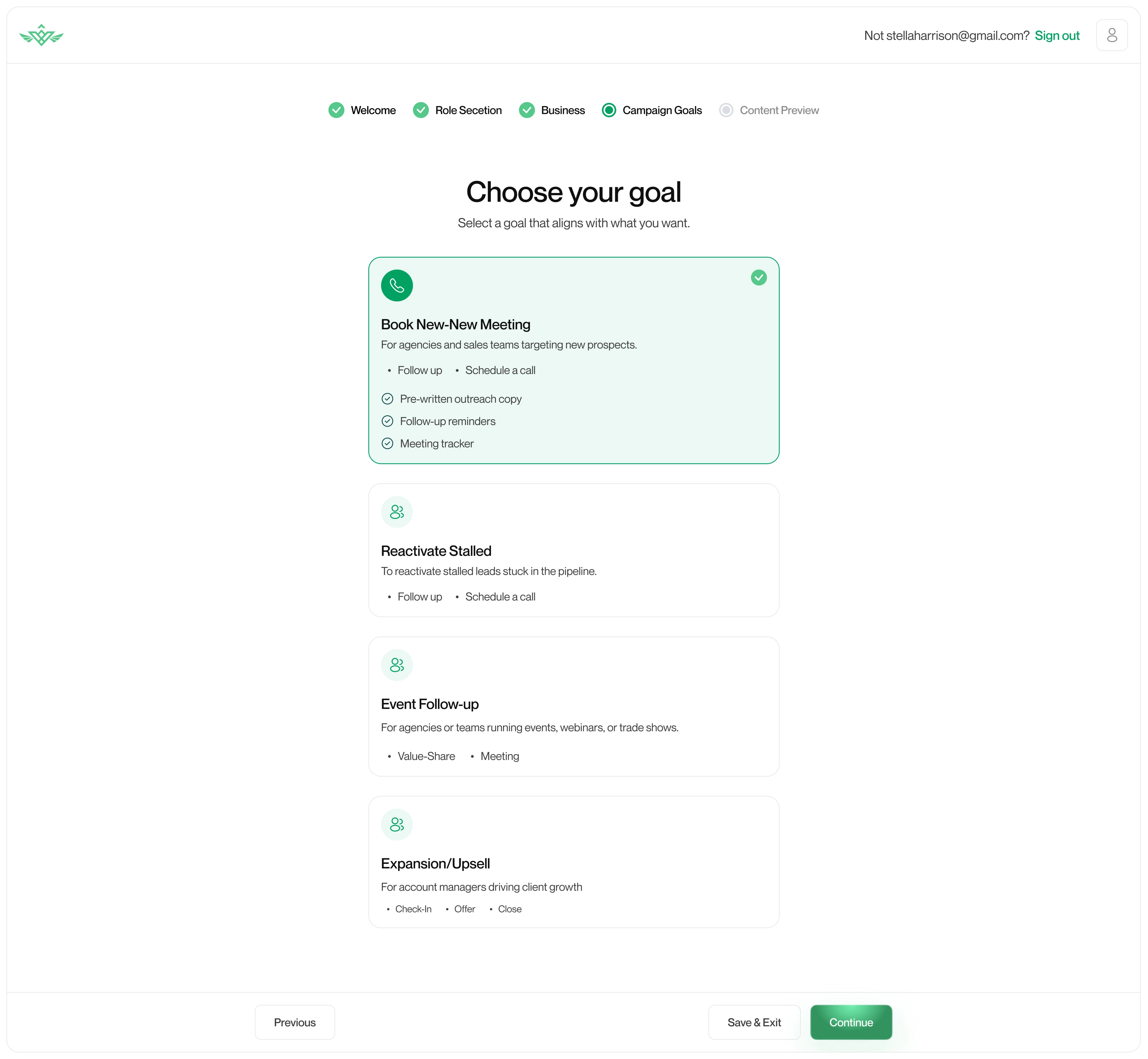

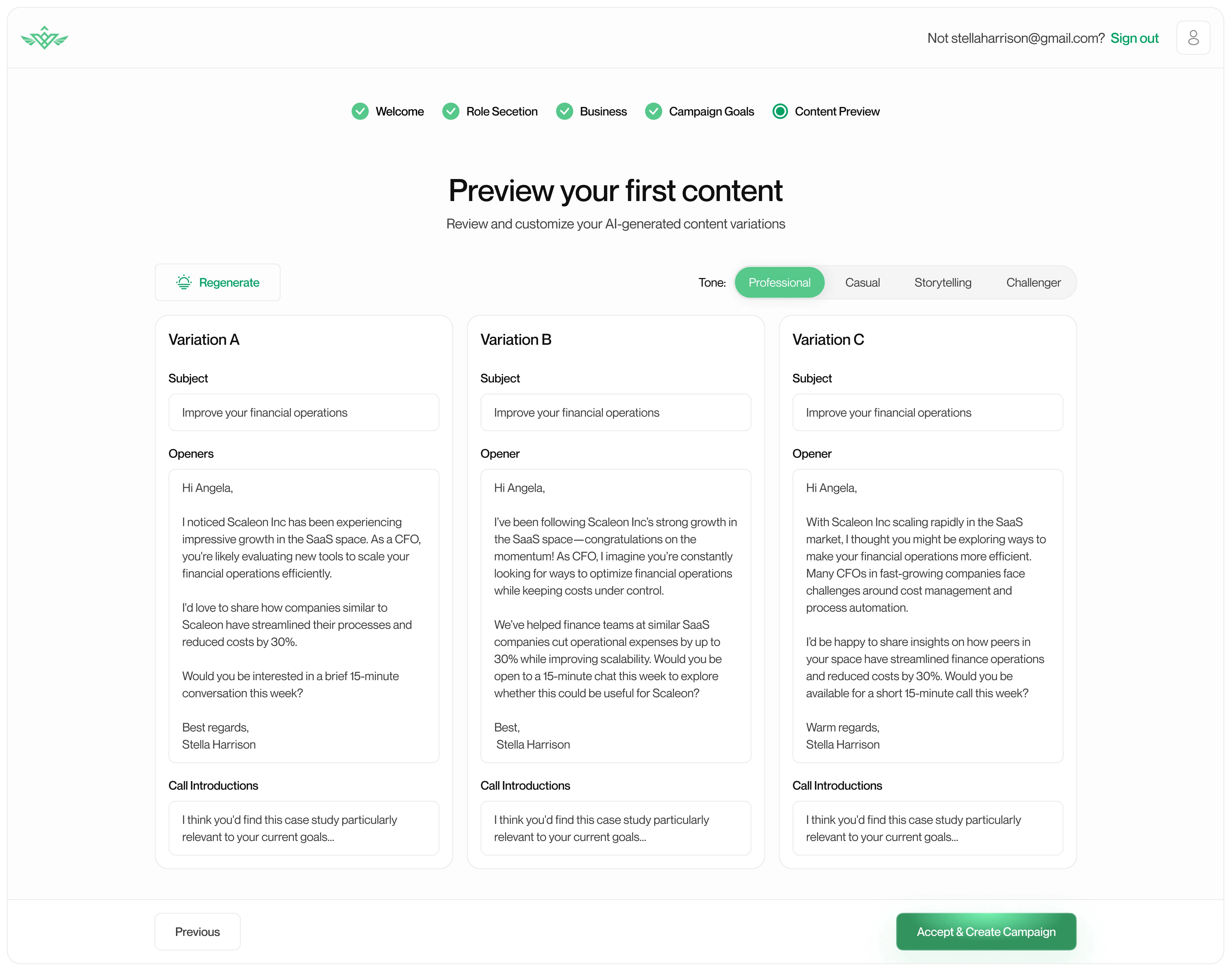
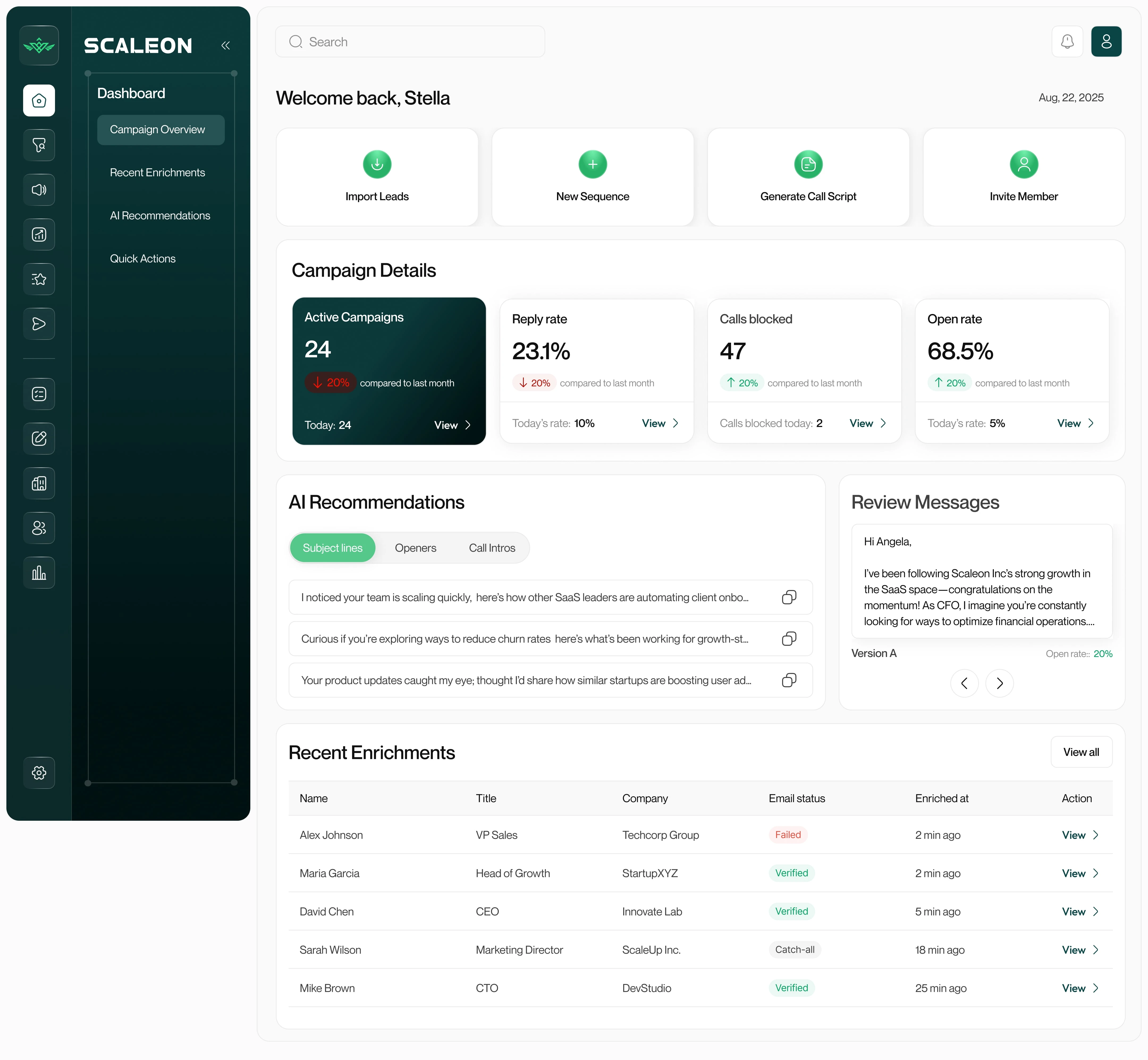
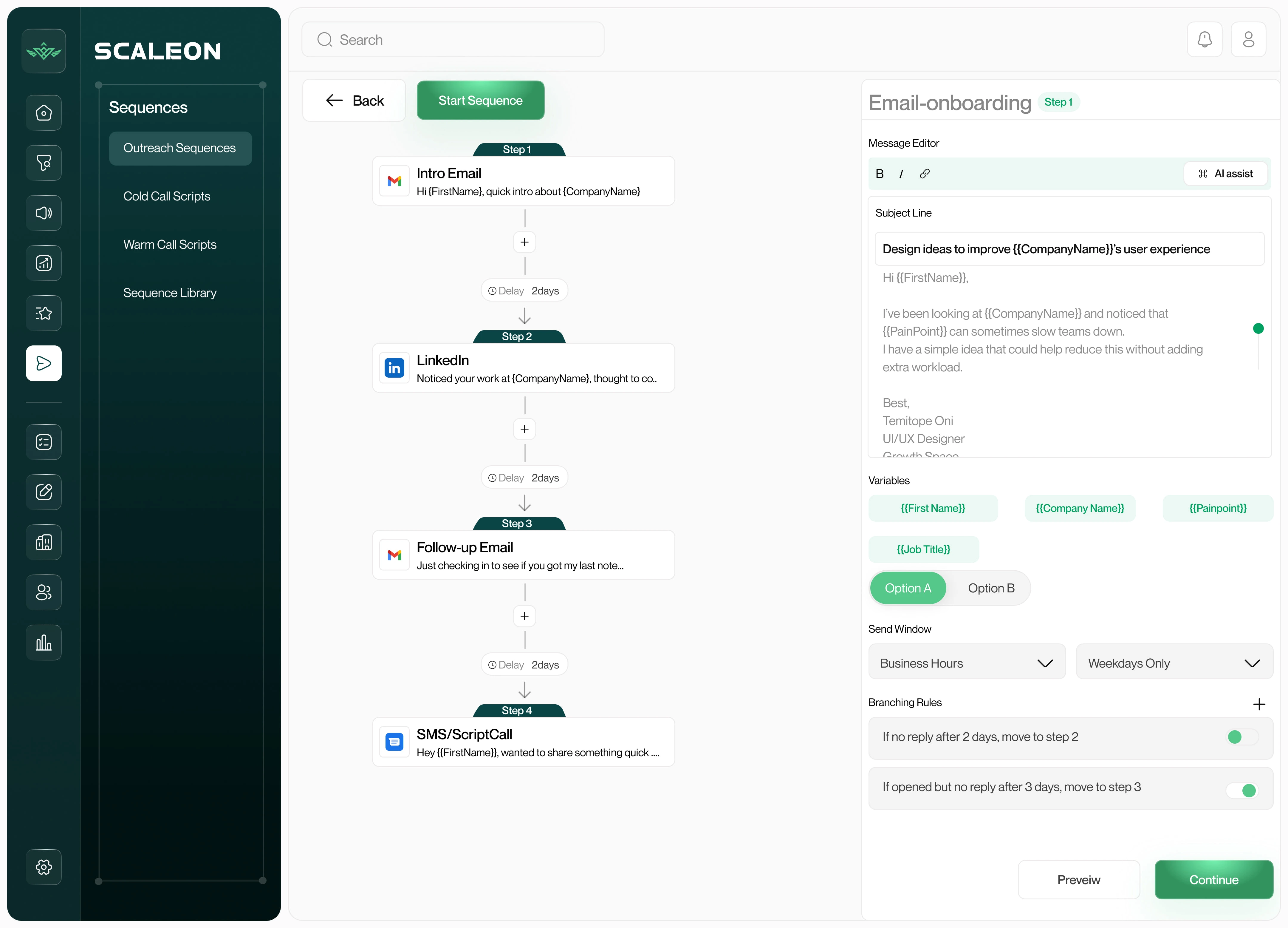

Scope:
App shell (global nav, client switcher, cmd-K search)
Dashboard without campaign-overview bias (signals, AI action center, verification health)
Leads & Enrichment (lists, filters, profile modal, citations, progress stepper)
AI Insights (talking points, openers, tone) + Sequence Builder (drag-drop, A/B, branching)
Segmentation (rule builder + AI auto-suggest), Message Variations, Template Library
Multi-client management, Team & Roles, Reports, Settings
Problems & Solutions
1) Fragmented workflow → one flow
Problem: Multiple tools = duplicate data, context loss, steep learning curve.
Solution: Unified shell with left sidebar + top bar and a single 1280–1440px content container, cmd-K global search, and a client/campaign switcher. (Refs: Linear, Notion, ClickUp)
2) Low trust in contact data → verification with citations
Problem: Bounces and disputes about source accuracy.
Solution: Source Citations panel (favicon, timestamp, confidence), Enrichment stepper (Queued → Pulling → Verifying → Appending → Done) and per-field status (Verified/Catch-all/Failed).
3) Personalization is slow → AI that’s context-aware
Problem: Reps rewrite from scratch, generic outputs.
Solution: AI Insights Panel (talking points + 3 openers per lead) driven by signals; tone presets; 1-click Insert to Sequence or Save to Templates.
4) Sequences are rigid → visual builder with guardrails
Problem: Hard to iterate, no branching by behavior.
Solution: Sequence Builder (timeline, delays, A/B, “if opened but no reply → step X”), Validate for missing variables and send windows, Simulate and “Preview as {{Persona}}”.
5) Spray-and-pray targeting → living segments
Problem: Static lists go stale.
Solution: Segmentation Rule Builder (AND/OR chips; Industry, Title, Tech, Signals, Engagement) + AI Auto-Suggest (“High-growth SaaS CFOs hiring in 90 days”), Save as Dynamic Segment.
6) Hard to learn from what works → variations + library
Problem: Wins not captured.
Solution: Message Variations (A/B/C) panel with tags (“too long / jargon / great opener”), Template Library with performance notes and versioning.
7) Multi-client chaos (agencies) → clean context switching
Problem: Confusing workspaces; permissions drift.
Solution: Client switcher (pinned + search), role/permission matrix, admin-only tools, audit logs.