
FOCAL is a concept launch site for a 50 mm f/1.4 lens that doesn't exist. I designed and built it to show what a camera-gear launch can be when the product itself is the interface. Every part you see is generated in code and rendered live in your browser: no video, no renders, no 3D model files.
Explore it live: https://focal-lens.netlify.app
The whole page is 197 KB over the wire. Full case study with the numbers: tenetary.com/work/focal
The brief
Make a lens page a photographer would trust. Photographers check numbers, so the optics, the blur and the specs all had to be real, not illustrated. If someone did the math, it had to hold.
One scroll, one continuous shot
The product story is a single camera move with no cuts and no loading between scenes. As you scroll, the lens builds itself ring by ring, comes apart into its seven glass elements, is cut open so you can watch light pass through it, and stops down from f/1.4 to f/16. Then the camera flies through the iris into the viewfinder below. A progress rail and a nav underline that fills chapter by chapter show where you are, and the logo is a small iris that turns as you scroll.
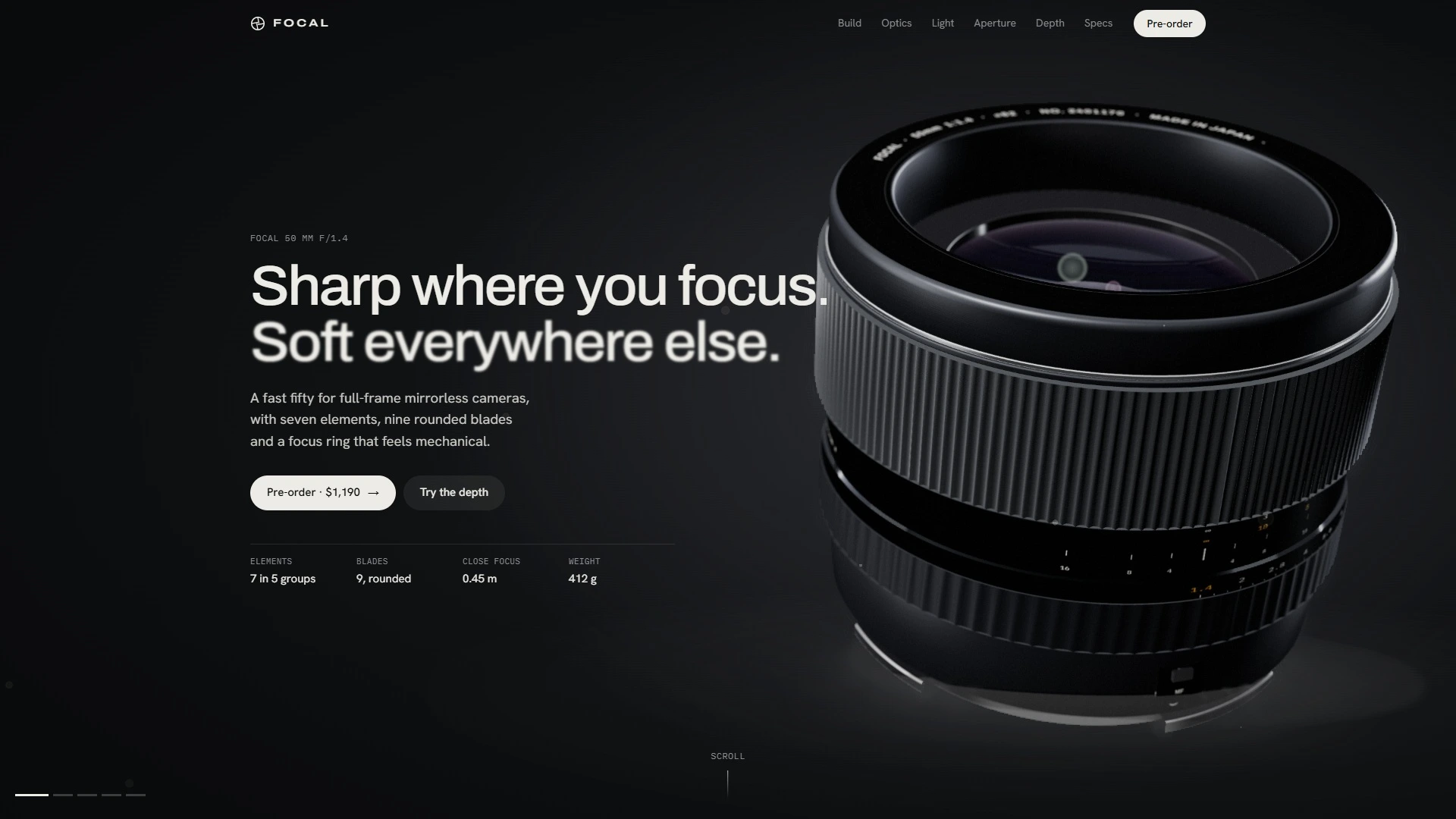
Sharp where you focus
The headline says "Sharp where you focus. Soft everywhere else." and the page proves it right away. Point at any part of the lens and a camera-style AF point locks on, reads out the distance and racks focus there, with the slight focus breathing a real lens has. The key light follows your cursor across the metal, so the machined rings catch it as you move. On phones, a tap does the same and the light drifts on its own.
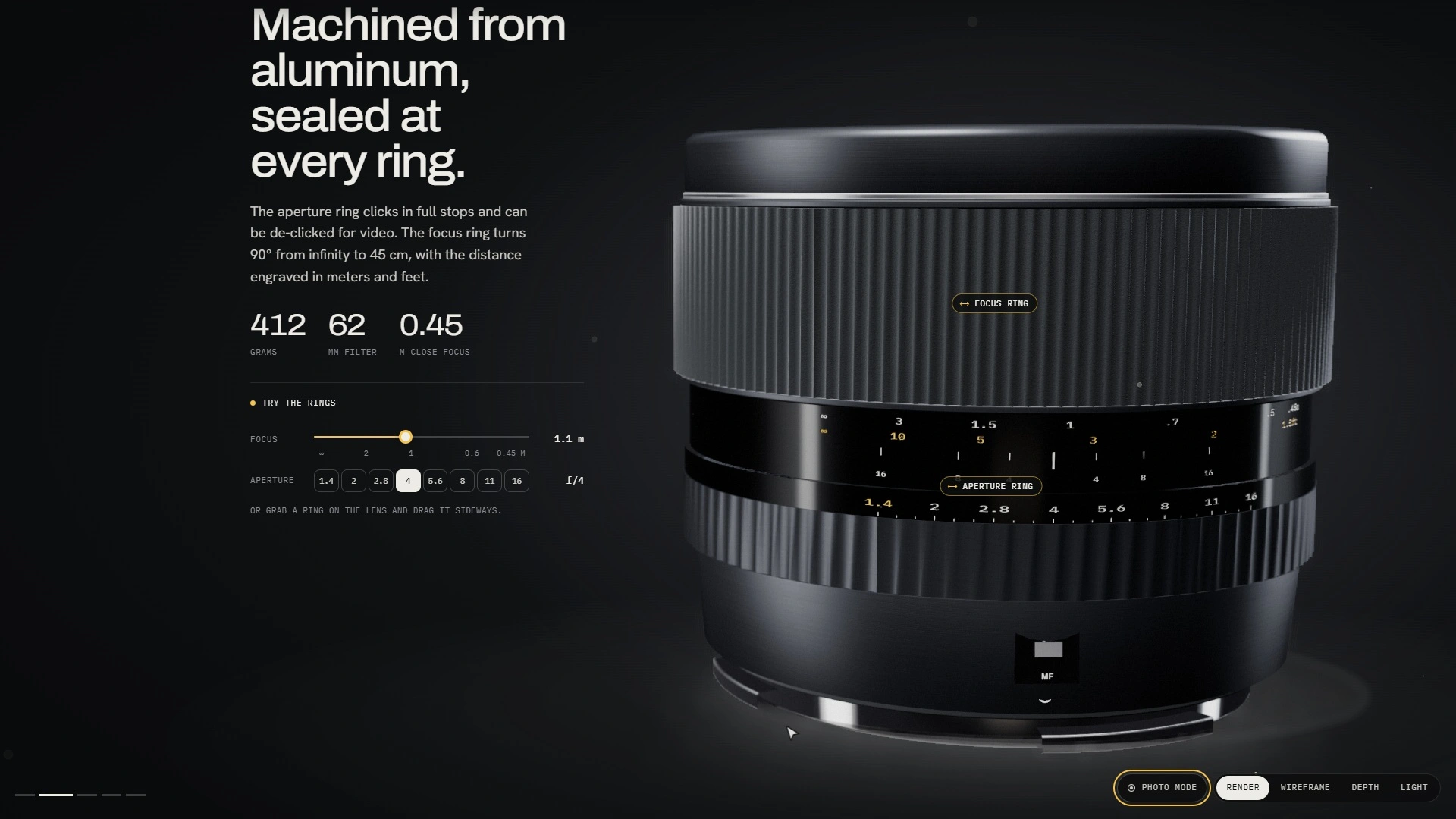
Rings that actually turn
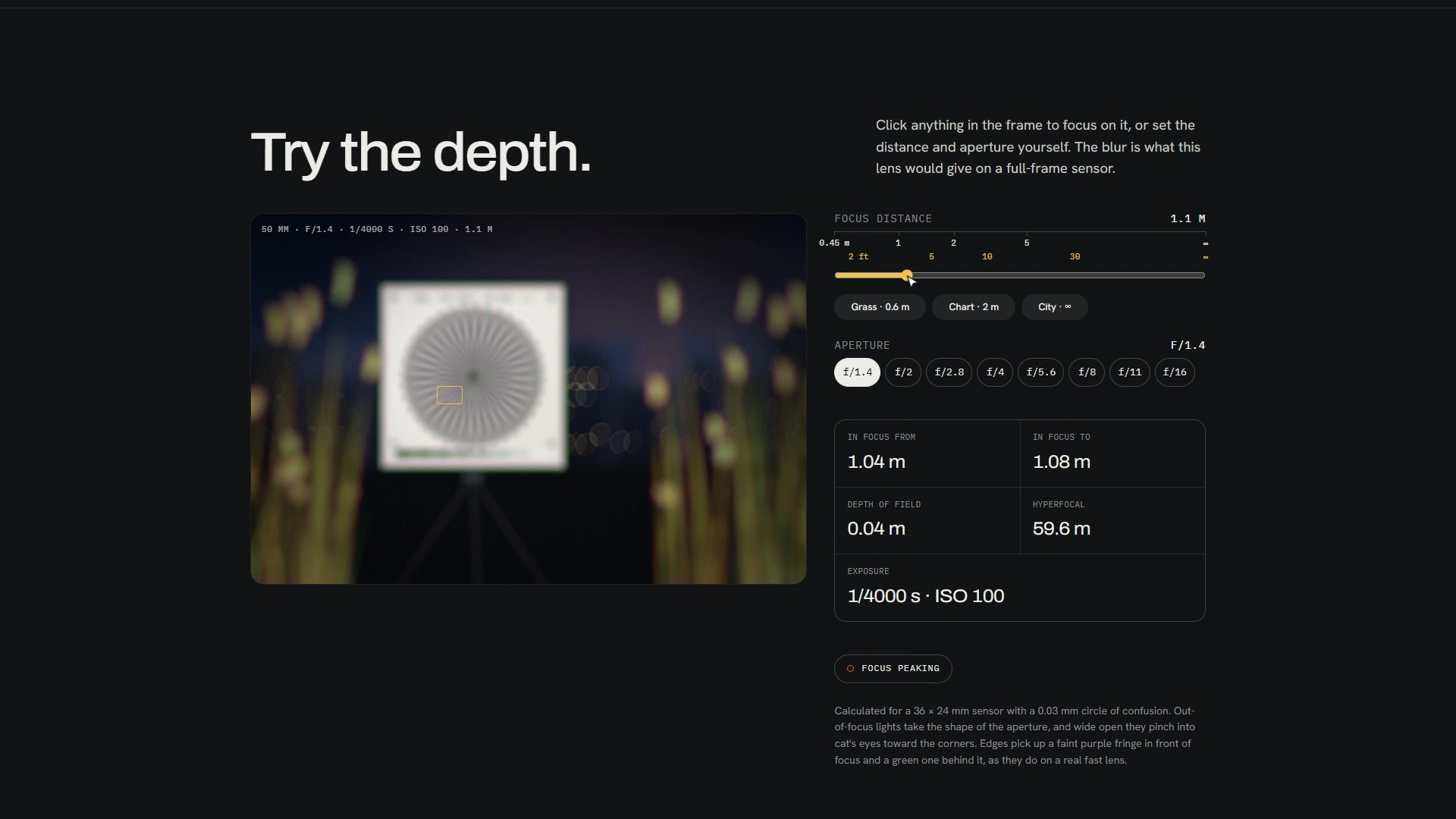
The focus and aperture rings are controls, not decoration. Grab one on the 3D lens and drag it sideways, or use the Try the rings panel: a focus slider from infinity to 0.45 m and eight aperture stops. The panel and the lens stay in sync both ways. Turning the aperture ring changes the depth of field and the shape of the bokeh, and from about f/5.6 it adds sunstars to the brightest glints.
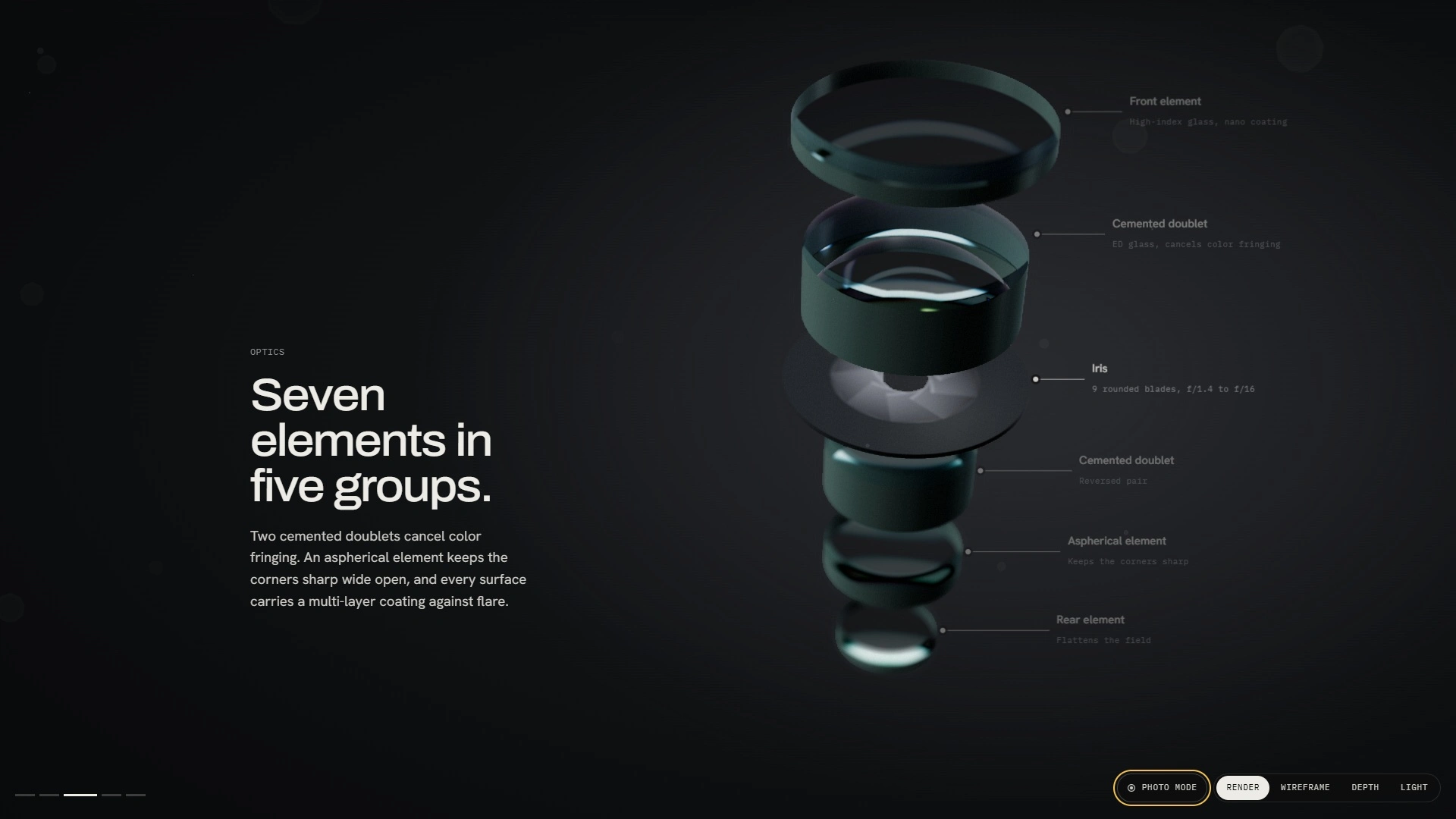
Seven elements in five groups
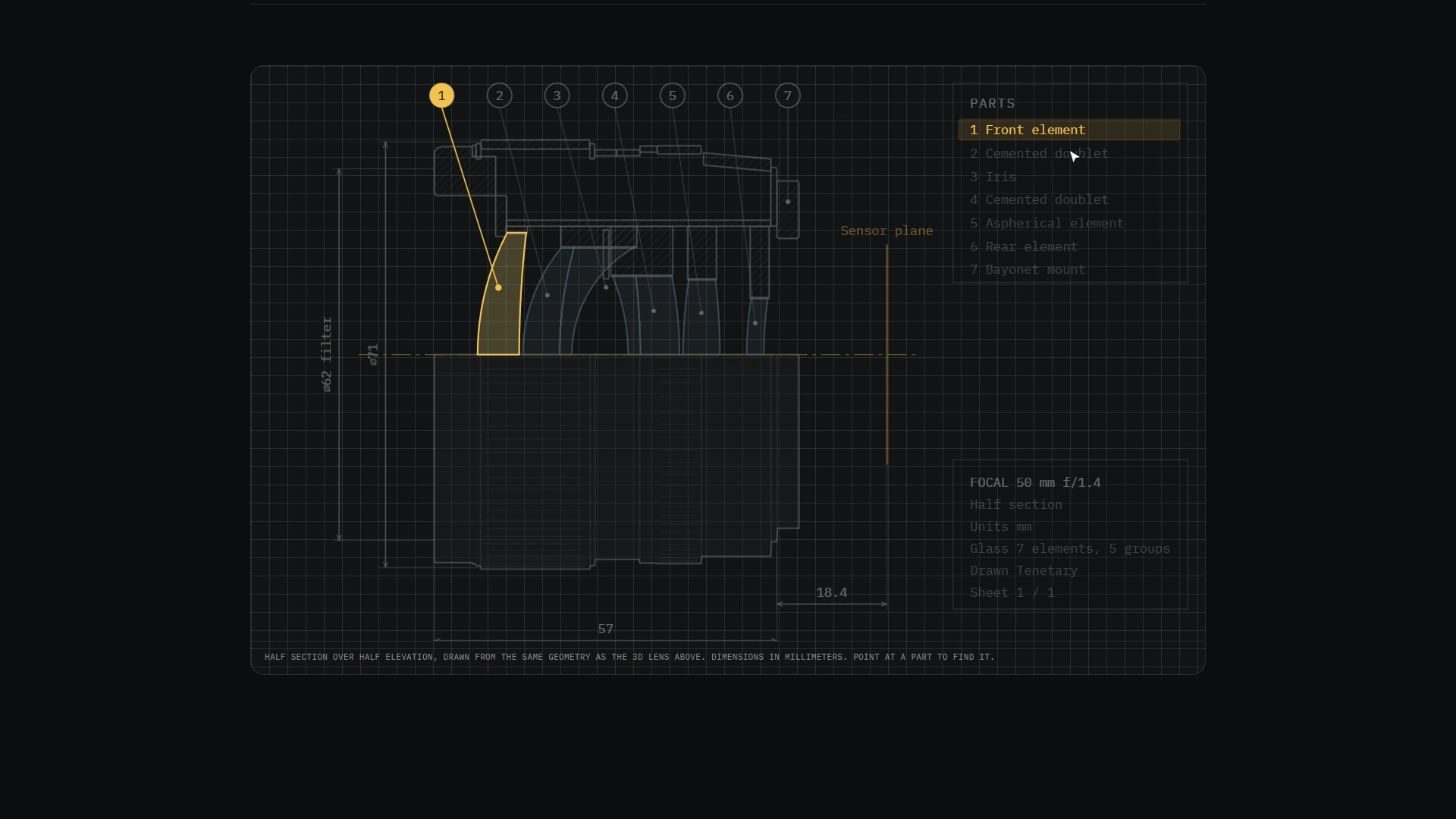
Scroll on and the lens comes apart along its optical axis. Each element is numbered and matched to a legend that says what it does: the high-index front element, two cemented doublets that cancel color fringing, the nine-blade iris, an aspherical element for corner sharpness and the rear field flattener.
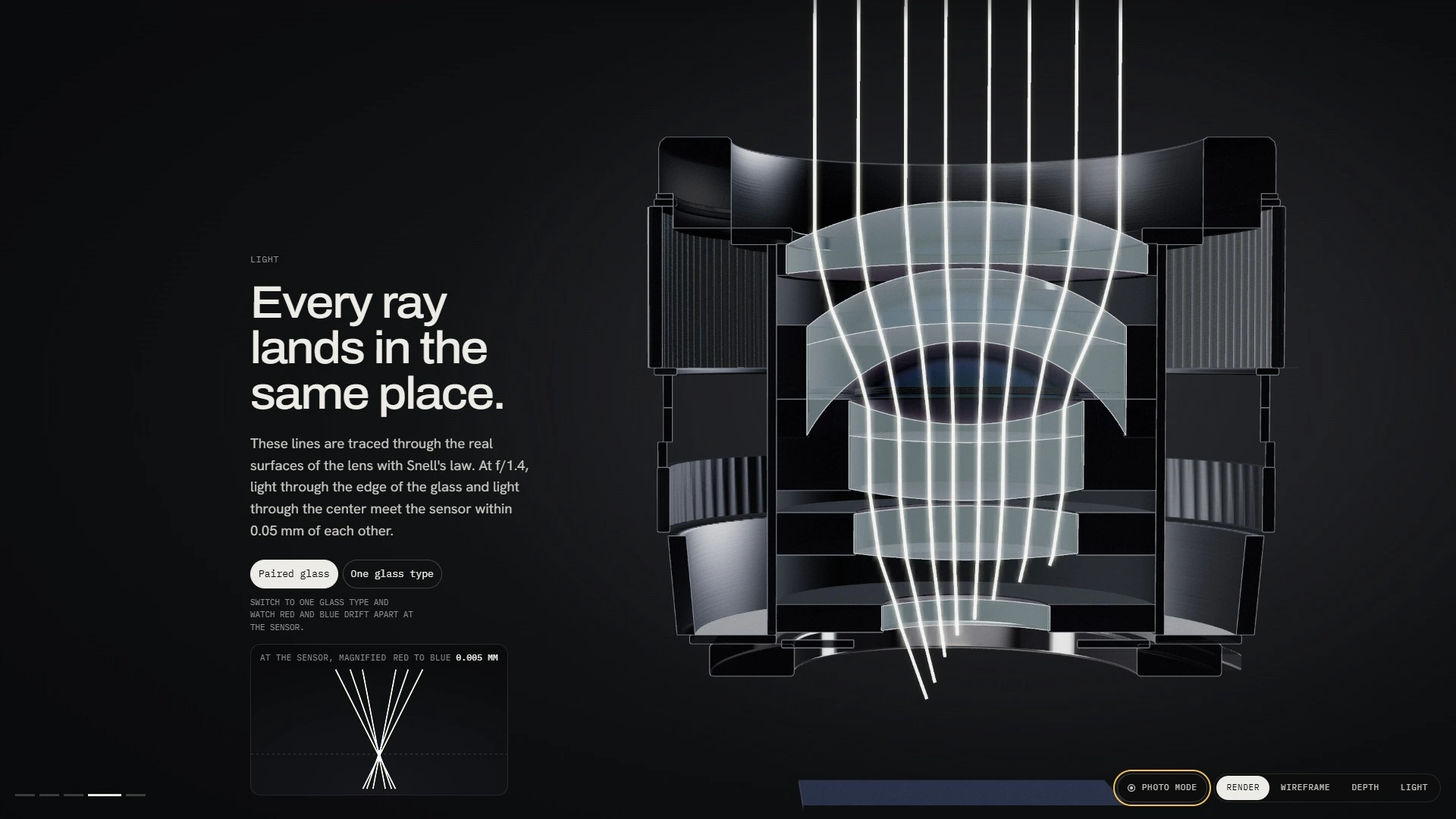
Real light, not an animation
The rays in the Light chapter are traced through a real lens prescription with Snell's law, bending at every glass surface on the way to the sensor. I chose the glass types by searching for the pair that brings red and blue light to the same point. A toggle swaps in a single glass type, and a magnified loupe at the sensor shows red and blue drift apart: 0.005 mm with the paired glass, 0.29 mm without it.
Blur the way a lens blurs
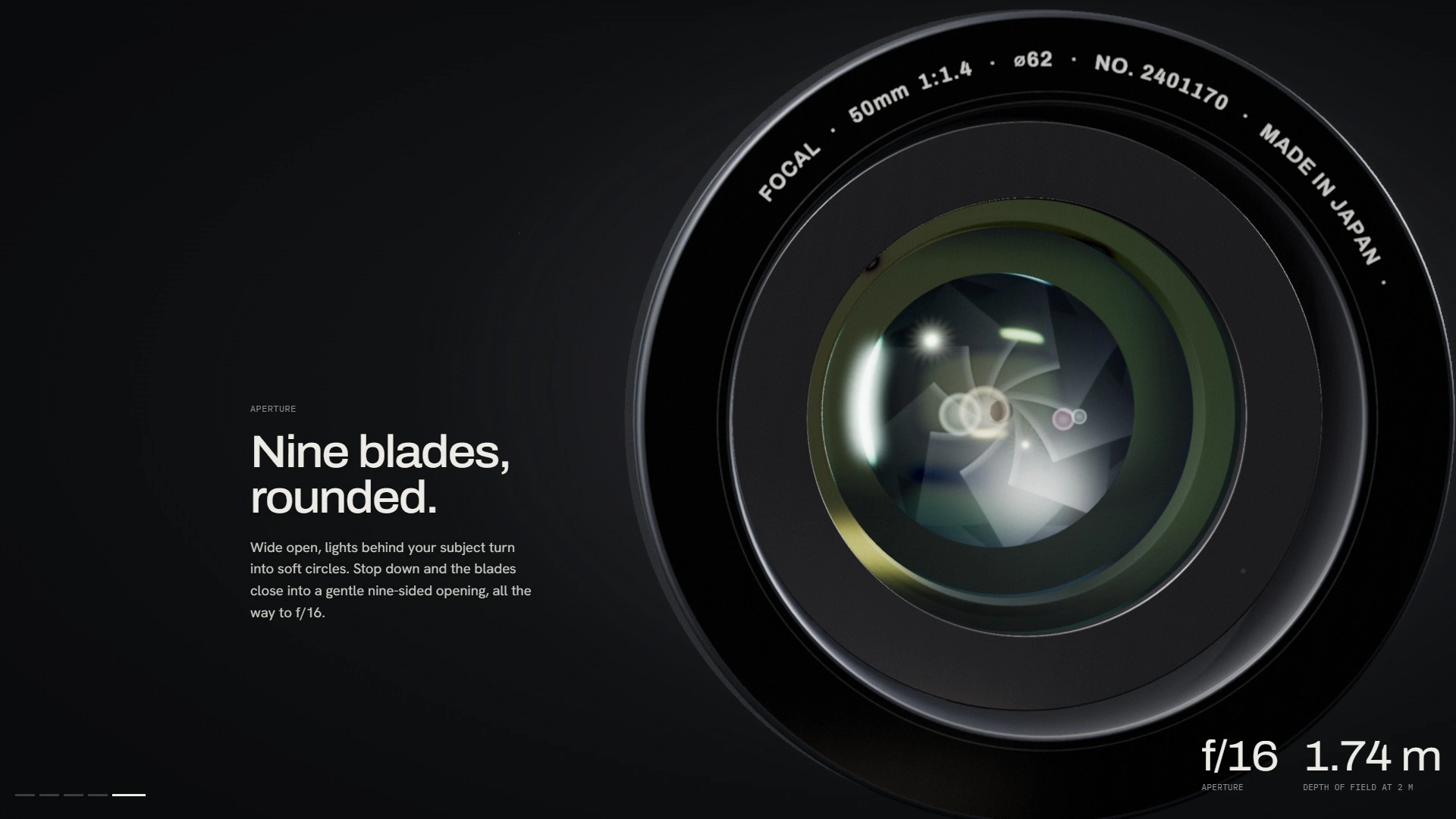
Every blur on the page comes from the circle-of-confusion math a camera uses. Out-of-focus highlights spread into discs instead of soft smears, and they pick up what a real fast lens does: cat's-eye bokeh toward the corners, purple fringing in front of focus and green behind it, corner fall-off and focus breathing. Stop down and the bokeh turns nine-sided while the brightest glints grow eighteen-point sunstars, which is exactly what nine blades produce.
Try the depth
After the dive, a viewfinder opens with an iris onto a test scene: grass at 0.6 m, a focus chart at 2 m and a city at infinity. Tap anything to focus on it, drag the focus distance, or pick any stop from f/1.4 to f/16. The readout gives the near and far limits, the depth of field, the hyperfocal distance and a matching exposure, calculated for a full-frame 36 × 24 mm sensor with a 0.03 mm circle of confusion. Focus peaking outlines the sharp edges in red, the way a mirrorless camera does.
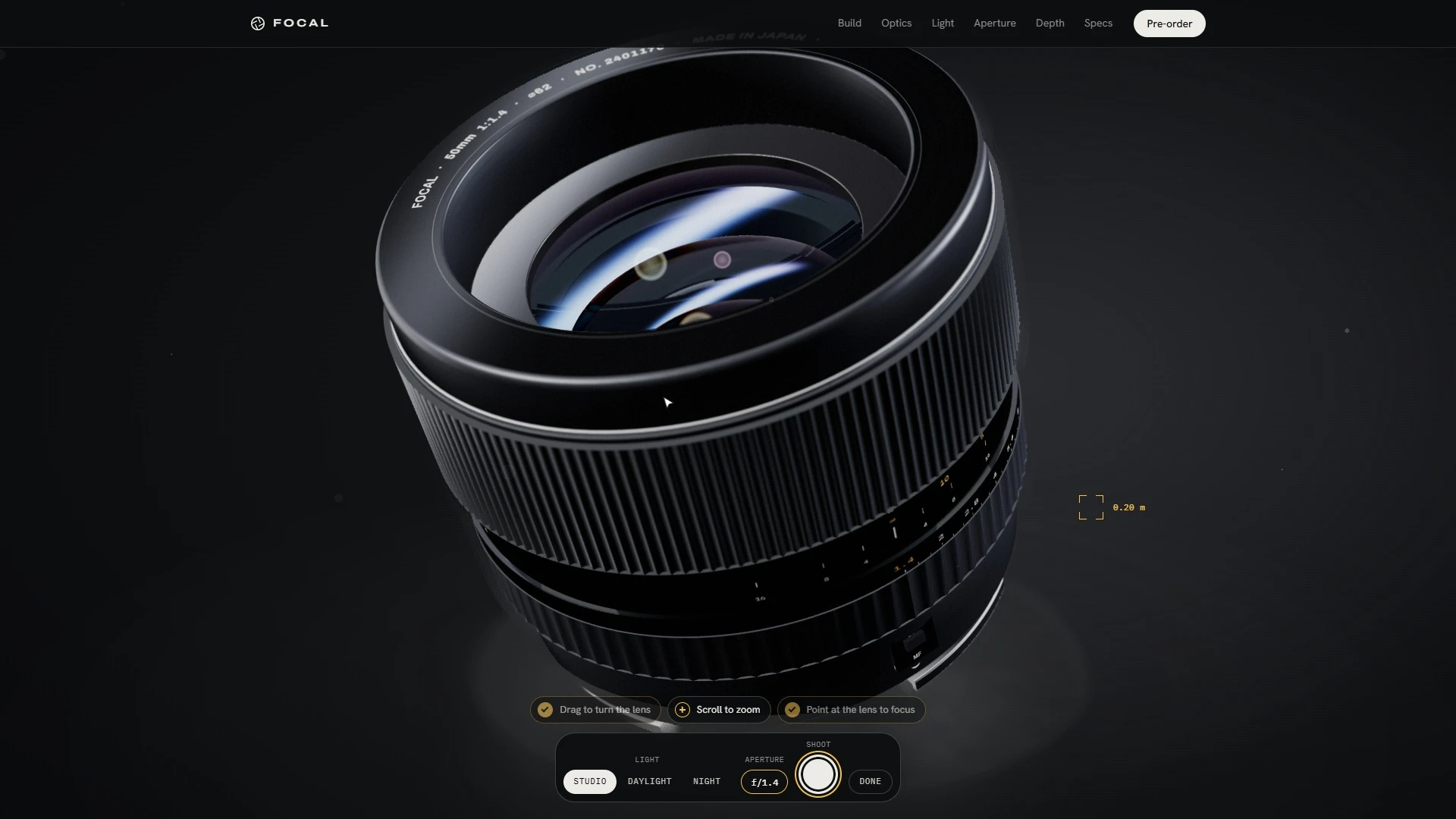
Photo mode
Photo mode turns the page into a studio. Drag to turn the lens, scroll to zoom, point to focus, switch between Studio, Daylight and Night lighting, cycle the aperture, then press Shoot to take your own photo of the lens and save it. A short guide ticks itself off as you go. Entering and leaving is one smooth camera glide, and the lighting eases between setups instead of cutting.
Look inside the render
A View control shows how the scene is built. Wireframe draws every turned part as lines, Depth shows what the blur reads (warm is near, cool is far), and Light shows only the glass and the light passing through it.
Specs drawn from the same geometry
The spec section isn't a separate illustration. The technical drawing, a half section over half elevation with dimensions in millimeters, is generated from the same geometry as the 3D lens, and pointing at a part finds it. The MTF chart shows sharpness from the center of the frame to the corner at f/1.4 and f/8, and you can read exact values point by point. The whole section prints as a one-page spec sheet or saves as a PDF.
Reserve yours
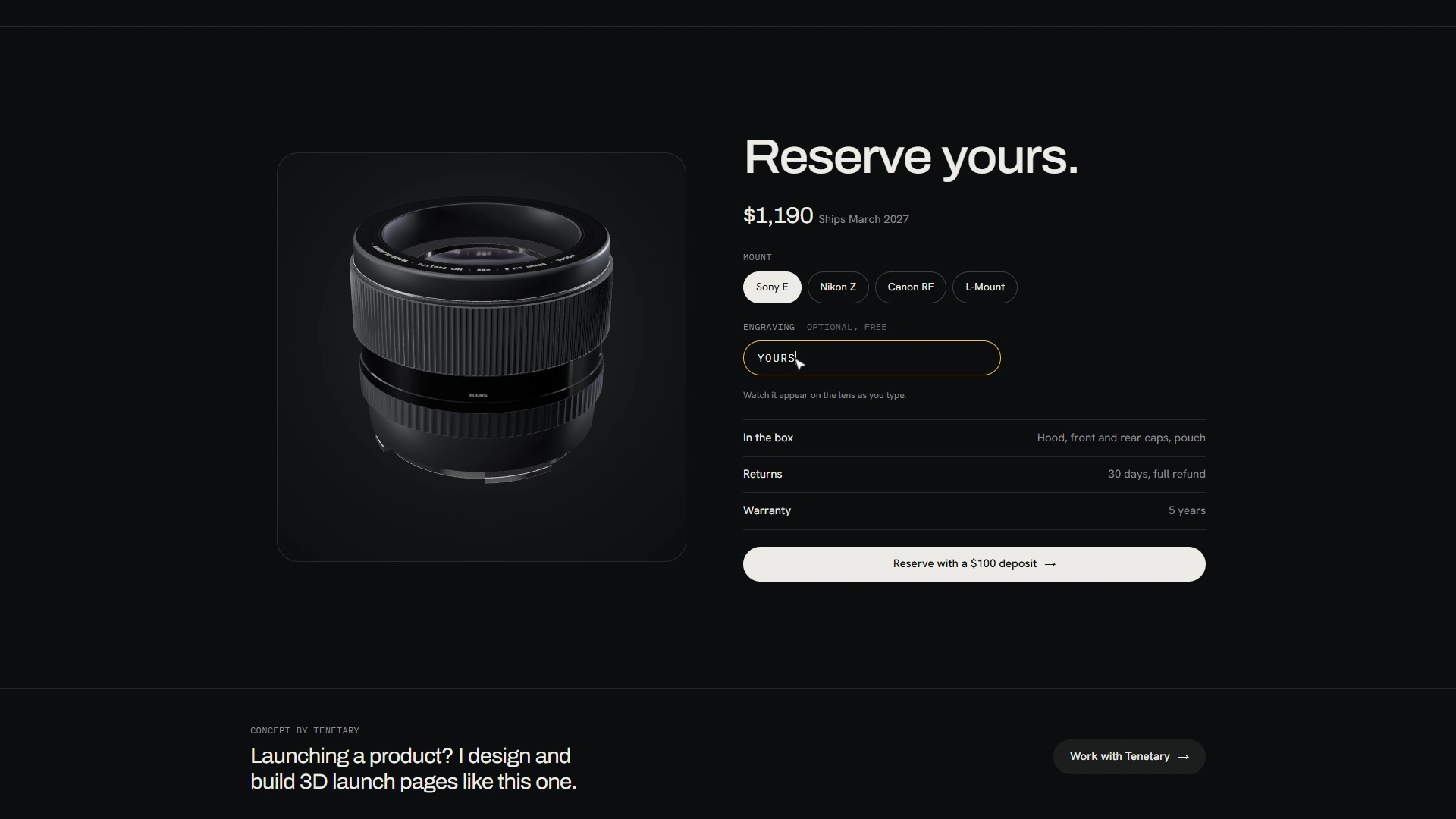
The pre-order panel has its own live render of the lens. Pick a mount (Sony E, Nikon Z, Canon RF or L-Mount) and type an engraving, and it appears on the lens as you type. Reserving engraves your own serial number, the one after the demo lens's, and gives you a share link that opens the page on your lens, engraving included.
Built for phones, not shrunk for them
Phones get their own layout. Chapters open from a full-screen menu, a coach shows how to tap to focus and drag a ring, the optics markers are numbered against a legend so nothing covers the lens, and the technical drawing swipes. Phones also render at up to 2.25× resolution, so the metal stays crisp on high-density screens.
The details
The favicon stops down with the page. A missing page shows an out-of-focus 404. Visitors who prefer reduced motion get the full page without animation, and browsers with 3D switched off still get every section. A making-of page is built into the site.
How it's built
three.js and plain HTML, CSS and JavaScript, in a single file. No templates, no page builder and no model files. Every turned part is a profile spun in code, the engraving is drawn and embossed at load, and the camera, blur, bloom, reflections and dust are custom render passes. Before the page appears, a short timed render measures the graphics card. With headroom to spare, the lens is drawn above screen resolution and scaled down so every edge stays clean. Slow shader compiles happen behind the loading screen so scrolling never stutters, and every scripted move runs on critically damped springs so nothing jerks or overshoots.
I used AI-assisted tools for speed, with my own design direction, implementation and testing on desktop and phone. The walkthrough video is recorded straight from the live site, frame by frame, in one continuous take. FOCAL is fictional, and the pre-order takes no payments.
Launching a product? I design and build 3D launch sites like this one for real ones.
0 likes · 1 view · Nov 16, 2026
A launch site for a fictional 50 mm lens, rendered live in the browser: it comes apart, traces real light, and lets you set the focus and take your own photo.


