Transforming Access Bank's In-Branch Experience

Ubon Udonkang


The Problem: A Banking Hall Stuck in the Past
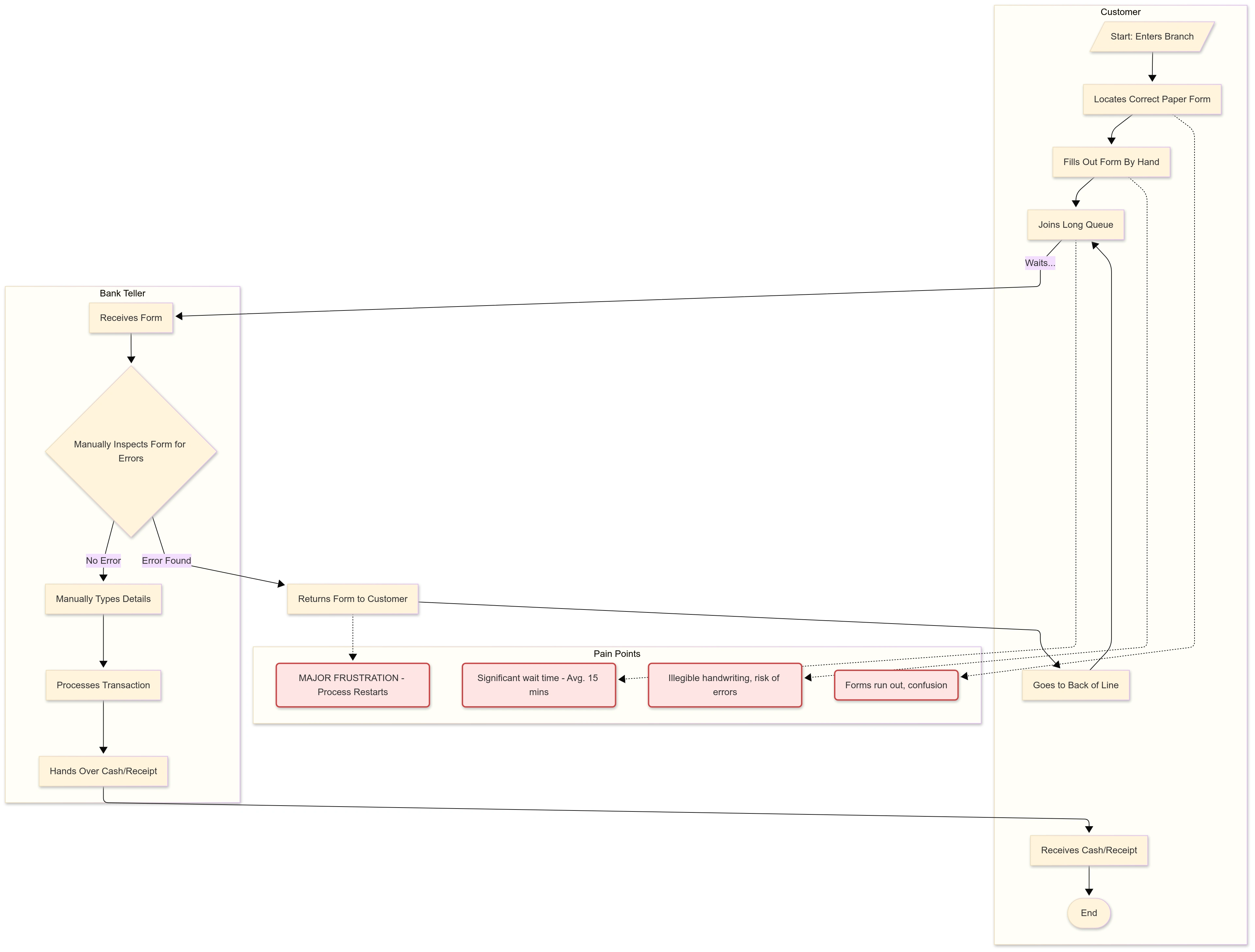
Before this project, walking into an Access Bank branch felt like a step back in time. Simple transactions like withdrawals or service requests were bogged down by a mountain of paper forms. This meant long, frustrating queues, frequent errors from illegible handwriting, and a stressful experience for both customers and the bank staff trying to keep up.
The challenge was clear: How could we transform a process that took an average of 20 minutes of waiting and paperwork into a secure, instant, and even empowering experience?
My Mission & Role
As the lead Product Designer, I was responsible for the end-to-end design of the solution. My mission was to fundamentally reimagine the in-branch experience. This involved leading everything from on-the-ground user research in bank branches to mapping out new user journeys, prototyping, testing, and delivering the final UI for two key products: a Biometric POS for financial transactions and a Self-Service Kiosk for other service requests.
The Process: Designing for Real People
My first step was to leave the office and head straight to the source of the friction: the bank branches. By observing and talking to dozens of customers and tellers, two key user types became clear:
Bisi, the Busy Professional: Tech-savvy and values speed above all. Her goal: get in and out in under 5 minutes.
Mr. Adekunle, the Small Business Owner: Less comfortable with tech, he values security and simplicity to avoid costly errors.
Our research confirmed the real issue wasn't just the paper; it was the entire manual workflow. The core question became: "How might we empower customers to perform their most frequent tasks securely and instantly, freeing up staff to handle more complex needs?"
This led to a dual-solution approach:
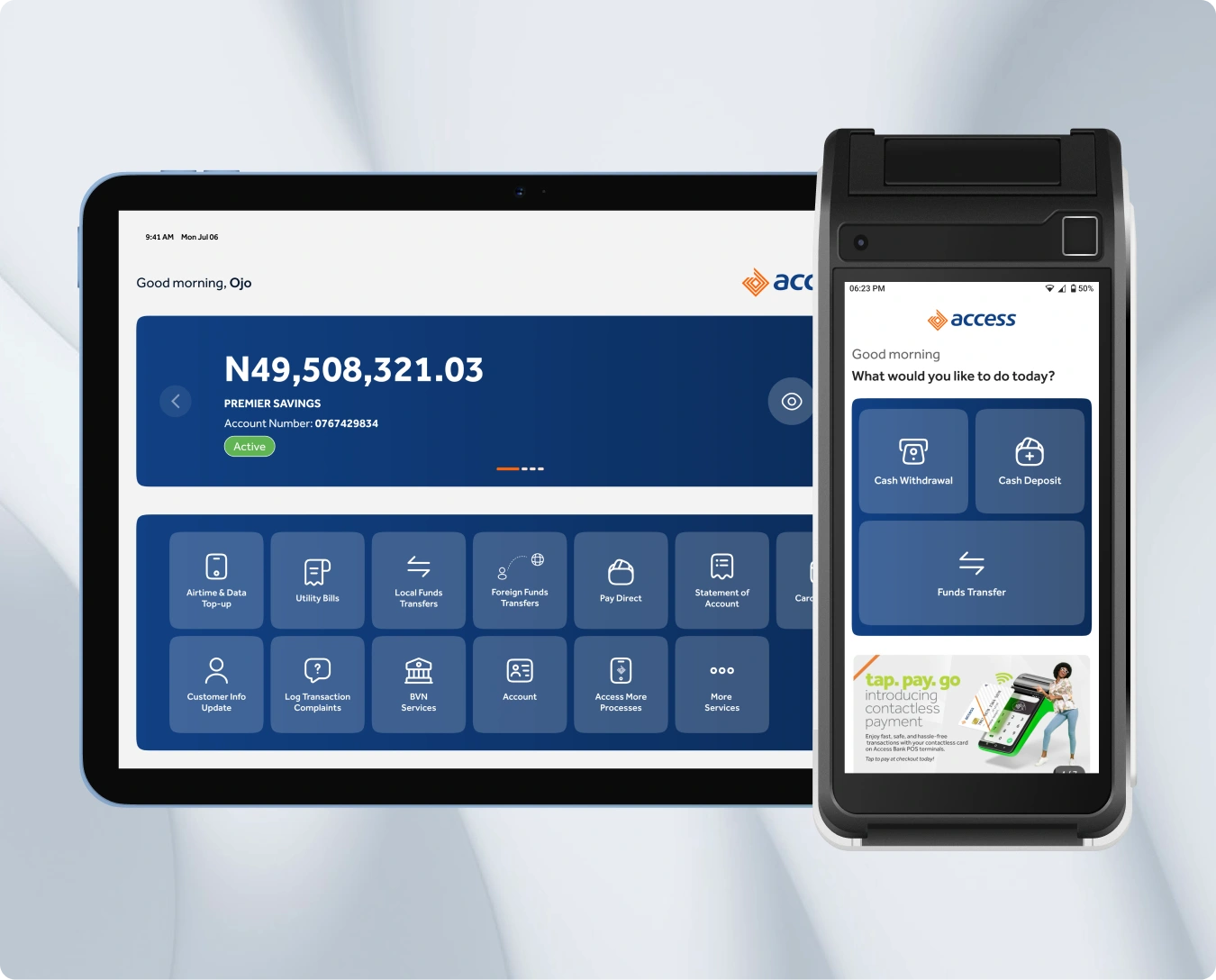
The Biometric POS: Focused on core transactions like withdrawals and transfers. I designed a simple, three-step flow: Enter, Confirm, Authenticate. We used fingerprint biometrics to replace vulnerable PINs and signatures, making it fast for Bisi and secure for Mr. Adekunle.
The Self-Service Kiosk: A one-stop shop for everything else—from USSD deactivation to managing SMS alerts. The intuitive dashboard allows customers to handle their own requests in minutes.
Throughout the process, user testing was key. An early insight showed that users felt anxious when too much information was on one screen. This led directly to breaking down complex actions into simple, single-purpose screens, building user confidence with every tap.
A diagram of the manual process flow showing a fragmented, multi-step journey between a customer and a bank teller that is prone to errors, long waits, and frustrating loops.
A diagram of the new biometric POS and Kiosk process flow showing a streamlined, self-service journey where a customer securely logs in and completes a transaction in a few linear steps with instant system authentication.

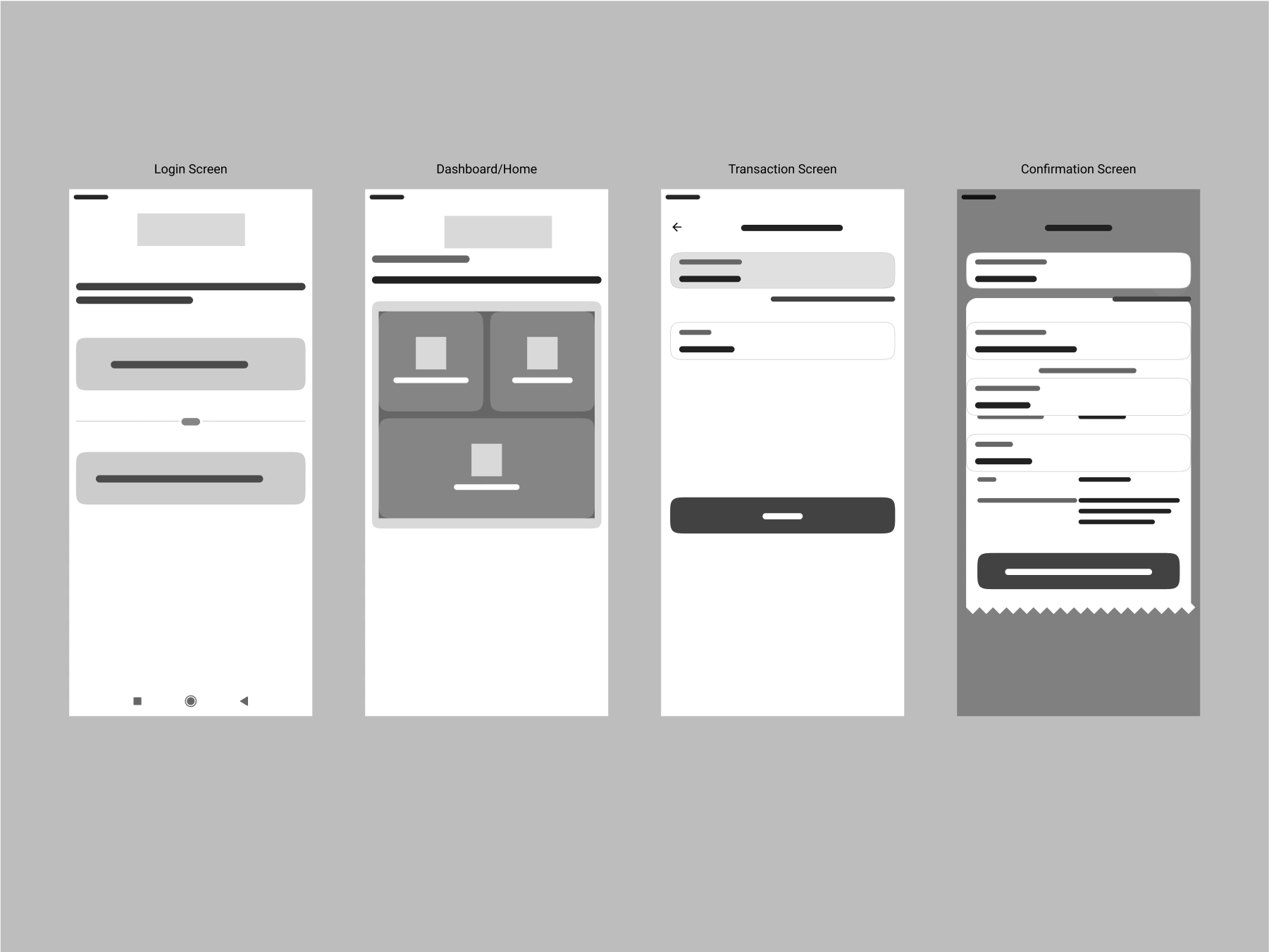
Wireframe Designs
The final designs
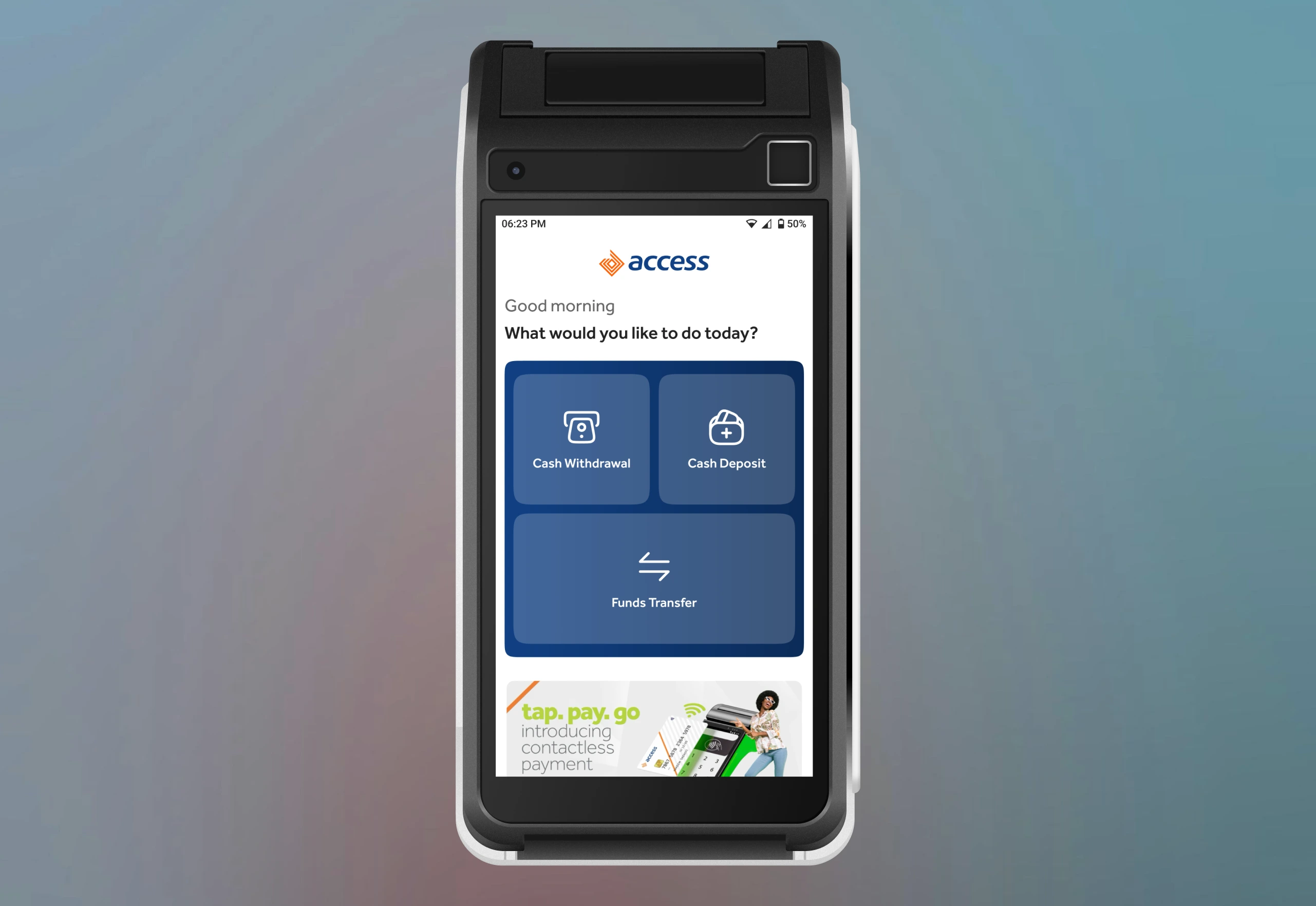
The home screen immediately answers the customer's primary need with three clear, actionable options.
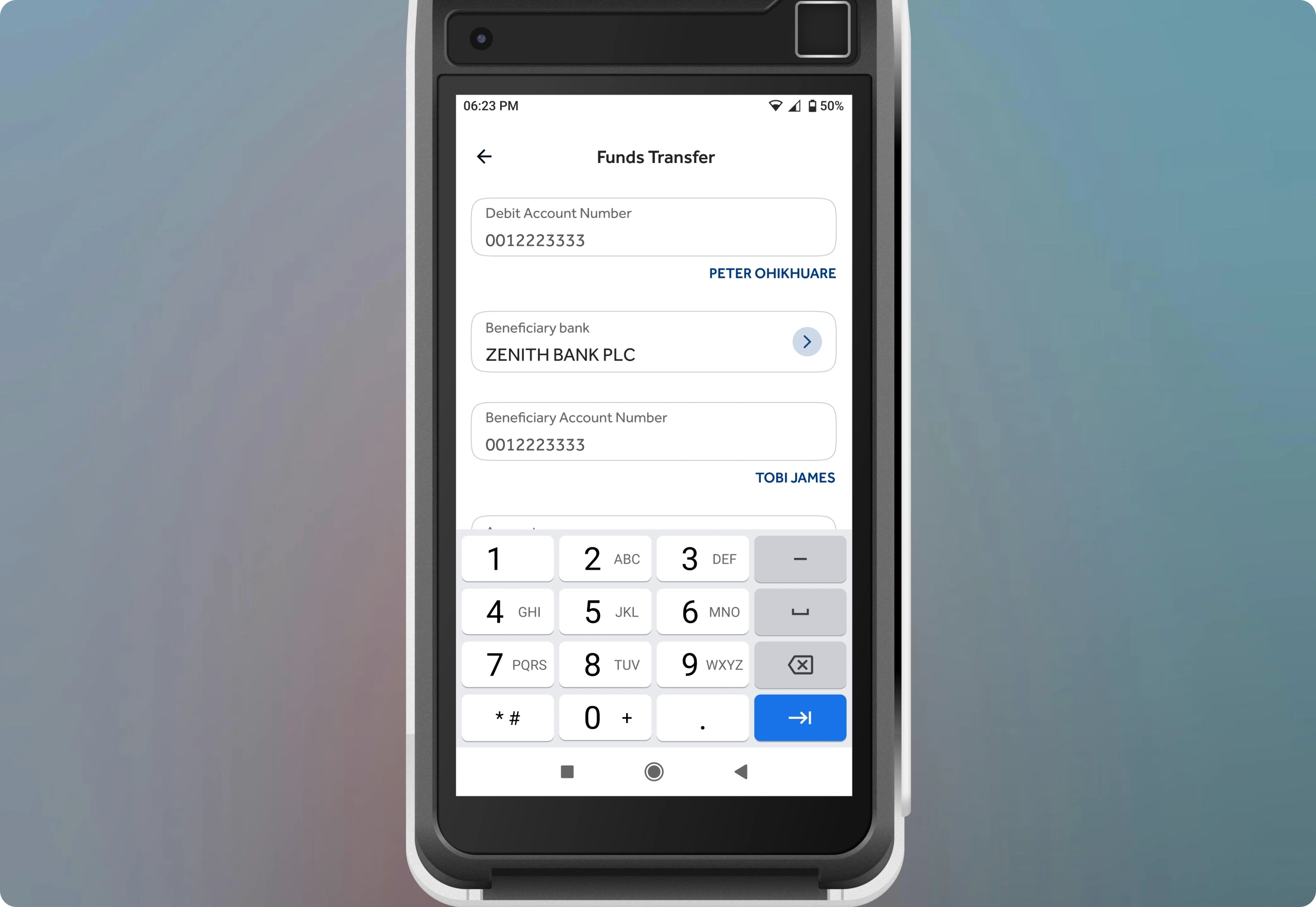
Error-Proof Data Entry: The system verifies account numbers in real-time and displays the recipient's name, eliminating the most common source of transaction errors.
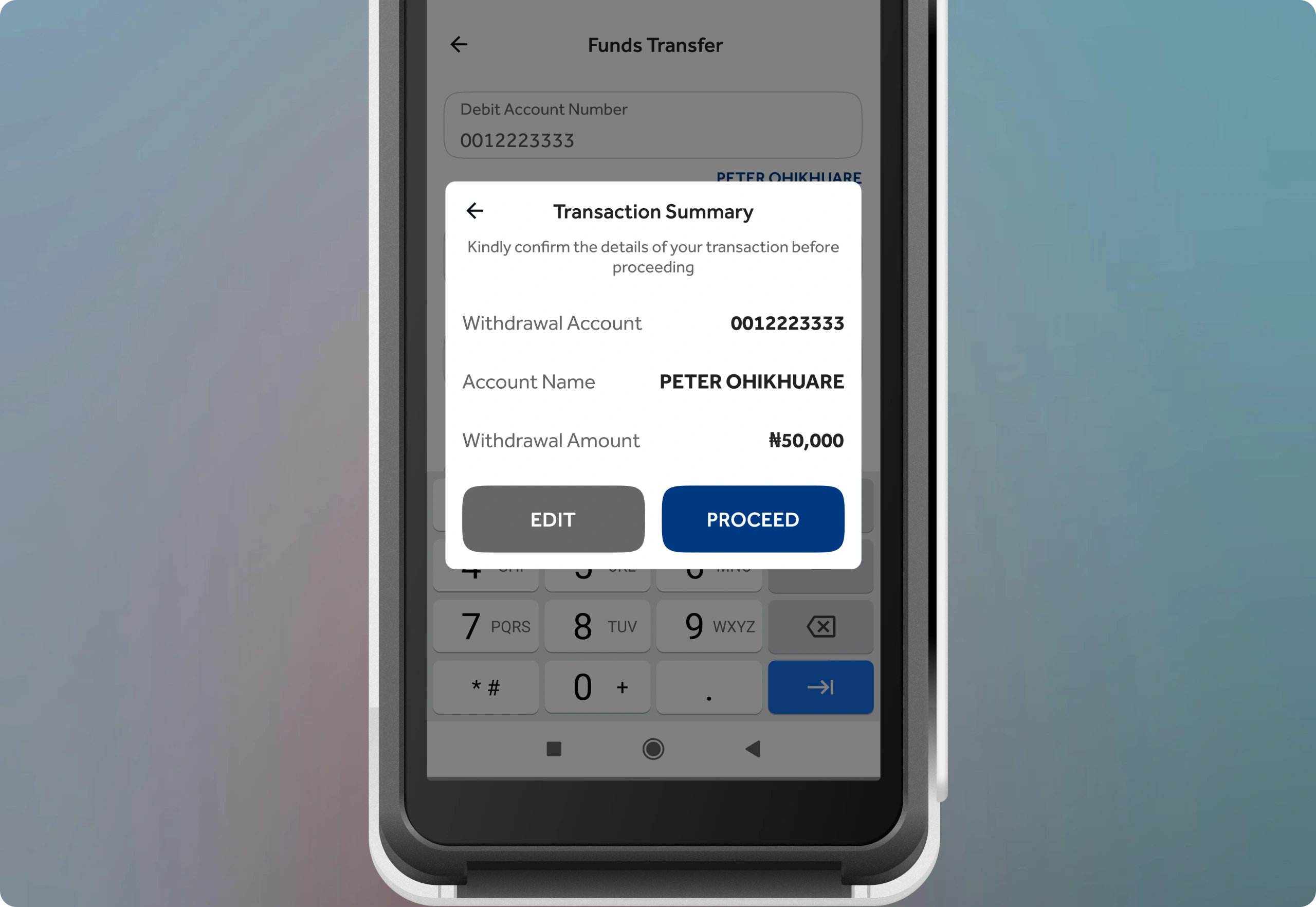
Confirmation Before Commitment: A clear summary screen allows the user to review all details before proceeding. The prominent "EDIT" button provides an easy escape route, giving the customer full control.
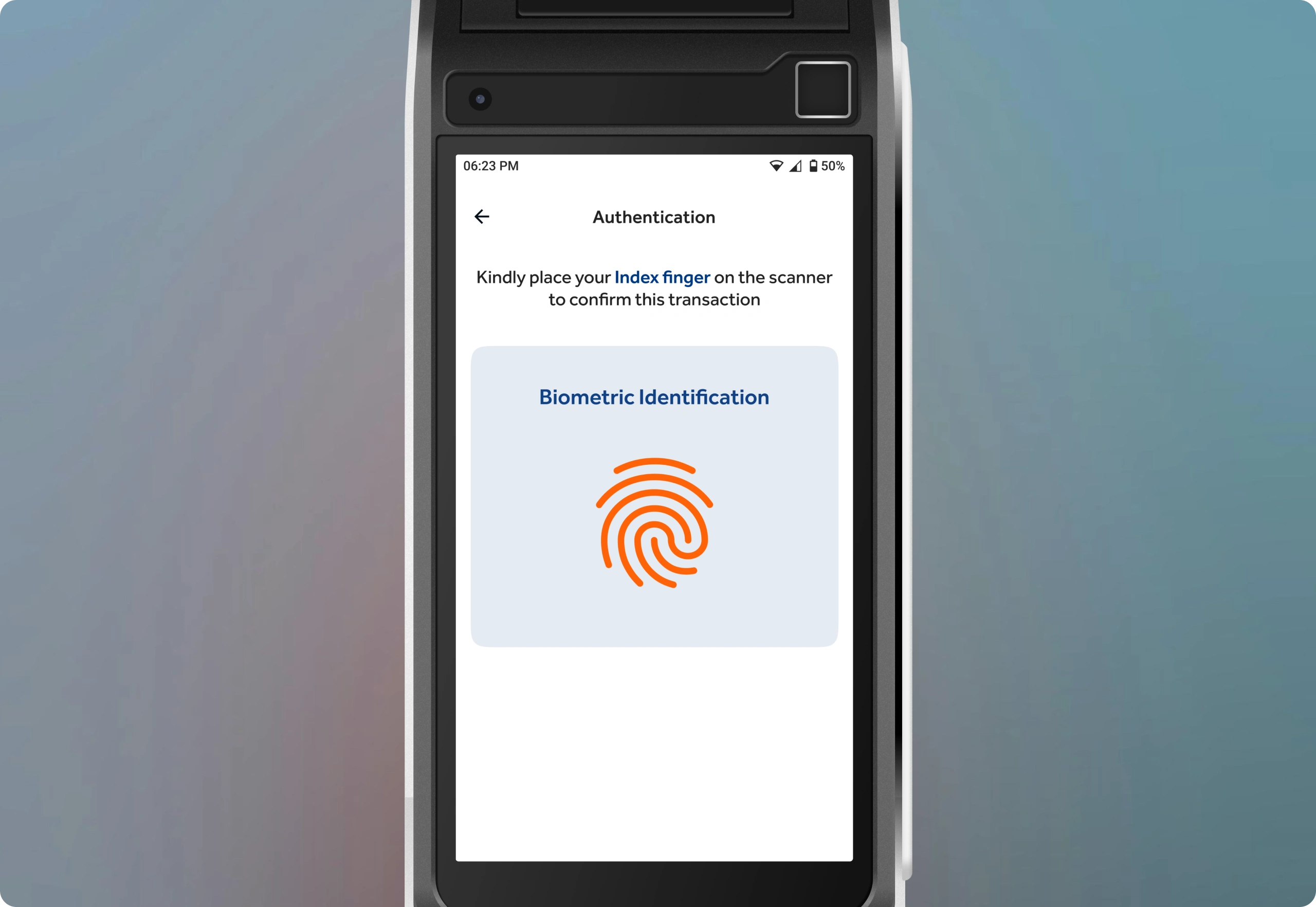
Fingerprint authentication is faster and significantly more secure than signatures or PINs. Simple, direct instructions demystify the technolo
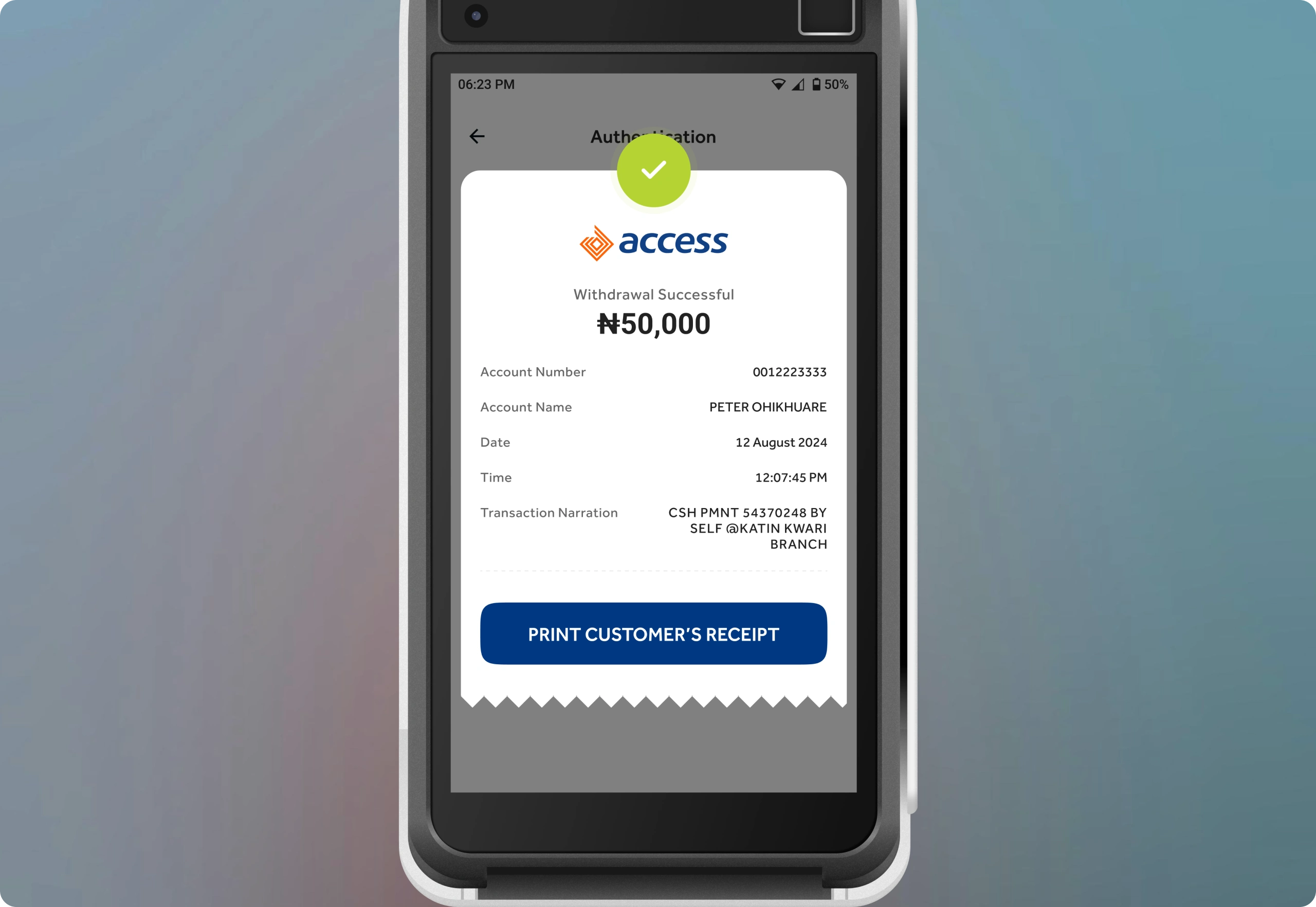
The final screen provides a clear, unambiguous confirmation, and the option to print a receipt closes the loop, providing a tangible record and peace of mind.
Like this project
Posted Oct 7, 2025
Redesigned Access Bank's in-branch experience with Biometric POS and Self-Service Kiosk.
Likes
0
Views
2
Clients
Access Bank