Margadarsi Infra — Real Estate CRM & Partner Management

Intelliflow Technologies


Project overview
IntelliFlow Technologies built a custom real estate CRM and business-management platform for Margadarsi Infra.
The application brings customer enquiries, sales follow-ups, project context, channel-partner administration, commission visibility, campaign configuration and project content into one branded admin workspace.
The wider project included a public website, an internal management platform and a dedicated channel-partner portal. This case study focuses on the internal application and the business workflows it supports.
The business challenge
Real-estate sales involve more than collecting a name and phone number. Teams need to understand the buyer's requirements, identify the relevant project, assign ownership, schedule follow-ups and keep progress visible across the sales journey.
Channel partners add another layer: partner profiles, project assignments, approval decisions and commission records need their own structure.
At the same time, administrators need a practical way to manage project information and media without treating every content update as a development task.
Our goal was to organise these responsibilities within a connected application, while keeping the workflows understandable for administrators, managers and sales teams.
1. Lead capture and buyer qualification
The lead-intake form combines contact information with real-estate qualification.
Alongside name, phone, email and alternate phone, the form includes acquisition source, project, budget range, property type and occupation. Additional fields cover purchase purpose, preferred location, funding source and remarks.
This gives the sales team a structured starting point for understanding the enquiry, not just a contact record.
A duplicate-lead warning is also represented in the intake interface, helping bring existing-record checks into the capture workflow.
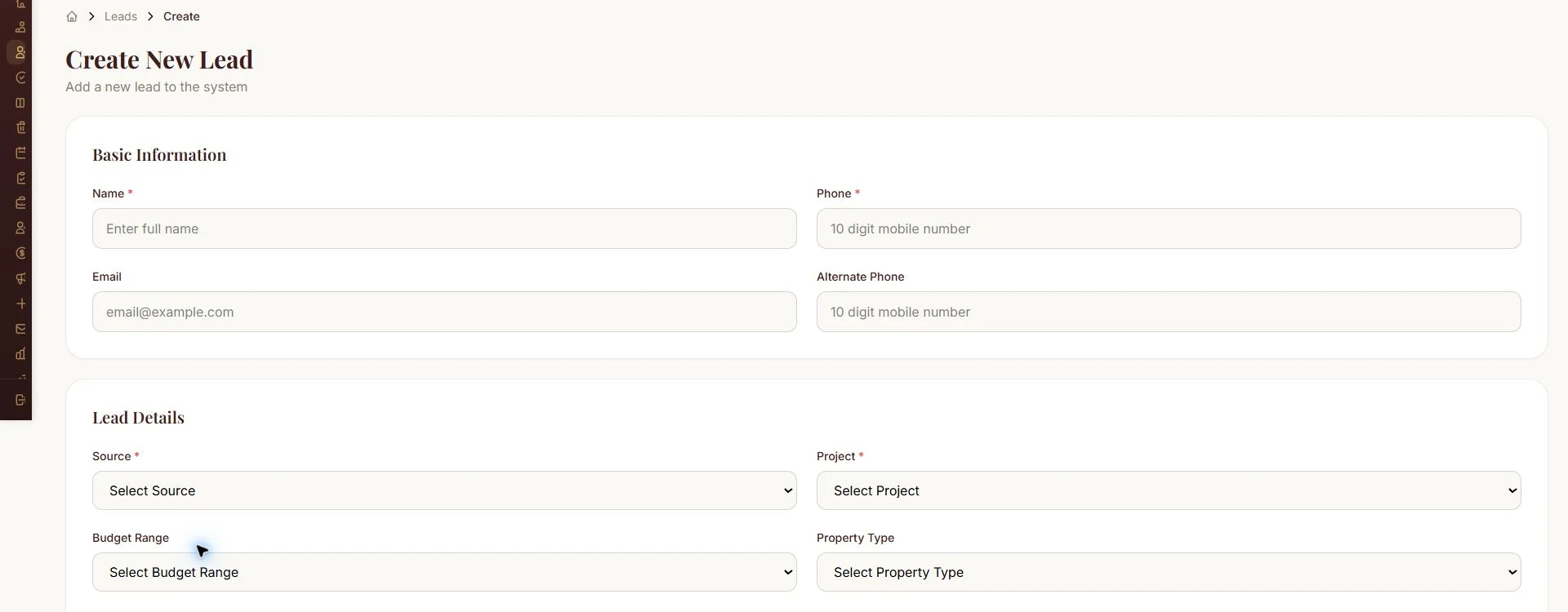
Lead intake form
2. Search, filtering and lead prioritisation
The lead workspace provides search and filters for sales stage, source, assigned user, dates, project, temperature and lead score.
These controls let users narrow the workspace around the type of enquiry or responsibility they need to review. Paging and export controls sit alongside the lead list.
Lead-scoring settings organise criteria such as source quality, pipeline stage, response speed, follow-up engagement, data completeness and recency. Hot-lead and escalation settings provide additional configuration points.
Together, the interface gives teams a structured way to review and prioritise opportunities.
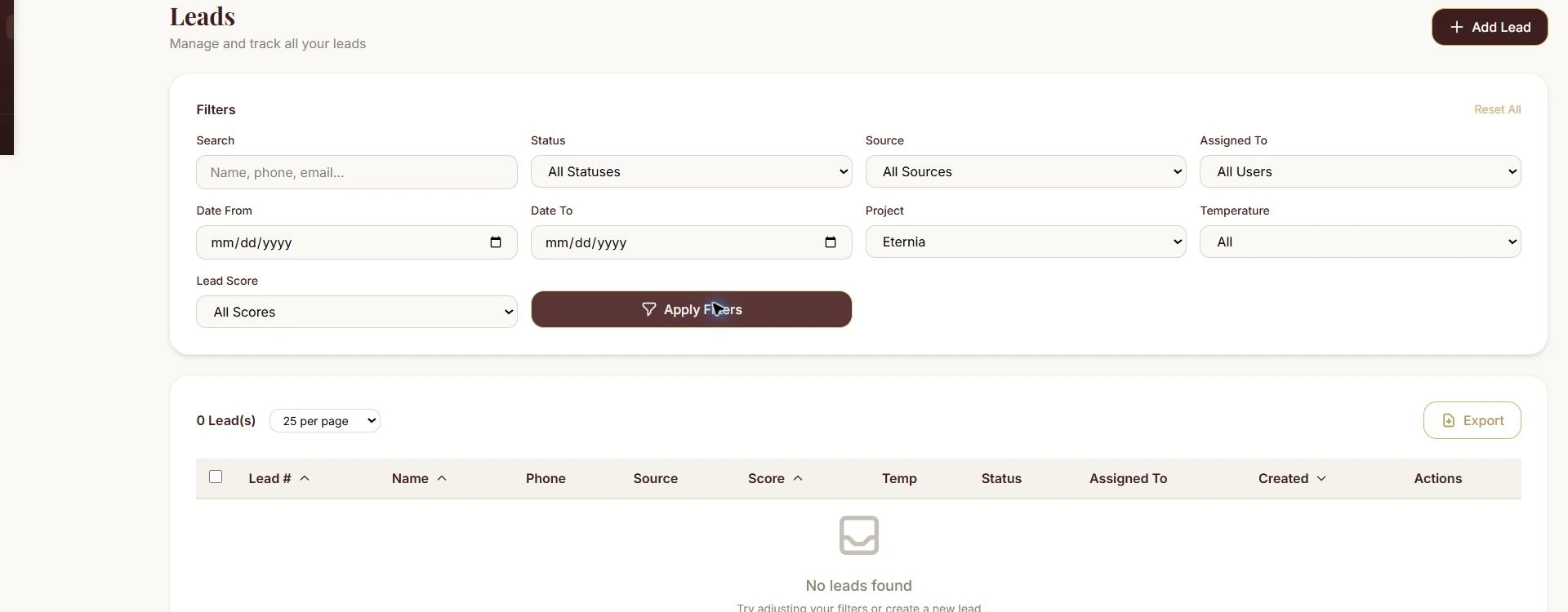
Lead search and filters
3. A visual real-estate sales pipeline
The Kanban pipeline presents lead progress through recognisable stages:
New Lead → Contacted → Interested → Follow-up → Site Visit Scheduled → Site Visit Done → Negotiation → Verbal Confirmation → Booking Done → Booked (Won).
This gives the application a sales structure suited to property enquiries, where phone conversations, site visits and negotiation are distinct parts of the journey.
Project, assignee, date and temperature filters help narrow the board to a relevant working view.
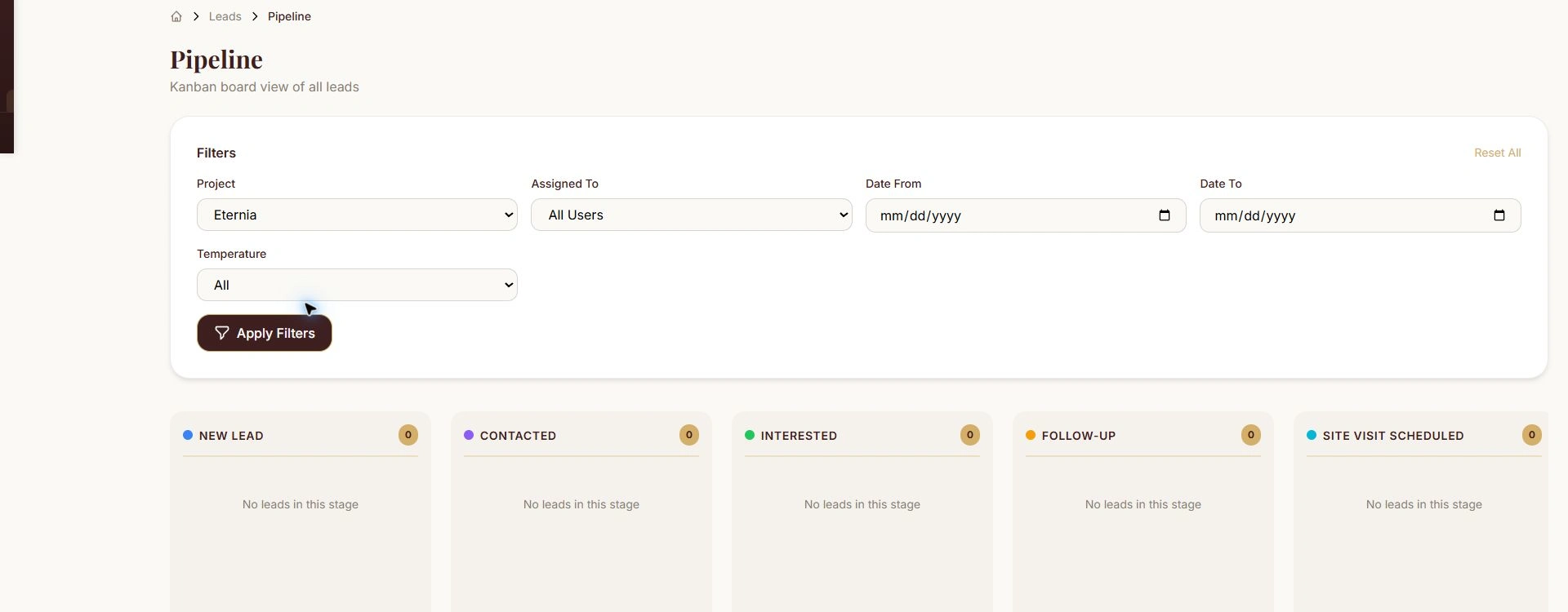
Lead pipeline
4. Lead ownership, activity and follow-ups
The lead-detail workspace brings information, activity history, notes, scoring and temperature into one record.
It also includes upcoming follow-ups and follow-up history, with controls for assignment, scheduling and stage changes.
Follow-up types cover calls, site visits, meetings, WhatsApp and email. Completion controls include an outcome and optional notes, while the daily follow-up workspace identifies scheduled and overdue work.
The purpose is to keep the next action and the history of the enquiry close to the lead itself.
5. Approval and exception handling
A separate approval queue provides controls for reviewing, approving or rejecting pending leads. Rejected records have a reopening path, and a lead-bin workspace separates binned or archived enquiries from the active working list.
These areas give exception handling its own place in the application instead of mixing every record into the same sales view.
The lead-detail interface also includes a return-to-pre-sales control with a reason field, providing an explicit interface for that handoff.
6. Channel-partner administration
The partner-onboarding workspace combines identity and contact fields with firm details, business identifiers, office information and banking fields.
Project assignments sit within the partner setup. Administrators can specify a project and choose a percentage or fixed-amount commission type with its value.
This gives partner administration a project-level commercial structure, rather than treating every partner as an identical contact.
A separate partner sign-in provides a distinct entry point from the internal admin login.
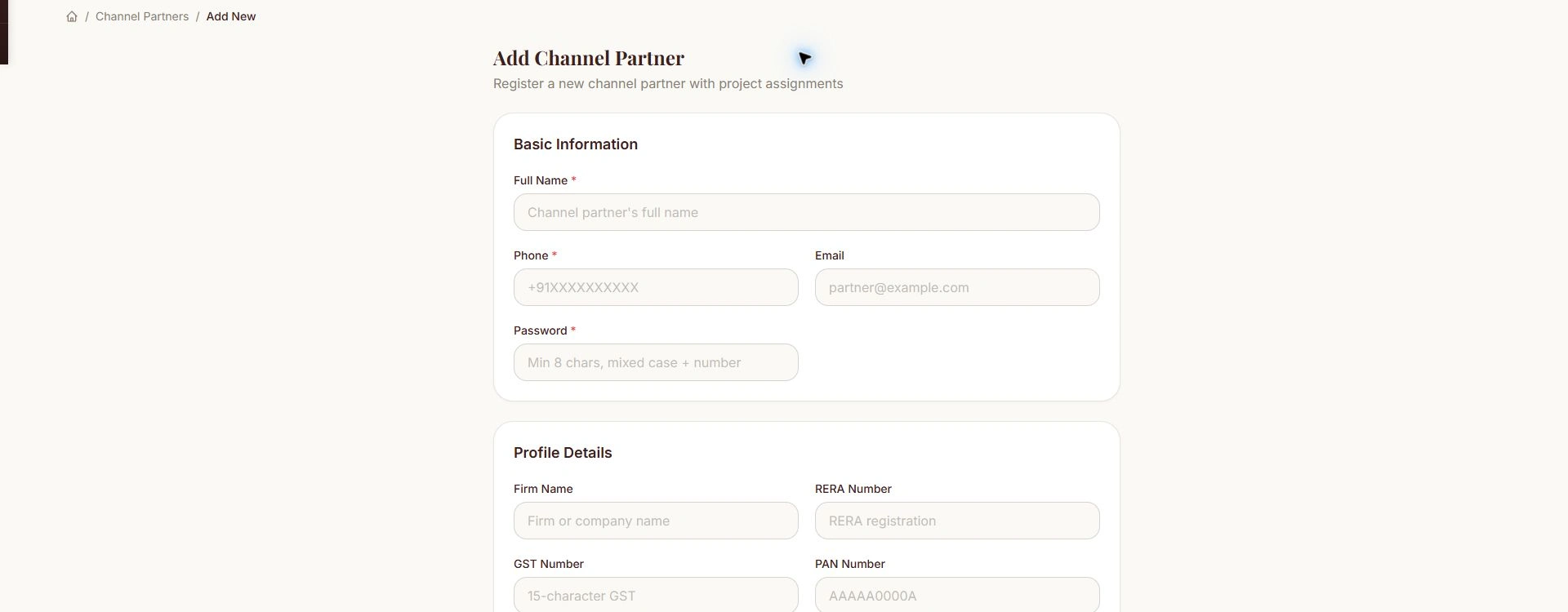
Channel partner onboarding
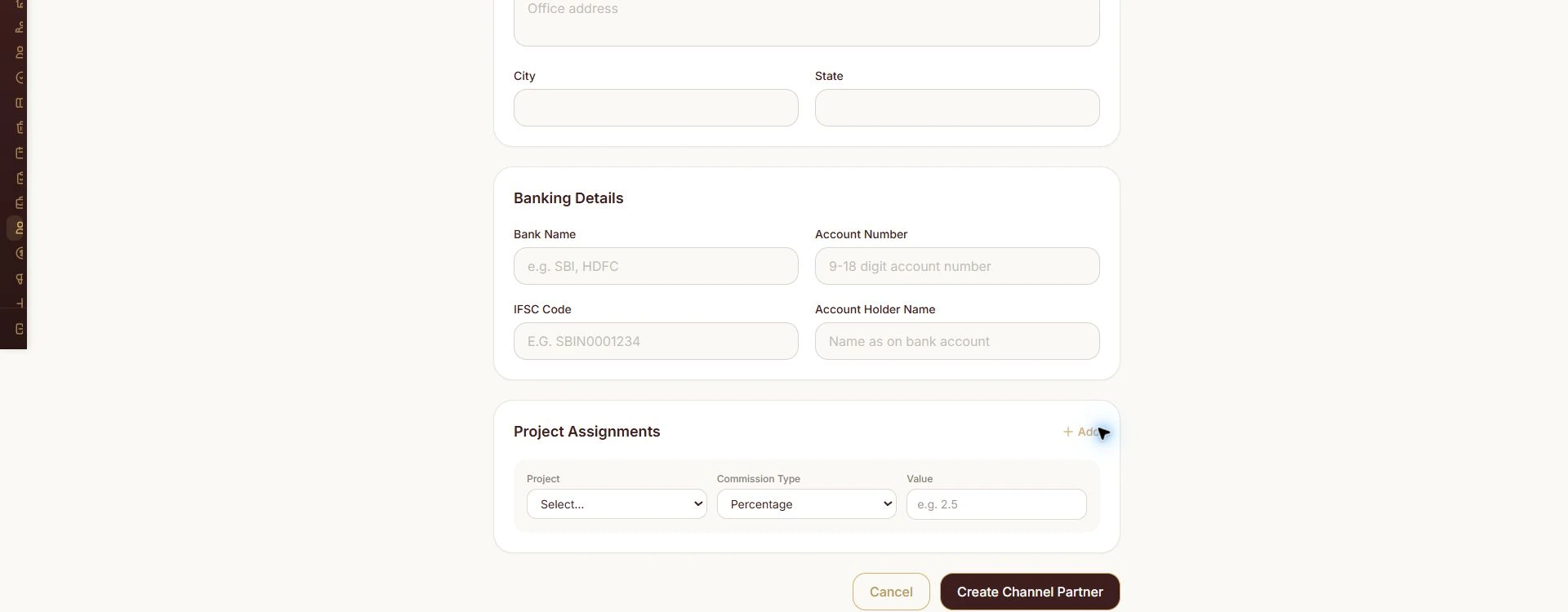
Partner project commission assignment
7. Commission visibility
The commission workspace organises records into Pending, Approved, Paid and Cancelled summaries.
Keeping commissions in a dedicated area makes partner commercial activity visible separately from general lead tracking.
The case-study capture shows the application's genuine empty state. It demonstrates the interface structure, not processed payouts or financial results.
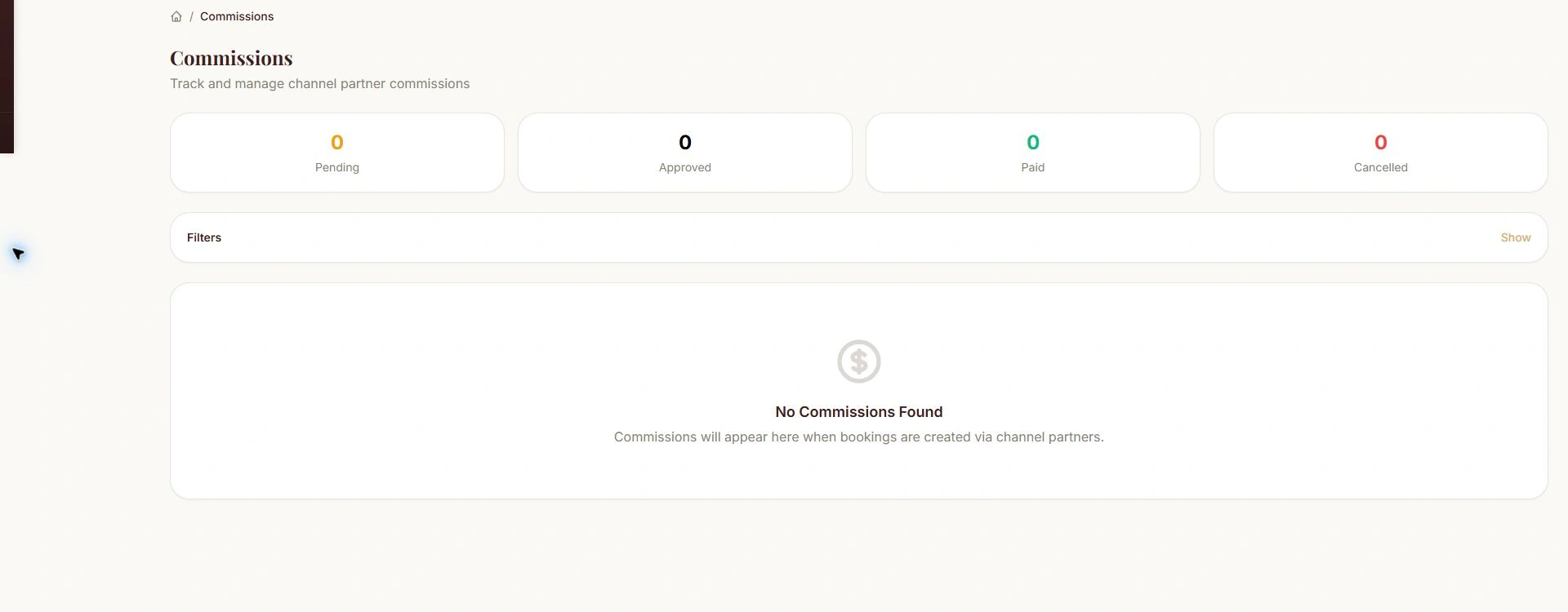
Commission workspace
8. Campaign and multi-channel acquisition setup
Campaign creation includes campaign name, platform, project and JSON field mapping.
The field-mapping input provides a way to describe how incoming webhook fields correspond to lead fields. Platform options cover advertising, website and property-portal categories.
Source masters provide a separate taxonomy for classifying enquiries across the application.
This demonstrates the configuration layer for multi-channel lead acquisition; it does not assume every listed external provider is actively connected.
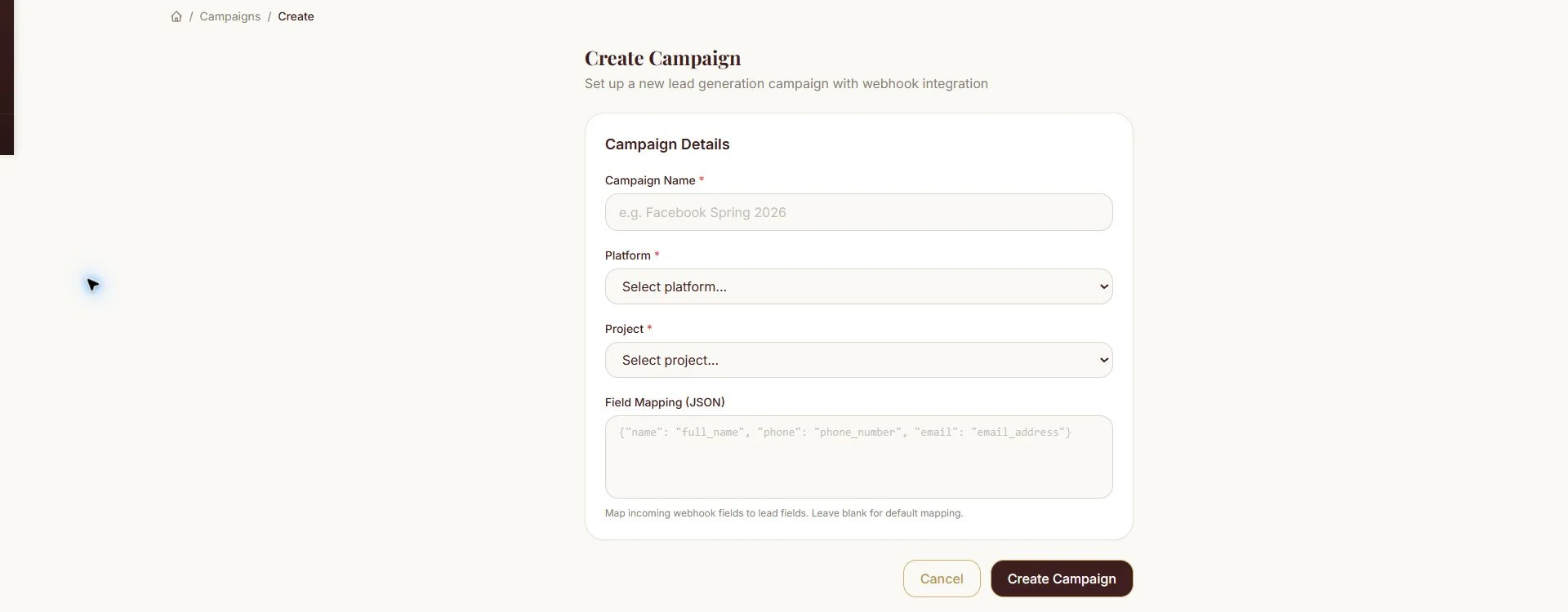
Campaign webhook setup
9. Project content and media management
The project-management forms include project description, developer information, RERA details, location, price range, total units and launch or possession dates.
Media controls support a project logo, banner and PDF brochure. Active and published flags sit alongside the content settings.
Project detail pages also expose team context and links to related leads and campaigns. Company settings provide additional business and branding fields.
These capabilities bring project content management into the operational platform alongside sales work.
10. Project-based roles and permissions
The role model uses company-wide permission templates assigned to users by project.
Role categories include administration, project management, pre-sales leadership, telecalling and sales. The assignment structure allows the same user to hold different roles across different projects.
The user-onboarding form keeps project and role assignment together, making access administration part of the business structure.
11. Reporting and configurable masters
The reporting hub brings together Lead Inflow, Follow-up Compliance and Pipeline Stage Distribution.
The report views organise source/date counts, scheduled and completed follow-ups, overdue work and pipeline distribution. Export controls support report selection and relevant inputs.
Master-data categories cover sources, statuses, property types, budgets, occupations, purposes, funding, locations, cancellation and lost reasons, site-visit and follow-up outcomes, designations, departments and payment modes.
This gives administrators a central place to manage the shared business vocabulary used across the platform.
Interface design
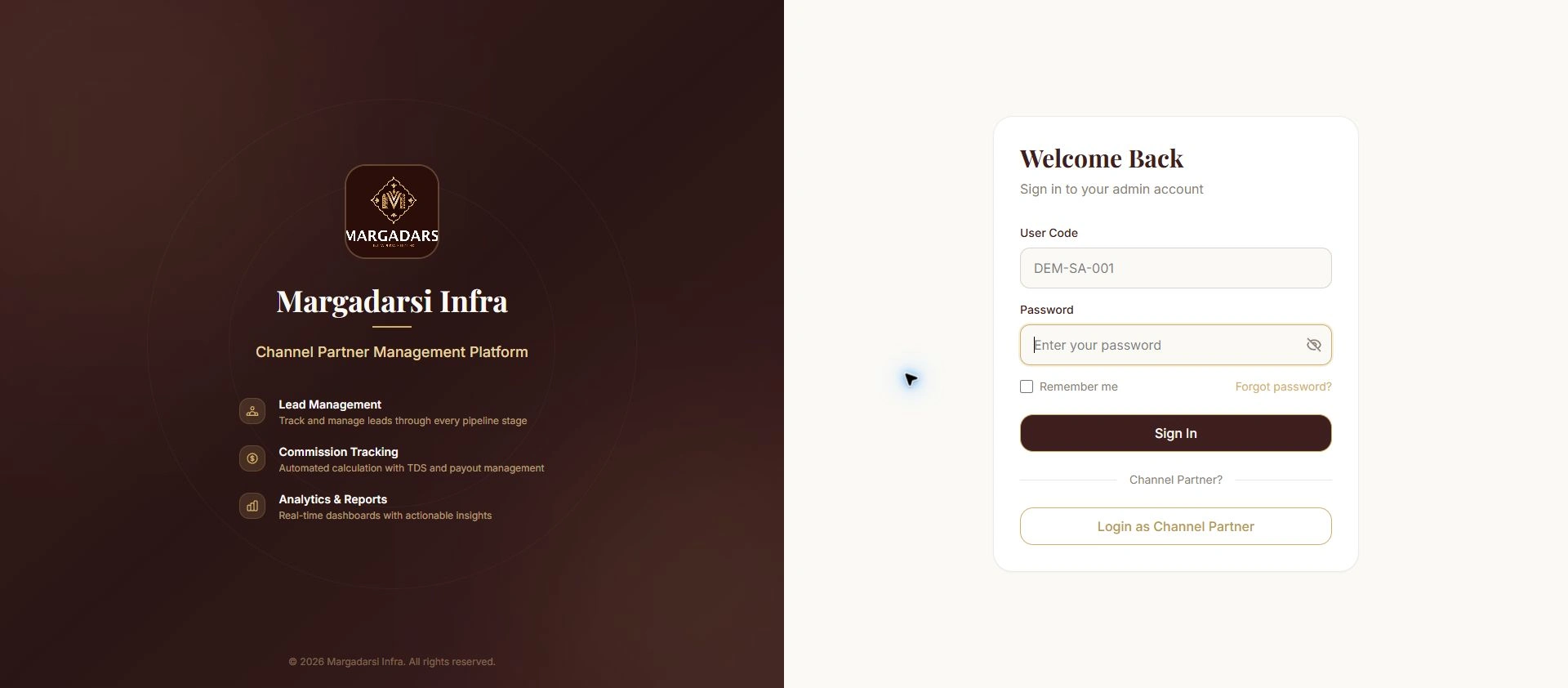
The application carries Margadarsi's visual identity through the login, navigation, forms, dashboards and working modules.
A warm brown-and-gold palette, clear section headings, rounded cards and grouped controls give the admin interface a consistent visual direction.
The design separates daily sales tasks from partner administration, content management, reporting and system configuration, while keeping them accessible within one workspace.
Admin login
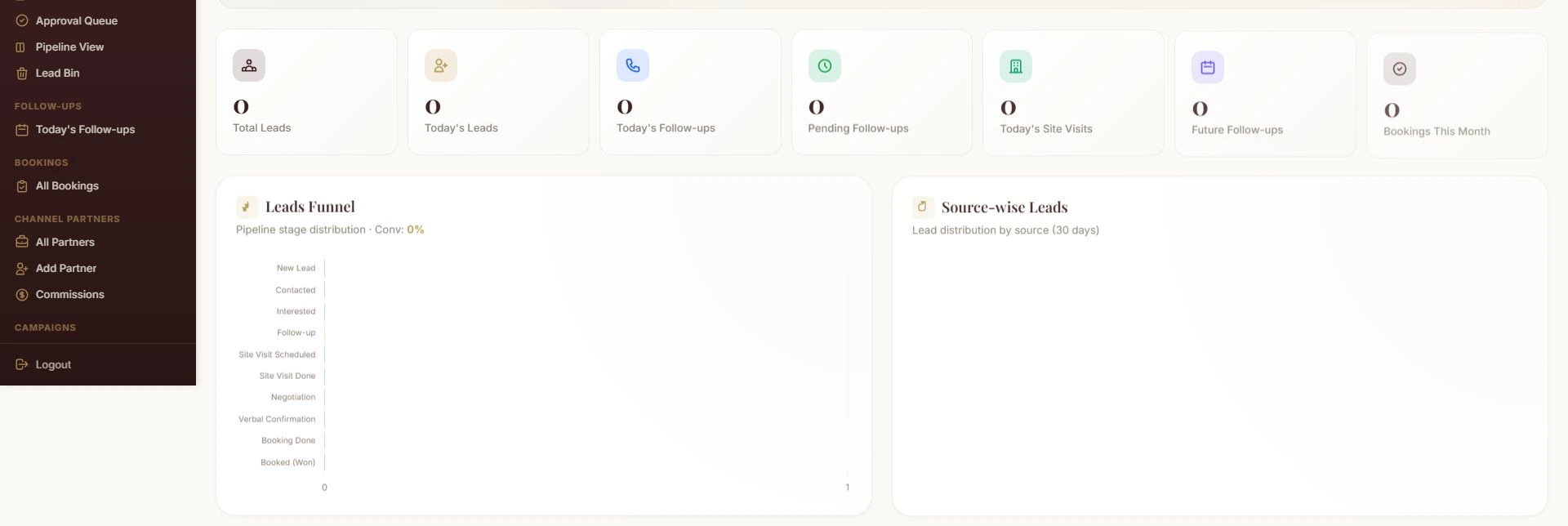
Filtered dashboard view
Delivered scope
The resulting application connects real-estate lead management, sales follow-ups, partner administration, commission records, campaign configuration, project content and operational reporting.
It demonstrates IntelliFlow's capabilities in custom CRM development, real-estate business applications, channel-partner management software, project CMS and role-based workflow design.
Build around your sales operation
Need a real estate CRM that reflects how your team and channel partners work?
Contact IntelliFlow Technologies on Contra to discuss custom CRM development, lead management software, partner portals and connected business applications.
Like this project
Posted Oct 14, 2026
Custom real estate CRM combining lead management, follow-ups, channel partners, commissions, campaign setup and project content management.