Magnetify AI

Reuben Nyaze



Magnetify AI - User App, Admin Dashboard & Landing Page
Role: Product Designer
Scope: User Research & Strategy · Product Definition & UX Design · UI & Visual Design
Project Overview
Magnetify AI enables digital marketers to create lead magnets connected via webhooks, triggering instant email alerts for new prospects, turning slow follow-up into real-time engagement.
I executed the end-to-end product design, from user research and strategy to the final UI for the web application, admin dashboard, and marketing site.
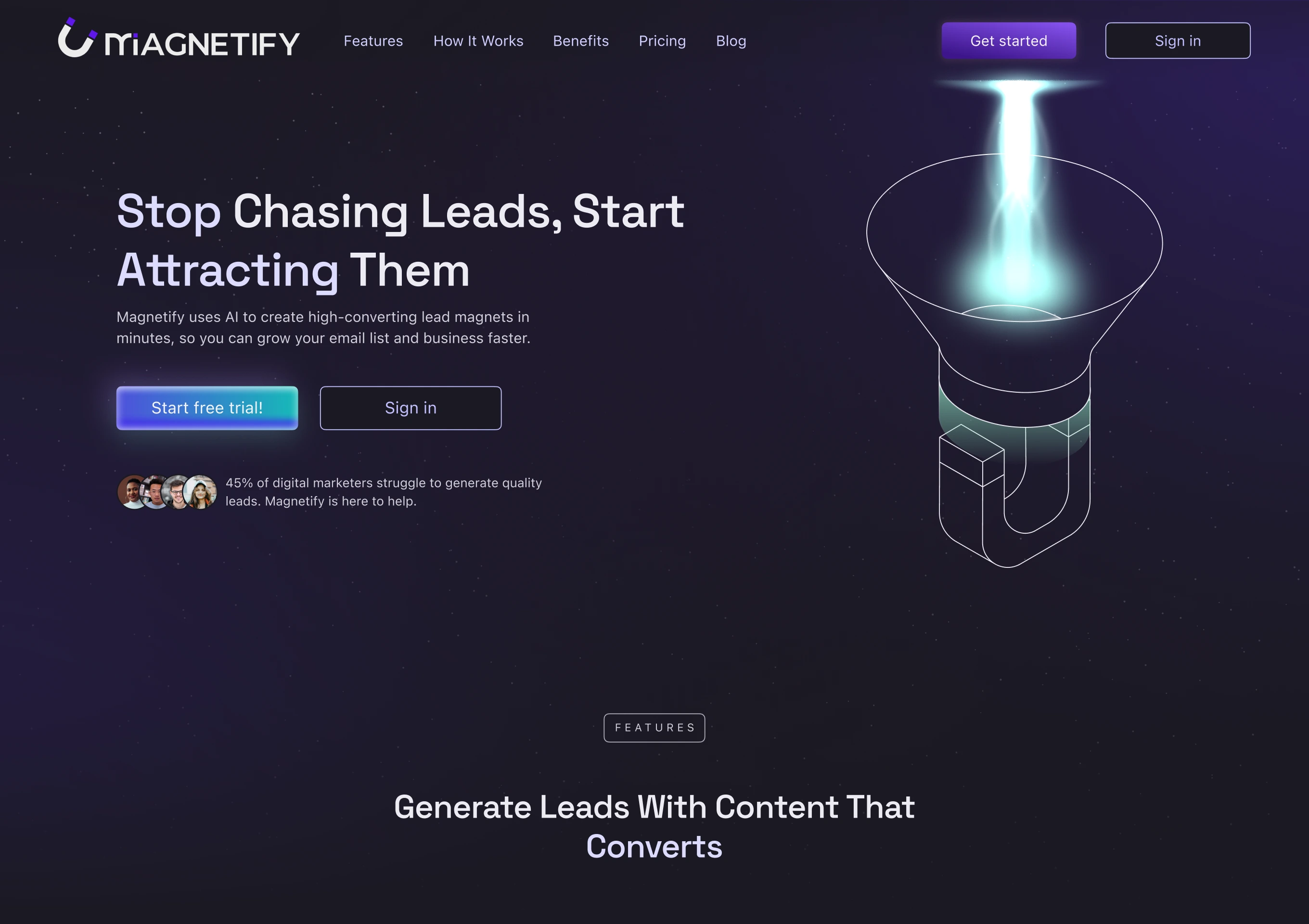
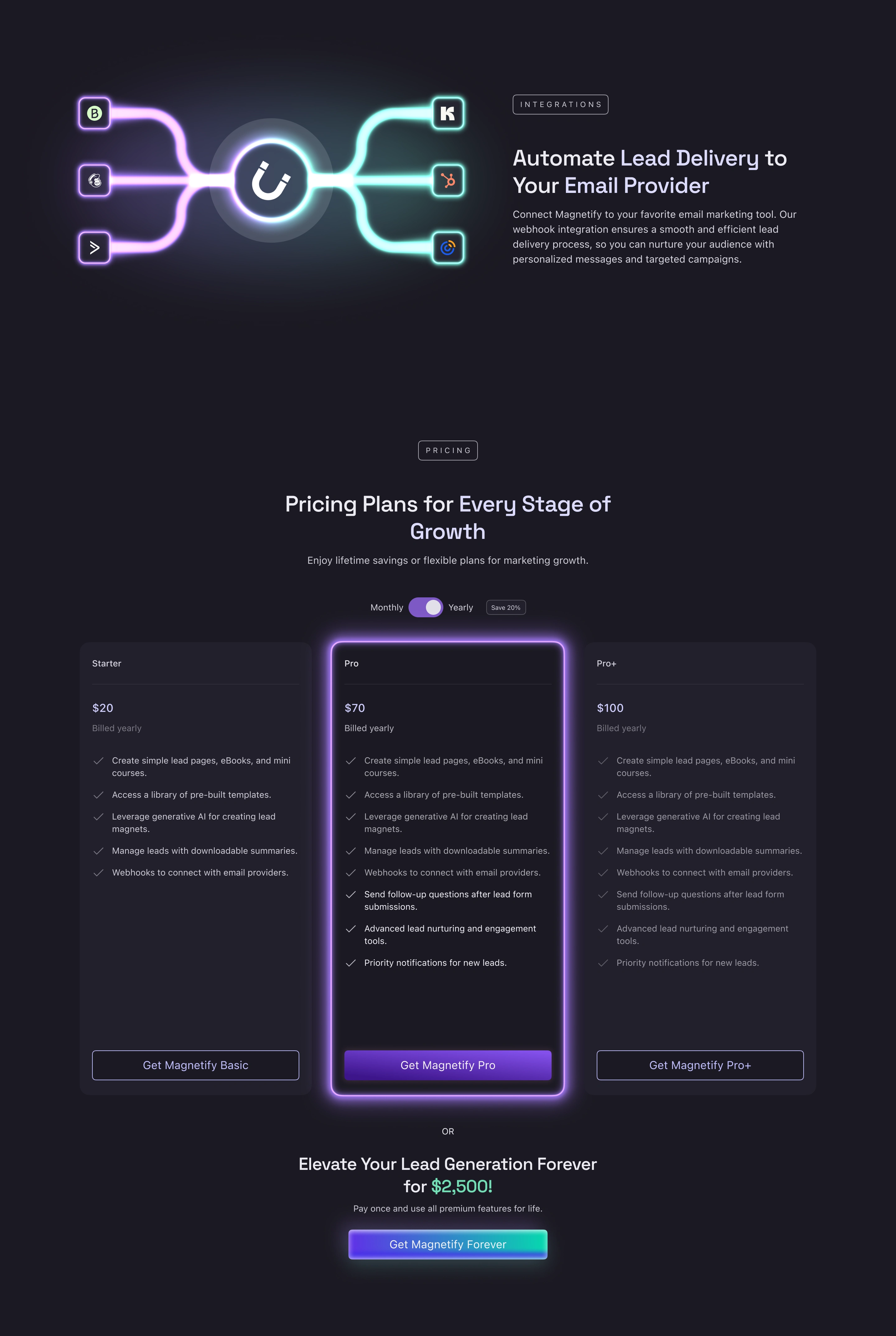
Magnetify AI Landing Page Hero Section
Project Goals
Enable digital marketers to create diverse lead magnets (e.g., lead pages, mini-courses, eBooks) to attract and capture prospects
Eliminate missed leads and revenue loss caused by delayed follow-up after lead acquisition
Simplify the technical process of creating a lead magnet and setting up a webhook integration into a seamless, guided experience
Challenge & Solutions
Challenge: Complex Content Creation
Users needed a simple way to create diverse lead magnets (lead pages, eBooks, mini-courses) without technical skills.
Solution:
Designed intuitive, drag-and-drop content editors for each lead magnet type.
Created a template system where admins could build and share pre-designed layouts using the same drag-and-drop tools.
Integrated a generative AI prompt feature to allow users to quickly generate tailored content.
Challenge: Ineffective Lead Nurturing
Users couldn't easily conduct follow-up conversations to warm up leads after an initial response, risking lost conversions.
Solution:
Designed a "Follow-Up" feature that triggers when a lead responds to an initial magnet, enabling marketers to continue the conversation via email.
Lack of UX References for Webhooks
There were no existing UI examples or user flows for setting up and managing webhook integrations.
Solution:
Used AI-assisted brainstorming (ChatGPT) to map out logical steps and validate the flow.
Collaborated with the development team to ensure the proposed user journey was technically sound and implementable.
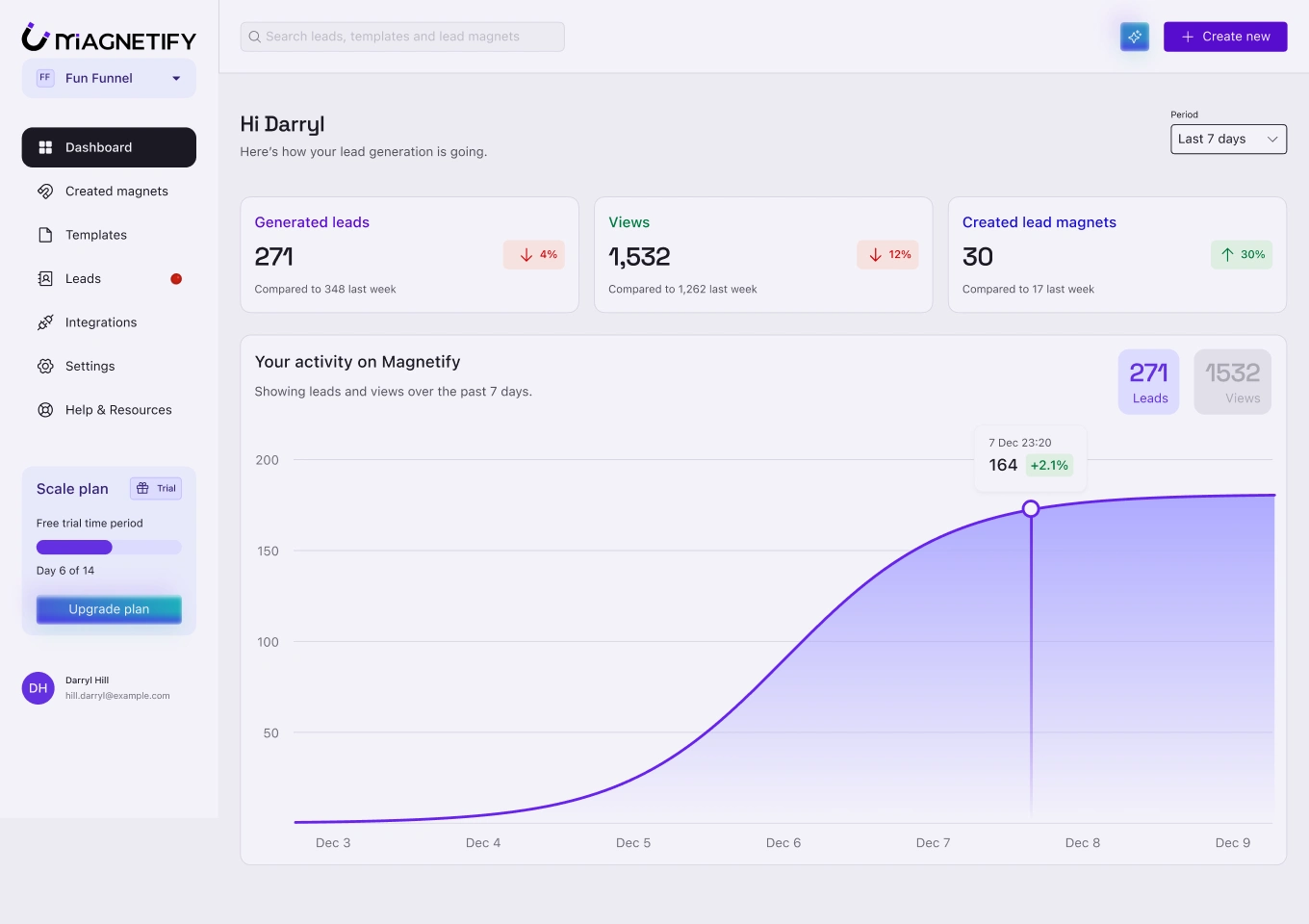
User dashboard
Magnetify's Features
User Dashboard
The user dashboard provides a centralized overview of key metrics, including generated leads, lead magnet views, and total assets created, visualized with an activity graph for at-a-glance performance tracking.
Lead Magnet Creator
An intuitive, drag-and-drop editor for building lead pages, eBooks, and mini-courses. Features include AI-powered content generation, editable templates, and settings for gated content or squeeze pages to capture lead data.
Webhook Integration
A guided setup drawer where users select their email service, generate a unique webhook URL, and choose which lead data to capture. The generated URL is easily copied into any automation tool, with inline tooltips providing clear setup guidance.
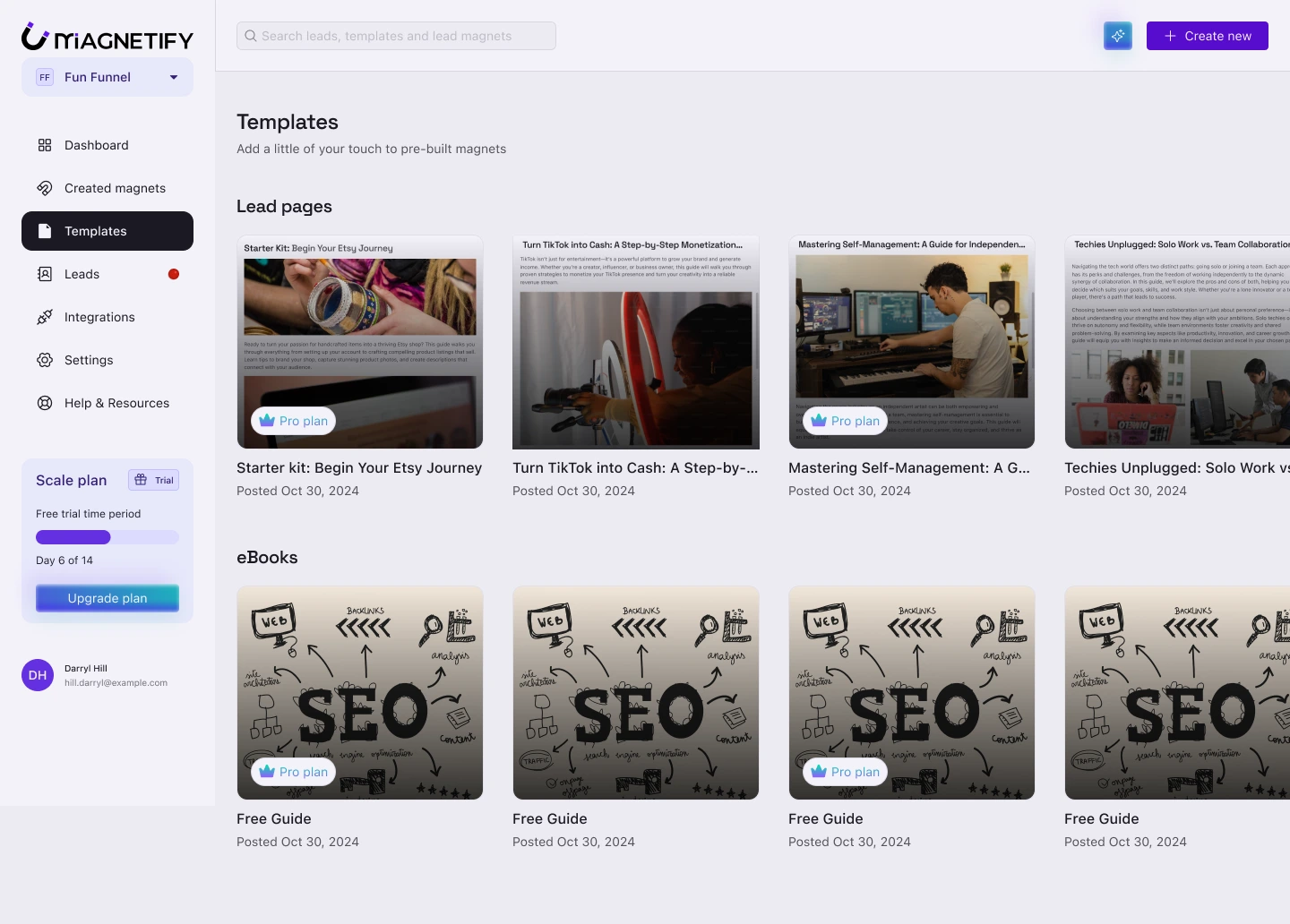
The Template Library
The content editor while editing a template
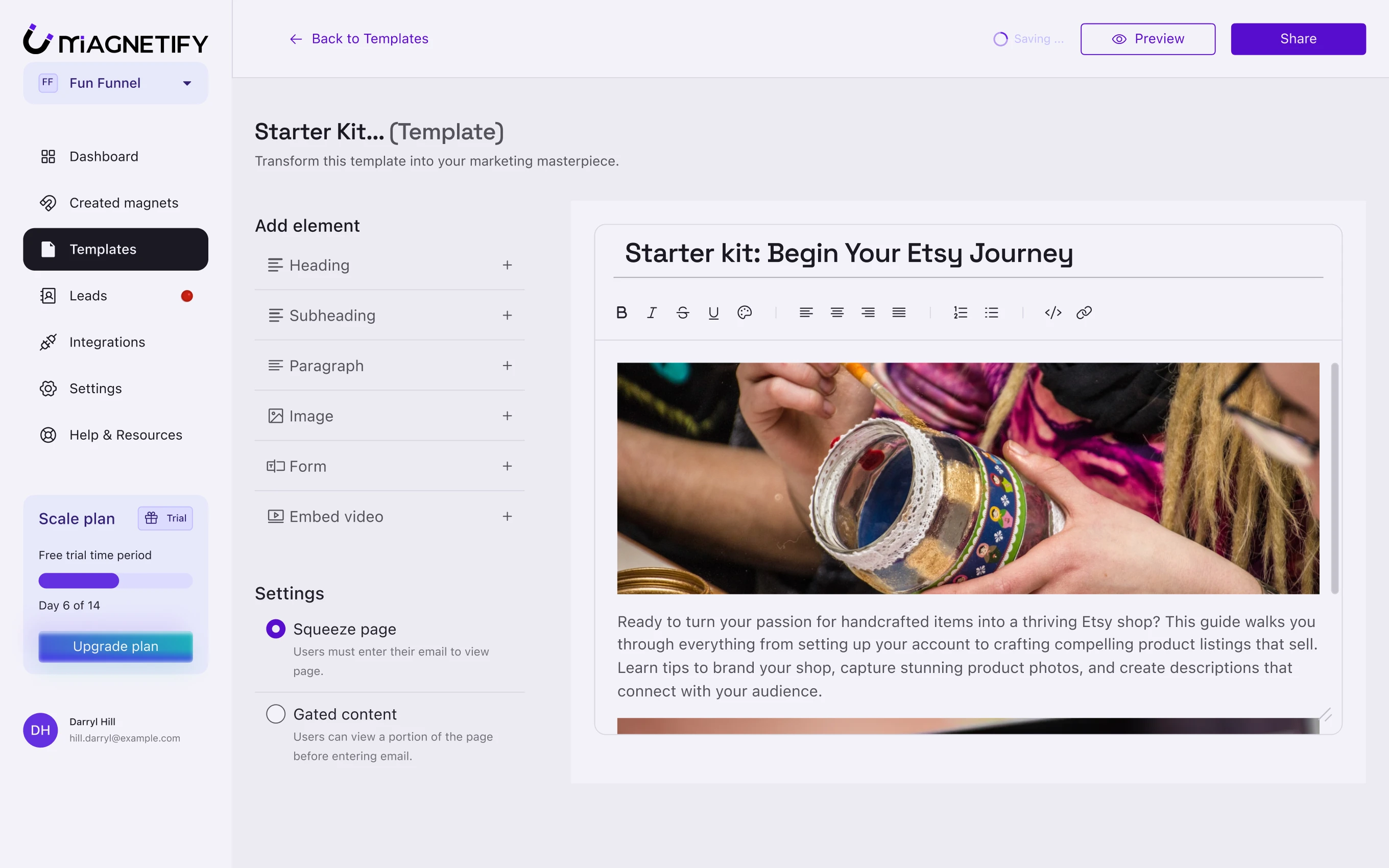
A lead page template being edited
Prompting on the generative AI modal
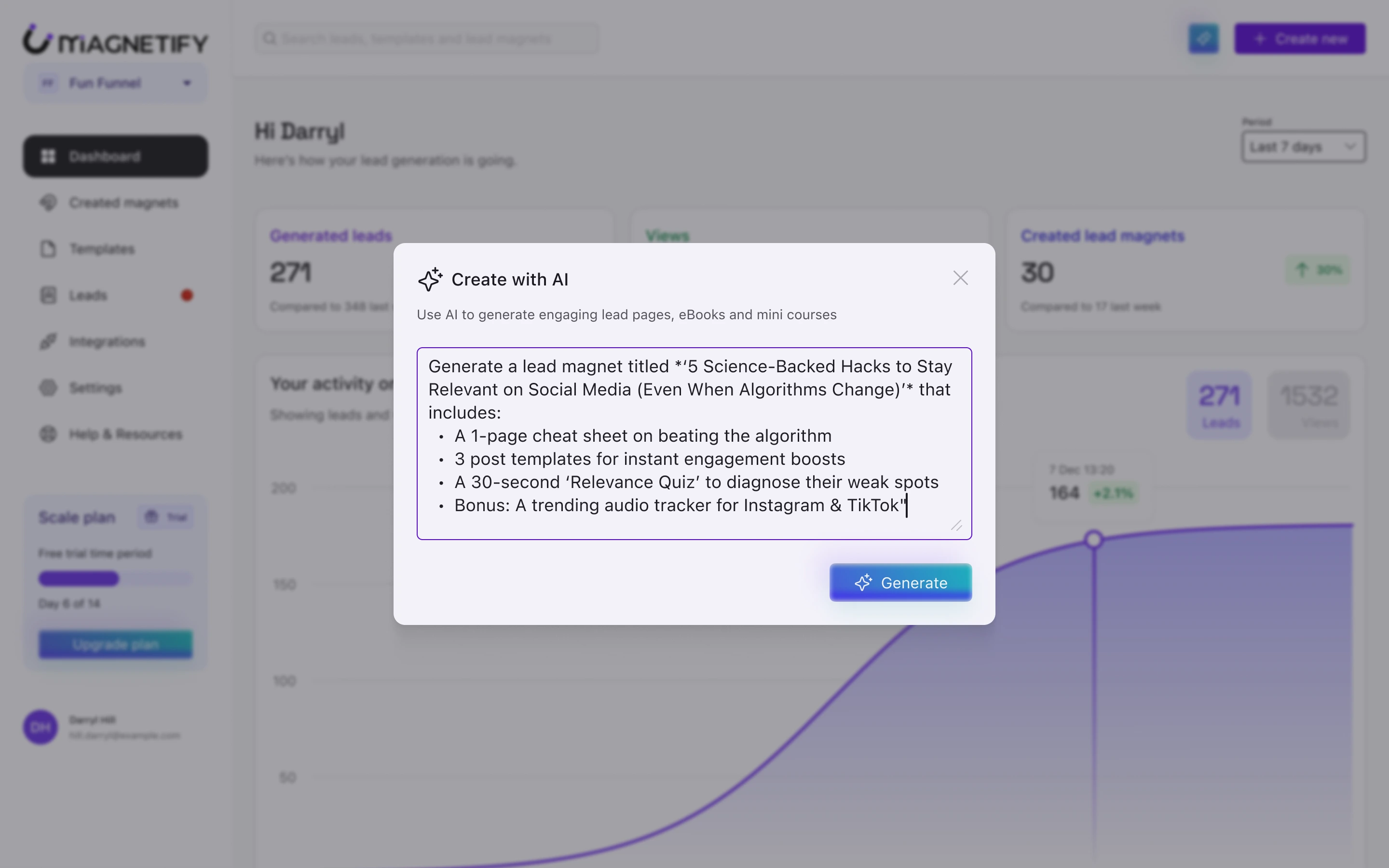
The Create with AI modal being used
Core Design Insights
Research: Research combined user interviews with competitive audits. Synthesizing findings into an empathy map crystallized the core frustrations around lead leakage and inflexible tools.
Brainstorming: I leveraged AI as a collaborative tool to define the complex webhook setup flow, ensuring the user journey was logical and technically sound before developer handoff.
Landing page Illustrations: Creating visual elements like a magnetic funnel illustration in Adobe Illustrator and perfecting their blend effects in Figma was a deeply rewarding part of visualizing the product's core value.
Tools Used
Figma: UI Design, Prototyping
FigJam: Information Architecture, User Story Mapping
Adobe Illustrator: Vector Illustrations
Google Sheets: Competitive Audit
Google Slides: Empathy Mapping
Project Outcomes
On TheresAnAIForThat.com, Magnetify has
16K Impressions
3.6 Star Rating
40 Saves
Like this project
Posted Dec 14, 2025
Lead generation SaaS product with webhook alerts. Launched to 16k+ impressions and a 3.6/5 rating, proving product-market fit through user adoption.
Likes
0
Views
1
Timeline
Dec 16, 2024 - Feb 21, 2025