Mood Slider: Interactive Feedback Face Built in Rive (Concept)

Kishan Jotangiya

Overview
A concept study, not client work. I took a short reference video of a phone mood-rating screen and rebuilt it twice: as a Rive file (the main piece) and as a responsive web page. You drag one slider from Bad to Good, and the whole screen reacts: the face, the background colour, the big word and the glow all follow a single number.
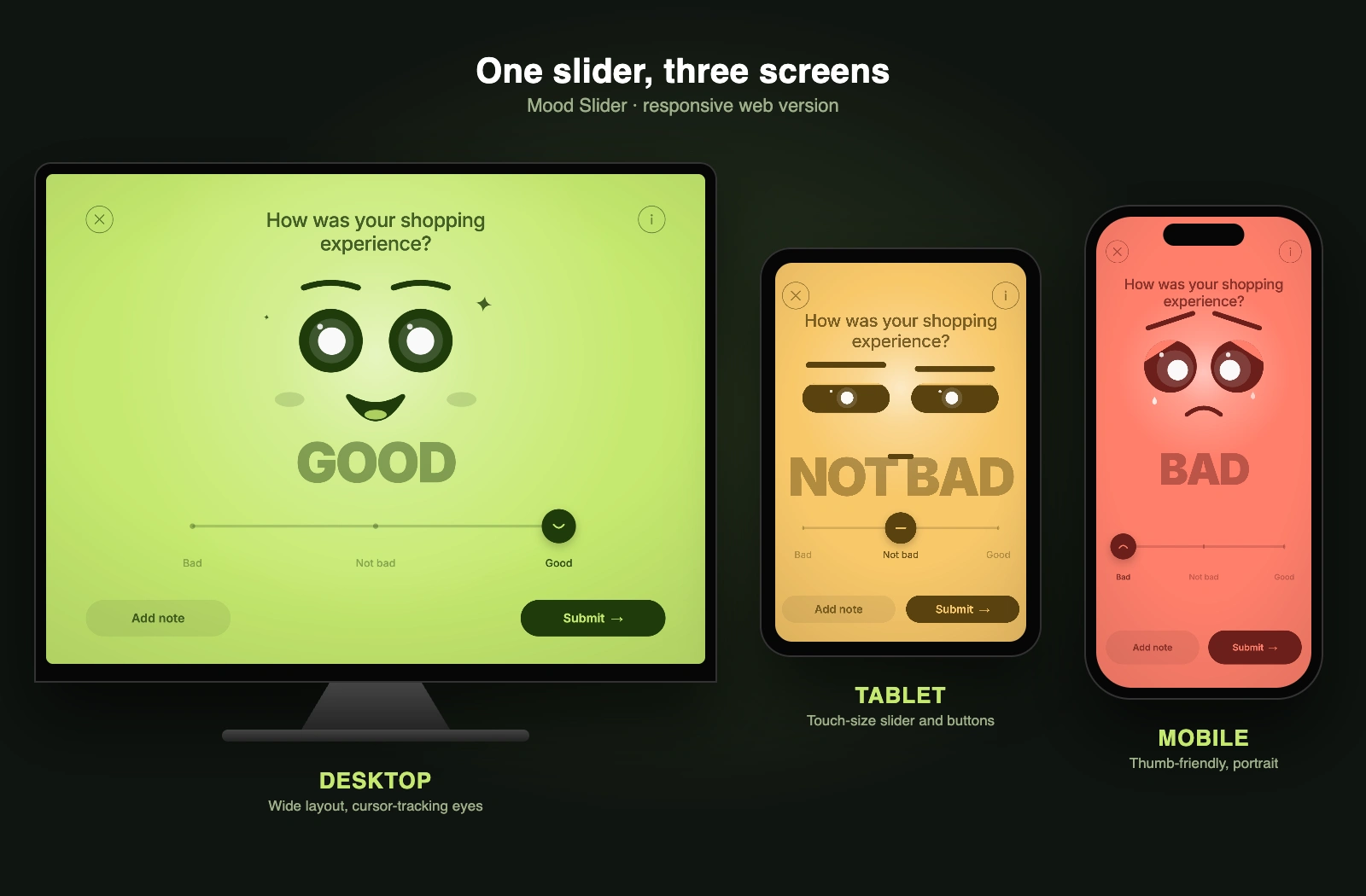
One slider on desktop, tablet and mobile
The idea
Rating screens are usually five stars or a row of buttons. I wanted one that feels alive, so the answer is a face that reacts while you drag. That small bit of feedback makes people think about the answer instead of just tapping a number.
Three moods, one drag
Everything below is driven by one value from 0 to 1.
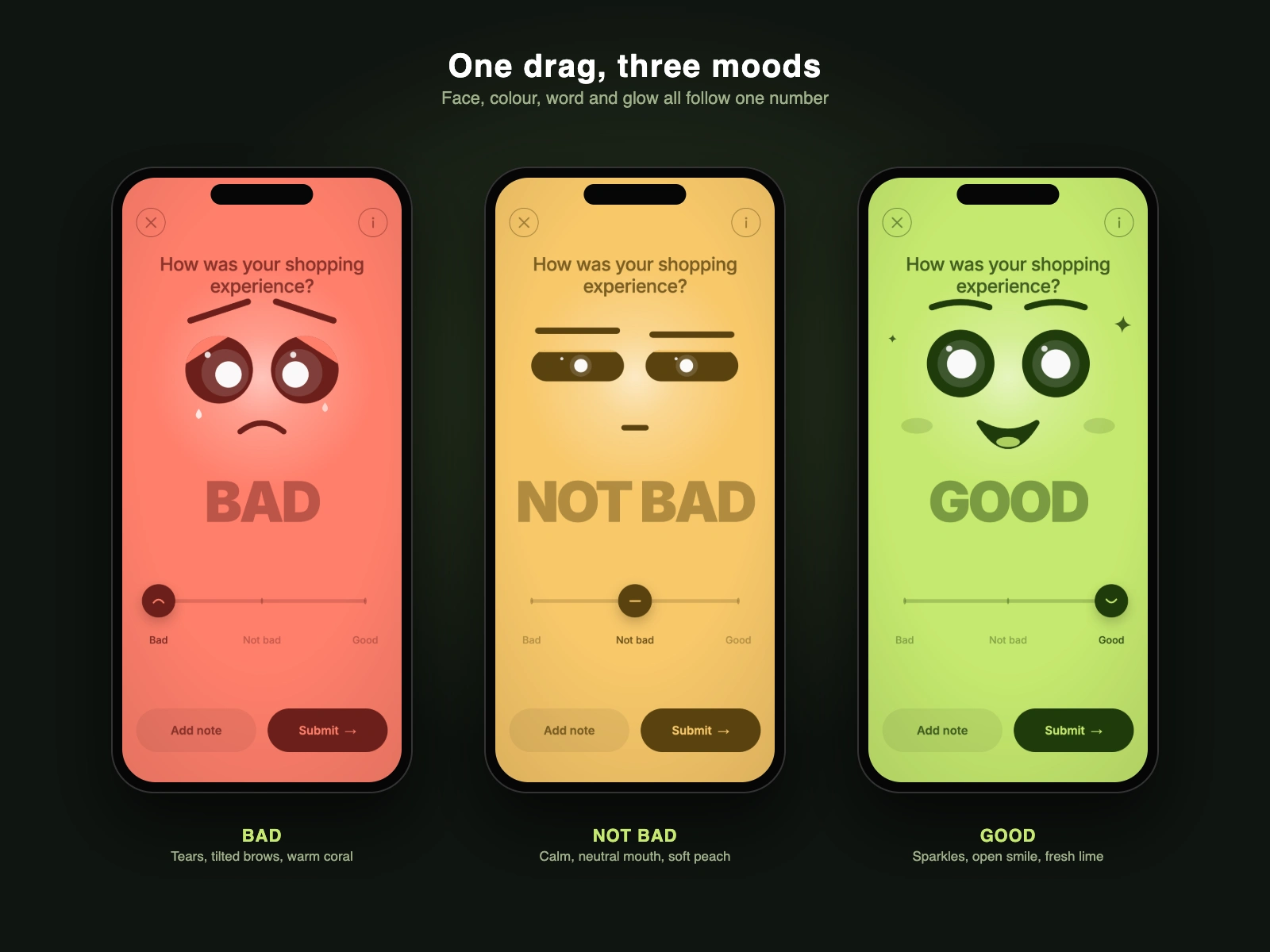
Bad, Not bad and Good on mobile
Bad: tilted brows, heavy eyelids, tears and a warm coral background.
Not bad: flat brows, half-closed eyes, a small neutral mouth and soft peach.
Good: raised brows, wide eyes, sparkles, an open smile with a tongue, blush and fresh lime.
Between the three, the shapes blend smoothly, so dragging slowly shows every in-between expression. Colours blend the same way, and the glow behind the face brightens as the mood improves.
How the face behaves
Eyes follow the cursor. The pupils, the iris and the small highlight move at slightly different amounts, which gives a feeling of depth.
Looks at you when idle. If nobody does anything, the face looks straight at the viewer, as if waiting for a reaction.
Snap with a little spring. Let go and the knob settles on Bad, Not bad or Good with a soft overshoot.
Eyelids as flat colour patches. The lids use the background colour, so they read as skin rather than a separate layer.
Built in Rive
A Luau script reads the slider and the pointer, then draws the face, eyelids, glow and slider track. I used it because the face is computed from one number, which is easier to control in code than with dozens of hand-keyed animations.
Data binding. The big word, the labels, the title colour and the buttons are bound to view model values. The script updates those values and the markup follows.
Stays centred. The 4:3 scene sits in a fixed frame in the middle of any window width, with the same colour on both sides, so it works on a wide screen.
Written and checked with the Rive CLI: verify and inspect on every change, and screenshot tests for each mood, for the eyelids and for the pointer drag.
Responsive web version
The same idea as a page you can open on any device. The layout changes with the screen:
Mobile: portrait, thumb-sized controls.
Tablet: larger slider, buttons and type for touch.
Desktop: wide layout with the cursor-tracking eyes.
Extras: keyboard control (arrow keys, Home and End) with a slider label that screen readers read, a soft tick sound, a gentle vibration on touch devices, and reduced-motion support.
Add a note card
A small card opens over the face with a 0 to 200 character counter, Cancel and Save note. It behaves the same on every screen.
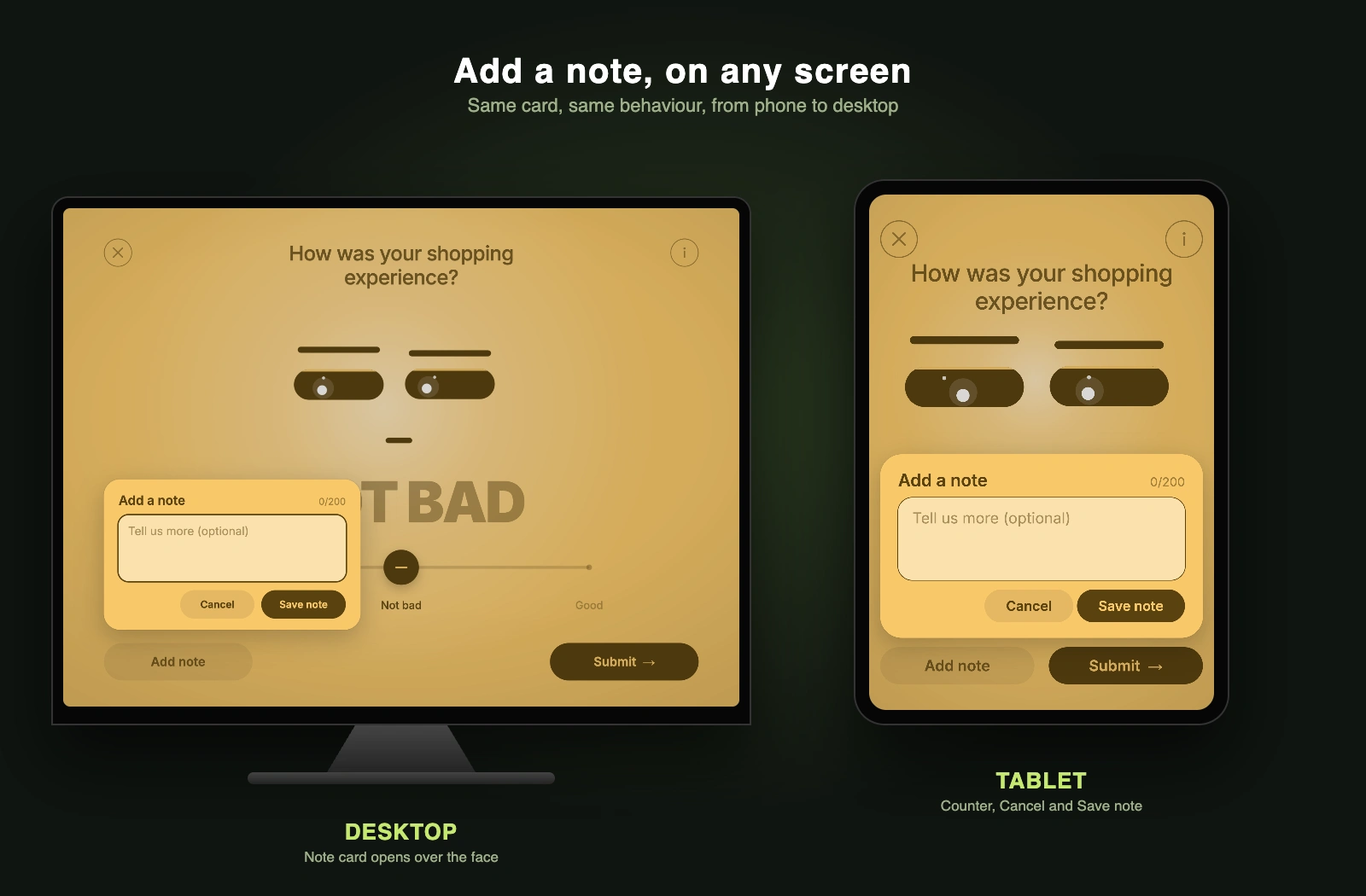
Note card on desktop and tablet
Links
Rive version: https://rive-mood-slider-0o2wda.rive.to
Web version: https://mood-slider-4x3.pages.dev
Honest notes
Concept and learning project. No client, no users and no metrics. The reference video belongs to the owner of the brief. The device frames in the images are mockups around real screenshots of the web version. In the Rive version the Add note, Submit, close and info buttons are drawn but not wired yet; they work in the web version.
Like this project
Posted Nov 2, 2026
Concept study: a "How was your shopping experience?" slider where one drag changes the face, colours, word. Built in Rive with a script, plus a web version.
Likes
0
Views
0