SwiftUI | QR Code Scanner & Generator

Viktor Zahurskyi


Overview
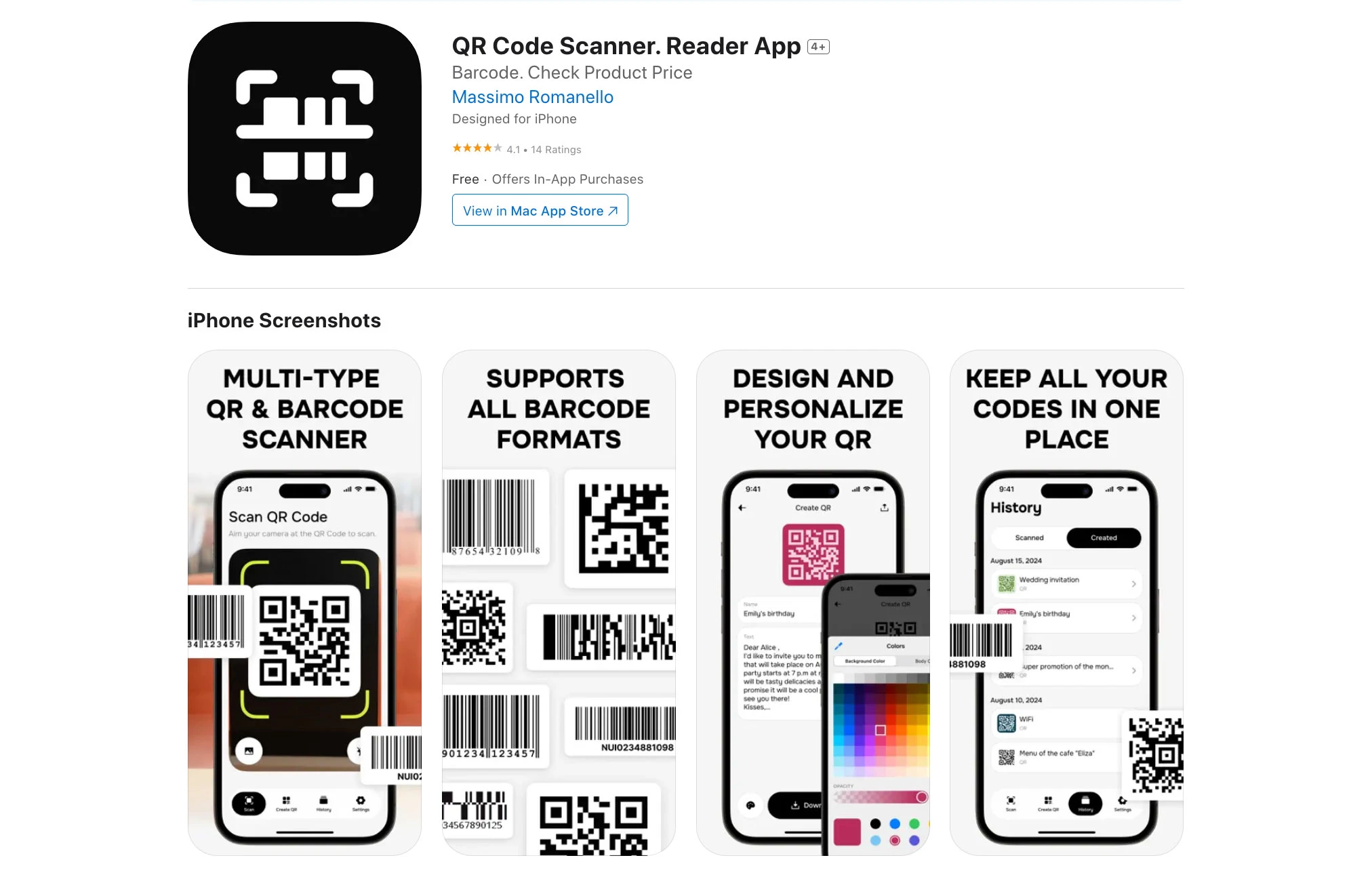
An iOS utility for scanning, creating, and managing QR codes and barcodes. It supports all major formats, lets users design custom QR codes with colors and logos, and organizes scan/create history with powerful search and folders. Built for speed, privacy, and a clean SwiftUI experience.
Key Features
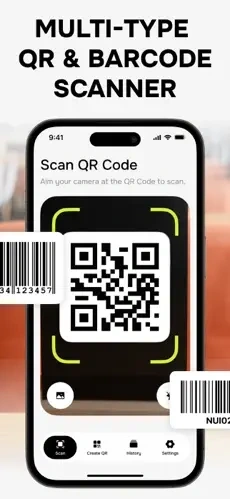
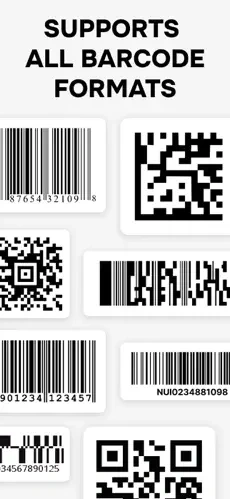
Universal Scanner: Detects QR, EAN‑8/13, UPC‑A/E, Code 39/93/128, PDF417, Aztec, Data Matrix.
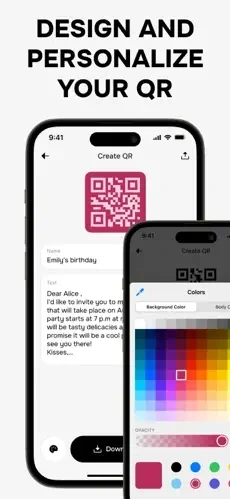
Custom QR Generator: Color themes, gradients, logos, and error‑correction levels; live preview.
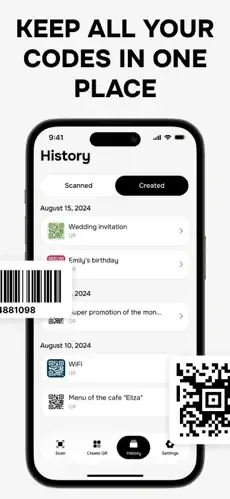
Smart History: Auto‑saved scans and creations with tags, folders, and full‑text search.
Quick Actions: One‑tap open URL, copy text, add to contacts, join Wi‑Fi, or share.
Batch & From Images: Scan multiple codes in sequence or from Photos and files.
Privacy‑First: On‑device processing; no cloud uploads; optional iCloud backup.
Accessibility: Large targets, VoiceOver labels, high‑contrast themes, and haptics.
Tech Stack (Concise & Clear)
UI: SwiftUI (modern, responsive layouts), UIKit bridges for advanced camera control.
Scanning: AVFoundation + Vision framework for real‑time detection and from‑image decoding.
Generation: Core Image (CIQRCodeGenerator) with custom rendering for colors/logos and ECC.
Data: Core Data or Realm for history, tags, folders, and favorites; optional iCloud sync (CloudKit).
Subscriptions: Adapty SDK for paywalls, trials, and entitlement management (StoreKit).
Utilities: Uniform Type Identifiers (UTType) for share/import; Haptics; SF Symbols.
Performance: Metal‑backed CIContext, camera frame throttling, and background decoding.
Privacy & Security: Limited Photos/Camera permissions; on‑device storage; no tracking.
Testing/CI: XCTest/XCUITest; Fastlane or Xcode Cloud for builds and TestFlight.
Workflow
Scan: Open the camera to auto‑detect codes; tap to view content and actions.
Act: Open URL, copy text, add contact, or join Wi‑Fi; share or favorite the result.
Create: Enter data (URL, text, contact, Wi‑Fi), pick colors/logo, set error correction; preview and save/export.
Organize: History auto‑saves; add tags/folders; search by content or type; export as PNG/SVG where supported.
UX & Performance Highlights
Instant Detection: Low‑latency scanning at 60 fps with torch/zoom controls.
Clear Feedback: Edge highlighting, success haptics, and context‑aware action sheets.
Smooth Rendering: High‑res vector output, crisp at any size; color‑safe palettes for contrast.
Challenges & Solutions
Logo Interference → Elevated error‑correction and safe‑zone padding around center logos.
Low‑Light Scans → Torch control, exposure bias, and Vision‑assisted stabilization.
History Overgrowth → Indexed storage, pagination, and cleanup policies with user controls.
Results
Fast, reliable scanning and beautiful, custom QR generation.
Organized history improves reuse and productivity.
Privacy‑first design with on‑device processing and optional iCloud sync.
Like this project
Posted Jan 19, 2026
Scan all major barcodes, create custom QR codes with colors/logos, and manage history—built with SwiftUI, AVFoundation/Vision, and Core Image.
Likes
1
Views
8