Online Background Remover

Bashir Sulaiman Dahir

Online Background Remover
Erase clutter and make your subject shine with Canva’s one-click image background remover. Have a download-ready image in mere seconds. Just drag and drop your image file, remove the background, then use it for all your project and presentation needs.
Upload your image
or drop it here
Learn about Canva's upload formats and requirements. See how we use your content in our Privacy Policy .
How to remove the background from a picture
Start of list: How to remove the background from a picture
Skip to end of “How to remove the background from a picture” list
Upload your image
Select the “Upload your image” button or easily drag and drop your files into the section.
Edit your design
Select “BG Remover” under the Tools options to remove the background of your image in seconds.
Download your design
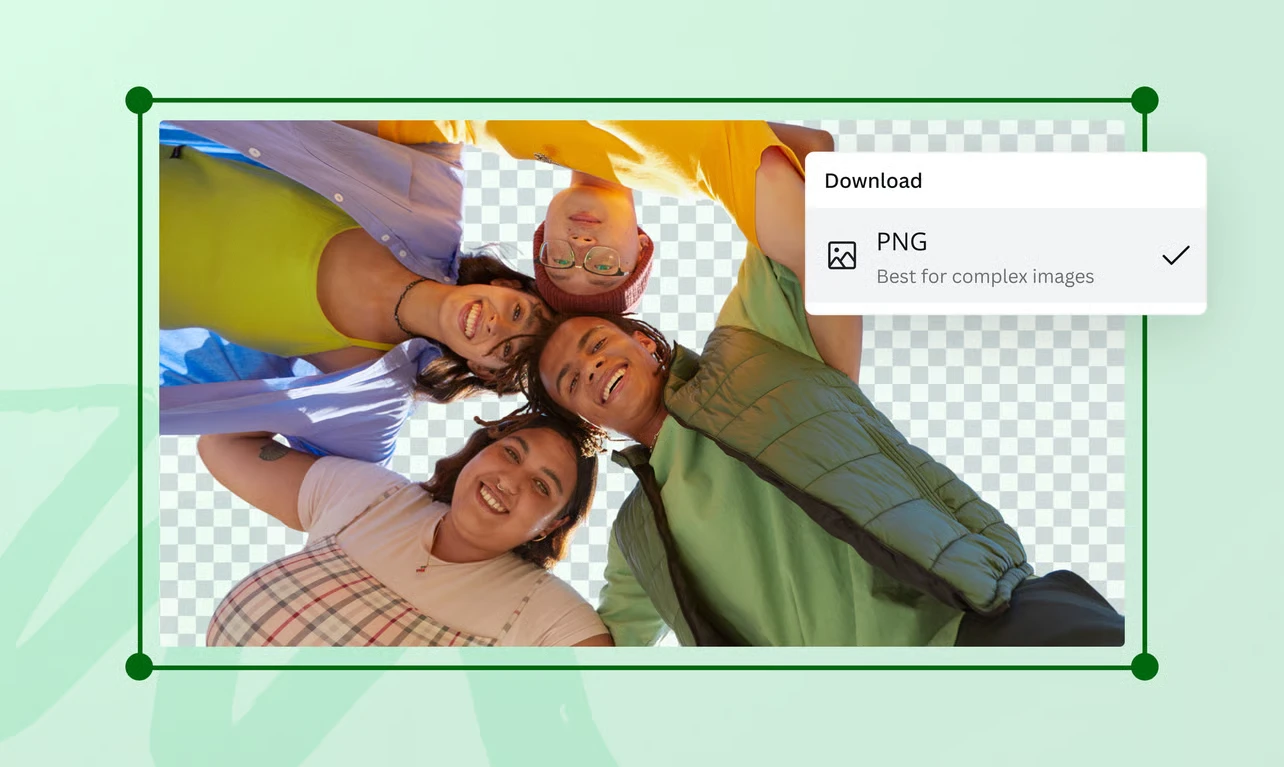
Finally, download your design as a high-resolution PNG file.
Skip to start of “How to remove the background from a picture” list
End of list: How to remove the background from a picture
Wipe out distractions instantly

Before
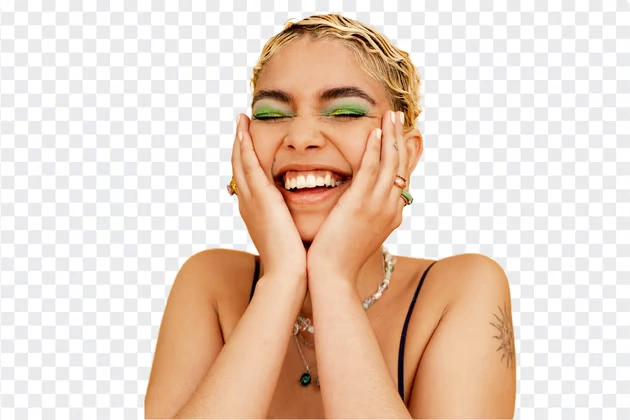
After
Need a quick headshot for your CV or a custom photo for tomorrow’s class presentation? Simply tap “BG Remover” in our intuitive editor, then remove the background and use your image however you like! The image background remover on Canva speeds up the editing process by instinctively detecting the foreground in your photo, so you can focus on what matters most.
Transform images for any purpose
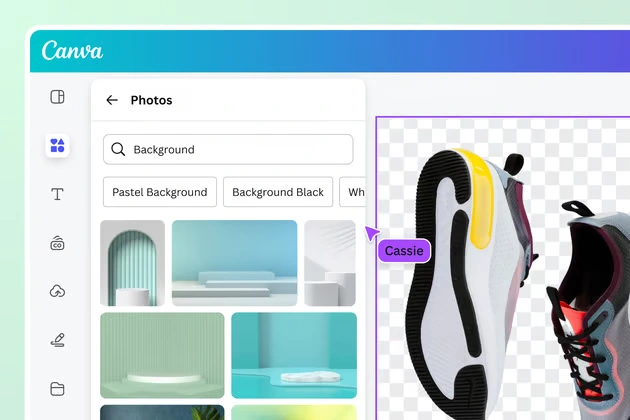
Background Remover works on a range of images, from people and animals to objects. Upload in JPG, PNG, HEIC, or HEIF formats, or choose a stock photo from our library to remove the image background. Even with no design experience, get gorgeous product shots for your e-commerce site or create a collage of images. Unlock unlimited design possibilities by making your photo background transparent using Canva’s transparent image maker(opens in a new tab or window) . Sign up for Canva Pro for unlimited usage and access to more tools like Video Background Remover(opens in a new tab or window) .
Cut perfectly to your needs
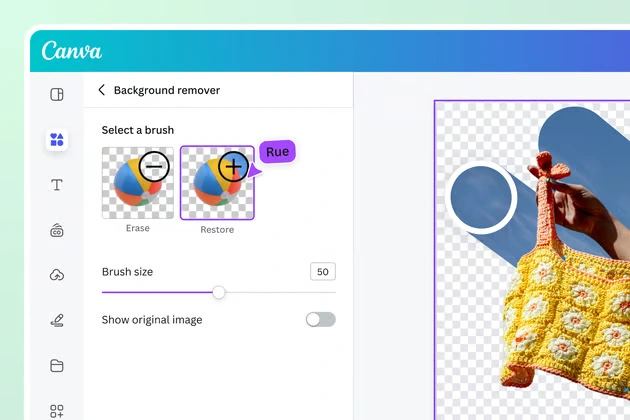
Use our online background remover to make precise adjustments to your photos and achieve the perfect cutout. Taper the edges by erasing or restoring portions of the background. Set a new scene by picking a new background from the stock library. Then, spice up your image with filters(opens in a new tab or window) and enhancers(opens in a new tab or window) . Generate stunning visuals that drive your message home with the Background Remover, whether you’re editing photos or fine-tuning slides before converting a PPT to PDF(opens in a new tab or window) online.
How to remove the background from an image
Start of list: How to remove the background from an image
Skip to end of “How to remove the background from an image” list
Open Canva
Launch Canva on the app or a web browser. Start a new design project from scratch, or choose a pre-made template from our gallery.
Upload your image
Select your file from your device or drag and drop it onto the page. Canva will immediately turn your image file into an editable design.
Remove the photo background
Select your image, click Edit Photo, then tap BG Remover to remove the background. Refine your photo by selecting Configure and dragging the brushes across the portions you want to adjust.
Enhance your design
Go beyond simple background removal with our powerful photo editor . Crop your image to reframe it, add text to tell a better story, or find other graphic elements to complement your design.
Download in PNG format
Download your image as a high-resolution PNG file. Share it online or use it for your brand assets, presentations, and other digital design materials.
Skip to start of “How to remove the background from an image” list
End of list: How to remove the background from an image
Upload your image
Open Canva
Launch Canva on the app or a web browser. Start a new design project from scratch, or choose a pre-made template from our gallery.
Upload your image
Select your file from your device or drag and drop it onto the page. Canva will immediately turn your image file into an editable design.
Remove the photo background
Select your image, click Edit Photo, then tap BG Remover to remove the background. Refine your photo by selecting Configure and dragging the brushes across the portions you want to adjust.
Enhance your design
Go beyond simple background removal with our powerful photo editor . Crop your image to reframe it, add text to tell a better story, or find other graphic elements to complement your design.
Download in PNG format
Download your image as a high-resolution PNG file. Share it online or use it for your brand assets, presentations, and other digital design materials.
Upload your image
Frequently Asked Questions
What is the best background removal?
Look no further for the best background remover. Our tool makes automatic background removal effortless. Simply drag and drop your photo to instantly upload and open a new design project in our online editor. Select your photo, then click “BG Remover” to work your magic.
How do I make a background transparent?
To make the background of your image transparent, upload your image and drag and drop it into your design. Click your photo, then click “BG Remover” on the editor toolbar. Once you’re happy with your design, download it as a PNG image with a transparent background.
How to change the background of a photo?
You can immediately make a new backdrop once you’ve removed the existing image background. Browse our extensive media library to find stock images of patterns, lines, and shapes, or upload your own. Click on your chosen image and adjust its position on the canvas. Then scale, move, and layer the original image to position it on the new background.

@canva is simply outstanding as a tool to create designs. Using Canva is such a seamless experience that once you sit down to design, you don't feel like getting up. It's addictive and useful. Keep going Canva. I use Canva every day – I couldn’t do my job without it. The ability to style logos is my favorite
@navneet4
@canva is an incredible app for designing pretty much anything you need! A huge selection of templates, fonts and colours; endless choices at the tip of your fingers; easy editing and sending/sharing. Best app I’ve used for a long time. If you haven’t tried it... try it!
@SpotOnDomain
I don’t know where I was without @canva They have absolutely great graphics for any social media platform. Whether it be a YouTube thumbnail, an Instagram Post or whatever you want to create. Let @canva make the design process easier for you.
@IGchef_andrewb
Omg I love you guys! Thanks for making it so easy for me to use your templates. There’s so many selections and your site and app are very easy to use and navigate !!! 🥇💓💓💓💓💓💓
@curlyfrosista
@canva is such a life changing tool! One of the most well thought out websites I've ever seen. I use it to showcase my work with the community and it never ceases to amaze me! Kudos for all the love and effort you've put into its development! #canvadesigns
@mahimagirdhar
Explore more Photo Editor features
Remove White Background Image Cutout Video Background Remover Remove Background from Logo Remove Black Background Blur Background Unblur Image Unpixelate Image Photo Background Change Screenshot Editor Transparent Images AI text remover Change Background Color of an Image Vocal Remover Remove Background from Signatures
Upload your image

Like this project
Posted Jul 3, 2026
Online Background Remover: one-click BG Remover to erase photo backgrounds and refine cutouts for transparent PNGs or new backdrops.
Likes
0
Views
18
Tags