
FASH FOLIO is an immersive digital portfolio built for Fashikun, a multidisciplinary designer known for wearing "many hats." The goal was to translate his eclectic and polished visual style into a web experience that felt just as versatile as his work.
The site goes beyond a standard gallery; it is a digital playground featuring a highly interactive "Vibe Check" whiteboard, a fluid WebGL archive grid, and seamless page transitions.
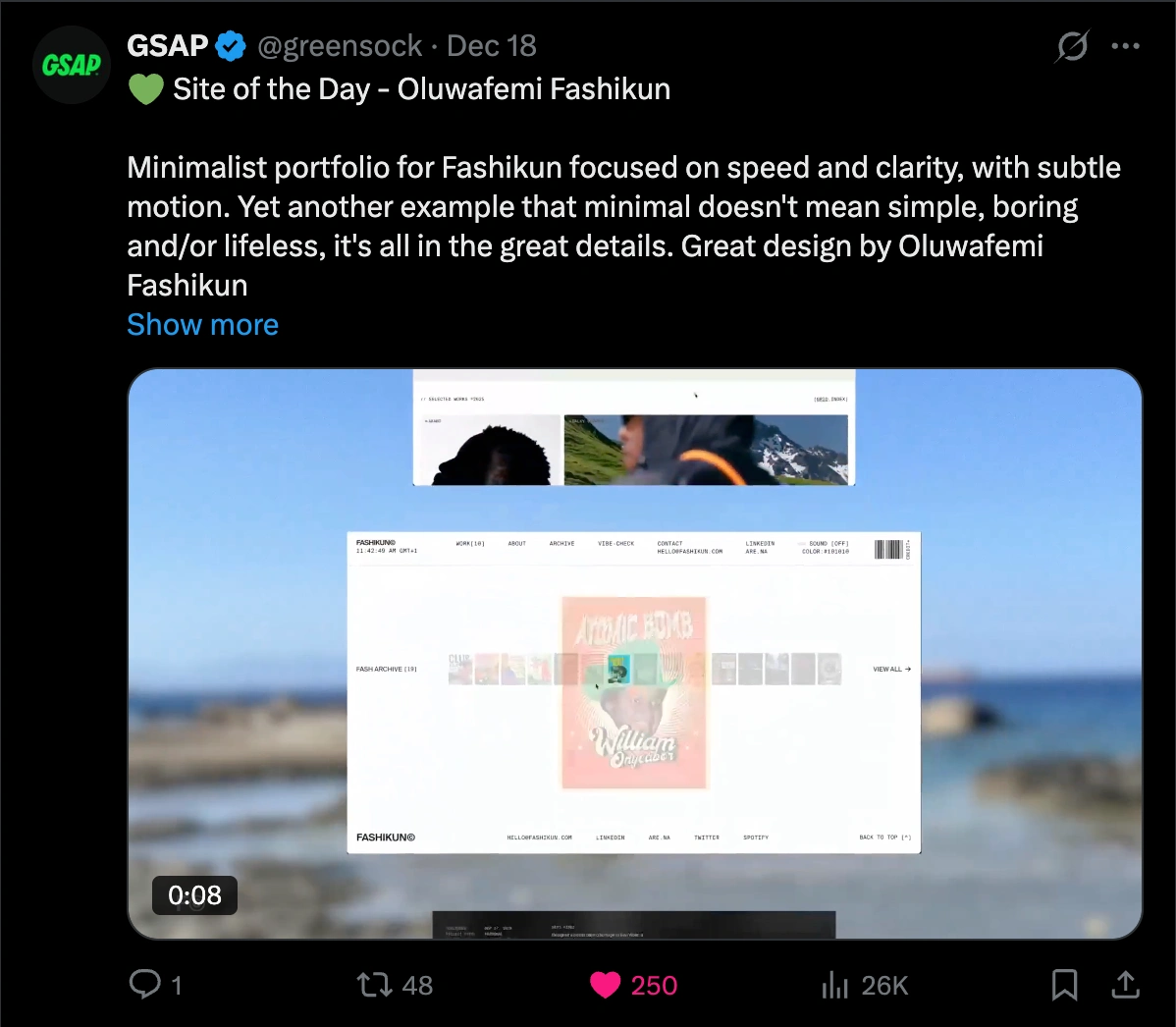
GSAP - Site of the day
Loader animation
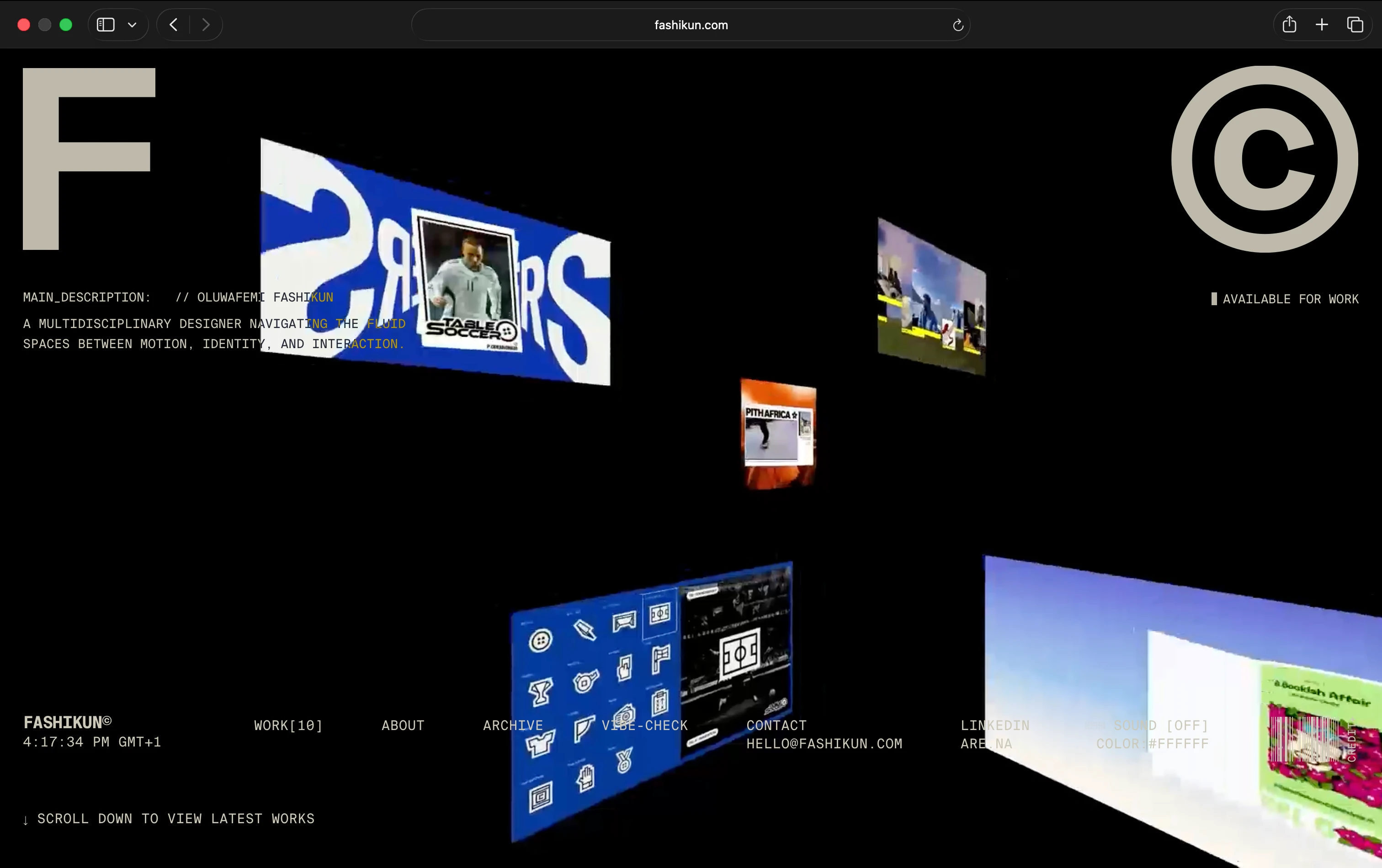
Fashikun Portfolio Homepage
My Role: Design Engineer
I operated as the Solo Design Engineer, working in close collaboration with Fashikun. Since Fashikun is a designer himself, he provided the core visual direction and layouts. My role was to bring those designs to life.
Interaction Exploration: Fashikun's designs set the stage, but I was responsible for the "feel." I explored multiple variations of interactions; hover states, page transitions, and scroll physics; iterating on them until we selected the ones that felt most fluid and aligned with his aesthetic.
Technical Execution: I engineered the creative infrastructure, building a bespoke technical framework that could support complex animation systems without compromising the site's stability or SEO.
Performance Engineering: I engineered custom solutions for heavy graphical tasks to ensure the site remained buttery smooth.
The Tech Stack
To support high-fidelity interactions without compromising performance, I selected a stack that allows for low-level control.
⚡ Framework: Next.js 15 (App Router) & TypeScript – For a robust, type-safe foundation.
✨ Animations: GSAP & Framer Motion (Motion React) – GSAP handled complex sequencing (like the loader), while Framer Motion managed layout transitions.
🎨 Graphics: WebGL (Custom Shaders) & HTML5 Canvas – Used for the Archive grid and the Whiteboard feature respectively.
📝 CMS: Sanity – Integrated for easy content management of projects/case-study, work experience and "vibes".
💄 Styling: SCSS Modules – For modular, scoped styling.
Key Features & "Wow" Moments
1. The "Vibe Check" Whiteboard
Fashikun wanted a space that felt playful and collaborative. Based on his concept, I engineered a drawing engine from scratch to ensure it felt "native" rather than using a heavy third-party library.
Custom Engine: I built the interaction using raw PointerEvents and
requestAnimationFrame.The "Ink" Feel: To match the high quality of his design work, the drawing couldn't feel basic. I implemented quadratic Bézier stroke interpolation with velocity-based thickness; meaning the line reacts to the speed of the mouse, simulating real ink.
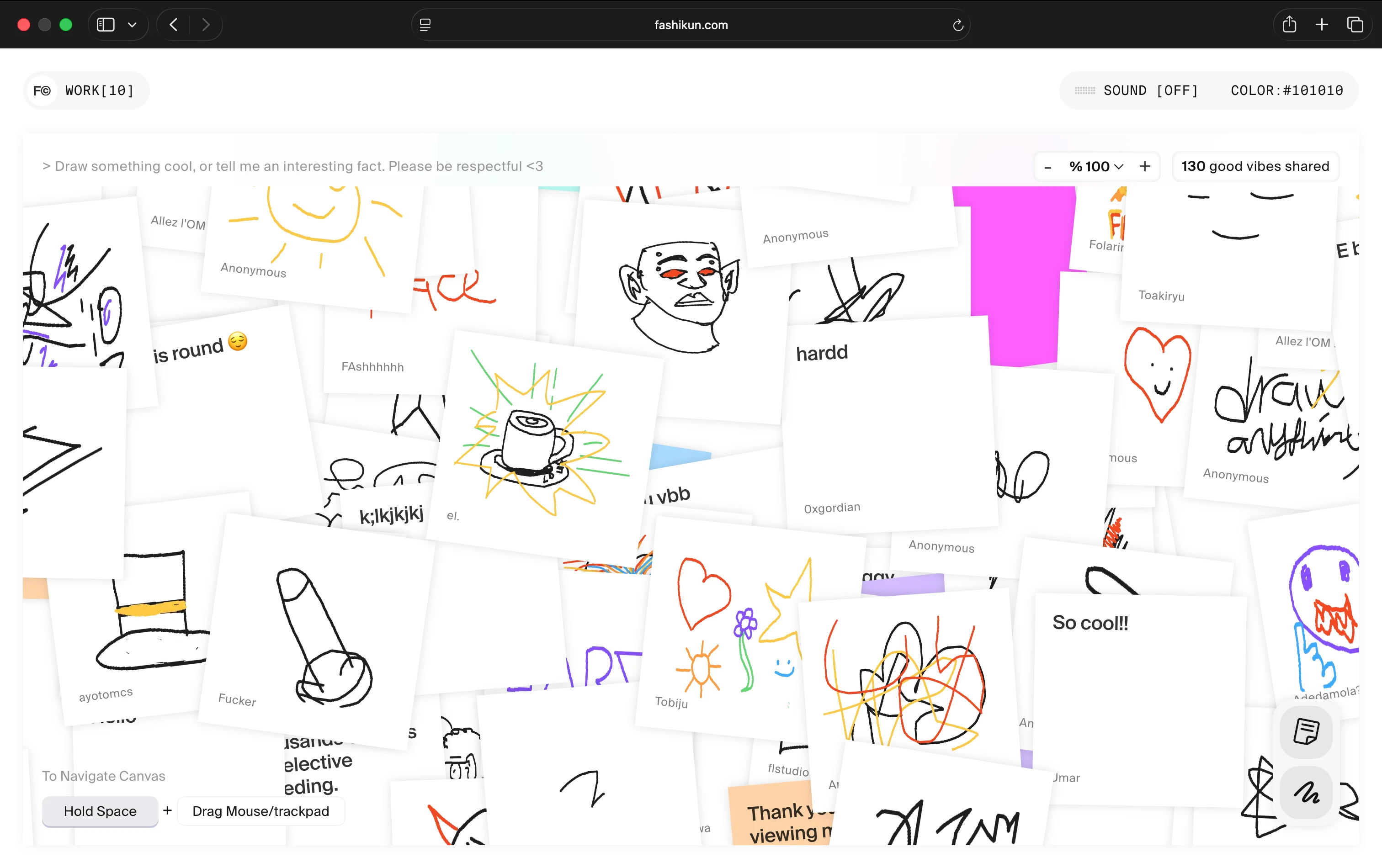
Interactive Whiteboard
2. Infinite WebGL Archive Grid
The design called for an archive page that felt substantial. I implemented a WebGL Infinite Grid using custom shaders. This creates a distortion effect as you scroll, giving the images a sense of weight and momentum that standard CSS could not achieve.
Technical Implementation: I utilized custom vertex and fragment shaders to handle the image rendering and distortion effects.
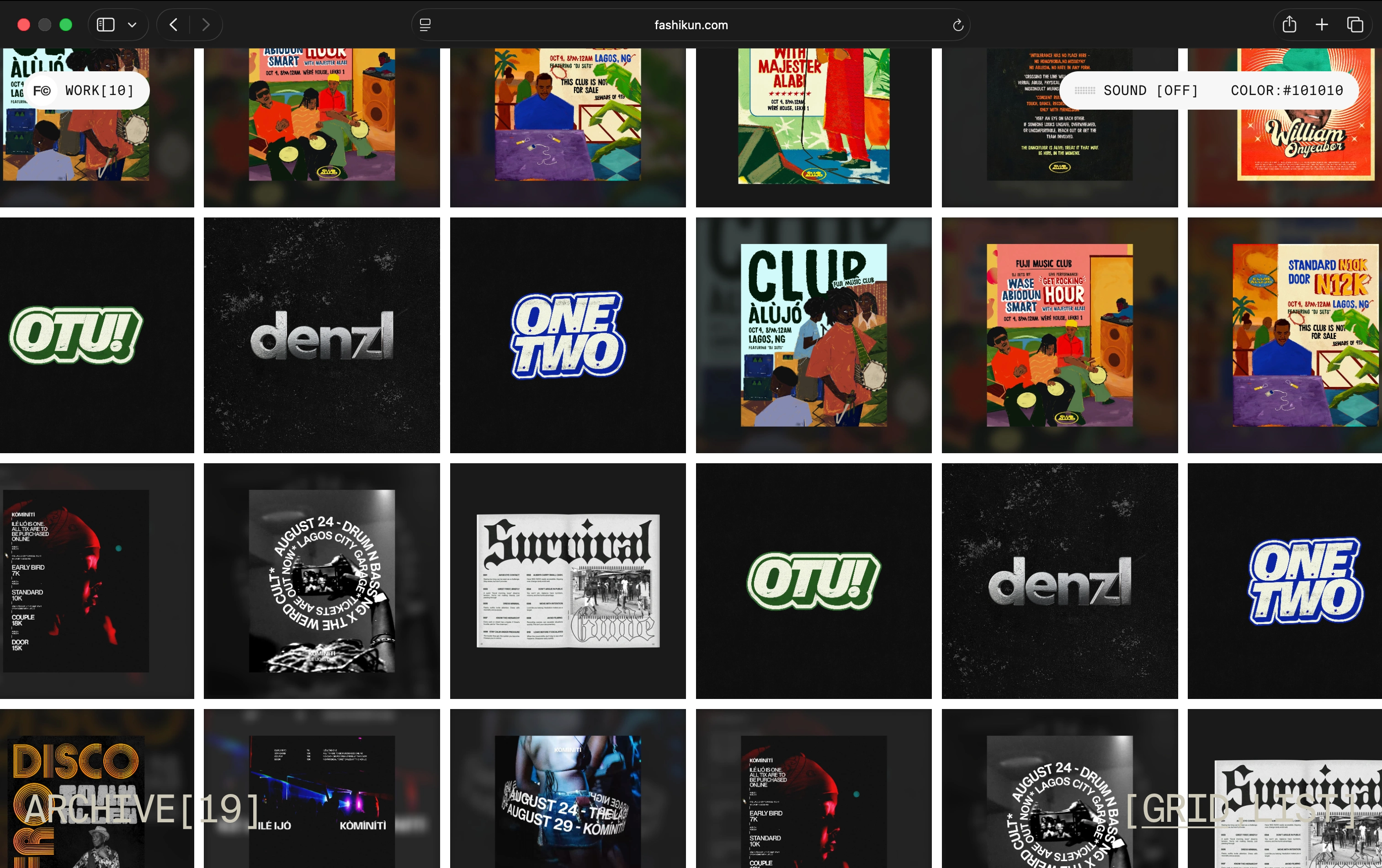
WebGL Infinite Archive Grid
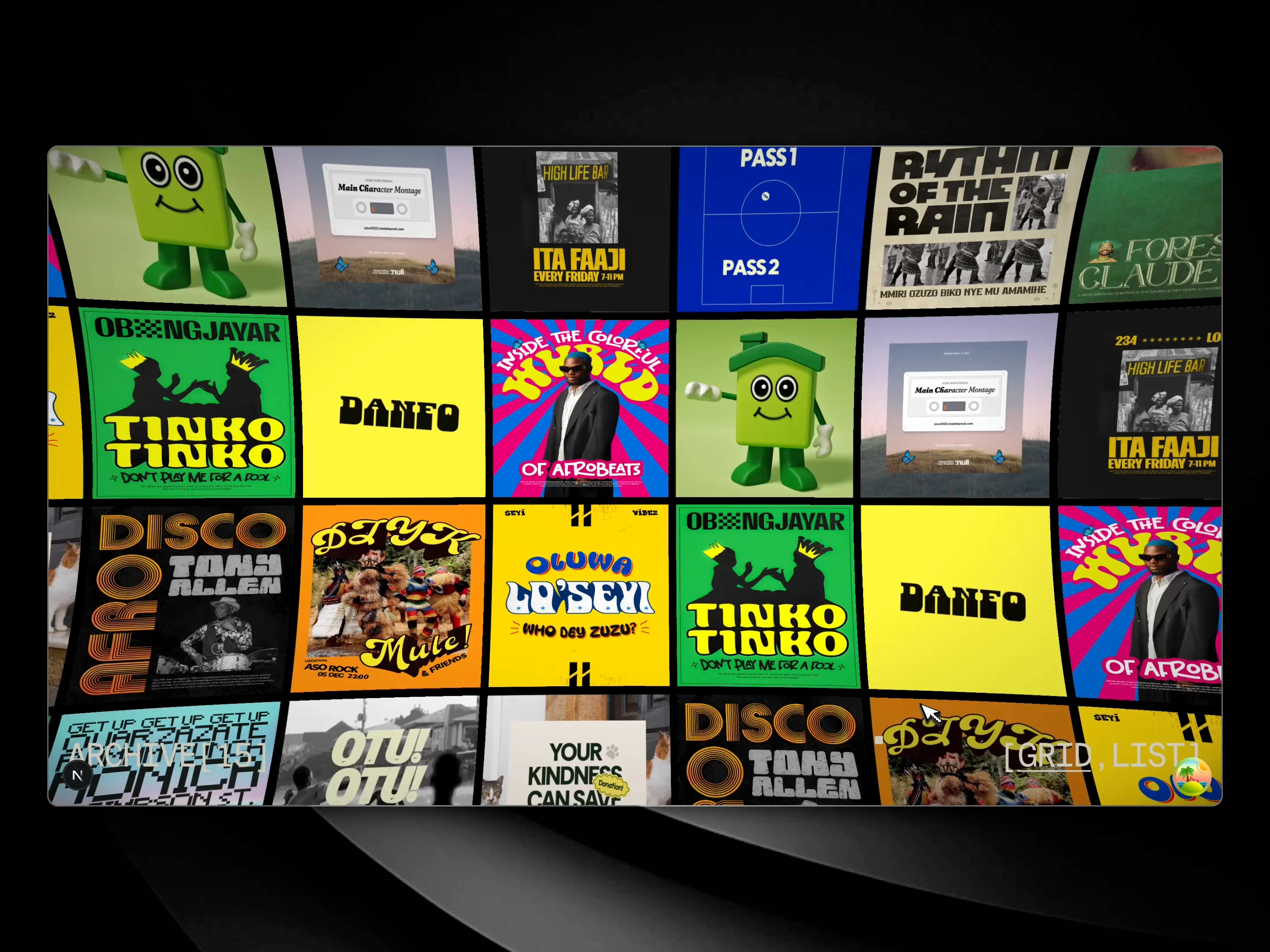
Barrel distortion - WebGL + custom shader
Challenges & Solutions
🏎️ Whiteboard: High-Performance & Navigation
The Problem: Translating the design concept of a "smooth whiteboard" into React can lead to massive performance bottlenecks. Storing every coordinate in React state or forcing layout updates during high-frequency events (like drawing or pinch-zooming) causes excessive re-renders and input lag.
The Solution: I engineered a hybrid system that separates interaction from the React render cycle.
Direct Canvas Manipulation: For drawing, I bypassed the React virtual DOM entirely. I attached native event listeners (
mousedown, touchmove) directly to the canvas ref, enabling synchronous writing to the HTML5 Canvas 2D Context without triggering a single React re-render.Throttled Navigation: For the infinite canvas navigation (pan and zoom), I implemented a custom requestAnimationFrame (rAF) loop. This batches high-frequency scroll wheel and touch interactions, ensuring that coordinate updates happen in sync with the browser's refresh rate rather than overwhelming the main thread.
Result: A silky-smooth 60+ FPS experience for both freehand drawing and complex multi-touch gestures like pinch-to-zoom.
🧮 Algorithmic Naturalism: Vibe card
The Problem: When users added notes or stickers to the whiteboard, standard random positioning (
Math.random()) felt robotic and uniform. It looked like a computer distributed the items, lacking the "messy desk" feel of a collaborative space.The Solution: I applied the Box-Muller Transform to generate a Gaussian (Normal) Distribution for positioning elements.
Why it matters: Instead of a uniform spread, elements cluster organically around the center with a calculated standard deviation. This creates a layout that feels communal and "human-placed," subtly guiding the visual focus inward rather than scattering it aimlessly.
Others [screens]
- animated SVG for now playing interaction using SCSS
Now playing interaction
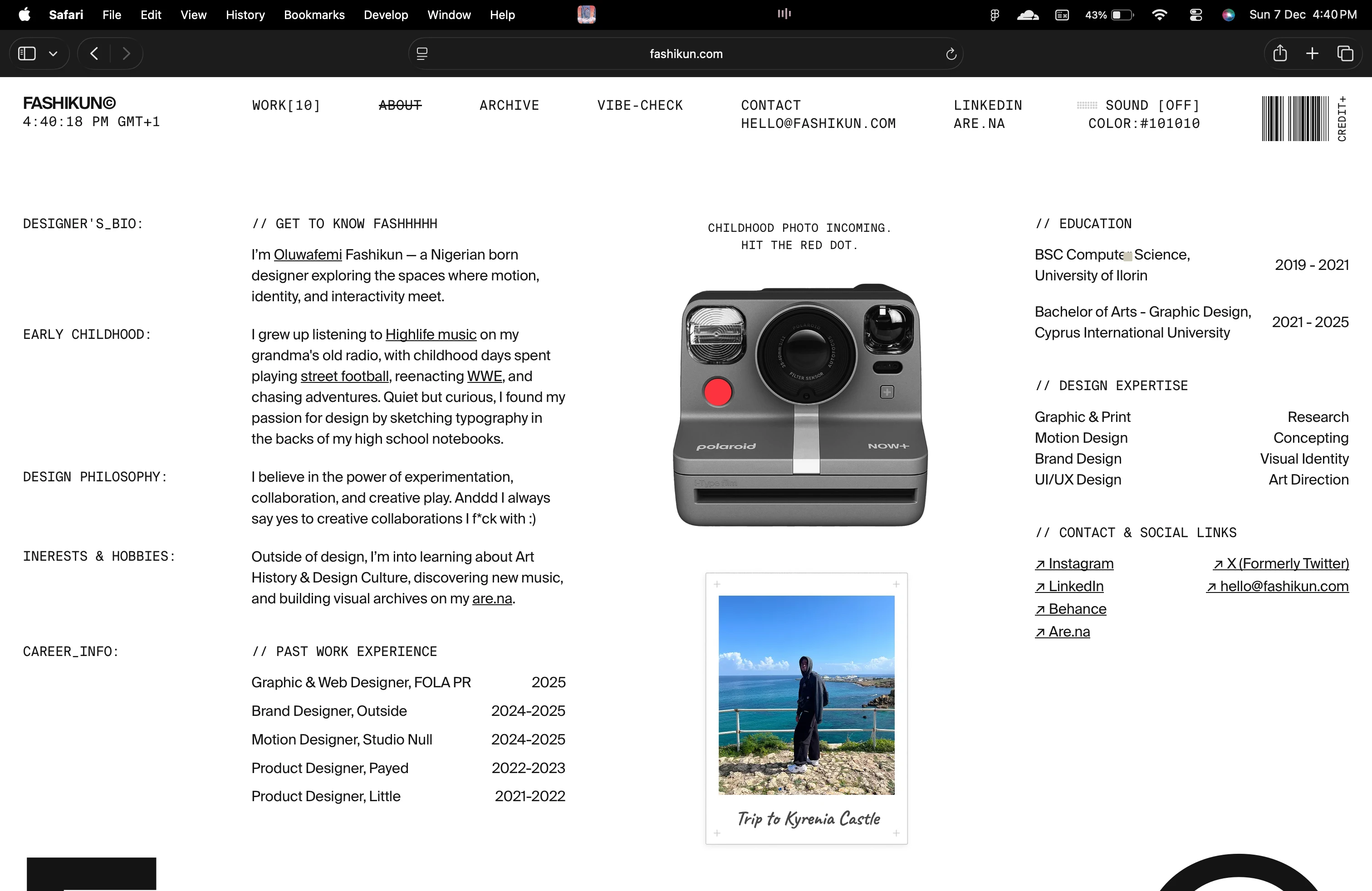
About page with interactive polaroid cam
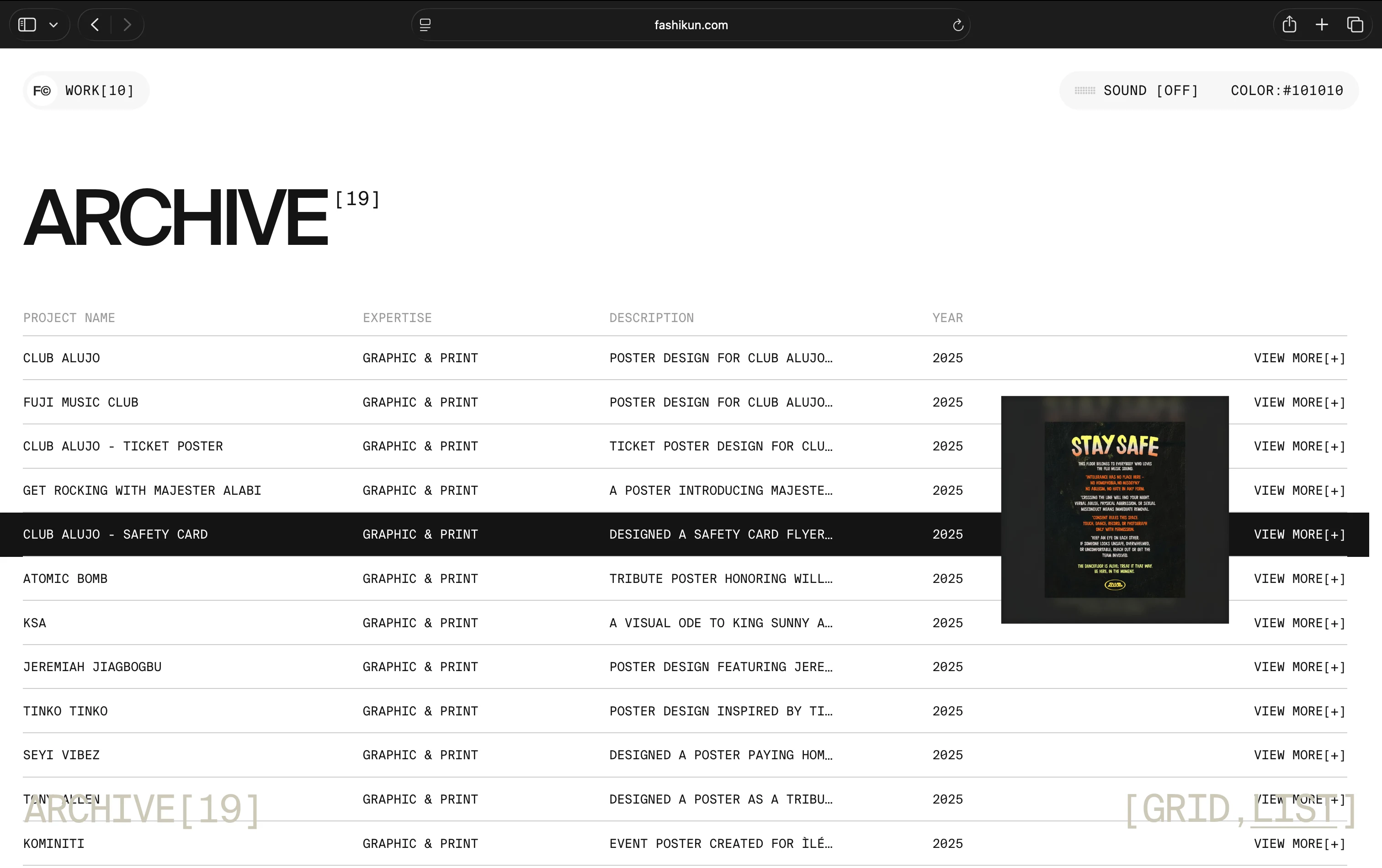
List view - Archive page
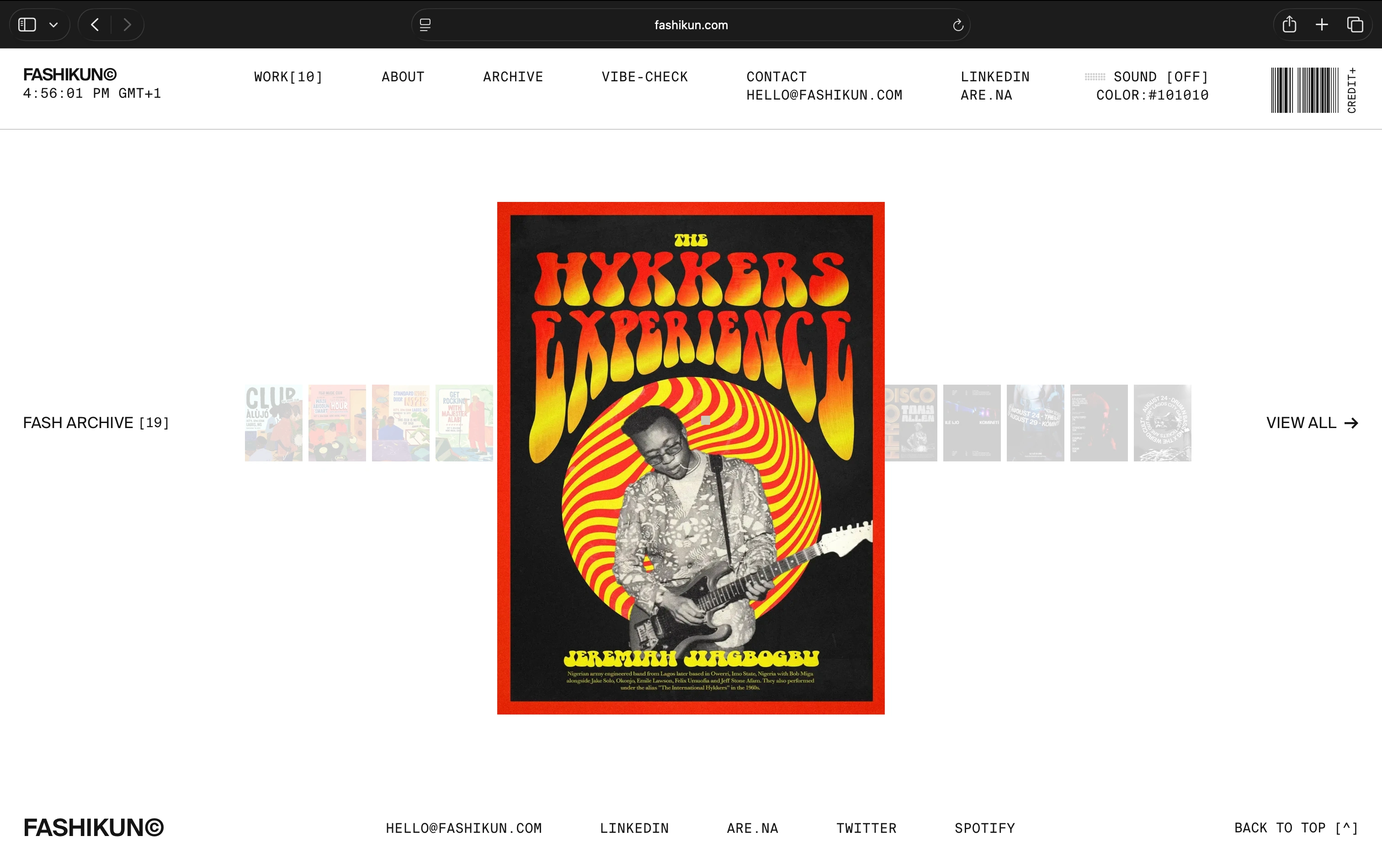
Featured archive section
Case-study page - footer
Text hover interaction
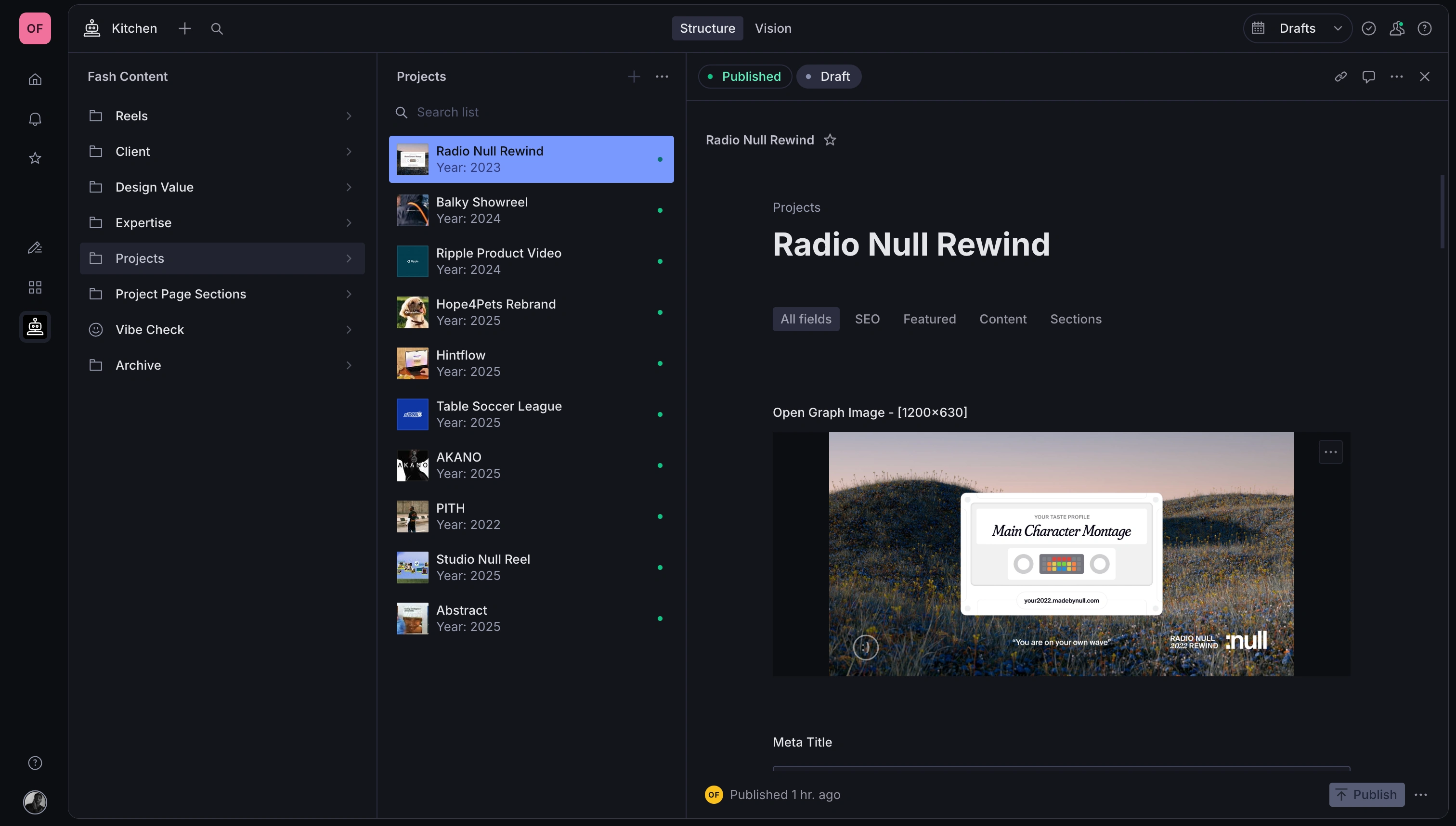
Sanity CMS - preview of the projects document
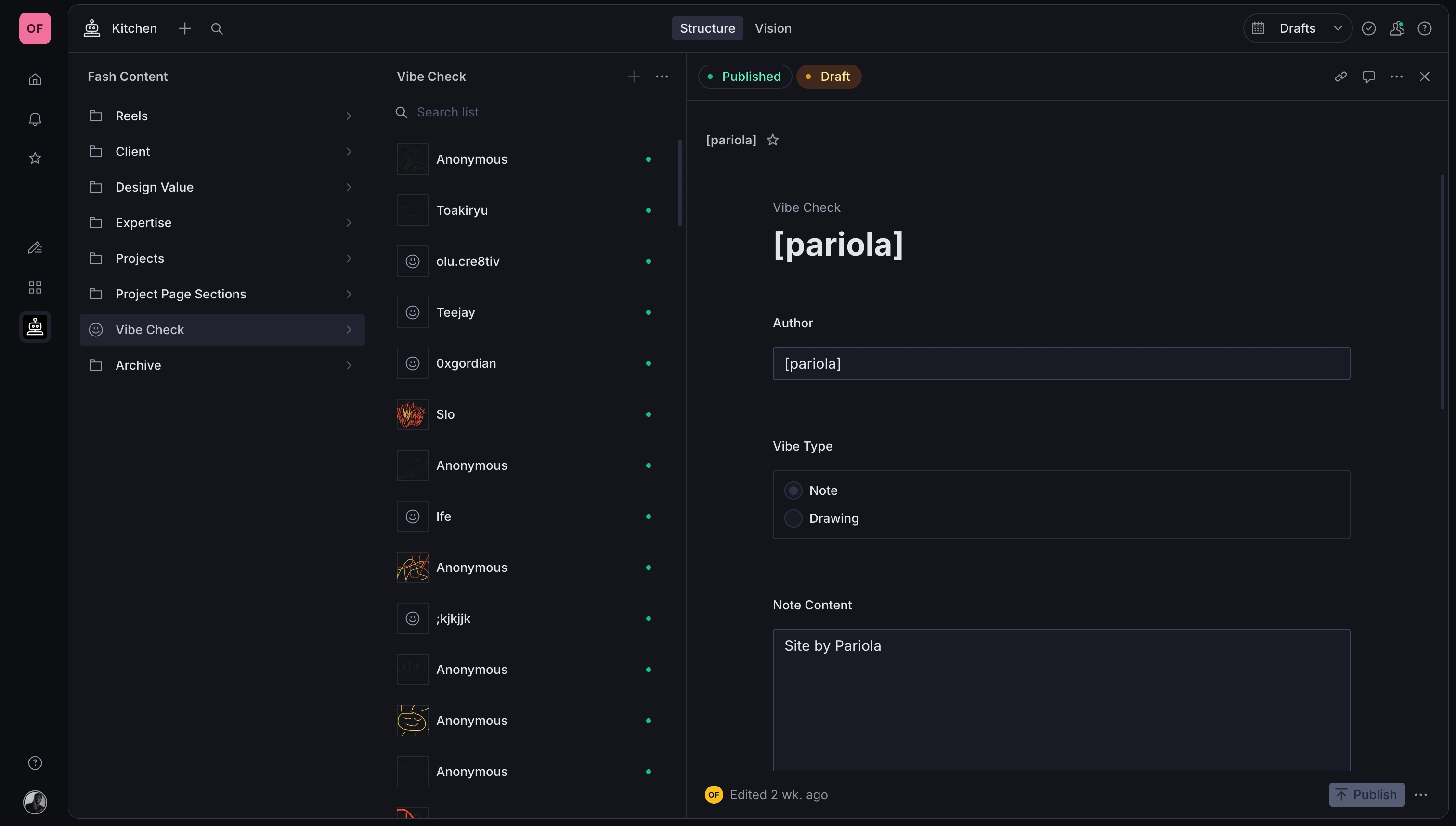
Sanity CMS - preview of the vibe check document
Conclusion
Fash Folio was a perfect synergy of design and engineering. Fashikun provided the vision, and I provided the technical execution to make it real. By iterating on interactions and engineering custom graphic solutions, we created a site that truly reflects his multidisciplinary talent.
9 likes · 501 views · Dec 7, 2025
I built Fashikun’s immersive site featuring a custom 120FPS whiteboard, WebGL infinite grid, and fluid motion interactions.


