CV Screening Automation with n8n

Yusuf .


CV Screening Automation
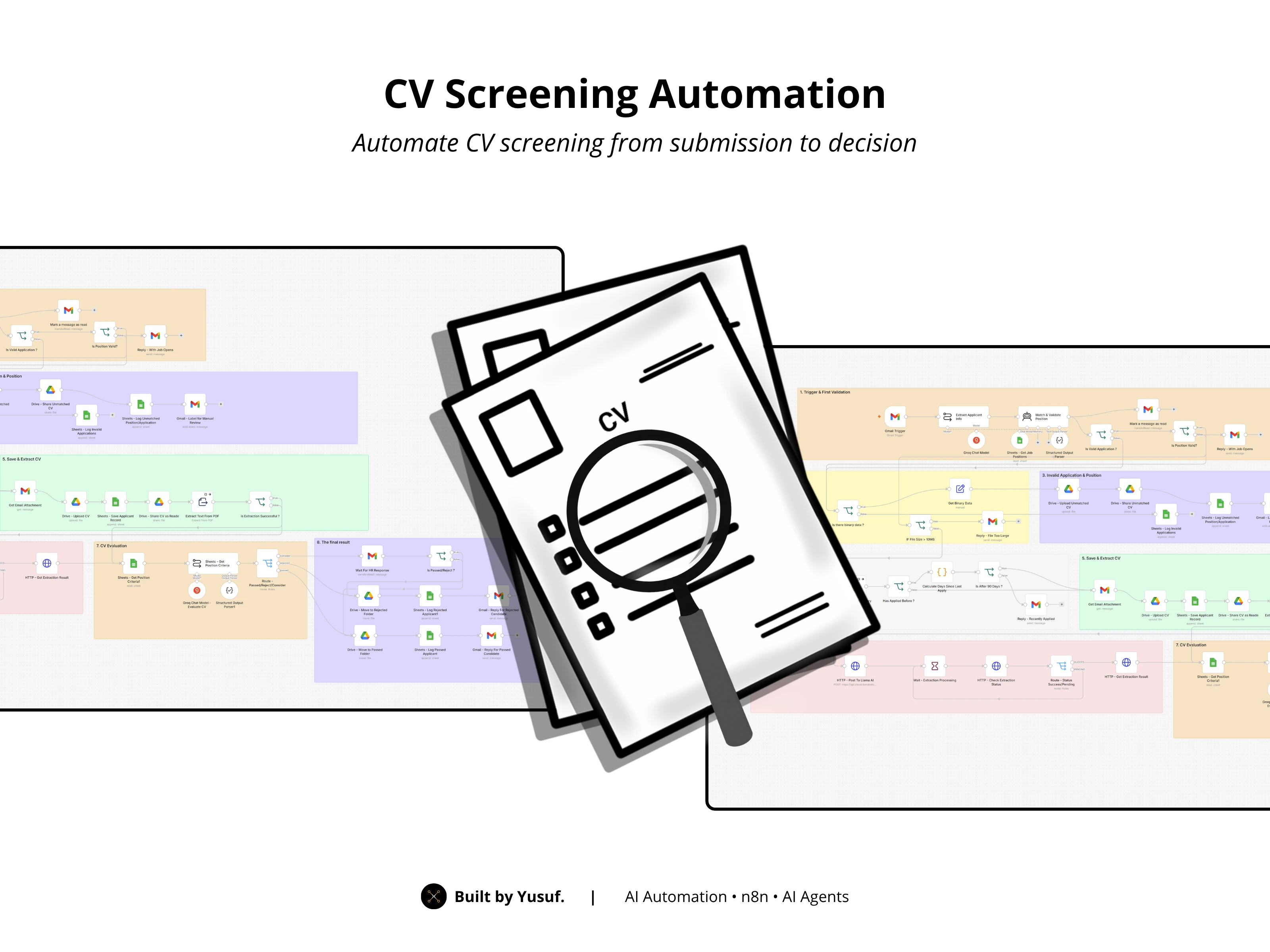
An end-to-end recruitment automation built in n8n that reads incoming job applications straight from Gmail, validates them, extracts and evaluates each CV against HR-defined criteria using AI, and routes candidates automatically — no manual sorting required.
What It Does
Reads applications automatically from a Gmail inbox — no forms or manual downloads needed.
Validates the position applied for against a live list of open roles, and normalizes mismatched wording (e.g. "Staff Marketing" vs "Marketing Staff").
Prevents duplicate applications by checking each applicant's history and enforcing a 90-day reapply window.
Extracts CV content from PDF attachments, with an automatic fallback extractor if the primary method fails.
Evaluates candidates with AI against criteria HR sets per position — not a generic score, but a real match against actual job requirements.
Routes candidates into three tiers — Recommended, Consider, or Reject — and only escalates the ambiguous ("Consider") cases to a human.
Keeps HR and candidates informed automatically via email at every stage: rejection, file issues, duplicate application, or successful match.
Logs everything to Google Sheets and organizes CVs into the right Google Drive folders, so there's a clean paper trail for every applicant.
How It Works
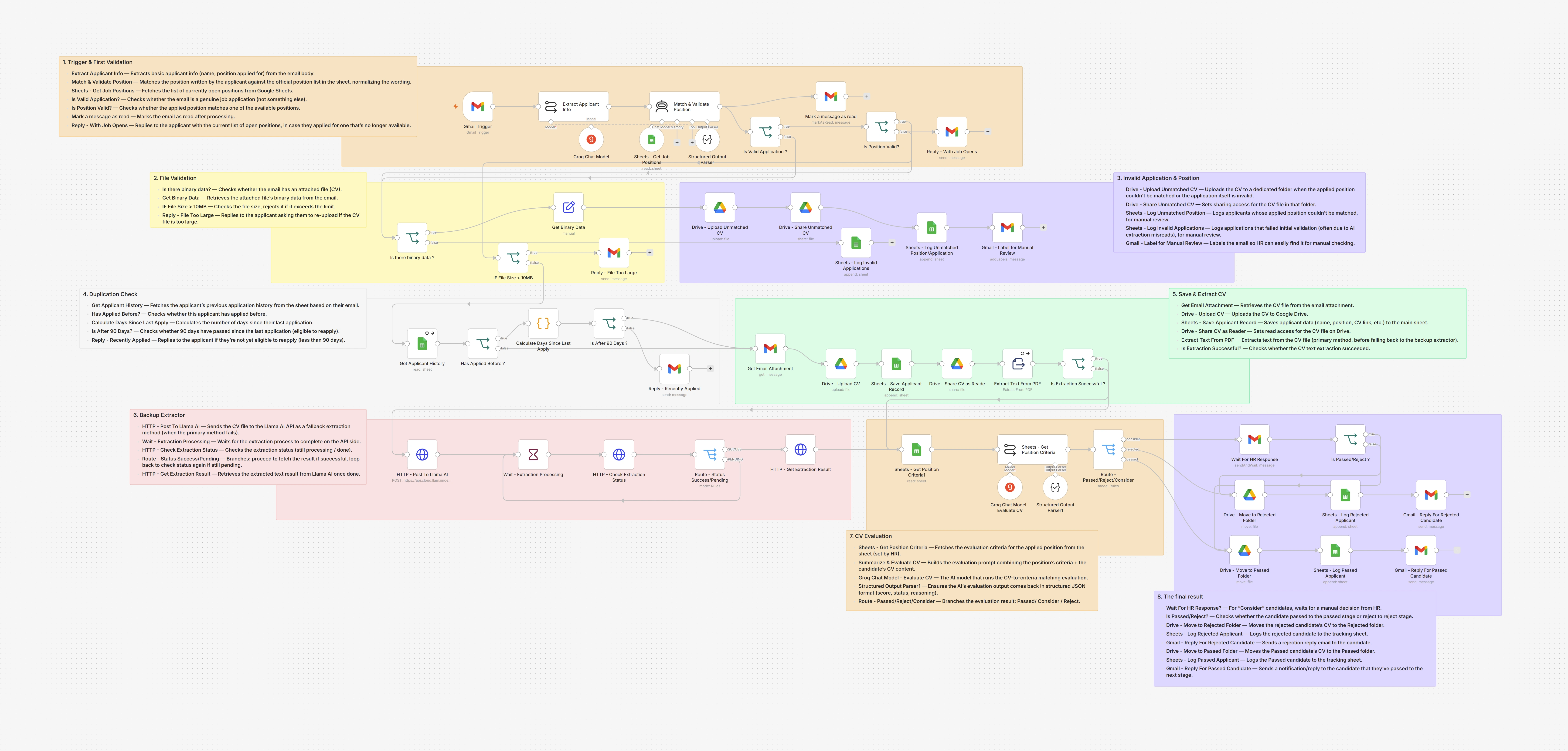
The workflow is organized into 8 stages:
Trigger & First Validation: Detects new application emails, extracts applicant info, and validates the position applied for.
File Validation: Checks the CV attachment exists and isn't oversized.
Duplication Check: Blocks re-applications within 90 days of a previous one.
Invalid Application & Position: Flags applications that fail validation (either the application itself or the position applied for) and logs them separately for manual review. Also replies to the applicant with the current list of open positions.
Save & Extract CV: Uploads the CV to Drive, logs the applicant, and extracts text from the PDF.
Backup Extractor: Falls back to an external AI extraction API if the primary text extraction fails.
CV Evaluation: Pulls the position's criteria and runs an AI evaluation, scoring the candidate as Recommended / Consider / Reject.
Final Result: Routes the candidate to the right outcome, moving files, logging results, and notifying HR and the candidate.
Tech Stack
n8n — workflow orchestration
Gmail — application intake and candidate/HR notifications
Google Sheets — job position list, applicant records, evaluation criteria, and logs
Google Drive — CV storage, organized by outcome
Groq (LLM) — position matching and CV evaluation
External extraction API — fallback PDF text extraction
Structured Output Parsers — enforce consistent JSON output from every AI step
Test Results
Tested end-to-end across 8 scenarios (recommended, borderline/consider, rejected, duplicate, invalid position, invalid application, non-standard CV format, oversized file), measured from n8n execution logs:
Processing time per application: ~8–43 seconds, averaging ~25 seconds — from the moment the email is read to the final action (reply sent, file logged, CV routed).
Applications that fail early validation (duplicates, invalid applications) resolve fastest; full evaluations — especially CVs that need the backup extractor — take longer, as expected.
Borderline ("Consider") candidates are routed to HR for review within roughly the same time as a full evaluation — the wait from that point on is on HR's side, not the system's.
Why This Matters
Manual CV screening is slow and inconsistent — good candidates get missed, HR spends hours reading resumes that don't even match the role, and applicants rarely hear back. This workflow handles the repetitive filtering automatically and only asks a human to step in when a decision genuinely needs judgment.
Why Manual Review Still Exists
AI speeds up screening, but it isn't perfect — it can occasionally misread or hallucinate a position name, or land on a borderline call it isn't confident about. Instead of trusting every AI decision blindly, this workflow builds in checkpoints where a human gets the final say:
Unmatched positions are logged and flagged for HR to check manually, rather than silently rejected or force-matched to the wrong role.
"Consider" candidates (the ambiguous middle tier) wait for an HR decision instead of being auto-approved or auto-rejected.
The goal is automation that removes repetitive work, not one that removes human judgment where it actually matters.
Setup
Import the workflow JSON into your n8n instance.
Connect your Gmail, Google Sheets, and Google Drive credentials.
Set up the required sheets:
Job Positions — list of currently open roles
Position Criteria — evaluation criteria per role, defined by HR
Applicant Log — records of all applicants and outcomes
Configure your LLM credentials (Groq) and the extraction API endpoint.
Activate the workflow.
Built by Yusuf
Custom automation for small businesses and growing teams — n8n workflows, AI integrations, and lightweight tools that remove repetitive work.
Like this project
Posted Sep 28, 2026
Automated CV screening with n8n: collects applications, AI-scores candidates against job criteria, and shortlists the best ones. Cuts screening time to minutes.