AvaCloud L1 Onboarding Redesign

Chang Wang

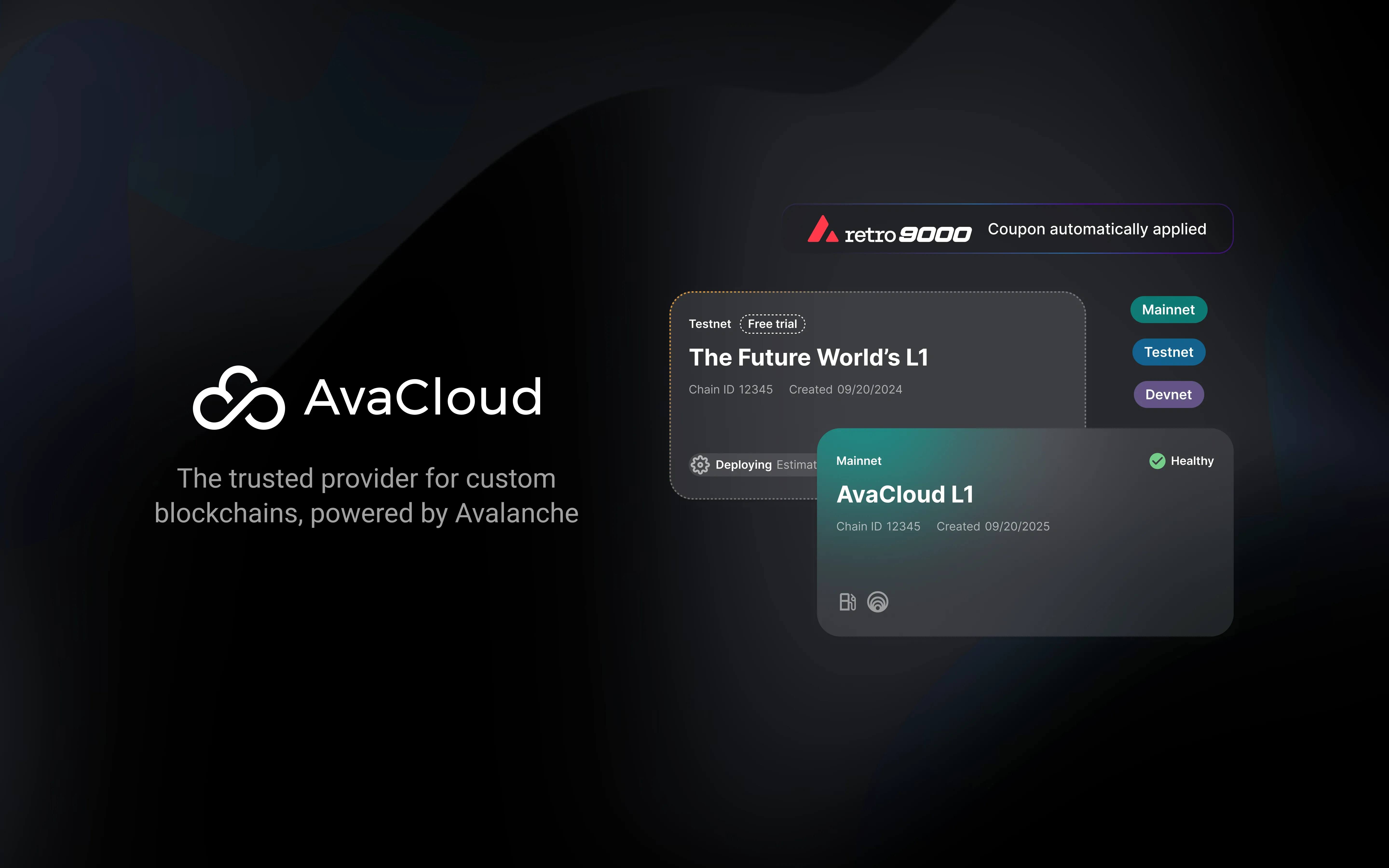
AvaCloud
Redesigning L1 (Subnet) Setup and onboarding flow to Drive Product-Led Growth
The L1 setup flow was so complex that every customer needed hand-holding. I redesigned the end-to-end experience — setup time dropped from hours to 15 minutes, enabling 100+ self-service deployments.
Company: AvaCloud
Role: Senior Product Designer
Timeline: Q3 2024 (2 months)
Team: One of two product designers on a cross-functional team
Product-Led Growth
Dev Tools
Enterprise SaaS
The Situation
Every customer needed hand-holding. Every single one.
AvaCloud is blockchain-as-a-service — think AWS, but for launching custom blockchains called L1s. The setup flow was so complex that no one could do it alone. Support walked every customer through it manually. For a platform trying to scale, that’s a dead end.
What is an L1?
An L1 (short for Layer 1, also called a Subnet) is your own custom blockchain. If Avalanche is like a shared highway system, an L1 is like building your own private road that connects to it — you control the rules, the speed limits, and who can drive on it, but you’re still connected to the broader network. Companies launch L1s when they need a blockchain tailored to what they do (gaming, payments, logistics) without building the entire infrastructure from scratch.
Then ACP-77 happened — a protocol upgrade that reduced the cost of launching an L1 by 99%. For the first time, self-service was actually possible. This was our window to redesign everything.
What is ACP-77?
Before ACP-77, launching an L1 required putting up over $70,000 worth of tokens per validator and running your own validator nodes — dedicated servers that had to stay online 24/7, be monitored, patched, and maintained. It wasn’t just expensive, it was a full-time operational burden. Most teams needed DevOps engineers just to keep validators running. ACP-77 removed both barriers: it replaced the staking cost with a small ongoing fee, and eliminated the need to run validators entirely. Like going from owning and maintaining a power plant to just plugging into the grid. That’s what made self-service realistic for the first time.
I owned the end-to-end redesign of the L1 setup experience.
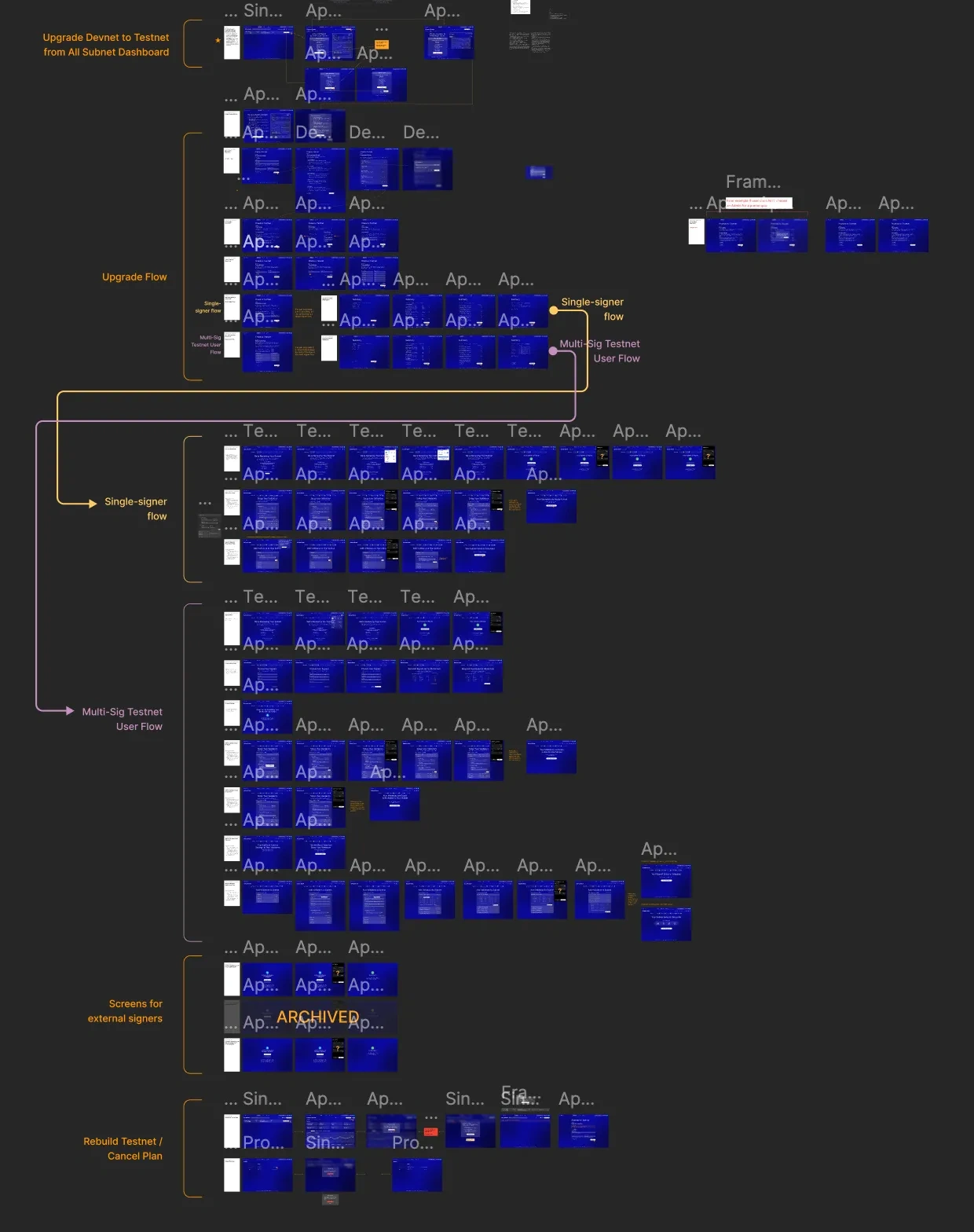
The old setup flow in Figma. Dozens of screens, multiple branching paths, no clear guidance.
The North Star
Our business goal was a funnel:
L1 Setup Self-service
Paid Testnet 1,000 transactions
Mainnet Production
Every design decision tied back to moving users through this funnel. The target: smaller startups who could self-serve. Enterprise clients had sales teams. This was about unlocking the long tail.
The funnel existed as a business goal across infrastructure, marketing, and product teams. My job was to translate it into a design framework — every interaction, every visual state, every moment of feedback tied back to moving users one step further.
What ACP-77 actually changed
The setup process before ACP-77 was brutal. Here’s what a user had to go through — and what it became after the upgrade.
Action | Friction | Wait | Drop-off Risk |
|---|---|---|---|
Before ACP-77 | 1-4 weeks | ||
After ACP-77 | < 1 hour | ||
Create Account & Configure | 30 min | ||
Create Account | 5 min | ||
Setup Ledger Device | 30 min | ||
Connect Wallet | 1 min | ||
Buy AVAX on C-Chain | Variable | ||
Transfer C → X → P Chain | Confusing tri-chain | 15 min | |
Setup Control Keys | Multisig coordination | 1-3 days | |
Configure L1 | 5-15 min | ||
Sign CreateSubnetTx | Ledger | 5 min | |
Click "Create L1" | 1 sec | ||
Sign CreateBlockchainTx | Ledger | 5 min | |
!Node Bootstrapping | No progress visibility | 4-24 hrs | |
Provisioning | Progress bar shown | 15-45 min | |
Sign AddValidatorTx | Ledger (per validator) | 5 min | |
!Pending → Current | Validators in limbo | 1-24 hrs | |
Whitelist & Restart Nodes | 30 min | ||
Live | Live |
Before
12 Steps
4+ Waits
2 Drop-offs
3-5 Signatures
After
6 Steps
1 Wait
0 Drop-offs
0-1 Signatures
Eliminated: 2,000 AVAX stake · Cross-chain transfers · Validator pending state · Multi-hour waits
The difference is stark. Most of the old steps weren’t just slow — they were points where users gave up entirely. The redesign wasn’t about making each step faster. It was about eliminating the steps that shouldn’t exist.
Design Principles
From support conversations, I knew why customers chose AvaCloud: the chain’s reputation for reliability. They trusted the infrastructure. But switching from hand-held onboarding to self-service meant that trust had to be earned by the interface itself — not by a human on a call. That gap defined two principles that guided every decision.
01
Build trust through transparency
Blockchain is intimidating. Users are configuring infrastructure that handles real assets. They need to feel in control, see what’s happening, and never feel lost.
Full control — let users choose their own path
Clear steps — no hidden states, no mystery loading screens
Communicate proactively — tooltips, progress indicators, timing expectations
02
Use emotion to drive conversion
Feelings move people through funnels faster than features do.
Celebrate wins — make progress feel real, not transactional
Incomplete states feel incomplete — motivate the next action visually
Urgency before it’s too late — prevent churn at the moments that matter
Solution 1: The Setup Flow
What was broken
Users landed in a technical interface with no guidance, multiple waiting phases with zero feedback, and no sense of whether the system was working or broken. Smaller users just gave up.
What I designed
Every design decision maps to an intention:
Intention | Decision |
|---|---|
Don't force one path on everyone | Branched flow — Basic Setup vs Advanced Setup |
Make it feel lightweight | Single-page form — everything visible, no multi-step wizard |
Respect developer expectations | No hidden magic — show what's being configured |
Provide help without forcing it | Rich tooltips — context available, never required |
Make the moment feel significant | Setup animation — spinning up a blockchain should feel big |
Celebrate the win | Celebration moment — not just a success toast |
Don't abandon users after success | 3 guided tooltips — orient them on what's next |
Surface ecosystem services without overwhelming | Card badges — discover and set up services like Gas Relayer and Bridge directly from the L1 card |
The single-page form
I collapsed a multi-step wizard into a single scrollable page. Everything is visible upfront — name, token configuration, region selection. No surprises, no hidden steps.
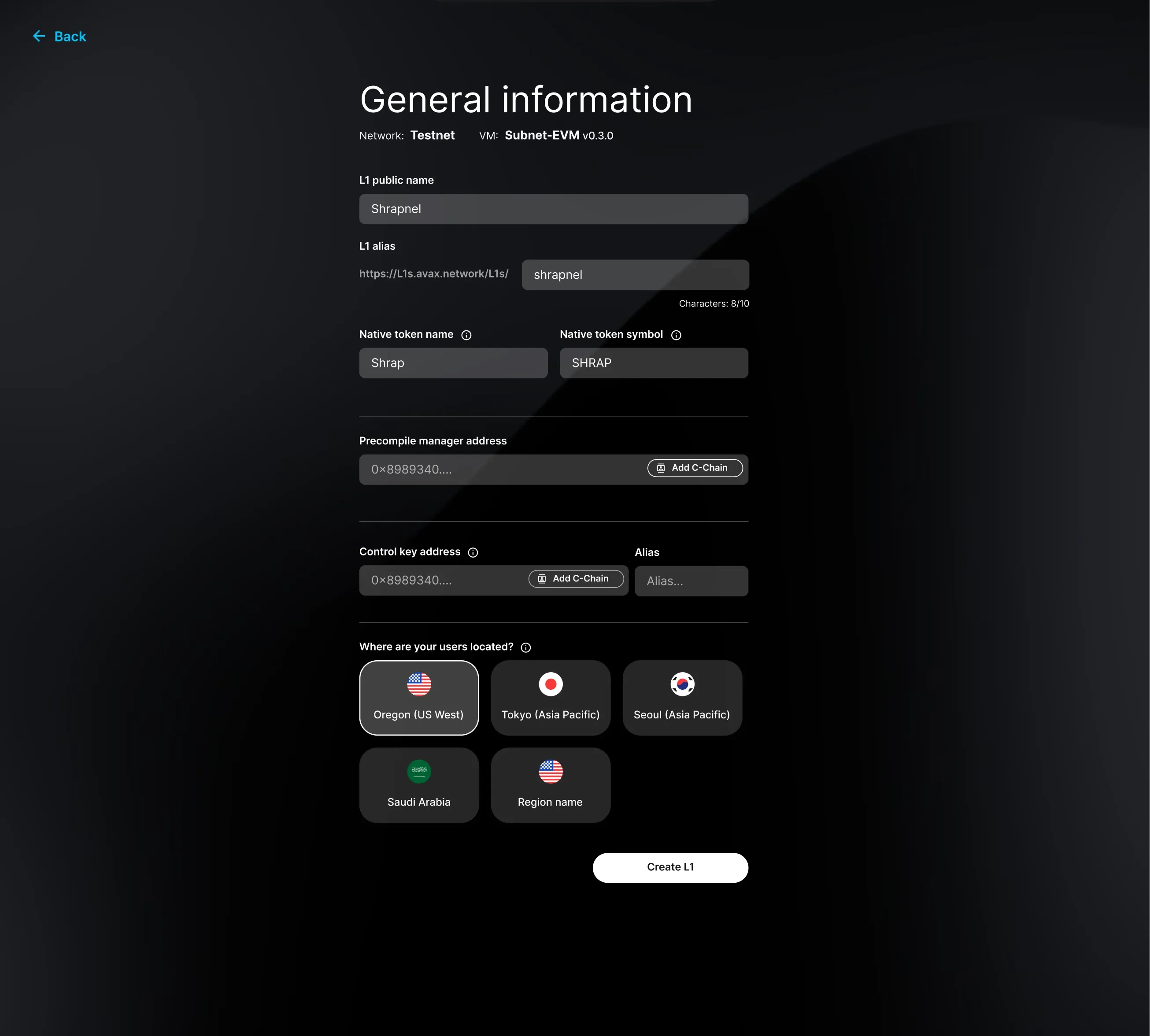
Basic setup: one page, every field visible. Advanced options available but not required.
The hardest design question wasn’t what to show — it was the order. Setting up Stripe payment is a major friction point, and we debated where it belonged in the flow. Asking for payment while users are still configuring their L1 would create a drop-off wall at the worst moment — before they’ve seen any value. The free trial solved this: let users configure, deploy, and experience their running chain first. We were confident in the technology — once someone sees their L1 live, they’re far more likely to add payment and keep going. The flow became progressive: build trust first, then convert.
From session recordings, we noticed advanced users trying to jump between configuration sections and getting stuck in a linear flow. We added section navigation — a small change that made the difference between “this respects how I work” and “this is fighting me.”
Celebration & guided tour
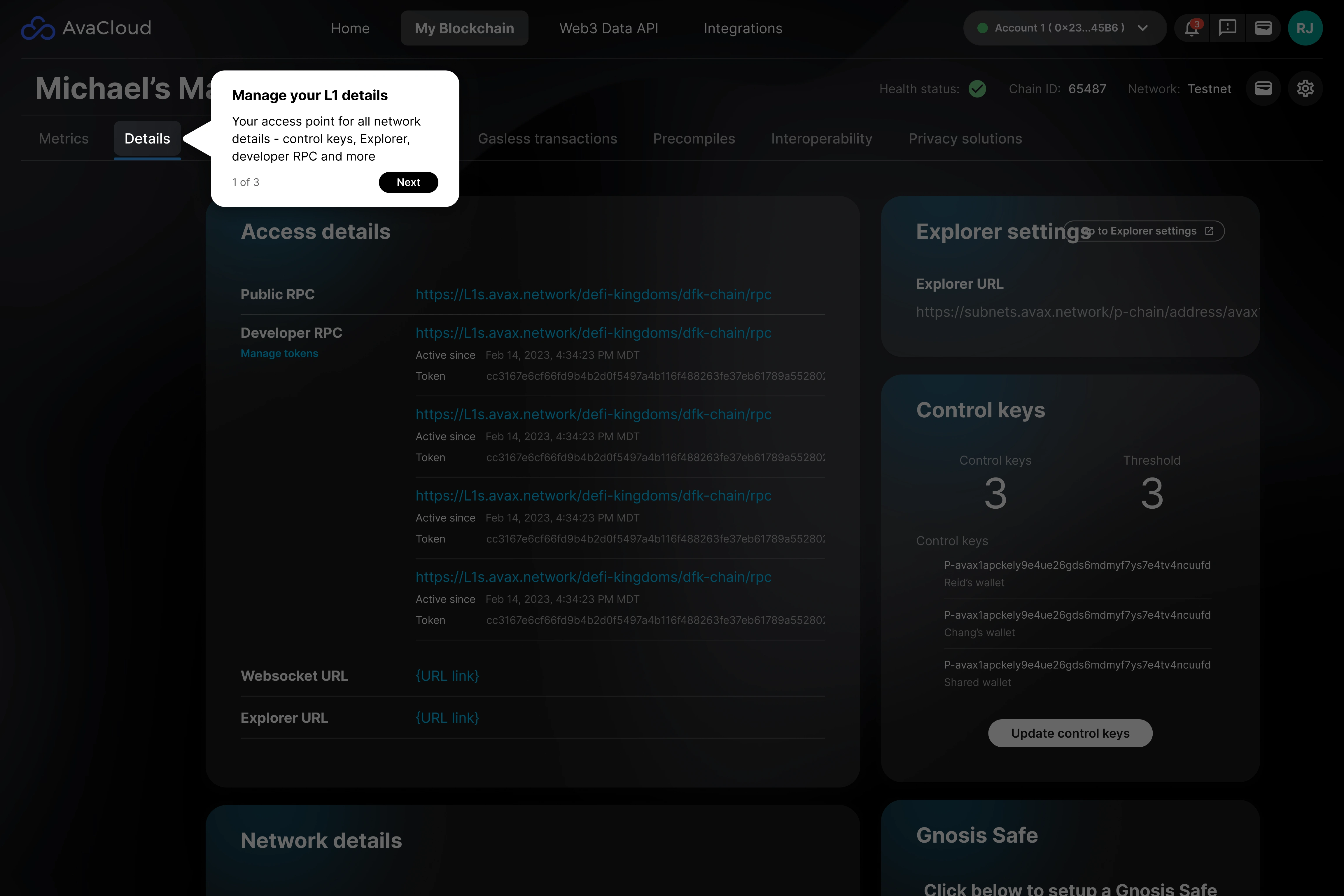
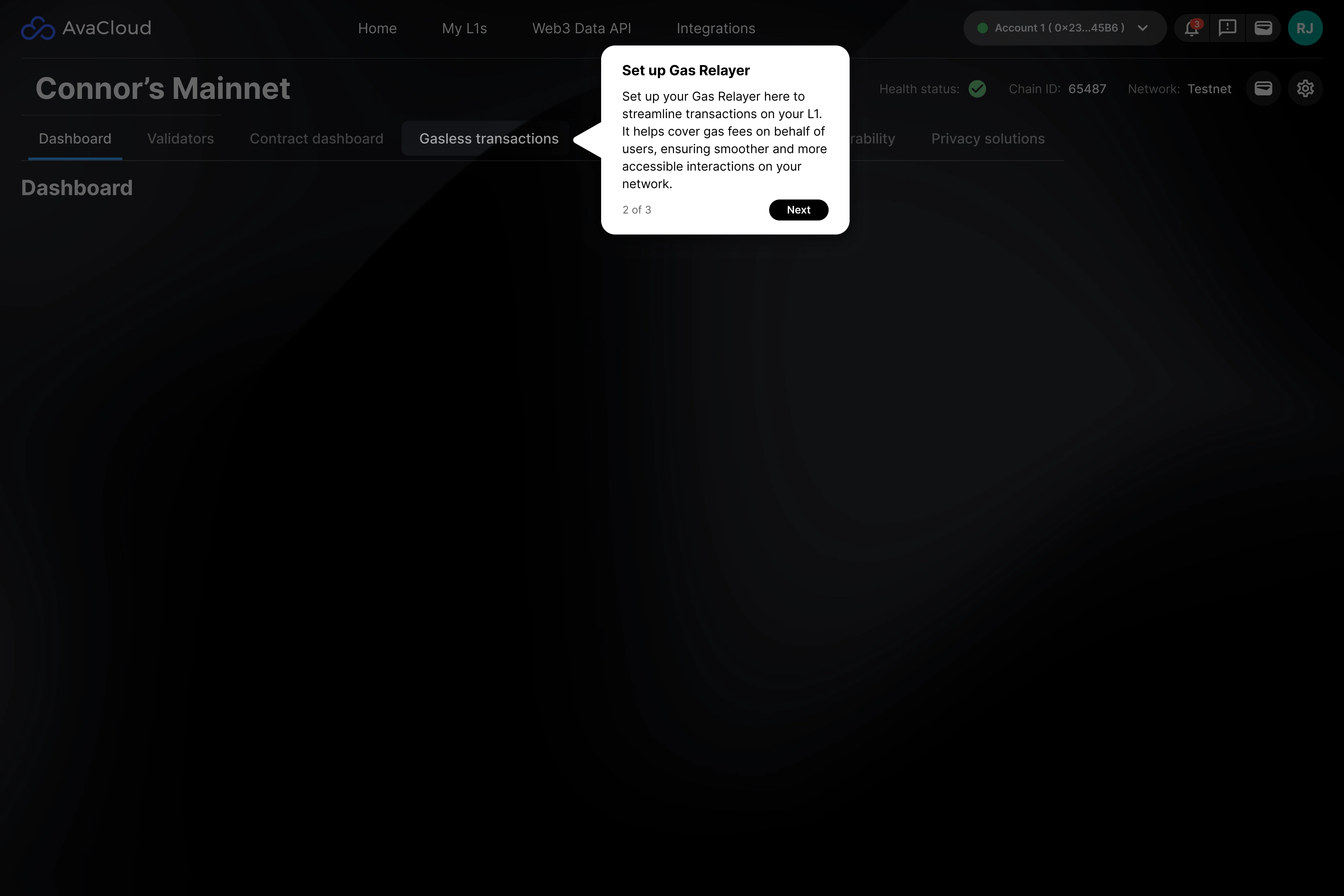
When the blockchain finishes deploying, users don’t just see a success toast. They get a moment — a celebration screen that makes the achievement feel real. Then a 3-step guided tour orients them on what to do next.
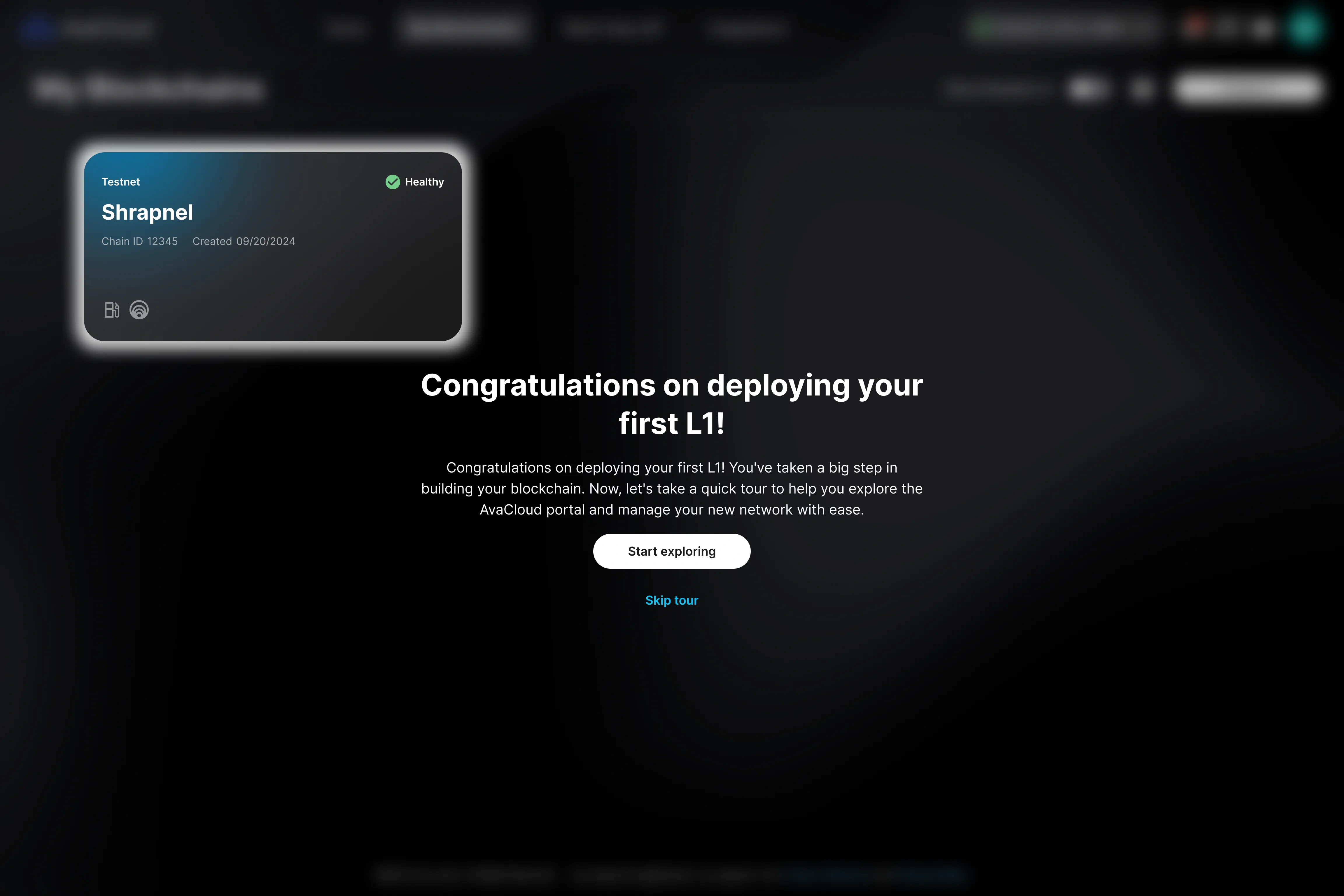
The celebration moment — deploying a blockchain should feel like an achievement.
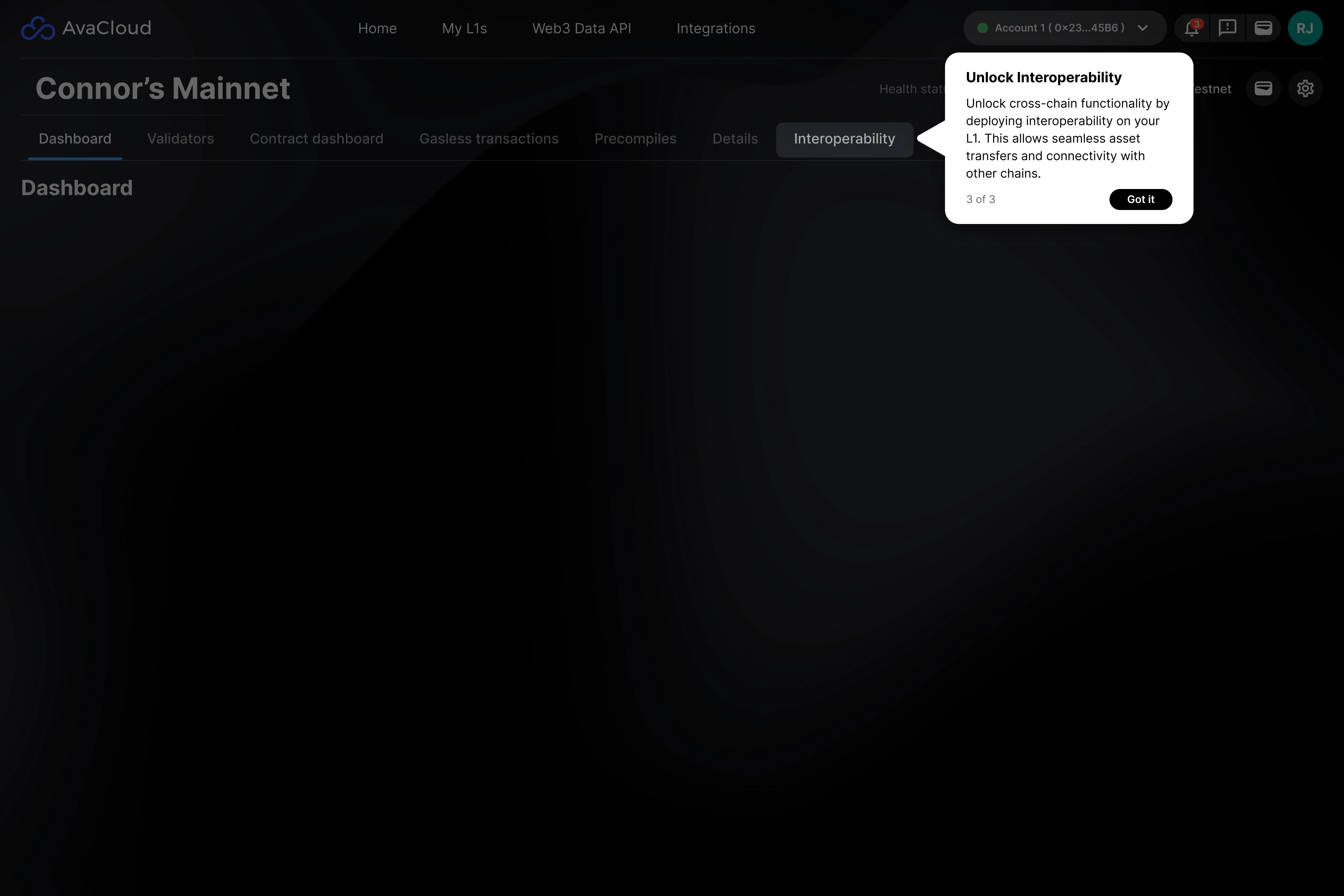
3 / 3
Post-setup guided tour: 3 tooltips that orient users on what to explore next.
Solution 2: The L1 Card
The card is where users live after setup. It’s the primary touchpoint they return to. I redesigned it to do three jobs — each tied directly to the funnel.
The anatomy
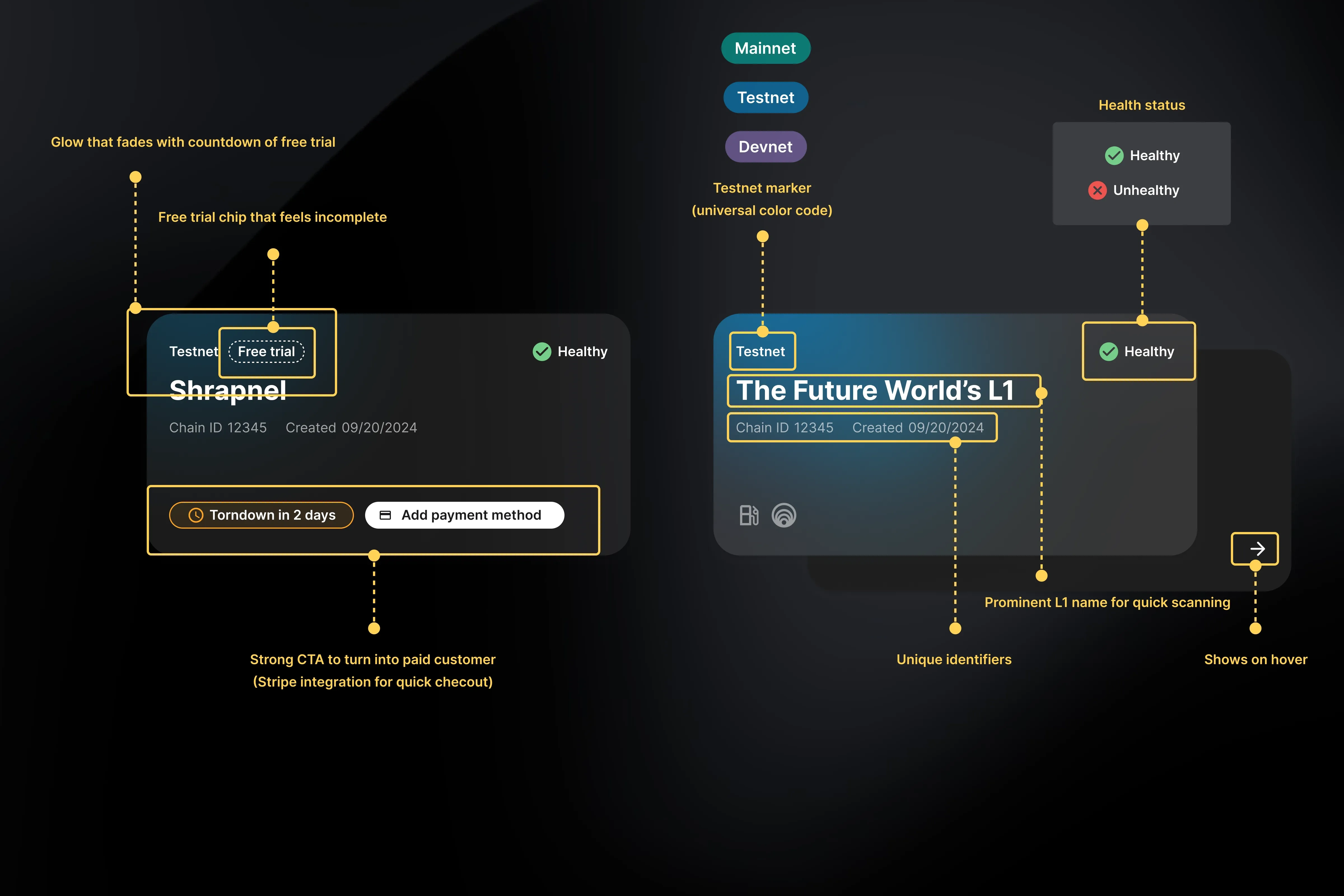
Every element on the card is intentional: network type, health status, trial urgency, and conversion CTAs.
Job 1 — Show progression clearly
The visual treatment of the card changes at every stage. Users should always know exactly where they are and what’s next.
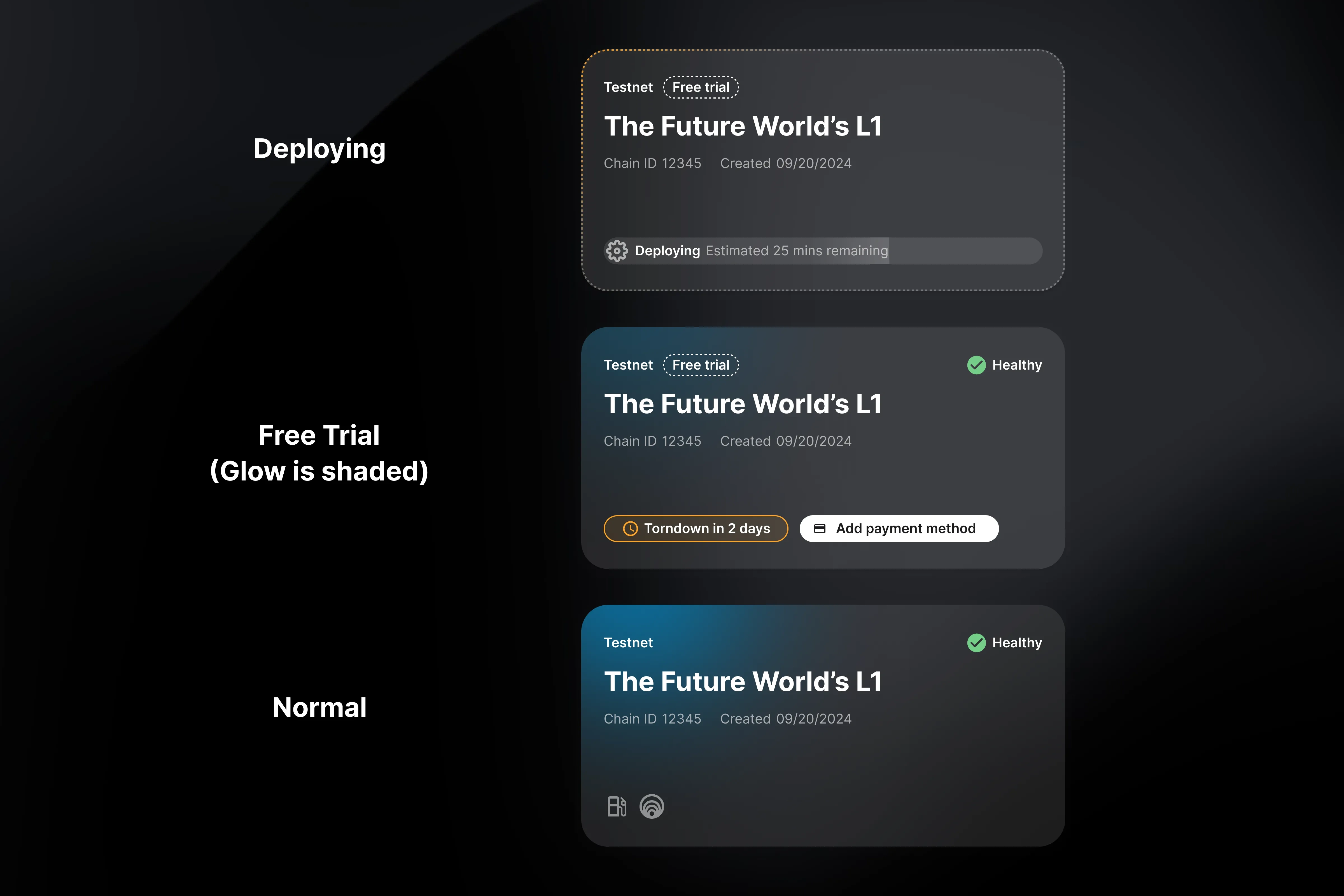
Card states: Deploying (with progress bar), Free Trial (urgency + payment CTA), and Paid (service badges).
Each state feels different — not just looks different. The deploying state shows estimated time remaining. The free trial state glows with a fading border and surfaces a teardown countdown. The paid state shows service badges and health indicators.
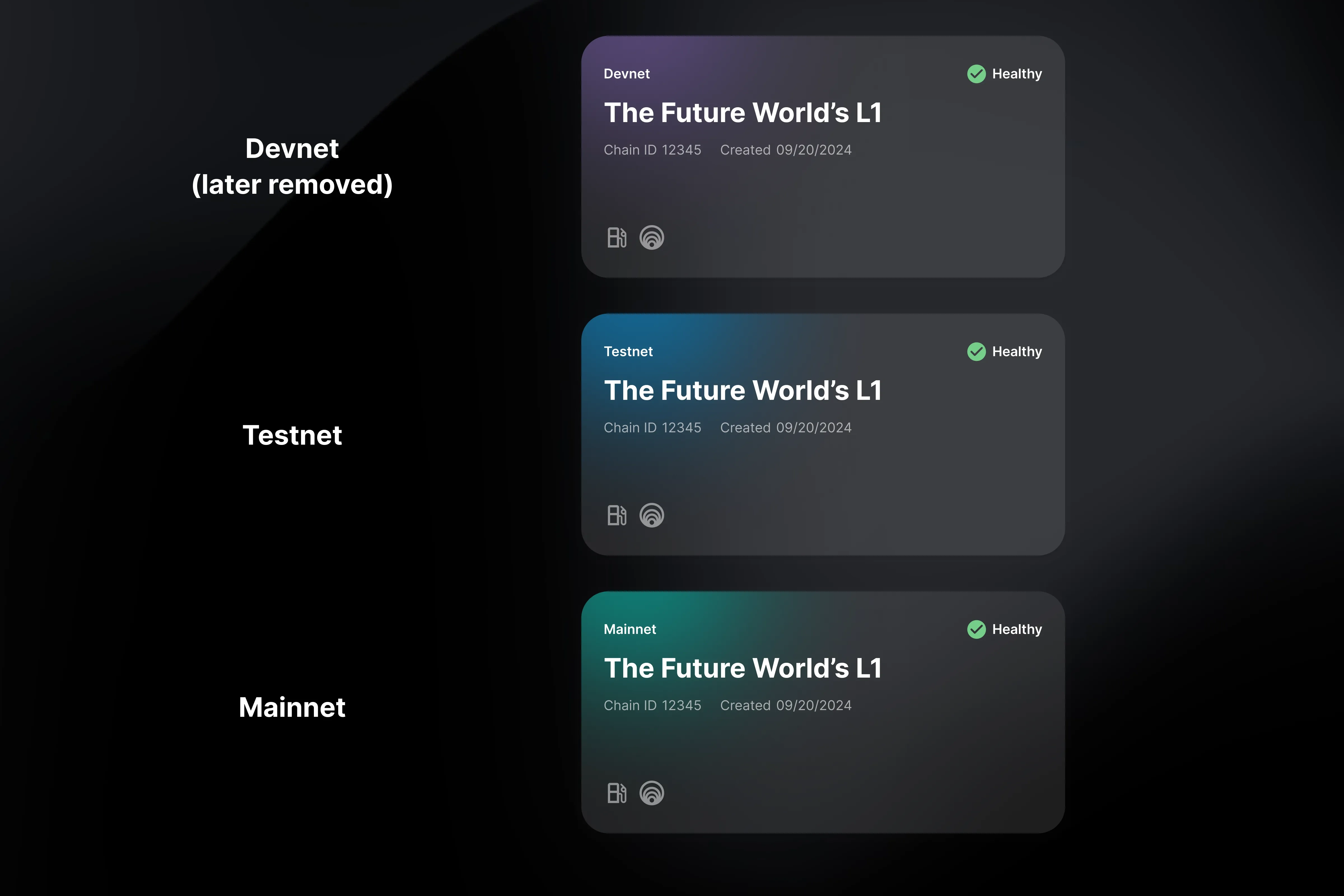
Network type differentiation: Devnet, Testnet, and Mainnet each have a distinct visual identity.
Job 2 — Drive ecosystem discovery
To convert to Paid Testnet, users need 1,000 transactions. They need to actually use their L1 — not just set it up.
The insight: What if the card felt like a game you wanted to complete?
I added service badges — Gas Relayer, Interoperability — that appear “unlit” by default. When users enable a service, the badge lights up. The visual incompleteness creates an instinct to explore and complete the card.
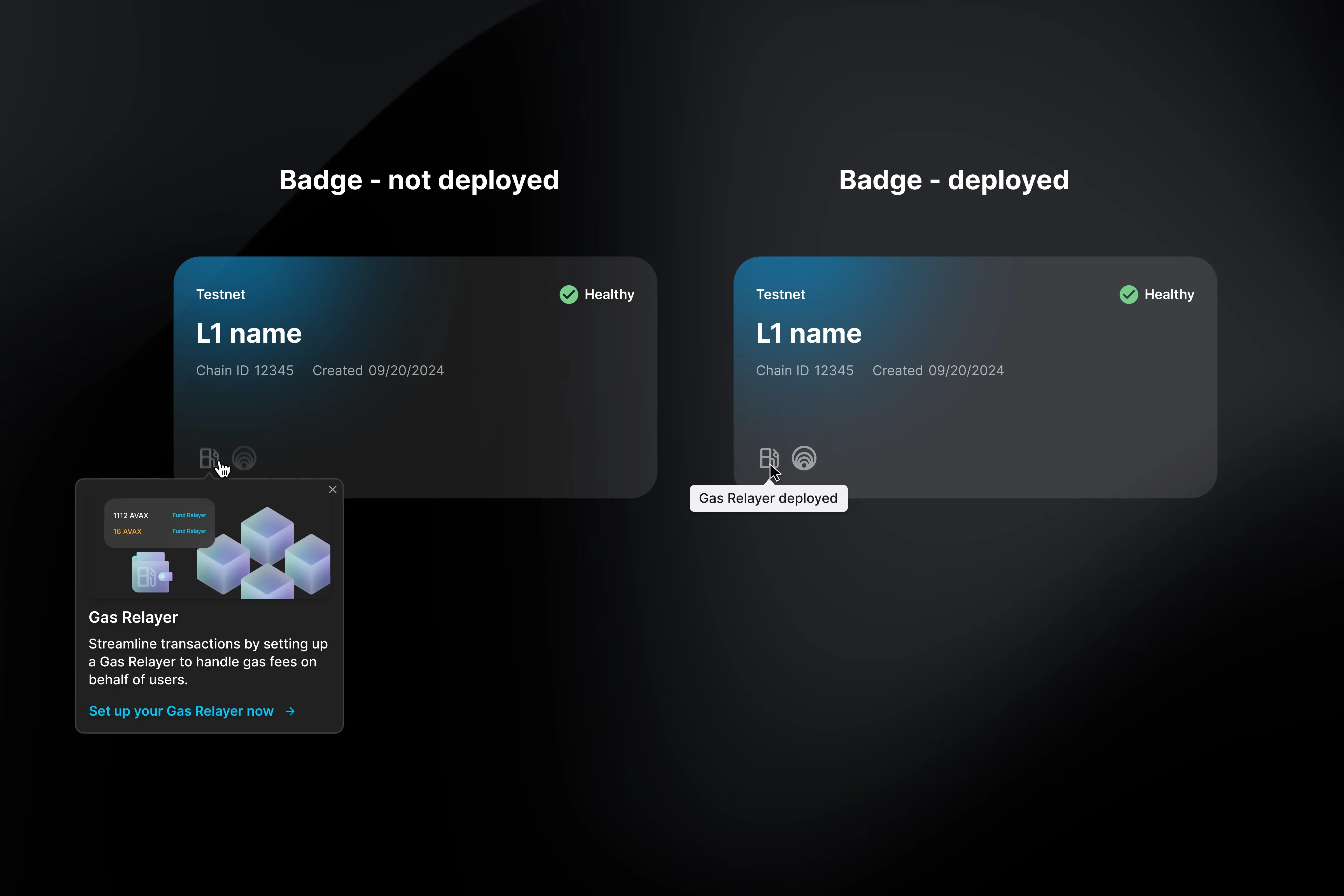
Left: unlit badge opens a popover prompting setup. Right: lit badge confirms the service is live.
It worked. Users clicked on unlit badges just to see what they’d unlock. The completion instinct drove exactly the behavior we needed — service adoption that leads to transaction volume.
Job 3 — Prevent churn
When a free trial ends, the L1 dies. Permanently. A churned user never converts.
I designed a multi-touch warning system that escalates in urgency:
Touchpoint | Timing | Tone |
|---|---|---|
Email + in-app banner | Day 1 of trial | Gentle reminder |
Email + in-app banner | Days 3, 4, 5 | Escalating urgency |
Email + in-app banner | Before expiration | Final warning |
We designed the warning system with the client support and marketing teams. AvaCloud isn’t a daily-use product — users come back only when they need to change configuration or grab an RPC URL. So email was essential to reach them where they actually are. The escalating urgency wasn’t arbitrary: when a free trial ends, the L1 is gone permanently. There’s no recovery. That irreversibility justified the aggressive timing — better to over-communicate than let a user lose their chain because they missed a notification. Plus in-app prompts to set up payment before it’s too late.
Impact
15 min Setup time (was hours)
100+ Self-service deployments in 6 months
Web3-native companies preferred self-service over talking to us. Some never contacted support at all.
One client set up their L1 at 2am and never reached out to us. That was the win.
In technically complex products, trust isn’t built by simplifying — it’s built by organizing. Show users what’s happening, provide enough context to make decisions, and put guardrails where the stakes are high. That’s what converts in blockchain, AI, or any domain where the system is opaque.
Reflection
What was hardest: Translating technical complexity into something users could trust and act on. Blockchain is intimidating — my job was to make it approachable without dumbing it down.
What I’d do differently: The trial expiration is too harsh. A grace period to recover expired L1s would reduce anxiety and might actually improve conversion — users who lose their work don’t come back. I’d also explore intent-based onboarding: survey goals upfront, then recommend the right tools instead of showing everything.
What this taught me: Web3 is built on “trustlessness” — the protocol doesn’t require trust. But the UX is entirely about trust. Showing users exactly what’s happening and letting them choose their own path — that skill isn’t domain-specific.
Designed and built with obsessive attention to detail.
© 2026 Chang Wang
Like this project
Posted Apr 23, 2026
Redesigned the L1 onboarding process, reducing setup time from hours to 15 minutes, enabling 100+ self-service deployments.
Likes
0
Views
5