Interactive Prototype with Figma: UI/UX

Janaina Oliveira

Interactive Prototype with Figma: UI/UX
Role: UI/UX Design & Interactive Prototyping
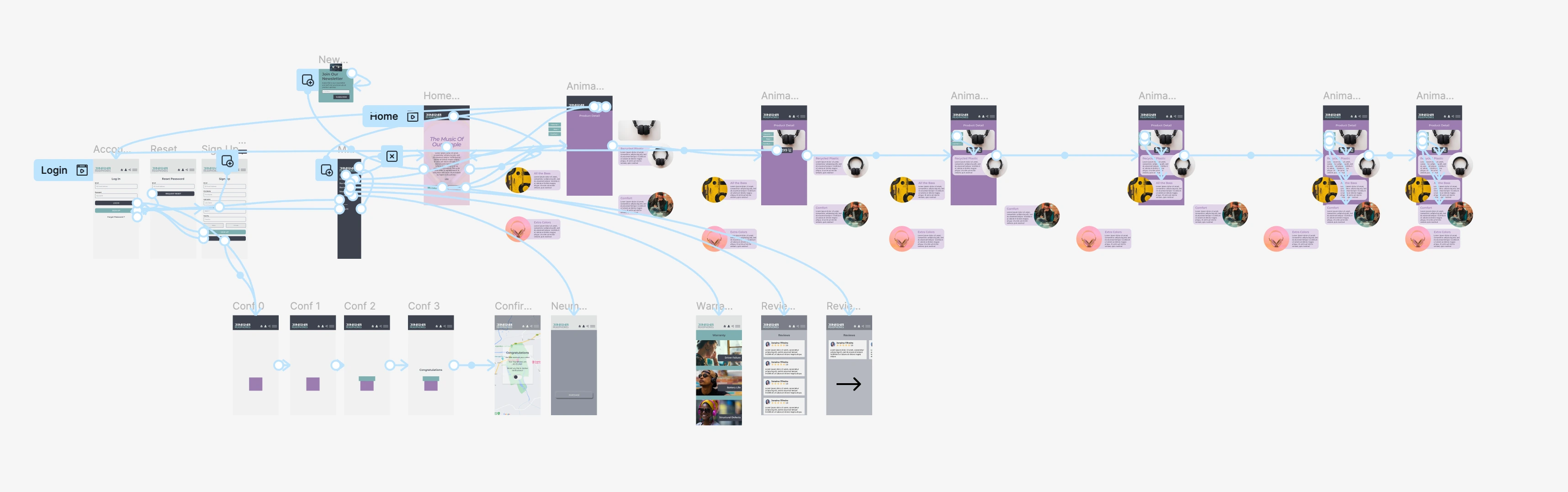
An interactive e-commerce prototype designed in Figma as part of my ongoing UI/UX training. The project guides users through a mobile shopping experience from product discovery through checkout, combining responsive layouts, reusable component systems, design styles, and interactive user flows.
Click through the prototype to explore the interactions and user flows.
Project Overview & Design Process
I began with a user persona, task flow, and low-fidelity wireframes before developing high-fidelity mobile and desktop interfaces. Throughout the project, I worked with Auto Layout, nested frames, constraints, responsive resizing, reusable components, component variants, instances, and design styles.
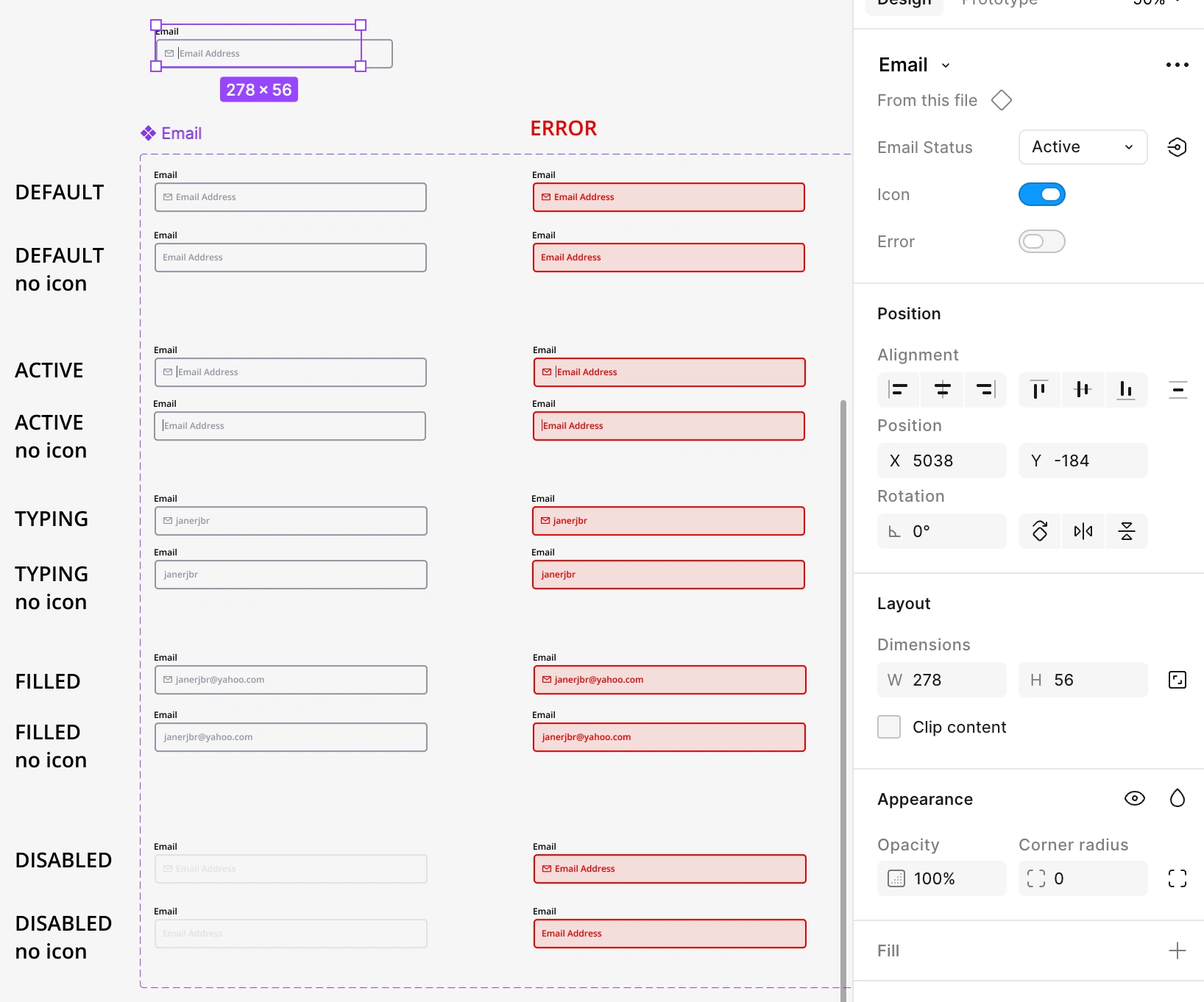
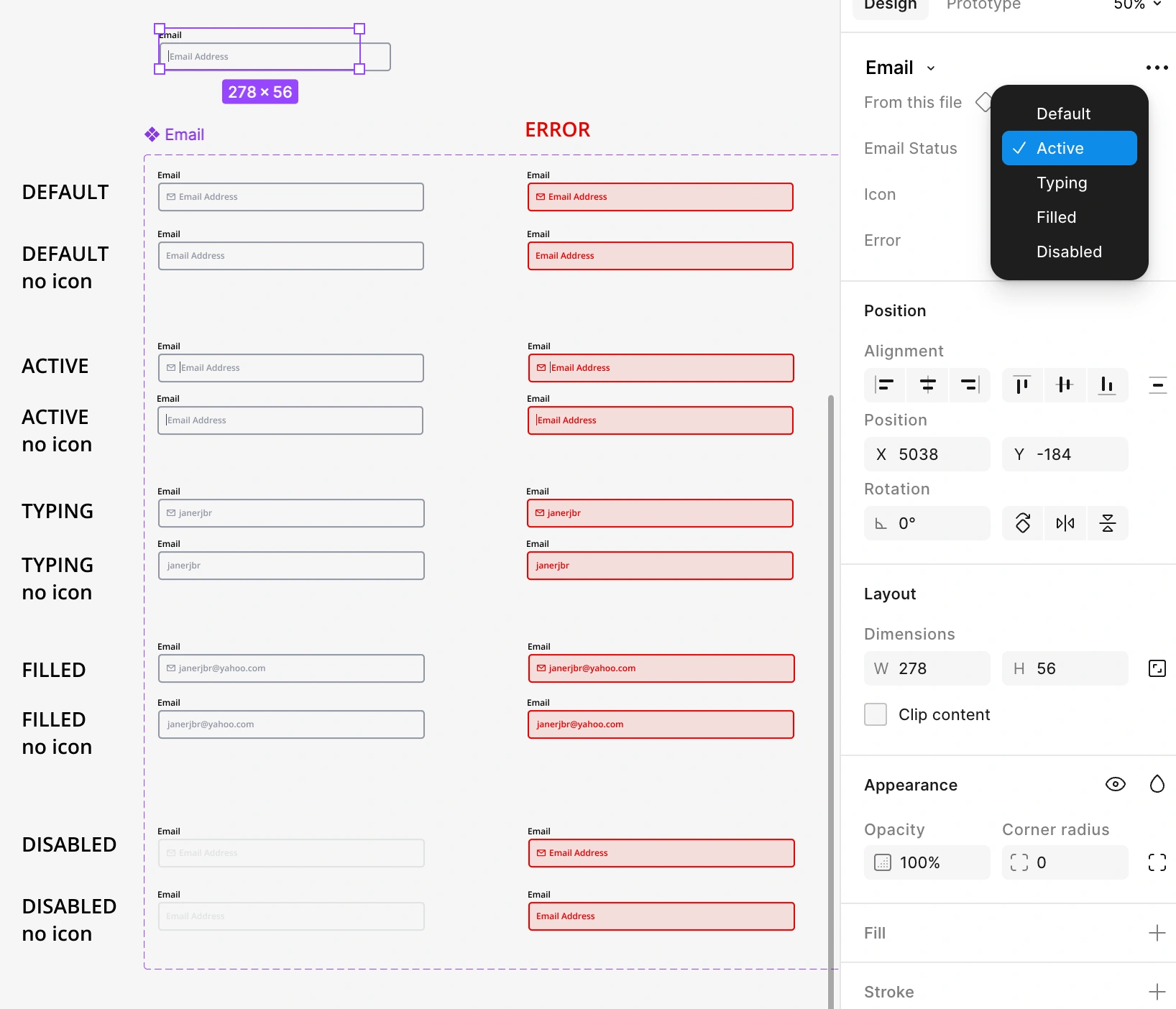
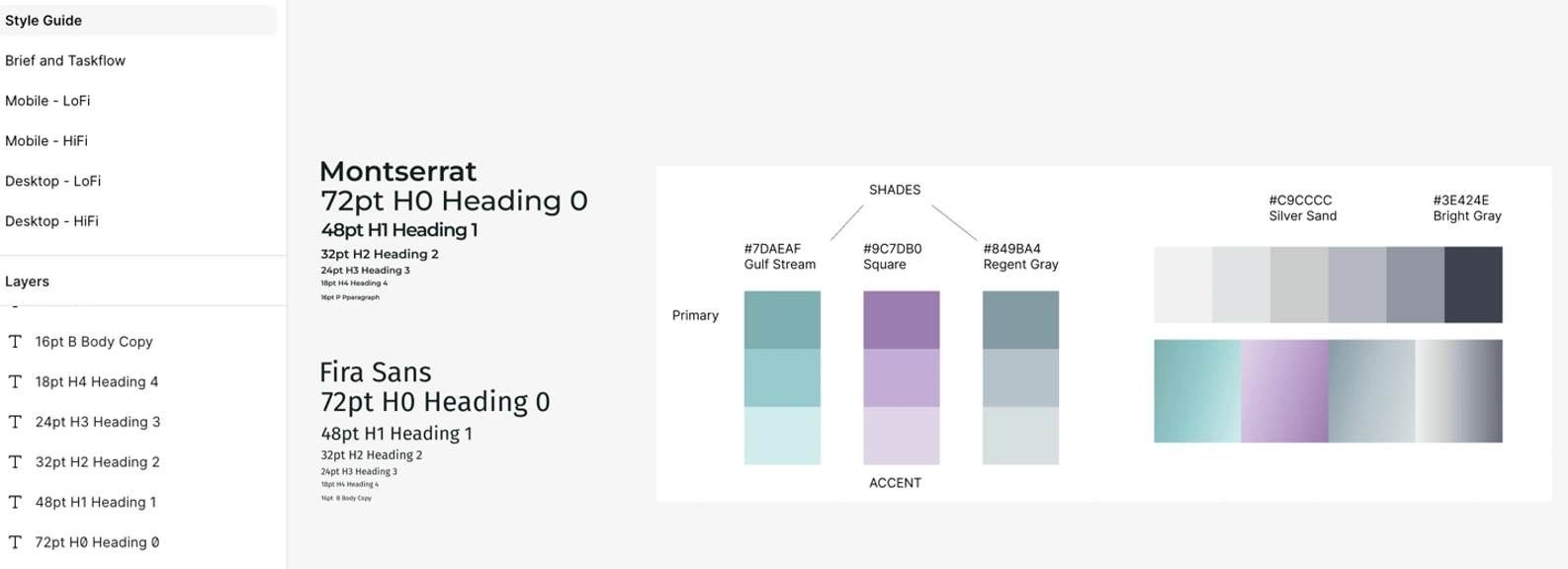
I explored interactive states including hover, active, disabled, and error states, and built organized style guides for typography, colors, effects, and reusable interface elements to maintain visual consistency across layouts and screen sizes.
As I continue expanding my Figma skills, I've been exploring how animation and interactive feedback can improve user experience — bringing together my background in motion design with UI/UX principles.
Micro-Interactions & Animation
Micro-interactions are small animations or visual responses that help users understand what happens when they interact with an interface.
Using Figma's component variants, prototyping tools, and Smart Animate, I've practiced creating interactive elements that respond to user actions through movement, color, opacity, and shape changes.
My recent exercises include:
—Animated Toggle Switch: A smooth ON/OFF interaction that uses movement and color changes to communicate its current state.
—Hamburger Menu Animation: A three-line navigation icon that transforms into an X close button using rotation, opacity, and shape transitions.
—Interactive Component States: Reusable variants that demonstrate how interface elements respond to different actions and conditions.
—Smart Animate Transitions: Smooth animations between component states using position, rotation, color, and opacity changes.
These exercises have helped me better understand how animation can serve a functional purpose, providing visual feedback, communicating changes, and making interfaces feel more intuitive.
Responsive Design & Interactive Prototyping
I built responsive layouts using Auto Layout, nested frames, constraints, and flexible resizing to help interface elements adapt across mobile and desktop screen sizes.
I also explored how images and visual assets behave within responsive layouts, including cropping, focal-point preservation, text legibility, and call-to-action placement.
My prototyping practice includes:
—Interactive navigation and clickable user flows
—Fixed headers and navigation elements
—Horizontal scrolling and swipe interactions
—Scroll-to navigation with positioning offsets
—Interactive overlays and component states
—Animated transitions using Smart Animate
These techniques help create realistic prototypes that demonstrate how an interface looks, responds, and behaves before development.
Design Systems & Reusable Components
Rather than designing each screen independently, I explored how to build consistent interfaces using reusable components and organized design styles.
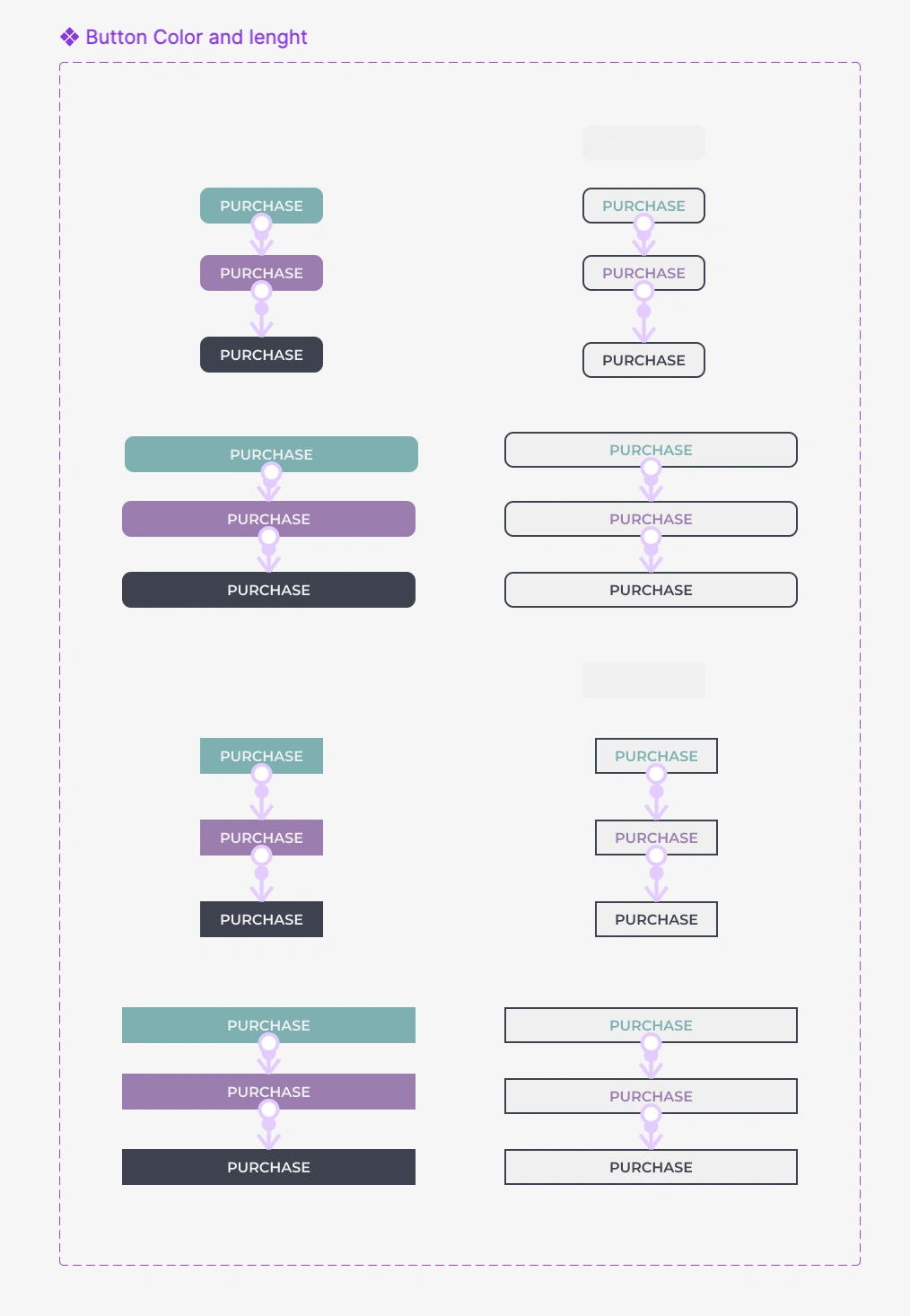
I created and practiced working with typography styles, color palettes, effects, buttons, forms, navigation elements, and component variants.
Using components and instances helped me understand how interface elements can be reused and updated consistently across multiple screens.
I also explored component organization, naming conventions, and shared libraries as part of building more structured and scalable design systems.
Style Guides, Components, Component Variants & Prototyping
Building a consistent UI in Figma goes beyond individual screens. These examples highlight some of the design-system foundations I created and practiced throughout this project, including style guides, text and color styles, effects, reusable components, component variants, interactive states, and prototype connections.
Like this project
Posted Oct 15, 2026
Interactive e-commerce prototype built in Figma showing mobile and desktop flows, responsive layouts, reusable components, and micro-interactions.
Likes
0
Views
2