Set up Printer – Yooga

Larissa Pancieri

☕ Context
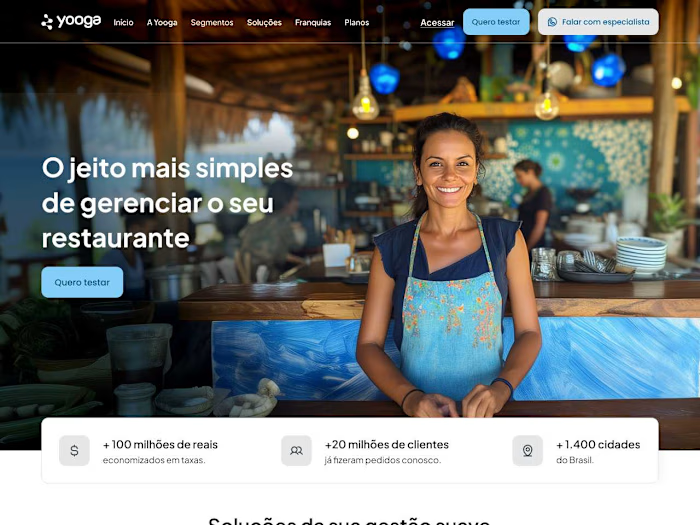
Currently, in the Yooga system, there is no specific place for the customer to start configuring their restaurant’s printer. The information is scattered and decentralized within the platform. According to the support team, no customer can configure it alone. This increases the company’s Contact Rate. Therefore, this feature aims to reduce the burden on the support team and guide the user to the task they need to perform.
🔬 1.º step: Diving into the problem
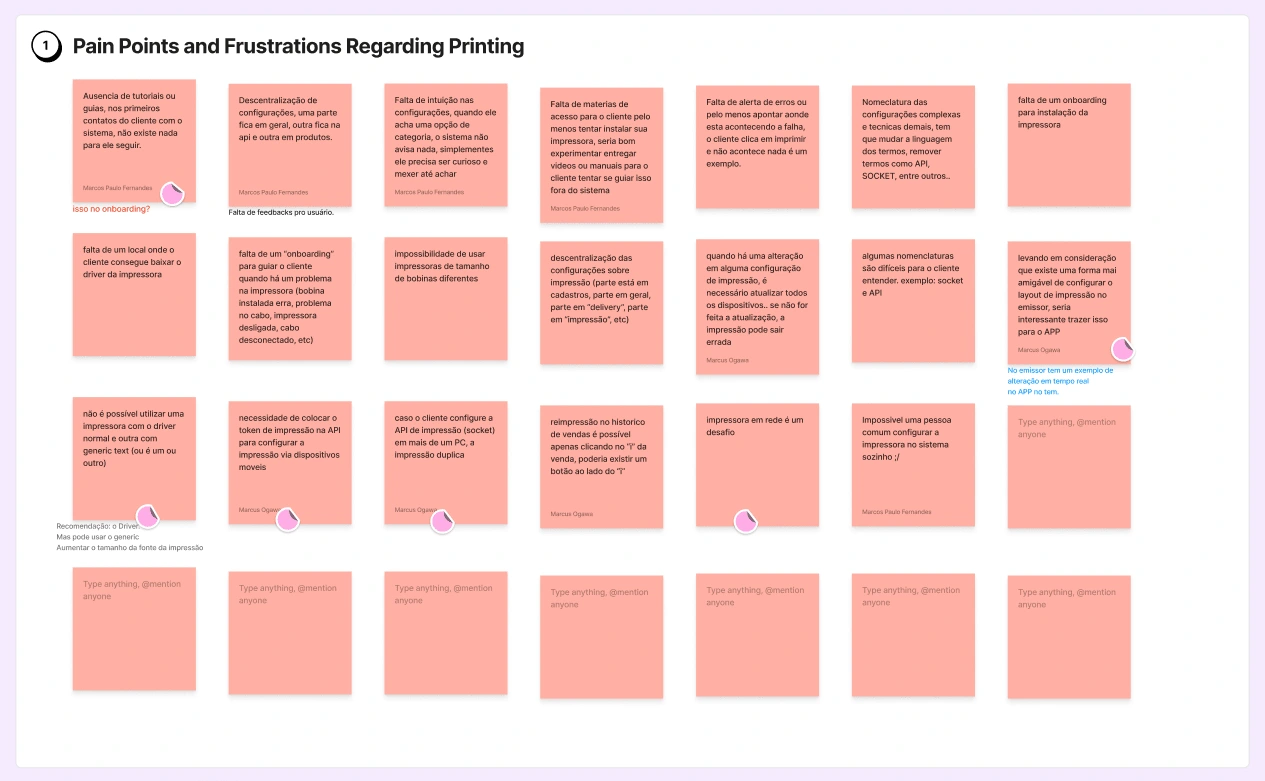
✋The first step I decided to take was to talk to the Support Head and the Printer Technician in order to understand the problem and the pains they would like to address.
🔬 2.º step: Ideal flow
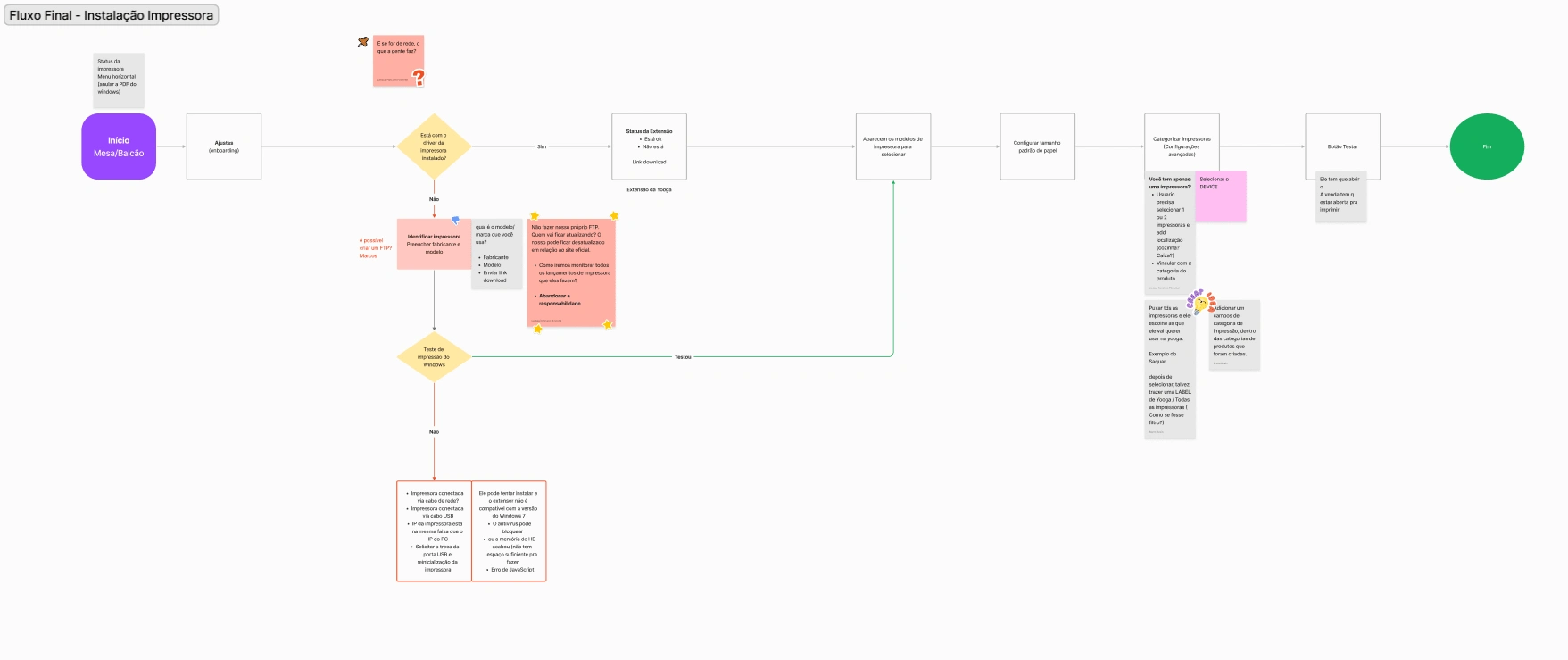
After that, it was time to map out the entire flow that would be ideal for the Support Head and the Printer Technician. We would build together, from scratch, an ideal flow for the user to follow. It took me 2 weeks studying and aproving with PMs and communicating with the team to keep everyone at the same page.
🔬 3.º step: Information Architecture
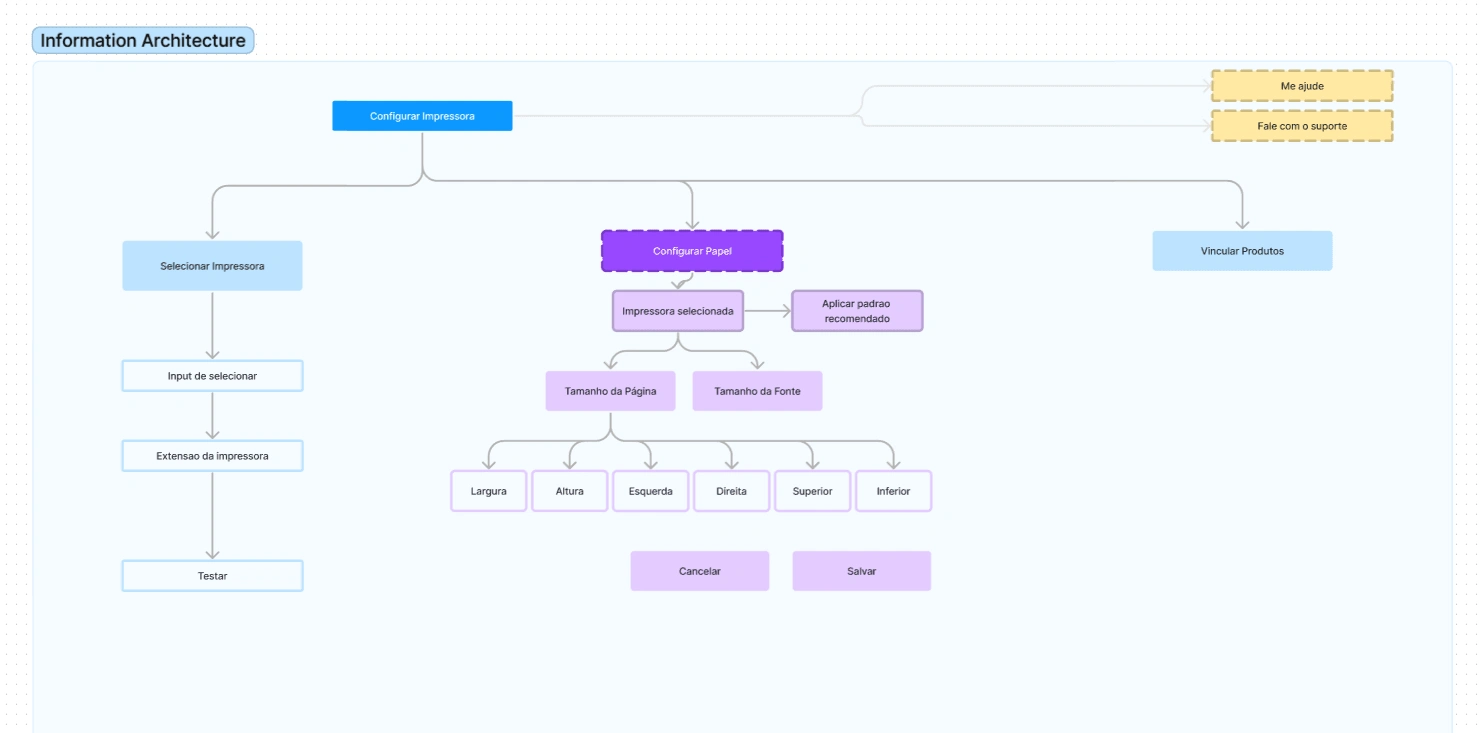
Alright, time to determine who’s the h1, h2, h3… Which items should come first? Which items have the same hierarchy, and which ones are below them? We did this to understand what would be most important to show in first, second, and third place.
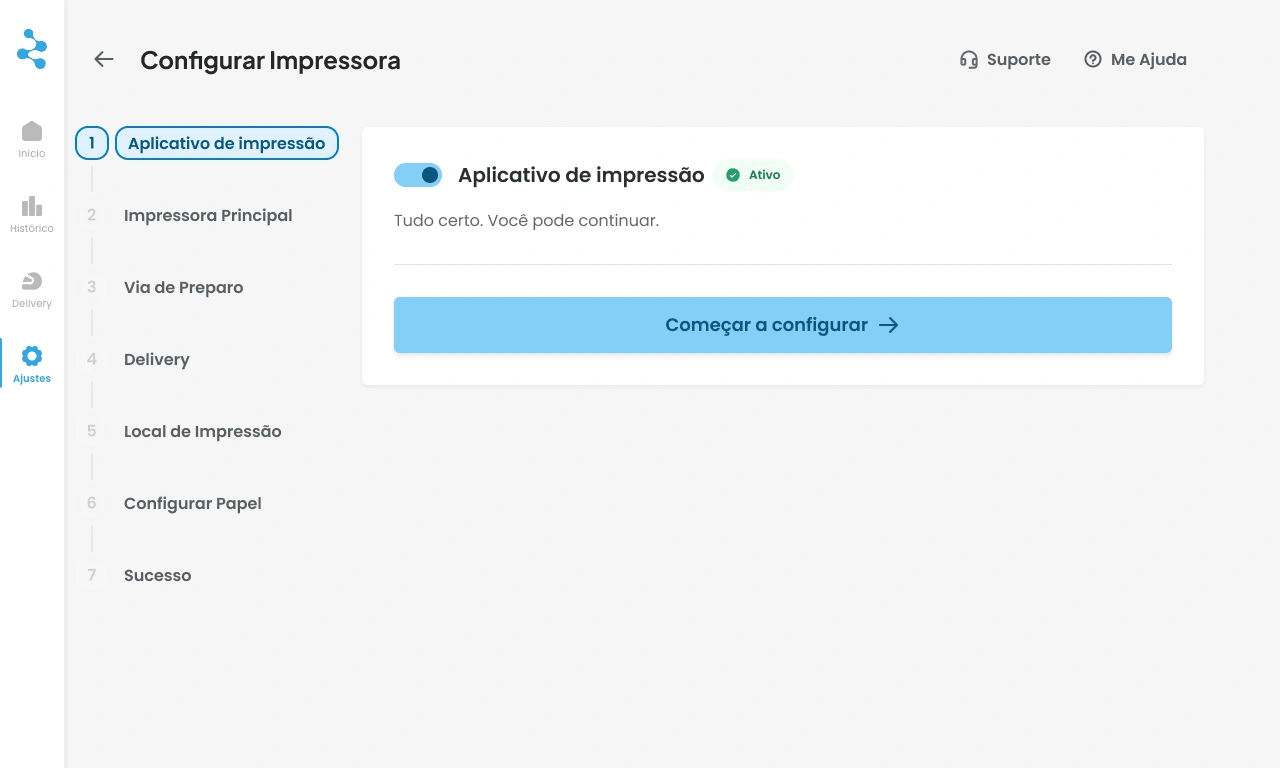
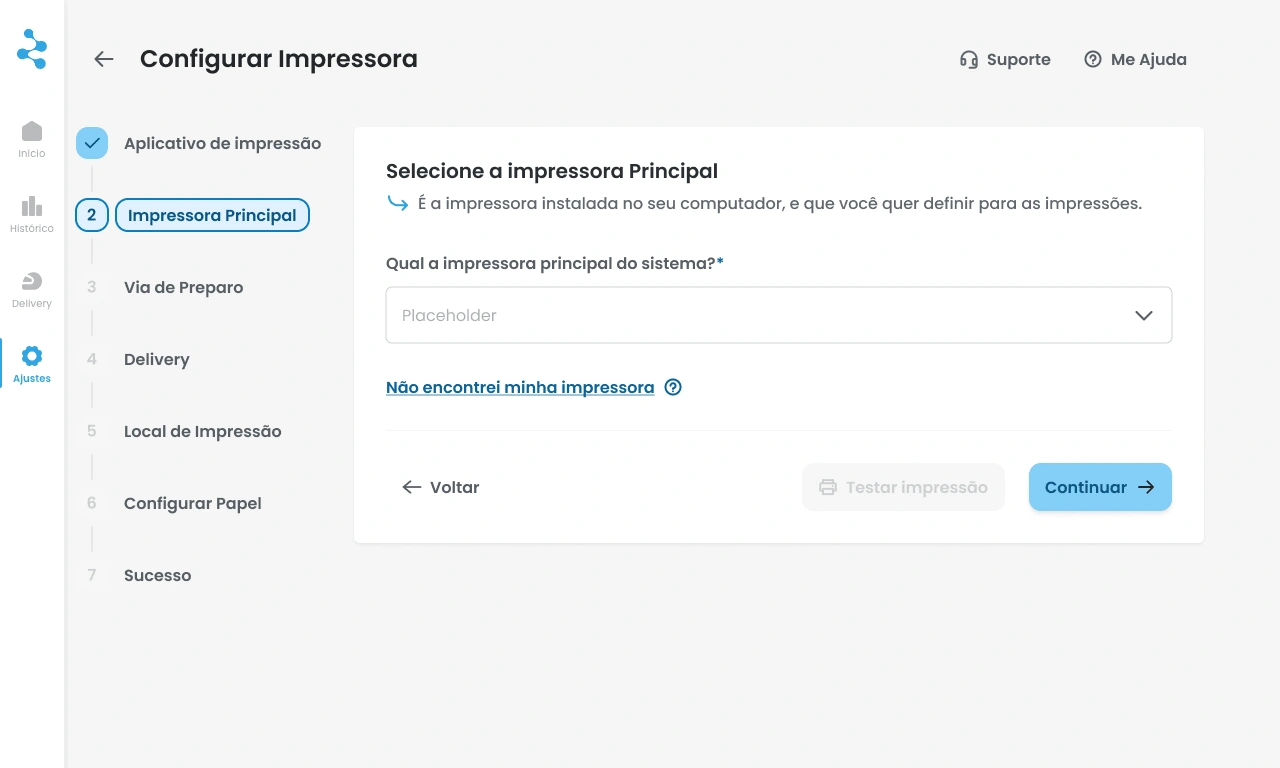
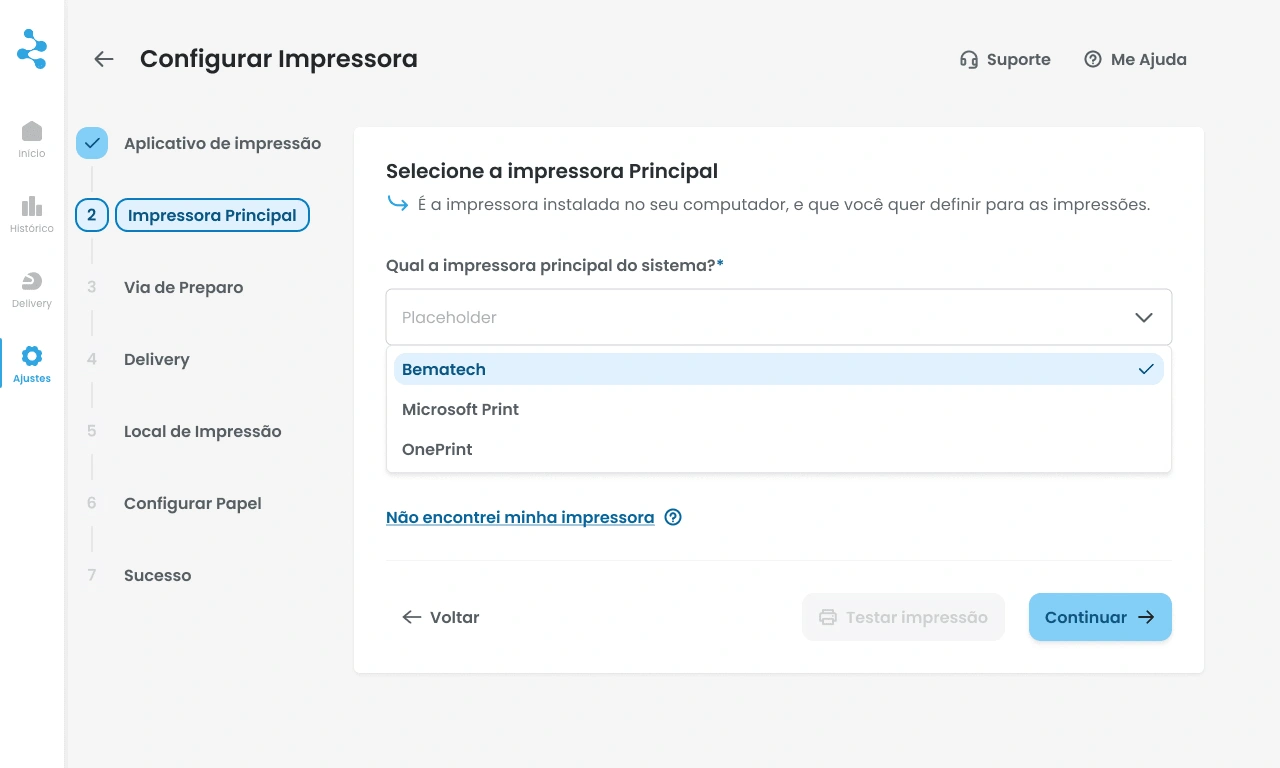
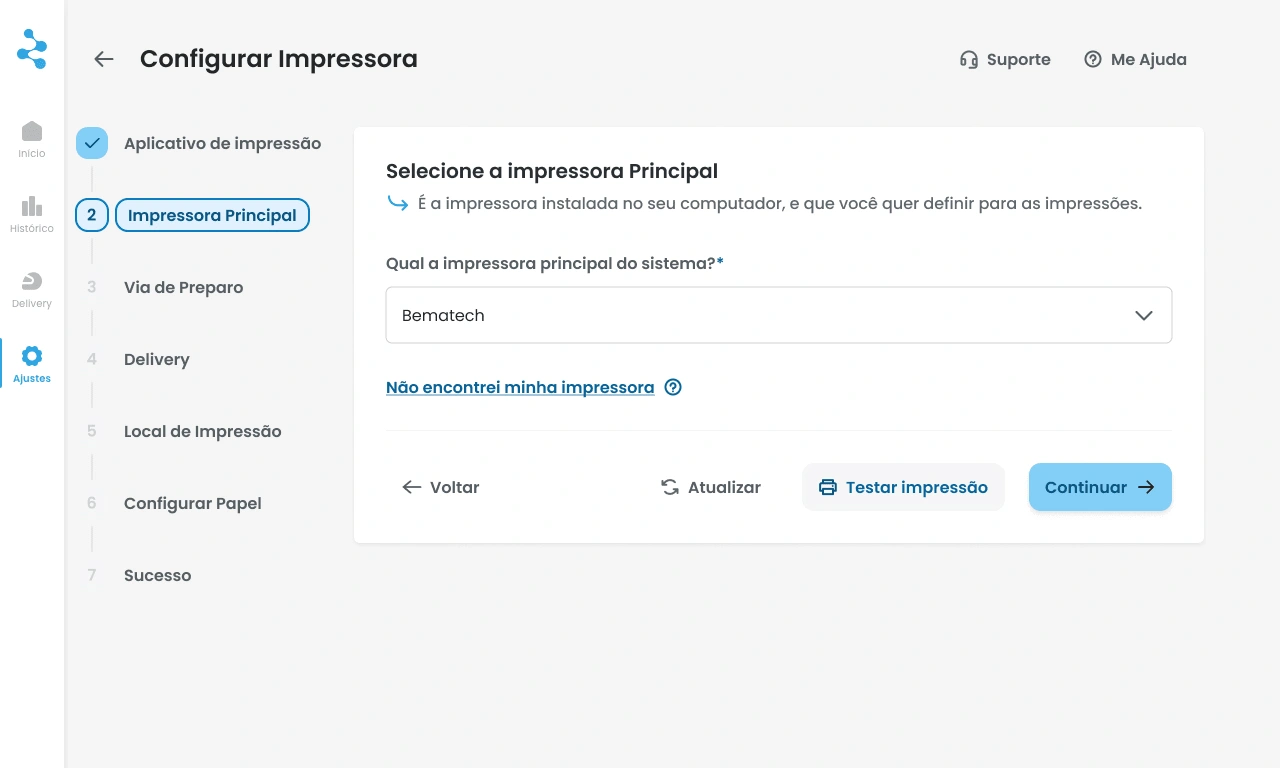
🖨️ Pov: you are setting up your printer for the first time
Important: There are more scenarios than these below that were mapped.
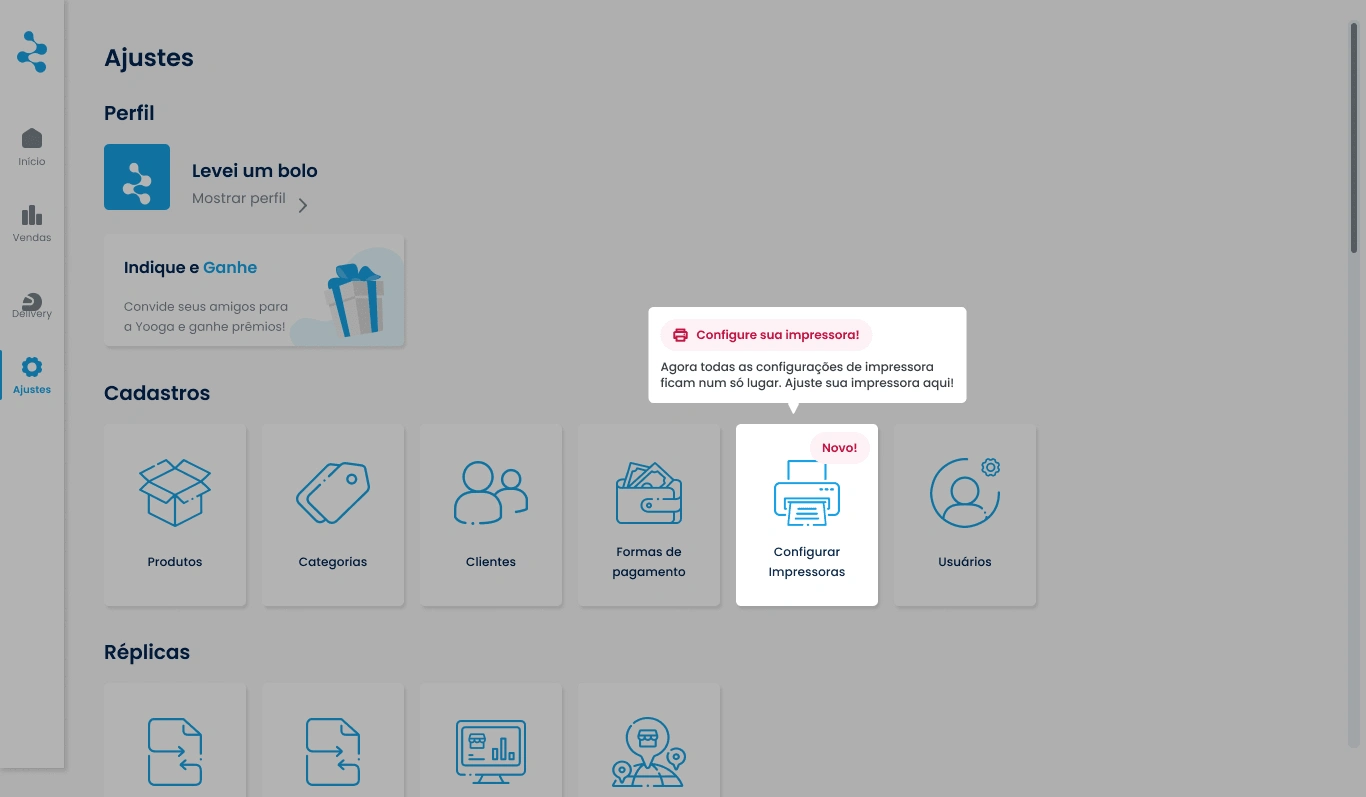
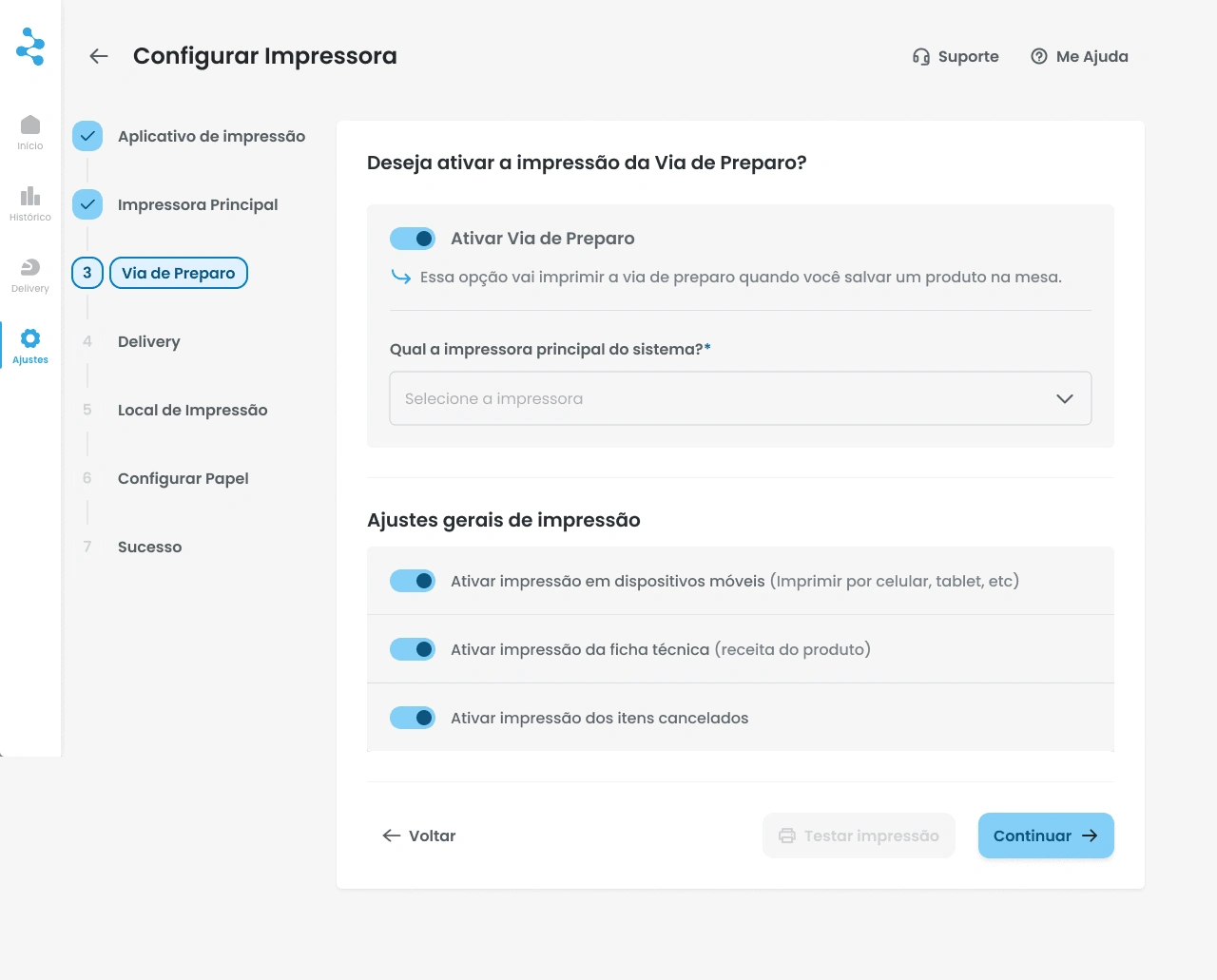
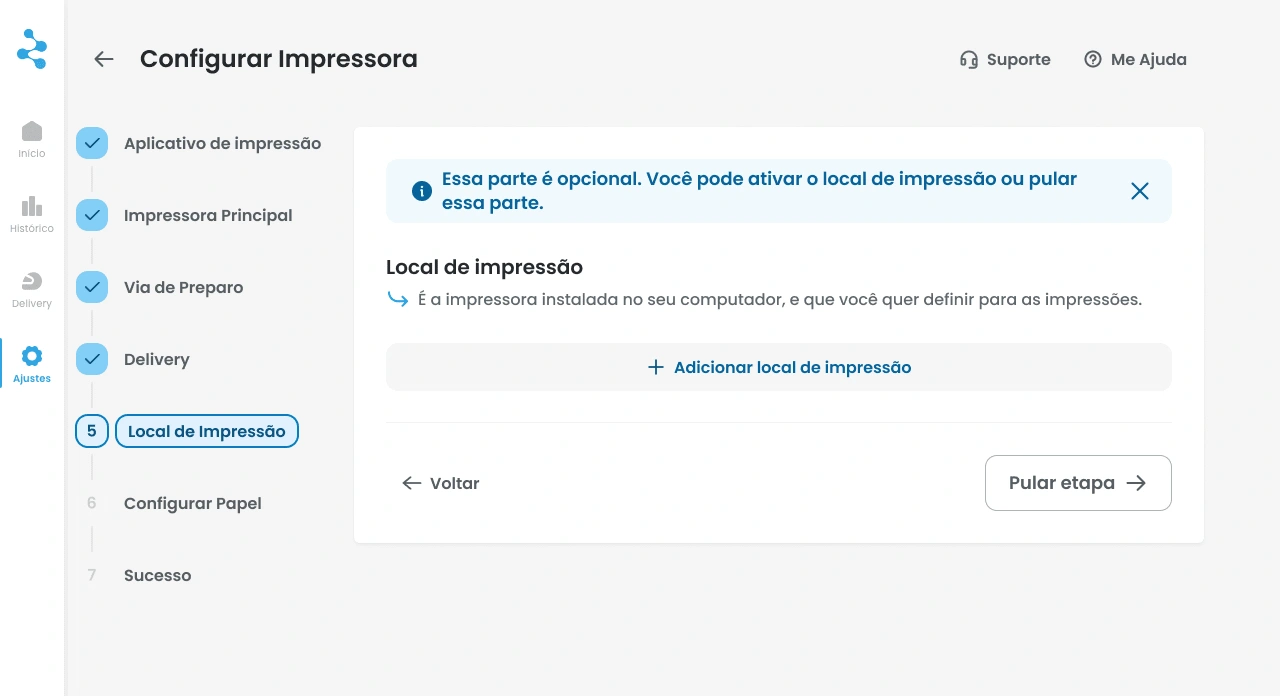
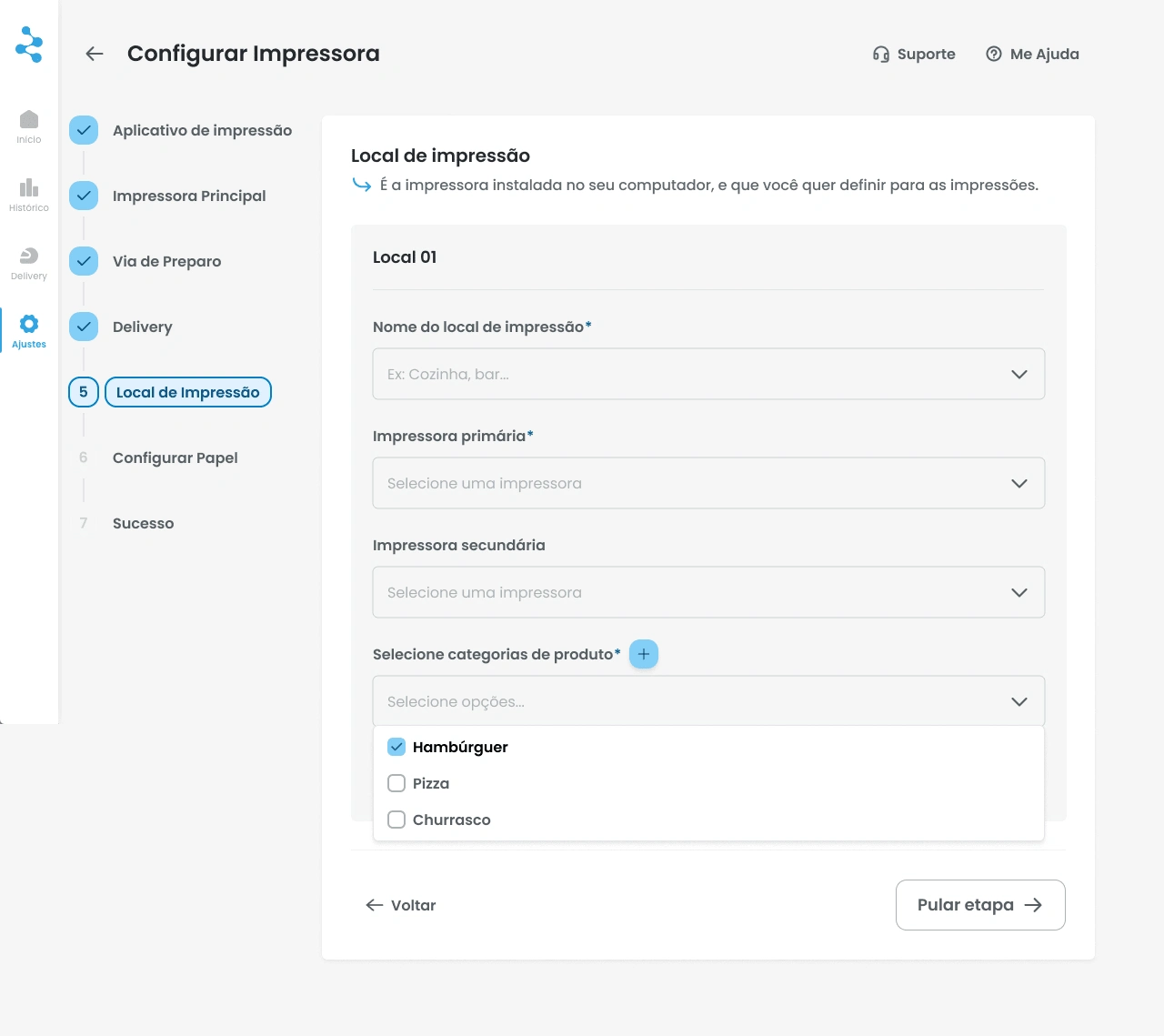
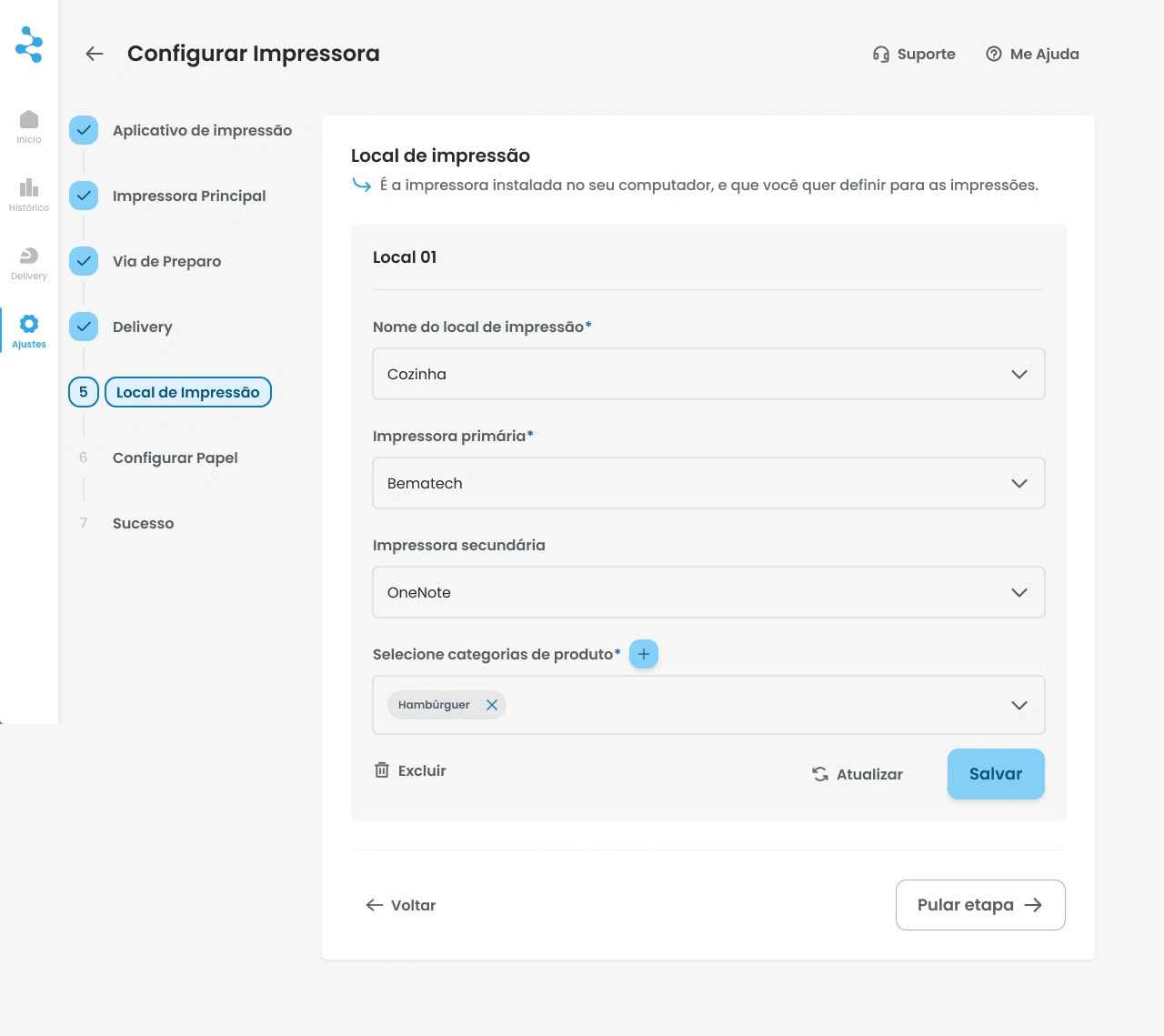
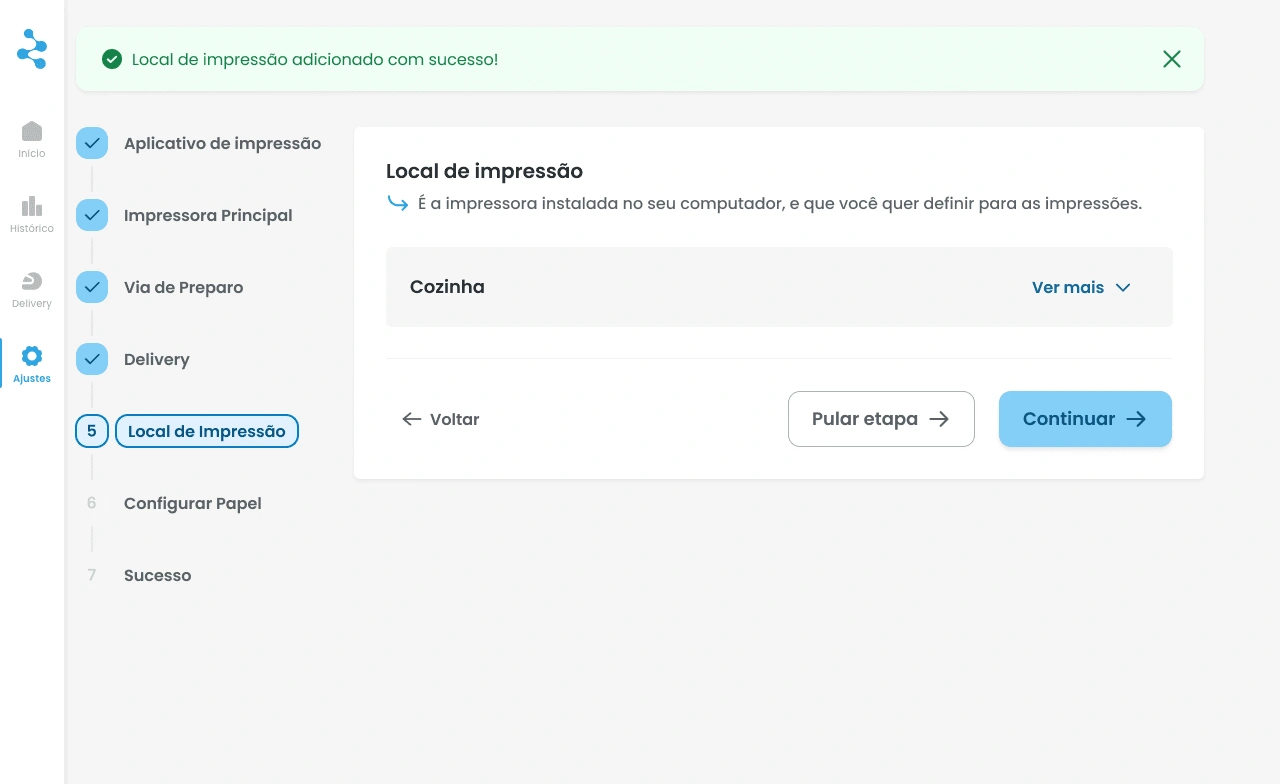
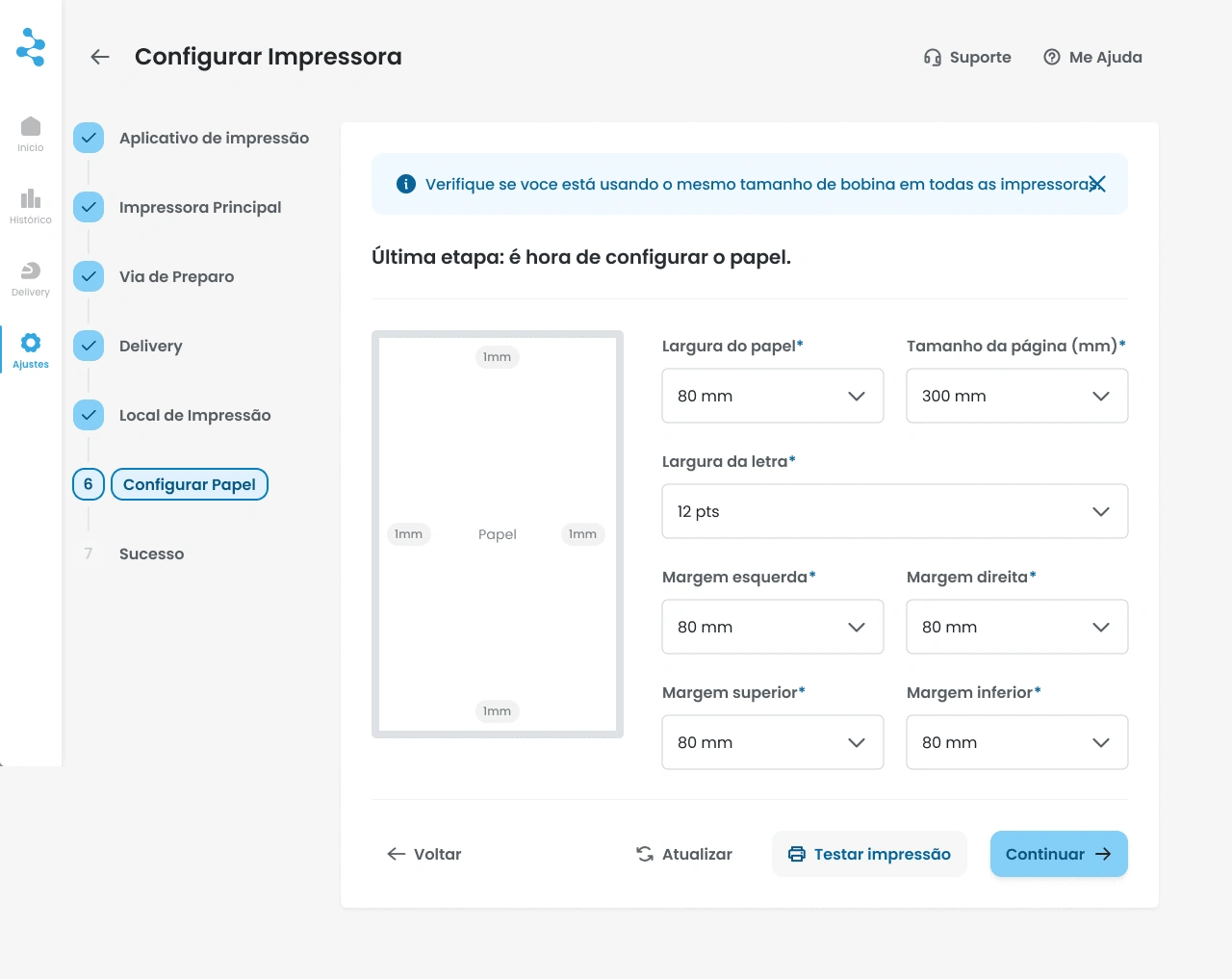
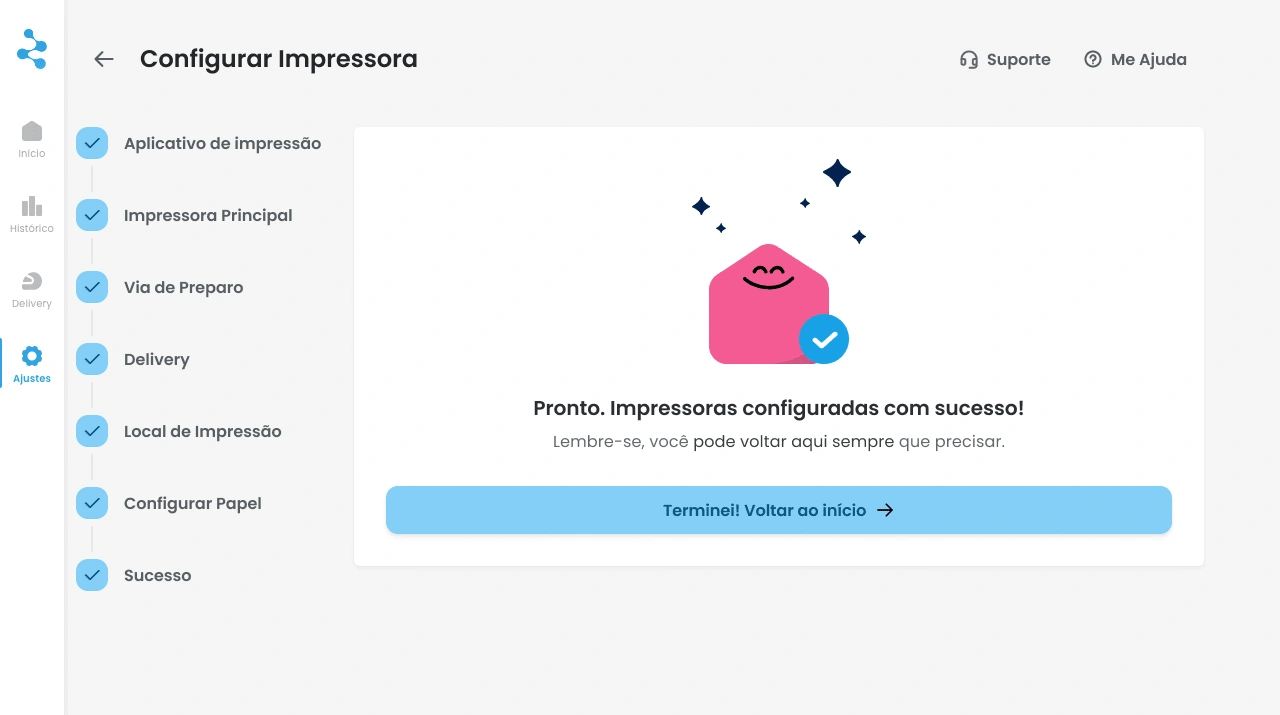
Below, I did a step by step to guide the user into his journey to make the printer work. The second time that the user enters this interface is different: the progress bar turns into a side menu
Like this project
Posted Feb 16, 2025
I built an onboarding process for restaurant owners to set up their store's printer.