Invoice Web App | Bolt.new

Golden Ekpendu


Invoice Creation Web App — Invoyceez (Built with Bolt.new)
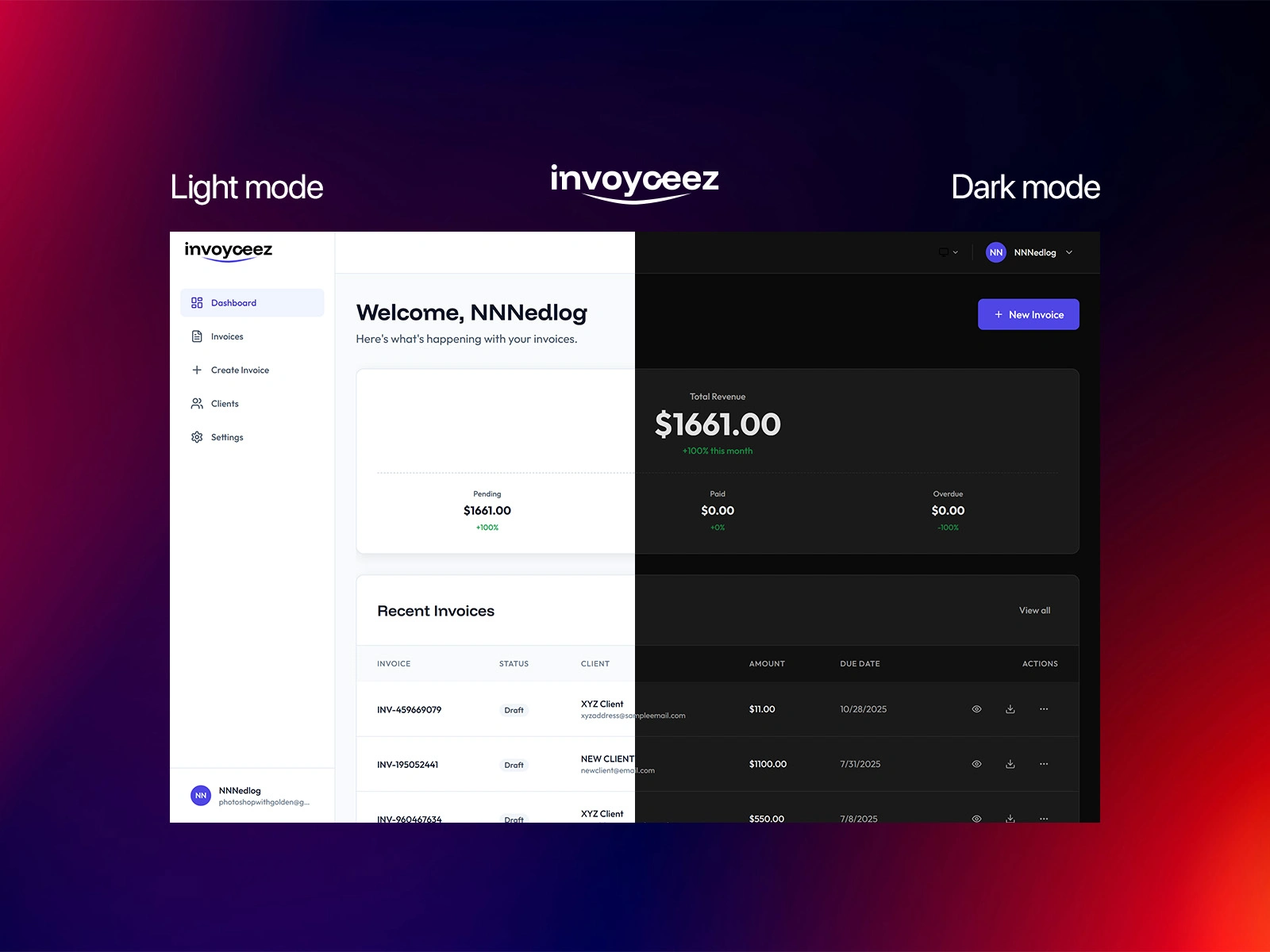
In this project, I created an invoice creation web application with Bolt.new. Powered by Bolt, this project uses NextJS, Tailwind CSS, Typescript and Supabase to handle user requests.
Features include a mobile responsive design, light/dark mode toggle, user authentication (email & Google sign-in), and user details and invoices created and updated in the database.
I made this project during the World's Largest Hackathon by Bolt.
The idea
I started this project after facing issues with getting my very own invoices online. There were tools online, but "I thought what if I created my own invoice application?" At the time, this was an ambitious project for me, requiring me to work with bits of a tech stack I wasn't so familiar with.
But then, I heard of Bolt and joined a livestream where they pitched their product. Then the hackathon was announced and I saw this as the perfect opportunity to work on this project.
Thankfully, Bolt did provide a builder pack, including a limited paid plan and tokens to get started. This was so helpful and I began working on the first step of my project - the landing page.
The process
Since this was the first time I was using a text-to-code platform, I watched tutorials and videos posted by fellow participants of the hackathon to see how best I could begin my project.
I also began experimenting with different prompts to get a desired effect. My favourite part of this project has to be the user authentication and database setup in Supabase. Since Bolt easily integrates with Supabase to an existing Bolt project, I didn't have many issues setting up the database schema. However, I did face some issues working on the user auth, especially with the Google Sign-in provider.
After some days, that worked, but the hackathon was coming to a close, and I had to add more features and round up - while I was low on tokens! Anyway, I ended up submitting the project, which wasn't completely done, but was fairly useful.
User Journey
Sign up / Sign in
Users create an account or log in to access their dashboard.
Create a New Invoice
Start a fresh invoice directly from the dashboard.
Add a Client
Add a new client (if not already saved) with relevant details.
Input Invoice Details
Add pricing items, itineraries, tax details, and other invoice fields.
Save Invoice
Store the invoice securely for future access and edits.
Export Invoice (Coming Soon)
The ability to export invoices as PDF/print format will be added soon.
What's next
My plan is to improve this project as soon as I can find some free time to do so. I have plans and a possible UI refresh to make it more refreshed.
You can view the live project below 👇
Got an idea for a website or app and need a working prototype fast? Let’s team up! I’ll help turn your concept into a real product using Bolt. Message me and let's build something amazing.
Like this project
Posted Nov 1, 2025
A clean, fast invoicing tool where users sign in, add clients, create invoices, and save them — built from scratch with Bolt.new.