SmartSpend – Fintech Mobile App UI/UX Design

Ouahiba Deguiani


Managing money sounds easy… until you actually try to do it.
SmartSpend is a fintech app I designed to help people take control of their finances — without stress, confusion, or complicated tools.
Problem
A lot of people struggle with managing their money.
They want to save, but they don’t know where their money goes, or which strategies actually work.
Tracking expenses feels confusing, and staying motivated to reach financial goals is hard without guidance.
Solution
SmartSpend helps users see exactly where their money goes and guides them on how to save effectively.
Users can track income and expenses clearly and easily.
Visual saving goals keep them motivated and on track.
The app offers real strategies and lessons, so they know how to save smartly.
Step by step, SmartSpend helps users follow the process and reach their financial goals.
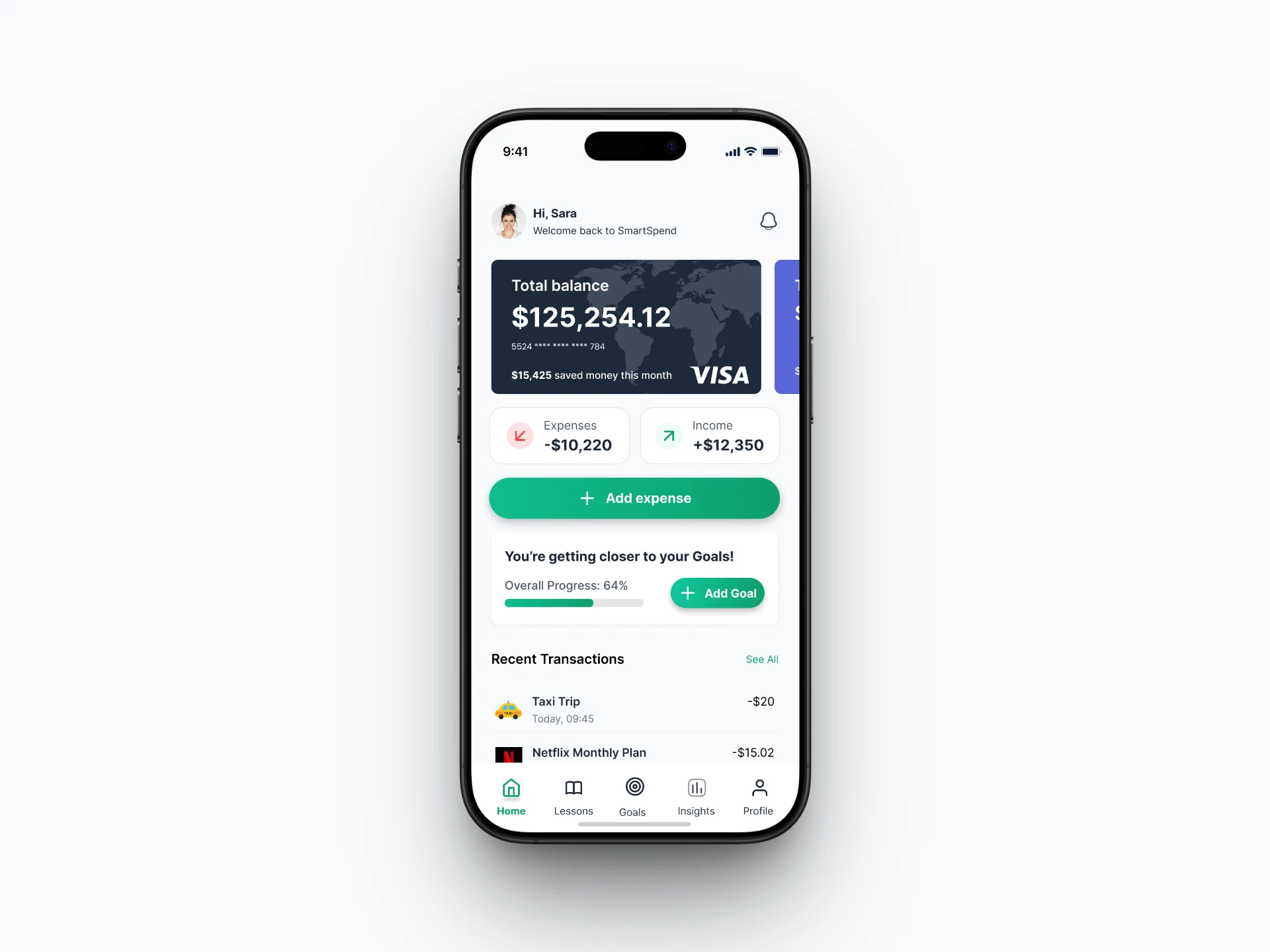
Dashboard
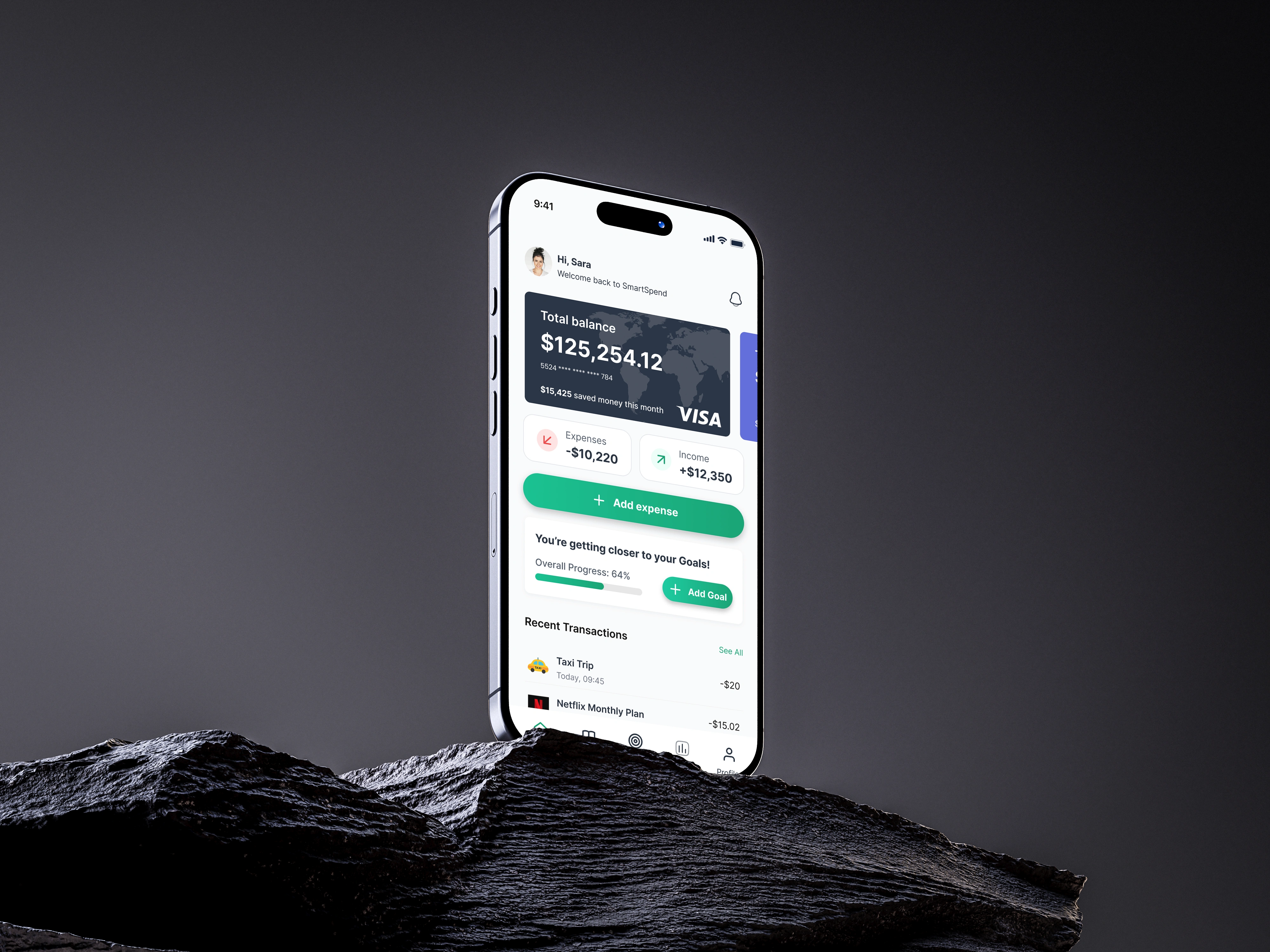
The dashboard is the first screen users see, so it gives a quick, clear overview of their finances.
Credit card at the top → makes the app feel familiar and secure, like having your wallet in hand.
Income (green) & expenses (red) cards → instantly show money flow and make it easy to distinguish spending vs. earnings.
Goals with progress bars → motivates users to save and gives a visual sense of achievement.
Recent transactions → shows amounts, categories, and dates so users can quickly check their activity and stay informed.
Every element is designed to help users understand their financial situation at a glance and encourage them to come back daily.
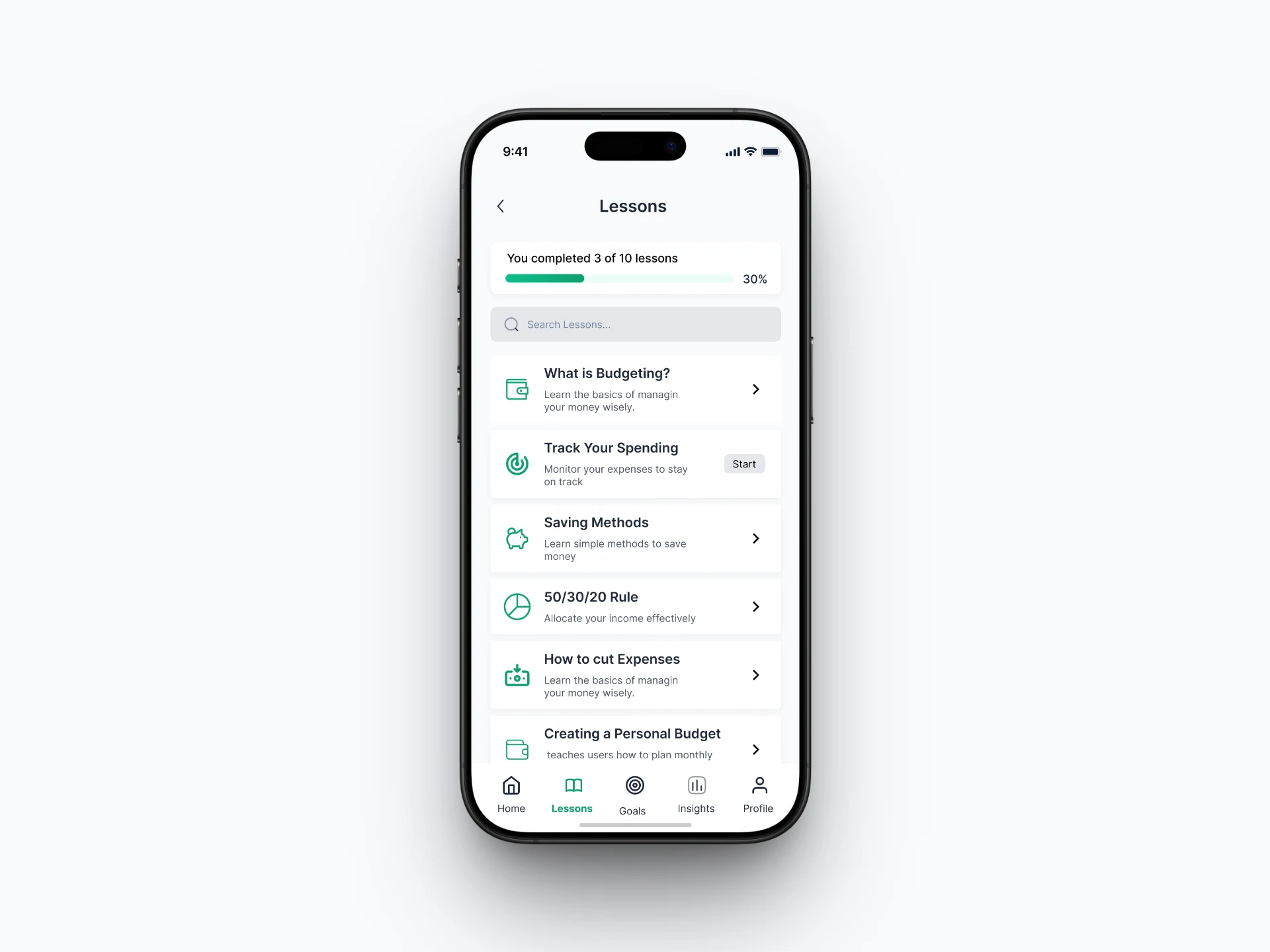
Lessons
The Lessons screen helps users learn how to save money effectively through practical strategies and real-world tips.
Many users want to save but don’t know where to start — lessons guide them step by step.
Progress bar at the top → shows how much of the course they’ve completed, motivating users to continue and giving a sense of achievement.
Lessons are structured and easy to follow, making learning feel simple and actionable.
This screen is designed to turn knowledge into habits, helping users build smart financial routines.
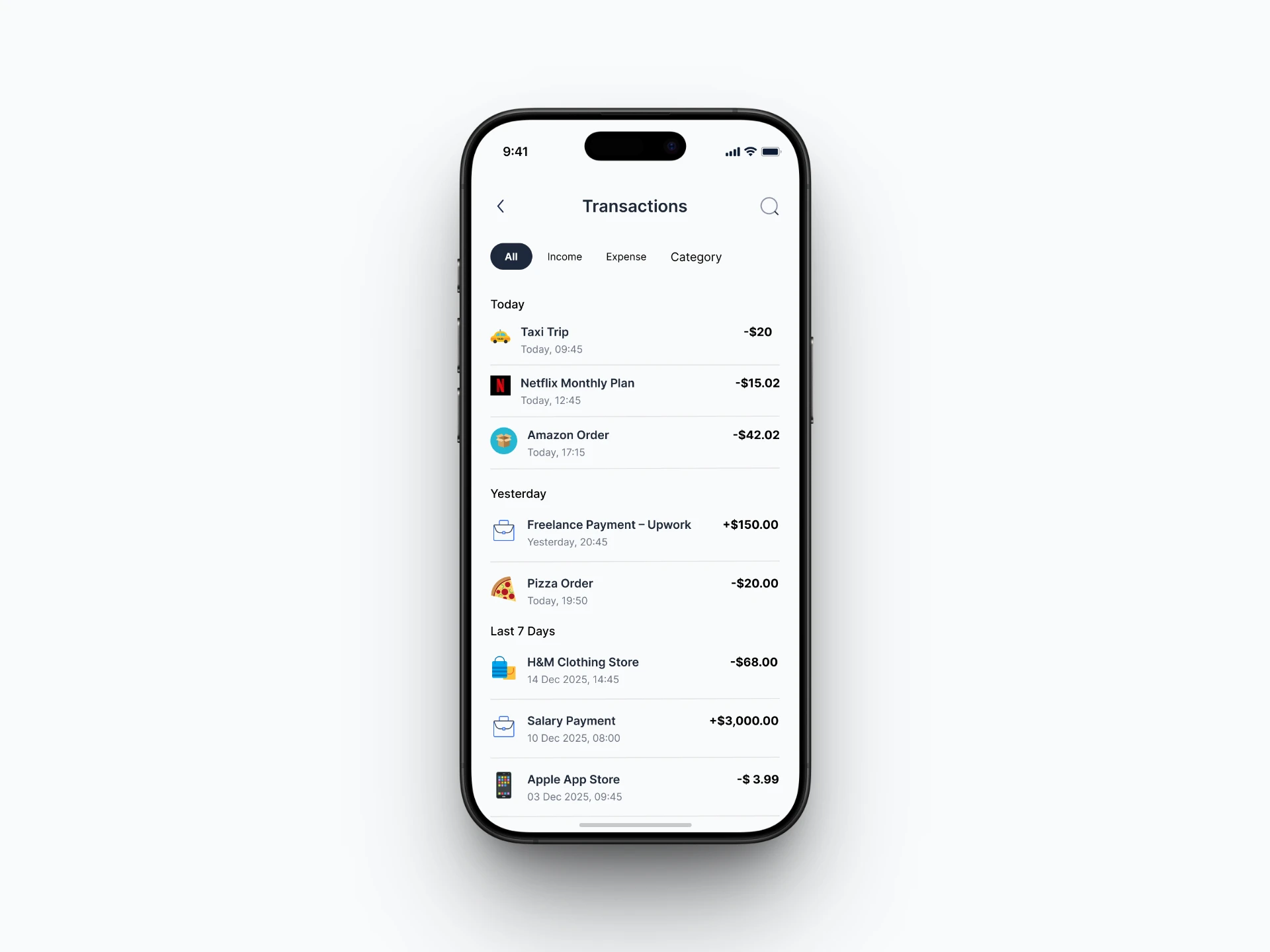
Transactions
The Transactions screen lets users review all their financial activity clearly and quickly.
Users can filter by all, income, expense, or category to find exactly what they need.
Transactions are grouped by today, yesterday, or last 7 days (default), giving context and making patterns easy to spot.
Each transaction shows amount, category, and date, so users can immediately understand their spending habits.
This layout helps users stay informed, control their finances, and spot trends or unusual activity without confusion.
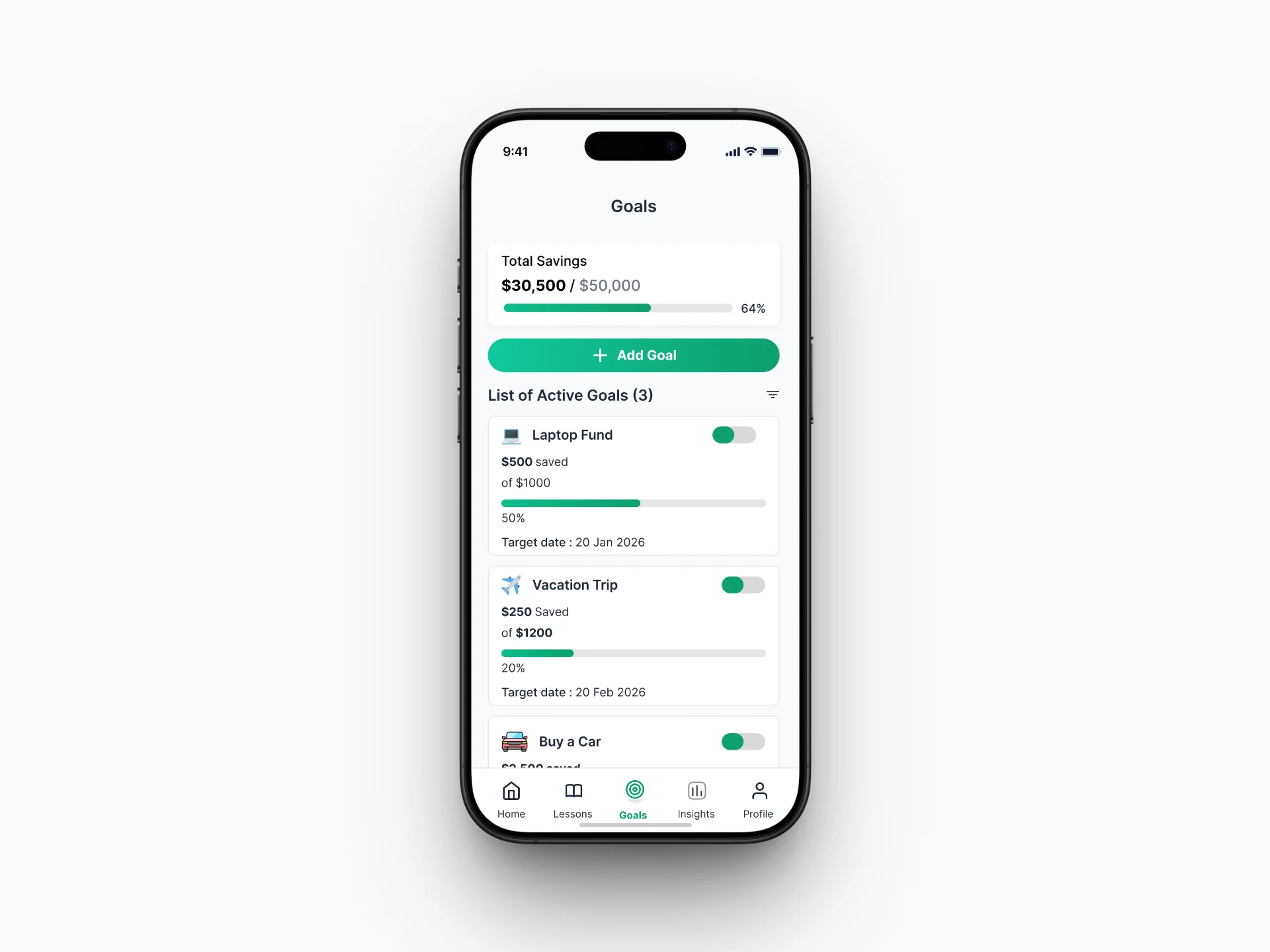
Goals
The Goals screen helps users stay motivated and track their savings easily.
A total savings card with a progress bar provides a quick overview of overall progress. The Add Goal button makes it easy to create new goals, while the list (with active/filter options) keeps everything organized.
Each goal shows clear progress, and the ability to activate or pause goals allows users to focus on their priorities without losing track of others.
What I Learned
Through this project, I learned how to design a clear and user-friendly financial experience.
I focused on simplifying complex data using features like categorized transactions and progress tracking.
I also worked on understanding user needs more deeply, aiming to create solutions that help users achieve their goals and find what they need easily.
This experience helped me focus more on UX thinking, balancing usability, clarity, and user motivation.
Like this project
Posted Apr 10, 2026
A simple and user-friendly app designed to help people understand their money, save better, and stay motivated.