Haven - Smart Home App Design Concept

MO /MO


Haven — A Simpler Way to Manage Your Smart Home
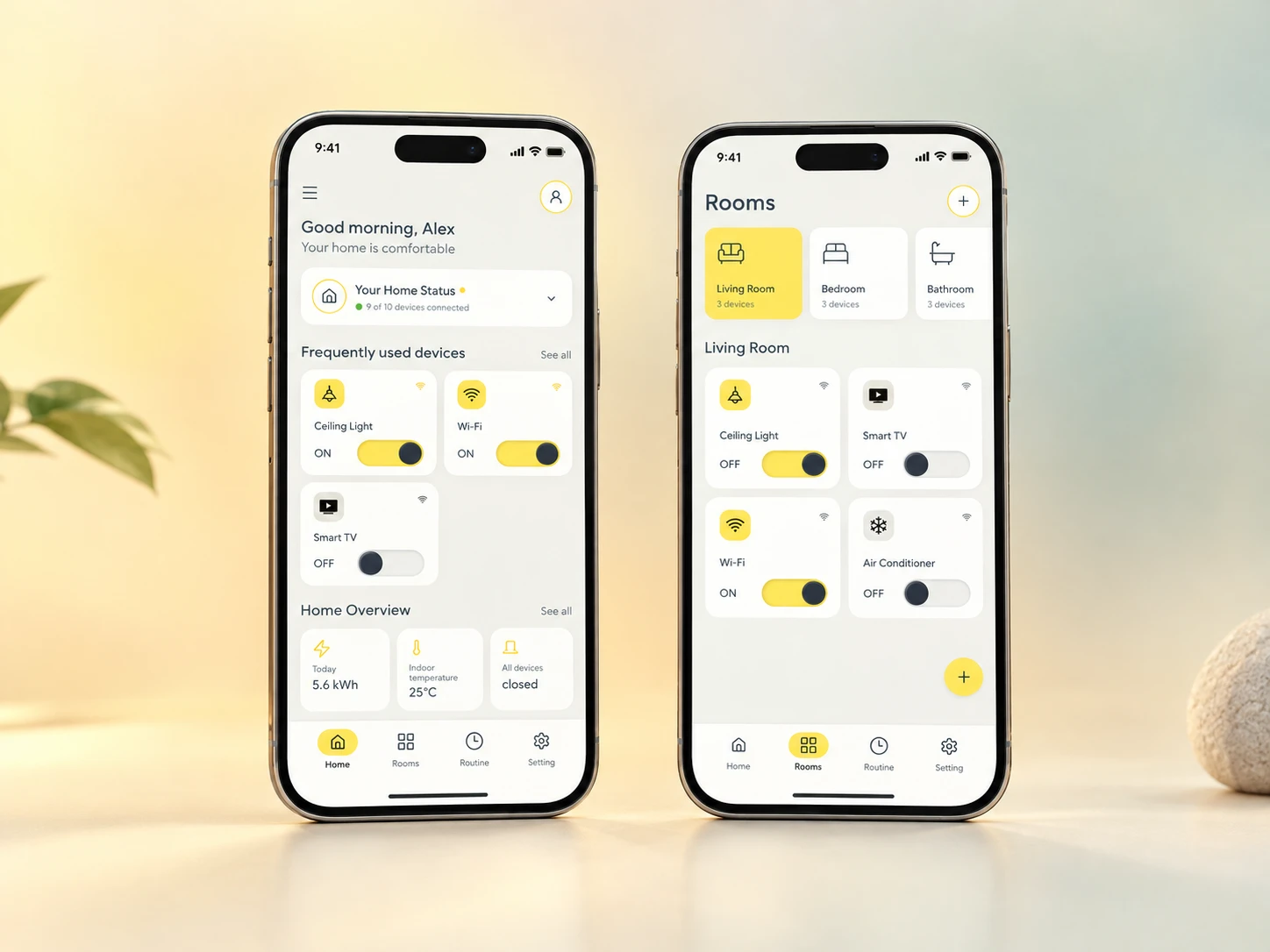
Overview
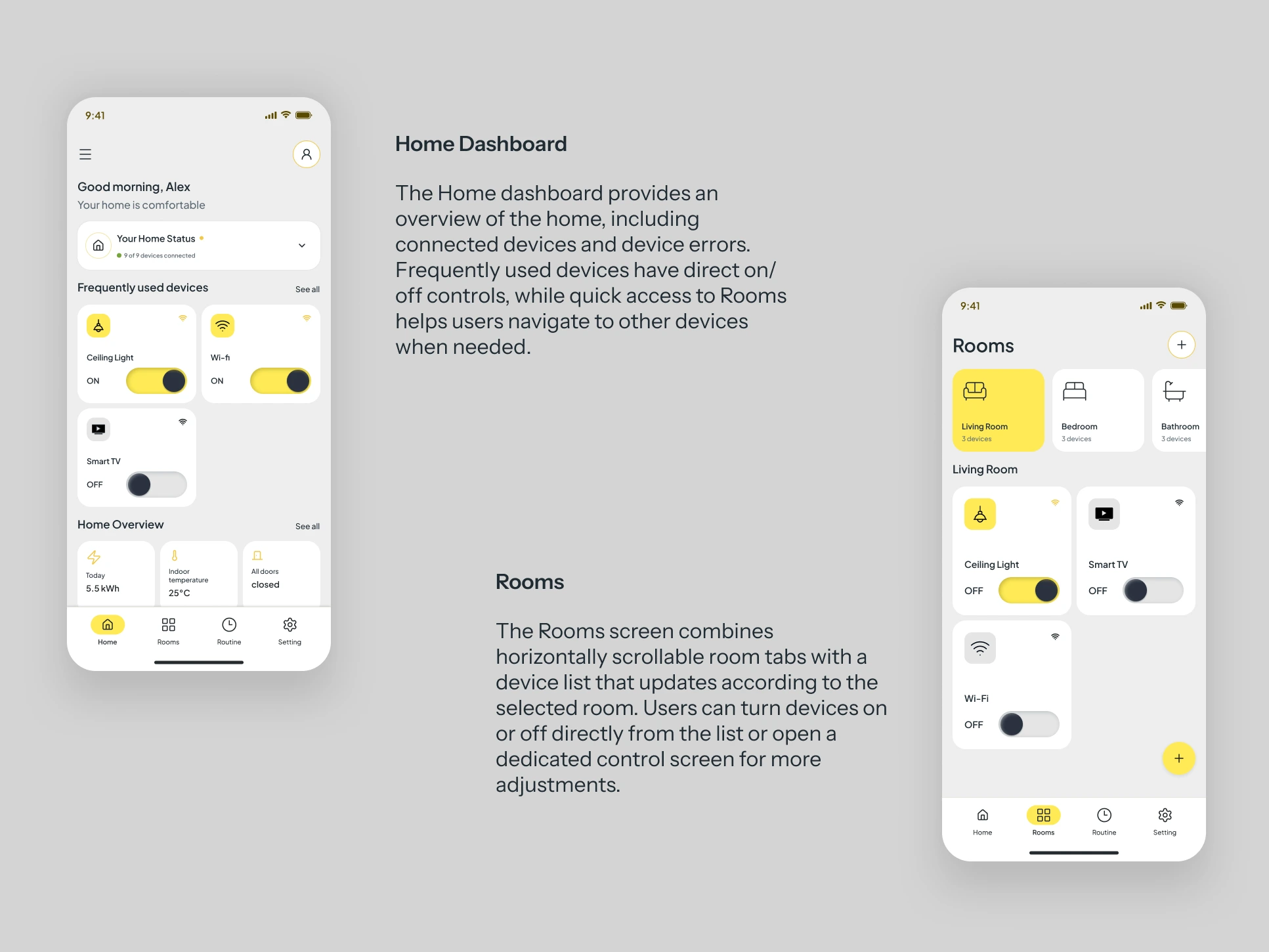
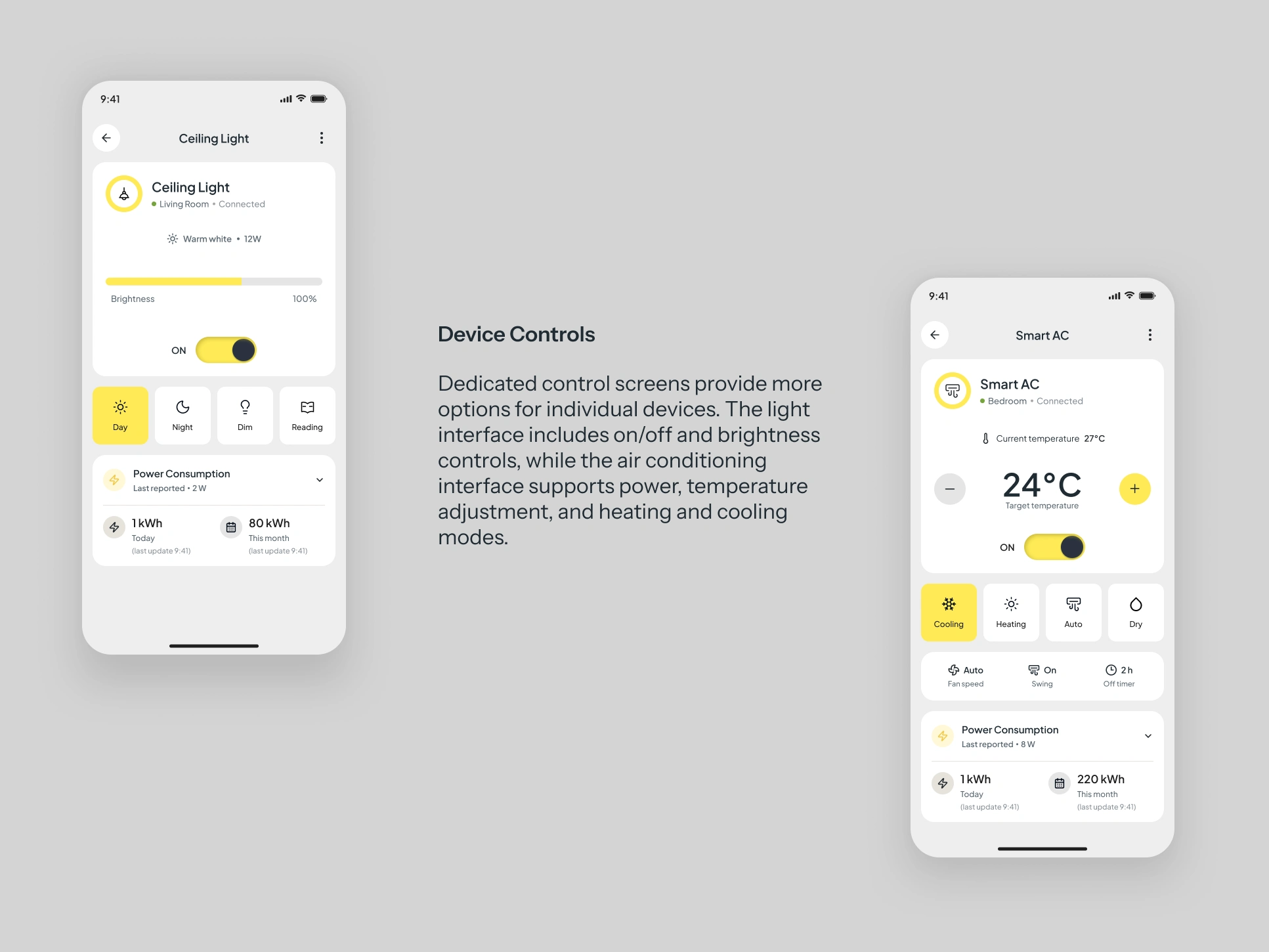
Haven is a smart home mobile app concept designed to make everyday device control simpler and more intuitive. With a room-first approach, users can find devices by location, access frequently used controls directly from the home dashboard, and manage individual devices through dedicated control screens.
The interface focuses on reducing unnecessary navigation and making essential actions, such as turning lights and air conditioning on or off, easy to access. Its warm, minimal visual style combines sunburst yellow, charcoal, and sage green to create a calm yet lively experience.
The Problem & Insights
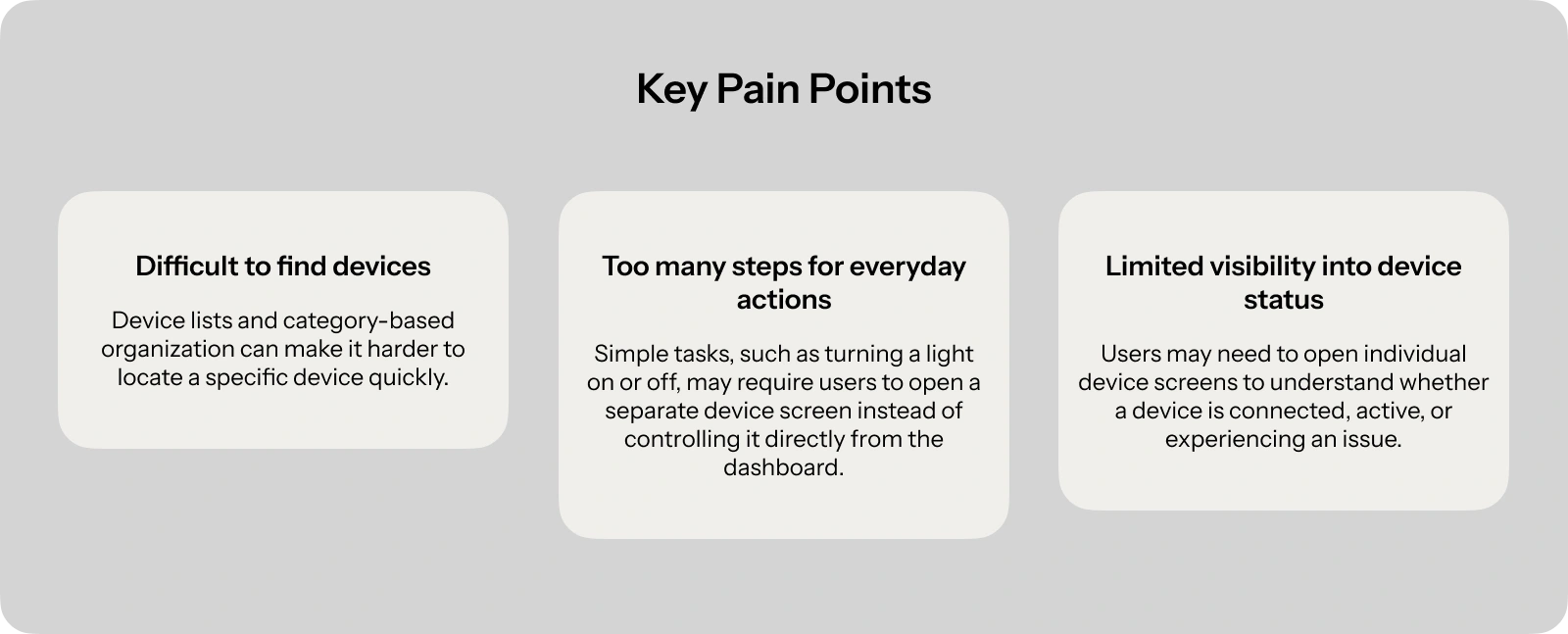
While exploring existing smart home apps, I noticed that finding a specific device could take extra effort, and some dashboards displayed device information without offering direct on/off controls. Simple actions could require users to navigate to another screen before they could control a device.
For everyday tasks, users may find it more intuitive to look for a device based on where it is located. Haven explores a room-first approach that makes devices easier to find and frequently used controls more accessible.
Design Strategy
Haven focuses on simplifying everyday smart home tasks through accessible controls, room-first navigation, and clear device status information.
01 — Prioritize everyday actions
Make frequently used controls accessible from the Home dashboard, reducing unnecessary navigation for simple tasks.
02 — Organize around rooms
Help users find devices based on where they are located, keeping room selection and device browsing within one interface.
03 — Provide clear home status
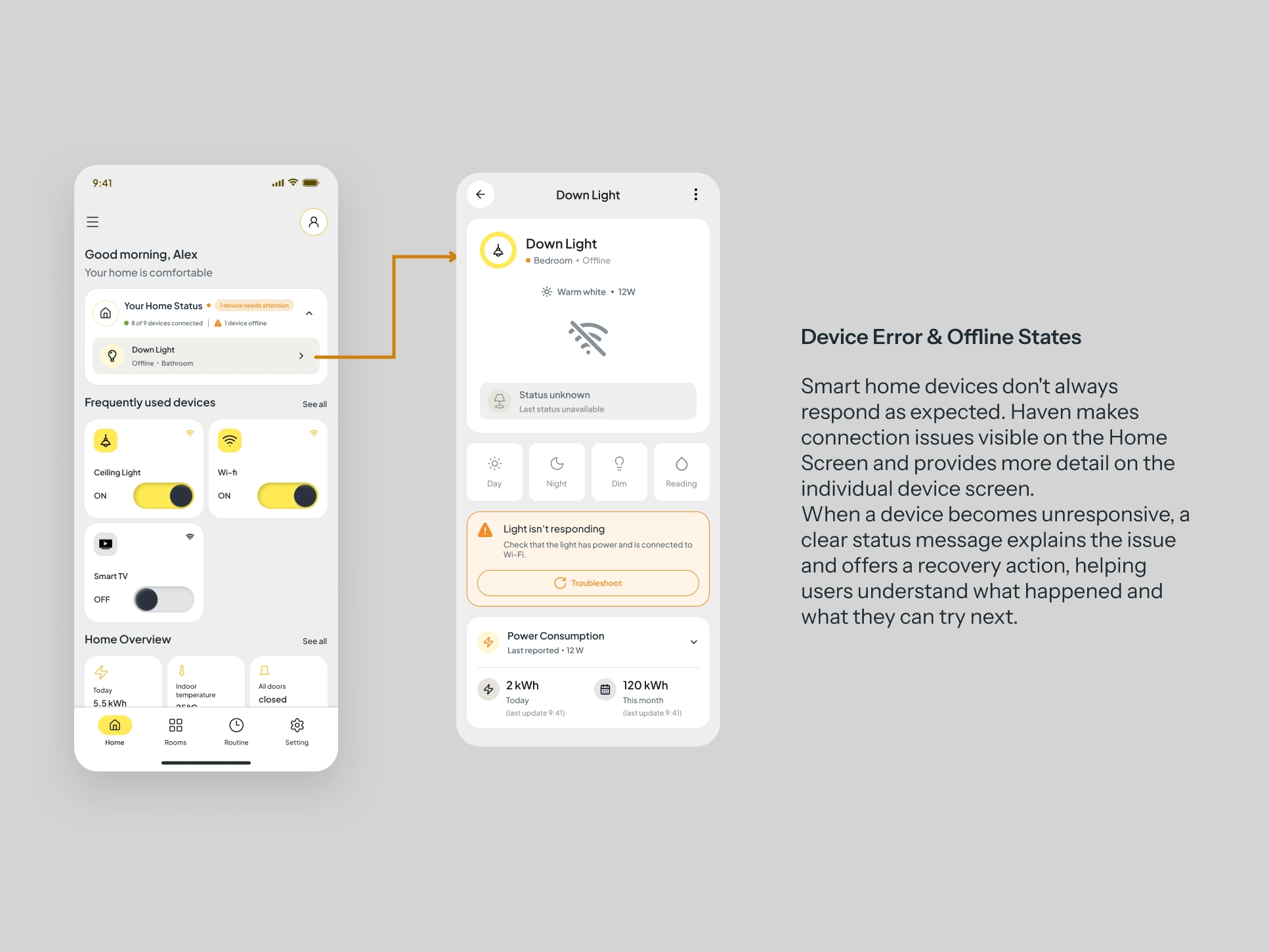
Give users an at-a-glance overview of their home, including device availability and issues that may need attention.
Wireframes & Iteration
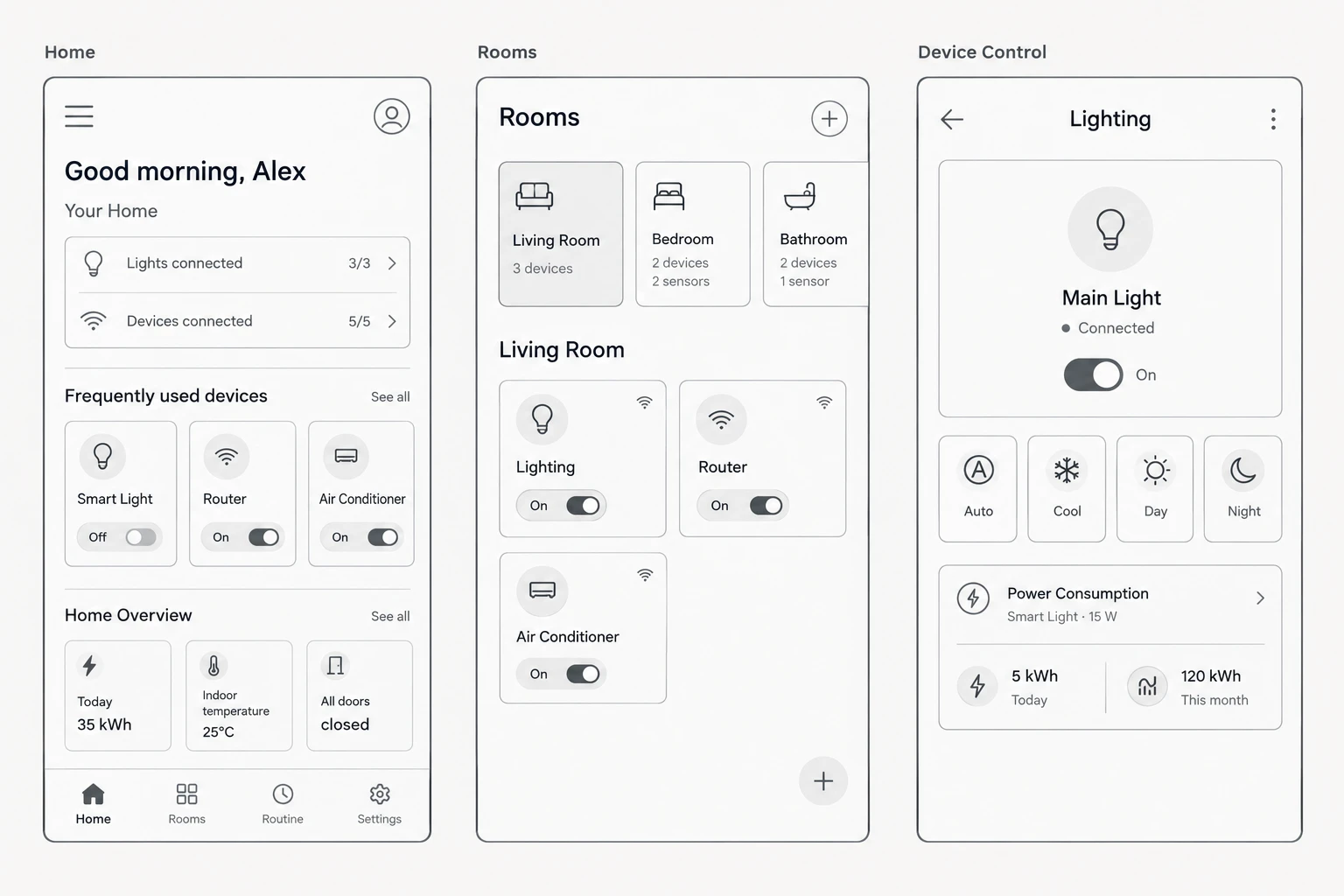
I started with low-fidelity wireframes to define the layout and navigation of Haven's three main screens: Home, Rooms, and Device Control. As the design developed, I refined the layouts and controls to make everyday interactions easier to understand and access.
Final UI & Interactions
Haven brings everyday smart home controls into a warm, minimal interface using sunburst yellow, charcoal, and sage green. Each screen is designed to make device information easy to scan and common actions straightforward to access.
Reflection & Next Steps
Working on Haven helped me understand the importance of making everyday actions accessible while keeping the interface clear and consistent. One key challenge was balancing quick controls with detailed device settings, allowing users to perform simple tasks without losing access to additional options.
What's Next?
Usability Testing: Evaluate how easily users can find and control devices.
Smart Routines & Scheduling: Explore preset routines such as Movie Night, Leaving Home, and Coming Home, allowing multiple devices to respond automatically to a chosen scenario or schedule.
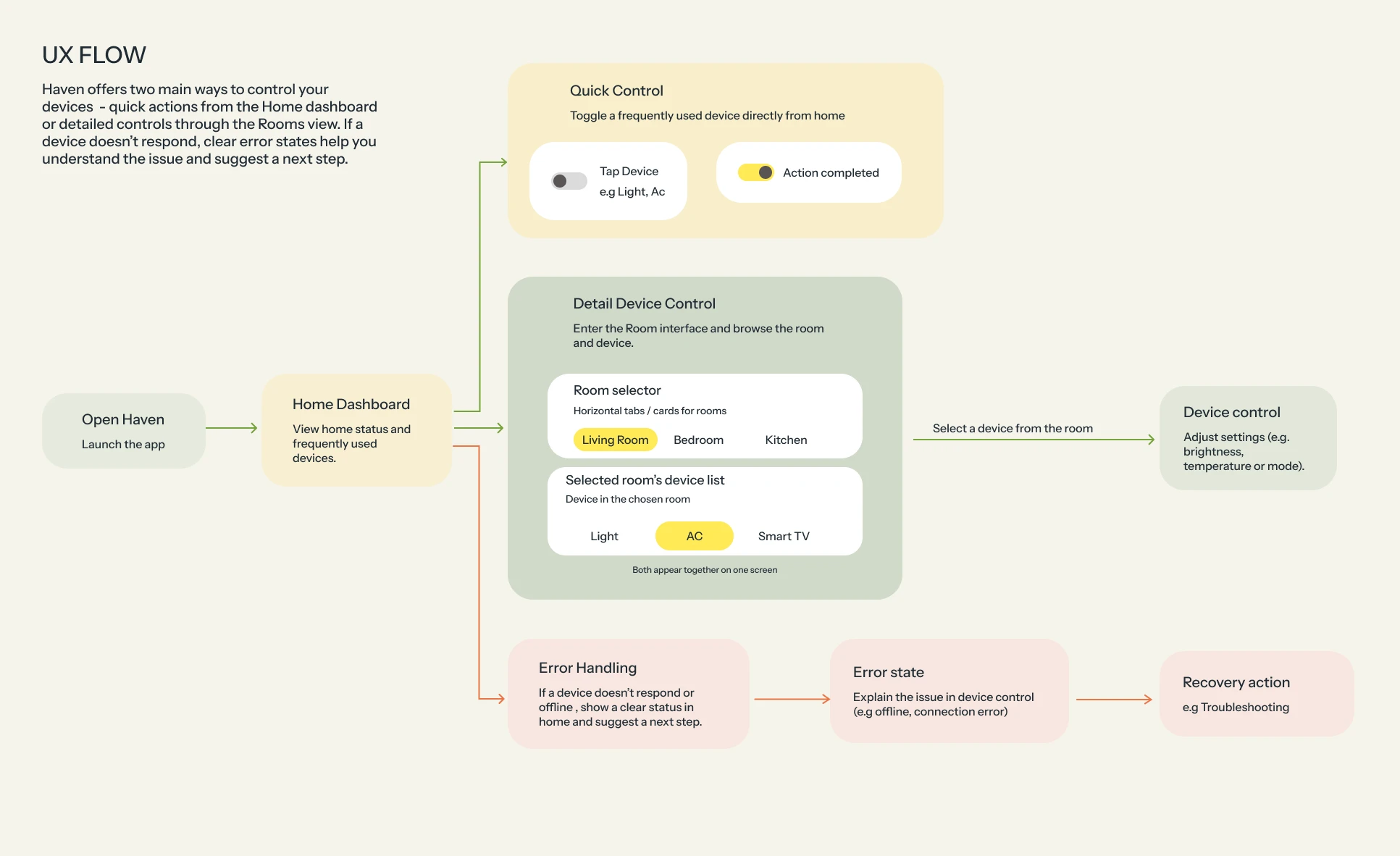
Refine Device States: Improve error messages and recovery flows when devices fail to connect.
Expand Device Support: Explore support for additional smart home devices.
Try the Interactive Prototype
Explore Haven's key flows, from quick device controls on the Home dashboard to room-based navigation and individual device settings.
The Prototype
Created in Figma.
Like this project
Posted Oct 22, 2026
Designed a smart home app with room-first navigation to simplify device control.
Likes
0
Views
1