Enterprise Search Tool Integration in MS Teams

Tetiana

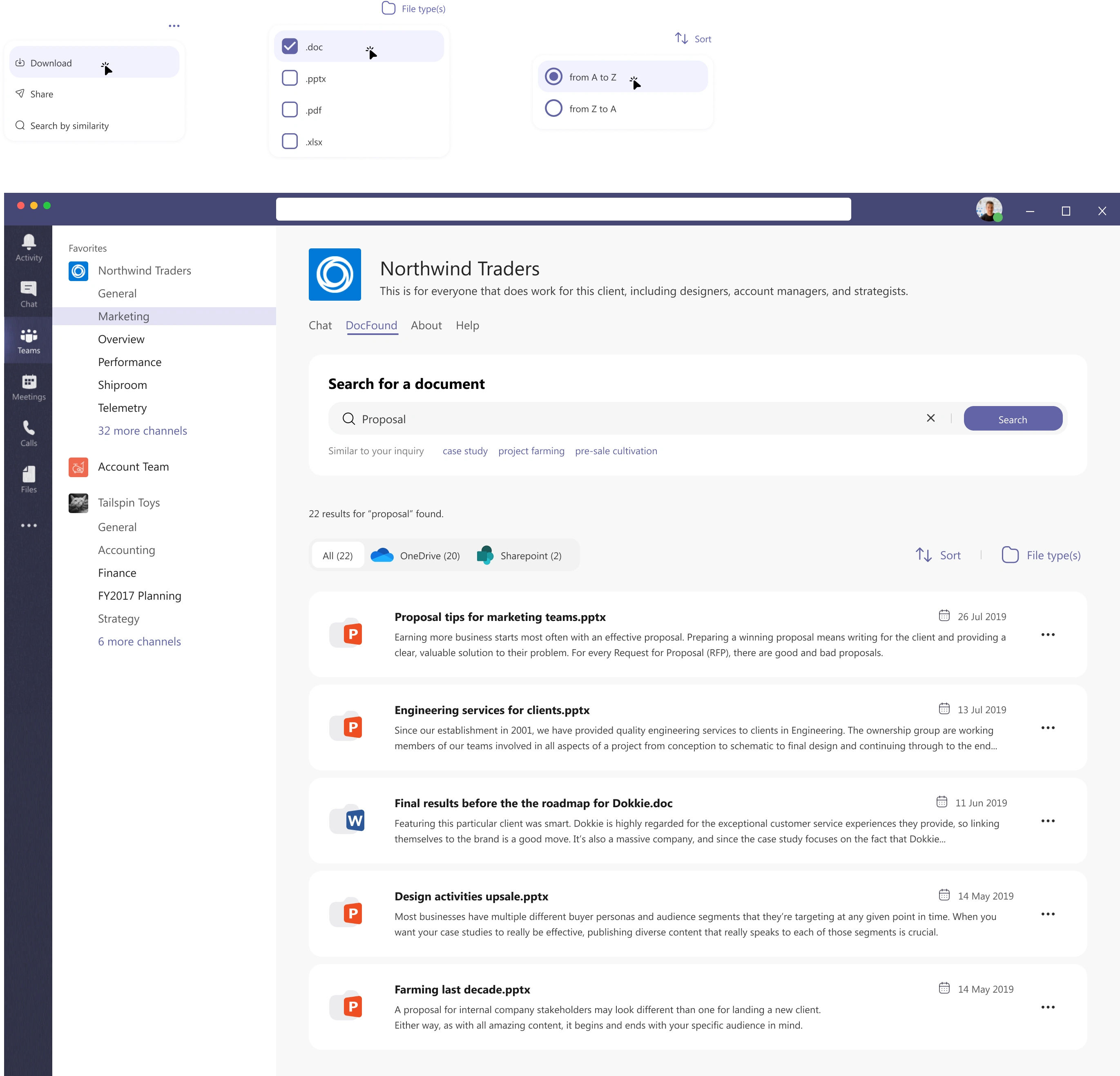
Search chatbot & tab for MS Teams
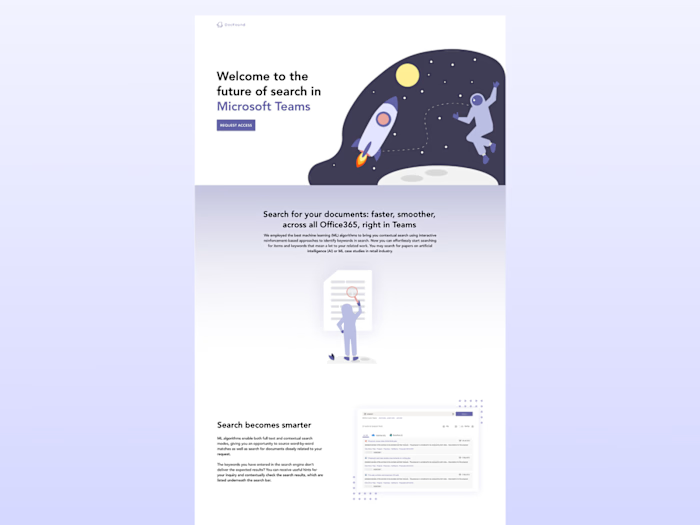
Summary: The enterprise search tool is seamlessly integrated into MS Teams, offering users a powerful solution for quickly and efficiently locating the most relevant documents. Powered by advanced ML models and artificial intelligence, the search functionality provides users with the ability to perform document searches both full-textually (word-by-word) and contextually, ensuring that they can find the information they need in the most effective manner.
Goal: Drive market innovations, introduce cutting-edge solutions that address emerging needs and set new industry standards.
User interviews & persona
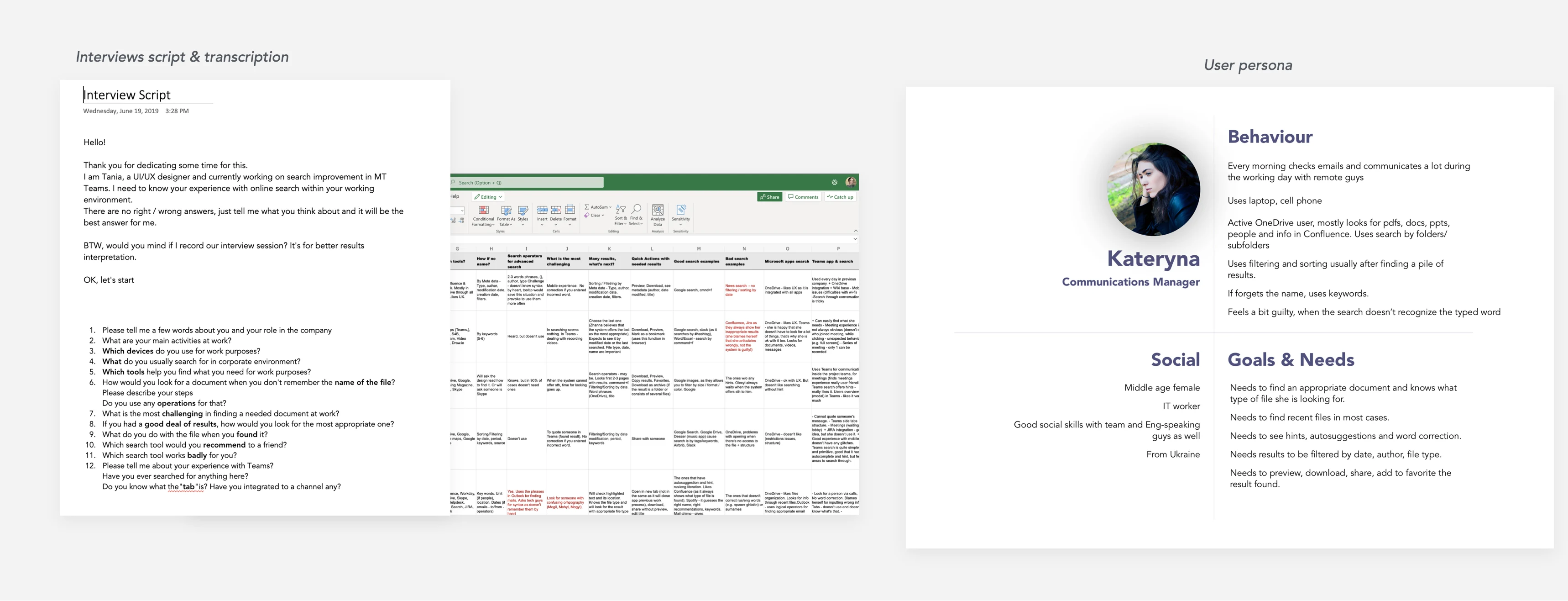
User interviews & persona
Interviews with MS Teams users across various domains were conducted to explore the relevant documents search behavior in enterprise environment, uncovering common patterns and pain points. The findings were documented in an Excel file and formed the basis for developing a representative user persona.
Mapping
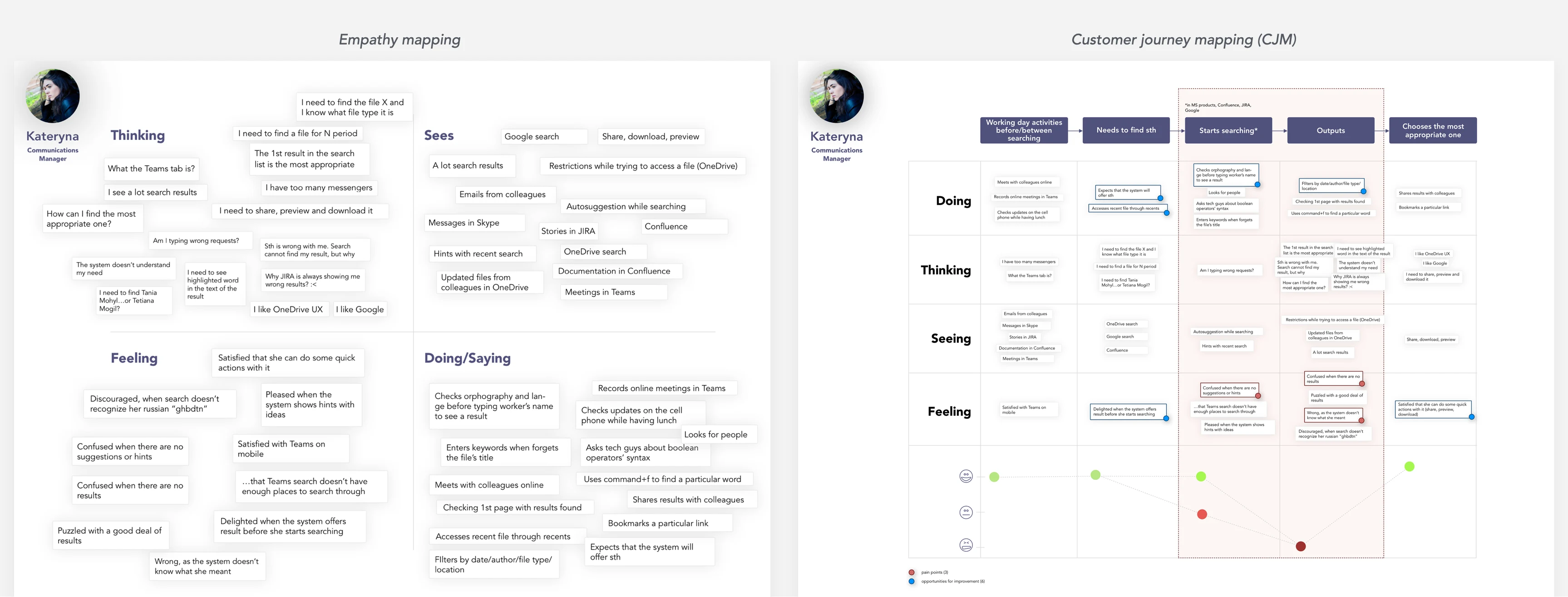
Empathy & Customer journey maps
Based on the results of the user interviews and persona, an Empathy map and CJM were developed to gain a deeper understanding of the users’ perspective. The mapping helped identify key pain points and guided the focus for design direction.
Problem statement
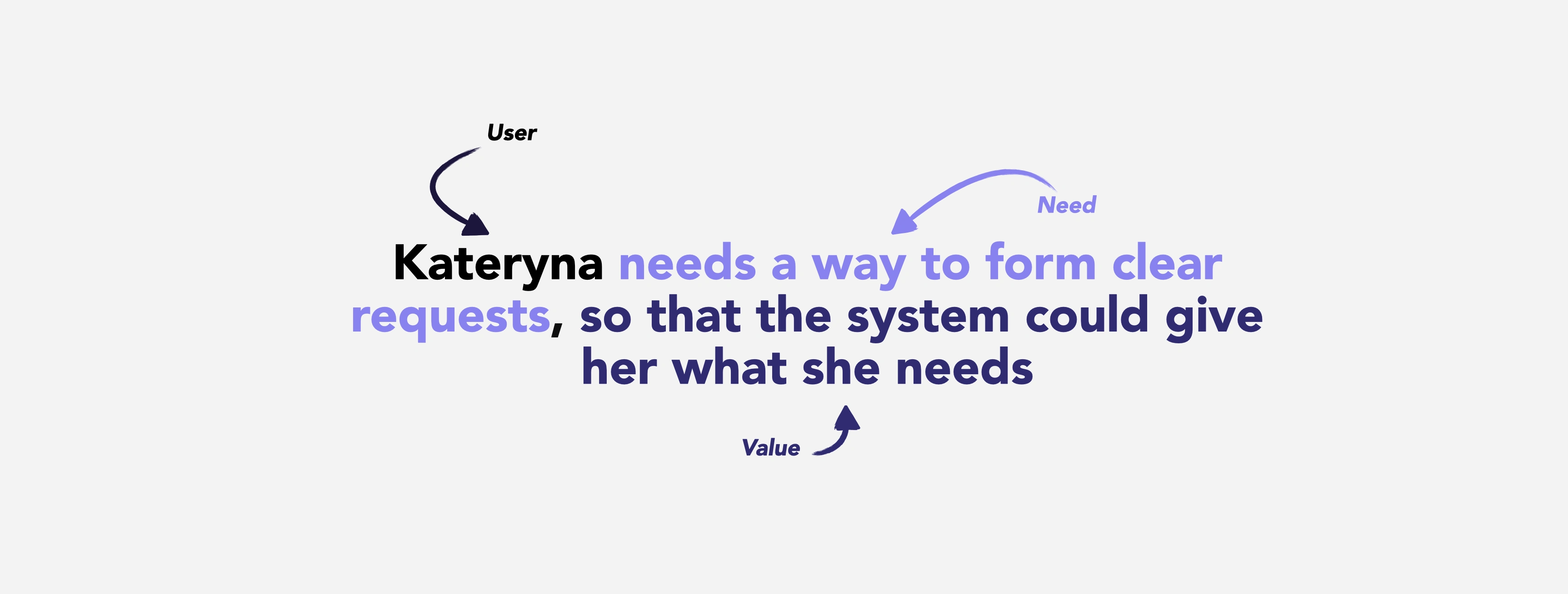
Problem statement
After identifying the primary issue most users pointed to, it was reframed into a clear problem statement to help define our vision and focus the design direction.
Sketches
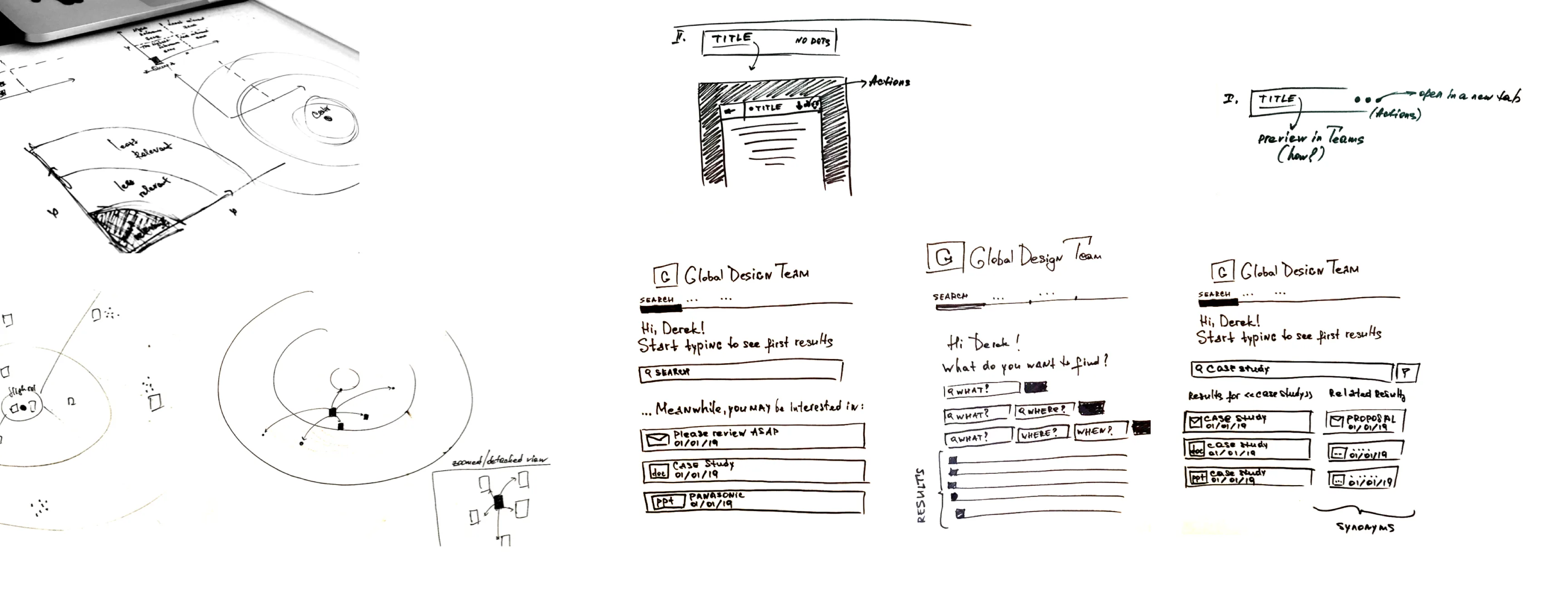
Sketches for ideation
Low-fidelity paper wireframes were the fastest way to explore multiple layout ideas and define the core interface model. Several concepts were sketched focusing on navigation, key flows, and data presentation. Collaborating with engineers and stakeholders early allowed us to quickly validate ideas, address technical constraints, and align on a shared direction.
Remote user testing
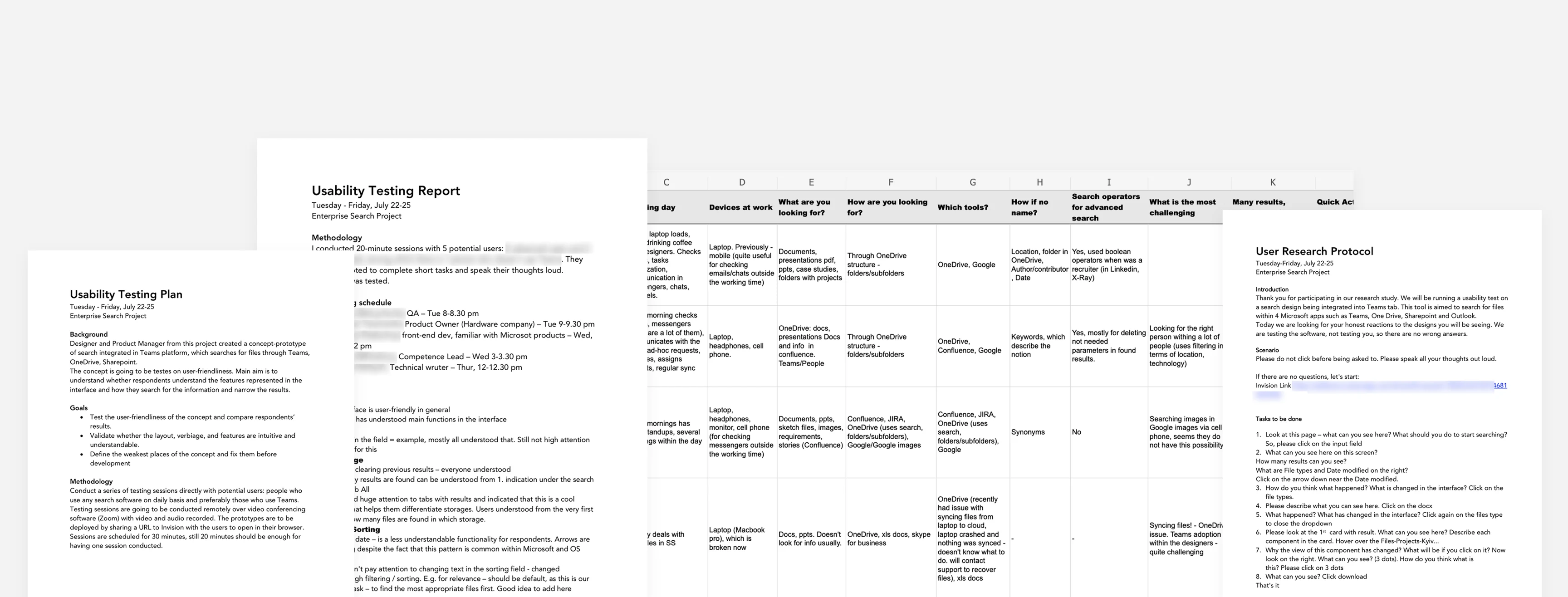
Remote user testing documentation - planning, transcribing, interpretation
Visual design mockups were tested with potential users to evaluate interface intuitiveness. The participants were asked to describe what they saw and predict how key functionalities would work. This approach helped uncover usability issues, which were then addressed through targeted design refinements.
Visual design
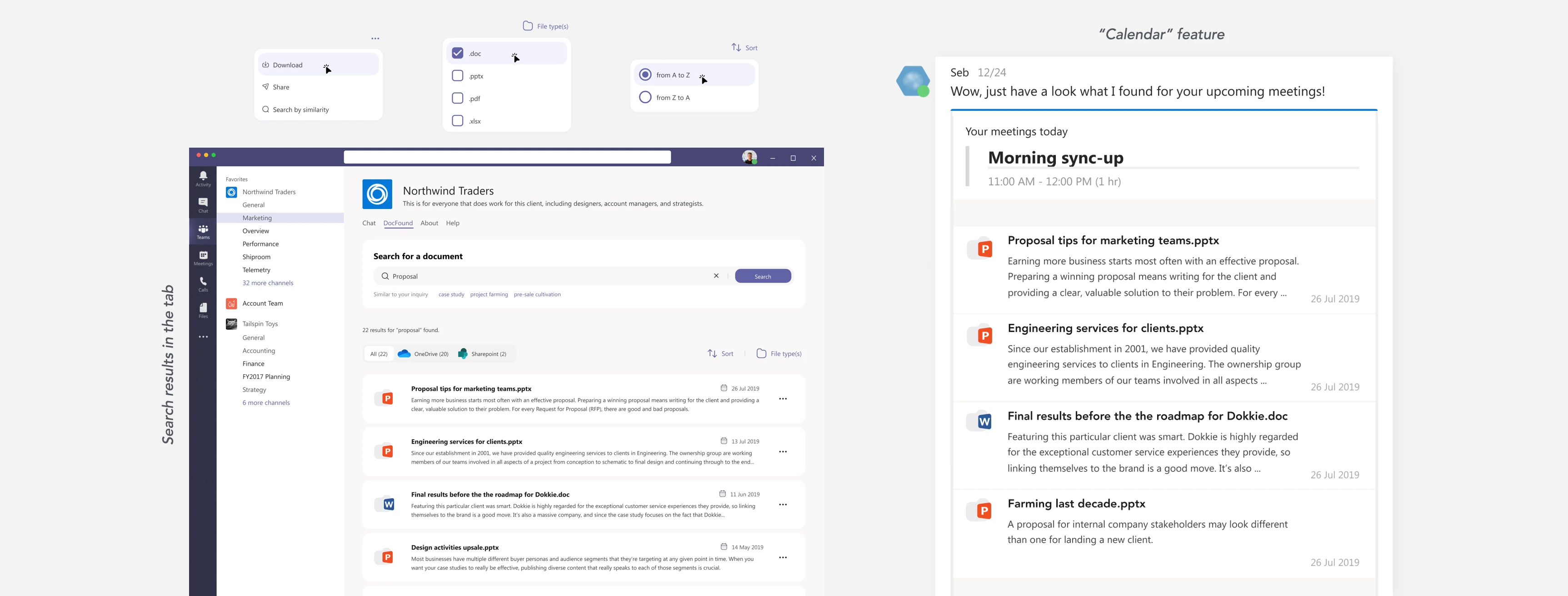
Search tab and Calendar feature
Once the interface model was aligned with the team and stakeholders, we proceeded to the final solution. The chatbot integrated search results from various MS sources into a single tab, enabling users to explore different types of documents based on their queries. Additionally, we introduced a so-called “Calendar” feature to support meeting preparation - Seb automatically aggregates relevant documents for upcoming meetings, helping employees stay informed and organized.
Chatbot
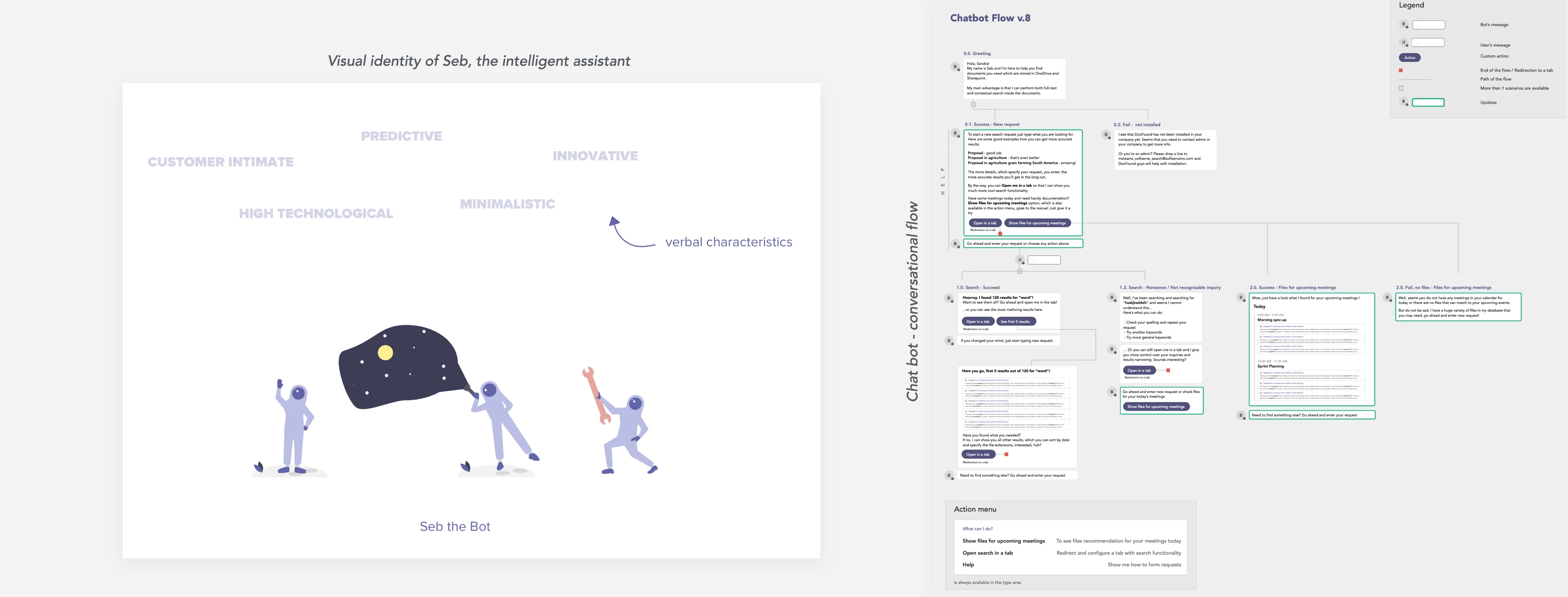
Chatbot
The main challenge in this project was designing a logical flow for a chatbot tasked with searching for documents that could be useful while preparing for different proposals and opportunities in similar domains. The chatbot, named Seb, was intended to embody innovation and predictiveness, requiring a conversational structure that felt both intuitive and intelligent.
Like this project
Posted Jul 8, 2025
Integrated enterprise search tool into MS Teams using AI and ML.
Likes
0
Views
6