Legacy Platform Redesign

Stephanie Varanay


The Challenge
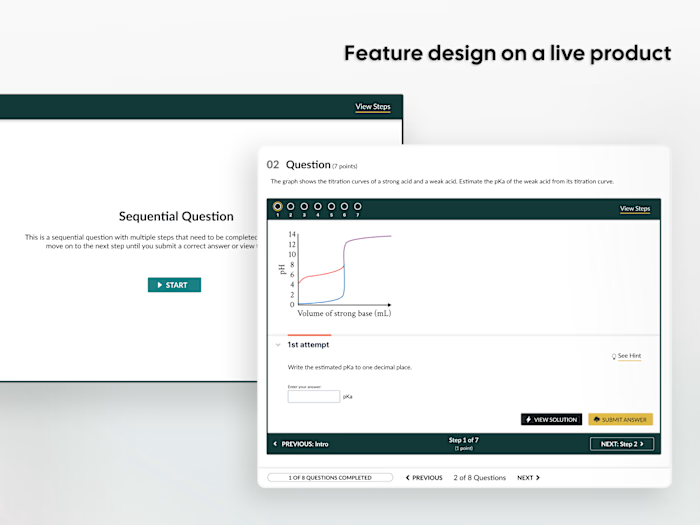
Smartwork is W.W. Norton's oldest online learning tool used by over 1 million students and instructors — and it only existed on desktop. Competitors already had mobile apps, and colleges were flagging accessibility issues.
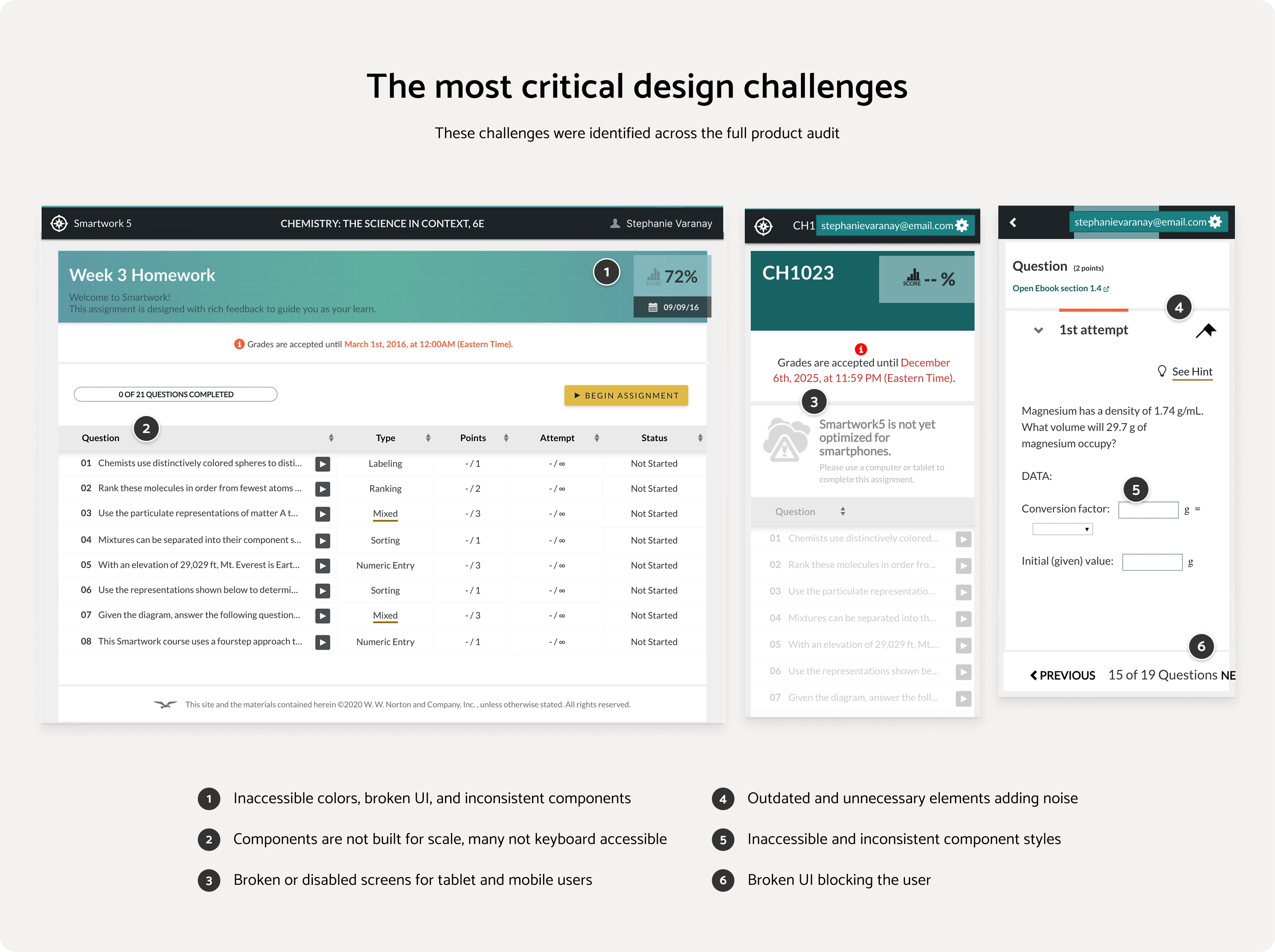
The challenge was redesigning 100+ screens and 13+ question types for mobile and tablet, achieving WCAG 2.1 AAA compliance, and modernizing the interface — all without disrupting familiar workflows for 1M+ existing users on a legacy platform with limited flexibility and many constraints.
The Goal
Make Smartwork fully responsive and WCAG 2.1 AAA compliant, without breaking what already worked for a massive, active user base.
What I Did
Audited 100+ screens to identify accessibility, responsiveness, and visual design gaps across all question types
Broke the project into 6 sequential phases to roll out updates gradually without disrupting students mid-semester
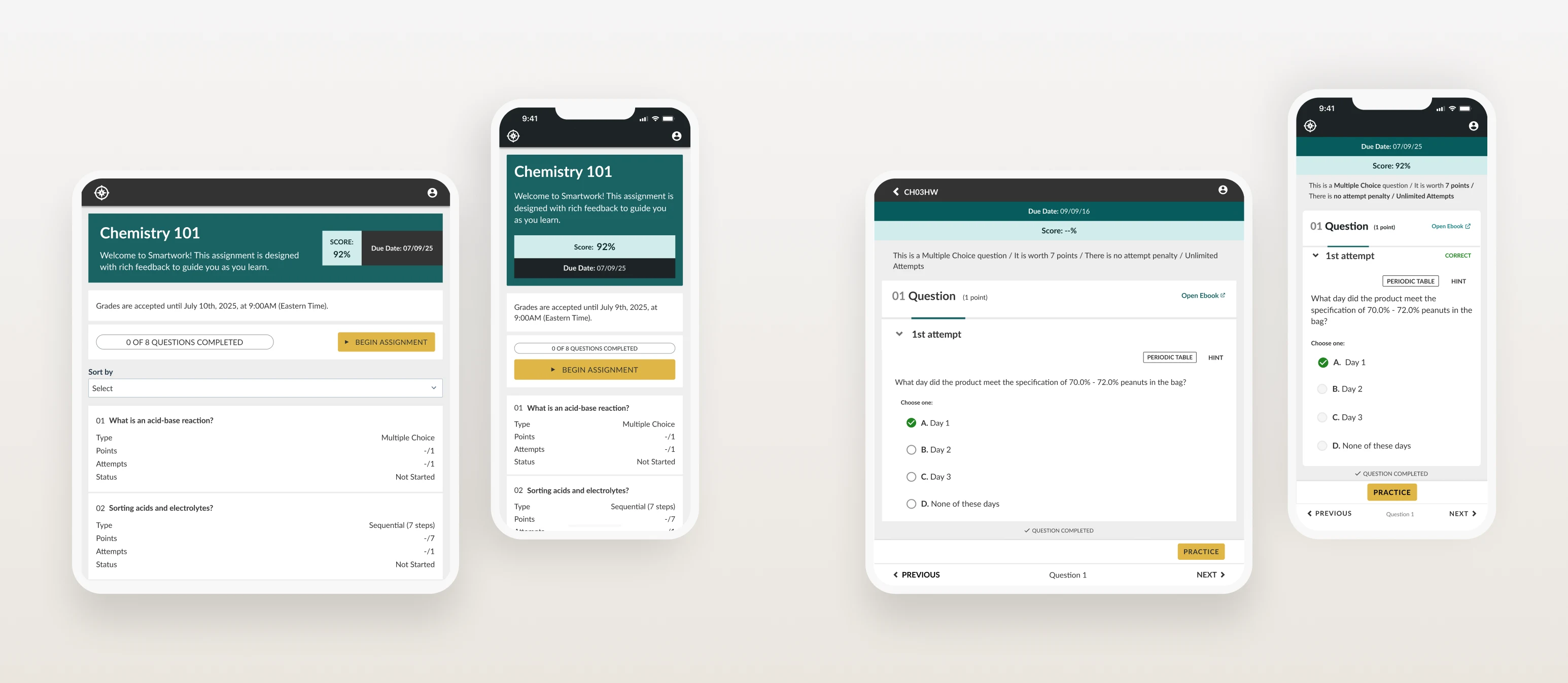
Redesigned 13+ question types for mobile, tablet, and desktop — replacing drag-and-drop interactions with accessible dropdown alternatives compatible with screen readers and all devices
Updated all components to Design System standards and achieved full WCAG 2.1 AAA compliance
Delivered 12 annotated Figma handoffs, stayed involved through development, and handled all VQA and QA
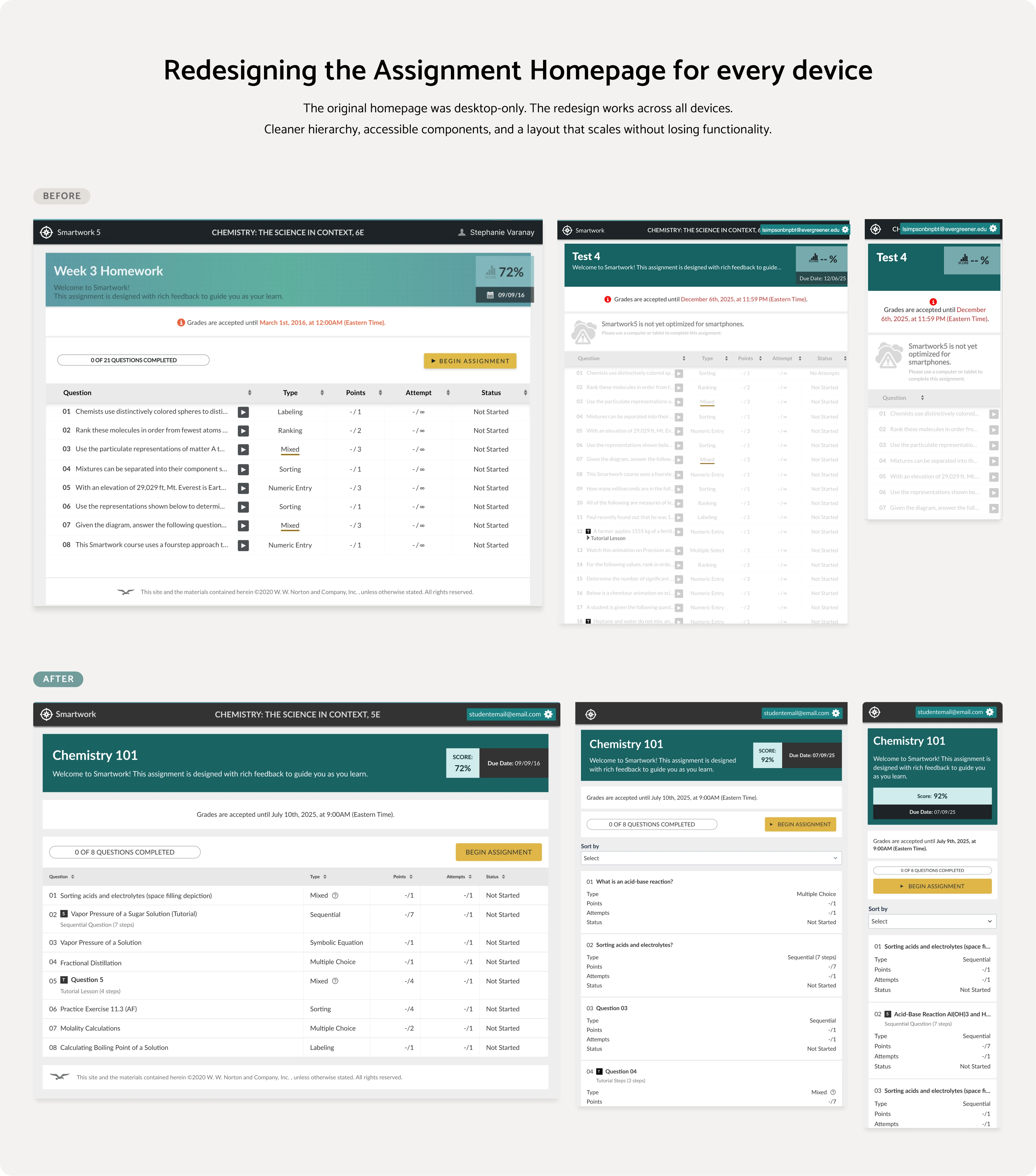
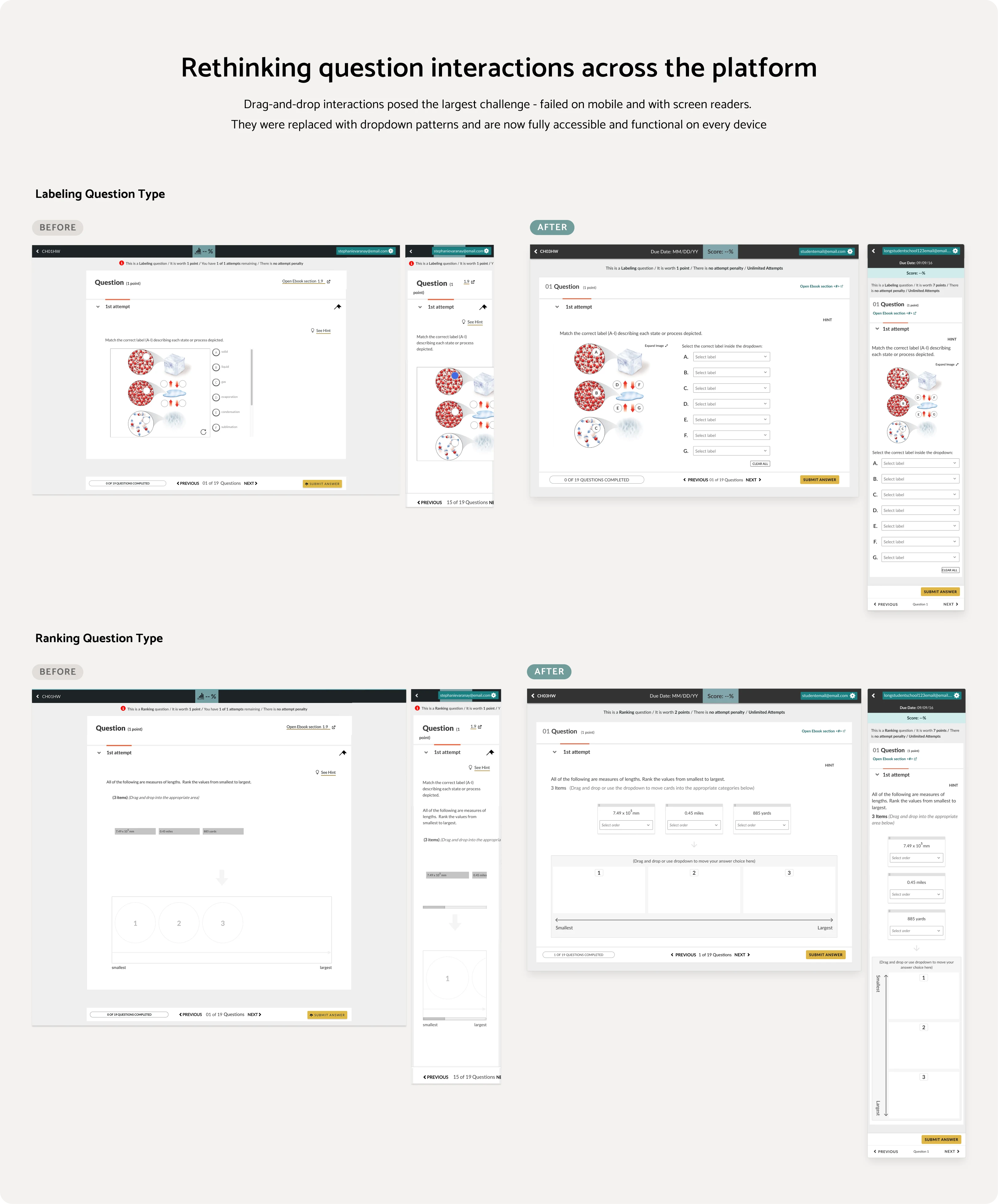
Handoff for labeling question type & design components
This is a small representation of the components created for this project
Results (Early Signals)
Norton expanded Smartwork to 200+ disciplines (English, Psychology, History...) based on this redesign
The new responsive design enabled 2 AI features that are now built directly into the platform
1M+ students now have access to Smartwork on mobile and tablet for the first time
100% WCAG 2.1 AAA compliance achieved across all redesigned components
View the full case study here: https://stephanievaranay.com/sw-responsive
Password: Guest2026
Like this project
Posted Mar 25, 2026
Redesigned W.W. Norton's digital learning product to become responsive, AI-forward, and accessible across all devices for 1M+ users.