Framer Site for Multiplayer Collaboration on macOS

Larry Anderson


Overview
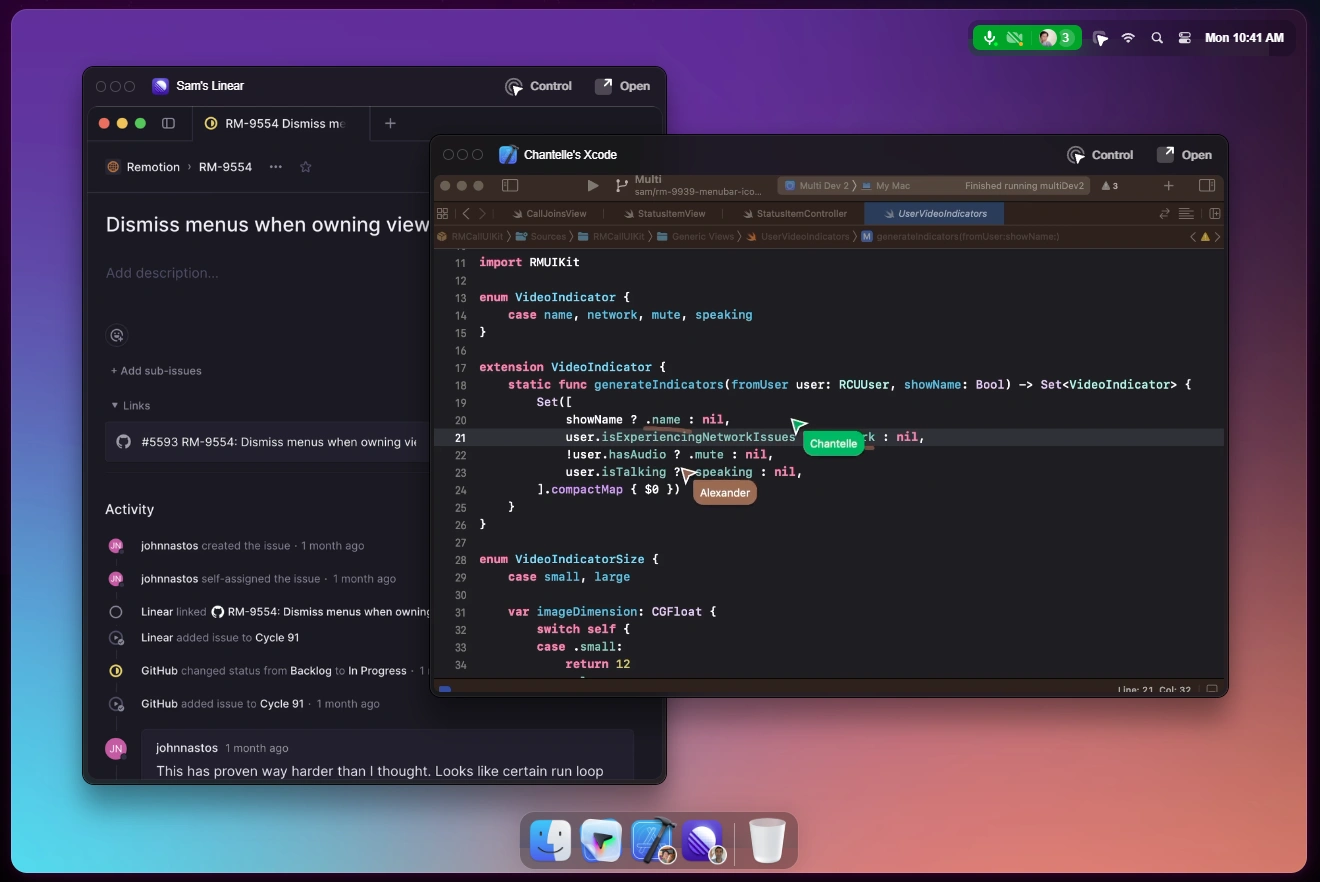
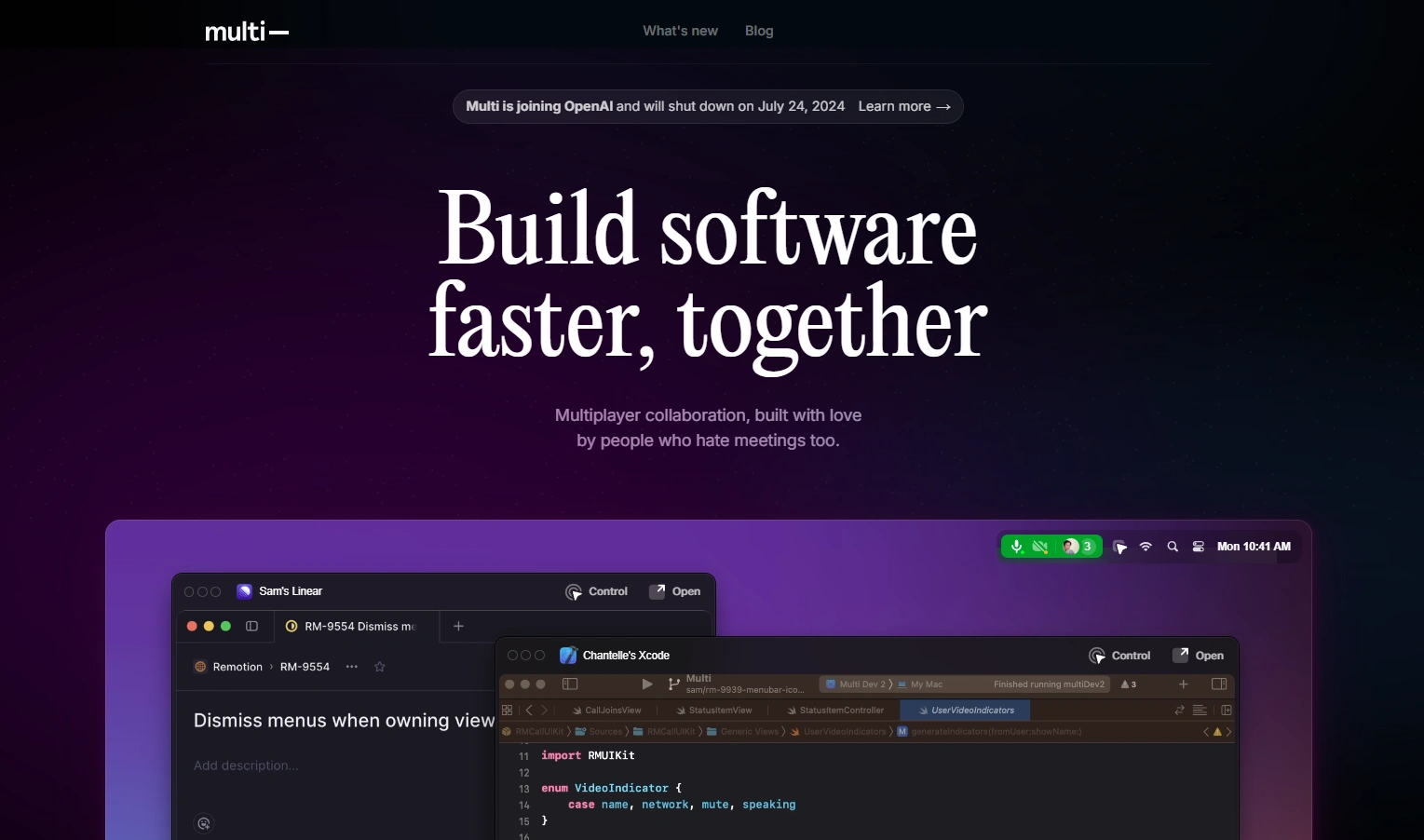
Framer build for Multi, a developer‑focused collaboration app that makes teams faster with real‑time multiplayer. Clear messaging on the product update — “Multi is joining OpenAI and will shut down on July 24, 2024” — while preserving the core story: simultaneous screensharing, shared control (<100ms latency), keyboard‑first commands with Raycast, automatic deep links, and Zoom‑grade A/V.
What I Delivered (Framer)
Clarity & Conversion: Direct value prop (“Build software faster, together”) with a prominent update banner linking to “Learn more.”
Feature Storytelling: From “screenshare done right” to multiplayer‑by‑default; how teams code review, debug, and design without meetings.
Collaboration Essentials:
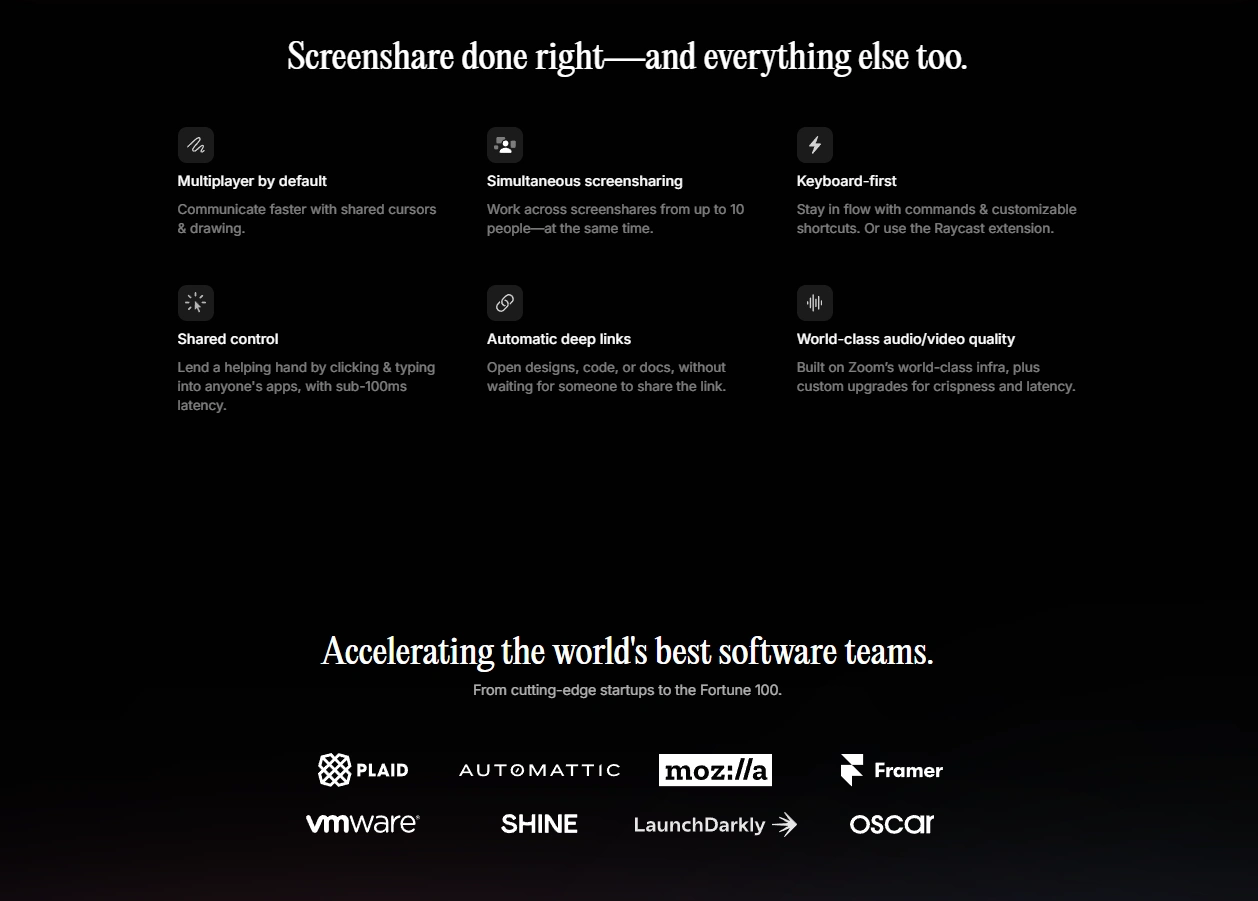
Multiplayer by default: Shared cursors and drawing for instant alignment.
Simultaneous screensharing: Up to 10 people at once.
Shared control: Click and type in each other’s apps with sub‑100ms latency.
Keyboard‑first workflow: Command palette, custom shortcuts, Raycast extension.
Automatic deep links: Jump to designs, code, or docs without link chasing.
World‑class A/V: Built on Zoom infrastructure with custom low‑latency upgrades.
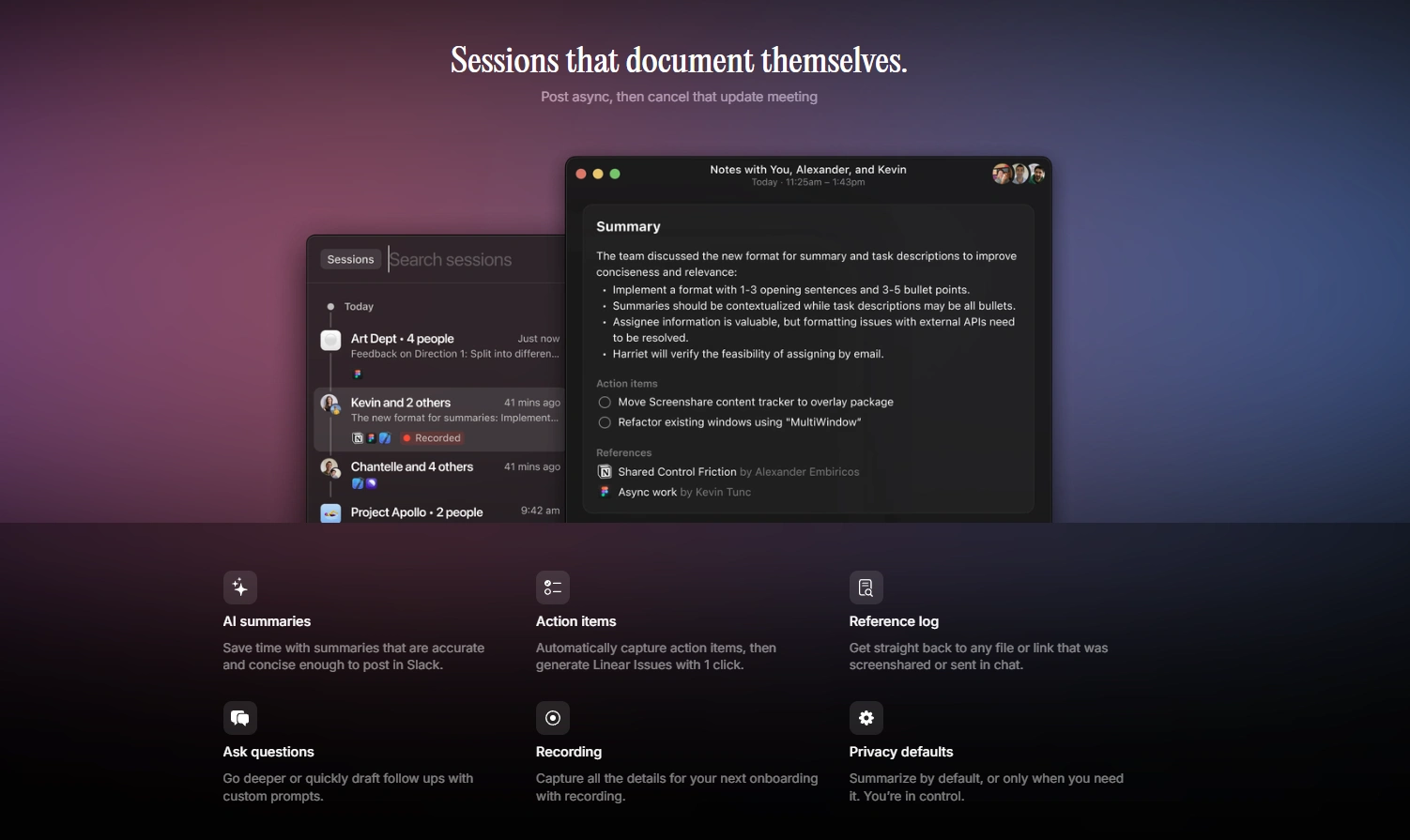
Async Superpowers:
AI summaries: Post concise, accurate recaps to Slack.
Action items to Linear: Auto‑capture tasks and push issues in one click.
Reference log: All screenshared files/links retrievable instantly.
Recording & privacy defaults: Capture sessions; control when to summarize.
Momentum & Trust: Changelog highlights (Raycast extension, better summaries, images in chat, push to Linear) to show pace and care.
Framer Implementation
Component System: Reusable hero, feature grids, update banner, changelog feed, CTA blocks; tokens for typography, color, spacing.
Media & States: Lightweight UI mockups of shared cursors, multi‑screen mosaics, command palette; empty/error states for transparency.
Responsive Design: Fluid grids tuned for desktop first (macOS context) with strong mobile readability.
Performance: Optimized assets, lazy loading, Framer CDN, minimal layout shift.
Accessibility: Semantic headings, focus outlines, contrast compliance, keyboard navigation.
Analytics: Event tracking on “Learn more” banner, feature engagement, and outbound links (blog/changelog).
Results
Crisp understanding of Multi’s multiplayer advantage vs. ordinary screenshare tools.
Reduced meeting load with AI summaries, Linear action items, and reference logs.
Preserved product legacy post‑announcement with a credible archive and clear narrative.
Like this project
Posted Mar 17, 2026
Framer build highlighting simultaneous screensharing, shared control (<100ms), keyboard‑first commands with Raycast, auto deep links, and Zoom‑grade A/V.
Likes
5
Views
6
Clients
Multi